Category: Blog

  • Probation Period: Meaning, Rules, Duration, Rights, and How It Works in 2026

    Probation Period: Meaning, Rules, Duration, Rights, and How It Works in 2026

    Starting a new job comes with a mix of excitement and uncertainty. One thing that affects nearly every new hire is the probation period, yet most people go through it without fully understanding what it means, what rights they hold, or what their employer can and cannot do.

    This guide covers everything you need to know about probation periods in 2026, from their legal standing in India to how they work in the UK, US, and beyond. Whether you are a new employee trying to make sense of your contract, or an HR professional looking to set up a fair system, this article has you covered.

    What Is a Probation Period?

    Young professional working at a laptop during a probation period in a modern office, symbolizing employee onboarding, performance evaluation, skill development, career growth, and workplace success in a bright corporate environment.

    Probation Period Definition

    A probation period is a fixed window of time at the start of employment during which both the employer and the employee assess whether the job is a good fit. During this time, the employer evaluates the new hire’s performance, skills, and behaviour, while the employee decides whether the role and the company meet their expectations.

    Probation Period Meaning in Employment

    In employment terms, a probation period acts as a structured trial phase. The employee is on the payroll and carries out real job responsibilities, but their employment status remains provisional. Confirmation as a permanent employee typically comes after successfully completing this period.

    It is worth noting that “probation” in an employment context has nothing to do with legal or criminal probation. It simply describes a monitored starting phase for new hires.

    Why Companies Have Probation Periods

    Hiring is expensive. Screening, interviewing, onboarding, and training a new employee costs significant time and money. A probation period allows companies to verify that the person they hired can actually do what they were hired for, before committing to long-term employment terms.

    Beyond performance, probation also helps employers assess softer factors like how well someone works with a team, whether they adapt to the work culture, and how they handle pressure or feedback.

    Is a Probation Period Mandatory?

    No, probation periods are not legally mandatory in most countries, including India. They are a matter of company policy and contract terms. That said, most employers across industries do include one in their offer letters or employment agreements. If no probation period is mentioned in your contract, you are generally treated as a permanent employee from day one.

    Purpose of a Probation Period

    HR manager and new employee discussing goals and expectations during a probation period in a modern office, illustrating how probation helps employers assess performance and cultural fit while allowing employees to evaluate the role, workplace, and career growth opportunities.

    Benefits for Employers

    The most obvious benefit is risk reduction. A probation period gives employers a structured way to exit a hiring mistake without the same legal exposure they would face when terminating a confirmed employee.

    During this phase, employers can assess whether the new hire’s technical skills match what was presented in interviews, whether their productivity meets role expectations, and whether their attitude and conduct are appropriate for the workplace. It also gives managers the chance to course-correct early by providing feedback before small problems become serious ones.

    Benefits for Employees

    Probation is not a one-sided arrangement. New employees also use this time to evaluate whether the job lives up to what was promised. Does the day-to-day work match the job description? Is the management style something they can work with? Does the company culture feel right?

    This period gives employees a relatively low-stakes window to ask questions, learn the ropes, and decide whether this is a role they want to stay in long term.

    Why Probation Is a Two-Way Evaluation Process

    It is common for employees to think of probation as something happening to them rather than something they are also participating in. In reality, resignation rates during probation are significant, precisely because employees are making their own assessments at the same time. A well-run probation process acknowledges this and encourages open dialogue from both sides.

    How a Probation Period Works

    Understanding the typical flow of a probation period helps both managers and employees stay on track.

    Step 1: Employee Joins the Organisation. The probation period begins on the first day of employment. The offer letter or employment contract should state the duration and any specific conditions.

    Step 2: Goal Setting and Expectations. In the first week or two, the manager and new hire should agree on clear, measurable goals for the probation period. What does success look like at the 30-day, 60-day, and 90-day marks?

    Step 3: Training and Onboarding. The employee goes through whatever structured onboarding the company provides, learns internal tools and processes, and meets their team.

    Step 4: Performance Monitoring. The manager tracks progress against the agreed goals, watches for behavioural or performance concerns, and documents observations.

    Step 5: Review Meetings. Formal check-ins at regular intervals (commonly at 30, 60, and 90 days) give both parties a chance to discuss progress, flag issues, and recalibrate expectations.

    Step 6: Final Assessment. At the end of the probation period, the employer makes one of three decisions.

    Confirmation means the employee has met expectations and will continue as a permanent employee. A confirmation letter is issued, and additional benefits may kick in.

    Extension means the employer needs more time to evaluate, often because of performance gaps or because the employee was absent for a significant stretch during the probation window.

    Termination means the employment is ended because the employee did not meet the required standards.

    Typical Probation Period Duration

    There is no universal rule for how long a probation period must last. The most common durations are 30, 60, 90, 180, and 365 days, each suited to different types of roles.

    30-Day Probation is relatively short and used mostly for entry-level, high-volume hiring roles where performance is easy to measure quickly, such as call centre staff or retail cashiers.

    60-Day Probation gives a bit more room and is common in mid-level positions where the employee needs time to get up to speed but the role is not highly complex.

    90-Day Probation (3 months) is the most widely used duration globally. It is long enough to assess performance across different work scenarios without dragging out the uncertainty unnecessarily.

    6-Month Probation is standard in more senior or technically complex roles where deep evaluation is needed. Many Indian companies use six months as their default.

    12-Month Probation is typically reserved for very senior positions, government jobs, or roles where integration takes a long time. It is less common in the private sector.

    Factors That Determine Probation Length

    Job Seniority plays the biggest role. Senior positions carry higher stakes, so companies want more time to assess.

    Technical Complexity also matters. A software architect or a surgeon needs longer to demonstrate full competency than a data entry operator.

    Industry Requirements can dictate norms, especially in sectors like banking, healthcare, or government where regulatory or compliance expectations shape HR policies.

    Company Policy is the final factor. Many companies simply have a standard probation period written into their HR handbook regardless of role level.

    Probation Period Duration by Industry

    IndustryCommon Duration
    IT and Software3 to 6 months
    Banking and Finance3 to 6 months
    Manufacturing3 to 6 months
    Healthcare3 to 6 months
    Retail1 to 3 months
    Startups1 to 3 months
    Government Jobs1 to 2 years

    Employee Rights During Probation

    One of the most common misconceptions is that employees on probation have no rights. This is not accurate. While some benefits may vest only after confirmation, employees on probation retain important protections from day one.

    Salary and Wage Rights

    Employees on probation are entitled to the salary stated in their offer letter. Employers cannot pay below minimum wage, and any salary agreed upon in writing must be honoured. Some companies pay a slightly lower salary during probation with a revision promised upon confirmation, but this must be clearly documented in the contract.

    Paid Leave Entitlements

    Leave entitlement during probation varies by state in India and by company policy. Many companies restrict casual leave or earned leave during probation, but they are required to comply with applicable state Shops and Establishments Acts, which often grant leave rights regardless of employment status.

    Sick Leave During Probation

    Most state-level labour laws in India require employers to grant a minimum number of sick leave days regardless of whether an employee is on probation. Check the applicable state Shops and Establishments Act for the specific number.

    Provident Fund (PF) Eligibility

    Under the Employees’ Provident Funds and Miscellaneous Provisions Act, 1952, PF contributions are mandatory for all employees (including those on probation) whose basic salary is up to Rs. 15,000 per month if the employer has 20 or more employees. Probationary status does not exempt either party from this obligation.

    ESIC Benefits

    The Employees’ State Insurance Corporation (ESIC) scheme applies to employees earning up to Rs. 21,000 per month (Rs. 25,000 for persons with disabilities). If the establishment is covered under the ESI Act, probationary employees are eligible for medical, sickness, and maternity benefits from the start of employment.

    Maternity Benefits

    Under the Maternity Benefit Act, 1961, a woman employee is entitled to maternity leave if she has worked for the employer for at least 80 days in the 12 months preceding the expected delivery date. The probation period counts toward this 80-day threshold. An employer cannot deny maternity benefits on the grounds that the employee is on probation.

    Paternity Benefits

    India does not have a central law mandating paternity leave for private sector employees. However, some companies and several state governments do offer it. Central government employees are entitled to 15 days of paternity leave regardless of probation status.

    Protection Against Discrimination

    Employment laws prohibiting discrimination on grounds of gender, caste, religion, disability, and other protected characteristics apply equally during probation. An employer cannot terminate a probationary employee on discriminatory grounds and frame it as a performance issue.

    Safe Workplace Rights

    An employee on probation has the same right to a safe, non-hostile work environment as any permanent employee. Workplace safety regulations, anti-harassment policies, and grievance mechanisms apply from day one.

    Probation Period Rules in India

    India does not have a single central law that directly governs private sector probation periods. Instead, the rules are shaped by a combination of instruments.

    Role of Employment Contracts

    The employment contract is the primary document governing probation in India. It should spell out the duration, the conditions for extension or termination, and what happens upon confirmation. If probation terms are not in the contract, courts and tribunals may treat the employee as a permanent worker.

    Standing Orders and Probation

    For industrial establishments covered under the Industrial Employment (Standing Orders) Act, 1946, probation terms must be clearly stated in the certified standing orders. These standing orders are legally binding documents that govern the terms of employment for workmen.

    Shops and Establishments Acts

    Each state has its own Shops and Establishments Act that applies to commercial establishments. These Acts often contain provisions on notice periods, leave, and working hours that apply regardless of whether an employee is on probation.

    Industrial Relations Code Considerations

    The Industrial Relations Code, 2020, which consolidates several older labour laws, is in the process of implementation across states. Once fully implemented, it may affect how probationary employees classified as “workers” are treated, including rules around retrenchment and notice.

    State-Level Variations

    Because labour is a concurrent subject in India (both the Centre and states can legislate on it), probation rules can differ meaningfully from state to state. For example, the definition of “workman,” the applicable notice period, and leave entitlements all vary by state.

    Can a Company Remove an Employee During Probation?

    Yes, an employer can terminate an employee during their probation period, but not without constraints. For employees who qualify as “workmen” under the Industrial Disputes Act, 1947, even a probationary termination must not be arbitrary or mala fide. Courts have held that termination of a probationary workman without giving them a fair opportunity to respond to allegations can amount to an illegal dismissal.

    For non-workmen (managers, executives, professionals), the contract governs, and the employer generally has more discretion, provided the termination is not discriminatory.

    Is Notice Required During Probation?

    Notice requirements during probation depend on what the employment contract says and what state law applies. Many contracts allow a shorter notice period during probation, sometimes as little as seven days. If the contract is silent, reasonable notice is expected. Immediate termination without notice is permissible in cases of gross misconduct.

    Probation Period Laws Around the World

    India

    As covered above, India relies primarily on employment contracts, standing orders, and state-specific labour legislation. There is no central law setting a maximum probation duration for the private sector, though courts have sometimes treated very long probation periods as unconscionable if used to avoid employment protections.

    United Kingdom

    Probation periods in the UK are governed by contract law. Historically, employees needed two years of continuous service to claim unfair dismissal. The Employment Rights Act reforms being rolled out in 2026 and 2027 are changing this significantly.

    2026-2027 Employment Rights Reforms: The UK is introducing statutory probation periods with a “light-touch” dismissal process for employers during a new hire’s first nine months. This replaces the old two-year qualifying period with a shorter, structured framework.

    Day-One Employment Rights: Under the new framework, employees in the UK gain certain rights from their first day of employment, including protection from automatically unfair dismissal (for whistleblowing, pregnancy, etc.) regardless of how long they have worked.

    Unfair Dismissal Qualifying Period Changes: The qualifying period for standard unfair dismissal claims is being reduced, but a defined statutory probation period will allow employers to dismiss more easily during the initial period, provided a fair process is followed.

    United States

    At-Will Employment: Most US states follow the at-will employment doctrine, meaning employers can terminate employees at any time, for any reason that is not illegal, and employees can leave at any time. Probation periods in US workplaces are largely symbolic in legal terms for private employers, though they matter for HR processes and benefit vesting schedules.

    Montana’s Just-Cause Exception: Montana is the only US state that mandates just-cause employment. After completing an employer’s probationary period (or after 12 months if none is specified), employees in Montana can only be dismissed for good cause.

    European Union

    EU member states generally offer stronger employment protections than the US. Many have maximum statutory probation periods (for example, France limits probation to 4 months for executives), and dismissal during probation still requires some procedural compliance. The EU Transparent and Predictable Working Conditions Directive (2019) requires probation periods to be no longer than six months in most cases.

    UAE

    In the UAE, the Federal Decree-Law No. 33 of 2021 on the Regulation of Labour Relations caps probation periods at six months. If an employer dismisses an employee during probation, they must give the employee at least 14 days’ notice. If an employee resigns during probation to join another UAE employer, they must give one month’s notice.

    Australia

    In Australia, the Fair Work Act 2009 allows employers to dismiss employees during a minimum employment period (which acts as the probationary phase) without a claim for unfair dismissal. This period is one year for small businesses (fewer than 15 employees) and six months for larger ones. Employees can still claim general protections (such as discrimination) during this window.

    Goals and Performance Expectations During Probation

    What Employers Typically Evaluate

    Most employers assess a consistent set of qualities during probation regardless of the specific role.

    Technical Skills: Can the person do the core tasks the job requires? Are they up to speed on the tools, systems, and methods used?

    Productivity: Are they delivering work at the pace and quality expected for someone at their stage?

    Attendance: Are they showing up consistently and on time? Unexplained absences early in employment are a common red flag.

    Communication: Do they communicate clearly with colleagues, managers, and (if relevant) clients? Do they escalate issues appropriately?

    Teamwork: Do they collaborate well? Are they easy to work with, or do they create friction?

    Adaptability: How do they respond to unexpected challenges or changes in direction?

    Cultural Fit: Does their behaviour align with the company’s values and workplace norms?

    SMART Goals During Probation

    Goals set during probation should be Specific, Measurable, Achievable, Relevant, and Time-bound. Vague goals like “do well in your role” are useless. A good probation goal looks like: “Complete onboarding training by end of week two. Handle five customer calls independently by end of month one. Achieve a customer satisfaction score of at least 90% by the end of the probation period.”

    Learning Goals vs Performance Goals

    Especially in the first month, it is fair to set learning goals (understand our systems, shadow three client calls, read the product documentation) before shifting to pure performance goals. Expecting full output from a new hire on day one is unrealistic and sets everyone up for a poor experience.

    Probation Reviews and Performance Assessments

    Why Regular Reviews Matter

    A probation period without structured reviews is a wasted opportunity. Without check-ins, problems fester and both sides end up surprised at the end of the period. Regular reviews allow the manager to give early feedback, the employee to adjust, and both sides to document the process.

    The 30-60-90 Day Review Framework

    This is the most widely used structure for probation evaluations.

    First 30 Days focus on settling in. The review at this stage should ask: Has the employee completed onboarding? Do they understand their role? Have they built basic working relationships? Are there any early concerns?

    First 60 Days shift toward early performance. The review checks whether the employee is delivering on initial tasks, whether they are asking the right questions, and whether there are any patterns of concern.

    First 90 Days assess whether the employee is ready for confirmation or whether issues need to be addressed. At this stage, both the manager and the employee should have enough data to make informed decisions.

    Common Evaluation Criteria

    Most performance review forms during probation cover: quality of work, quantity of work, punctuality and attendance, communication skills, teamwork, initiative, and adherence to company policies.

    Documentation Best Practices

    Every review, verbal warning, or performance concern during probation should be documented in writing. If the employment is terminated at the end of probation and the employee disputes it, having a paper trail is essential. Documentation also protects the employee by creating a record of what was discussed and agreed upon.

    Red Flags Managers Watch For

    Common warning signs that appear in probation reviews include: missed deadlines, inability to receive feedback without becoming defensive, unexplained absences, failure to learn basic systems after reasonable time, conflict with colleagues, and dishonesty about skills or progress.

    Probation Period vs Permanent Employment

    FeatureProbation EmployeePermanent Employee
    Job SecurityLower; easier to dismissHigher; more legal protections
    Notice PeriodUsually shorterUsually longer
    BenefitsMay be partial or deferredFull benefits package
    Performance MonitoringIntensivePeriodic
    Employment StatusProvisionalConfirmed

    Key Differences Explained

    The most significant difference is job security. Permanent employees typically have more legal protection against dismissal and are entitled to the full benefits package the company offers. Probationary employees may have some benefits deferred (such as certain insurance cover or stock options) until confirmation.

    Notice periods during probation are generally shorter for both parties, reflecting the provisional nature of the arrangement.

    Notice Period During Probation

    Typical Notice Period Rules

    Most employment contracts specify a shorter notice period during probation than what applies after confirmation. A common arrangement is 7 to 30 days’ notice during probation, compared to 30 to 90 days after confirmation.

    Resigning During Probation

    An employee is free to resign during probation. They must give whatever notice their contract requires. In some cases, especially where the employee plans to join a competitor in India, the company may ask them to serve out the notice or pay in lieu. Some contracts require one month’s notice even during probation; others allow just one week.

    Employer-Initiated Termination

    If the employer terminates the employee during probation, the same contractual notice period applies unless the termination is for gross misconduct. Some companies issue a termination letter with the notice period already waived and pay out the equivalent salary (pay in lieu of notice).

    Immediate Termination Scenarios

    Gross misconduct such as theft, fraud, violence, harassment, or serious breach of company policy can lead to immediate termination without notice during probation (and after it). The employer should still follow a fair process, including giving the employee an opportunity to respond to the allegations.

    What Employment Contracts Usually Say

    A well-drafted employment contract will specify the notice period during probation separately from the notice period after confirmation, clarify whether pay in lieu of notice is permitted, and state the grounds on which immediate termination can occur.

    Can a Probation Period Be Extended?

    Yes, probation can be extended, but it must be done properly.

    Common Reasons for Extension

    Performance Concerns are the most common reason. If the employee has not yet demonstrated the level of work expected but the employer believes they can get there with more time, extension is a reasonable option.

    Attendance Issues are also frequently cited. If an employee had extended sick leave or personal absence during probation, the employer may argue they could not make a proper assessment.

    Incomplete Training sometimes delays evaluation. If mandatory training was not completed, the employer may extend to allow for it.

    Extended Leave or Illness can effectively pause the probation clock. Many contracts state that the probation period excludes time taken on leave, so periods of illness or maternity leave may result in a proportional extension.

    Legal Considerations

    The extended probation must still comply with applicable laws. Courts in India have held that repeated or excessively long extensions used to keep an employee in permanent uncertainty may be challenged. The terms of extension should be documented in writing and communicated formally to the employee.

    Employee Rights During Extension

    An employee on an extended probation retains the same rights as during the original probation period. The extension is not a punishment in itself; it simply means the employer needs more time. The employee should receive a clear explanation of what needs to improve and what the new evaluation criteria are.

    Best Practices for Employers

    Always issue a formal extension letter before the original probation period ends. State the reason for extension, the new end date, and the specific goals the employee must meet. Conduct at least one formal review before the extended period ends.

    Termination During Probation

    Common Reasons Employees Fail Probation

    Poor Performance is the most frequently cited reason. Failing to meet the basic output or quality standards expected of someone in the role is grounds for a probationary termination.

    Attendance Problems are taken seriously because they affect team productivity and signal unreliability.

    Behavioural Issues include repeated conflicts with colleagues, insubordination, or conduct that makes the workplace uncomfortable for others.

    Skill Gaps are sometimes only discovered once someone is doing the actual job. If the gap between the candidate’s actual skills and the role’s requirements is too large to bridge, termination may follow.

    Cultural Misalignment refers to situations where the employee’s values or work style are fundamentally at odds with those of the organisation, even if their technical work is acceptable.

    Employer Responsibilities Before Termination

    Even during probation, employers should not terminate an employee without following some basic process. This means documenting performance concerns, communicating them clearly to the employee, giving the employee a reasonable chance to improve, and only proceeding to termination if improvement does not occur or if the conduct is serious enough to warrant immediate action.

    Documentation and Review Meetings

    Any employer who terminates a probationary employee should have a paper trail: written records of performance reviews, any warnings issued, goals set and missed, and the final assessment. Verbal conversations alone are not sufficient.

    Legal Risks of Improper Dismissal

    In India, if a probationary employee falls under the definition of “workman” under the Industrial Disputes Act, improper termination during probation can expose the employer to claims of illegal retrenchment. Courts have reinstated probationary workmen and awarded back wages in cases where employers failed to follow a fair process. For non-workmen, the risk is a wrongful termination claim under the employment contract.

    What Employees Can Do After Termination

    A terminated probationary employee in India can file a complaint with the appropriate labour commissioner or industrial tribunal if they believe the termination was illegal, discriminatory, or in violation of their contract. They may also approach the civil courts for breach of contract. Collecting all written communications and the employment contract before leaving the company is important.

    What Happens After Probation Ends?

    Confirmation of Employment

    Once the probation period ends and the employee has met expectations, the employer issues a confirmation. This formally converts the employment status from probationary to permanent (or confirmed).

    Confirmation Letters

    A confirmation letter should be in writing and state: the date of confirmation, the designation, any salary revision, changes to benefits (if any), and the applicable notice period going forward. Keep a copy of this letter; it is an important employment document.

    Salary Revisions

    Many companies build a salary revision into the confirmation. The offer letter may state a probationary salary and a confirmed salary, with the increase taking effect on confirmation. Not all companies do this, but it is common in sectors like IT and banking.

    Additional Benefits

    Benefits such as health insurance, group term life cover, performance bonuses, and stock option eligibility often vest or kick in only after confirmation. Review your employment contract to understand exactly when each benefit begins.

    Career Development Opportunities

    Confirmation also typically marks the point at which an employee becomes eligible for internal job postings, promotion cycles, and formal performance appraisals. Some companies have a separate “new hire” track for the first year that transitions to the standard appraisal cycle after confirmation.

    What Happens If No Confirmation Letter Is Issued?

    This is a genuinely grey area. If a probation period ends and the employer says nothing, courts in India have generally held that the continued employment of the worker implies confirmation, especially for workers covered under the Industrial Disputes Act. For non-workmen, the answer depends on the contract. If you have not received a confirmation letter after your probation ended, follow up in writing with your HR department and keep a record of the exchange.
    How to Pass a Probation Period Successfully

    Probation is not a test you pass by luck. Here are the things that actually make a difference.

    Understand Expectations Early. In your first week, get crystal clear on what success looks like. Ask your manager to define the goals for your probation period in writing if possible. Do not assume you know what is expected.

    Build Strong Working Relationships. Technical skills alone rarely get people through probation. The people who confirm are almost always those who are easy to work with. Invest time in building genuine relationships with colleagues and your manager.

    Communicate Proactively. If you are struggling, say so before it becomes obvious. If you have a concern, raise it. If you are going to miss a deadline, flag it early. Managers almost always respond better to early honesty than to discovering problems on their own.

    Seek Feedback Frequently. Do not wait for formal review meetings. After completing a piece of work, ask your manager what they thought. After a client call, ask a colleague if there is something you could have handled better. People who actively seek feedback usually improve faster and also signal self-awareness.

    Document Your Achievements. Keep a simple running log of what you have done, what went well, and any metrics that show your contribution. This is useful in review meetings and gives you confidence that you are making progress.

    Demonstrate Reliability. Be where you say you will be, do what you say you will do, and meet the deadlines you have committed to. Consistency matters more than any single impressive moment.

    Show Initiative. Look for small opportunities to go slightly beyond your brief. Volunteer for tasks, suggest improvements to processes you have been trained on, or help a colleague who is under pressure. Initiative signals that you are invested in the organisation’s success, not just your own job security.

    Common Mistakes Employees Make During Probation

    Missing Deadlines is one of the fastest ways to raise concern. Even if the work itself is good, missing a deadline creates a perception of unreliability.

    Poor Attendance during the very phase when you are supposed to be making a first impression tells employers something unfavourable, even if the absences are legitimate. If you do need to take leave, communicate clearly and ensure your work is covered.

    Lack of Communication leaves managers guessing. If you are stuck on a problem and say nothing for three days, your manager does not see someone trying hard and failing. They see someone who has gone quiet.

    Ignoring Feedback is a serious problem. Managers who give feedback that is then not acted on often lose interest in investing further in that employee.

    Overconfidence trips up experienced hires who arrive assuming they already know how things should be done. Every workplace has its own ways of working, and dismissing them without understanding them first rarely ends well.

    Failing to Learn Company Processes is a related trap. Jumping ahead with tasks before learning how the company actually does things creates rework and friction.

    Real-World Probation Examples

    Example 1: Successful Completion of Probation

    Priya joined a mid-sized software company in Bengaluru as a product manager on a three-month probation. In her first week, she met with her manager to agree on clear goals: complete onboarding, shadow five customer calls, and deliver a competitive analysis document by month one. She hit each milestone, communicated any blockers early, and asked for feedback after each deliverable. At the 90-day review, she received a confirmation letter along with a salary revision. The key factors were her proactive communication and her willingness to ask questions rather than guess.

    Example 2: Probation Extension Due to Performance Gaps

    Rajan joined a banking operations team on a six-month probation. His technical knowledge was strong, but his accuracy on transaction processing was below the required threshold at the three-month review. Rather than terminating, his manager extended the probation by two months, issued him a performance improvement plan with specific targets, and assigned him additional coaching sessions. Rajan hit the targets within the extended period and was confirmed. The extension was handled fairly because the employer documented everything and gave Rajan a genuine path to improvement.

    Example 3: Probation Termination Due to Role Mismatch

    Ananya was hired as a senior analyst at a consulting firm with a three-month probation. Despite strong academic credentials, it became clear within two months that her working style was not suited to the fast-paced, client-facing nature of the role. She missed two client presentation deadlines, and feedback from the team was consistently that she needed significant supervision. The company terminated her employment during probation, providing the contractually required 30 days’ notice and a reference letter. The outcome was difficult but handled professionally: the company had documented its concerns in two formal review meetings, and Ananya had been told clearly what needed to change.

    Why Probation Periods Matter for Businesses

    Reducing the Cost of Bad Hires

    A bad hire is expensive. Studies have estimated the cost of replacing an employee at anywhere from half to three times their annual salary when you account for recruitment, lost productivity, training, and the impact on team morale. Probation periods give businesses a structured, lower-cost exit route when they identify a mismatch early.

    Improving Workforce Quality

    When probation is managed well and used consistently, it improves the overall quality of the workforce. Employees who are retained are those who have genuinely demonstrated they can do the job.

    Supporting Employee Development

    A probation period, done right, is not just an assessment tool. It is also a development tool. The structured feedback and goal-setting process helps new employees grow faster than they would in a completely unstructured onboarding.

    Improving Long-Term Retention

    Counterintuitively, rigorous probation periods often improve long-term retention. When employees know they are being evaluated fairly against clear criteria, they engage more seriously. Those who pass feel they have genuinely earned their place, which increases commitment to the organisation.

    The Financial Impact of Hiring Mistakes

    Beyond replacement costs, a poor hire who stays past probation may damage client relationships, lower team morale, create HR issues, or produce substandard work for years. Avoiding this through an honest probation process protects the business’s bottom line.

    Future Trends in Probation Periods

    Increased Employee Protections

    Globally, the direction of travel is toward stronger employee rights, even during probation. The UK’s 2026-2027 reforms are a prime example. India’s new labour codes, when implemented, may also bring greater consistency and protection for probationary workers.

    Shorter Probation Periods

    As hiring processes become more rigorous (structured interviews, skills tests, trial projects), companies are finding that they need less time to assess fit. The trend in some sectors, particularly technology startups, is toward shorter probation periods of 30 to 60 days.

    Remote Employee Evaluations

    Managing probationary employees who work remotely requires a fundamentally different approach from in-person evaluation. Companies are increasingly adapting their probation frameworks to account for digital communication patterns, output-based (rather than presence-based) assessment, and virtual onboarding.

    AI-Assisted Performance Reviews

    Some larger organisations are beginning to use AI tools to help standardise performance feedback and flag patterns (such as consistent deadline misses or communication gaps) during probation. While these tools can reduce bias in documentation, they also raise questions about fairness and transparency that HR teams are still working through.

    Skills-Based Hiring and Assessment

    As skills-based hiring replaces degree and credentials-based screening, probation assessments are also shifting toward demonstrated skills over traits or impressions. This makes the evaluation more objective and reduces the influence of unconscious bias.

    Frequently Asked Questions About Probation Periods

    1. What is a probation period in a job? It is a defined period at the start of employment during which both the employer and the employee assess whether the role is a good match. Employment during this period is provisional.
    2. How long is a probation period? The most common duration in India is three to six months. Entry-level roles may have shorter periods; senior or government roles may have longer ones.
    3. Can probation be extended? Yes, employers can extend a probation period if there are legitimate reasons such as performance gaps, incomplete training, or extended absence. The extension must be communicated in writing before the original period ends.
    4. Can I resign during probation? Yes. You must give the notice period specified in your employment contract, which is often shorter during probation than it is after confirmation.
    5. Can my employer terminate me during probation? Yes, but the process must not be arbitrary, discriminatory, or in violation of your contract. Employees classified as workmen under Indian labour law have additional protections even during probation.
    6. Is leave allowed during probation? It depends on company policy and applicable state law. Statutory entitlements under the Shops and Establishments Act generally apply, but many companies restrict earned leave during probation.
    7. Do I receive PF benefits during probation? Yes, if your employer has 20 or more employees and your basic salary is up to Rs. 15,000, PF contributions are mandatory from day one of employment.
    8. Does probation count toward service length? In most cases, yes. The probation period is typically counted as part of continuous service for calculating gratuity, notice period eligibility, and other length-of-service benefits unless the contract explicitly states otherwise.
    9. Can probation exceed six months? Yes, there is no statutory maximum probation period for non-workmen in most Indian states. However, excessively long probation periods, when challenged in courts, have sometimes been found unconscionable.
    10. What happens if I do not receive a confirmation letter? In India, continued employment after the probation period typically implies confirmation, particularly for employees classified as workmen. Follow up in writing with HR and document your request.
    11. Is probation mandatory in India? No. It is a matter of contract and company policy, not a statutory requirement for private sector employers.
    12. Can salary increase after probation? Yes, and it is common. Many offer letters specify a probationary salary with a revision on confirmation. If your letter states this, the increase is contractually binding.
  • The 20 Best Warehouse Management Companies

    The 20 Best Warehouse Management Companies

    Warehousing is not about putting products on shelves anymore. These days businesses need to get orders and know exactly how much stuff they have in stock to make sure their employees are working well and work smoothly with the people who supply them with products. If you have a store, a company that makes things or a retail business picking the right warehouse management partner can really affect how happy your customers are and how much money you make.

    Nowadays companies that manage warehouses have cool technology, automated systems, ways to track inventory and solutions for getting products from one place to another. They can help all kinds of businesses from ones that want to save money on warehouse space to big companies that have to manage products all over the world. There are warehouse management companies that can meet the needs of any business.

    In this guide we will look at 20 of the warehouse management companies that are helping businesses get better at keeping track of their inventory, saving money on operations and making their warehouses run more smoothly. Warehouse management companies are really important. We will explore how they can help your warehouse management needs. Warehouse management is a part of any business and these companies are experts in warehouse management.

    What Is a Warehouse Management Company?

    Warehouse management system dashboard displayed on a tablet.

    A warehouse management company helps businesses organize their warehouse. They use software, automation and consulting to make things run smoothly. These companies provide tools to manage inventory. They also help with workflows order accuracy and efficiency.

    Their solutions include:

    •  Warehouse Management Systems
    •  Inventory tracking
    •  Labor management
    •  Order fulfillment
    •  Shipping integrations
    •  Supply chain visibility

    The main goal of a warehouse management company is to move products through the warehouse. This means getting products from receiving to storage then to picking, packing and shipping. By making warehouses work better these companies help businesses save money. They also help businesses get work done and make customers happier.

    The warehouse management company ensures products move efficiently through every stage.
    They help businesses reduce costs and increase productivity.

    They deliver a customer experience.

    20 Best Warehouse Management Companies

    1. Manhattan Associates

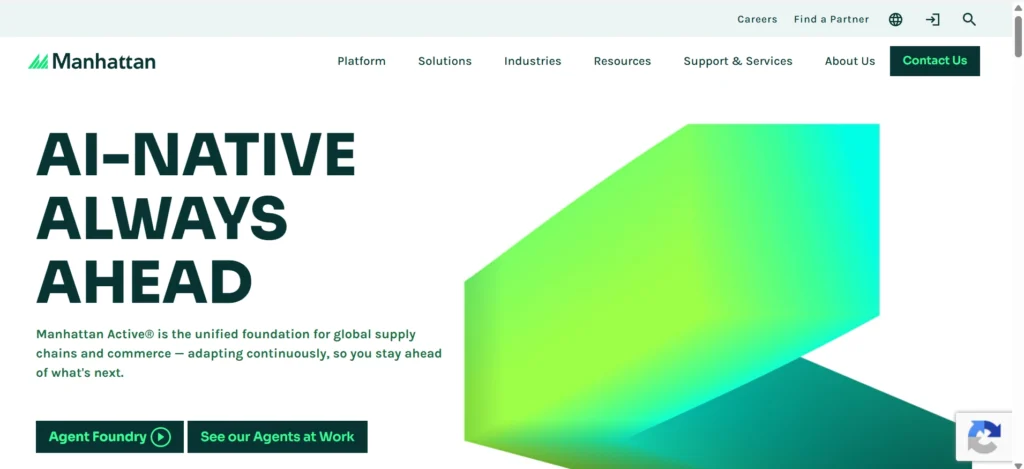
    Home page of Manhattan Associates

    Manhattan Associates is a known company that makes really good warehouse management systems. They have a system that is on the cloud and it helps people who own businesses to keep track of the things they have in stock, get more work done by the people who work for them, fill orders correctly and make their warehouses run better. Manhattan Associates solutions are used by stores, people who make things and companies that move things from one place to another because these companies need to be very good at getting things done quickly and handling a lot of work. Manhattan Associates is used by these companies because they need to be very efficient and be able to handle a lot of things at the time. Manhattan Associates helps them do that.

     Key Features

    • Advanced inventory management
    • Warehouse automation support
    • Real-time visibility
    • Labor optimization tools

    2. Blue Yonder

    Home page of yonde

    Blue Yonder is known for combining artificial intelligence and machine learning with warehouse management technology. Its platform helps organizations improve inventory planning, demand forecasting, warehouse operations, and supply chain performance. Businesses benefit from greater operational visibility and data-driven decision-making that improves efficiency across the entire supply chain.

    Key Features

    • AI-driven analytics
    • Inventory optimization
    • Workforce management
    • End-to-end supply chain visibility

    3. SAP

    SAP offers enterprise-grade warehouse management capabilities through its extensive supply chain management ecosystem. Its solutions are particularly popular among large organizations that require seamless integration between warehouse operations, procurement, manufacturing, and logistics. SAP’s advanced features help businesses maintain accurate inventory records and improve warehouse productivity.

    Key Features

    • Enterprise-grade WMS
    • Integrated supply chain management
    • Real-time inventory tracking
    • Automation support 

    4. Oracle

    Oracle Warehouse Management Cloud provides businesses with a modern, scalable solution for managing warehouse operations. The platform delivers real-time inventory visibility, mobile warehouse functionality, and advanced analytics that help organizations improve inventory accuracy and accelerate order fulfillment processes.

    Key Features

    • Cloud-based deployment
    • Mobile warehouse operations
    • Inventory visibility
    • Advanced reporting

    5. Infor

    Infor offers flexible and scalable warehouse management solutions designed for businesses of all sizes. The platform helps organizations improve inventory accuracy, optimize labor utilization, and automate critical warehouse processes. Infor’s solutions are particularly valuable for companies looking to support growth while maintaining operational efficiency.

    Key Features

    • Inventory optimization
    • Labor management
    • Automation integration
    • Analytics dashboards

    6. Körber Supply Chain

    Körber Supply Chain provides advanced warehouse management solutions focused on adaptability and long-term scalability. Its software supports complex warehouse environments and integrates with automated systems, making it suitable for businesses seeking greater operational flexibility and improved warehouse performance.

    Key Features

    • End-to-end warehouse management
    • Automation compatibility
    • Inventory control
    • Custom workflows

    7. Tecsys

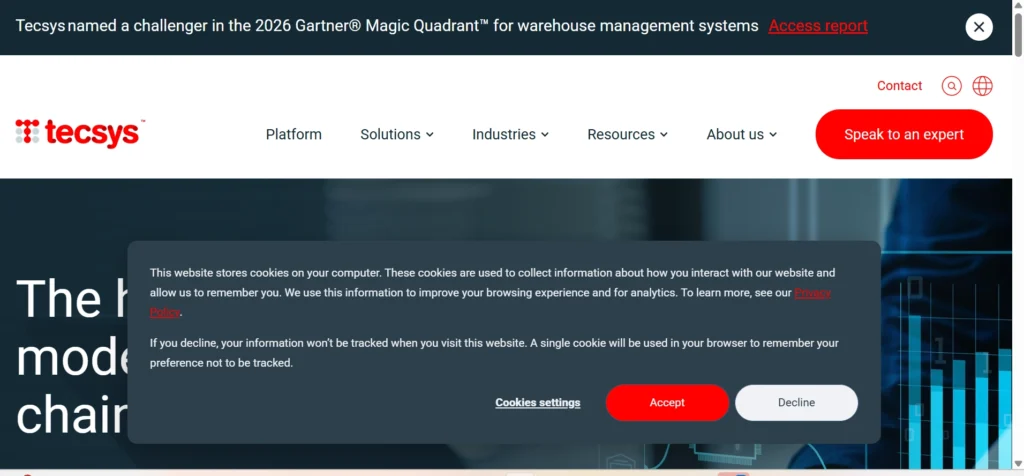
    Home page of  Tecsys

    Tecsys is a company that helps with managing warehouses and getting things from one place to another. They do this for places like hospitals and stores and other companies that sell things. The technology that Tecsys uses helps these businesses keep track of what they have, in stock, make sure they are sending the things to the right people and see what is going on with their supplies. Tecsys warehouse and distribution management solutions also help these companies deal with problems that’re specific to their industry like Tecsys does for the healthcare industry and Tecsys does for the retail industry and Tecsys does for the wholesale distribution industry 

    Key Features

    • Advanced inventory tracking
    • Order management
    • Supply chain visibility
    • Industry-specific solutions

    8. HighJump

    HighJump has built a strong reputation for helping businesses improve warehouse productivity through flexible and configurable warehouse management software. Its solutions allow organizations to customize workflows according to their operational requirements while maintaining real-time visibility into warehouse activities.

    Key Features

    • Flexible workflows
    • Real-time inventory updates
    • Labor tracking
    • Cloud deployment options

    9. Fishbowl

    Fishbowl is a tool, for managing warehouses. It helps small and medium-sized businesses control their inventory and manage their warehouses without breaking the bank.

    It has a simple and easy to use platform. This platform combines inventory management with manufacturing and order fulfillment.

    The main goal of Fishbowl is to make inventory control and warehouse management easy and affordable.

    It offers tools to help businesses track and manage their inventory.

    Fishbowl also helps with manufacturing and order fulfillment processes.

    It is designed to be user-friendly.

    This makes it easy for businesses to get started with managing their warehouses.

    Key Features

    • Inventory control
    • Order tracking
    • Manufacturing integration
    • User-friendly interface

    10. NetSuite

    NetSuite combines enterprise resource planning (ERP) capabilities with warehouse management functionality in a unified cloud platform. Businesses can manage inventory, orders, financials, and warehouse operations from a single system, helping improve efficiency and visibility across departments.

    Key Features

    • Inventory visibility
    • Warehouse automation support
    • Order management
    • Cloud accessibility

    11. Logiwa

    Logiwa is designed specifically for eCommerce businesses and third-party logistics providers. Its cloud-based platform helps companies manage high-volume order fulfillment, automate warehouse tasks, and maintain accurate inventory across multiple sales channels.

    Key Features

    • Multi-channel fulfillment
    • Real-time inventory tracking
    • Order automation
    • Shipping integrations

    12. 3PL Central

    3PL Central is a system that helps companies who handle shipping and storage for people. These companies are called third-party logistics providers. They need to keep track of what’s in the warehouse and who it belongs to. 3PL Central gives them the tools they need to do this.

    They can use 3PL Central to keep track of inventory and automatically send bills to clients. The system also gives them reports. Shows them what is going on in the warehouse. This makes it easier for logistics companies to work with a lot of customers. 3PL Central is really good at helping third-party logistics providers manage their warehouse operations and client inventory.

    Key Features

    • Client inventory management
    • Billing automation
    • Reporting tools
    • Warehouse visibility

    13. Cin7

    Cin7 is a cloud-based inventory and warehouse management platform designed for businesses operating across multiple sales channels. It synchronizes inventory data in real time, helping organizations prevent overselling, improve inventory accuracy, and streamline warehouse operations.

    Key Features

    • Inventory synchronization
    • Warehouse tracking
    • Sales channel integration
    • Automated workflows

    14. Deposco

    Deposco provides cloud-based warehouse and fulfillment solutions that help businesses improve operational efficiency and customer satisfaction. Its platform enables companies to optimize inventory management, order processing, and fulfillment workflows while gaining actionable business insights.

    Key Features

    • Inventory management
    • Fulfillment optimization
    • Analytics and reporting
    • Order orchestration

    15. Softeon

    Softeon delivers highly flexible warehouse management solutions for organizations with complex supply chain requirements. The platform helps businesses optimize warehouse operations, improve labor productivity, and support warehouse automation initiatives.

    Key Features

    • Warehouse optimization
    • Labor management
    • Inventory visibility
    • Automation support

    16. Generix Group

    The Generix Group provides companies with ways to manage their warehouses and supply chains. This helps businesses work better and get more done. The Generix Group technology helps with things like keeping track of inventory, managing transportation and running warehouses. It does this for different types of industries. The Generix Group solutions are used to make inventory control and transportation management easier for businesses. The Generix Group warehouse management is very helpful for companies.

     Key Features

    • Warehouse execution
    • Inventory tracking
    • Transportation integration
    • Supply chain optimization

    17. Reply

    Reply provides digital warehouse management solutions that help organizations improve inventory control, warehouse productivity, and operational visibility. Its scalable platform is suitable for businesses seeking long-term growth and digital transformation.

    Key Features

    • Cloud deployment
    • Automation integration
    • Inventory management
    • Performance monitoring

    18. Mecalux

    Mecalux combines warehouse management software with advanced automation technologies to create highly efficient warehouse environments. Its solutions support automated storage systems, inventory management, and warehouse optimization initiatives.

    Key Features

    • Automated storage systems
    • Inventory control
    • Warehouse optimization
    • Real-time monitoring

    19. SSI SCHAEFER

    AI-powered warehouse automation system with robotic workers handling inventory bins and conveyor operations in a smart warehouse.

    SSI SCHAEFER is a global leader in warehouse logistics and automation solutions. The company provides innovative technologies that help businesses improve inventory management, optimize picking processes, and increase overall warehouse efficiency.

    Key Features

    • Warehouse automation
    • Inventory management
    • Picking optimization
    • Supply chain solutions

    20. Dematic

    Dematic specializes in intelligent warehouse automation and supply chain optimization technologies. Its solutions incorporate robotics, automated fulfillment systems, and warehouse control software to help businesses increase efficiency, reduce errors, and scale operations effectively.

    Key Features

    • Robotics integration
    • Automated fulfillment
    • Warehouse control systems
    • Inventory visibility

    These warehouse management companies represent some of the most trusted names in the industry, offering solutions that help businesses improve inventory accuracy and cloud based accounting, streamline operations, reduce costs, and meet growing customer expectations in an increasingly competitive marketplace.

    How to Choose the Right Warehouse Management Company

    Every business has unique requirements. Before selecting a warehouse management provider, consider:

    1. Business Size

    Small businesses may need affordable and simple solutions, while enterprises often require advanced automation and analytics.

    2. Industry Requirements

    Some providers specialize in healthcare, manufacturing, retail, or eCommerce.

    3. Scalability

    Choose a solution that can grow alongside your business.

    4. Integration Capabilities

    Ensure the platform integrates with your ERP, CRM, eCommerce platforms, and shipping providers.

    5. Budget

    Consider both upfront implementation costs and ongoing subscription fees.

    6. Customer Support

    Reliable technical support is essential for minimizing downtime.

    Benefits of Working with a Warehouse Management Company

    Partnering with a reliable warehouse management company can help businesses streamline operations, reduce costs, and improve customer service. As supply chains become more complex and customer expectations continue to grow, having the right warehouse management partner can make a significant difference in overall business performance.

    Improved Inventory Accuracy

    Warehouse management companies use advanced tracking technologies such as barcode scanning, RFID systems, and real-time inventory monitoring to ensure accurate stock records. This reduces inventory discrepancies, prevents stockouts and overstocking, and helps businesses make better purchasing and planning decisions.

    Faster Order Fulfillment

    Efficient warehouse processes enable products to move quickly from receiving to storage, picking, packing, and shipping. Optimized workflows and automated systems help reduce processing times, allowing businesses to fulfill customer orders faster and meet delivery expectations more consistently.

    Reduced Labor Costs

    Four warehouse employees gathered around stacked packages, reviewing inventory records and coordinating warehouse operations in a large distribution center.

    Modern warehouse management solutions automate many repetitive tasks and improve workforce productivity. By optimizing employee schedules, reducing manual data entry, and streamlining warehouse operations, businesses can lower labor expenses while maintaining high levels of efficiency.

    Better Warehouse Space Utilization

    A warehouse management company can help businesses maximize available storage space through strategic inventory placement and efficient warehouse layouts. Better space utilization reduces congestion, improves accessibility, and allows companies to store more products without expanding their facilities.

    Increased Customer Satisfaction

    Customers expect accurate orders and fast deliveries. Effective warehouse management reduces shipping mistakes, improves order accuracy, and ensures products are delivered on time. This leads to a better customer experience, stronger customer loyalty, and more positive reviews.

    Enhanced Supply Chain Visibility

    Warehouse management providers give businesses tools to see what is going on. These tools show the inventory levels and the status of orders. They also show how the warehouse is doing. This helps managers make decisions. They can see what is happening. Fix problems with the supply chain quickly. Warehouse management is important because it helps managers know what is going on with the inventory levels and the warehouse performance. Warehouse management providers offer real-time dashboards and reporting tools to help with this. 

    Support for Business Growth

    As businesses get bigger, managing warehouses gets more complicated. A good warehouse management system can handle stock, more orders and extra warehouses without slowing down. This helps companies grow without losing control of their operations. They can add locations and still keep things running smoothly. 

    Reduced Shipping Errors

    Order mistakes can lead to returns, refunds, and dissatisfied customers. Warehouse management systems improve accuracy through automated verification processes, barcode scanning, and quality control checks. As a result, businesses experience fewer shipping errors and lower return-related costs.

    Stronger Competitive Advantage

    In today’s fast-paced market, efficient warehouse operations can be a key differentiator. Businesses that can deliver products quickly, accurately, and cost-effectively are better positioned to compete and retain customers. Working with a warehouse management company helps organizations build a more agile and responsive supply chain, creating a lasting competitive advantage.

    By investing in the right warehouse management partner, businesses can improve operational efficiency, reduce costs, and create a seamless experience for customers while preparing for future growth.

    Conclusion

    The best warehouse management companies use technology and automation to help businesses run their warehouses in a way. They have people who really know what they are doing.

    If you need a warehouse management system that you can access from anywhere or if you want to automate your warehouse or if you want a solution for your supply chain the companies listed above are good options for any size business.

    The best company for you depends on what kind of business you’re in, how complicated your operations are, what your plans are, for growing and how much money you have to spend.

    If you choose the warehouse management company to work with your business can do things more efficiently, save money and make your customers happier.

    Frequently Asked Questions (FAQs)

    1. What is a warehouse management company?

    A warehouse management company provides software, services, or technology that helps businesses manage inventory, storage, order fulfillment, and warehouse operations more efficiently.

    2. What does a Warehouse Management System (WMS) do?

    A WMS tracks inventory, manages warehouse workflows, optimizes storage space, and improves order accuracy and fulfillment speed.

    3. Which warehouse management company is best for small businesses?

    Fishbowl, Cin7, and Logiwa are often considered suitable options for small and growing businesses due to their ease of use and scalability.

    4. How much does warehouse management software cost?

    Costs vary depending on features, number of users, warehouse size, and deployment type. Pricing can range from a few hundred dollars per month to enterprise-level investments.

    5. Can warehouse management software integrate with eCommerce platforms?

    Yes. Most modern warehouse management solutions integrate with platforms like Shopify, Amazon, WooCommerce, and other online marketplaces.

    6. What industries use warehouse management solutions?

    Retail, eCommerce, manufacturing, healthcare, wholesale distribution, food and beverage, and logistics companies commonly use warehouse management systems.

    7. How does warehouse management improve inventory accuracy?

    By using barcode scanning, real-time inventory updates, automated tracking, and reporting tools, warehouse management systems significantly reduce human errors.

    8. What should businesses look for when choosing a warehouse management company?

    Businesses should evaluate scalability, integration options, automation capabilities, pricing, customer support, and industry-specific expertise before making a decision.

    9. Is cloud-based warehouse management software better than on-premise software?

    Cloud-based solutions typically offer easier updates, lower infrastructure costs, and greater accessibility, while on-premise systems provide more control over data and customization.

    10. Can warehouse management systems support automation?

    Yes. Many modern WMS platforms integrate with robotics, automated storage systems, conveyors, and AI-powered technologies to improve efficiency.

  • What is Ftasiastock Business News and Why Does It Matter?

    What is Ftasiastock Business News and Why Does It Matter?

    Financial markets move fast. A single economic announcement, earnings report, policy change, or technological breakthrough can influence stock prices within minutes. For investors, business owners, traders, and financial professionals, staying informed is no longer optional—it’s essential.

    This growing demand for timely financial information has led many people to search for specialized platforms that provide market intelligence and business insights. One name increasingly appearing in these discussions is Ftasiastock Business News.

    But what exactly is Ftasiastock Business News? Why are investors paying attention to it? And how can it help individuals make smarter financial decisions?

    In this comprehensive guide, we’ll explore everything you need to know about Ftasiastock Business News, including its purpose, features, benefits, market coverage, and why it matters in today’s data-driven investment environment.

    Understanding Ftasiastock Business News

    ftasiastock homepage

    Ftasiastock Business News is generally described as a financial news and market intelligence platform focused on delivering business news, stock market updates, economic developments, fintech trends, and investment insights. Many discussions surrounding the platform highlight its emphasis on Asian financial markets, emerging industries, and technology-driven investing.

    Rather than simply reporting headlines, the platform appears to focus on helping readers understand the factors influencing markets, industries, and investment opportunities.

    Its content typically covers:

    • Stock market developments
    • Business and economic news
    • Corporate announcements
    • Market trends
    • Fintech innovations
    • Technology investments
    • Industry analysis
    • Investment insights

    The goal is to help readers transform information into actionable knowledge.

    Why Business News Matters More Than Ever

    Modern financial markets are interconnected.

    A policy decision in China can impact manufacturing companies in Europe. A technology breakthrough in South Korea can influence semiconductor stocks worldwide. Changes in interest rates in the United States can affect investment flows throughout Asia.

    This interconnected environment makes reliable business news increasingly valuable.

    Investors who understand market developments can:

    • Identify opportunities earlier
    • Manage investment risks
    • Monitor industry trends
    • Understand economic shifts
    • Make more informed decisions

    Business news platforms serve as a bridge between complex market events and practical investment knowledge.

    The Growing Importance of Asian Markets

    One reason platforms like Ftasiastock Business News attract attention is their apparent focus on Asia.

    Asia has become one of the most influential economic regions in the world.

    Several factors contribute to its importance:

    Rapid Economic Growth

    Many Asian economies continue to experience strong long-term growth compared to mature markets.

    Technology Leadership

    Countries such as China, Japan, South Korea, Taiwan, and Singapore are global leaders in technology, artificial intelligence, semiconductors, fintech, and manufacturing.

    Expanding Investment Opportunities

    Asian stock markets increasingly attract international investors seeking growth opportunities.

    Innovation Ecosystems

    The region is home to some of the world’s fastest-growing startups and technology companies.

    Because of these developments, investors increasingly seek specialized sources that focus on Asian market intelligence.

    Key Features of Ftasiastock Business News

    1. Real-Time Market Updates

    One of the most valuable aspects of modern financial platforms is access to timely information.

    Ftasiastock Business News may provide updates on:

    • Market movements
    • Sector performance
    • Stock activity
    • Economic announcements
    • Investor sentiment

    Real-time information helps investors react more effectively to changing market conditions.

    2. In-Depth Market Analysis

    Good financial reporting goes beyond headlines.

    Market analysis helps explain:

    • Why markets are moving
    • Which sectors are gaining momentum
    • Emerging investment themes
    • Potential risks and opportunities

    This deeper context often provides more value than raw news alone.

    3. Coverage of Fintech Innovation

    Financial technology continues transforming how markets operate.

    Coverage may include:

    • Artificial intelligence in investing
    • Digital banking
    • Blockchain technology
    • Trading platforms
    • Financial automation
    • Digital payments

    Fintech developments increasingly influence both businesses and investors.

    4. Corporate News and Earnings

    Corporate developments frequently drive stock performance.

    Business news platforms often report on:

    • Quarterly earnings
    • Mergers and acquisitions
    • Leadership changes
    • Product launches
    • Expansion strategies

    Understanding company-level developments helps investors evaluate future growth potential.

    5. Industry Trend Analysis

    Industries evolve continuously.

    Ftasiastock Business News may help readers track trends in sectors such as:

    • Technology
    • Healthcare
    • Manufacturing
    • Energy
    • Financial services
    • Consumer goods

    Recognizing industry shifts early can provide a competitive advantage.

    How Ftasiastock Business News Helps Investors

    1. Better Decision-Making

    Successful investing requires information.

    When investors understand economic trends, company performance, and market sentiment, they can make more informed decisions.

    2. Risk Management

    Business news helps identify potential risks before they become major problems.

    Investors can monitor:

    • Regulatory changes
    • Economic slowdowns
    • Industry disruptions
    • Geopolitical developments

    Early awareness often leads to better risk management.

    3. Market Awareness

    Many investors focus only on their portfolios.

    However, broader market awareness provides valuable context.

    Understanding overall market conditions helps investors interpret individual stock movements more accurately.

    4. Discovering New Opportunities

    Emerging industries often create significant investment opportunities.

    Business news platforms help readers identify:

    • Growing sectors
    • Innovative companies
    • Market trends
    • New technologies

    This information can support long-term investment research.

    The Role of Technology in Modern Financial News

    Technology has transformed financial journalism.

    Today’s platforms increasingly use:

    • Data analytics
    • Artificial intelligence
    • Automated reporting
    • Interactive dashboards
    • Real-time data feeds

    These technologies allow users to access information faster and more efficiently than ever before.

    The relationship between technology and investing continues to strengthen as financial markets become increasingly data-driven. Research also shows that news sentiment and financial reporting play an important role in market forecasting and investor decision-making.

    Who Should Follow Ftasiastock Business News?

    Retail Investors

    Individuals seeking better investment decisions.

    Active Traders

    Market participants who rely on timely information.

    Business Owners

    Entrepreneurs monitoring economic and industry developments.

    Financial Professionals

    Analysts, advisors, and portfolio managers.

    Students and Researchers

    Those studying finance, economics, and business trends.

    Technology Enthusiasts

    Readers interested in fintech and innovation.

    Benefits of Following Business News Regularly

    Consistent business news consumption can provide:

    • Better financial literacy
    • Improved investment confidence
    • Greater awareness of global events
    • Understanding of economic cycles
    • Enhanced strategic thinking
    • Better long-term planning

    Knowledge often becomes a competitive advantage in financial markets.

    Challenges of Relying on Business News

    While business news is valuable, readers should avoid:

    Information Overload

    Too much information can lead to analysis paralysis.

    Short-Term Thinking

    Not every headline requires immediate action.

    Emotional Investing

    Investors should avoid making decisions based solely on fear or excitement generated by news events.

    Single-Source Dependence

    Using multiple credible sources helps improve perspective and reduce bias.

    Future Trends in Business News Platforms

    Business news is evolving rapidly.

    Future developments may include:

    • AI-powered personalization
    • Predictive analytics
    • Enhanced data visualization
    • Real-time sentiment analysis
    • Interactive market intelligence tools

    As financial technology advances, business news platforms will likely become even more sophisticated.

    Why Ftasiastock Business News Matters

    Ftasiastock Business News matters because it reflects a broader shift toward specialized, data-driven financial information.

    Modern investors need more than headlines.

    They need:

    • Context
    • Analysis
    • Market intelligence
    • Industry insights
    • Economic understanding

    Platforms focused on these areas help readers navigate increasingly complex financial markets.

    Whether you’re a beginner investor, experienced trader, business owner, or finance professional, access to reliable business news can improve decision-making and increase market awareness.

    Final Thoughts

    Ftasiastock Business News appears to be part of a growing ecosystem of financial information platforms that combine market updates, business reporting, fintech developments, and investment analysis. Its focus on helping readers understand market trends rather than simply consume headlines makes it particularly relevant in today’s rapidly changing economic environment.

    As global markets become increasingly connected and technology continues transforming investing, access to high-quality business news is more important than ever. Staying informed helps investors manage risks, identify opportunities, and make smarter long-term financial decisions.

    Frequently Asked Questions

    What is Ftasiastock Business News?

    Ftasiastock Business News is generally described as a platform providing financial news, stock market updates, business analysis, and investment insights, particularly related to Asian markets.

    Is Ftasiastock Business News useful for beginners?

    Yes. Business news platforms can help beginners understand market trends, economic developments, and investment concepts.

    Does Ftasiastock cover technology and fintech news?

    Available information suggests that technology, fintech, and innovation-related market developments are important parts of its coverage.

    Why is business news important for investors?

    Business news provides information that helps investors understand market movements, identify opportunities, and manage risks.

    How often should investors follow business news?

    Most investors benefit from reviewing business news regularly while focusing on long-term trends rather than reacting to every headline.

    Can business news predict stock prices?

    Business news alone cannot predict stock prices, but it provides valuable information that helps investors make more informed decisions.

  • What is Gonzay.com Business Software and How Does It Work?

    What is Gonzay.com Business Software and How Does It Work?

    Businesses rely heavily on software to manage operations, improve productivity, and reduce manual work. From project management and team collaboration to reporting and workflow automation, modern business software has become an essential part of daily operations.

    One name that has recently gained attention online is Gonzay.com Business Software. Many business owners, entrepreneurs, and professionals are searching for information about what Gonzay.com offers, how it works, and whether it can help improve business efficiency.

    In this guide, we’ll explore Gonzay.com Business Software in detail, including its features, benefits, working process, potential use cases, advantages, limitations, and alternatives. By the end, you’ll have a clear understanding of whether this software solution fits your organization’s needs.

    Understanding Gonzay.com Business Software

    gonzay.com dashboard

    Gonzay.com Business Software appears to be a business management platform designed to help organizations streamline their daily operations through digital tools and automation. Various online reviews describe it as a solution that combines task management, collaboration, reporting, workflow organization, and business process optimization into a single platform.

    Like many modern business applications, Gonzay.com aims to reduce operational inefficiencies by centralizing information, improving communication, and providing better visibility into projects and workflows.

    Instead of relying on multiple disconnected tools, businesses can potentially manage several functions from one dashboard, making it easier to monitor performance and coordinate teams.

    Why Businesses Need Software Like Gonzay.com

    As companies grow, managing operations manually becomes increasingly difficult.

    Businesses often face challenges such as:

    • Scattered information across multiple systems
    • Missed deadlines
    • Poor team communication
    • Lack of project visibility
    • Inefficient reporting
    • Repetitive administrative tasks
    • Difficulty tracking performance metrics

    Business management software addresses these problems by creating a centralized workspace where employees can collaborate and access important information in real time.

    This is where solutions like Gonzay.com become valuable.

    Key Features of Gonzay.com Business Software

    Although available information about the platform is limited, multiple analyses suggest that Gonzay.com may include several core business management capabilities.

    1. Project Management

    Project management is one of the most valuable features found in modern business software. Gonzay.com Business Software is believed to provide tools that help organizations plan, organize, and oversee projects from start to finish. Users can create projects, assign responsibilities to team members, set deadlines, monitor progress, and track completion rates through a centralized dashboard. 

    By providing clear visibility into ongoing work, project management features help teams stay aligned, improve accountability, and ensure projects are delivered on time.

    2. Task Management

    Effective task management is essential for maintaining productivity and ensuring that work gets completed efficiently. Gonzay.com may offer task management capabilities that allow businesses to create and assign tasks, establish priorities, set due dates, and track progress in real time. Team members can update task statuses as work advances, making it easier for managers and colleagues to understand project developments. 

    This organized approach reduces confusion, improves communication, and helps businesses maintain smoother daily operations.

    3. Team Collaboration

    Successful organizations rely heavily on collaboration and communication among employees. Gonzay.com Business Software may include collaboration features designed to keep teams connected regardless of their physical location. Shared workspaces, internal messaging systems, team discussions, file-sharing capabilities, and real-time notifications can help employees communicate more effectively. 

    By centralizing communication and project-related information, businesses can reduce misunderstandings, encourage teamwork, and improve overall productivity.

    4. Workflow Automation

    Workflow automation has become a key driver of business efficiency, helping organizations eliminate repetitive manual processes. Gonzay.com may provide automation tools that streamline routine tasks such as approvals, notifications, task assignments, and data entry. By automating these activities, businesses can improve consistency, reduce the risk of human error, and accelerate operational processes. 

    As a result, employees can spend more time focusing on strategic initiatives and high-value work rather than administrative tasks.

    5. Reporting and Analytics

    Data-driven decision-making is critical for modern businesses, and reporting tools play an important role in achieving that goal. Gonzay.com Business Software may offer reporting and analytics features that provide insights into project performance, employee productivity, operational efficiency, revenue trends, and overall business growth. 

    Through visual dashboards and customized reports, managers can monitor key performance indicators and identify opportunities for improvement. Access to real-time business intelligence enables organizations to make more informed and strategic decisions.

    6. Document Management

    Managing business documents efficiently is increasingly important as organizations generate large amounts of digital information. Gonzay.com may include document management capabilities that help businesses securely store, organize, and share files within a centralized system. Features such as version control and easy document retrieval can improve collaboration while reducing the time employees spend searching for important records. 

    A structured document management system also helps maintain consistency and improves information accessibility across teams.

    7. User Permissions and Access Controls

    Security remains a top priority for businesses handling sensitive information. Gonzay.com Business Software may offer user permissions and access control features that allow administrators to define who can view, edit, manage, or share specific data and resources. Role-based access ensures that employees only have access to the information necessary for their responsibilities. 

    This approach helps protect confidential business data, enhances security, and reduces the risk of unauthorized access.

    8. Mobile Accessibility

    As remote and hybrid work models continue to grow, mobile accessibility has become an essential feature of business software. Gonzay.com may provide a mobile-friendly experience that allows users to access projects, update tasks, communicate with team members, and review reports from smartphones or tablets. 

    This flexibility enables employees to remain productive while traveling, working remotely, or operating outside traditional office environments. Mobile accessibility ensures that important business information remains available whenever and wherever it is needed.

    How Does Gonzay.com Business Software Work?

    Understanding how the software operates can help businesses determine whether it aligns with their workflow requirements.

    Step 1: Account Setup

    The process typically begins with creating an account and configuring the workspace.

    Businesses may:

    • Add company information
    • Invite team members
    • Define departments
    • Set user roles

    This establishes the foundation for managing operations.

    Step 2: Organizing Projects and Tasks

    After setup, users create projects and divide them into manageable tasks.

    Managers can:

    • Assign responsibilities
    • Set deadlines
    • Define milestones
    • Monitor progress

    This creates transparency across teams.

    Step 3: Centralizing Information

    A major benefit of business software is information centralization.

    Instead of storing data across multiple spreadsheets, emails, and documents, organizations can maintain everything within a unified system.

    This improves accessibility and reduces information silos.

    Step 4: Automating Workflows

    Businesses can create automated processes for repetitive tasks.

    Examples include:

    • Approval requests
    • Status updates
    • Notification triggers
    • Task assignments

    Automation minimizes errors while saving time.

    Step 5: Monitoring Performance

    Dashboards and analytics provide visibility into business performance.

    Managers can track:

    • Project completion rates
    • Employee workloads
    • Resource allocation
    • Operational efficiency

    This supports data-driven decision-making.

    Step 6: Continuous Optimization

    Businesses can use software-generated insights to refine processes and improve productivity over time.

    This ongoing optimization is often where organizations achieve the greatest return on investment.

    six step to show workflow

    Benefits of Using Gonzay.com Business Software

    Improved Productivity

    By organizing tasks and automating workflows, employees can spend less time on administrative work and more time on strategic initiatives.

    Better Team Communication

    Centralized communication reduces misunderstandings and keeps everyone aligned.

    Increased Operational Efficiency

    Businesses can streamline processes and eliminate unnecessary steps.

    Enhanced Visibility

    Managers gain a clearer view of ongoing projects and organizational performance.

    Reduced Human Error

    Automation helps minimize mistakes associated with manual data entry and repetitive tasks.

    Scalability

    As businesses grow, software platforms can often scale to support additional users, projects, and processes.

    Who Can Use Gonzay.com Business Software?

    The platform may be suitable for a wide range of organizations.

    A. Small Businesses

    Small companies often need affordable solutions that improve efficiency without requiring extensive technical expertise.

    B. Startups

    Startups can benefit from organized workflows and collaboration tools while managing rapid growth. During that growth, job-change tracking helps sales and recruiting teams spot when prospects or candidates switch roles, surfacing high-intent moments to reach out.

    C. Professional Service Firms

    Consultants, agencies, and service providers can use project management features to coordinate client work.

    D. Remote Teams

    Distributed teams require centralized communication and task tracking to remain productive.

    E. Growing Companies

    Businesses experiencing expansion often need software capable of handling increasing operational complexity.

    Potential Use Cases

    Marketing Agencies

    Agencies can manage campaigns, client deliverables, content schedules, and team assignments.

    Software Development Teams

    Development teams can track projects, bugs, releases, and collaboration efforts.

    Consulting Firms

    Consultants can manage client projects, deadlines, and reporting requirements.

    E-commerce Businesses

    Online retailers can coordinate operations, inventory planning, marketing activities, and customer support processes.

    Educational Organizations

    Schools and training providers can use project and workflow management tools to coordinate staff activities.

    Advantages of Gonzay.com Business Software

    Some potential advantages include:

    • Unified business management environment
    • Collaboration tools
    • Reporting capabilities
    • Workflow automation
    • Project visibility
    • Reduced administrative workload
    • Improved decision-making

    These benefits align with the goals of modern business management systems.

    Possible Limitations

    No software solution is perfect.

    Businesses should also consider potential limitations such as:

    • Learning curve for new users
    • Integration restrictions
    • Customization limitations
    • Feature availability differences
    • Scaling requirements for larger enterprises

    Organizations should evaluate their specific needs before adopting any business software platform.

    Gonzay.com Business Software vs Traditional Management Methods

    FeatureTraditional MethodsGonzay.com Software
    Task TrackingManualAutomated
    CollaborationEmail-BasedCentralized
    ReportingTime-ConsumingReal-Time
    Document StorageScatteredOrganized
    Workflow ManagementManual ProcessesAutomated
    Performance MonitoringLimited VisibilityDashboard-Based

    The shift from manual processes to digital platforms can significantly improve operational efficiency.

    Best Practices for Successful Implementation

    To maximize value from business software:

    Define Clear Objectives

    Understand what problems you want the software to solve.

    Train Employees

    Provide sufficient onboarding and training resources.

    Start Small

    Begin with core processes before expanding usage.

    Monitor Adoption

    Ensure team members actively use the platform.

    Review Performance Regularly

    Use analytics and reports to identify improvement opportunities.

    Alternatives to Gonzay.com Business Software

    Businesses evaluating software solutions may also consider platforms such as:

    • LivePlan
    • Monday.com
    • Bizplan
    • IdeaBuddy
    • Enloop
    • GoSmallBiz

    Each solution offers unique strengths depending on business requirements.

    Is Gonzay.com Business Software Worth It?

    The value of Gonzay.com Business Software depends on your organization’s goals, budget, and operational challenges.

    For businesses seeking:

    • Better organization
    • Workflow automation
    • Improved collaboration
    • Enhanced reporting
    • Increased productivity

    A business management platform can provide substantial benefits.

    The key is ensuring the software aligns with your company’s processes and long-term growth objectives.

    Final Thoughts

    Gonzay.com Business Software appears to be a business management solution focused on helping organizations streamline operations, improve collaboration, automate workflows, and gain better visibility into performance. While detailed public information about the platform remains limited, available analyses suggest that it offers features commonly found in modern business management systems, including project tracking, workflow automation, reporting, document management, and team collaboration.

    As businesses continue to embrace digital transformation, tools like Gonzay.com can play an important role in improving efficiency and supporting growth. Before making a decision, businesses should carefully assess their needs, test available features, and compare alternative solutions to determine the best fit.

    Frequently Asked Questions

    What is Gonzay.com Business Software?

    Gonzay.com Business Software is a business management platform that appears to provide tools for project management, collaboration, workflow automation, reporting, and operational organization.

    Is Gonzay.com suitable for small businesses?

    Yes. Available information suggests it may be particularly useful for small and medium-sized businesses looking to improve productivity and organization.

    Does Gonzay.com offer workflow automation?

    Reports indicate that workflow automation is one of its core capabilities, helping businesses reduce manual work and improve efficiency.

    Can remote teams use Gonzay.com?

    Yes. Collaboration and mobile accessibility features make it suitable for remote and distributed teams.

    What are the main benefits of business management software?

    Common benefits include improved productivity, better communication, centralized information management, enhanced reporting, and workflow automation.

    Are there alternatives to Gonzay.com?

    Yes. Alternatives include LivePlan, Bizplan, Monday.com, Enloop, IdeaBuddy, and other business planning and management software solutions.

    How do I choose the right business software?

    Evaluate your business goals, required features, scalability needs, budget, integration requirements, and team size before making a decision.

  • Is Accumulated Depreciation an Asset? A Simple Guide for Business Owners and Students

    Is Accumulated Depreciation an Asset? A Simple Guide for Business Owners and Students

    If you’ve ever looked at a balance sheet and wondered, “Is accumulated depreciation an asset?” you’re not alone. This is one of the most common accounting questions among students, small business owners, and even new accountants.

    The short answer is: No, accumulated depreciation is not an asset. It’s known as a contra asset account, which means it reduces the value of a fixed asset on the balance sheet.

    That answer sounds simple, but understanding why accumulated depreciation exists and how it works is what really matters.

    What Is Accumulated Depreciation?

    Accumulated depreciation is the total depreciation recorded for an asset since the day it was purchased and used by a business.

    Businesses buy long-term assets such as:

    • Machinery
    • Vehicles
    • Buildings
    • Computers
    • Office furniture
    • Equipment

    These assets lose value over time because of:

    • Wear and tear
    • Aging
    • Obsolescence
    • Daily use

    Instead of recording the entire cost as an expense immediately, businesses spread the cost over the asset’s useful life. This process is called depreciation.

    Accumulated depreciation simply keeps track of the total amount depreciated so far.

    For example:

    • A company buys a machine for $50,000
    • The machine depreciates by $5,000 every year
    • After 3 years, accumulated depreciation becomes $15,000

    This means the machine’s book value is now:

    $50,000 − $15,000 = $35,000

    So while the machine still appears on the balance sheet at its original cost, accumulated depreciation reduces its carrying value.

    Is Accumulated Depreciation an Asset?

    No, accumulated depreciation is not an asset.

    It is classified as a:

    Contra Asset Account

    A contra asset account is an account that offsets or reduces the balance of another asset account.

    In accounting:

    • Regular asset accounts usually have a debit balance
    • Contra asset accounts carry a credit balance

    Accumulated depreciation reduces the recorded value of fixed assets to show a more realistic current value.

    For example:

    AssetAmount
    Equipment$100,000
    Less: Accumulated Depreciation($30,000)
    Net Book Value$70,000

    In this case:

    • Equipment is the actual asset
    • Accumulated depreciation is reducing that asset’s value
    • Net book value is the remaining carrying amount

    That’s why accumulated depreciation is not considered an independent asset.

    Why Businesses Use Accumulated Depreciation

    Accumulated depreciation exists to help businesses follow the matching principle in accounting.

    The matching principle says expenses should be recorded in the same period as the revenue they help generate.

    Imagine buying machinery for $120,000 that lasts 10 years.

    If the company recorded the entire $120,000 as an expense in Year 1:

    • Year 1 profits would look unusually low
    • Future years would show inflated profits

    That wouldn’t accurately represent business performance.

    Instead, the company spreads the cost over the asset’s useful life.

    So if annual depreciation is $12,000:

    • Every year records $12,000 depreciation expense
    • Accumulated depreciation grows each year
    • Financial statements stay more accurate

    This creates a fairer picture of profitability and asset value.

    Where Does Accumulated Depreciation Appear on the Balance Sheet?

    Accumulated depreciation appears under the assets section of the balance sheet.

    However, it’s shown as a negative figure directly below the related fixed asset.

    Example:

    Fixed AssetsAmount
    Building$500,000
    Less: Accumulated Depreciation($80,000)
    Net Building Value$420,000

    This format helps investors, lenders, and business owners understand:

    • Original asset cost
    • Total depreciation taken
    • Remaining book value

    The net value gives a clearer picture of what the asset is worth from an accounting perspective.

    Is Accumulated Depreciation a Liability?

    No, accumulated depreciation is not a liability either.

    Liabilities represent obligations or debts a business owes, such as:

    • Loans
    • Accounts payable
    • Taxes payable
    • Wages payable

    Accumulated depreciation does not represent money owed to anyone.

    Instead, it simply tracks how much of an asset’s value has been used over time.

    That’s why accountants classify it as a contra asset account rather than a liability.

    Is Accumulated Depreciation an Expense?

    This is another area where people get confused.

    Depreciation Expense vs Accumulated Depreciation

    These two terms are related but not identical.

    Depreciation ExpenseAccumulated Depreciation
    Recorded for one accounting periodTotal depreciation since purchase
    Appears on income statementAppears on balance sheet
    Temporary accountPermanent balance sheet account
    Reduces annual profitReduces asset carrying value

    Think of it this way:

    • Depreciation expense is the yearly charge
    • Accumulated depreciation is the running total

    For example:

    Year 1

    • Depreciation expense = $5,000
    • Accumulated depreciation = $5,000

    Year 2

    • Depreciation expense = $5,000
    • Accumulated depreciation = $10,000

    Year 3

    • Depreciation expense = $5,000
    • Accumulated depreciation = $15,000

    The expense resets every year, but accumulated depreciation keeps growing.

    How to Calculate Accumulated Depreciation

    The most common method is the straight-line depreciation method.

    Straight-Line Depreciation Formula

    Annual Depreciation Expense =

    (Asset Cost − Salvage Value) ÷ Useful Life

    Where:

    • Asset Cost = purchase price
    • Salvage Value = estimated value at end of useful life
    • Useful Life = estimated years of use

    Example Calculation

    A company purchases office equipment for:

    • Cost = $20,000
    • Salvage Value = $2,000
    • Useful Life = 6 years

    Step 1: Calculate Annual Depreciation

    ($20,000 − $2,000) ÷ 6 = $3,000 per year

    Step 2: Calculate Accumulated Depreciation

    YearAnnual DepreciationAccumulated Depreciation
    1$3,000$3,000
    2$3,000$6,000
    3$3,000$9,000
    4$3,000$12,000

    After 4 years, accumulated depreciation equals $12,000.

    Journal Entry for Accumulated Depreciation

    Every time depreciation is recorded, businesses make this journal entry:

    AccountDebitCredit
    Depreciation ExpenseXXX
    Accumulated DepreciationXXX

    Example:

    If annual depreciation is $4,000:

    AccountDebitCredit
    Depreciation Expense$4,000
    Accumulated Depreciation$4,000

    This entry:

    • Increases expenses on the income statement
    • Increases accumulated depreciation on the balance sheet
    • Reduces net income
    • Reduces asset carrying value

    Types of Assets That Use Accumulated Depreciation

    Accumulated depreciation is mainly used for tangible fixed assets.

    Examples include:

    1. Buildings

    Commercial properties lose value over time because of aging and usage.

    2. Machinery

    Manufacturing equipment becomes less efficient over time.

    3. Office Equipment

    Computers, printers, and office furniture lose value as technology changes.

    4. Factory Equipment

    Industrial assets wear down from continuous production.

    Assets That Do Not Use Depreciation

    Not every asset is depreciated.

    1. Land

    Land generally does not lose value through normal use, so businesses do not depreciate it.

    2. Intangible Assets

    Items like:

    • Trademarks
    • Patents
    • Copyrights
    • Software licenses

    usually use amortization instead of depreciation.

    Different Methods of Depreciation

    Although straight-line depreciation is most common, businesses can use other methods too.

    1. Straight-Line Method

    Equal depreciation expense every year.

    Best for:

    • Office furniture
    • Buildings
    • General equipment

    2. Declining Balance Method

    Higher depreciation in earlier years.

    Best for:

    • Technology assets
    • Vehicles
    • Equipment that loses value quickly

    3. Double Declining Balance Method

    An accelerated depreciation method that records even higher early-year depreciation.

    4. Units of Production Method

    Depreciation depends on actual usage.

    Best for:

    • Manufacturing machines
    • Production equipment

    No matter which method is used, accumulated depreciation keeps increasing throughout the asset’s life.

    Why Accumulated Depreciation Matters

    Accumulated depreciation is important for several reasons.

    a. Accurate Financial Reporting

    It prevents assets from appearing overvalued on the balance sheet.

    b. Better Profit Measurement

    Businesses spread asset costs across multiple years rather than recording one huge expense.

    c. Tax Benefits

    Depreciation expenses can reduce taxable income.

    d. Asset Management

    Companies can track aging equipment and plan replacements.

    e. Investor Transparency

    Investors get a clearer understanding of how efficiently assets are being used.

    Real-Life Example of Accumulated Depreciation

    Imagine a logistics company buys delivery trucks for $300,000.

    The trucks:

    • Have a useful life of 10 years
    • Have a salvage value of $50,000

    Annual Depreciation

    ($300,000 − $50,000) ÷ 10 = $25,000

    After 4 Years

    Accumulated depreciation becomes:

    4 × $25,000 = $100,000

    Balance Sheet Presentation

    Trucks$300,000
    Less: Accumulated Depreciation($100,000)
    Net Book Value$200,000

    This tells readers that the trucks have already consumed part of their useful value.

    Common Mistakes People Make About Accumulated Depreciation

    Understanding accumulated depreciation becomes easier once you know the common misconceptions.

    Mistake 1: Thinking It’s a Liability

    It’s not money owed to anyone.

    Mistake 2: Thinking It’s an Expense

    Depreciation expense is the yearly charge. Accumulated depreciation is the running total.

    Mistake 3: Assuming It Reflects Market Value

    Accumulated depreciation affects book value, not actual resale value.

    An asset may:

    • Be worth more than book value
    • Be worth less than book value
    • Still function perfectly after full depreciation

    Mistake 4: Forgetting Contra Asset Rules

    Contra asset accounts increase with credits, unlike normal assets.

    Accumulated Depreciation vs Amortization

    People often confuse depreciation and amortization.

    Here’s the difference:

    DepreciationAmortization
    Used for tangible assetsUsed for intangible assets
    Applies to machinery, vehicles, buildingsApplies to patents, trademarks, software
    Creates accumulated depreciationCreates accumulated amortization

    Both concepts reduce the carrying value of long-term assets over time.

    What Happens When an Asset Is Sold?

    When a business sells an asset:

    • The asset account is removed
    • Accumulated depreciation is removed
    • Any gain or loss is recorded

    Example

    A machine originally cost $40,000.

    Accumulated depreciation = $25,000.

    Book value = $15,000.

    If the machine sells for $18,000:

    • The company records a $3,000 gain

    If it sells for $10,000:

    • The company records a $5,000 loss

    This process helps businesses maintain accurate accounting records.

    How Accumulated Depreciation Impacts Financial Statements

    Accumulated depreciation affects multiple financial statements.

    Balance Sheet

    Reduces fixed asset value.

    Income Statement

    Depreciation expense lowers net income.

    Cash Flow Statement

    Depreciation is added back because it’s a non-cash expense.

    This is why depreciation matters heavily in business valuation and financial analysis.

    Can Accumulated Depreciation Exceed Asset Cost?

    No, accumulated depreciation cannot exceed the depreciable value of an asset.

    Once the asset reaches its salvage value:

    • Depreciation stops
    • Accumulated depreciation stops increasing

    For example:

    • Asset cost = $50,000
    • Salvage value = $5,000
    • Maximum accumulated depreciation = $45,000

    Why Investors and Accountants Pay Attention to Accumulated Depreciation

    Accumulated depreciation can reveal important business insights.

    Aging Assets

    High accumulated depreciation may suggest equipment is old and may soon need replacement.

    Capital Expenditure Trends

    Investors can see whether a company regularly invests in new assets.

    Profitability Analysis

    Depreciation affects net income and earnings.

    Tax Planning

    Businesses use depreciation strategies to manage taxable income.

    Frequently Asked Questions

    1. Is accumulated depreciation a current asset?

    No. It is a contra asset account connected to long-term fixed assets.

    2. Is accumulated depreciation debit or credit?

    Accumulated depreciation normally carries a credit balance.

    3. Why is accumulated depreciation negative on the balance sheet?

    Because it reduces the value of fixed assets.

    4. Is depreciation an expense?

    Yes. Depreciation expense appears on the income statement.

    5. Is accumulated depreciation a permanent account?

    Yes. It remains on the balance sheet until the asset is sold or removed.

    6. Does accumulated depreciation affect cash?

    No directly. Depreciation is considered a non-cash expense.

    7. Can land have accumulated depreciation?

    No. Land is generally not depreciated.

    Final Thoughts

    So, is accumulated depreciation an asset? The answer is clearly no.

    Accumulated depreciation is a contra asset account used to reduce the carrying value of fixed assets over time.

    It helps businesses:

    • Follow accounting principles
    • Present more accurate financial statements
    • Match expenses with revenue
    • Track asset usage and aging
    • Calculate realistic book values
  • Best Accounting Software for Analytics: Top Tools to Turn Financial Data Into Smarter Business Decisions

    Best Accounting Software for Analytics: Top Tools to Turn Financial Data Into Smarter Business Decisions

    Businesses no longer use accounting software only for bookkeeping and tax filing. Modern companies want real-time dashboards, advanced reporting, cash flow forecasting, AI-powered insights, and data-driven financial planning. That is why the demand for accounting software with strong analytics features is growing rapidly.

    Whether you run a startup, small business, eCommerce store, agency, or enterprise company, the right accounting software can help you understand your numbers better and make faster business decisions.

    In this guide, we’ll explore the best accounting software for analytics in 2026, compare their features, pricing, strengths, and limitations, and help you choose the right platform for your business.

    Why Analytics Matter in Accounting Software

    bar graph analysis on screen

    Traditional accounting software mainly focused on recording transactions. Today, businesses need much more than that.

    Modern accounting analytics help companies:

    • Track revenue trends
    • Monitor expenses in real time
    • Forecast future cash flow
    • Identify profit leaks
    • Analyze customer profitability
    • Create financial dashboards
    • Generate custom reports instantly
    • Make faster strategic decisions

    Instead of waiting until month-end reports arrive, business owners can now monitor performance daily.

    For example, a retail business can instantly see which product categories generate the highest profit margins. A marketing agency can track client profitability in real time. An eCommerce store can monitor inventory costs and cash flow before problems appear.

    This shift from reactive accounting to proactive financial intelligence is why analytics-driven accounting software and custom software development service solutions have become essential for modern businesses

    What to Look for in Accounting Software With Analytics

    Before choosing suitable accounting software, it’s important to understand which analytics features truly matter.

    1. Real-Time Dashboards

    Good accounting software should provide visual dashboards showing:

    • Revenue
    • Expenses
    • Cash flow
    • Profit margins
    • Outstanding invoices
    • Budget performance

    Real-time visibility helps business owners react quickly.

    2. Custom Reporting

    Every business tracks different KPIs. Look for software that allows customizable reports instead of fixed templates.

    3. AI and Predictive Insights

    Many modern platforms now use AI for:

    • Cash flow forecasting
    • Expense categorization
    • Fraud detection
    • Budget predictions
    • Trend analysis

    These tools reduce manual work and improve accuracy.

    4. Integrations

    The best accounting software connects with:

    • CRM platforms
    • Payroll systems
    • eCommerce platforms
    • Banking apps
    • ERP systems
    • BI tools like Power BI and Tableau or other Omni Analytics alternatives.

    Integrations create a centralized data ecosystem.

    5. Scalability

    Choose software that grows with your business. Switching accounting systems later can become expensive and complicated.

    6. Ease of Use

    Advanced analytics should not require a finance degree. The ideal software offers powerful insights with a clean interface.

    Best Accounting Software for Analytics in 2026

    Here are the top accounting software platforms for analytics and Knowledge Base Software tools, evaluated based on features, usability, scalability, integrations, and reporting capabilities.

    1. QuickBooks Online Advanced

    Best Overall Accounting Software for Analytics

    QuickBooks Online Advanced remains one of the strongest accounting platforms for businesses that want a balance of usability and analytics.

    Its reporting system gives businesses access to customizable dashboards, advanced KPI tracking, revenue analysis, and detailed cash flow reporting.

    Key Analytics Features

    • Real-time business dashboards
    • Advanced custom reporting
    • Revenue and expense tracking
    • Automated financial insights
    • Cash flow forecasting
    • KPI monitoring
    • Integration with Power BI and other analytics tools

    Pros

    • Easy to use
    • Strong reporting features
    • Excellent third-party integrations
    • Suitable for small and mid-sized businesses
    • Cloud-based accessibility

    Cons

    • Advanced plans can become expensive
    • Limited deep enterprise analytics compared to ERP systems

    Best For

    Small and medium-sized businesses that need strong reporting without enterprise-level complexity.

    Pricing

    Starts with lower-tier plans, while Advanced plans cost more depending on users and features.

    2. Xero

    Best for Visual Financial Dashboards

    Xero has become extremely popular because of its user-friendly interface and visual analytics tools.

    The platform simplifies complex financial data into understandable reports, making it ideal for business owners who are not accounting experts.

    Key Analytics Features

    • Interactive dashboards
    • Business snapshot analytics
    • Cash flow prediction tools
    • Financial performance reports
    • Budget tracking
    • Bank reconciliation insights
    • Real-time financial monitoring

    Pros

    • Very intuitive dashboard
    • Strong mobile experience
    • Excellent integrations
    • Good collaboration features
    • Ideal for startups and freelancers

    Cons

    • Some advanced analytics require add-ons
    • Payroll features vary by country

    Best For

    Startups, freelancers, agencies, and growing small businesses.

    Pricing

    Affordable entry-level plans with scalable premium options.

    3. Zoho Books

    Best Budget-Friendly Analytics Accounting Software

    Zoho Books offers impressive analytics capabilities at a much lower price than many competitors.

    Its reporting engine is especially useful for small businesses that need strong insights without paying enterprise-level costs.

    Key Analytics Features

    • Custom financial dashboards
    • Profit and loss analytics
    • Expense analysis
    • Inventory insights
    • Project profitability tracking
    • Workflow automation
    • AI-powered business assistance

    Pros

    • Affordable pricing
    • Strong automation tools
    • Excellent ecosystem integrations
    • Good mobile apps
    • Easy to customize

    Cons

    • Some advanced features require higher plans
    • Less popular among large enterprises

    Best For

    Small businesses, freelancers, consultants, and online businesses.

    Pricing

    Offers free and low-cost plans with scalable upgrades.

    4. Sage Intacct

    Best for Advanced Financial Analytics

    Sage Intacct is designed for companies that require deeper financial intelligence and multi-dimensional reporting.

    Unlike basic accounting software, Sage Intacct focuses heavily on advanced financial analysis.

    Key Analytics Features

    • Multi-entity reporting
    • Advanced dimensional analysis
    • AI-powered financial forecasting
    • Real-time KPI dashboards
    • Automated financial consolidations
    • Compliance reporting
    • Custom business intelligence tools

    Pros

    • Enterprise-grade reporting
    • Powerful automation
    • Excellent scalability
    • Highly customizable analytics
    • Strong security and compliance

    Cons

    • Higher learning curve
    • Expensive for small businesses

    Best For

    Mid-sized and enterprise businesses with complex financial operations.

    Pricing

    Custom enterprise pricing.

    5. NetSuite ERP

    Best Enterprise Accounting and Analytics Platform

    NetSuite combines accounting, ERP, CRM, and analytics into one ecosystem.

    Large organizations choose NetSuite because it delivers a unified view of business performance across departments.

    Key Analytics Features

    • Enterprise dashboards
    • Real-time business intelligence
    • Advanced forecasting
    • Multi-currency reporting
    • Global financial consolidation
    • AI-powered analytics
    • Inventory and operational insights

    Pros

    • All-in-one enterprise solution
    • Highly scalable
    • Strong automation
    • Advanced data visualization
    • Excellent global business support

    Cons

    • Expensive
    • Requires implementation expertise
    • Can feel overwhelming for small teams

    Best For

    Large businesses and enterprises with global operations.

    Pricing

    Custom pricing based on company requirements.

    6. FreshBooks

    Best for Freelancers and Service Businesses

    FreshBooks is known for simplicity, but it also includes useful analytics for freelancers and service-based companies.

    Its clean interface makes financial reporting easy to understand.

    Key Analytics Features

    • Revenue tracking
    • Expense monitoring
    • Invoice analytics
    • Time tracking reports
    • Client profitability analysis
    • Tax summary reporting

    Pros

    • Extremely beginner-friendly
    • Great invoicing tools
    • Excellent customer experience
    • Useful for service businesses

    Cons

    • Limited enterprise analytics
    • Not ideal for complex inventory management

    Best For

    Freelancers, consultants, agencies, and creative professionals.

    Pricing

    Monthly subscription plans based on features and clients.

    7. Microsoft Dynamics 365 Finance

    Best for Large Businesses Using Microsoft Ecosystems

    Businesses already using Microsoft products often prefer Dynamics 365 because of its integration with Power BI, Excel, Teams, and Azure.

    This creates a powerful analytics environment.

    Key Analytics Features

    • AI-powered financial insights
    • Advanced forecasting
    • Real-time dashboards
    • Deep Power BI integration
    • Budget analysis
    • Enterprise-level reporting
    • Operational analytics

    Pros

    • Excellent Microsoft integration
    • Powerful analytics capabilities
    • Enterprise scalability
    • Strong automation features

    Cons

    • Complex implementation
    • Higher costs
    • Requires technical expertise

    Best For

    Large enterprises already invested in Microsoft systems.

    8. Wave Accounting

    Best Free Accounting Software With Basic Analytics

    Wave is one of the best free accounting solutions for startups and solo entrepreneurs.

    Although it lacks advanced enterprise analytics, it still provides useful financial reporting features.

    Key Analytics Features

    • Basic financial dashboards
    • Revenue tracking
    • Expense categorization
    • Cash flow summaries
    • Invoice reporting

    Pros

    • Free core accounting tools
    • Simple interface
    • Good for startups
    • Easy setup process

    Cons

    • Limited advanced reporting
    • Fewer integrations
    • Not ideal for scaling businesses

    Best For

    Freelancers, startups, and very small businesses.

    Comparison Table: Best Accounting Software for Analytics

    SoftwareBest ForAnalytics StrengthEase of UseScalability
    QuickBooks Online AdvancedSMBsStrongEasyHigh
    XeroDashboards and startupsStrongVery EasyMedium
    Zoho BooksBudget-conscious businessesGoodEasyMedium
    Sage IntacctAdvanced finance teamsExcellentModerateVery High
    NetSuite ERPEnterprisesExcellentModerateExcellent
    FreshBooksFreelancersBasic to ModerateVery EasyMedium
    Dynamics 365 FinanceLarge enterprisesExcellentModerateExcellent
    Wave AccountingStartupsBasicVery EasyLow

    Best Accounting Software by Business Type

    characters doing case study and euro symbol

    Choosing software based only on popularity is a mistake. The best solution depends on your business model.

    a. Best for Small Businesses

    • QuickBooks Online
    • Xero
    • Zoho Books

    These platforms balance affordability, automation, and reporting.

    b. Best for Enterprises

    • NetSuite ERP
    • Sage Intacct
    • Dynamics 365 Finance

    These systems support complex financial structures and large datasets.

    c. Best for Freelancers

    • FreshBooks
    • Wave Accounting

    They simplify invoicing, expense tracking, and client reporting.

    d. Best for eCommerce Businesses

    • QuickBooks Online
    • Xero
    • NetSuite ERP

    Strong integrations with Shopify, Amazon, and inventory systems are essential.

    e. Best for Agencies and Service Businesses

    • FreshBooks
    • Zoho Books
    • Xero

    Project profitability tracking becomes especially important here.

    How Analytics Improve Financial Decision-Making

    Analytics-driven accounting software changes how businesses operate.

    Faster Reporting

    Instead of manually building spreadsheets, businesses can instantly generate reports.

    Better Cash Flow Management

    Predictive forecasting helps businesses avoid liquidity problems.

    Improved Profitability

    Analytics identify:

    • Unprofitable products
    • Expensive processes
    • Overspending areas
    • High-performing revenue channels

    Smarter Budget Planning

    Historical financial data helps companies build more accurate budgets.

    Real-Time Monitoring

    Business owners can monitor performance daily instead of waiting until month-end.

    Accounting Software Trends in 2026

    The accounting software industry is evolving rapidly.

    Here are the biggest trends shaping the future.

    A. AI-Powered Accounting

    Artificial intelligence is automating repetitive accounting tasks like:

    • Invoice processing
    • Expense categorization
    • Fraud detection
    • Financial forecasting

    AI also improves reporting accuracy.

    B. Predictive Analytics

    Modern platforms now predict future financial outcomes using historical data patterns.

    C. Cloud-Based Financial Management

    Cloud accounting continues dominating because it allows:

    • Remote access
    • Real-time collaboration
    • Automatic updates
    • Better security

    D. Integration With Business Intelligence Tools

    Companies increasingly connect accounting platforms with:

    • Power BI
    • Tableau
    • Looker
    • Qlik Sense

    This enables deeper data analysis.

    E. Automation and Workflow Optimization

    Businesses want software that reduces manual work and saves time.

    Automation is now a core buying factor.

    Common Mistakes to Avoid When Choosing Accounting Software

    Many businesses choose software too quickly and regret it later.

    Here are common mistakes to avoid.

    1. Choosing Based Only on Price

    Cheap software may lack important reporting features.

    2. Ignoring Scalability

    A system that works for five employees may fail when your company grows to fifty.

    3. Overlooking Integrations

    Disconnected systems create data silos and manual work.

    4. Ignoring User Experience

    Complicated software reduces team adoption.

    5. Not Considering Analytics Depth

    Some accounting tools offer only basic reports, while others provide advanced business intelligence.

    Always evaluate your long-term reporting needs.

    How to Choose the Right Accounting Analytics Software

    Here’s a simple framework to make the right decision.

    Step 1: Identify Your Business Needs

    Ask yourself:

    • Do you need inventory management?
    • Do you require multi-currency support?
    • Will multiple departments use the system?
    • Do you need advanced forecasting?

    Step 2: Define Your Budget

    Consider:

    • Monthly subscription costs
    • Add-on expenses
    • Implementation fees
    • Training costs

    Step 3: Test the User Experience

    Most platforms offer free trials.

    Test:

    • Dashboard usability
    • Reporting speed
    • Navigation simplicity
    • Mobile accessibility

    Step 4: Evaluate Integrations

    Check compatibility with your existing business tools.

    Step 5: Compare Analytics Features

    Focus on:

    • Custom reports
    • KPI dashboards
    • AI insights
    • Predictive forecasting
    • Visualization quality

    Final Verdict: Which Accounting Software Is Best for Analytics?

    The best accounting software for analytics depends on your business size, budget, and reporting needs. Small and medium-sized businesses will benefit most from QuickBooks Online Advanced and Xero because they offer strong dashboards, automation, integrations, and easy-to-use reporting tools. Businesses looking for a budget-friendly option can choose Zoho Books, while freelancers and service providers may prefer FreshBooks for its simplicity and client-focused features.

    For larger organizations with complex financial operations, platforms like NetSuite ERP, Sage Intacct, and Microsoft Dynamics 365 Finance provide advanced analytics, forecasting, and enterprise-level reporting capabilities.

    Modern accounting software does far more than basic bookkeeping. It helps businesses track performance, forecast cash flow, improve profitability, and make smarter financial decisions using real-time insights. As AI and automation continue shaping the accounting industry, choosing the right analytics-focused platform can give businesses a major competitive advantage in 2026 and beyond.

    Frequently Asked Questions

    1. What is the best accounting software for analytics?

    QuickBooks Online Advanced, Xero, Sage Intacct, and NetSuite are among the best accounting software platforms for analytics.

    2. Which accounting software has the best dashboards?

    Xero and QuickBooks Online provide highly visual and user-friendly dashboards.

    3. What is the best free accounting software with analytics?

    Wave Accounting is one of the best free accounting tools with basic analytics capabilities.

    4. Can accounting software integrate with Power BI?

    Yes. QuickBooks, Dynamics 365, NetSuite, and several other platforms integrate with Power BI.

    5. Which accounting software is best for small businesses?

    QuickBooks Online, Xero, and Zoho Books are excellent options for small businesses.

    6. Is cloud accounting software better for analytics?

    Yes. Cloud accounting platforms offer real-time data access, automation, remote collaboration, and easier integration with analytics tools.

  • What is Commerce Inspector, the most talked-about ecommerce intelligence tool.

    What is Commerce Inspector, the most talked-about ecommerce intelligence tool.

    Commerce Inspector is an ecommerce competitor research and market intelligence tool designed mainly for Shopify stores. It helps users analyze ecommerce businesses by collecting publicly available data from online stores, advertisements, product catalogs, traffic sources, and social media channels.

    The platform is commonly used by:

    • Shopify store owners
    • Dropshippers
    • Ecommerce marketers
    • Product researchers
    • Amazon and ecommerce sellers
    • Digital agencies
    • Entrepreneurs launching online stores

    Commerce Inspector gives users access to important ecommerce insights such as:

    • Estimated store revenue
    • Best-selling products
    • New product launches
    • Store traffic estimates
    • Facebook and social ads
    • Shopify apps used by competitors
    • Product trends
    • Marketing strategies
    • Social media engagement

    The tool became popular because it simplifies competitor research. Instead of manually studying dozens of ecommerce websites, users can quickly gather useful data in one place.

    Today, Commerce Inspector is often compared to tools like Koala Inspector, SimilarWeb, BuiltWith, Dropship.io, and BigSpy.

    How Commerce Inspector Works

    shopify store and tool

    Commerce Inspector works by scanning publicly available ecommerce data from Shopify stores and digital platforms.

    The platform uses automated technology and AI-based analysis to identify patterns and ecommerce insights.

    Here is a simple breakdown of how it works:

    1. Data Collection

    Commerce Inspector collects data from various public sources, including:

    • Shopify storefronts
    • Facebook ads
    • Instagram pages
    • Pinterest activity
    • Product pages
    • Social engagement metrics
    • Website technologies
    • Public traffic signals

    The system continuously updates this information to monitor changes in ecommerce stores. This becomes much easier with the best API for Instagram scraping, which can help ensure this kind of tracking stays accurate and reliable as the platform evolves.

    2. Data Processing

    Once the data is collected, Commerce Inspector organizes and analyzes it.

    The platform estimates:

    • Product popularity
    • Sales trends
    • Store growth
    • Traffic performance
    • Marketing strategies
    • Ecommerce technology stacks

    Although the numbers are estimates rather than exact analytics, they still provide valuable direction for ecommerce research.

    3. User Dashboard

    Users can search for Shopify stores, products, or niches through the Commerce Inspector dashboard or browser extension.

    The dashboard displays:

    • Trending products
    • Estimated revenue
    • Store insights
    • Product launches
    • Competitor analysis
    • Ad tracking
    • Installed Shopify apps

    This makes it easier for businesses to understand what competitors are doing successfully.

    Main Features of Commerce Inspector

    Commerce Inspector offers several features designed specifically for ecommerce competitor analysis.

    Let’s explore the most important ones.

    A. Product Research

    One of the biggest reasons people use Commerce Inspector is product research.

    The platform helps users identify:

    • Trending products
    • Fast-growing products
    • Best-selling items
    • New product launches
    • Popular product categories

    This feature is especially useful for dropshipping businesses looking for winning products.

    Instead of guessing what might sell, users can analyze real market trends.

    B. Store Tracking

    Commerce Inspector allows users to track competitor Shopify stores.

    Users can monitor:

    • Product changes
    • New launches
    • Sales activity
    • Traffic changes
    • Marketing campaigns

    This gives ecommerce brands a better understanding of competitor strategies.

    For example, if a competitor suddenly launches multiple new products, it may indicate a seasonal trend or a successful niche.

    C. Revenue Estimation

    Commerce Inspector provides estimated store revenue and sales data.

    While these numbers are not always perfectly accurate, they help users identify:

    • High-performing stores
    • Fast-growing businesses
    • Popular product categories
    • Profitable niches

    Revenue estimation is one of the most attractive features for beginners trying to understand ecommerce opportunities.

    D. Traffic Analysis

    The platform also estimates website traffic.

    Users can analyze:

    • Visitor trends
    • Traffic sources
    • Social traffic
    • Search traffic
    • Engagement metrics

    This helps marketers understand where competitors get their customers.

    For example:

    • A store receiving large traffic from Pinterest may focus heavily on visual marketing.
    • A store getting Facebook traffic may rely on paid ads.
    • A store ranking on Google may have strong SEO strategies.

    E. Ad Intelligence

    Commerce Inspector can help users analyze competitor advertising.

    This includes:

    • Facebook ad creatives
    • Product advertisements
    • Social campaigns
    • Marketing approaches

    Studying competitor ads helps ecommerce businesses improve:

    • Product positioning
    • Ad copy
    • Creative ideas
    • Customer targeting
    • Offer strategies

    F. Shopify App Detection

    Another useful feature is app detection.

    Commerce Inspector identifies the Shopify apps used by ecommerce stores.

    This helps businesses learn:

    • Which apps competitors use
    • Which tools improve conversions
    • What technologies successful stores rely on

    Examples include:

    • Upsell apps
    • Email marketing tools
    • Review apps
    • Subscription systems
    • Analytics platforms

    This feature is valuable for store optimization.

    G. Chrome Extension

    Commerce Inspector also offers a Chrome extension.

    The extension allows users to instantly analyze Shopify stores directly from the browser.

    With one click, users can view:

    • Product information
    • Store technologies
    • Traffic estimates
    • Competitor insights

    This makes competitor analysis faster and more convenient.

    Why Ecommerce Businesses Use Commerce Inspector

    The ecommerce industry is extremely competitive.

    Thousands of new Shopify stores launch every day, and many businesses struggle because they do not understand:

    • What products are trending
    • How competitors market products
    • Which niches are profitable
    • What customers actually want

    Commerce Inspector helps solve these problems.

    Faster Product Discovery

    Finding profitable products manually takes a lot of time.

    Commerce Inspector speeds up the process by showing trending and successful products.

    This reduces guesswork.

    Better Competitor Research

    Competitor analysis is one of the most important parts of ecommerce success.

    Commerce Inspector helps businesses understand:

    • What competitors sell
    • How competitors market products
    • Which products perform well
    • What technologies competitors use

    This information helps businesses improve their own stores.

    Improved Marketing Strategies

    By studying successful stores, businesses can learn:

    • Better ad strategies
    • Better product pages
    • Better social media techniques
    • Better SEO approaches

    Instead of starting from zero, ecommerce businesses can learn from proven strategies.

    Time Savings

    Manual ecommerce research can take hours or even days.

    Commerce Inspector automates much of this work.

    Users can quickly gather important insights without researching every store manually.

    Benefits of Using Commerce Inspector

    Commerce Inspector offers several advantages for ecommerce businesses.

    Easy to Use

    The platform has a beginner-friendly interface.

    Even users with little ecommerce experience can understand the dashboard and start researching stores quickly.

    Useful for Beginners

    Commerce Inspector simplifies competitor analysis.

    New ecommerce entrepreneurs can learn:

    • Product trends
    • Marketing ideas
    • Store structures
    • Ecommerce strategies

    This helps beginners avoid common mistakes.

    Helps Discover Winning Products

    Product research is often the hardest part of ecommerce.

    Commerce Inspector helps identify products with growing demand.

    This improves product selection decisions.

    Valuable Market Insights

    The platform provides insights into:

    • Ecommerce trends
    • Customer behavior
    • Advertising patterns
    • Traffic strategies

    These insights help businesses make smarter decisions. On the consumer side, shoppers increasingly use platforms for comparing prices across multiple retailers before making a purchase decision.

    Competitive Advantage

    Businesses that understand competitors usually perform better.

    Commerce Inspector gives users access to information that can improve:

    • Product selection
    • Marketing
    • Branding
    • SEO
    • Conversion optimization

    Limitations of Commerce Inspector

    Although Commerce Inspector is useful, it is not perfect.

    Users should understand its limitations before relying on it completely.

    Revenue Estimates Are Not Exact

    The platform estimates store revenue based on available data.

    Actual sales numbers may differ.

    Users should treat revenue estimates as directional insights rather than exact financial reports.

    Some Data Can Be Delayed

    Not every metric updates instantly.

    Some information may lag behind real-time store activity.

    This is common with many ecommerce intelligence tools.

    Paid Plans Can Be Expensive

    Commerce Inspector pricing may be costly for beginners or small businesses.

    Many users start with the free extension before upgrading.

    Limited Free Features

    The free version offers basic functionality.

    Advanced features such as full product tracking and detailed analytics require paid plans.

    Not a Guaranteed Success Tool

    Commerce Inspector provides insights, but success still depends on:

    • Product quality
    • Marketing execution
    • Branding
    • Customer service
    • Pricing
    • SEO strategy

    Simply copying competitors rarely creates long-term success.

    Commerce Inspector Pricing

    Commerce Inspector offers both free and paid options.

    Free Version

    The free Chrome extension provides limited features.

    Users can access:

    • Basic store information
    • Some app detection
    • Limited competitor insights

    This version is useful for beginners testing the platform.

    Paid Plans

    Paid plans provide advanced features such as:

    • Product tracking
    • Revenue estimates
    • Ad monitoring
    • Trend analysis
    • Store following
    • Advanced competitor research

    Pricing may vary depending on:

    • Number of tracked stores
    • Feature access
    • Team size
    • Data limits

    Businesses should compare plans carefully before subscribing.

    How to Use Commerce Inspector Effectively

    Many beginners use Commerce Inspector incorrectly.

    Instead of copying competitors directly, the best approach is to study patterns and improve your own business.

    Here are some smart ways to use Commerce Inspector.

    Analyze Successful Stores

    Study stores that:

    • Have strong branding
    • Use professional product pages
    • Run successful ads
    • Generate high engagement

    Look for patterns instead of copying everything.

    Study Product Trends

    Focus on products showing consistent growth.

    Avoid chasing short-term viral products with no long-term demand.

    Look for:

    • Evergreen products
    • Problem-solving products
    • Passion niches
    • Seasonal trends

    Learn Marketing Strategies

    Study competitor:

    • Product descriptions
    • Ad copy
    • Images
    • Video marketing
    • Landing pages

    Use the insights to improve your own content.

    Improve Your SEO

    Commerce Inspector can also help with ecommerce SEO research.

    Study:

    • Product keywords
    • Store categories
    • Content strategies
    • Product naming
    • Search trends

    This helps improve organic search visibility.

    Combine with Other Tools

    Commerce Inspector works best when combined with:

    • Google Trends
    • SimilarWeb
    • Ahrefs
    • SEMrush
    • TikTok Creative Center
    • Facebook Ad Library

    Using multiple tools creates a more complete research strategy.

    Commerce Inspector Alternatives

    Although Commerce Inspector is popular, several alternatives exist.

    1. Koala Inspector

    Koala Inspector is one of the biggest competitors.

    It offers:

    • Shopify store tracking
    • Product research
    • Traffic analysis
    • App detection

    Many users prefer it because of its affordable options.

    2. SimilarWeb

    SimilarWeb focuses mainly on website traffic analysis.

    It helps businesses understand:

    • Traffic sources
    • Visitor behavior
    • Search traffic
    • Competitor performance

    3. BuiltWith

    BuiltWith specializes in technology tracking.

    It helps users identify:

    • Ecommerce platforms
    • Website technologies
    • Marketing tools
    • Analytics software

    4. BigSpy

    BigSpy focuses on advertising intelligence.

    It allows users to monitor:

    • Facebook ads
    • TikTok ads
    • Instagram campaigns
    • Ecommerce creatives

    5. Dropship.io

    Dropship.io is designed for product research and dropshipping insights.

    It helps users:

    • Discover winning products
    • Analyze competitors
    • Monitor trends
    • Research product demand

    Is Commerce Inspector Legal?

    One common question is whether Commerce Inspector is legal.

    The short answer is yes.

    Commerce Inspector collects publicly available data from ecommerce stores and digital platforms.

    It does not hack stores or access private customer information.

    However, users should use competitor research ethically.

    Copying products exactly or stealing branding can create legal and business problems.

    The best approach is to:

    • Learn from competitors
    • Improve strategies
    • Build unique branding
    • Create better customer experiences

    Successful ecommerce brands focus on differentiation rather than imitation.

    Who Should Use Commerce Inspector?

    Commerce Inspector is suitable for many types of ecommerce users.

    Shopify Store Owners

    Store owners can monitor competitors and discover growth opportunities.

    Dropshippers

    Dropshippers can identify trending products and profitable niches.

    Ecommerce Marketers

    Marketers can analyze competitor advertising and traffic strategies.

    SEO Professionals

    SEO experts can study ecommerce keyword trends and content structures.

    Agencies

    Digital agencies can use Commerce Inspector for client research and competitor analysis.

    Beginners

    Beginners can learn ecommerce fundamentals by studying successful stores.

    Final Verdict

    Commerce Inspector is a useful tool for Shopify competitor research and ecommerce analysis. It helps businesses discover trending products, track competitors, analyze ads, and understand store strategies more easily.

    While the platform provides valuable insights, ecommerce success still depends on strong branding, quality products, SEO, and smart marketing. Instead of copying competitors, businesses should use Commerce Inspector to learn market trends and build unique ecommerce brands.

    For beginners and growing Shopify stores, Commerce Inspector can be a great starting point for ecommerce research and product discovery.ector can be an excellent starting point for understanding the competitive landscape.

    Frequently Asked Questions

    What is Commerce Inspector used for?

    Commerce Inspector is used for ecommerce competitor analysis, product research, Shopify store tracking, and market intelligence.

    Is Commerce Inspector free?

    Commerce Inspector offers a limited free Chrome extension, but advanced features require paid plans

    Does Commerce Inspector work with Shopify stores

    Yes. Commerce Inspector mainly focuses on Shopify ecommerce stores.

    Can Commerce Inspector show store revenue?

    It provides estimated revenue data, not exact financial numbers.

    Is Commerce Inspector accurate?

    Commerce Inspector provides useful estimates and trends, but the data may not always be perfectly accurate.

    What are the best Commerce Inspector alternatives?

    Popular alternatives include:

    • Koala Inspector
    • SimilarWeb
    • BigSpy
    • BuiltWith
    • Dropship.io

    Is Commerce Inspector good for beginners?

    Yes. Its beginner-friendly dashboard makes competitor analysis easier for new ecommerce entrepreneurs.

    Can Commerce Inspector help with dropshipping?

    Yes. Many dropshippers use Commerce Inspector to discover trending products and analyze successful stores.

    Does Commerce Inspector track ads?

    Yes. The platform can monitor competitor advertisements and social campaigns.

    Is Commerce Inspector worth it?

    For ecommerce businesses focused on competitor research and product discovery, Commerce Inspector can provide valuable insights and save research time.

  • Accounting Software for Travel Agencies: Complete Guide to Choosing the Right Solution.

    Accounting Software for Travel Agencies: Complete Guide to Choosing the Right Solution.

    Running a travel agency involves far more than planning itineraries and booking flights or hotels. Behind every successful travel business is a complex financial system that manages invoices, supplier payments, commissions, taxes, refunds, and customer transactions. As travel businesses grow, handling these financial operations manually becomes increasingly difficult.

    This is why accounting software for travel agencies has become an essential business tool rather than an optional upgrade. Modern travel accounting software helps agencies automate financial tasks, reduce errors, manage cash flow, and improve profitability. Whether you run a small tour company, an online travel agency, or a large travel management business, having the right accounting system can save time and significantly improve operational efficiency.

    The travel industry is unique compared to many other sectors. Travel agencies deal with multiple vendors, international payments, fluctuating currencies, seasonal income, customer cancellations, and commission-based revenue models. Generic accounting tools may handle basic bookkeeping, but they often fail to address travel-specific financial challenges.

    After analyzing top-ranking search engine results, one trend is very clear. Most successful content focuses on automation, GST compliance, commission tracking, cloud accounting, booking integrations, and multi-currency support. These are the areas travel agency owners are actively searching for when looking for accounting software.

    In this guide, we will explore why travel agencies need specialized accounting software, the key features to look for, the best accounting software options available, and how to choose the right solution for your business.

    best accounting software for travel

    Why Travel Agencies Need Specialized Accounting Software

    Travel agencies operate in a highly dynamic business environment where financial transactions happen constantly. Unlike traditional businesses that may deal with straightforward sales and expenses, travel companies manage multiple layers of transactions within a single booking.

    For example, when a customer books a travel package, the agency may need to collect payment from the customer, pay hotels and airlines, process taxes, calculate commissions, manage refunds if cancellations occur, and reconcile payments with suppliers. Doing all of this manually can quickly create confusion and increase the risk of accounting errors.

    This is where specialized accounting software becomes valuable. Instead of relying on spreadsheets or traditional bookkeeping methods, agencies can automate financial operations and centralize all accounting activities in one platform.

    Modern accounting systems help travel agencies generate invoices automatically, track vendor payments, calculate commissions, manage taxes, and monitor cash flow in real time. These tools not only reduce administrative workload but also improve financial accuracy.

    Another important reason travel agencies need specialized accounting software is the increasing demand for compliance. In countries like India, GST regulations have made tax reporting more complicated for travel businesses. Accounting software simplifies GST calculations and helps agencies maintain accurate tax records.

    In addition, many travel businesses now operate globally. They work with international customers and overseas suppliers, which means handling different currencies and exchange rates. Specialized accounting software helps agencies manage multi-currency transactions without manual calculations.

    Common Accounting Challenges Faced by Travel Agencies

    Understanding these challenges helps explain why accounting software matters so much in the travel industry.

    Managing Refunds and Cancellations

    Travel businesses frequently deal with cancellations, partial refunds, and itinerary changes.

    Manual tracking often creates confusion and accounting errors.

    Automated systems simplify refund handling and keep financial records accurate.

    Tracking Supplier Payments

    Travel agencies work with multiple suppliers:

    • Airlines
    • Hotels
    • Tour operators
    • Visa agencies
    • Transport vendors

    Without automation, vendor reconciliation becomes extremely time-consuming.

    Seasonal Revenue Fluctuations

    Travel demand changes throughout the year.

    Accounting software helps agencies forecast revenue, monitor cash flow, and prepare for off-season periods.

    Multi-Branch Accounting

    Growing agencies often operate from multiple locations.

    Cloud accounting systems centralize financial data and improve visibility across branches.

    Human Errors in Manual Bookkeeping

    Manual accounting increases the risk of:

    • Duplicate entries
    • Wrong tax calculations
    • Missing invoices
    • Delayed payments

    Automation dramatically reduces these issues.

    Key Features to Look for in Accounting Software for Travel Agencies

    Choosing accounting software is an important decision because the right platform can directly impact business efficiency and profitability. However, not all accounting tools are designed for travel businesses.

    Travel agencies should look for software that includes features specifically built for the travel industry.

    a. Automated Invoicing

    Travel agencies generate invoices regularly for flights, hotels, holiday packages, visa services, and transportation bookings. Creating invoices manually consumes valuable time and increases the risk of mistakes.

    Modern accounting software automates invoice creation and allows agencies to generate professional invoices within seconds. Many platforms also allow businesses to create recurring invoices, send automated payment reminders, and accept online payments.

    Automated invoicing improves efficiency and ensures customers receive accurate billing information.

    b. Commission Tracking

    Commission management is one of the most important features for travel businesses. Since agencies often work with multiple vendors and sales agents, tracking commissions manually becomes complicated.

    Good accounting software automatically calculates commissions based on booking data. It also generates commission reports that help agencies monitor earnings and partner payouts.

    This feature reduces accounting errors and simplifies financial management.

    c. GST and Tax Compliance

    Tax compliance is critical for travel agencies. In India, GST regulations require businesses to maintain accurate records and generate tax-compliant invoices.

    Accounting software with GST support simplifies tax calculations and reporting. Many platforms also provide automated tax summaries and filing support.

    Using GST-ready software reduces the risk of tax penalties and helps agencies maintain compliance with government regulations.

    d. Multi-Currency Support

    Travel agencies frequently deal with international suppliers and customers. This means handling multiple currencies and exchange rates.

    Accounting software with multi-currency support allows agencies to invoice international clients, track exchange rates, and manage foreign transactions more efficiently.

    This feature is particularly useful for agencies that organize international tours or work with overseas travel vendors.

    e. Expense Management

    Travel agencies have various operational expenses, including hotel payments, transportation costs, employee reimbursements, marketing expenses, and vendor settlements.

    Accounting software helps businesses record, categorize, and track these expenses automatically. This improves financial transparency and helps agency owners monitor profitability.

    f. Booking System Integration

    Many modern accounting platforms integrate directly with booking engines, CRM systems, and Global Distribution Systems (GDS).

    These integrations automatically sync booking data with financial records, reducing manual data entry and improving accounting accuracy.

    For growing travel businesses, booking integration can save hundreds of hours of administrative work each year.

    g. Real-Time Reporting

    Financial visibility is essential for making informed business decisions. Accounting software provides dashboards and reports that help agencies monitor revenue, expenses, profits, outstanding invoices, and cash flow.

    Instead of waiting for monthly reports from accountants, agency owners can access real-time financial insights anytime.

    Best Accounting Software for Travel Agencies

    passport, globe and plane dummy

    There are many accounting solutions available in the market, but some platforms are particularly popular among travel agencies because of their automation features and industry compatibility.

    1. QuickBooks Online

    QuickBooks Online is one of the most widely used accounting platforms for small and medium-sized businesses, including travel agencies.

    The software offers automated invoicing, expense tracking, financial reporting, tax preparation, and cloud access. Many travel agencies prefer QuickBooks because it is easy to use and supports third-party integrations.

    QuickBooks is especially suitable for agencies looking for a flexible accounting solution without investing in expensive enterprise software.

    However, agencies with highly specialized workflows may require additional integrations for advanced commission tracking and booking management.

    2. Xero

    Xero is another popular cloud accounting platform known for its modern interface and strong automation features.

    Travel agencies that deal with international clients often choose Xero because of its excellent multi-currency support. The software also offers automated bank feeds, invoicing, financial reporting, and expense management.

    One of the biggest advantages of Xero is its user-friendly dashboard, which makes it easier for business owners to monitor financial performance.

    The software also integrates with various third-party travel management tools.

    3. Zoho Books

    Zoho Books has become increasingly popular among Indian travel agencies because of its affordability and strong GST compliance features.

    The platform provides automated workflows, invoice generation, tax management, expense tracking, and financial reporting.

    Small and growing travel businesses often choose Zoho Books because it offers excellent value for money while supporting automation.

    Zoho Books also integrates with other Zoho products such as CRM and email marketing tools, making it useful for agencies that want an all-in-one business ecosystem.

    4. FreshBooks

    FreshBooks is designed for simplicity and ease of use. It is especially useful for freelance travel consultants and small travel agencies.

    The platform focuses heavily on invoicing, expense tracking, payment collection, and basic financial management.

    FreshBooks may not offer advanced travel-specific features, but it works well for smaller businesses that need a straightforward accounting solution.

    Its clean interface and mobile accessibility make it attractive for agencies that prefer simple software.

    5. Sage Accounting

    Sage Accounting is a more advanced platform suitable for medium-sized and large travel agencies.

    The software includes payroll management, advanced reporting, automation tools, and compliance features.

    Travel businesses planning long-term growth often choose Sage because of its scalability and strong financial management capabilities.

    However, the software may have a steeper learning curve compared to beginner-friendly tools like FreshBooks or Zoho Books.

    6. Travel-Specific Accounting Software

    In addition to general accounting platforms, several software providers now offer accounting solutions designed specifically for travel businesses.

    These systems usually include travel-focused features such as booking synchronization, supplier reconciliation, itinerary accounting, commission automation, and tour package management.

    Examples include TRAACS, Trawex, Travelopro, and BUSY Accounting Software.

    These platforms are often better suited for large agencies, tour operators, and businesses with complex operational requirements.

    Benefits of Using Cloud-Based Accounting Software

    Cloud accounting software has transformed the way travel agencies manage finances.

    Unlike traditional desktop software, cloud-based systems allow agencies to access financial data from anywhere using the internet.

    This flexibility is especially important in the travel industry, where business owners and employees often work remotely or travel frequently.

    One major benefit of cloud accounting is real-time collaboration. Accountants, managers, and staff members can work on the same financial data simultaneously without sharing spreadsheets manually.

    Cloud software also improves data security. Most modern platforms automatically back up financial records and use advanced encryption to protect sensitive information.

    Another significant advantage is automation. Cloud systems automatically update financial records, sync bank transactions, and generate reports.

    This reduces manual work and improves accounting accuracy.

    Cloud accounting platforms are also highly scalable. As travel businesses grow, they can easily add new users, branches, or integrations without replacing the entire accounting system.

    How Accounting Software Improves Business Efficiency

    Many travel agencies initially view accounting software as a tool for bookkeeping, but modern systems offer much more than basic accounting.

    The right software can improve overall business efficiency by reducing repetitive tasks and streamlining operations.

    For example, automated invoicing saves staff hours that would otherwise be spent creating invoices manually. Expense tracking reduces paperwork and simplifies reimbursement processes.

    Automated financial reporting also helps business owners make faster decisions because they can monitor profits, losses, and cash flow instantly.

    Another important advantage is error reduction. Manual accounting increases the chances of duplicate entries, incorrect tax calculations, and missing invoices.

    Accounting software minimizes these errors by automating calculations and data entry.

    Customer service also improves when agencies use efficient accounting systems. Faster invoicing, quicker refunds, and accurate billing create a better customer experience.

    For agencies managing high booking volumes, accounting automation becomes essential for maintaining smooth operations.

    How to Choose the Right Accounting Software for Your Travel Agency

    There’s no single solution that works for every agency.

    The right choice depends on your:

    • Business size
    • Budget
    • Operational complexity
    • Team size
    • International exposure

    Here are some practical tips.

    1. Choose Based on Business Size

    Small Agencies

    If you’re a startup or solo travel consultant, tools like:

    • QuickBooks
    • FreshBooks
    • Zoho Books

    may be enough.

    Mid-Sized Agencies

    Look for:

    • Automation
    • GST tools
    • Vendor management
    • Better reporting

    Large Agencies

    Enterprise travel businesses should consider specialized ERP or accounting platforms.

    2. Prioritize Automation

    The more manual tasks your software can automate, the more time your team can spend on sales and customer service.

    3. Check Integration Options

    Your accounting software should connect with:

    • Booking systems
    • Payment gateways
    • CRM software
    • Banking systems

    Integration reduces repetitive work and improves accuracy.

    4. Focus on Scalability

    Choose software that can grow with your business.

    Migrating accounting systems later can be expensive and time-consuming.

    SEO Trends and User Intent Behind Travel Accounting Searches

    After reviewing high-ranking search engine results, it is clear that search intent for accounting software for travel agencies is highly practical and solution-focused.

    Users are not simply looking for generic accounting information. They want software that solves real operational challenges.

    Most top-ranking pages focus heavily on topics such as GST compliance, automation, commission tracking, booking integrations, cloud accounting, and real-time reporting.

    This shows that travel agencies are increasingly prioritizing automation and efficiency.

    Another noticeable trend is the growing demand for travel-specific accounting solutions.

    While general accounting tools like QuickBooks and Xero remain popular, many agencies are now searching for software that combines accounting with travel management features.

    This trend reflects the increasing digital transformation happening in the travel industry.

    Travel businesses are no longer satisfied with standalone bookkeeping systems. They want integrated platforms that manage both financial operations and travel workflows.

    For businesses creating SEO content around this topic, addressing these practical concerns is essential for ranking competitively in search results.

    Future of Accounting Software in the Travel Industry

    people discussing on table

    The future of travel accounting software is expected to become even more automation-driven.

    Artificial intelligence, predictive analytics, and smart reporting tools are already being integrated into modern accounting systems.

    In the coming years, travel agencies will likely use AI-powered accounting software to forecast revenue, identify financial risks, automate reconciliations, and generate advanced business insights.

    Mobile accounting is also expected to grow rapidly as more travel business owners manage operations remotely.

    Cloud-based ecosystems will continue replacing traditional desktop software because they offer greater flexibility, scalability, and accessibility.

    Another major trend is the increasing use of integrated travel ERP systems.

    Instead of using separate platforms for accounting, CRM, bookings, and operations, agencies are moving toward unified systems that centralize all business functions.

    This shift will help agencies improve efficiency and reduce operational complexity.

    Final Thoughts

    Managing finances in the travel industry is far more complicated than traditional bookkeeping.

    Travel agencies deal with supplier payments, customer refunds, commissions, taxes, foreign currencies, and fluctuating cash flow on a regular basis.

    Without proper accounting systems, these financial processes can quickly become difficult to manage.

    Accounting software for travel agencies helps businesses automate operations, improve financial accuracy, reduce manual work, and gain real-time visibility into business performance.

    Whether you run a small travel consultancy or a large tour operation, choosing the right accounting software can improve efficiency and support long-term business growth.

    Platforms like QuickBooks, Xero, Zoho Books, FreshBooks, and Sage provide strong accounting capabilities for travel businesses.

    At the same time, travel-specific accounting platforms offer advanced automation and industry-focused features for agencies with more complex requirements.

    Before making a decision, travel agencies should carefully evaluate their business size, operational complexity, integration needs, tax requirements, and growth goals.

    The right accounting software is not just a financial tool. It is an investment in business efficiency, customer satisfaction, and scalability.

    As the travel industry continues evolving, accounting automation will play an even bigger role in helping agencies stay competitive and profitable in the digital era.

    Frequently Asked Questions (FAQs)

    What is accounting software for travel agencies?

    Accounting software for travel agencies is a financial management tool designed to help travel businesses manage invoices, commissions, supplier payments, taxes, refunds, and customer transactions. Unlike general bookkeeping systems, travel accounting software often includes industry-specific features such as booking integration, GST support, and multi-currency management.

    Why do travel agencies need specialized accounting software?

    Travel agencies handle complex financial operations involving airlines, hotels, tour operators, and international vendors. Specialized accounting software helps automate these processes, reduce errors, improve cash flow visibility, and simplify tax compliance.

    Which accounting software is best for small travel agencies?

    Small travel agencies often prefer platforms like QuickBooks, Zoho Books, Xero, and FreshBooks because they are affordable, cloud-based, and easy to use. These tools provide invoicing, expense tracking, tax management, and financial reporting features suitable for growing businesses.

    Does accounting software help with GST compliance?

    Yes, many accounting platforms include GST-ready features that help travel agencies generate tax-compliant invoices, calculate GST automatically, maintain accurate tax records, and simplify tax filing processes.

    Can accounting software track travel agent commissions?

    Most modern accounting systems include commission tracking tools that automatically calculate commissions, manage payouts, and generate commission reports. This helps travel agencies avoid manual calculation errors.

    Is cloud-based accounting software better for travel agencies?

    Cloud-based accounting software offers several advantages for travel businesses, including remote access, real-time collaboration, automatic backups, and scalability. Since travel agencies often operate across multiple locations, cloud systems provide greater flexibility and convenience.

    What features should travel agencies look for in accounting software?

    Travel agencies should look for features such as automated invoicing, commission management, GST compliance, multi-currency support, booking integration, expense tracking, supplier reconciliation, and real-time financial reporting.

    Can accounting software integrate with booking systems?

    Yes, many modern accounting platforms integrate directly with booking engines, CRM systems, and Global Distribution Systems (GDS). These integrations help automate financial workflows and reduce manual data entry.

    How much does travel agency accounting software cost?

    The cost depends on the software provider, features, and business size. Basic cloud accounting tools may start at affordable monthly pricing, while advanced travel ERP and accounting systems can cost significantly more depending on customization and scalability requirements.

    Is accounting software suitable for international travel agencies?

    Yes, many accounting platforms support multi-currency transactions, international invoicing, and foreign exchange tracking. These features make them ideal for agencies handling overseas tours and global travel operations.

  • Accounting Software Business Vertical Classification: A Complete Guide

    Accounting Software Business Vertical Classification: A Complete Guide

    Businesses today rely heavily on accounting software to manage finances, track expenses, generate invoices, handle taxes, and improve financial reporting. However, not every accounting solution is built the same. Different industries have different financial workflows, compliance requirements, operational structures, and reporting needs. This is where accounting software business vertical classification becomes important.

    Understanding how accounting software is classified across business verticals helps companies choose the right platform for their industry. A retail business may need inventory-focused accounting features, while a healthcare organization may require billing compliance and patient payment tracking. Similarly, construction companies often need project-based accounting tools that are very different from what a SaaS company uses.

    In this guide, we will explore accounting software business vertical classification in detail, including types of verticals, industry-specific requirements, benefits, examples, trends, and how to choose the right accounting software for your business.

    What Is Accounting Software Business Vertical Classification?

    checklist notes

    Accounting software business vertical classification refers to the process of categorizing accounting software based on the industries or business sectors they are designed to serve.

    Instead of offering generic accounting functions only, many modern accounting platforms are tailored for specific industries. These vertical-specific solutions include features, workflows, automation tools, and compliance systems that match the operational requirements of a particular sector.

    For example:

    • Retail accounting software focuses on inventory management and POS integration.
    • Manufacturing accounting software supports production costing and supply chain tracking.
    • Healthcare accounting software includes insurance billing and compliance management.
    • Real estate accounting software handles rent tracking and property management.

    This classification helps businesses identify solutions that align with their operational goals.

    Why Business Vertical Classification Matters in Accounting Software

    Many businesses make the mistake of selecting accounting software solely based on price or popularity. However, choosing software without considering industry-specific requirements often leads to inefficiencies.

    Here are the main reasons why vertical classification matters.

    1. Industry-Specific Features

    Every industry follows a different financial workflow, which means accounting requirements also vary from one sector to another. Vertical-specific accounting software is designed to support these unique processes in a more efficient way. For example, restaurants often require ingredient cost tracking and food inventory management, while construction firms depend heavily on job costing and project-based accounting. E-commerce businesses need seamless integrations with online marketplaces and payment gateways, whereas healthcare organizations require patient billing systems and insurance claim management. Using accounting software tailored to a specific industry reduces manual work, improves financial accuracy, and helps businesses operate more efficiently.

    2. Regulatory Compliance

    Many industries operate under strict regulatory frameworks and financial reporting standards. Businesses in healthcare, finance, manufacturing, and payroll-intensive sectors must comply with various tax laws, auditing procedures, and compliance regulations. Vertical accounting software often comes with built-in compliance tools that simplify reporting and reduce the risk of legal penalties. These features help organizations maintain accurate records while staying aligned with industry-specific standards and government requirements.

    3. Better Reporting and Analytics

    Accounting software designed for specific industries provides more meaningful reports and business insights. Retail companies often focus on inventory turnover and sales performance, while SaaS businesses monitor recurring revenue, customer churn, and subscription growth. Construction companies, on the other hand, need detailed project profitability reports and labor cost analysis. These specialized reporting capabilities allow businesses to make smarter financial decisions and improve overall performance.

    4. Workflow Automation

    Industry-based accounting solutions automate repetitive tasks that are common in a specific sector.

    Examples include:

    • Automated subscription billing
    • Payroll automation
    • Inventory synchronization
    • Purchase order processing
    • Vendor payment workflows

    Automation saves time and reduces operational costs.

    Major Business Verticals in Accounting Software Classification

    Accounting software can be classified into several major business verticals. Each vertical comes with specialized features and financial management requirements.

    1. Retail Accounting Software

    Retail businesses deal with inventory management, customer transactions, supplier payments, and multi-channel sales.

    Key Features

    • Inventory tracking
    • POS integration
    • Barcode management
    • Supplier management
    • Sales reporting
    • Multi-store support
    • Tax management

    Best For

    • Supermarkets
    • Fashion stores
    • Electronics retailers
    • Grocery stores
    • Franchise businesses

    Common Challenges Solved

    • Inventory discrepancies
    • Real-time stock updates
    • Sales tax calculation
    • Profit margin tracking

    Retail accounting software integrates financial management with sales and inventory systems.

    2. Manufacturing Accounting Software

    Manufacturing businesses require advanced accounting capabilities due to production costs, raw material management, and supply chain operations.

    Key Features

    • Bill of materials management
    • Production costing
    • Inventory valuation
    • Warehouse management
    • Purchase order tracking
    • Vendor management
    • Supply chain reporting

    Best For

    • Factories
    • Industrial manufacturers
    • Automotive manufacturers
    • Food production companies
    • Textile industries

    Common Challenges Solved

    • Production cost calculation
    • Material wastage tracking
    • Supply chain visibility
    • Cost optimization

    Manufacturing accounting software helps businesses maintain profitability while managing operational complexity.

    3. Healthcare Accounting Software

    Healthcare organizations operate in a highly regulated environment and require specialized financial systems.

    Key Features

    • Patient billing
    • Insurance claims processing
    • HIPAA-compliant reporting
    • Revenue cycle management
    • Payroll management
    • Appointment payment tracking
    • Medical inventory management

    Best For

    • Hospitals
    • Clinics
    • Dental practices
    • Medical laboratories
    • Healthcare networks

    Common Challenges Solved

    • Insurance billing complexity
    • Compliance management
    • Delayed payments
    • Revenue leakage

    Healthcare accounting software improves financial transparency while ensuring regulatory compliance.

    4. Construction Accounting Software

    Construction businesses require project-based accounting systems to manage contracts, labor costs, equipment expenses, and job profitability.

    Key Features

    • Job costing
    • Progress billing
    • Contractor payroll
    • Equipment tracking
    • Project budgeting
    • Expense tracking
    • Retainage management

    Best For

    • Construction companies
    • Infrastructure firms
    • Contractors
    • Engineering companies
    • Architecture firms

    Common Challenges Solved

    • Cost overruns
    • Project profitability tracking
    • Labor cost management
    • Multi-project accounting

    Construction accounting software helps businesses monitor project finances accurately.

    5. Real Estate Accounting Software

    Real estate businesses need financial systems capable of handling rental income, property expenses, and tenant management.

    Key Features

    • Rent collection
    • Property management
    • Lease tracking
    • Expense management
    • Tenant billing
    • Maintenance tracking
    • Tax reporting

    Best For

    • Property management companies
    • Real estate agencies
    • Commercial property owners
    • Residential landlords
    • Real estate investors

    Common Challenges Solved

    • Late rent tracking
    • Property expense monitoring
    • Lease management
    • Cash flow reporting

    Real estate accounting software simplifies property-related financial operations.

    6. E-commerce Accounting Software

    E-commerce businesses operate across multiple online channels, payment gateways, and marketplaces.

    Key Features

    • Marketplace integrations
    • Payment gateway synchronization
    • Inventory tracking
    • Multi-currency support
    • Tax automation
    • Shipping cost tracking
    • Revenue reporting

    Best For

    • Online stores
    • Shopify sellers
    • Amazon sellers
    • Dropshipping businesses
    • Direct-to-consumer brands

    Common Challenges Solved

    • Multi-channel reconciliation
    • International tax management
    • Order tracking
    • Payment synchronization

    E-commerce accounting software supports high-volume digital transactions.

    7. Hospitality Accounting Software

    The hospitality industry includes hotels, restaurants, resorts, and travel businesses.

    Key Features

    • Reservation billing
    • Restaurant POS integration
    • Payroll management
    • Expense tracking
    • Inventory management
    • Guest billing
    • Revenue management

    Best For

    • Hotels
    • Restaurants
    • Resorts
    • Cafes
    • Travel agencies

    Common Challenges Solved

    • Seasonal revenue fluctuations
    • Staff payroll complexity
    • Food cost tracking
    • Guest transaction management

    Hospitality accounting software improves operational efficiency and customer service.

    8. SaaS and Technology Accounting Software

    Software-as-a-Service companies and tech startups have unique accounting needs related to recurring revenue models.

    Key Features

    • Subscription billing
    • Revenue recognition
    • Recurring invoicing
    • Financial forecasting
    • Investor reporting
    • Expense management
    • Multi-currency billing

    Best For

    • SaaS startups
    • IT companies
    • App development firms
    • Cloud service providers
    • Software companies

    Common Challenges Solved

    • Monthly recurring revenue tracking
    • Churn analysis
    • Subscription renewals
    • Revenue forecasting

    Technology accounting software helps businesses scale rapidly while maintaining financial control.

    Popular Accounting Software by Business Vertical

    Here are some common examples of accounting software used across industries.

    Retail

    • QuickBooks Commerce
    • Lightspeed
    • Zoho Inventory

    Manufacturing

    • NetSuite ERP
    • Sage Intacct
    • Acumatica

    Healthcare

    • Kareo
    • AdvancedMD
    • FreshBooks Healthcare Solutions

    Construction

    • Procore
    • Sage 300 Construction
    • Buildertrend

    Real Estate

    • Buildium
    • AppFolio
    • Yardi

    E-commerce

    • Xero
    • A2X
    • QuickBooks Online

    Hospitality

    • Oracle Hospitality
    • Restaurant365
    • M3 Accounting

    SaaS

    • Chargebee
    • Zuora
    • Stripe Billing

    Each solution addresses unique industry challenges.

    Horizontal vs Vertical Accounting Software

    examples of softwares
    FeatureHorizontal Accounting SoftwareVertical Accounting Software
    DefinitionDesigned for general business use across multiple industriesBuilt specifically for a single industry or business sector
    Primary FocusBasic accounting functions for broad usageIndustry-specific financial workflows and operations
    ExamplesBasic bookkeeping platforms, small business accounting tools, generic invoicing systemsConstruction accounting software, healthcare billing systems, retail inventory accounting platforms
    CostUsually lower costGenerally higher cost due to specialized features
    Setup ProcessEasy and quick to implementMore complex implementation process
    CustomizationRequires customization for industry-specific needsComes with built-in industry-focused features
    Compliance SupportLimited compliance capabilitiesIncludes industry-specific compliance tools
    ReportingGeneral financial reportsAdvanced and industry-specific reporting
    AutomationBasic automation featuresSpecialized automation for industry workflows
    FlexibilityFlexible across different industriesLess flexible outside its target industry
    Best ForStartups and small businesses with simple operationsBusinesses with complex or industry-specific operations
    Main AdvantageAffordable and easy to useImproves efficiency with tailored features
    Main LimitationMay lack advanced industry-specific toolsHigher cost and limited cross-industry adaptability

    Key Features Used in Accounting Software Classification

    Several important features determine how accounting software is classified across industries.

    1. Industry Compliance Support

    Compliance features vary depending on industry requirements.

    Examples include:

    • Tax compliance
    • Financial reporting standards
    • Data security regulations
    • Payroll compliance

    2. Integration Capabilities

    Different industries require integrations with specialized systems.

    Examples:

    • POS systems
    • CRM platforms
    • Inventory software
    • ERP systems
    • Payroll systems

    3. Reporting Structure

    Reporting requirements differ significantly between industries.

    For example:

    • Retail focuses on sales reports.
    • Manufacturing focuses on production costs.
    • SaaS focuses on recurring revenue.

    4. Workflow Automation

    Automation capabilities influence software classification.

    Examples:

    • Automated invoicing
    • Recurring billing
    • Expense approvals
    • Inventory synchronization

    5. Scalability

    Some industries require enterprise-grade accounting systems capable of handling high transaction volumes.

    Scalable software supports business growth without affecting performance.

    Benefits of Using Industry-Specific Accounting Software

    analysis

    Choosing accounting software based on business vertical classification offers several advantages.

    Improved Operational Efficiency

    Industry-focused tools reduce manual processes and improve productivity.

    Better Financial Accuracy

    Automated workflows minimize human errors in calculations and reporting.

    Faster Decision-Making

    Real-time dashboards and analytics help businesses make data-driven decisions.

    Enhanced Compliance

    Built-in compliance features reduce legal and regulatory risks.

    Higher Profitability

    Businesses can identify cost-saving opportunities and improve financial planning.

    How to Choose the Right Accounting Software by Business Vertical

    Selecting the right accounting software requires careful evaluation.

    Step 1: Identify Your Industry Requirements

    The first step in choosing accounting software is understanding your business operations and financial challenges. Some businesses require inventory management, while others depend on project-based accounting or recurring billing systems. Certain industries also have strict compliance and reporting requirements that generic software may not support effectively. Evaluating these operational needs helps businesses select software that aligns with their workflow and long-term goals.

    Step 2: Define Your Budget

    Accounting software pricing can vary greatly depending on the features, deployment model, and level of customization required. Businesses should look beyond the monthly subscription fee and also consider implementation costs, employee training, integration expenses, and ongoing maintenance fees. Choosing software solely based on low pricing can lead to operational limitations in the future, so it is important to balance affordability with functionality.

    Step 3: Evaluate Integration Needs

    Modern businesses use multiple digital tools to manage operations, which makes software integration extremely important. Your accounting software should connect smoothly with platforms such as CRM systems, payroll applications, ERP software, and e-commerce tools. Strong integration capabilities reduce data duplication, improve workflow efficiency, and create a centralized financial management system.

    Step 4: Check Scalability

    Choose software that can grow with your business.

    Scalable systems support:

    • Additional users
    • Multiple locations
    • International operations
    • Increased transaction volumes

    Step 5: Analyze Customer Support

    Reliable customer support is critical for smooth implementation and troubleshooting.

    Look for:

    • 24/7 support
    • Live chat
    • Knowledge base
    • Training resources
    • Dedicated account managers

    Emerging Trends in Accounting Software Classification

    The accounting software industry continues to evolve rapidly.

    1. AI-Powered Automation

    Artificial intelligence is transforming financial management.

    AI features include:

    • Predictive analytics
    • Automated reconciliation
    • Fraud detection
    • Smart expense categorization

    2. Cloud-Based Accounting

    Cloud accounting software offers:

    • Remote accessibility
    • Automatic updates
    • Data security
    • Real-time collaboration

    Cloud adoption continues to grow across all business verticals.

    3. Industry-Specific Customization

    Modern platforms provide deeper customization options tailored to industry workflows.

    4. Real-Time Financial Reporting

    Businesses increasingly demand instant access to financial insights.

    Real-time dashboards improve strategic planning.

    5. Mobile Accounting Solutions

    Mobile-friendly accounting platforms allow businesses to manage finances on the go.

    Common Mistakes Businesses Make When Choosing Accounting Software

    Many companies fail to evaluate accounting software properly.

    • Choosing Generic Software for Complex Operations. Generic solutions may lack essential industry-specific features.
    • Ignoring Scalability. Some businesses outgrow their accounting systems quickly.
    • Overlooking Integration Requirements. Poor integrations create data silos and operational inefficiencies.
    • Focusing Only on Price. Low-cost software may result in long-term productivity losses.
    • Neglecting User Training. Even the best accounting software fails without proper employee training.

    Final Thoughts

    Accounting software business vertical classification plays a critical role in helping businesses select the right financial management solution.

    Different industries have unique workflows, compliance requirements, operational challenges, and reporting standards. A one-size-fits-all accounting system often fails to deliver the efficiency and insights modern businesses need.

    By understanding vertical classification, businesses can choose software that aligns with their industry-specific operations. Whether you run a retail store, construction company, healthcare organization, SaaS startup, or manufacturing business, selecting industry-focused accounting software can improve accuracy, streamline operations, enhance compliance, and support long-term growth.

    Frequently Asked Questions (FAQs)

    What is accounting software business vertical classification?

    It refers to categorizing accounting software based on the industries or sectors they are designed to serve.

    Why is industry-specific accounting software important?

    Industry-specific software includes features, compliance tools, and workflows tailored to particular business operations.

    Which industries use vertical accounting software?

    Common industries include retail, healthcare, manufacturing, construction, real estate, hospitality, e-commerce, and SaaS.

    What is the difference between horizontal and vertical accounting software?

    Horizontal software serves multiple industries with general features, while vertical software is customized for specific industries.

    How do I choose the right accounting software?

    Evaluate your industry requirements, scalability needs, integration capabilities, compliance requirements, and budget before selecting a solution.

    Is cloud accounting software better?

    Cloud accounting software offers flexibility, remote access, real-time collaboration, and automatic updates, making it suitable for modern businesses.

  • Top Accounting Software for Real Estate Investors

    Top Accounting Software for Real Estate Investors

    Managing real estate investments is no longer just about collecting rent and tracking property appreciation. Today’s investors handle multiple properties, LLCs, tenants, maintenance costs, mortgage payments, tax deductions, and cash flow reports — often all at once. Without the right accounting software, things can quickly become messy.

    Many platforms now offer automation, investor reporting, tax-ready bookkeeping, and integrations with property management tools. Solutions like QuickBooks, AppFolio, Yardi, Buildium, REI Hub, and Stessa continue to dominate the market because they simplify financial tracking and portfolio management for investors.

    In this guide, we’ll explore the top accounting software for real estate investors in 2026, compare their features, and help you choose the best platform for your business.

    Why Real Estate Investors Need Specialized Accounting Software

    house models and pc

    Real estate accounting is very different from traditional business bookkeeping. Investors deal with:

    • Rental income
    • Security deposits
    • Mortgage interest
    • Depreciation
    • Capital expenditures
    • Property taxes
    • Maintenance expenses
    • Multiple entities and properties
    • Investor distributions
    • 1031 exchanges

    Generic accounting systems often fail to handle these complexities effectively.

    Modern real estate accounting software helps investors:

    • Automate bookkeeping
    • Generate tax-ready reports
    • Track profitability by property
    • Manage cash flow
    • Simplify tenant accounting
    • Reconcile bank transactions
    • Handle multi-property portfolios

    Platforms designed specifically for real estate investors also offer Schedule E reporting, depreciation tracking, and property-level analytics.

    Key Features to Look for in Real Estate Accounting Software

    property management aspects

    Before selecting software, investors should evaluate the following features.

    1. Property-Level Accounting

    The software should allow you to track income and expenses separately for each property.

    This helps you:

    • Measure property performance
    • Identify underperforming assets
    • Analyze ROI accurately

    2. Bank Reconciliation

    Automatic bank feeds and transaction matching reduce manual bookkeeping work and minimize errors.

    3. Tax Preparation Tools

    Tax season becomes easier when your software supports:

    • Schedule E reports
    • Depreciation tracking
    • Expense categorization
    • 1099 reporting

    4. Multi-Entity Support

    Many investors operate through multiple LLCs or partnerships. The ideal platform should support multi-entity accounting and consolidated reporting.

    5. Tenant and Rent Tracking

    Integrated rent collection and tenant management save time and improve organization.

    6. Financial Reporting

    Good software should generate:

    • Profit & loss statements
    • Cash flow reports
    • Balance sheets
    • Investor reports
    • Portfolio performance dashboards

    7. Automation and AI

    In 2026, automation has become essential. Many accounting tools now use AI to automate reconciliation, categorization, and reporting.

    Best Accounting Software for Real Estate Investors

    1. QuickBooks Online

    QuickBooks Online

    QuickBooks Online remains one of the most widely used accounting solutions among real estate investors.

    It is popular because of its flexibility, large integration ecosystem, and strong bookkeeping capabilities. Investors can customize charts of accounts, automate expense tracking, and integrate with property management software.

    QuickBooks works especially well for:

    • Small to medium-sized portfolios
    • Independent landlords
    • Real estate agents
    • Property managers

    Pros

    • Easy bank synchronization
    • Strong reporting tools
    • Extensive third-party integrations
    • Cloud-based access
    • Mobile app support

    Cons

    • Requires customization for real estate use
    • Limited built-in property management features

    QuickBooks continues to dominate the accounting market because of its scalability and broad feature set for small businesses.

    Best For

    Investors who want flexible accounting software with broad integrations.

    2. Stessa

    Stessa

    Stessa has become one of the most popular free accounting platforms for rental property investors.

    The platform is designed specifically for landlords and offers automated income and expense tracking, property performance analytics, and tax-ready financial reports.

    Pros

    • Free to use
    • Real estate-focused dashboard
    • Automated expense tracking
    • Portfolio performance insights
    • Easy setup

    Cons

    • Limited advanced accounting features
    • Not ideal for large enterprise portfolios

    Best For

    Beginner investors and landlords with small portfolios.

    3. REI Hub

    REI Hub

    REI Hub is purpose-built for rental property investors and landlords. Unlike generic bookkeeping platforms, it offers real estate-specific accounting workflows.

    The platform includes:

    • Property-based bookkeeping
    • Real estate chart of accounts
    • Bank reconciliation
    • Document storage
    • Tax reporting

    REI Hub has gained strong popularity because it simplifies bookkeeping for investors without accounting backgrounds.

    Pros

    • Built specifically for rental properties
    • User-friendly interface
    • Tax-ready reports
    • Strong bookkeeping automation

    Cons

    • Smaller integration ecosystem
    • Limited advanced enterprise features

    Best For

    Rental property owners seeking simple, dedicated accounting software.

    4. Buildium

    Buildium

    Buildium combines accounting and property management in one platform.

    It allows investors to:

    • Collect rent online
    • Track maintenance requests
    • Generate owner statements
    • Manage vendors
    • Handle accounting workflows

    Buildium is especially useful for property managers handling multiple tenants and properties.

    Pros

    • All-in-one property management system
    • Automated rent collection
    • Strong reporting tools
    • Scalable for growing portfolios

    Cons

    • Higher pricing for smaller landlords
    • Learning curve for beginners

    Best For

    Property managers and investors managing multiple rental units.

    Buildium remains one of the top recommendations for investors needing both accounting and operational management tools.

    5. AppFolio

    AppFolio

    AppFolio is a premium property management and accounting platform designed for larger portfolios.

    The software offers:

    • Advanced accounting
    • Leasing automation
    • Tenant communication
    • Maintenance workflows
    • Investor reporting

    It’s highly scalable and widely used by professional property managers and institutional investors.

    Pros

    • Excellent automation tools
    • Strong mobile functionality
    • Advanced reporting
    • Enterprise scalability

    Cons

    • Expensive for small investors
    • May be overly complex for beginners

    Best For

    Mid-sized to large real estate investment portfolios.

    AppFolio consistently ranks among the top real estate accounting platforms due to its enterprise-level capabilities.

    6. Yardi Breeze

    Yardi Breeze

    Yardi Breeze is a simplified version of the enterprise-grade Yardi Voyager platform.

    It offers:

    • Property accounting
    • Rent tracking
    • Expense management
    • Reporting tools
    • Maintenance management

    Yardi is widely trusted in commercial real estate and institutional investing.

    Pros

    • Industry reputation
    • Strong accounting tools
    • Good reporting
    • Scalable infrastructure

    Cons

    • More expensive than beginner tools
    • Some features require training

    Best For

    Commercial investors and growing portfolios.

    7. Xero

    Xero

    Xero is another powerful cloud accounting platform that many real estate investors use.

    While not built specifically for real estate, it integrates with many property management systems and provides excellent bookkeeping functionality.

    Pros

    • Clean user interface
    • Excellent automation
    • Strong bank integrations
    • Good mobile experience

    Cons

    • Requires third-party apps for property management
    • Less real estate-focused

    Best For

    Tech-savvy investors who want modern cloud accounting.

    Xero continues to be recognized as one of the top accounting platforms for small businesses and investors.

    Comparison Table: Best Real Estate Accounting Software

    SoftwareBest ForKey StrengthPricing Level
    QuickBooks OnlineSmall to medium investorsFlexibility & integrationsMedium
    StessaBeginner landlordsFree property accountingLow
    REI HubRental property ownersReal estate-specific bookkeepingMedium
    BuildiumProperty managersCombined management & accountingMedium-High
    AppFolioLarge portfoliosEnterprise automationHigh
    Yardi BreezeCommercial investorsAdvanced reportingHigh
    XeroCloud-focused investorsModern accounting interfaceMedium

    How to Choose the Right Accounting Software

    Not every investor needs enterprise-level software.

    The best solution depends on:

    • Portfolio size
    • Budget
    • Technical experience
    • Accounting complexity
    • Property type
    • Growth plans

    Here’s a simple breakdown.

    Choose QuickBooks If:

    You want flexibility and already use other business tools.

    Choose Stessa If:

    You’re a beginner landlord looking for free accounting software.

    Choose REI Hub If:

    You want accounting software designed specifically for rental properties.

    Choose Buildium If:

    You need both accounting and property management features.

    Choose AppFolio If:

    You manage a large portfolio and need advanced automation.

    Choose Yardi Breeze If:

    You operate commercial or institutional real estate investments.

    Choose Xero If:

    You prefer a modern cloud accounting experience.

    Common Mistakes Real Estate Investors Make

    Even with good software, investors often make bookkeeping mistakes.

    Mixing Personal and Business Expenses

    Always separate business and personal accounts.

    Ignoring Monthly Reconciliation

    Waiting until tax season creates errors and confusion.

    Not Tracking Property-Level Performance

    You should always know which properties are profitable.

    Failing to Automate

    Manual bookkeeping wastes time and increases risk.

    Choosing Cheap Software Without Scalability

    Your portfolio may outgrow basic software quickly.

    Benefits of Cloud-Based Accounting Software

    Cloud accounting platforms have become the industry standard because they offer:

    • Real-time access
    • Automatic backups
    • Mobile functionality
    • Easier collaboration with accountants
    • Better integrations
    • AI-powered automation

    Many modern platforms now integrate with banking systems, property management tools, and tax software to create a centralized financial ecosystem.

    The Future of Real Estate Accounting Software

    person and residential place

    Accounting software is rapidly evolving.

    In 2026, AI and automation are transforming how investors manage finances.

    Emerging trends include:

    • AI bookkeeping assistants
    • Automated transaction categorization
    • Predictive cash flow analysis
    • Smart tax optimization
    • Real-time investor reporting
    • Automated compliance monitoring

    AI-powered accounting startups are already attracting major investment because businesses want faster and more accurate financial management systems.

    We can expect future accounting platforms to become even more intelligent and investor-focused.

    Final Thoughts

    The best accounting software for real estate investors depends on your business model, portfolio size, and operational needs.

    If you’re just starting out, platforms like Stessa or REI Hub can simplify bookkeeping without overwhelming complexity.

    If you manage larger portfolios, Buildium, AppFolio, and Yardi offer powerful enterprise-grade solutions.

    Meanwhile, QuickBooks and Xero remain excellent flexible accounting systems with extensive integrations and scalability.

    The most important thing is choosing software that helps you:

    • Stay organized
    • Automate bookkeeping
    • Reduce tax stress
    • Monitor cash flow
    • Scale your portfolio efficiently

    Frequently Asked Questions (FAQs)

    Q1. What is the best accounting software for real estate investors?

    The best accounting software depends on your portfolio size and investment goals.

    • QuickBooks Online is ideal for flexibility and integrations.
    • Stessa works well for beginner landlords.
    • REI Hub is designed specifically for rental property accounting.
    • Buildium and AppFolio are better for larger portfolios and property management operations.

    Investors should choose software based on scalability, automation, reporting, and ease of use.

    Q2. Is QuickBooks good for real estate investors?

    Yes, QuickBooks Online is one of the most popular accounting tools for real estate investors. It offers strong bookkeeping features, bank synchronization, expense tracking, and customizable reports.

    However, investors often need additional customization or integrations with property management software to fully optimize it for real estate accounting.

    Q3. What accounting method do real estate investors use?

    Most real estate investors use either:

    • Cash basis accounting — records income and expenses when money changes hands.
    • Accrual accounting — records income and expenses when transactions occur.

    Small landlords typically prefer cash basis accounting because it’s simpler, while larger investment firms often use accrual accounting for more accurate financial reporting.

    Q4. Can I use free accounting software for rental properties?

    Yes, some platforms like Stessa offer free accounting tools specifically for rental property investors. These platforms can handle:

    • Expense tracking
    • Income reporting
    • Property performance analysis
    • Tax-ready reports

    Free tools are suitable for beginners, but larger investors may eventually need more advanced software.

    Q5. Why is property-level accounting important?

    Property-level accounting helps investors track the profitability of each individual property.

    It allows you to:

    • Monitor cash flow
    • Identify high-performing assets
    • Analyze ROI
    • Detect overspending
    • Make better investment decisions

    Without property-level reporting, it becomes difficult to measure portfolio performance accurately.

    Q6. What features should real estate accounting software include?

    The best real estate accounting software should include:

    • Automated bookkeeping
    • Bank reconciliation
    • Rent tracking
    • Expense categorization
    • Financial reporting
    • Tax preparation tools
    • Multi-property support
    • Cloud access
    • Investor reporting dashboards

    Advanced platforms may also offer AI-powered automation and predictive analytics

    Q7. Is accounting software necessary for small landlords?

    Yes. Even small landlords benefit from accounting software because it helps organize income, expenses, taxes, and tenant payments.

    Using spreadsheets manually can lead to errors, missed deductions, and time-consuming bookkeeping during tax season.

    Q8. What is the difference between property management software and accounting software?

    Accounting software focuses mainly on:

    • Bookkeeping
    • Financial reporting
    • Tax preparation
    • Expense tracking

    Property management software includes additional features such as:

    • Tenant communication
    • Lease management
    • Maintenance requests
    • Online rent collection

    Some platforms like Buildium and AppFolio combine both functions into one system.

    Q9. Does real estate accounting software help with taxes?

    Yes. Most modern accounting platforms simplify tax preparation by generating:

    • Profit and loss reports
    • Expense summaries
    • Schedule E reports
    • Depreciation records
    • 1099 forms

    This reduces errors and helps investors maximize deductions.

    Q10. Which accounting software is best for multiple rental properties?

    For investors managing multiple properties:

    • Buildium and AppFolio are excellent for large portfolios.
    • REI Hub works well for medium-sized rental businesses.
    • QuickBooks Online can also handle multiple properties with proper setup.

    The right choice depends on how many units you manage and how advanced your reporting needs are.

    Q11. Is cloud-based accounting software better for real estate investors?

    Yes. Cloud-based software offers several advantages:

    • Access from anywhere
    • Automatic backups
    • Real-time reporting
    • Mobile access
    • Easier collaboration with accountants
    • Automated updates

    Most modern investors now prefer cloud accounting platforms because they improve efficiency and flexibility.

    Q12. Can accounting software track rental income automatically?

    Yes. Many real estate accounting platforms integrate with bank accounts and rent collection systems to automatically track rental income and categorize transactions.

    This reduces manual data entry and improves bookkeeping accuracy.

    Q13. Which software is best for beginner real estate investors?

    Beginner investors often prefer:

    • Stessa
    • REI Hub
    • QuickBooks Online

    These platforms are relatively easy to use and provide essential accounting features without overwhelming complexity.

    Q14. How much does real estate accounting software cost?

    Pricing varies based on features and portfolio size.

    • Free tools: Stessa
    • Mid-range platforms: QuickBooks, Xero, REI Hub
    • Premium platforms: Buildium, AppFolio, Yardi

    Monthly costs can range from free to several hundred dollars depending on the number of units and advanced features required.

    Q15. Can accounting software help grow a real estate business?

    Absolutely. Good accounting software helps investors:

    • Understand cash flow
    • Improve budgeting
    • Reduce financial mistakes
    • Make data-driven decisions
    • Save time through automation
    • Scale operations more efficiently

    Accurate financial tracking is essential for long-term real estate investment success.