

Is Paycor a good fit for a contractor? It can be, if your payroll is mostly standard and you want payroll and HR in one place. It gets riskier when you run certified payroll, pay union fringes, or need labor costs split cleanly by job. Those workflows are where general payroll software tends to need extra setup, add-ons, or a second tool.
This Paycor payroll review for construction businesses covers what Paycor does, where it helps, where it may fall short, what it costs to evaluate, and which alternatives are worth a look. You’ll also get a checklist to take into a demo.
Disclosure: [Publisher name] is a [payroll provider / publisher]. Replace this line with your real relationship to any product mentioned. We did not run a hands-on test of Paycor for this article. It is based on public product information, regulator guidance, and published reviews. Anything we could not confirm is marked as something to verify.
Paycor Payroll Review: Quick Verdict for Construction Businesses
Paycor is a payroll and human capital management (HCM) platform. In plain terms, it runs paychecks and payroll taxes, and it also handles HR tasks like employee records, benefits, and time tracking.
That is a good match for plenty of contractors. Construction payroll adds a layer on top, though: the same worker may earn different rates on different jobs, and the cost of that labor has to land on the right project.
1. Who should consider Paycor?
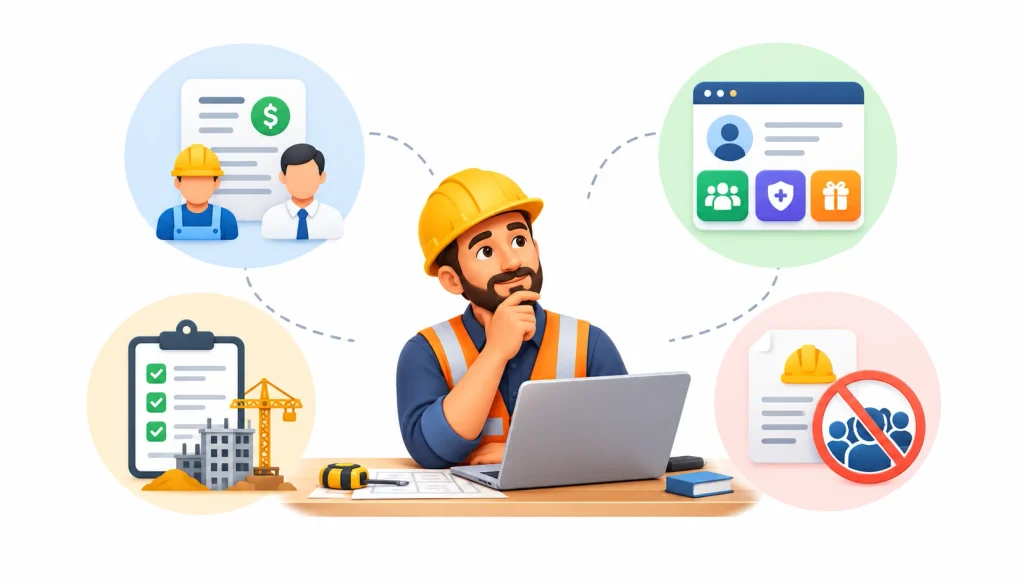
Paycor is worth a look if you:
- Run mostly standard payroll with hourly and salaried staff
- Want payroll, HR, and benefits under one login
- Have a modest number of active jobs
- Don’t have prevailing wage or union reporting duties
2. Who should evaluate alternatives?
Look harder at other options if you:
- File certified payroll reports on public projects
- Pay union wages and fringe benefits
- Need labor costs broken out by job and cost code inside your payroll system
- Run crews in several states at once
This does not mean Paycor can’t do these things. It means you should see each one demonstrated with your own data before you sign.
3. Paycor at a glance
| What to look at | What to confirm |
| Product type | Payroll and HCM platform |
| Pricing | Quote-based, so ask for itemized fees |
| Time tracking | Whether it is included or an add-on |
| Job costing | How hours map to jobs and cost codes |
| Certified payroll | Which reports it produces, in what format |
| Union payroll | Fringe and deduction handling |
| Best fit | Standard payroll plus HR needs |
What Is Paycor Payroll Software?
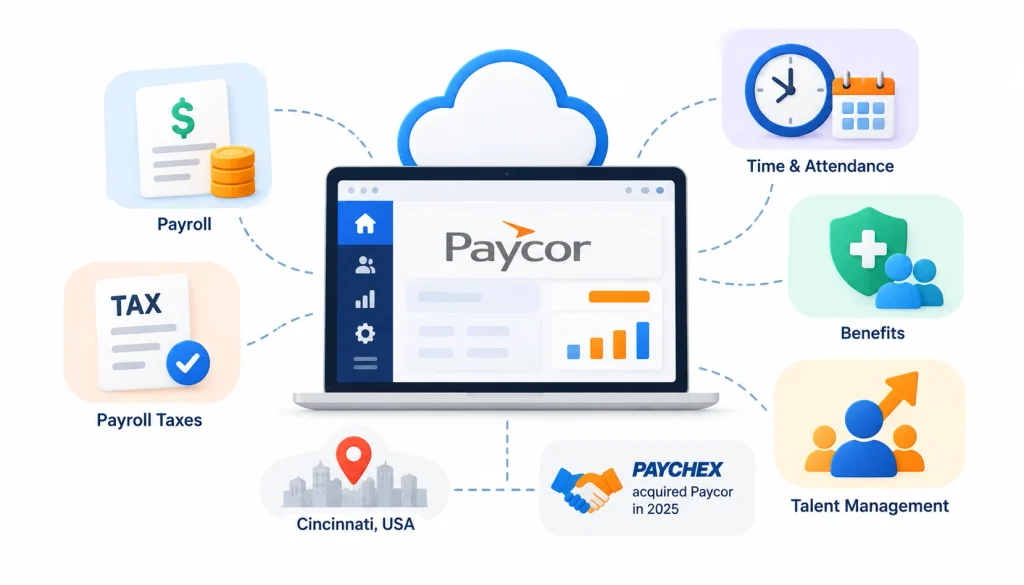
Paycor is a cloud-based payroll and HR platform that serves small and mid-sized employers. It processes payroll, files payroll taxes, and offers modules for time and attendance, benefits, and talent management. The company is based in Cincinnati, and Paychex completed its acquisition of Paycor in 2025 (the Paycor Wikipedia page and the company’s own announcements are the best places to confirm current details).
The Paychex deal matters to buyers for one practical reason. Product names, plans, and support setups can change after an acquisition, so ask your sales rep what is current today.
Paycor’s main capabilities
Most buyers will look at these areas:
- Payroll processing and tax filing. Pay runs, direct deposit, and payroll tax filings.
- Time and attendance. Clock-in, timesheets, and approvals.
- HR tools. Employee records, onboarding, and document storage.
- Self-service. Workers can see pay stubs and update their own details.
- Reporting. Payroll and workforce reports.
Not every module comes with every plan. That is common in this category, and it is why the quote matters.
How Paycor fits into a construction business
Picture a 25-person electrical contractor. Eighteen people work in the field, seven are in the office. The owner wants one system for pay, benefits, and personnel files. For that company, a general platform like Paycor can cover a lot of ground.
Contractors managing materials and equipment alongside labor expenses may also benefit from inventory management software that helps track stock and maintain organized inventory records.
Now add a twist. Half the crew works on a private commercial job, and half works on a school project that requires certified payroll. The question changes from “can it run payroll?” to “can it run payroll for each of these jobs the way the contract demands?”
Paycor Payroll Features for Construction Companies
The features below are the ones contractors lean on most. For each, we describe what to look for. Where we can’t confirm a detail from public sources, we say so.
1. Payroll processing and tax filing
This is the core job, and mainstream payroll platforms handle it well. Check that the system supports multiple pay rates for one employee, different overtime rules, and the states where you have workers.
Ask about corrections too. If a pay run has an error, find out who fixes it, how fast, and whether you get charged.
2. Time tracking and attendance
In construction, hours start in the field. Good time tracking lets a foreman or the worker log hours from a phone, tied to a job.
Published reviews, including TechRepublic’s Paycor review, note that time tracking can carry an extra cost. Treat it as a line item to price, not a given.
Here is a test scenario to use in a demo (this is a buyer scenario, not a result from testing Paycor). A laborer works four hours on Project A and six on Project B in one day, at two different pay rates. Can the system record that split, apply the right rates, and send the hours to the right place in payroll?
3. Job costing and labor cost allocation
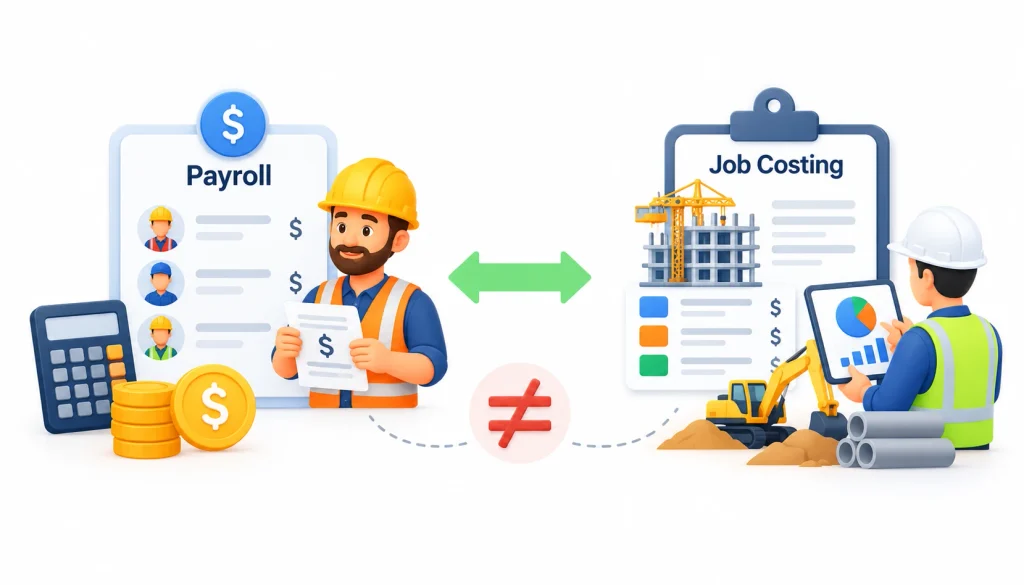
Payroll tells you what you owe each person. Job costing tells you what each project cost you in labor. They are related, but they are not the same thing.
The labor cost on a job is more than wages. It includes payroll taxes, workers’ comp, and benefits, often called labor burden. If your payroll tool can’t send that detail to your accounting software, someone will end up rebuilding it in a spreadsheet.
Understanding labor expenses alongside other business costs is easier when you use cloud accounting software to organize financial records and monitor expenses.
Ask Paycor which job-cost fields exist, whether cost codes are supported, and how the data reaches your accounting system.
4. HR and employee self-service
This is where an HCM platform usually earns its keep. Field crews can pull up pay stubs on a phone, and the office keeps onboarding documents, certifications, and benefit elections in one place.
If your workforce is spread across sites and rarely at a desk, test the mobile experience yourself rather than relying on a screenshot.
5. Integrations and reporting
Many contractors run accounting in QuickBooks or a construction-specific system. Ask for the list of current integrations and what each one actually syncs. Businesses looking to connect payroll, accounting, and operational data can also learn how an ERP system in accounting helps integrate financial information across departments. “Integrates with” can mean a full two-way sync or a basic file export. Those are very different when you’re closing the books each month.
Paycor Payroll Pros and Cons for Construction Businesses
| Potential advantage | What to check |
| Payroll and HR in one system | Whether construction workflows are built in |
| Employee self-service | How well it works for field crews |
| Payroll automation | How it handles complex wage rules |
| Workforce reporting | Whether reports are available by project |
| Several product tiers | Total price once add-ons are included |
Paycor pros
- One platform for payroll and HR. You avoid stitching together separate tools for pay, benefits, and records.
- Self-service for employees. Fewer calls to the office about pay stubs and tax forms.
- Room to grow. If your HR needs expand, there are modules to add.
- Time tracking built into the same system. Hours flow straight into payroll when it’s set up well.
Paycor cons
- Quote-based pricing. You can’t see a clear price online, which makes comparing vendors slower.
- Add-on costs. Time tracking and other modules may be priced separately.
- Construction depth is unproven from public information. Certified payroll, union fringe handling, and job costing all need to be demonstrated.
- General-purpose design. Platforms built for every industry sometimes need workarounds for contractor-specific rules.
To be fair, none of these are confirmed shortcomings. Each is a question to answer before you buy.
When Paycor’s limits matter most
A residential remodeler with ten employees and one pay rate each will probably never notice the gaps. A subcontractor with union crews on three public-works jobs will notice them in the first pay period.
The more your payroll depends on contract rules, the more weight you should give to the construction-specific questions.
Can Paycor Handle Construction Payroll Compliance?
No software can promise compliance for you. You remain responsible for paying workers correctly and filing what your contracts require. What software can do is make that work faster and reduce mistakes. So the real question is how much of the work it handles, and how much lands back on your team.
1. Certified payroll and Form WH-347
Certified payroll is a weekly payroll report that shows who worked on a project, what they were paid, and that wages met the required rate. It is signed by the contractor to certify it is accurate.
The federal version comes from the Davis-Bacon Act and related laws. They apply to certain federally funded or assisted construction contracts. The U.S. Department of Labor’s construction contracts page explains the rules and the sample payroll form, WH-347. Using that exact form is optional as long as your report has the same information.
Not every contractor needs this. Many state and local public projects have their own certified payroll rules too. Your contract tells you which apply.
When you talk to any payroll vendor, ask them to show you a completed certified payroll report from a sample project. Don’t accept a yes on a sales call.
2. Prevailing wage requirements
Prevailing wage rules set minimum pay for workers on covered public projects. The rate depends on the job type, the worker’s classification, and the location. Federal wage determinations are published at SAM.gov.
In practice, one worker might be a carpenter on Monday and a laborer on Tuesday, each with a different required rate. Your system needs to track that by day, and ideally by job.
3. Union payroll and fringe benefits
Union agreements usually set wage rates, fringe contributions, and deductions. The reports that go to benefit funds often follow specific formats.
Bring a real example from your own agreement to the demo. Ask the vendor to run it from time entry to the final report.
4. Multi-state payroll
If your crews cross state lines, you may owe payroll taxes in more than one state, and each state has its own wage and overtime rules. Most payroll platforms handle multi-state tax filing. That is different from handling each state’s prevailing wage or certified payroll rules, so ask about both.
For a candid look at how contractors talk about these problems, the Payroll and Construction communities on Reddit are worth browsing. Treat what you read as anecdotes, not verified facts.
5. What to verify before buying
Ask every vendor these questions and compare the answers in writing:
- Can one employee have several pay rates and classifications?
- Which certified payroll reports can you produce, and can you show me one?
- How are fringe benefits entered and calculated?
- Can labor cost be tracked by job and cost code?
- Which of these features need an integration or add-on?
- Who reviews errors and fixes them?
- What documentation backs up your compliance claims?
How Much Does Paycor Payroll Cost?
Paycor does not publish a fixed price list. According to TechRepublic’s review, pricing is quote-based. That means you need a current quote for your headcount and needs. Any number you see in a blog post, including this one, could be out of date.
1. Paycor pricing plans and add-ons
When you request a quote, ask for an itemized breakdown. Cost usually includes:
- A base subscription or per-pay-run fee
- A per-employee fee
- Time and attendance
- Benefits administration
- Setup and training
- Integrations
- Extra services
2. How to calculate the total cost
The sticker price rarely tells the full story. Use this formula:
Total cost = base fees + per-employee charges + add-ons + setup + integrations + internal admin time + migration costs
Here is a made-up example to show the idea. Say two software options have the same monthly fee. One needs a payroll clerk to spend six extra hours each week rebuilding job-cost data in a spreadsheet. At a loaded labor cost of $35 an hour, that is $210 a week, or roughly $10,900 a year. Those figures are for illustration only, not Paycor pricing. The cheaper subscription may not be the cheaper option.
3. Questions to ask before signing
- Which construction features are included in the quoted plan?
- Which items cost extra?
- Do you support certified payroll and union reporting?
- Which accounting integrations do you offer?
- What setup and training fees apply?
- How do payroll corrections and support escalations work?
Best Paycor Alternatives for Construction Businesses
The right alternative depends on how complicated your payroll is. The list below is a shortlist to evaluate, not a ranking. Features change, so confirm everything on each vendor’s site and in a demo.
1. Payroll4Construction: for construction-focused payroll
This is a payroll provider that focuses on contractors. Look at how it handles certified payroll, prevailing wages, and union payroll, and ask what is included in the service versus what you do yourself. Check pricing, setup, and integrations like you would with any vendor.
2. ADP: for larger payroll and workforce needs
ADP offers several products for different company sizes, so be specific about which one you are evaluating. It tends to suit larger or multi-location employers. Ask for a construction-specific demo.
3. Paychex: for payroll and HR services
Paychex is a long-established provider and now Paycor’s parent company. Its product lineup may overlap with Paycor’s. Ask how the two products differ for contractors, and don’t assume strong general payroll means certified payroll support.
4. FOUNDATION Software: for construction accounting
FOUNDATION is built around construction accounting. If job costing and financial reporting are your priority, a system that keeps payroll and accounting together may cut down on double entry. Confirm the payroll features you need, and check whether it fits your current setup.
5. Miter: for construction workforce and payroll
Miter is a newer platform aimed at construction workforce management and payroll. Ask about time capture in the field, certified payroll, union workflows, and which accounting systems it connects to.
6. Gusto: for simpler payroll
Gusto is popular with small businesses that want easy payroll and basic HR. A small contractor with straightforward payroll may find it enough. If you have union, prevailing wage, or certified payroll duties, check carefully before choosing it.
Comparison table
| Software | Consider it when | Verify |
| Paycor | You want payroll and HR together | Construction workflows, add-on costs |
| Payroll4Construction | Construction payroll is the main need | Reports, integrations, service scope |
| ADP | You need broader workforce tools | Construction-specific features |
| Paychex | Payroll and HR services matter | Certified payroll, union handling |
| FOUNDATION Software | Accounting integration comes first | Payroll depth, system compatibility |
| Miter | Field workforce workflows matter | Payroll scope, integrations |
| Gusto | Payroll is simple | Fit for compliance-heavy work |
Paycor vs. Construction-Specific Payroll Software
General payroll software is built to work for every industry. Construction-specific software starts with contractor problems like job costing, multiple rates, and certified reports. Neither category is better in every case. Some general platforms cover construction needs through add-ons or integrations, so judge each product on what it does.
| Decision factor | General-purpose payroll | Construction-specific payroll |
| Standard wage processing | Core feature | Core feature |
| HR administration | Often broad | Varies |
| Project-level labor tracking | Check workflow and integrations | Check native tools |
| Job costing | Often needs accounting integration | Often built in |
| Certified payroll | Confirm exact reports | Confirm supported formats |
| Union payroll | Confirm calculations | Confirm agreement support |
| Prevailing wage | Verify | Verify |
1. Which is better for small contractors?
If you have a handful of employees and simple pay, ease of use and a predictable price matter most. A general platform may be all you need.
2. Which is better for government contractors?
If you work on public projects, certified payroll and prevailing wage handling should be at the top of your list. A tool that does these natively can save hours every week.
3. Which is better for growing construction businesses?
As you add crews, jobs, and states, manual workarounds get expensive. Look at how well the system connects to your accounting software and how it will handle twice your current headcount.
How to Choose the Right Payroll Software for Your Construction Business
A clear process will save you from a bad buy. Follow these steps.
- Write down your requirements. List employee types, pay rates, job sites, overtime situations, and the reports you must file.
- Map your current workflow. Trace how hours travel from the field to the foreman, to payroll, to accounting.
- Check construction features. Focus on the workflows you use, not the general demo.
- Compare total cost. Include add-ons, setup, integrations, and admin time.
- Run a real scenario. Use one actual week of payroll from a messy job and ask each vendor to process it.
- Check setup and support. Find out who configures the system, who trains your team, and who answers on payroll deadline day.
If you’re replacing Paycor or another system, plan the move too. Gather employee data, year-to-date payroll history, tax account details, and open corrections. Try to switch at the start of a quarter, or at least avoid the middle of a tax filing period.
Frequently Asked Questions
Is Paycor a good payroll system for construction companies?
It can work well for contractors with standard payroll and a need for HR tools. If you have certified payroll, union, or prevailing wage requirements, confirm those workflows in a demo first.
Does Paycor support certified payroll reporting?
Ask Paycor to show you the exact report you need for your contract and state. Don’t rely on a general statement.
How much does Paycor payroll cost?
Pricing is quote-based. Ask for an itemized quote that covers subscription fees, add-ons like time tracking, and setup costs.
What are the best Paycor alternatives for contractors?
It depends on your needs. Construction-focused options include Payroll4Construction, FOUNDATION Software, and Miter. ADP, Paychex, and Gusto may fit businesses with simpler or broader needs.
Can Paycor handle union and prevailing wage payroll?
That needs direct confirmation. Give the vendor a sample from your own union agreement or wage determination, and watch it run start to finish.
What is the difference between Paycor and construction-specific payroll software?
Paycor is a general payroll and HR platform. Construction-specific software is designed around job costing, certified payroll, and union rules. Some general platforms can do part of this with add-ons.
How do I switch from Paycor to another payroll provider?
Collect employee records, payroll history, tax details, and any open corrections. Test integrations before go-live, and time the switch to avoid a quarter-end crunch.
Final Verdict
This Paycor payroll review for construction businesses comes down to one point. Paycor is worth evaluating if you want payroll and HR in one system and your payroll rules are fairly standard. If you rely on job costing, union payroll, prevailing wages, or certified payroll, verify each of those workflows before you commit.
Compare at least two vendors using the same sample payroll and the same cost assumptions. Next step: write down your requirements, request itemized quotes, and test a real pay period before you sign anything.
