

A café owner in Pune gets a POS quote that says ₹10,000. She signs up. Within a month she has also paid for a printer, a tablet, a setup visit, an inventory add-on and 18% GST. The final bill is closer to ₹45,000.
This happens all the time, and it is why the question “how much does a restaurant POS system cost in 2026?” needs a longer answer than one price tag. The software is only one slice. You also pay for hardware, installation and training, integrations, and the running costs that show up in year two and three.
This guide is written for Indian restaurant owners. It shows realistic price ranges, works through three full cost examples, lists the charges vendors tend to bury, and gives you a simple formula to compare quotes on equal terms.
How much does a restaurant POS system cost.
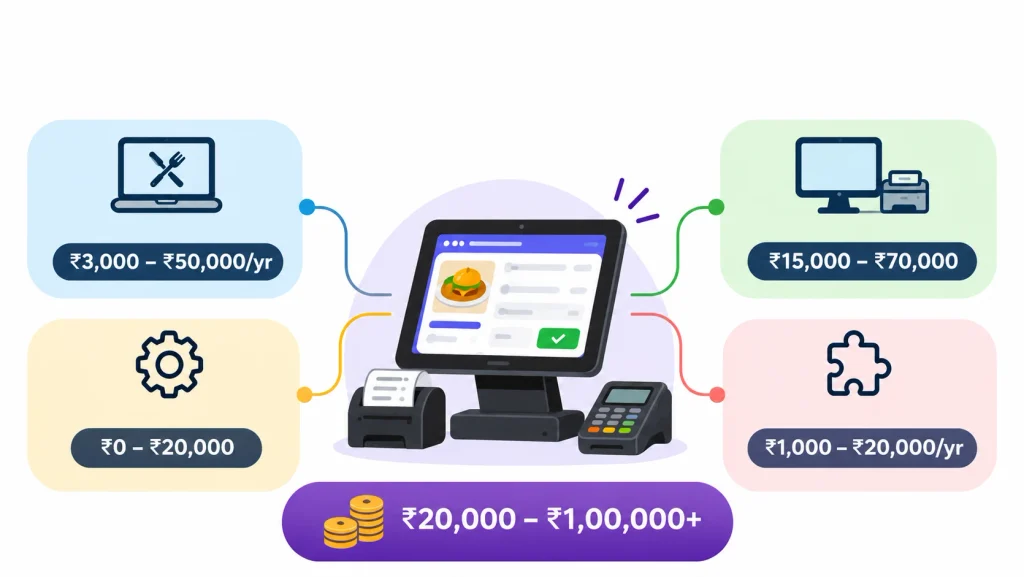
A restaurant POS system in India typically costs ₹15,000 to ₹40,000 for a basic setup in the first year and ₹50,000 to ₹1,00,000 or more for a full dine-in setup. Software runs about ₹3,000 to ₹50,000 a year, hardware ₹15,000 to ₹70,000, and setup, integrations and GST add more. Before comparing prices, it is helpful to understand how a restaurant POS system works and which features are essential for managing daily restaurant operations.
That short answer hides a wide spread, so here is the breakdown.
| Cost component | Indicative budget |
| Basic POS software | ₹3,000 to ₹10,000 per year |
| Mid-range POS software | ₹10,000 to ₹25,000 per year |
| Advanced POS software | ₹25,000 to ₹50,000+ per year |
| Basic hardware setup | ₹15,000 to ₹30,000 |
| Advanced hardware setup | ₹40,000 to ₹70,000+ |
| Setup and training | Free to ₹20,000 |
How we got these numbers. The ranges above are planning estimates built from vendor pages, marketplace listings and typical hardware prices. They are not a verified market average. Prices exclude GST unless stated, and your actual quote will depend on your size, features, city and vendor. Always get a written quote before you commit.
1. Average restaurant POS software cost in India
Most Indian restaurant POS software is sold as a yearly subscription per outlet. The price climbs as you add features.
Basic plans cover billing, GST invoices and simple sales reports. Mid-range plans add inventory, table management, KOT printing and delivery-app integrations. Advanced plans add multi-outlet control, deeper reports and priority support. Enterprise plans for chains are almost always custom quotes.
To give you a real reference point, a Techjockey listing for Petpooja shows ₹10,000 for the first year per outlet, with renewal at ₹7,500 a year. Petpooja’s own site shows plans in US dollars for some regions, so confirm the Indian price with the vendor.
2. Restaurant POS hardware cost
Hardware is the part owners forget to budget for. Here is what each piece usually costs.
| Hardware | Estimated cost |
| POS terminal or tablet | ₹10,000 to ₹25,000 |
| Thermal receipt printer | ₹4,000 to ₹8,000 |
| KOT printer | ₹5,000 to ₹10,000 |
| Cash drawer | ₹2,000 to ₹4,000 |
| Kitchen display screen | ₹10,000 to ₹20,000 |
| Barcode scanner | ₹1,500 to ₹3,000 |
These are indicative street prices. Check them against current supplier quotes before you buy.
A good rule: you rarely need all of it. A takeaway counter needs a device and a printer. A 50-seater usually adds a kitchen printer and a cash drawer. A kitchen display screen (KDS) is optional until your order volume makes paper tickets a bottleneck.
3. One-time costs vs monthly costs
Split your budget into three buckets so nothing surprises you.
| Type | Examples | When you pay |
| One-time | Hardware, installation, menu setup, training | Before launch |
| Recurring | Software subscription, support, cloud hosting, paper rolls | Monthly or yearly |
| Optional | Loyalty module, extra terminals, KDS, accounting integration | When you need them |
What affects restaurant POS pricing?
Two restaurants can ask the same vendor for a quote and get very different numbers. These are the reasons.
1. Number of terminals and outlets
Most vendors charge per outlet. Some also charge for extra billing terminals or extra staff logins. A restaurant with one counter and one tablet pays much less than one with three billing stations and captain handhelds.
More outlets also mean more hardware, which is often the bigger cost.
2. Features you actually need
Billing and GST invoicing come with almost every plan. The upgrades that move the price are inventory and recipe costing, table management, customer records and loyalty, staff management, and detailed reports.
Before you ask for quotes, write down which of these you will use in the first six months. Pay for those. Add the rest later.
3. Cloud vs on-premise POS
A cloud POS keeps your data on the vendor’s servers and works through the internet. An on-premise POS stores data on a computer in your restaurant. If you want to understand how cloud technology handles restaurant transactions, inventory updates, and remote access, explore this guide to a cloud-based POS system.
| Factor | Cloud POS | On-premise POS |
| Upfront cost | Usually lower | Usually higher |
| Payment model | Subscription is common | Depends on licence |
| Data storage | Vendor servers | Your own computer or server |
| Updates | Often automatic | May need manual installs |
| Remote access | Usually included | Depends on setup |
| Maintenance | Often handled by the vendor | More on you |
If your internet drops often, ask whether the cloud system has an offline billing mode and how it syncs afterwards. Some offline modes are limited, so test this during the demo.
For background on the general idea, see Wikipedia’s page on point of sale systems.
4. Integrations
Connecting your POS to Swiggy, Zomato, a payment gateway, accounting software or QR ordering can raise the price. Some vendors include a few integrations. Others charge per integration, per year.
5. Customisation and scale
Custom workflows, central menu control across branches and enterprise reporting usually mean a custom quote. If you run one or two outlets, you probably do not need any of this.
Restaurant POS pricing models explained
Vendors charge in a handful of ways. Knowing which one you are looking at stops you from comparing a monthly price to an annual one.
1. Monthly subscription
You pay every month and can usually cancel easily. This suits new restaurants that want a low commitment. It often costs more over a year than an annual plan.
2. Annual subscription
You pay once a year, usually at a discount. Check the renewal price before you sign. Some vendors offer a low first-year rate and raise it later.
3. One-time licence
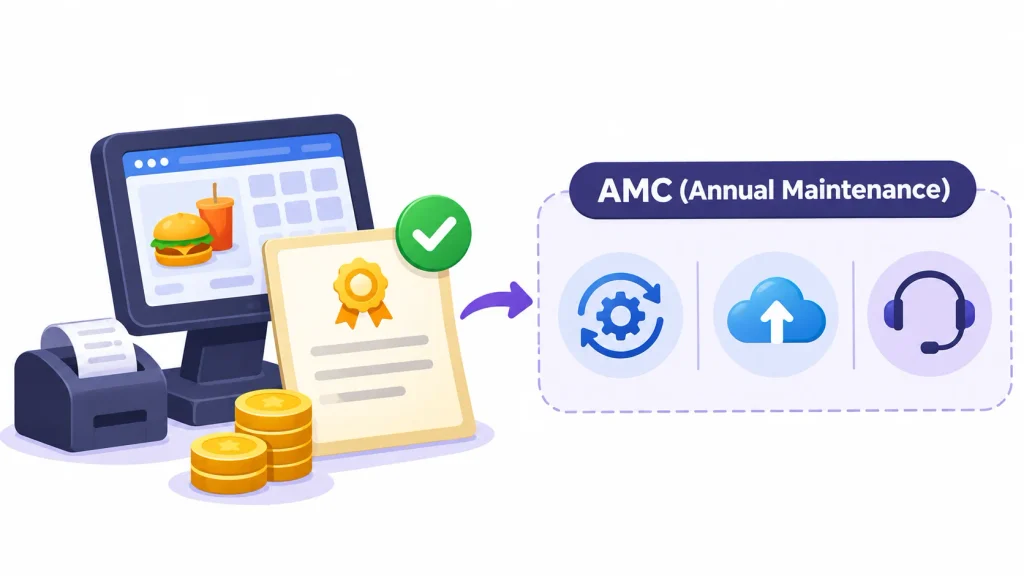
You pay a large amount once and own the licence. This sounds cheaper, but it often does not include updates, hosting or support. Those usually come through an annual maintenance contract (AMC). Ask exactly what the AMC covers and what it costs.
A one-time licence also does not mean lifetime free service. It means you own the right to use that version of the software.
4. Free restaurant POS software
Free plans exist, and they work for very small shops that need basic billing. The limits usually show up in the number of bills, users, reports or integrations. Some vendors earn money from payment processing or paid add-ons instead. Read what is excluded before you build your workflow around a free plan.
5. Pay-per-transaction pricing
Some systems take a small cut of each sale. That is a processing fee, not a software fee. If your sales are high, a percentage can cost far more than a flat subscription. Do the math at your own monthly sales before you accept it.
How much does a POS system cost for different restaurant types?
The examples below are illustrations, not market prices. They use mid-range figures and add 18% GST, which is the rate commonly applied to software and electronics. Confirm the tax treatment with your accountant.
1. Small restaurant or café
You need billing, GST invoices, a receipt printer and basic reports. One tablet is enough. If you already own a tablet or laptop, your hardware bill drops sharply.
First-year budget: about ₹35,000 to ₹50,000 including GST.
2. Quick-service restaurant (QSR)
Speed is the point here. You need fast billing, KOT printing, more than one billing station and order management. Expect to pay for an extra terminal and a kitchen printer.
First-year budget: about ₹60,000 to ₹1,00,000.
3. Cloud kitchen
Cloud kitchens live on aggregator orders. The POS must pull in Swiggy and Zomato orders, track inventory closely and send tickets to the kitchen. You usually skip the cash drawer and table management.
First-year budget: about ₹60,000 to ₹85,000.
4. Full-service restaurant
You need table management, captain ordering, KOT printers or a KDS, and several payment modes. Staff training matters more here because more people touch the system.
First-year budget: about ₹80,000 to ₹1,10,000.
5. Multi-outlet restaurant
You need central menu control, branch reports, shared inventory and role-based access. Budget each outlet like a full-service restaurant, then ask the vendor for a custom quote on central features.
| Restaurant type | Estimated first-year budget (incl. GST) |
| Small café | ₹35,000 to ₹50,000 |
| QSR | ₹60,000 to ₹1,00,000 |
| Cloud kitchen | ₹60,000 to ₹85,000 |
| Full-service restaurant | ₹80,000 to ₹1,10,000 |
| Multi-outlet (per outlet) | Custom quote |
Treat every row as an estimate, not a fixed price.
Hidden costs of restaurant POS systems
This is where budgets break. Ask the vendor about each item below before you sign.
- Installation and setup. Some vendors set up your menu and printers for free. Others charge ₹2,000 to ₹10,000 or more.
- Staff training. Initial training is often included. Retraining new hires may not be.
- Renewals and price increases. A low first-year price can jump at renewal. Ask for the renewal price in writing.
- Payment processing. Card payments and some gateway arrangements carry fees. UPI has had a zero merchant discount rate for most merchants under government policy, but rules change, so confirm the current position with your bank or gateway.
- Add-ons. Inventory, loyalty, online ordering and delivery integrations can each carry their own yearly fee.
- Hardware upkeep. Thermal printers wear out. Tablets crack. Keep a replacement allowance.
- Consumables. Receipt paper and KOT rolls are a small but constant cost.
- Data migration and exit. Moving from one POS to another can cost several thousand rupees, and some vendors make data export difficult.
One clarification worth making. Swiggy and Zomato commissions are the cost of selling through those platforms. They are not POS software charges, so track them separately in your books.
For a deeper look at how this kind of lifetime cost is calculated, see Wikipedia’s explanation of total cost of ownership.
Restaurant POS software price comparison in India.
Prices below come from public vendor pages and listings. Many Indian vendors do not publish full pricing, so treat these as starting points and confirm each one.
| Provider | Pricing reference | Main features | Best for |
| Petpooja | About ₹10,000 first year per outlet, ₹7,500 renewal (listing figure) | Billing, inventory, recipe and role management | Established restaurants |
| BillBoox | ₹5,999 per year for its published Premium plan | Billing, CRM, ordering, GST | Budget-conscious restaurants |
| OrderIt | Published entry price of ₹150 per month | Billing, QR ordering, KDS | Small restaurants |
| GoFrugal | Ask for a quote | POS and business management | Growing restaurants |
| Restroworks | Custom quote | Enterprise restaurant management | Chains |
| DotPe | Custom quote | Digital ordering and commerce | Restaurants moving to digital ordering |
These plans are not like for like. A ₹150 monthly entry plan and a ₹10,000 yearly plan include different features, so compare what is in the box, not just the number.
If you want to see how other owners talk about their experience, the restaurateur community on Reddit is a candid place to read about POS choices and support problems. Vendor company pages, such as Petpooja on LinkedIn, help you check company size and recent announcements.
What to compare before choosing a provider
- Software price and billing period (monthly, yearly or per outlet)
- Whether your existing tablet and printer will work
- Support hours, especially evenings and weekends
- Integration charges
- Who owns your sales data and how you can export it
- Renewal terms and notice period
- How easily it scales to a second outlet
Real POS cost examples: first year and three years
These three examples are illustrations. Figures are before GST unless noted, then 18% GST is added. Your quotes will differ.
Example 1: Small café
| Item | Cost |
| Software (annual) | ₹10,000 |
| Tablet | ₹15,000 |
| Thermal printer | ₹6,000 |
| Cash drawer | ₹3,000 |
| Setup | ₹3,000 |
| Subtotal | ₹37,000 |
| GST at 18% | ₹6,660 |
| Year 1 total | ₹43,660 |
In years two and three, assume ₹7,500 for renewal and ₹3,000 for paper and small repairs. That is ₹10,500, or ₹12,390 with GST, each year. Three-year total: about ₹68,440, or roughly ₹1,900 a month.
Example 2: 50-seater dine-in restaurant
| Item | Cost |
| Software (annual) | ₹15,000 |
| Inventory module (annual) | ₹5,000 |
| Billing terminal and tablet | ₹32,000 |
| Receipt printer | ₹6,000 |
| KOT printer | ₹7,500 |
| Cash drawer | ₹3,000 |
| Installation and training | ₹10,000 |
| Subtotal | ₹78,500 |
| GST at 18% | ₹14,130 |
| Year 1 total | ₹92,630 |
In years two and three, assume ₹20,000 for software and inventory, ₹6,000 for maintenance and consumables and ₹5,000 as a hardware replacement allowance. That is ₹31,000, or ₹36,580 with GST. Three-year total: about ₹1,65,790, or roughly ₹4,600 a month.
Example 3: Cloud kitchen
| Item | Cost |
| Software (annual) | ₹18,000 |
| Aggregator integrations (annual) | ₹6,000 |
| Inventory module (annual) | ₹5,000 |
| Tablet | ₹15,000 |
| Receipt printer | ₹6,000 |
| KOT printer | ₹7,500 |
| Setup | ₹5,000 |
| Subtotal | ₹62,500 |
| GST at 18% | ₹11,250 |
| Year 1 total | ₹73,750 |
In years two and three, assume ₹29,000 for software, integrations and inventory, ₹4,000 for consumables and ₹3,000 for replacements. That is ₹36,000, or ₹42,480 with GST. Three-year total: about ₹1,58,710, or roughly ₹4,400 a month.
Year-by-year view
| Restaurant | Year 1 | Year 2 | Year 3 | 3-year total |
| Small café | ₹43,660 | ₹12,390 | ₹12,390 | ₹68,440 |
| 50-seater | ₹92,630 | ₹36,580 | ₹36,580 | ₹1,65,790 |
| Cloud kitchen | ₹73,750 | ₹42,480 | ₹42,480 | ₹1,58,710 |
Notice how year one carries most of the weight. That is why a cheap-looking subscription can still be an expensive decision if the hardware and setup are not planned.
The formula
Use this to compare any two quotes:
Total POS cost = software + hardware + setup + integrations + maintenance + payment-related expenses + applicable taxes
Keep payment processing fees and delivery-platform commissions in their own column. They depend on your sales volume, not on which POS you pick.
If you would like this as a working calculator where you enter your outlets, terminals and add-ons, I can build one as a separate page.
How to choose the right restaurant POS for your budget
Start with your daily workflow. List what your staff actually does from the first order to the last bill. Mark each feature as essential or nice to have.
Compare three-year cost, not the monthly price. A ₹500 monthly plan with expensive add-ons can cost more than a ₹900 plan that includes them.
Check what hardware you can reuse. Many cloud POS apps run on Android tablets and standard thermal printers. Ask for a compatibility list.
Test the support. A POS failure at 8:30 pm on a Saturday is the real test. Ask how fast support responds and whether they offer phone help during service hours.
Ask about your data. You should be able to export your sales and menu data in a usable format if you leave.
Request a live demo. Run a real order from start to finish: add items, split a bill, apply a discount, print a KOT. If the vendor will not let you try your own scenario, take note.
How can a POS system improve restaurant ROI?
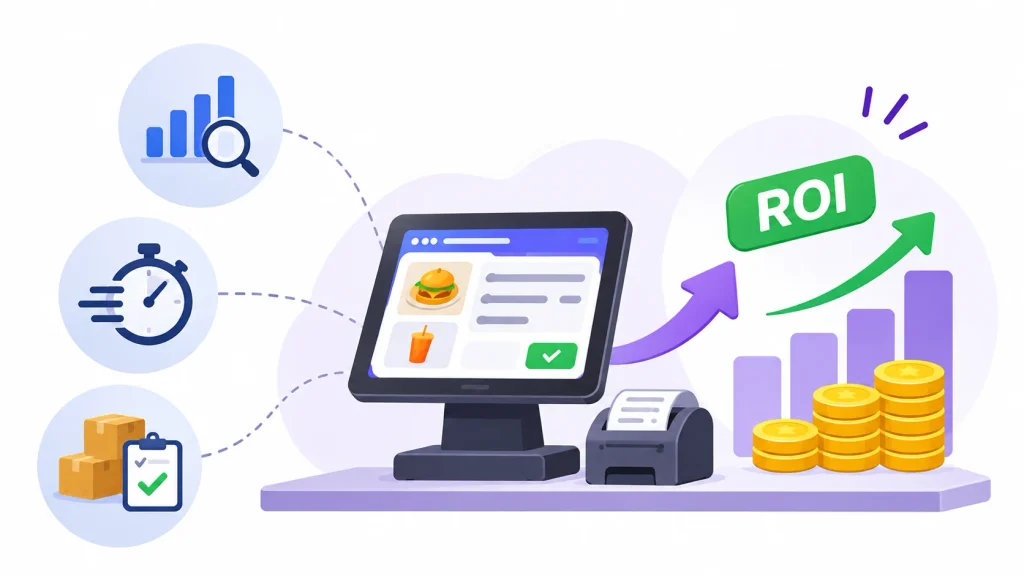
A POS does not save money on its own. It gives you data and removes some manual steps. Whether that pays back depends on what you do with it.
Savings usually come from four places. Automated billing reduces manual entry mistakes and missed items. Inventory tracking shows you where stock disappears. Faster ticket flow between the counter and the kitchen can shorten waits. Connecting POS data with restaurant accounting and financial management can also help owners monitor expenses, reconcile transactions, and understand their actual profitability. Daily sales reports show you which dishes actually earn money.
Here is the formula:
ROI (%) = (net financial benefit ÷ total POS investment) × 100
Net financial benefit means the money you gain or save, minus what the POS costs.
Take the 50-seater from above. Say the system helps you recover ₹60,000 a year through fewer billing errors and tighter stock control. That number is a made-up example, not a promise. In year one, you spent ₹92,630, so the result is negative, about minus 35%. Over three years, you recover ₹1,80,000 against a cost of ₹1,65,790, which gives an ROI of about 8.6%.
The point is that a POS rarely pays for itself in the first year. Measure your own wastage and billing errors before and after, so you know whether it is working.
Frequently asked questions
How much does a restaurant POS system cost in India?
A basic setup typically costs ₹15,000 to ₹40,000 in the first year. A full dine-in setup can reach ₹50,000 to ₹1,00,000 or more, depending on hardware, features and GST.
What is the average monthly cost of restaurant POS software?
Basic plans work out to roughly ₹250 to ₹850 a month when billed yearly. Mid-range and advanced plans cost more, and many vendors bill annually, so ask for the yearly price.
How much does a POS machine cost for a restaurant?
A tablet or terminal typically costs ₹10,000 to ₹25,000. A full counter with printer and cash drawer is about ₹15,000 to ₹30,000 for a basic setup.
Is there free POS software for restaurants?
Yes, some vendors offer free plans. They usually limit users, reports or integrations, and may earn money through paid add-ons or payment processing.
Is cloud POS cheaper than traditional POS?
Cloud POS usually costs less upfront because you pay a subscription instead of buying a server and a large licence. Over several years, the gap narrows, so compare three-year totals.
What are the hidden costs of restaurant POS software?
Common ones are setup fees, training, renewal price increases, add-on modules, payment processing, hardware repairs and data migration when you switch vendors.
Conclusion
If you remember one thing from this guide, make it this: the sticker price is the smallest part of the answer. A realistic answer to “how much does a restaurant POS system cost in 2026?” is ₹35,000 to ₹50,000 for a small café, and ₹80,000 to ₹1,10,000 for a full-service restaurant in year one, with lower recurring costs after that.
Budget for software, hardware, setup, add-ons and GST together. Ask every vendor for the renewal price. Compare three-year totals, not monthly rates. And run a live demo with your own menu before you pay.
If you want a POS that lists everything you pay for in one quote, [add your product name and CTA here].
