Author: Sehreen Mushtaq

  • Is It Better to Have Multiple Businesses Under One LLC?

    Is It Better to Have Multiple Businesses Under One LLC?

    Yes, it is possible to run multiple businesses under one LLC. This setup allows multiple business activities to be managed under a single legal company, which can simplify management, reduce costs, streamline operations, and reduce administrative work.

    However, business owners should consider whether the different businesses fit well together and make sense under the same LLC structure. It is also important to consult an LLC business attorney to determine whether this approach is appropriate for your specific situation.

    While operating multiple businesses under one LLC can be convenient, it also carries risks, including shared liability, which means legal or financial issues involving one business could potentially affect the other businesses operating under the same LLC.

    Can you have multiple businesses under one LLC?

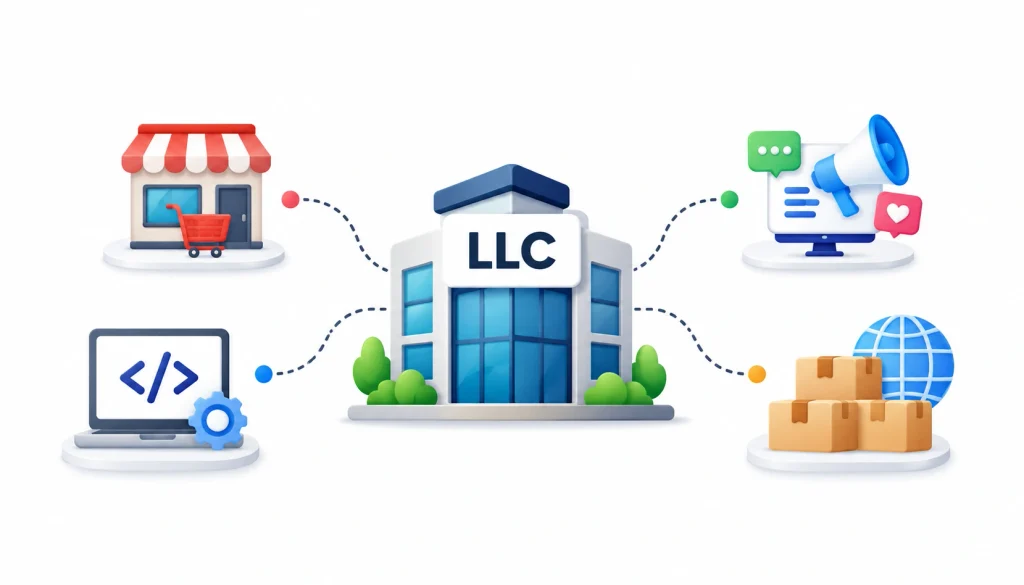
    One LLC managing multiple businesses, shown with retail, technology, marketing, and e-commerce icons connected to a central LLC building.

    Yes, in most U.S. states one LLC can run several business activities. An LLC is a legal entity. It is not limited to one product, one brand, or one type of work, unless your state, your license, or your own operating agreement says otherwise.

    Think of the LLC as a container. You can put one business in it or five. The state sees one company. Your customers might see five brands.

    Here is a simple example. Maria forms Ridgeway Ventures LLC. Under it she runs Ridgeway Consulting, Ridgeway Marketing, and Ridgeway Training. Legally, there is one company. Each brand is a trade name it operates under.

    If you want the background on how the LLC works as a structure, the Wikipedia article on limited liability companies is a decent starting point. The SBA’s guide to choosing a business structure covers the basics from a government source.

    Is it better to have multiple businesses under one LLC?

    It is generally more practical to operate multiple businesses under one LLC when the businesses are closely related, owned by the same people, and carry similar levels of risk. It can be less suitable when one business could expose the others to significant liability or when you may eventually want to sell, finance, or bring separate ownership into one business independently.

    The key question is not simply, “What is cheapest?” but rather, “What is the worst thing that could happen in each business, and am I comfortable with that risk affecting the others?” Business owners should also understand LLC tax filing for small business owners, including how the LLC’s tax treatment can affect reporting and tax obligations as the business structure becomes more complex.

    Consulting a qualified tax professional or business attorney can help determine whether using one LLC for multiple businesses fits your situation.

    One LLC may be the better fit when

    • You are the only owner of every business, or the same owners hold all of them.
    • The businesses carry similar and fairly low risk.
    • They are related, like consulting and training in the same field.
    • They share customers, tools, or staff.
    • You are testing a new idea and don’t want to pay for a new entity yet.
    • Keeping paperwork simple matters more to you than strict separation.

    Separate LLCs may be the better fit when

    • One business is much riskier than the others.
    • The businesses have different owners or investors.
    • One business owns valuable assets, such as real estate or equipment.
    • You might sell one business and keep the rest.
    • The businesses are in unrelated industries.
    • A state or industry rule pushes you toward separation.

    One LLC vs multiple LLCs: side-by-side comparison

    This table gives the general pattern. Your state and facts can change it.

    FactorOne LLCSeparate LLCs
    Formation costOne filing feeA filing fee for each LLC
    Ongoing feesOne annual report or franchise fee, in states that charge oneRepeated for each LLC
    Liability between businessesShared. One business’s debts and claims can reach the othersBetter separation between businesses
    BrandingMay need a DBA for each brand nameEach business can use its own legal name
    TaxesOne entity, but each business activity still needs clear recordsEach LLC has its own tax treatment
    AccountingCentralized, but you must track each business inside itSeparate books by default
    OwnershipEveryone owns the whole entityDifferent owners per business are easier
    Selling one businessHarder, since assets and contracts sit togetherCleaner, since the business is its own entity
    FinancingOne lender or investor looks at the whole entityLenders and investors can focus on one business
    Admin workloadLowerHigher

    Advantages of putting multiple businesses under one LLC

    1. Lower formation and administrative costs

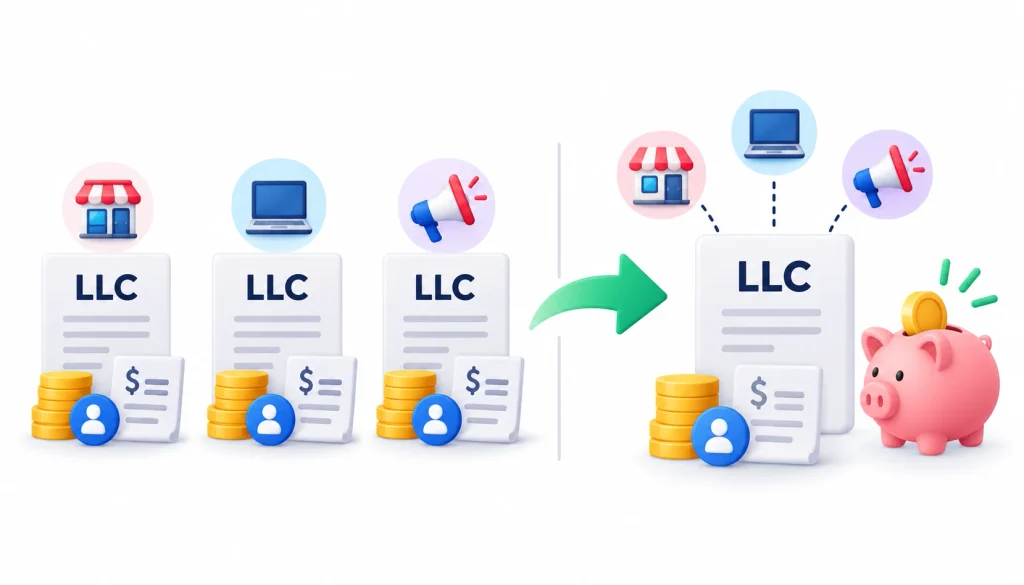
    Multiple LLCs with separate fees and administrative costs compared with one LLC, highlighting potential savings in formation and ongoing expenses.

    Every LLC comes with a state filing fee. Many states also charge annual fees or require annual reports, and you may need a registered agent for each entity. With one LLC, you pay those once. Fees vary a lot by state, so check your Secretary of State’s website for current numbers.

    2. Simpler management

    One operating agreement. One set of annual deadlines. One entity to keep in good standing. If you run everything yourself, that matters.

    3. Shared resources

    When your businesses use the same bank relationship, software, and team, one entity can be less awkward. You avoid billing one LLC for work done by another.

    4. Easier to test new ideas

    Launching a new service line under your existing LLC is quick. If the idea fails, you close a brand, not a company.

    Disadvantages and risks of multiple businesses under one LLC

    1. Shared liability

    This is the big one. An LLC separates your personal assets from the company’s debts in most situations. It does not build walls between businesses inside the same LLC. A claim against one business can generally reach assets used by the others.

    2. Messier accounting

    You can run clean books for several businesses in one LLC, but it takes discipline. Without separate tracking, you won’t know which business makes money.

    3. Harder to sell one business

    If a buyer wants only one of your businesses, you have to untangle contracts, licenses, bank accounts, and assets from the rest. That takes time and legal work.

    4. Different risk levels cause trouble

    A low-risk consulting practice sitting next to a business with employees, vehicles, or foot traffic is a mismatch. The safer business pays the price for the riskier one.

    5. Ownership and financing complications

    If a partner or investor wants into one business only, one shared LLC makes that awkward. They would own part of everything unless you restructure.

    How liability works when multiple businesses share one LLC

    Liability is where most people get this decision wrong, so it deserves a closer look.

    1. One LLC means one legal entity

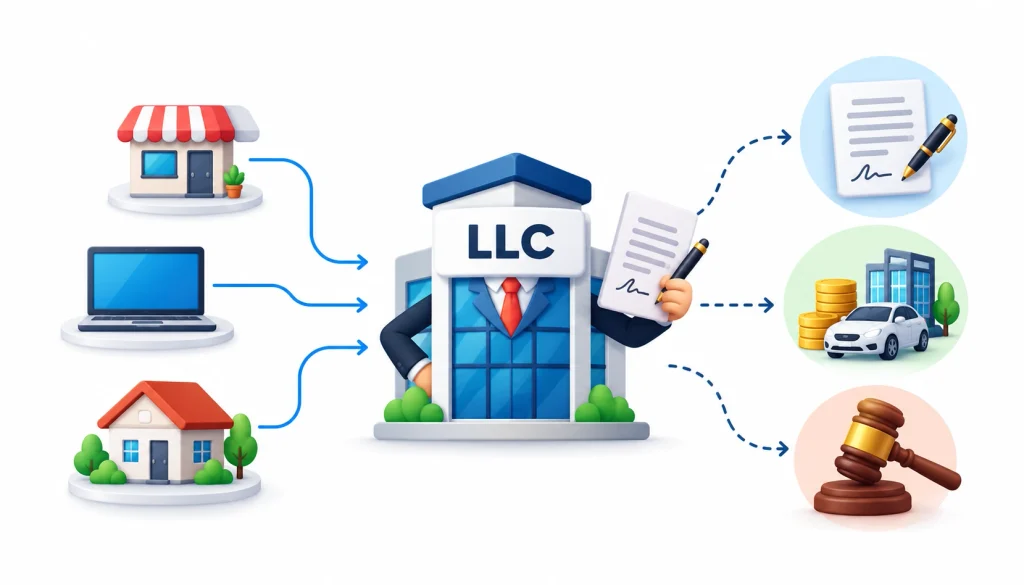
    One LLC serving multiple businesses while handling contracts, owning assets, and managing legal liability as a single legal entity.

    The law treats your LLC as one person-like entity. It signs contracts, owns assets, and can be sued. Your brand names do not change that. Whether you call a business “Ridgeway Consulting” or “Ridgeway Rentals,” the party on the contract is Ridgeway Ventures LLC.

    2. What happens if one business is sued?

    Say you run a small marketing agency and a short-term rental out of the same LLC. A guest is seriously injured at the rental and sues. The lawsuit names the LLC. The LLC’s assets, which may include the agency’s bank account and receivables, can be exposed to a judgment.

    Now change the setup. The agency is in one LLC and the rental is in another. The injured guest generally has to go after the rental LLC. The agency’s assets are usually out of reach, though a court can look at the facts. Insurance still matters in both setups.

    3. An LLC does not remove every risk

    An LLC does not protect you from your own wrongdoing or from personal guarantees you sign. If you guarantee a loan, the lender can come after you. Courts can also set aside LLC protection in some situations, an idea known as piercing the corporate veil. Mixing personal and business money is a common trigger.

    4. Why records matter

    Keep your LLC’s finances, contracts, and paperwork in order. Use a business bank account. Sign contracts in the LLC’s name. Follow your operating agreement and state filing rules. Good habits make it much easier to defend the structure if anyone challenges it.

    When should you use one LLC for multiple businesses?

    Here are the situations where one LLC tends to work well.

    Related businesses. A web design studio and a hosting service for the same clients are a natural pair.

    Similar risk. Two desk-based service businesses with no employees on site or heavy equipment share about the same exposure.

    Same owners. If every business has identical owners, shared ownership is not a problem.

    Shared customers and tools. When clients and resources overlap, one entity is easier to run.

    Early-stage experiments. Before a new idea earns money, paying for a separate entity may be premature.

    Small operations. For a solo owner with modest income, the savings in time and fees can be real.

    When should you consider separate LLCs?

    Here is when splitting usually makes sense.

    Different risk levels. Put the higher-risk business in its own LLC so a claim there stays contained.

    Different owners. If you run one business with a partner and another alone, separate entities keep ownership clean.

    Valuable assets. Real estate, expensive equipment, and intellectual property are often better held apart from a business that deals with the public. For businesses that also manage physical products, inventory management software can help maintain accurate records of stock and business assets.

    A planned sale. A buyer can purchase a standalone LLC more easily than a division of a shared one.

    Different investors. An investor in one venture usually does not want a share of unrelated ventures.

    Unrelated industries. If the businesses have nothing in common, there is little reason to tie them together.

    Regulatory rules. Some licensed professions and regulated industries have their own entity rules. Check your licensing board.

    How to run multiple businesses under one LLC

    If you go with one LLC, set it up carefully.

    1. Form the LLC. File articles of organization with your state and appoint a registered agent.
    2. Write an operating agreement. Even a single-member LLC benefits from one. List the business lines it will run.
    3. Register DBAs where needed. Most states require you to register a trade name if you operate under any name other than the LLC’s legal name.
    4. Open a business bank account. Consider tracking each business by sub-account or by class in your accounting software.
    5. Track income and expenses by business. You will want to know what each business earns and spends, especially when multiple businesses operate under the same LLC. Keeping separate financial records can make it easier to prepare accurate tax reports and understand the performance of each business. It can also help small business owners better understand CIS tax, including what it is, who it applies to, and how it affects payments and tax reporting.
    6. Check licenses and permits. Local, state, and industry licenses are often tied to the activity, not just the entity.
    7. Review insurance. Make sure your policies cover every activity the LLC runs. Tell your insurer what you do.
    8. Check your state’s rules. Fees, DBA filing places, and annual report rules are set at the state level, and sometimes the county or city.

    Do you need a DBA for multiple businesses under one LLC?

    Usually yes, if you use any name other than the LLC’s exact registered name.

    1. What a DBA is

    A DBA stands for “doing business as.” It is also called a trade name or fictitious name. It lets a company operate publicly under a different name. You can read a short overview on Wikipedia’s page on doing business as.

    2. When you need one

    If Ridgeway Ventures LLC wants to sell under the name Ridgeway Training, it generally needs to register that name. Where you register depends on the state. It might be the state, the county, or both.

    3. Can one LLC have multiple DBAs?

    Yes. Many states allow an LLC to register several trade names. Each one usually carries its own fee and renewal schedule.

    4. A DBA does not create a separate LLC

    This point trips up a lot of owners. A DBA is a name. It does not create a new legal entity and it does not wall off liability. If Ridgeway Training is sued, the defendant is still Ridgeway Ventures LLC.

    What is a Series LLC?

    A Series LLC is a special kind of LLC that lets you create internal “series,” each with its own assets and liabilities, under one umbrella entity. The goal is to get separation between businesses without forming a new LLC for each one.

    1. How it works

    In states that allow it, you file once for the master LLC and then set up series according to the state’s rules and your operating agreement. Each series is meant to keep its own records and assets.

    2. Limits you should know

    Only some states permit Series LLCs, such as Delaware, Texas, and Illinois. Rules differ widely. Some states have detailed requirements for how series must be set up and recorded. Courts outside those states may not treat series the way you expect, and banks, lenders, and tax agencies can handle them differently.

    If you operate in more than one state, get advice from an attorney who knows Series LLC law in each of them. Do not assume it works the same everywhere.

    3. What is a holding company structure?

    A holding company, sometimes called a parent LLC, owns other companies instead of (or in addition to) running a business itself. The companies it owns are subsidiaries.

    For example, Maria could form Ridgeway Holdings LLC. It would own 100% of Ridgeway Consulting LLC and Ridgeway Rentals LLC. Each subsidiary runs its own business and carries its own liability. The parent owns the shares or membership interests.

    This setup suits owners with several valuable or higher-risk businesses, or owners who plan to sell, bring in investors, or hold assets separately. It also adds cost and paperwork, since each subsidiary needs its own filings. See the Wikipedia overview of holding companies for general background.

    Tax considerations for multiple businesses under one LLC

    Taxes are where oversimplified advice does the most damage, so go slowly here.

    1. Legal entity vs tax classification

    An LLC is a legal structure. It is not a tax category. The IRS decides how an LLC is taxed based on its members and any elections it makes. The IRS page on LLCs explains the defaults.

    In general, a single-member LLC is taxed as a disregarded entity (reported on the owner’s personal return), and an LLC with two or more members is taxed as a partnership. Either kind can elect to be taxed as a corporation, including an S corporation, if it qualifies.

    2. Pass-through taxation

    Under the default rules, the LLC’s profit passes through to the owners and is taxed on their personal returns. The LLC itself does not usually pay federal income tax. That is not the same as owing no tax.

    3. Tracking each business separately

    Even when the IRS sees one entity, you should know the numbers for each business. A single-member LLC with several unrelated businesses may need to report each one separately on the owner’s return. Ask a tax professional how that applies to you.

    4. EIN considerations

    An EIN is an Employer Identification Number issued by the IRS. One LLC generally uses one EIN. Separate LLCs each need their own. A DBA does not get its own EIN. The IRS has a page on who needs an EIN if you want the official rules.

    5. State taxes

    States handle LLC taxes differently. Some charge a flat annual fee. Some charge a franchise tax based on income or net worth. Some require sales tax registration for each type of sale. Check your state revenue department.

    6. When to bring in a tax professional

    Talk to a CPA or enrolled agent when you have multiple businesses with different income levels, when you are thinking about an S corporation election, when you hire employees, or when you sell goods in more than one state.

    Should each business have a separate bank account?

    The LLC should have its own bank account, separate from your personal money. That part is not optional if you want to keep your liability protection solid.

    Whether each business needs its own account is a judgment call. Many owners open one account per business line because it makes bookkeeping simple. Others use one account and rely on accounting software categories. Both approaches can work.

    What matters is that you can answer, for any month, how much each business earned and spent. Never pay personal bills from the business account or deposit business income into a personal one.

    Here is a quick example. Ridgeway Ventures LLC has one bank account and one credit card. In the accounting software, Maria tags every transaction as Consulting, Marketing, or Training. At month end she can see that Training lost money while Consulting carried the company. She would not know that without the tags.

    Real-world examples: one LLC or multiple LLCs?

    Example 1: SEO agency and content writing. Same owner, same clients, similar low risk. One LLC is likely a sensible choice.

    Example 2: Software consulting and a rental property. The rental carries injury risk and holds a large asset. Most advisors would at least consider separate LLCs here.

    Example 3: Consulting and a high-risk physical business. Think of a consultant who also runs a landscaping crew with trucks and equipment. A single accident could hurt the whole LLC. Separation makes sense.

    Example 4: Two businesses with different owners. If you own one business with a partner and another alone, keep them in separate entities so each group owns only what it should.

    Example 5: Testing a new idea. You run a design practice and want to try an online course. Start under the current LLC with a DBA. If the course takes off or grows risky, move it into its own LLC.

    Decision tree: should you use one LLC or multiple LLCs?

    Work through these questions in order.

    1. Do all the businesses have the same owners?
      • No: consider separate entities.
      • Yes: go to question 2.
    2. Do they carry similar risk?
      • No: consider separate LLCs.
      • Yes: go to question 3.
    3. Does any one business own valuable assets, like real estate?
      • Yes: consider holding those assets in a separate entity.
      • No: go to question 4.
    4. Do you plan to sell or bring investors into one of them?
      • Yes: consider separation now.
      • No: go to question 5.
    5. Do they share customers and resources?
      • Yes: one LLC may make sense.
      • No: one LLC is still possible, but you have less reason to combine them.

    This is a general framework, not legal advice. A lawyer can tell you how your state’s rules affect the answer.

    One LLC vs multiple LLCs: cost and complexity

    Exact costs depend on your state, so I won’t give numbers. Here is what changes when you add LLCs.

    ItemOne LLCMultiple LLCs
    Formation filingOnceEach LLC
    Annual reports and feesOneOne per LLC
    Registered agentOneOne per LLC (often one provider can serve all)
    Bank accountsAt least oneAt least one per LLC
    BookkeepingOne set, tracked by businessSeparate sets
    Tax returnsDepends on classificationPossibly one per LLC
    Licenses and permitsPer activityPer LLC and activity
    InsuranceOne program covering all activitiesPolicies per LLC, or a shared policy with each named

    The extra cost of multiple LLCs is real, but it is often small next to what an uncovered lawsuit can cost. That trade-off is the heart of the decision.

    How to decide: a 7-factor checklist

    1. Liability risk. Which business could produce the biggest claim? If one is much riskier than the others, lean toward separation.
    2. Ownership. Same owners everywhere points to one LLC. Different owners point to several.
    3. Business assets. Valuable property or equipment often belongs in its own entity.
    4. Tax structure. Ask whether different tax treatment could help one business, such as an S corporation election.
    5. Administrative cost. Add up fees, accounting time, and filings for each option.
    6. Exit strategy. If you could sell a business in the next few years, set it up to be sold.
    7. State and industry rules. Check licensing, DBA rules, and Series LLC availability where you operate.

    Common mistakes when running multiple businesses under one LLC

    • Believing a DBA protects one brand from another.
    • Mixing personal and business money.
    • Not tracking each business’s numbers.
    • Skipping insurance or buying a policy that does not cover every activity.
    • Assuming tax and filing rules are the same in every state.
    • Forgetting local licenses and permits for each activity.
    • Waiting until a lawsuit or a sale to separate the businesses. Moving assets after a claim arises can be treated as an attempt to dodge creditors.

    Owners also compare notes in public forums. Communities like smallbusiness on Reddit are useful for hearing how others handled the same choice. Treat what you read there as personal experience, not legal advice.

    Frequently asked questions

    Is it better to have multiple businesses under one LLC?

    It is better when the businesses are related, have the same owners, and carry similar low risk. It is worse when risk, ownership, or assets differ a lot, or when you may sell one business separately.

    Can an LLC own multiple businesses?

    Yes. One LLC can run several business activities, and it can also own other LLCs as a parent company.

    How many businesses can one LLC have?

    Most states set no fixed limit. The practical limits come from your licenses, insurance, and how well you can keep records.

    Can one LLC have multiple DBAs?

    Yes, in most states. Each DBA is registered separately and may have its own fee and renewal.

    Does each business under an LLC need a separate EIN?

    Generally no. One LLC normally uses one EIN, and DBAs share it. Separate LLCs each need their own. Confirm with the IRS or a tax professional for your case.

    Are multiple businesses under one LLC taxed separately?

    Not as separate entities, in most cases. The IRS sees one LLC. But you still need to track each business’s income and expenses, and a tax professional can tell you whether you must report them separately.

    Does a lawsuit against one business affect the other businesses?

    It can. When businesses share one LLC, a judgment against the LLC can reach assets used by all of them. Insurance helps but may not cover everything.

    Should I have a separate LLC for each business?

    Not necessarily. Use separate LLCs when risk, ownership, assets, or exit plans differ. For small, related, low-risk businesses, one LLC can be enough.

    Final takeaway

    Is it better to have multiple businesses under one LLC? For related, low-risk businesses with the same owners, often yes. You save money and time, and the shared liability is a risk you may be willing to take.

    For businesses with different risk levels, owners, valuable assets, investors, or exit plans, separate LLCs usually make more sense. The extra paperwork buys you real protection and a cleaner path to selling.

    Before you decide, talk to a business attorney and a tax professional in your state. They can check the details this guide cannot see.

  • What Is a Statement of Work (SOW)? Complete Guide

    What Is a Statement of Work (SOW)? Complete Guide

    SOW stands for Statement of Work. A Statement of Work is a formal project document that says what work will be done, what will be delivered, who is responsible, when it will be finished, what it will cost, and how the finished work will be accepted.

    If you landed here searching for the SOW full form, that is the short answer. The rest of this guide covers what goes inside an SOW, the main types, a worked example, how to write one, and how it differs from a contract, proposal, charter, MSA, SLA and purchase order.

    I’ll keep the language plain. Where a term needs explaining, I’ll explain it before using it.

    SOW Full Form: What Does SOW Stand For?

    SOW full form Statement of Work infographic showing SOW, SoW, and S.O.W. variations.

    The SOW full form is Statement of Work. People also write it as “SoW” or “S.O.W.” All three mean the same thing.

    What Is a Statement of Work?

    Think of a Statement of Work as a shared description of a job. One side needs something done. The other side agrees to do it. The SOW puts the details in writing so both sides picture the same result.

    Wikipedia has a short overview of the statement of work if you want a neutral reference point. Most business and project teams use the term in a very practical way: it is the document that answers “what exactly are we doing here?”

    Why Is a Statement of Work Important?

    Here is a situation I see all the time. A client hires an agency to “build a website.” The client imagines 50 pages with a blog and a store. The agency prices 5 pages. Nobody lied. They just never wrote it down.

    An SOW prevents that gap. It gives you:

    • Shared expectations before work starts
    • A defined scope that both sides can point to
    • Clear accountability for each task
    • Better control over budget and schedule
    • Fewer disputes, because the answers are already on paper
    • A way to say “that’s outside the agreed scope” without it feeling personal

    What Is the Purpose of an SOW?

    An SOW has one central job: to remove guesswork from a project. It creates a shared understanding between the client, vendor, contractor, or project team about what needs to be done, who is responsible for it, when it should be completed, and what counts as successful delivery.

    A well-written SOW helps prevent misunderstandings before they become delays, unexpected costs, or disputes. It does that in seven important ways.

    1. Define the Project Scope

    Scope is the boundary around the work. The SOW clearly explains what the project includes and, just as importantly, what it does not include.

    For example, a website development SOW might include designing and developing 10 pages but exclude copywriting, hosting, and ongoing maintenance. Defining these boundaries early helps everyone understand what they are agreeing to and makes it easier to evaluate requests that come up later.

    2. Establish Deliverables

    A deliverable is a specific item, result, or outcome that the project team is expected to provide. It could be a report, design file, software feature, completed website, training session, or configured system.

    Good SOWs make deliverables specific enough to be identified and checked. Instead of saying “improve the website,” a better deliverable might be “redesign and launch 10 responsive website pages based on the approved UI designs.”

    Clear deliverables give both sides a concrete way to track progress and determine whether the agreed work has been completed.

    3. Assign Responsibilities

    SOW document showing client and vendor responsibilities in a project.

    An SOW identifies who is responsible for each major part of the project. This can include the vendor’s responsibilities as well as tasks that must be completed by the client.

    For example, a client may be responsible for providing brand assets, content, login credentials, product information, or approvals within a specified timeframe. If these dependencies are not documented, the project can be delayed even when the service provider has completed its own work.

    Clearly assigning responsibilities helps prevent the common problem of each party assuming that the other is handling a task.

    4. Set the Timeline and Milestones

    The SOW establishes when the project should start, when major deliverables are expected, and when the overall work should be completed.

    Milestones divide a larger project into manageable checkpoints. For example, a software project might have milestones for requirements approval, UI design, development, testing, and final deployment.

    These checkpoints make it easier to measure progress, identify delays early, and review completed work before moving to the next stage. If payments are tied to milestones, they can also provide clear points for releasing scheduled payments.

    5. Define Cost and Payment Structure

    The SOW explains how much the project will cost or how the cost will be calculated. Depending on the project, this could be a fixed project fee, hourly or daily rates, milestone-based payments, or another agreed pricing model.

    It should also clarify when payments are due and what triggers each payment. For example, a project could require 30% upfront, 40% after development, and 30% after final acceptance.

    Making the financial terms clear helps both parties understand the commercial expectations and reduces the risk of unexpected charges or payment disputes.

    For projects involving financial operations, businesses can also use cloud accounting to maintain better visibility into expenses, payments, assets, and revenue.

    6. Establish Acceptance Criteria

    Acceptance criteria are the specific conditions used to determine whether a deliverable is complete and acceptable.

    Simply saying “deliver a website” leaves room for interpretation. A stronger SOW might state that the website must contain the agreed 10 pages, work across specified browsers and devices, pass the agreed QA checklist, and receive written client approval.

    Clear acceptance criteria make the completion of work more objective. They also reduce disagreements over whether a deliverable is actually finished.

    7. Prevent Scope Creep

    Scope creep occurs when additional requirements or work are gradually added to a project without adjusting the agreed budget, timeline, or resources.

    It often begins with a seemingly small request: “Could you just add this one feature?”

    One small change may not seem significant, but several additions can eventually turn into substantial extra work. A well-defined SOW gives the project team a reference point for determining whether a request is part of the original scope or requires a formal change.

    If additional work is requested, the SOW’s change-control process can be used to assess its impact on cost, timeline, resources, and deliverables before the work is approved.

    Ultimately, an SOW protects both sides. The client gets a clearer understanding of what they will receive, while the service provider gets a defined boundary around the work they have agreed to deliver.

    What Does a Statement of Work Include?

    SOW formats vary by company, industry and country. Still, most strong ones cover the same ground. You may see articles that say an SOW has “seven parts”. That number is a convention, not a rule. Some templates merge sections, others split them.

    Here is a full list, with a plain explanation of why each part earns its place.

    1. Project overview
    2. Objectives
    3. Scope of work
    4. Deliverables
    5. Milestones
    6. Timeline and schedule
    7. Roles and responsibilities
    8. Pricing and payment terms
    9. Acceptance criteria
    10. Assumptions and dependencies
    11. Exclusions
    12. Change management
    13. Risks and constraints
    14. Approval and signatures

    1. Project Overview

    A short paragraph on the background and the reason the project exists. Keep it to a few sentences. New readers, such as a finance approver who joins late, should understand the project from this section alone.

    2. Objectives

    State what the project is meant to achieve, ideally in measurable terms. “Improve the checkout experience” is fuzzy. “Reduce checkout abandonment” is better, and a target number is better still, if both sides can agree on one.

    3. Scope of Work

    This is the core of the document. List the activities the provider will carry out. Use specific verbs: design, build, test, migrate, train. For projects involving physical products, the scope may also cover inventory management, stock tracking, inventory audits, and processes for preventing stockouts or excess inventory.

    When the scope is large, many teams break it into smaller pieces using a work breakdown structure, which is simply a tree of tasks that gets more detailed at each level.

    4. Deliverables

    Name each deliverable, its format and its quantity. “Ten responsive page templates in Figma and the final HTML/CSS files” leaves little room for argument.

    5. Project Milestones

    Milestones are dated checkpoints, such as “design approved” or “first working build delivered.” They work best when each one is tied to a deliverable, not to a vague percentage of completion.

    6. Timeline and Schedule

    Give start and end dates, or durations, and say what depends on what. If the developer can’t start until the designer finishes, say so.

    7. Roles and Responsibilities

    List the people or teams on both sides, and what each is responsible for. A simple table works well here.

    8. Pricing and Payment Terms

    State whether the work is fixed price, time and materials, or another model. Add the invoice schedule and payment due dates. If payments are linked to milestones, say which ones.

    9. Acceptance Criteria

    Spell out how and when the client reviews work, how long they have to respond, and what happens if they request fixes. Without this, projects can sit in “almost done” for months.

    10. Assumptions and Dependencies

    Assumptions are things you believe to be true when you write the SOW. Dependencies are things that must happen for the plan to work. Example: “The client will provide content within 10 working days of kickoff.” If an assumption turns out wrong, the schedule and cost may need to change.

    11. Exclusions

    This section lists what is not included. It is the most underused part of the document, and it can save the most arguments. Typical entries: hosting, ongoing maintenance, content writing, third-party licence fees.

    12. Change Management

    Projects change. The SOW should say how. A common path looks like this: a change is requested, the provider assesses the effect on cost and time, both sides approve, and the SOW is updated.

    13. Risks and Constraints

    Note known risks, such as a tight regulatory deadline or a legacy system nobody fully understands. Also list constraints like a fixed budget or a mandatory technology.

    14. Approval and Signatures

    Name the people authorised to approve the SOW and have them sign. Make sure the signer actually has the authority to commit their organisation.

    What Are the Different Types of SOW?

    SOW types illustrated with icons representing project scope, requirements, time and cost, and team responsibilities.

    Terminology differs between organisations and industries. Some people use “type” to describe how the work is specified. Others use it to describe how the work is paid for. The four labels below cover both uses, so you will recognise them wherever you meet them.

    1. Design or Detail SOW

    The client spells out exactly how the work must be done: materials, methods, specifications. The provider follows the instructions. This suits construction, manufacturing and tightly regulated work, where the client knows precisely what they want.

    2. Performance-Based SOW

    The client describes the outcome they need and leaves the method to the provider. For example, “the website must load in under three seconds on a standard mobile connection.” It works well when you trust the provider’s expertise and care more about results than process.

    3. Level-of-Effort SOW

    The client buys an amount of time and skill, such as “two senior developers for six months.” The deliverable is the effort itself. It fits ongoing support, staff augmentation and work where the end result is hard to define in advance.

    4. Time-and-Materials SOW

    The client pays for hours worked plus materials or expenses. It suits projects where the scope will probably shift. The risk is cost drift, so the SOW should include a cap or regular budget reviews.

    A fixed-price project, by contrast, sets one price for a defined scope. It gives the client cost certainty, but it needs a tight scope and a firm change process.

    Statement of Work Example

    Below is a short, simplified SOW for a website redesign. A real one would be longer, but the structure is the same.

    Example SOW for Website Development

    SOW elementExample
    ProjectRedesign of the company marketing website
    ObjectiveMake the site easier to use and increase enquiry form submissions
    ScopeUX research, wireframes, UI design, front-end development, QA testing
    Deliverables10 responsive page templates, design source files, tested website build
    Timeline8 weeks from kickoff
    CostFixed project fee, paid in three milestone instalments
    Client responsibilitiesProvide logo, brand guidelines and copy within 10 working days of kickoff
    AcceptanceWritten client approval of designs, then a passed QA checklist
    ExclusionsHosting, ongoing maintenance, copywriting, stock photography
    ChangesHandled through a written change request with revised cost and timeline

    What This Example Shows

    The scope names the work, not just the result. “Design and development” alone would leave room for argument. Listing UX research, wireframes and QA makes each step visible.

    The client responsibilities line matters more than it looks. If copy arrives six weeks late, the provider has a documented reason the schedule slipped.

    The acceptance row removes the “is it done?” debate. And the exclusions row answers the question the client will ask in month three: “Wait, who is hosting this?”

    How to Write a Statement of Work Step by Step

    You don’t need special software. A word processor and a clear head are enough. Follow these steps in order.

    Step 1: Define the Project Objective

    Write one or two sentences on why the project exists and what success looks like. If you can’t do this, stop and talk to your stakeholders first.

    Step 2: Define the Scope

    List the activities that are in. Then, while you still have the picture in your head, list a few things that are out. Doing both at once makes the boundary clearer.

    Step 3: Identify Deliverables

    For each deliverable, note the name, format, quantity and owner. Ask yourself whether a stranger could check it off.

    Step 4: Define Milestones

    Pick points where something is finished and reviewable. Avoid milestones like “50% complete,” because two people will measure 50% differently.

    Step 5: Assign Roles and Responsibilities

    Name who delivers, who reviews, who approves and who gets informed. Include the client’s tasks and response times.

    Step 6: Establish the Timeline

    Set start dates, end dates and dependencies. Add a little buffer for review cycles. Reviews almost always take longer than people plan.

    Step 7: Define Pricing and Payment Terms

    State the pricing model, the amounts and the invoice triggers. If expenses are billed separately, say so.

    Step 8: Establish Acceptance Criteria

    Describe how each deliverable will be tested, who signs off, how long the review window is, and how many revision rounds are included.

    Step 9: Document Assumptions and Exclusions

    Write down what you are taking for granted and what you are leaving out. Be blunt. Awkward clarity now is cheaper than an awkward conversation later.

    Step 10: Define Change-Control Procedures

    Decide how change requests are submitted, who assesses them and who approves them. Agree that nothing outside the SOW starts until the change is approved in writing.

    Step 11: Review and Approve the SOW

    Have the right people read it: the project lead, a technical reviewer, finance and, where needed, legal. Then collect signatures. Keep the final version somewhere everyone can find it.

    SOW vs Contract: What’s the Difference?

    A contract is the legal agreement between the parties. An SOW describes the work under that agreement. In many deals, the SOW is attached to a contract or issued under it.

    FactorSOWContract
    Primary purposeDefines the workSets the legal and commercial terms
    Main focusScope, deliverables, schedule, acceptanceObligations, liability, termination, confidentiality, disputes
    Time frameUsually one project or engagementCan cover a long relationship
    PricingOften includedMay include it or point to the SOW
    RelationshipCan be part of a contractCan include one or many SOWs

    The legal effect of an SOW depends on how the documents are written and which law governs them. Some SOWs are signed as standalone agreements. Others only work when read together with a master contract. Check the wording, and ask a lawyer if the stakes are high.

    SOW vs Proposal: What’s the Difference?

    The two documents appear at different moments in a deal.

    Proposal

    A proposal is the provider’s pitch. It explains how they would solve the problem, why they are a good fit and roughly what it would cost. It is persuasive by nature.

    Statement of Work

    An SOW comes after the pitch is accepted, or is negotiated alongside it. It records what both sides agree the project will involve. It is precise by nature.

    Key Differences

    FactorProposalSOW
    PurposeWin the workDefine the agreed work
    TonePersuasiveSpecific and factual
    StageBefore agreementAt or after agreement
    Binding forceUsually an offerDepends on how it is signed and referenced

    In a formal procurement process, a buyer may issue a request for proposal first, then turn the winning proposal into an SOW.

    SOW vs Project Charter

    These two overlap, but they serve different people. A project charter is an internal document that formally authorises a project and names the project manager. An SOW defines work that is agreed with, or performed by, another party.

    Project charterSOW
    Authorises the projectDefines the agreed work
    Usually internalUsually between a client and a provider
    High-level directionDetailed scope and deliverables
    Names sponsor and project authorityNames responsibilities, dates and acceptance rules

    A company might write a charter to get internal approval, then use that charter as input when drafting the SOW for an outside vendor.

    SOW vs MSA vs SLA vs PO

    Several documents can sit together in a vendor relationship. People mix them up often, so here is each one in plain terms.

    1. Statement of Work (SOW)

    Describes a specific piece of work: scope, deliverables, schedule, price and acceptance.

    2. Master Services Agreement (MSA)

    Sets the general legal terms between two parties, such as confidentiality, liability, intellectual property and dispute handling. Once the MSA is in place, new projects can be added without renegotiating everything.

    3. Service Level Agreement (SLA)

    A service level agreement sets measurable standards for ongoing service, such as uptime or response time, and what happens when those standards are missed. An SOW says what work will be done. An SLA says how well an ongoing service must perform.

    4. Purchase Order (PO)

    A purchase order is a buyer’s document authorising a purchase and committing funds. It usually refers to the agreed SOW and price.

    5. How These Documents Work Together

    A common pattern looks like this: the MSA sets the ground rules, an SOW describes each project, a PO releases the budget, and an SLA covers service performance after launch. Real structures vary. Some companies skip the MSA, some fold the SLA into the SOW, and some use work orders instead of POs. Follow your own organisation’s procurement rules.

    When Should You Use an SOW?

    Create an SOW before work begins, ideally before money changes hands. Any time one party does work for another and the result must be checked, an SOW makes sense.

    1. Software Development Projects

    Software scope drifts easily. The SOW should list features, platforms, testing responsibilities and how bugs found after delivery will be handled.

    For projects involving stock tracking or business operations, inventory management software can also be part of the scope and deliverables that need to be clearly defined in the SOW.

    2. Website Development

    Fix the page count, design rounds, content responsibilities and browser or device support. Say who owns hosting and updates after launch.

    3. Consulting Projects

    Define the questions to be answered, the interviews or analysis to be performed, and the format of the final report. Be clear about how many review rounds are included.

    4. Marketing Services

    Spell out channels, content volumes, reporting frequency and who approves creative work. State whether ad spend is inside or outside the fee.

    5. IT Outsourcing

    Include the systems covered, support hours, handover steps and security requirements. Pair the SOW with an SLA if the service is ongoing.

    6. Construction Projects

    Construction work often needs a detailed, design-style specification: materials, standards, inspection points and site access. Local regulations apply, so involve qualified professionals.

    7. Freelance Projects

    Freelancers benefit from an SOW as much as large vendors do. A one-to-two page version covering scope, deliverables, number of revisions, price and payment dates is usually enough. It protects both the freelancer’s time and the client’s budget.

    Who Creates and Approves an SOW?

    There is no single owner. It depends on the size of the organisation and the kind of work.

    1. Client

    The client usually explains the need and reviews the final text. In some organisations, the client writes the first draft.

    2. Vendor or Service Provider

    Providers often draft the SOW because they understand the effort involved. The client then reviews and negotiates it.

    3. Project Manager

    The project manager often coordinates drafting, collects input and makes sure the plan is realistic.

    4. Procurement Team

    In larger companies, procurement checks that the SOW follows buying policies and matches the underlying agreement.

    5. Legal and Finance Teams

    Legal reviews risk and wording. Finance checks pricing, payment terms and budget approval.

    6. Project Stakeholders

    Technical leads and business owners confirm the scope matches what they need. Their early input is cheaper than their late objections.

    As for who signs: it should be someone with authority to commit each organisation. That is often a department head, a director or a procurement officer, depending on spending limits.

    What Makes a Good Statement of Work?

    A good SOW is easy to check against reality. Use these eight tests.

    • Specific. It names tasks, quantities and formats.
    • Measurable. You can tell when each item is done.
    • Realistic. The schedule and budget match the effort.
    • Complete. Nothing important lives only in email threads.
    • Easy to read. A new team member can follow it without a glossary.
    • Explicit about exclusions. Out-of-scope items are written down.
    • Clear about acceptance. Everyone knows how work gets approved.
    • Flexible through change control. It expects change and says how to handle it.

    Common Statement of Work Mistakes

    Most problems trace back to a handful of habits. Watch for these.

    • Vague scope. “Improve the website” can mean almost anything.
    • Unclear deliverables. If nobody can say what gets handed over, nobody can say when it’s done.
    • Missing acceptance criteria. The project drifts into endless rounds of feedback.
    • No exclusions. Each side fills the silence with its own assumptions.
    • Unrealistic deadlines. Teams promise dates to win the work, then miss them.
    • Unclear responsibilities. Client-side tasks get forgotten, and the provider takes the blame.
    • Missing payment terms. Cash flow problems follow quickly.
    • No change-control process. Every small request becomes an argument.
    • Heavy jargon. If a business owner can’t follow it, they can’t really approve it.

    How an SOW Helps Prevent Scope Creep

    Scope creep rarely arrives as one big request. It comes as many small ones. The SOW gives you a calm, neutral way to handle each of them.

    The path looks like this:

    Original scope → Change request → Impact assessment → Approval → Updated scope → Delivery

    Say the client asks for a blog section halfway through the website project. The provider doesn’t refuse and doesn’t quietly absorb it. They check the SOW, see that a blog was not included, estimate the extra time and cost, and send a short change request. The client approves or declines. Either way, nobody is surprised.

    This protects both sides. The provider avoids unpaid work. The client gets a clear price and date before agreeing to anything new.

    Statement of Work Checklist

    Use this list to check a draft before you send it for signature.

    • ☐ Project objective defined
    • ☐ Scope documented
    • ☐ Deliverables listed with format and quantity
    • ☐ Milestones established
    • ☐ Timeline agreed
    • ☐ Responsibilities assigned on both sides
    • ☐ Pricing defined
    • ☐ Payment terms documented
    • ☐ Acceptance criteria established
    • ☐ Assumptions and dependencies documented
    • ☐ Exclusions documented
    • ☐ Change-control process defined
    • ☐ Approval and signatures completed

    Frequently Asked Questions About SOW

    What is the full form of SOW?

    The SOW full form is Statement of Work.

    What is a Statement of Work?

    It is a document that defines the work to be done, the deliverables, responsibilities, schedule, cost and how the work will be accepted.

    What are the main components of an SOW?

    Most include the project overview, objectives, scope, deliverables, milestones, timeline, roles, pricing, acceptance criteria, assumptions, exclusions and a change process. Some also add risks and approval signatures.

    Is an SOW legally binding?

    It can be. Whether it is depends on how it is signed, how it connects to any master agreement, and the governing law. Don’t assume either way. Read the surrounding documents and get legal advice if the stakes are meaningful.

    Is an SOW the same as a contract?

    No. A contract is the broader legal agreement. An SOW describes the work and often sits under or inside a contract. In some deals one document does both jobs.

    Who writes an SOW?

    Either side can. Vendors, project managers and procurement teams commonly draft it, with input from legal, finance and technical stakeholders.

    Who signs an SOW?

    An authorised representative of the client and of the provider. Signing authority depends on each company’s internal rules.

    Can an SOW be changed?

    Yes, through the agreed change process. Document the change, assess its effect on cost and schedule, get written approval, and update the SOW.

    What is the difference between SOW and SLA?

    An SOW defines what work will be performed. An SLA defines the performance standards for an ongoing service, such as response times or uptime.

    What is the difference between SOW and MSA?

    An MSA sets the general legal terms for a relationship. An SOW describes one specific project under those terms.

    What is an example of an SOW?

    A website redesign SOW that lists 10 page templates, an 8-week timeline, a fixed fee, QA-based acceptance and exclusions such as hosting. The example above shows the layout.

    Do freelancers need an SOW?

    Yes, in nearly every case. Even a short one reduces misunderstandings about scope, revisions and payment.

    Final Takeaway 

    The SOW full form is Statement of Work, and the document earns its name. It turns a loose project idea into a written agreement about the work, the deliverables, who does what, the schedule, the cost and the way completion is judged.

    If you remember one thing, make it this: a good SOW states what will be delivered and also what is outside the agreed scope.

  • Fund Reporting Software: Features, Comparison & Buying Guide

    Fund Reporting Software: Features, Comparison & Buying Guide

    If you’ve ever spent a Friday night reconciling capital account spreadsheets before an LP call on Monday, you already know why fund reporting software exists. 

    It’s the category of tools that pulls fund data together, runs the calculations, and turns all of it into reports your investors, auditors, and regulators can actually use, without you rebuilding the same workbook every quarter.

    This guide walks through what fund reporting software actually does, how it’s different from fund accounting and fund administration tools, which platforms are worth a look, and how to pick one that fits your fund’s size, strategy, and stack. 

    We’ll also cover pricing, integrations, security, and where AI genuinely helps versus where it’s just marketing.

    What Is Fund Reporting Software?

    Fund reporting software processing fund, portfolio, and accounting data into financial statements, investor reports, capital account statements, performance summaries, and regulatory filings.

    Fund reporting software is a platform that takes raw fund and portfolio data and turns it into finished reports (financial statements, investor letters, capital account statements, performance summaries, and regulatory filings) with far less manual work than spreadsheets require.

    Some platforms handle reporting on top of a general ledger they also maintain. Others sit above your existing accounting system and just handle the reporting layer. Either way, the job is the same: collect data, check it, calculate the numbers that matter, and package everything for the people who need to see it.

    1. What fund reporting software does

    At a practical level, these tools:

    • Pull data from accounting systems, portfolio trackers, and custodians
    • Consolidate numbers across multiple funds, entities, and currencies
    • Run standard calculations like NAV, IRR, and capital account rollforwards
    • Generate reports in the formats LPs, auditors, and regulators expect
    • Route drafts through review and approval before anything goes out
    • Deliver finished reports securely, often through an investor portal
    • Keep a record of who changed what and when, for audit purposes

    2. Who uses fund reporting software

    The buyers are usually general partners, fund controllers, and finance teams at investment firms, plus the fund administrators who handle back-office work on their behalf. Investor relations teams rely on it for LP communications, and compliance staff use it when regulatory filings are involved. A CFO at a mid-size PE firm and a one-person controller function at an emerging VC fund will use the same category of software very differently, but the underlying need, accurate reports with less manual effort, is the same.

    3. What types of funds use it

    Private equity, venture capital, private credit, real estate, hedge funds, and fund-of-funds vehicles all use some version of this software. So do family offices managing multiple entities and fund administrators serving several clients at once. The reporting requirements differ by strategy (a real estate fund cares about property-level rent rolls in a way a VC fund doesn’t), which is part of why fund-type fit matters so much in vendor selection, a point we’ll come back to.

    What Does Fund Reporting Software Actually Report?

    It helps to know what’s actually coming out the other end before you evaluate vendors on features. Reports generally fall into four buckets.

    Fund financial reports cover balance sheets, income statements, cash flow statements, general ledger detail, and net asset value (see Wikipedia’s overview of net asset value for the accounting mechanics). These are the books-and-records side of reporting.

    Investor and LP reports include capital account statements, capital call notices, distribution notices, and quarterly investor letters. This is the reporting LPs actually read, so formatting and clarity matter as much as accuracy.

    Portfolio reports track portfolio company or asset-level performance: valuations, KPIs, exposure by sector or geography, and investment-level returns like IRR and MOIC.

    Regulatory and compliance reports cover filings and disclosures required by regulators, along with the documentation auditors need at year-end. Depending on your jurisdiction and fund structure, this might mean Form PF, Form ADV, or other filings your compliance team tracks closely.

    Fund Reporting Software vs. Fund Accounting vs. Fund Administration

    Fund accounting vs fund administration vs fund reporting software comparison showing key functions and responsibilities.

    This is where a lot of buyers get confused, and honestly, vendors don’t always help. Many blur these categories in their own marketing because their products span more than one.

    CapabilityReporting SoftwareFund AccountingFund Administration
    Financial booksSometimesCore functionUsually
    Investor reportingCore functionOften includedOften included
    Portfolio monitoringVariesLimitedVaries
    LP portalOften includedSometimesOften included
    Regulatory reportingOften includedOften includedOften included
    Data consolidationCore functionCore functionCore function
    Administration workflowsLimitedLimitedCore function

    Fund accounting software keeps the books, while strong bookkeeping and accounting processes provide the underlying financial records that reporting systems rely on. Fund administration covers the broader operational work a back office does: accounting plus investor onboarding, capital calls processing, and more. Fund reporting software is the layer that turns whatever’s in the books into something a human can read and act on.

    When do you need one platform instead of multiple systems?

    If your fund is small and your data lives in one clean general ledger, a single combined platform usually makes sense: less integration work, one vendor relationship, one login for your team. Once you’re running several funds, multiple entities, or a mix of asset classes, the calculus changes. At that point, a dedicated reporting layer that pulls from whatever accounting system you already trust can be less disruptive than ripping out your books to adopt an all-in-one platform. Threads on privateequity and AccountingPE regularly cover this exact debate from people who’ve lived through both setups. Worth a read if you want unfiltered opinions before a vendor call.

    Key Features to Look for in Fund Reporting Software

    A few features separate genuinely useful platforms from glorified spreadsheet replacements.

    Automated report generation. The software should build reports from a template and live data, not require someone to copy numbers into a Word doc every quarter.

    Multi-fund and multi-entity reporting. If you run more than one fund or have SPVs and blockers in your structure, the platform needs to consolidate across all of them without manual workarounds.

    Investor and LP reporting. This includes capital account statements, capital call and distribution notices, and the ability to customize what each LP sees based on their commitment and side letter terms.

    Portfolio reporting. For PE and VC funds especially, you’ll want portfolio company KPI tracking and valuation support built in or well integrated.

    Financial consolidation. The system should combine data across entities and currencies correctly, including intercompany eliminations where relevant.

    Custom report builder. Templates rarely fit every LP’s requested format exactly, so the ability to adjust layout and content without an engineering ticket matters.

    Workflow and approval automation. Reports should route through review before they go out the door, with a clear record of who approved what.

    Audit trails and version control. Every change should be logged. This isn’t optional if you’re dealing with institutional LPs or auditors.

    Investor portal. A secure place for LPs to log in and retrieve their own documents, rather than everything going out over email.

    Regulatory reporting. Built-in support for the filings your fund type requires saves real time at deadline.

    Data validation and reconciliation. The software should flag numbers that don’t tie out, not just accept whatever gets fed in.

    APIs and integrations. Connections to your general ledger, portfolio monitoring tool, CRM, and data warehouse determine how much manual data entry survives implementation.

    Role-based access controls. Not everyone on your team, or at your fund administrator, should see everything.

    AI-powered reporting and analytics. Increasingly common, though the maturity varies a lot by vendor. More on this later.

    Best Fund Reporting Software Platforms to Consider

    A quick note on methodology before the list: this comparison is based on publicly available vendor documentation and product pages as of 2026. Where a claim comes directly from a vendor, we’ve noted it as such rather than presenting it as independently verified. Pricing and feature depth change often in this space, so confirm current details directly with each vendor before you commit.

    1. Quick comparison

    PlatformBest suited forAccountingInvestor reportingPortfolio reportingPortalIntegrationsPricing
    WorkivaEnterprise financial & regulatory reportingPartialYesVariesYesStrongCustom
    FISInvestment accounting across asset classesYesYesLimitedVariesStrongCustom
    EntriliaPE/VC firms wanting an integrated platformYesYesYesYesGrowingCustom
    AllvueMulti-strategy funds needing deep fund accountingYesYesYesYesStrongCustom

    2. Workiva

    Workiva positions itself around connected data and automated financial reporting for investment firms, with features for investor communications, regulatory filings, audit trails, and reporting across multiple funds. It’s built for organizations that need reporting to tie tightly into broader financial and regulatory workflows, not just LP-facing documents.

    3. FIS

    FIS markets its Investment Accounting Manager as a modular, SaaS-based platform that supports multiple investment types, asset classes, and accounting methodologies. It leans more heavily into the accounting side of the equation, which makes it a common choice for firms that need robust investment accounting first and reporting layered on top.

    4. Entrilia

    Entrilia takes a broader approach aimed at private equity and alternative asset managers, combining fund accounting with investor insights, an investor portal, portfolio monitoring, and data integrations. The company has also been building out agentic AI features for reporting workflows, which is worth asking about directly if that’s a priority for your team.

    5. Allvue

    Allvue combines fund accounting (including partnership accounting and a multi-currency general ledger) with investor reporting, cash management, and portfolio monitoring. According to the vendor, the platform runs on Microsoft Azure and Dynamics infrastructure with SOC 1 and SOC 2 alignment, and it explicitly supports PE, VC, private debt, CLOs, and fund-of-funds structures.

    6. Other platforms worth evaluating

    Depending on your fund type and size, it’s worth putting these on your shortlist too: eFront, Dynamo, Investran (now part of FIS’s Private Capital Suite), Juniper Square, Carta, FundCount, Chronograph, Visible, Cobalt, and Qapita. Some of these are full fund-accounting platforms; others are lighter-weight LP-reporting layers meant to sit on top of accounting data you already have elsewhere. Don’t assume two vendors in the same shortlist are solving the same problem; check which layer of the stack each one actually covers.

    Best Fund Reporting Software by Use Case

    Private equity funds typically need strong waterfall calculations, capital account tracking across multiple share classes, and portfolio company KPI reporting for their investment committee.

    Venture capital funds usually prioritize a simpler cap table and capital account structure but want fast, clean quarterly reporting and portfolio valuation tracking that doesn’t require a finance team the size of a PE shop.

    Private credit funds need reporting built around loan-level data (interest accruals, covenant tracking, and payment schedules), which not every platform handles well out of the box.

    Real estate funds need property-level reporting, rent rolls, and often more granular cash flow tracking than a typical PE platform is built for.

    Fund administrators managing multiple client funds need multi-client architecture, strict data segregation, and the ability to apply different reporting templates per client without duplicating work.

    Emerging fund managers are usually price-sensitive and need something they can implement quickly without a large operations team. This is where lighter LP-reporting tools sometimes beat full accounting platforms.

    Enterprise investment firms running many funds and entities need deep consolidation, strong API access, and enterprise-grade security more than they need simplicity.

    How Fund Reporting Software Fits Into Your Technology Stack

    Fund reporting software technology stack showing data flowing from source systems through accounting and reporting software to review, investor portals, BI dashboards, and regulatory compliance.

    Reporting software rarely works alone. It usually sits between your source systems and the reports that leave the building:

    Source systems → data layer → accounting → reporting engine → review → investor portal

    On the input side, It typically connects to your accounting or ERP system, including accounting software with analytics capabilities, a portfolio monitoring tool, your CRM for investor contact and commitment data, and sometimes a data warehouse if you’re consolidating from several sources. On the output side, it feeds your investor portal and, in some cases, your business intelligence tools for internal dashboards. Regulatory and compliance systems may also need a feed, depending on what you’re required to file.

    The fewer manual handoffs between these systems, the less time your team spends reconciling numbers that should already match.

    How Automated Fund Reporting Works

    Here’s the process most platforms follow, whether or not they market it this way:

    1. Collect fund and portfolio data from accounting systems, custodians, and portfolio trackers.
    2. Validate and reconcile data to catch mismatches before they end up in a report.
    3. Consolidate funds and entities, including intercompany eliminations where needed.
    4. Calculate performance and investor metrics, NAV, IRR, MOIC, capital account balances, and similar figures.
    5. Generate reports using templates mapped to the calculated data.
    6. Review and approve drafts internally before anything is finalized.
    7. Distribute reports securely, usually through an investor portal rather than email attachments.
    8. Preserve the audit trail so every number can be traced back to its source.

    Skipping steps 2 and 6 is how bad numbers end up in an LP’s inbox. Good software makes those steps hard to skip, not just possible to do.

    What Reports Should Your Fund Reporting Software Generate?

    ReportAudienceFrequencyPurpose
    NAV reportFinance, LPsMonthly or quarterlyFund valuation
    Capital account statementLPsQuarterlyInvestor position tracking
    Capital call noticeLPsAs neededFunding requests
    Distribution statementLPsAs neededDistribution details
    Portfolio reportGP, investment committeeMonthly or quarterlyInvestment monitoring
    Financial statementsFinance, auditorsQuarterly or annualFinancial reporting
    Performance reportGP, LPsQuarterlyFund performance
    Regulatory filingRegulatorsPeriodicCompliance

    How Much Does Fund Reporting Software Cost?

    Almost no vendor in this space publishes pricing on their website, which is frustrating but common for enterprise financial software. Expect a sales call before you see a real number.

    1. Common pricing models

    Pricing tends to follow one of a few patterns: custom enterprise quotes, per-user licensing, fees based on assets under management, fees based on the number of funds or entities managed, or modular pricing where you pay separately for accounting, reporting, and portal access.

    2. Additional costs to budget for

    The license fee is rarely the whole story. Budget for implementation, data migration from your existing spreadsheets or legacy system, integration setup with your accounting and portfolio tools, custom report template design, training, and ongoing support. On a mid-size implementation, these costs can add up to a meaningful fraction of year-one license spend.

    3. How to compare total cost of ownership

    Ask each vendor for a full first-year cost estimate, not just the license fee, and get a sense of what year two looks like once implementation is behind you. A cheaper license with expensive implementation can end up costing more than a pricier platform that’s faster to stand up.

    How to Choose Fund Reporting Software

    1. Define your reporting requirements. List the exact reports you need to produce today, plus any you expect to need as the fund grows.
    2. Map your current data sources. Know where your fund’s data actually lives before you evaluate anyone’s integration claims.
    3. Identify required reports. Match your list against what each vendor can actually generate out of the box versus what needs custom work.
    4. Define integrations. Confirm the platform connects cleanly to your accounting system, portfolio tools, and CRM.
    5. Evaluate security and compliance. Ask for SOC 1 or SOC 2 reports directly rather than taking a marketing page at face value.
    6. Test reporting workflows. Have your finance team walk through an actual quarterly close cycle in a demo environment, not just a canned presentation.
    7. Compare implementation requirements. Ask how long a comparable client took to go live, not just the vendor’s best-case timeline.
    8. Run a vendor demo using your own data. This is the single best way to catch problems before you sign a contract.

    Fund Reporting Software Demo Checklist

    Bring these questions to every vendor call:

    Data and integrations: Which systems does this connect to out of the box? What does a custom integration cost and how long does it take? Can it handle multi-currency data?

    Reporting: Can we build a custom report template ourselves, or does every change go through support? How are capital account statements generated per LP?

    Investor communications: Does the portal support side-letter-specific reporting? Can we control what each LP sees?

    Automation: What parts of the process still require manual data entry? How does the system flag data that doesn’t reconcile?

    Security: What certifications does the platform hold? Where is data hosted and stored?

    Scalability: How does pricing change as we add funds or entities? Has this platform been tested at our target scale?

    Administration: Can our fund administrator access the system directly if we use one?

    Support: What does onboarding look like, and who do we call when something breaks at 11pm before an LP call?

    Common Fund Reporting Challenges and How Software Solves Them

    Too many spreadsheets. When every fund, entity, and report lives in its own workbook, errors multiply fast. Reporting software consolidates that into one system of record.

    When financial data is scattered across systems, better financial management and reporting processes can help consolidate information and reduce manual work

    Duplicate data entry. Manually re-entering numbers between accounting and reporting tools wastes time and introduces mistakes. Integrations remove that step.

    Reconciliation problems. Numbers that don’t tie out between systems are one of the most common sources of delayed reporting. Built-in validation catches these earlier.

    Inconsistent investor reports. Without templates, report formatting drifts over time and between team members. A shared template library keeps things consistent.

    Manual report formatting. Copying numbers into a Word or PDF template by hand is slow and error-prone. Automated generation removes that bottleneck.

    Slow quarter-end close. Manual processes stretch out over weeks. Automated data collection and calculation can compress that meaningfully.

    Lack of auditability. Spreadsheets don’t track who changed what. Reporting software logs every edit.

    Data scattered across systems. Consolidation tools pull everything into one place instead of forcing your team to hunt across five logins.

    Growing fund and entity complexity. What works for one fund breaks down at five. Purpose-built software scales in a way spreadsheets don’t.

    Fund Reporting Software Implementation

    Implementation is where good software either pays off or turns into a headache. Expect these phases:

    Data migration:  moving historical fund data from spreadsheets or a legacy system into the new platform, and checking it matches. 

    System configuration: setting up your fund and entity structure correctly. 

    Integration setup:  connecting your accounting system, portfolio tools, and CRM. 

    Report template creation: building the templates your LPs and internal team actually need. 

    User permissions: setting role-based access for your team and any external stakeholders. 

    Testing and reconciliation:  running a full cycle against known numbers before going live. 

    Training and rollout: making sure your team can actually use the system day to day. 

    Ongoing optimization: refining templates and workflows as reporting needs change.

    Rushing the testing and reconciliation phase is the most common implementation mistake. It’s tempting to go live fast, but a platform that produces wrong numbers quickly is worse than a spreadsheet that produces right numbers slowly.

    Can Fund Reporting Software Replace Excel?

    1. Where Excel still works

    For a very small fund with one entity and a handful of LPs, a well-built spreadsheet can still get the job done. There’s no shame in that, and plenty of emerging managers run this way successfully for their first fund.

    2. Where Excel becomes risky

    Once you’re managing multiple funds, multiple entities, or a growing LP base, spreadsheets start breaking in predictable ways,  broken formulas, version control chaos, and no real audit trail. Institutional LPs also increasingly expect a level of reporting polish and security that a shared Excel file can’t provide.

    3. How software and Excel can coexist

    Most funds don’t do a clean cutover. It’s common to keep Excel for ad hoc analysis and modeling while moving the recurring, LP-facing reporting into dedicated software. That split keeps flexibility where you need it and control where it matters most.

    AI in Fund Reporting Software

    AI is showing up in most fund reporting platforms now, with varying degrees of actual usefulness.

    Automated report narratives: drafting the written commentary sections of an LP letter based on the underlying numbers, which a human then edits. 

    Data anomaly detection: flagging numbers that look off compared to historical patterns before a human catches them manually.

    Natural-language data queries: letting a finance team ask a question about fund data in plain English instead of writing a query. 

    Automated reconciliation assistance: speeding up the matching process between systems, though rarely replacing human review entirely. 

    Report generation: pulling data into a draft report faster than a manual process would.

    Risks and controls for AI-generated financial outputs

    None of this should replace financial controls. AI-generated numbers still need human review before they go to an LP or a regulator, the same way a junior analyst’s work would. If a vendor pitches AI as a way to skip review steps rather than speed them up, that’s worth pushing back on directly.

    Security and Compliance Requirements

    Fund data is sensitive, and LPs increasingly ask about security before they’ll even engage with a new fund. At minimum, look for SOC 1 and SOC 2 attestations, data encryption at rest and in transit, role-based permissions, detailed audit trails, version control on documents, clear data residency policies, support for the regulatory reporting your fund type requires, and a documented disaster recovery plan. Ask vendors for their actual SOC reports rather than accepting a badge on a marketing page, a real audit report will tell you exactly what was tested and when.

    Frequently Asked Questions

    1. What is fund reporting software? 

    It’s software that collects fund and portfolio data, runs the standard calculations, and generates the reports investors, auditors, and regulators need, replacing manual spreadsheet-based reporting.

    2. What is the difference between fund accounting and fund reporting software? 

    Fund accounting software maintains the financial books. Fund reporting software turns that financial data into finished, distributable reports. Many platforms today do both, but the two functions are conceptually distinct.

    3. What features should fund reporting software have? 

    At minimum: automated report generation, multi-fund consolidation, investor reporting, an audit trail, and integrations with your accounting and portfolio tools.

    4. How much does fund reporting software cost? 

    Most vendors use custom pricing based on fund size, number of entities, or user count, so expect a sales conversation rather than a published price.

    5. Can fund reporting software automate LP reporting? 

    Yes. Most platforms automate capital account statements, capital calls, distributions, and quarterly letters, though templates still need human review before distribution.

    Conclusion

    Choosing fund reporting software isn’t about finding the vendor with the longest feature list; it’s about finding a platform that fits your fund structure, reporting requirements, existing systems, and growth plans. 

    Look for strong accounting integrations, investor and LP reporting, multi-entity support, automation, security, audit trails, and reliable scalability, while considering the full cost of implementation and ongoing support. Before making a decision, run demos using your own data, test the workflows your team relies on, and ask detailed questions about pricing, integrations, implementation timelines, and support. 

    The right software should reduce manual work, improve reporting accuracy, and make every reporting cycle more efficient, not simply replace one complicated process with another.

  • Private Equity Software: Platforms, Features, Categories & How to Choose

    Private Equity Software: Platforms, Features, Categories & How to Choose

    If you’ve started researching private equity software, you’ve probably noticed something frustrating: there’s no single product that does everything. One vendor handles deal sourcing. 

    Another handles fund accounting. A third handles LP reporting. Nobody tells you this up front, so a lot of firms end up buying the wrong thing and rebuilding their stack eighteen months later.

    Private equity software isn’t one category of product. It’s a collection of tools that cover different parts of the investment lifecycle, sourcing, diligence, portfolio monitoring, fund accounting, fundraising, and investor reporting. 

    Some platforms cover two or three of these. None cover all of them well. Understanding that upfront will save you a lot of wasted demos.

    This guide walks through the full landscape: what private equity software actually does, the main categories, the platforms worth knowing in each one, and a practical framework for figuring out what your firm actually needs.

    What Is Private Equity Software?

    1. Private equity software definition

    Private equity software infographic showing CRM, deal pipeline tracking, data rooms, portfolio monitoring, fund accounting, and investor relations tools, with different technology needs for small and institutional PE funds.

    Private equity software is a general term for the technology PE firms use to run their investment operations, everything from finding deals to reporting results to LPs. It typically includes some mix of CRM, deal pipeline tracking, data rooms, portfolio monitoring, fund accounting, and investor relations tools.

    There’s no industry-standard bundle. A five-person fund and a $10 billion institutional manager will describe “our PE software” very differently, because they’ve assembled different pieces for different reasons.

    2. What problems does PE software solve?

    Most firms adopt this kind of software because spreadsheets stop working once the firm grows past a certain size. Common pain points include:

    • Deal information scattered across inboxes and personal notes
    • No visibility into where deals stand in the pipeline
    • Portfolio company KPIs collected manually, quarter after quarter
    • LP reports built by hand in Excel, prone to errors
    • No audit trail on who changed what, and when
    • Compliance and data security gaps as the firm scales

    Software doesn’t fix a broken process on its own, but it does give a firm a shared, searchable record instead of tribal knowledge living in one associate’s inbox.

    3. How private equity software fits into the investment lifecycle

    It helps to think of PE software in terms of the stages a deal and a fund pass through:

    Sourcing → Screening → Due diligence → Investment → Portfolio monitoring → Value creation → Exit → Investor reporting

    Different tools sit at different points on that line. A CRM lives at the sourcing stage. A data room lives at diligence. Fund accounting software lives at the back office, running continuously underneath the whole thing. Keeping this lifecycle in mind is the fastest way to figure out what category you’re actually shopping for.

    15 Private Equity Software Platforms to Know

    Private equity firms rarely rely on one application for every stage of the investment lifecycle. The software landscape spans CRM and deal sourcing, due diligence, portfolio monitoring, fund management, investor relations, and market intelligence.

    The platforms below are best understood by their primary use case, rather than as a single “best-to-worst” ranking.

    1. 4Degrees, CRM & Deal Sourcing

    4Degrees is a private-capital CRM focused on relationship intelligence, deal sourcing, and pipeline management. Its platform can help investment teams identify relationship paths to potential opportunities, organize deal pipelines, and reduce manual CRM data entry.

    Best suited for: PE firms focused on relationship-driven sourcing and deal-flow management.

    Key capabilities:

    • Relationship intelligence
    • Deal pipeline management
    • Contact and company management
    • Workflow automation
    • AI-assisted CRM workflows

    2. Affinity, Private Capital CRM

    Affinity is a CRM built specifically for private capital firms. Its PE offering covers relationship intelligence and deal workflows, while its current platform also emphasizes AI agents for tasks such as meeting preparation, conversation capture, pipeline updates, and investment-memo drafting.

    Best suited for: PE teams that want CRM, relationship intelligence, and automated deal-team workflows.

    Key capabilities:

    • Relationship intelligence
    • Deal sourcing
    • Pipeline management
    • Automatic activity capture
    • AI-assisted workflows
    • Multi-fund deal management

    3. Intapp DealCloud,  Deal Management & CRM

    Intapp DealCloud is an enterprise-oriented platform for investment and deal management. It is particularly relevant to firms with complex workflows that require extensive configuration and integration with broader operational systems.

    Best suited for: Larger or more complex investment organizations.

    Key capabilities:

    • Deal management
    • CRM
    • Pipeline tracking
    • Relationship management
    • Workflow customization
    • Reporting and analytics

    4. Allvue,  Fund Accounting & Portfolio Management

    Allvue provides private equity software combining fund accounting, portfolio monitoring, and investor-portal capabilities. Its private-equity offering is designed to connect front-, middle-, and back-office workflows.

    Best suited for: GPs and fund administrators needing integrated fund and portfolio operations.

    Key capabilities:

    • Fund accounting
    • Portfolio monitoring
    • Investor portal
    • Fund management
    • Reporting
    • Data management

    5. eFront,  Private Markets Investment Management

    eFront, part of BlackRock, provides technology covering areas such as deal sourcing, fundraising, portfolio monitoring, valuations, fund management, fund administration, accounting, investor reporting, and investor relations.

    Best suited for: Investment organizations requiring broad private-markets functionality.

    Key capabilities:

    • Deal sourcing
    • Portfolio monitoring
    • Valuation
    • Fund accounting
    • Fund administration
    • Investor reporting
    • Investor relations
    • Performance analytics

    6. S&P Global iLEVEL,  Portfolio Monitoring & Analytics

    iLEVEL is positioned around portfolio data collection, monitoring, and investment analytics. It can be used to consolidate portfolio-company information and provide investment teams with structured performance data.

    Best suited for: PE firms that need deeper portfolio monitoring and analytics.

    Key capabilities:

    • Portfolio monitoring
    • Data collection
    • KPI tracking
    • Performance analytics
    • Reporting
    • Portfolio-company data management

    7. Chronograph, Portfolio Monitoring

    Chronograph focuses heavily on portfolio monitoring and private-market data workflows.

    Best suited for: Investment teams that need centralized visibility into portfolio-company performance.

    Key capabilities:

    • Portfolio monitoring
    • KPI tracking
    • Investment data
    • Reporting
    • Performance analysis
    • Data management

    8. Juniper Square,  Fundraising & Investor Management

    Juniper Square is focused on private-market fund operations and investor management, including fundraising, investor onboarding, communications, and reporting.

    Best suited for: GPs looking to streamline investor-facing fund operations.

    Key capabilities:

    • Investor onboarding
    • Fundraising
    • Investor communications
    • Reporting
    • Investor management
    • LP experience

    9. Dynamo Software, Fund & Investor Management

    Dynamo provides a broader alternative-investment management platform spanning areas such as CRM, fund administration, investor relations, and reporting.

    Best suited for: Multi-asset investment organizations seeking broader operational coverage.

    Key capabilities:

    • CRM
    • Fund management
    • Investor relations
    • Fund administration
    • Reporting
    • Portfolio management

    10. PitchBook, Private-Market Intelligence

    PitchBook is primarily a private-capital data and research platform rather than a traditional fund-accounting or fund-administration system. Its platform covers company, deal, fund, and market intelligence and includes screening, fund analysis, market research, AI-enabled tools, and integrations.

    Best suited for: PE professionals conducting market research, sourcing, benchmarking, and investment analysis.

    Key capabilities:

    • Company research
    • Deal research
    • Fund research
    • Market intelligence
    • Screening
    • Benchmarking
    • Data/API integrations
    • AI-assisted research

    11. Preqin, Private-Markets Data & Research

    Preqin provides private-markets data, benchmarks, and research used for activities such as manager research, fund analysis, benchmarking, and portfolio evaluation. Preqin is now part of BlackRock and is also integrated into eFront Insight.

    Best suited for: Investment professionals and LPs requiring private-markets research and benchmarking data.

    Key capabilities:

    • Fund data
    • Manager research
    • Performance benchmarks
    • Market intelligence
    • Portfolio analysis
    • Private-markets research

    12. Datasite,  Virtual Data Rooms

    Datasite is primarily relevant to transactions and due diligence rather than fund accounting or portfolio monitoring.

    Best suited for: PE firms requiring secure document exchange during transactions.

    Key capabilities:

    • Virtual data rooms
    • Secure document sharing
    • Due-diligence workflows
    • User permissions
    • Document tracking
    • Transaction collaboration

    13. iDeals, Virtual Data Room & Due Diligence

    iDeals provides virtual data-room technology for secure document management and transaction workflows.

    Best suited for: Deal teams that need controlled document sharing during due diligence.

    Key capabilities:

    • Virtual data rooms
    • Secure document sharing
    • Access controls
    • Due-diligence management
    • Document analytics
    • Collaboration

    14. Ansarada, Deal & Data Room Management

    Ansarada focuses on secure transaction environments and data-room workflows.

    Best suited for: PE and M&A teams managing sensitive transaction information.

    Key capabilities:

    • Virtual data rooms
    • Due diligence
    • Document management
    • Permissions
    • Workflow management
    • Transaction collaboration

    15. S&P Capital IQ Pro,  Financial & Market Research

    S&P Capital IQ Pro provides financial and market intelligence that investment teams can use for company research, financial analysis, screening, and market evaluation.

    Best suited for: PE professionals who need broader financial and market data alongside their investment workflow.

    Key capabilities:

    • Company research
    • Financial data
    • Market intelligence
    • Screening
    • Comparable-company analysis
    • Industry research

    What Software Do Private Equity Firms Use?

    Here’s a quick look at the main categories before we go deeper on each.

    1. Private equity CRM and relationship intelligence

    Private equity CRM infographic showing contacts, firms, relationships, and meeting history connected with email, calendar, and AI analysis to identify the strongest business connection.

    A PE CRM tracks contacts, firms, and the relationships between them, who introduced whom, when a partner last spoke to a target company’s CEO, which deals are warm versus cold. Generic CRMs like Salesforce can technically be configured to do this, but purpose-built PE CRMs (4Degrees, Affinity, DealCloud) add relationship intelligence: they mine email and calendar data to surface who at your firm actually has the strongest connection to a given contact.

    2. Deal sourcing and deal management software

    Deal management software tracks the pipeline itself, stage, deal team, key dates, diligence status. In many products this overlaps heavily with CRM, which is why firms often buy one tool that does both rather than two separate systems.

    3. Virtual data room and due diligence software

    A virtual data room (VDR) is a secure, permissioned document repository used during diligence and deal execution. Datasite, iDeals, and Ansarada are the names that come up most often here. The core job is controlling who sees what, tracking who’s looked at which document, and managing Q&A between buyer and seller teams.

    4. Market intelligence and research platforms

    These tools, PitchBook, Preqin, S&P Capital IQ Pro, provide company, market, and fund data for sourcing and benchmarking. They’re research tools, not workflow tools, but most deal teams treat them as part of the daily stack.

    5. Portfolio monitoring software

    Once a deal closes, portfolio monitoring software collects operating and financial KPIs from portfolio companies on a recurring basis. Instead of chasing spreadsheets from each CFO every quarter, the GP gets a standardized dashboard.

    6. Fund accounting software

    This is the financial backbone: general ledger, capital call and distribution tracking, NAV calculation, allocations across LPs. Because financial workflows vary by industry and organizational structure, industry-specific accounting software can also be useful when evaluating specialized reporting and compliance requirements.

    It’s specialized accounting software, not a general ERP, because fund structures (carried interest, waterfalls, multiple share classes) don’t map cleanly onto standard business accounting.

    7. Fund administration software

    Related to fund accounting but broader, it covers the operational side of running a fund: investor records, compliance filings, capital account statements. Larger firms often run this in-house; smaller and mid-sized firms frequently outsource it to a third-party fund administrator who uses their own software.

    8. Investor relations and LP portal software

    An LP portal gives investors self-service access to their capital account statements, K-1s, fund documents, and performance reports. Juniper Square and Dynamo Software are common names here.

    9. Fundraising and investor onboarding software

    Some of the tools above extend into fundraising: tracking prospective LPs through a pipeline, managing subscription documents, and handling KYC/AML onboarding.

    10. Reporting and analytics software

    Dashboards and reporting layers that pull data from accounting, portfolio monitoring, and CRM systems into LP-facing or internal reports.

    11. Compliance and risk management software

    Tools for tracking regulatory obligations, conflicts of interest, and internal policy compliance, more common at larger, institutional firms with dedicated compliance staff.

    12. AI and workflow automation tools

    Increasingly, PE-specific AI features are showing up inside the categories above rather than as standalone products, think AI-assisted CIM summarization inside a deal management tool, or AI-generated first-draft portfolio company updates.

    Private Equity Software Categories at a Glance

    CategoryMain JobKey FeaturesPrimary Users
    CRMRelationshipsContacts, activity tracking, relationship intelligenceDeal teams
    Deal managementTransactionsPipeline, workflow, diligence checklistsInvestment teams
    Data room (VDR)DocumentsPermissions, Q&A, activity logsDeal teams, advisors
    Portfolio monitoringKPIsFinancial and operating metrics collectionPortfolio ops teams
    Fund accountingFund financesGeneral ledger, NAV, allocationsFinance
    Fund administrationOperationsInvestor records, filings, statementsOperations
    LP portalInvestor accessStatements, K-1s, document accessLPs, IR teams
    Market intelligenceResearchCompany, fund, and market dataDeal teams

    Private Equity Software Comparison

    When you’re actually comparing vendors, put them side by side on the same criteria instead of reading feature pages in isolation. A comparison table should cover: primary category, CRM depth, deal management, portfolio monitoring, fund accounting, investor reporting, LP portal, AI features, integration options, typical best-fit firm size, and rough implementation complexity.

    There’s a reason no credible comparison declares one overall winner: a tool that’s excellent for a 5-person emerging manager (like Juniper Square for investor communication) is the wrong purchase for a multi-fund institutional platform that needs eFront-level accounting depth. Filter by your own requirements rather than someone else’s “best of” list.
    All-in-One vs. Specialized Private Equity Software

    1. What is an all-in-one PE platform?

    An all-in-one platform tries to cover several stages of the lifecycle in a single product, say, CRM, deal management, and portfolio monitoring together. Allvue and eFront lean in this direction.

    2. What is a specialized PE software stack?

    A specialized stack means picking the best tool for each individual job and connecting them, a CRM from one vendor, a data room from another, fund accounting from a third. This is more common at firms with strong opinions about specific workflows, or firms that have outgrown a generic tool in one area but not others.

    3. Hybrid approach

    Most mid-sized firms end up somewhere in between: one core platform for two or three connected functions, plus a couple of best-of-breed tools bolted on for things the core platform doesn’t do well.

    4. All-in-one vs specialized comparison

    FactorAll-in-oneSpecialized stack
    IntegrationSimpler, since it’s one systemRequires connecting multiple tools
    FlexibilityLimited to what the suite offersUsually higher per function
    Vendor managementFewer vendor relationshipsMore vendors to manage
    Best forFirms wanting one throat to chokeFirms with specific, strong workflow needs
    ImplementationCan be a bigger single projectSpread across smaller rollouts

    Neither approach is objectively better. A firm with a lean ops team often prefers fewer vendors, even if each module is only “good enough.” A firm with a dedicated finance and ops function can usually get more value out of best-in-class specialized tools, because they have the staff to manage the integrations.

    Private Equity Software by Firm Size

    1. Software for emerging managers

    A five-person emerging manager raising their first or second fund typically prioritizes CRM for relationship tracking, LP onboarding, basic fund administration (often outsourced), and reporting. Trying to buy a full institutional-grade stack this early usually means paying for modules nobody on the team has time to configure.

    2. Software for middle-market PE firms

    As firms grow into middle-market territory, deal sourcing tools, portfolio monitoring, and more advanced analytics start to earn their keep. This is usually the stage where firms move off spreadsheet-based portfolio reporting.

    3. Software for institutional PE firms

    Larger institutional managers running multiple funds need multi-fund accounting architecture, dedicated portfolio analytics, formal security and governance controls, and reporting that can handle complex allocation structures across many LPs. This is where platforms like eFront and iLEVEL tend to show up.

    4. Software for fund administrators

    Third-party fund administrators serving multiple GP clients need software built for multi-client, standardized workflows rather than a single fund’s specific needs, reporting consistency across clients matters more than deep customization for any one of them.

    Key Features to Look for in Private Equity Software

    Rather than chasing a long feature checklist, focus on the ones that actually change day-to-day work:

    • Deal pipeline management: visibility into where every deal stands and who owns the next step
    • Relationship intelligence: surfacing who at the firm has the strongest connection to a target
    • Portfolio KPI tracking: standardized, recurring data collection from portfolio companies
    • Financial and valuation modeling: support for the models your team actually builds. Firms evaluating reporting and analytics capabilities may also benefit from understanding how accounting software with strong analytics supports dashboards, KPI tracking, and financial reporting.
    • Fund accounting: accurate handling of capital calls, distributions, and carried interest waterfalls
    • Investor reporting: automated generation of LP-facing reports rather than manual rebuilding each quarter
    • LP portal and onboarding: self-service document access for investors
    • Document management: version control and permissioning for deal and fund documents
    • Workflow automation: reducing repetitive manual steps in diligence and reporting
    • API and integrations: the ability to connect with your existing accounting, email, and BI tools
    • Permissions and audit trails: control over who can see and edit what, with a record of changes
    • AI capabilities: genuinely useful assistance, not a feature added for the sake of a marketing bullet point

    How Private Equity Software Connects to Your Existing Tech Stack

    A lot of the frustration firms run into isn’t about any single tool. It’s about tools that don’t talk to each other. Picture the ideal flow:

    CRM → Deal management → Data room → Accounting → Portfolio monitoring → Reporting → LP portal

    This type of connected workflow also depends on effective business data analytics, particularly when firms need to turn information from multiple systems into usable reporting and insights.

    If a deal moves from CRM into execution, the data room should be able to reference the same deal record. Once the deal closes, portfolio monitoring should pick up the company without anyone re-entering it by hand. Financial data from accounting should feed reporting and the LP portal automatically.

    In practice, this rarely happens end-to-end. Most firms maintain a “single source of truth” for deal data in one system, and accept that some manual reconciliation between systems is unavoidable. The goal isn’t a perfectly connected stack. It’s minimizing how much gets typed twice.

    AI in Private Equity Software

    AI has moved from a marketing buzzword to a genuinely useful feature in several parts of the PE workflow, though it’s worth being specific about where it actually helps:

    • Deal sourcing: surfacing companies that match a thesis based on data patterns rather than manual screening
    • Company and market research: summarizing public information on a target faster than an analyst reading ten sources
    • Document and CIM analysis: pulling key figures and flags out of long documents
    • Data extraction: converting portfolio company financials from PDFs or emails into structured data
    • Portfolio monitoring: flagging anomalies in reported KPIs
    • Investor reporting: drafting first-pass LP updates for a human to review and edit

    A McKinsey research note on private markets has pointed to growing planned investment in predictive AI tools among PE firms, which lines up with what’s showing up in vendor roadmaps. That said, AI in this space is still best treated as a drafting and flagging tool. Investment judgment and final sign-off on anything LP-facing still needs a human in the loop.

    Security and Compliance Considerations

    PE firms handle sensitive financial data, LP personal information, and confidential deal documents, so security isn’t optional. When evaluating a vendor, check for:

    • Role-based permissions, so access matches job function
    • Encryption in transit and at rest
    • Single sign-on (SSO) and multi-factor authentication (MFA)
    • Audit logs that record who accessed or changed what
    • Regular data backups and a documented recovery process
    • SOC 2 certification or equivalent security documentation
    • Clear answers on data residency and privacy compliance (relevant under regulations like GDPR for firms with European LPs)
    • A documented process for vendor security reviews, not just a sales rep’s verbal assurance

    Ask for the actual SOC 2 report, not just a badge on the website. Any serious vendor will provide one under NDA.

    Private Equity Software Pricing and Total Cost of Ownership

    1. What determines software pricing?

    Pricing usually scales with number of users, AUM, number of funds under management, which modules you license, data volume, and how much integration or customization you need.

    2. Costs beyond the subscription

    The license fee is rarely the full story. Budget for implementation, data migration from your old systems (or spreadsheets), training time for the team, integration work to connect with existing tools, any custom development, and ongoing administration once it’s live.

    A tool that looks cheaper on the subscription line can end up costing more once you add a six-month implementation and a part-time admin to keep it running. Ask vendors for a realistic total first-year cost, not just the license price.

    3. Questions to ask vendors about pricing

    • What’s included in the base license versus paid as an add-on module?
    • What does implementation typically cost and how long does it take for a firm our size?
    • Is data migration included, or billed separately?
    • What happens to pricing as we add users or funds?

    How to Choose Private Equity Software

    1. Map your investment lifecycle. Write down every stage from sourcing to exit and note where the current process breaks down.
    2. Identify manual processes. Where is the team still using spreadsheets or email as the system of record?
    3. Define must-have features. Separate what you actually need from what sounds nice in a demo.
    4. Decide between all-in-one and specialized systems. Base this on your team’s capacity to manage integrations, not just feature lists.
    5. Audit integrations. Confirm the tool actually connects to what you already use, accounting software, email, calendar.
    6. Evaluate security and compliance. Request documentation, not just a verbal assurance.
    7. Test with real workflows. Run an actual deal or reporting cycle through the demo environment instead of watching a canned walkthrough.
    8. Compare implementation requirements. Ask how long rollout typically takes for firms your size.
    9. Calculate total cost of ownership. Add license, implementation, migration, training, and ongoing admin.
    10. Check scalability and exit options. Understand what it costs, in time and money, to leave this vendor if it doesn’t work out in two years.

    Private Equity Software Demo Checklist

    Before or during a vendor demo, come prepared with specific questions rather than letting the sales team run a generic script:

    • Data: Can we bring a sample of our real deal or portfolio data into the demo?
    • Integrations: Which accounting, email, and BI tools does this connect to out of the box?
    • Security: Can you provide a current SOC 2 report and describe your incident response process?
    • Reporting: Can we see an actual LP report built in this system, not a mockup?
    • Implementation: What does a realistic timeline look like for a firm our size, and who owns the project on your side?
    • Support: What’s the support model after go-live, dedicated rep, ticket system, response time SLA?
    • AI: Which AI features are actually shipped today versus on the roadmap?

    Common Private Equity Software Mistakes

    • Choosing based on the longest feature list rather than the features you’ll actually use
    • Buying an all-in-one platform before mapping your own workflows
    • Ignoring integration requirements until after the contract is signed
    • Underestimating how long implementation will really take
    • Never clearly defining who owns the data if you switch vendors later
    • Skipping a real conversation about reporting requirements with the team that builds LP reports
    • Picking a tool that can’t grow with fund complexity, forcing a re-buy in two or three years
    • Treating AI output as a finished answer instead of a first draft

    Private Equity Software vs. Related Systems

    Private equity software compared with CRM systems, fund accounting, and portfolio monitoring, showing their different roles across the private equity lifecycle.

    It’s easy to conflate PE software with adjacent categories. Here’s the quick distinction:

    • PE software vs CRM: a generic CRM (like base Salesforce) tracks contacts and deals broadly; PE-specific CRMs add relationship intelligence and deal-stage workflows built for the asset class.
    • PE software vs fund accounting software: fund accounting is one component of the broader PE software category, focused specifically on the general ledger, NAV, and capital accounts.
    • PE software vs fund administration: administration is operational (investor records, filings); accounting is financial (the books themselves). Many firms outsource the former, keep the latter closer in-house.
    • PE software vs portfolio management: “portfolio management” in a PE context usually means monitoring KPIs across portfolio companies, which is a narrower slice of the full PE software stack.
    • PE software vs ERP: a general ERP handles a company’s own operations; fund accounting software handles the fund’s investors and investments, which don’t map onto standard ERP structures.
    • PE software vs virtual data room: a VDR is a document-sharing tool for a specific deal or transaction, not an ongoing system of record.
    • PE software vs investor portal: the portal is the investor-facing window into data that lives in fund accounting and administration systems behind it.

    Frequently Asked Questions

    What is private equity software? 

    It’s the set of tools PE firms use to manage the investment lifecycle, deal sourcing, diligence, portfolio monitoring, fund accounting, and investor reporting. It’s not one product; most firms run several.

    What software do private equity firms use? 

    Commonly some combination of a PE CRM (4Degrees, Affinity, DealCloud), a data room (Datasite, iDeals), portfolio monitoring (iLEVEL, Chronograph), fund accounting (eFront, Allvue), and an LP portal (Juniper Square, Dynamo).

    What is the best private equity software? 

    There isn’t a single best option, it depends on firm size, fund complexity, and which stage of the lifecycle you’re solving for. A tool that’s ideal for a 5-person emerging manager is usually the wrong fit for a multi-fund institutional platform.

    What CRM do private equity firms use? 

    4Degrees, Affinity, and Intapp DealCloud are the most common purpose-built options; some firms also configure Salesforce, though it usually needs heavy customization to fit PE workflows.

    What does private equity software do? 

    Depending on the category, it can track deal pipeline, manage due diligence documents, collect portfolio company KPIs, run fund accounting, and generate investor reports.

    Final Takeaway

    Don’t pick private equity software based on which vendor has the longest feature list or the flashiest demo. The better approach is to start with how your firm actually works: how you source deals, manage diligence, track portfolio companies, handle fund accounting, communicate with LPs, and produce reports.

    From there, evaluate whether you need an all-in-one platform, a specialized tool for a specific workflow, or a combination of connected systems. Look closely at integrations, data migration, security controls, reporting capabilities, scalability, implementation requirements, and total cost of ownership, not just the features shown during a sales demo.

    For many firms, the practical answer won’t be one system that does everything. You may end up with two or three connected platforms, each handling a different part of the investment lifecycle. The goal is to build a technology stack that reduces manual work, keeps data consistent, gives your team better visibility, and can scale as your funds and portfolio grow.

  • 12 Unique Business Ideas You Can Start in 2026

    12 Unique Business Ideas You Can Start in 2026

    If you’ve spent any time searching for a new venture, you’ve probably noticed that most “unique business ideas” lists aren’t that unique. They recycle the same 50 suggestions (dropshipping, virtual assistant, candle making) and call it a day.

    This list is different. Each of these 12 unique business ideas takes an existing business model and points it at a specific customer with a specific problem.

    That’s what actually makes something unique: not that nobody’s ever thought of it, but that you’re solving a narrow problem better than the generic version does.

    Below, you’ll find a quick comparison table, then a full breakdown of each idea covering startup costs, required skills, how to land your first customers, and how to know if the demand is real before you spend a dollar.

    12 Unique Business Ideas

    1. AI Workflow Setup Service for Small Businesses

    What the business does

    AI workflow automation for small businesses, showing lead follow-ups, appointment and invoice reminders, and customer FAQs leading to time savings and fewer missed opportunities.

    You help small businesses automate repetitive tasks (lead follow-up, appointment reminders, invoice reminders, customer FAQs) using AI tools and simple automation platforms. You’re not selling “AI.” You’re selling hours saved and leads no longer falling through the cracks.

    Who pays for it

    Local service businesses (contractors, clinics, salons, real estate agents) that get enough inquiries to need a system, but not enough volume to justify hiring a full-time ops person.

    Examples of workflows to automate

    Missed-call text-back, appointment confirmation and reminders, review requests after a job is completed, lead qualification through a chat widget, and basic customer support for common questions.

    Startup costs

    Under $500. Most of the tools you’ll use (Zapier, Make, a CRM’s built-in automation) run on monthly subscriptions, and many have free tiers while you’re learning and building your first client project.

    Skills required

    Comfort with no-code automation tools, basic understanding of how small businesses operate day to day, and enough writing skill to draft the automated messages customers will actually receive.

    How to get the first 3 customers

    Pick one industry (say, dental clinics) and offer a free audit of their booking and follow-up process to two or three local businesses. Build one working automation as a demo, then convert that into a paid engagement.

    How to scale it

    Once you’ve built a workflow for one industry, you can package it as a template and resell it to similar businesses with light customization, instead of starting from scratch each time.

    Expert angle: Sell a defined outcome, like “we recover 15% of missed calls,” not a vague service called “AI consulting.” Buyers pay for results they can picture, not for technology.

    2. Senior Technology Concierge Service

    What problem does it solve?

    Many older adults own smartphones, tablets, and smart TVs they don’t fully know how to use, and they’re often uncomfortable calling a generic tech-support line. A patient, in-person concierge service fills that gap.

    Services you can offer

    Device setup, password and account management, video-call training so they can see grandchildren, scam and phishing awareness, and ongoing monthly check-ins.

    Ideal customers

    Adults 65+ living independently, and their adult children who often pay the bill on their parents’ behalf.

    Startup equipment

    A laptop, a simple toolkit of cables and adapters, and a car. This is one of the lowest-cost businesses on this list to start.

    Pricing model

    Hourly visits, a monthly retainer for ongoing support, or a one-time “new device setup” package.

    Customer acquisition through referrals

    Senior centers, assisted-living communities, churches, and local Facebook groups for caregivers are strong first channels. Word of mouth among adult children tends to be the biggest long-term driver.

    Scaling a personal service

    This business scales less easily than a digital one, because trust and personal rapport are a big part of the offer. A discussion on r/Entrepreneur describes exactly this challenge: one founder running an in-home tech support business for seniors talked through pricing, word-of-mouth growth, and how hard it is to hand the service off to another person without losing that trust (source).

    Treat that as one founder’s real experience, not a guarantee of how it’ll go for you. It’s still a useful preview of the actual day-to-day.

    3. Niche Digital Product Studio

    What you can sell

    Templates, calculators, checklists, planners, and other resources built for one specific profession or hobby: a cash-flow spreadsheet for freelance photographers, or a client-intake template for massage therapists.

    Finding a profitable niche

    Look for a group of people who already pay for tools or software related to their work. If they’re used to spending money to solve problems, a well-made template is an easy add-on purchase.

    Where to sell

    Etsy, Gumroad, or your own simple storefront. Etsy gives you built-in search traffic; your own site gives you better margins once you have an audience.

    Startup costs

    Close to $0 beyond your time, if you’re building templates in tools you already know like Canva, Google Sheets, or Notion.

    How to validate before creating dozens of products

    Build one product first. Post it in a relevant online community or share it with your own network, and watch whether people actually ask to buy it before you build the next nine.

    4. Microlearning Business for Professionals

    What is microlearning?

    Short, focused lessons (five to fifteen minutes) that teach one specific skill instead of a full multi-hour course. It fits into a lunch break or a commute, which is exactly why busy professionals prefer it.

    Profitable niche examples

    A weekly Excel formula for finance analysts, a client-communication script of the week for consultants, or a compliance update tailored to one industry.

    Course formats

    Short video lessons, an email series, or a private community feed. You don’t need studio-quality production. Clarity beats polish here.

    Platforms and technology

    Podia, Teachable, or even a private Substack newsletter with embedded video can work as your delivery platform.

    Pricing

    A modest monthly subscription tends to work better for microlearning than a large one-time course price, because the ongoing content is what keeps people paying.

    How to acquire your first students

    Share free lessons publicly on LinkedIn or in relevant professional groups. The free content proves your teaching is useful before anyone has to pay for it.

    5. Pet Travel Logistics Service

    The problem you’re solving

    Moving a pet internationally, or even on a long domestic move, involves health certificates, airline-specific crate rules, and paperwork most pet owners have never dealt with. It’s confusing enough that people will pay someone to manage it.

    Services to provide

    Booking pet-friendly flights, coordinating vet paperwork and health certificates, sourcing approved travel crates, and managing customs requirements for the destination country.

    Target customers

    Expats, military families relocating, and international adoptive pet owners.

    Partnerships to build

    Veterinary clinics, pet relocation specialists overseas, and airlines’ cargo or pet-travel desks are natural referral partners.

    Local vs. national opportunities

    You can start locally, serving pet owners moving out of your city, and expand into a fully remote consulting model once you understand the process well enough to handle any destination.

    Regulatory and insurance considerations

    Requirements vary significantly by country and even by airline, so this is a business where you’ll want to stay current on regulations rather than memorize a fixed set of rules. Build a habit of checking official government and airline sources before every booking.

    6. Life-Transition Home Reset Service

    What is a home reset service?

    A service that helps people reorganize, declutter, or set up their home during a major life change. It’s not routine cleaning, but a focused project tied to a specific transition.

    Target niches

    New parents preparing a nursery and reorganizing storage, seniors downsizing into smaller homes, families moving into a new house, and remote workers converting a spare room into an office.

    Service packages

    A single-day “reset” for one room, a full-home project spanning several days, or an ongoing maintenance visit once a month.

    Startup costs

    Low. You mainly need organizing supplies, a reliable vehicle for donation drop-offs, and basic liability insurance.

    Local marketing strategy

    Partner with real estate agents (for movers), pediatricians’ offices (for new parents), and senior-living placement services (for downsizers), since each group already interacts with your ideal customer at the exact right moment.

    Referral partnerships

    Movers and real estate agents are especially strong partners, because a home reset naturally happens right before or after they’ve already worked with the same client.

    7. Hyperlocal Specialty Food Brand

    Finding a local product niche

    Look at what your region already does well (a local ingredient, a regional recipe, a food tradition) and build a packaged product around it that isn’t already sold locally.

    Product examples

    A hot sauce made with a local pepper variety, a spice blend tied to a regional cuisine, or small-batch preserves using fruit from local farms.

    Farmers markets and online sales

    Start at farmers markets to test flavors and pricing with real customers face to face, then move to online sales through Shopify or Etsy once you know which products actually sell.

    Packaging and branding

    Simple, clear labeling that tells the story of the ingredient or region tends to outperform generic packaging, especially at markets where customers are buying the story as much as the product.

    Food licensing and compliance

    Most regions require a food handler’s permit and, depending on the product, a licensed commercial kitchen. Check with your local health department before you sell your first jar. Requirements vary a lot by state and product type.

    How to test demand before scaling

    Sell in small batches at markets for a few months before investing in larger production runs or wholesale accounts. Let actual repeat purchases, not compliments, tell you what’s working.

    8. Creator Back-Office Service

    What creators need help with

    Full-time content creators are often good at making content and bad at (or too busy for) the administrative side: scheduling, tracking analytics, repurposing content across platforms, and managing sponsorship deals.

    Services you can bundle

    Content scheduling and publishing, performance reporting, repurposing long videos into clips, and handling sponsorship outreach or contract logistics.

    Finding creator clients

    Mid-size creators (big enough to need help, not yet big enough to have a full team) are your best fit. Look on YouTube, TikTok, and newsletter platforms like Substack for creators in that range.

    Pricing models

    A monthly retainer covering a defined set of tasks tends to work better than hourly billing, since creators want predictable costs.

    Turning a service into an agency

    Once you have a repeatable process, you can hire contractors to handle individual tasks (editing, scheduling) while you manage client relationships and quality control.

    9. Niche Research Subscription

    What is a research subscription?

    A paid newsletter or report service that tracks one narrow industry closely and delivers regular, digestible updates, the kind of research a company would otherwise need a full analyst to produce in-house.

    Industries that could benefit

    Any industry that moves fast and has fragmented information sources: niche B2B software categories, specific regulatory areas, or emerging consumer trends within one category.

    What subscribers receive

    A weekly or monthly digest of what changed, why it matters, and what to watch next: curated and explained, not just a pile of links.

    Subscription pricing

    B2B research subscriptions can command higher prices than consumer newsletters, often in the range of $20–$200 per month, because they save a business real research hours.

    Research workflow

    Set a consistent schedule for monitoring sources, industry publications, regulatory filings, and relevant discussions, then summarize the same way every issue so subscribers know what to expect.

    How to prove value before launching

    Publish a few free issues first. If people forward them to colleagues or ask when the next one is coming, that’s a signal the paid version will have takers.

    10. Sustainable Event-Rental Business

    What can you rent?

    Reusable dinnerware, decor, and furniture for weddings and corporate events, positioned as the alternative to single-use, disposable event supplies.

    Sustainable positioning

    Many event planners and couples are actively looking to cut waste at their events, and a rental model is inherently more sustainable than buying disposable goods, which gives you a real, honest story to tell rather than a marketing gimmick.

    Inventory strategy

    Start with a small, versatile inventory (neutral colors and classic styles) that can work across many event themes instead of niche pieces that only fit one aesthetic.

    Storage and logistics

    You’ll need dry, secure storage space and a reliable way to transport, clean, and inspect items between events. This is one of the higher-overhead ideas on this list.
    Partnerships with event planners

    Wedding planners and corporate event coordinators are repeat referral sources once they trust your inventory quality and reliability.

    How to calculate rental ROI

    Track how many times each item rents before it needs replacing, and compare that lifetime rental income against the original purchase and cleaning costs to know which pieces are actually profitable.

    11. Specialized Compliance Support Service

    Choose one regulation or industry

    Pick a specific, well-defined regulatory area, such as data privacy for small healthcare practices or food safety documentation for small food producers, rather than offering general “compliance consulting.”

    What businesses need help with

    Understanding which rules actually apply to them, building the required documentation, and staying current as regulations change.

    Where expertise is required

    This is one of the higher-skill ideas on the list. You need real, verifiable knowledge of the regulation you’re working in, ideally backed by prior professional experience or certification.
    Tools and workflows

    Templates for required documentation, a tracking system for renewal and audit dates, and a habit of monitoring the regulating body’s official updates.

    Pricing

    Project-based fees for initial compliance setup, plus an ongoing retainer for monitoring and updates as rules change.

    Legal limitations and when to involve professionals

    Be clear with clients about where your support ends and where they need an actual attorney or licensed professional. Compliance consulting that strays into legal advice without a license creates real risk for both you and your client.

    12. Cultural Consulting for Global Businesses

    What cultural consulting involves

    Helping companies communicate, negotiate, and market effectively in a specific country or cultural context they’re trying to enter or already operate in.

    Potential clients

    Companies expanding into a new international market, remote teams working across countries, and marketing agencies localizing campaigns for a new region.

    Services you can provide

    Communication style training for cross-border teams, marketing message review for cultural fit, and negotiation coaching for a specific market.

    Required expertise

    Deep, lived familiarity with the culture and language you’re consulting on. This is a business built on genuine background, not a script you can memorize.

    Finding international clients

    LinkedIn is particularly strong here, since it’s where global business development and HR teams actually search for this kind of expertise.

    Building recurring revenue

    Move clients from one-off training sessions into ongoing retainers that review campaigns, communications, or hiring practices on a regular basis as their international presence grows.

    Quick Comparison: 12 Unique Business Ideas

    Costs and timelines below are estimates. Your actual numbers will depend on where you live, how you price your offer, and how fast you move.

    #Business ideaStartup costSkill levelFirst revenueModel
    1AI Workflow Setup ServiceLowMediumFastService
    2Senior Technology ConciergeLowMediumFastLocal service
    3Niche Digital Product StudioLowMediumMediumDigital products
    4Microlearning BusinessLowMediumMediumEducation
    5Pet Travel Logistics ServiceLow–MediumMediumMediumService
    6Life-Transition Home Reset ServiceLowLow–MediumFastLocal service
    7Hyperlocal Specialty Food BrandMediumMediumMediumProduct
    8Creator Back-Office ServiceLowMediumFastB2B service
    9Niche Research SubscriptionLowHighMediumSubscription
    10Sustainable Event-Rental BusinessMediumMediumMediumRental
    11Specialized Compliance SupportLow–MediumHighMediumB2B service
    12Cultural Consulting for Global BusinessesLowHighFastConsulting

    What Makes a Business Idea Truly Unique?

    1. Unique doesn’t mean nobody else is doing it

    Infographic showing that a unique business idea comes from finding an underserved niche within existing business models rather than relying on originality alone.

    Almost every business model already exists in some form. Consulting exists. Subscriptions exist. Local services exist. What makes an idea worth pursuing isn’t originality for its own sake, it’s finding a version of that model that the market is currently underserving.
    2. Solve a narrow problem for a specific customer

    “I help small businesses with marketing” is a crowded, forgettable pitch. “I set up automated lead-qualification workflows for local HVAC companies” is a specific offer with a specific buyer. The narrower you go, the easier it is to find, sell to, and become known among your first customers.

    3. Differentiate through delivery, positioning or niche

    You can build a unique business without inventing a new product category. Change who it’s for (a niche), how it’s delivered (in person vs. done-for-you vs. subscription), or how it’s positioned (outcome-based instead of hourly). Any one of those three levers can turn a common business into a differentiated one.

    4. How to tell whether an idea is already saturated

    Search the business type plus your city or niche and see what comes up. If you find ten nearly identical competitors with active reviews and no gaps in their offer, that’s a sign the space is crowded. If you find competitors but they’re all generalists, there’s usually still room for a specialist.

    How to Choose the Right Unique Business Idea

    1. Start with your existing skills

    Infographic showing two paths to getting a first customer: using existing skills for faster results versus learning new skills, which takes longer.

    The fastest path to your first paying customer is usually a business built on something you already know how to do, not something you’d need a year to learn first.

    2. Match the idea to your available capital

    Some of these ideas need under $500; others, like the event-rental business, need real inventory investment. Be honest about what you can afford to lose if the first version doesn’t work.

    3. Decide how much time you can commit

    A side-hustle pace and a full-time pace call for different ideas. Subscription and digital-product businesses can grow slowly in the background; service businesses usually need more consistent hands-on time from day one.

    4. Choose B2B or B2C

    Selling to businesses generally means fewer customers, higher prices, and longer sales cycles. Selling to consumers usually means more customers, lower prices, and faster (but noisier) feedback.

    5. Consider local vs. online delivery

    Local services build trust quickly through in-person interaction but cap your customer pool to one area. Online businesses can reach anyone but take longer to build the same level of trust. If you’re specifically looking for businesses you can operate from home, explore these work-from-home business ideas for additional options.

    6. Assess your customer-access advantage

    Do you already know people in your target market: a professional network, a community, a former employer’s client base? That existing access is often worth more than the idea itself.

    7. Simple decision framework

    Work through it in order: Skills → Problem → Customer → Cost → Distribution → Revenue model → Scalability. If you get stuck at any step, that’s usually the part of the idea that needs more thought before you start.

    How to Validate a Unique Business Idea Before Spending Money

    Step 1: Define the customer problem

    Write down, in one sentence, exactly whose problem you’re solving and why it’s painful enough that they’d pay to fix it.

    Step 2: Interview 10–20 potential customers

    Ask about how they currently handle the problem, not whether they like your idea. People are polite in interviews and will tell you your idea sounds great even when they’d never actually buy it, their current behavior is the more honest signal.

    Step 3: Analyze competitors and substitutes

    Even a “unique” idea usually has indirect competition. Figure out what people use instead today, and why your version needs to be better, cheaper, or more convenient than that.

    Step 4: Build a minimum viable offer

    Create the smallest version of your product or service that still solves the core problem: a single template, one client engagement, one small batch of product.

    Step 5: Create a landing page

    A simple page describing the offer, with a way to sign up or join a waitlist, tells you how many strangers are interested before you’ve built anything elaborate. If you’re building an online presence for your new venture, understanding what a business website does can help you create a page that builds trust and makes it easier for potential customers to take action.

    Step 6: Try presales or paid pilots

    Ask a handful of prospects to pay upfront, even at a discount, for the first version. Money on the table is a far stronger signal than “I’d probably buy that.”

    Step 7: Measure willingness to pay

    Track conversion from interest to actual payment, not just likes or positive comments. That gap is usually bigger than people expect.

    Step 8: Set a go/no-go decision date

    Pick a date in advance to review your results and decide honestly whether to continue, adjust the offer, or move on. Without a deadline, it’s easy to keep tweaking an idea indefinitely instead of deciding.

    How Much Does It Cost to Start a Unique Business?

    1. Businesses under $500

    Digital products, microlearning, senior tech concierge, and the AI workflow service can all realistically start on a few hundred dollars, mostly software subscriptions and basic tools.

    2. Businesses under $2,000

    Home reset services, pet travel logistics, and creator back-office services usually need a modest budget for marketing, insurance, and professional tools.

    3. Businesses requiring $2,000–$10,000+

    Hyperlocal food brands (licensing, ingredients, packaging) and sustainable event rentals (inventory, storage) carry the highest upfront costs on this list.

    4. One-time vs. recurring costs

    Separate your true one-time setup costs (equipment, initial inventory) from recurring costs (software, storage rent, insurance) when you’re budgeting, since recurring costs are what determine your break-even point.

    5. Hidden costs beginners overlook

    Business insurance, licensing fees, payment processing fees, and the cost of your own unpaid time during the slow early months are the ones people forget to budget for.

    How to Get Your First 10 Customers

    Start with your existing network

    Tell people you already know what you’re doing before you tell strangers. Referrals from people who already trust you convert faster than cold outreach.

    Direct outreach

    For B2B ideas especially, personally messaging a short list of well-matched prospects usually beats broad advertising in the first few months.

    Local partnerships

    For location-based businesses, partnering with a complementary local business that already serves your target customer can bring in referrals faster than any ad campaign.

    Referral marketing

    Ask happy early customers directly for introductions. Most won’t think to refer you unless you ask.

    Communities and social media

    Relevant subreddits, LinkedIn groups, and Facebook communities are often where your first customers already gather. Answer questions genuinely there before pitching anything.

    Search and content marketing

    Answering the exact questions your customers are searching for through a blog, videos, or social posts can build a steady stream of inbound interest. Learn more about why SEO for business matters when building long-term visibility.

    Paid advertising only after validating the offer

    Wait until you know your offer converts organically before you pay to send strangers to it. Ads amplify what’s already working, they rarely fix an offer that isn’t.

    Common Mistakes When Starting a Unique Business

    1. Confusing novelty with demand

    An idea being interesting doesn’t mean people will pay for it. Test actual demand before assuming novelty equals opportunity.

    2. Building before selling

    It’s tempting to perfect the product before showing it to anyone. Sell the unfinished version first, and let real customer feedback shape what you build next.

    3. Targeting everyone

    “Anyone who needs X” isn’t a customer. The narrower your first target customer, the easier it is to find them and speak directly to their problem.

    4. Underpricing

    New business owners often underprice out of fear of rejection, then struggle to raise prices later once customers are anchored to the low number.

    5. Ignoring customer acquisition

    A great product with no plan for reaching customers doesn’t become a business. Budget as much thought for acquisition as you do for the product itself.

    6. Spending too much before validation

    Save the bigger investments (inventory, equipment, a polished website) for after you’ve confirmed people will actually pay.

    7. Assuming AI automatically creates differentiation

    Adding “AI-powered” to an otherwise generic business description doesn’t make it unique. The differentiation still has to come from the specific problem you solve and for whom, with AI as a tool rather than the pitch itself.

    Frequently Asked Questions About Unique Business Ideas

    What are 12 unique business ideas?

    An AI workflow setup service, a senior technology concierge, a niche digital product studio, a microlearning business, a pet travel logistics service, a life-transition home reset service, a hyperlocal specialty food brand, a creator back-office service, a niche research subscription, a sustainable event-rental business, specialized compliance support, and cultural consulting for global businesses.

    What is the easiest unique business to start?

    The senior technology concierge and the niche digital product studio are typically the easiest to start, since both need minimal equipment and can begin within days of deciding to launch.

    What unique business can I start with no money?

    A niche digital product studio built with free or already-owned tools (Canva, Google Sheets) comes closest to a no-cost start, though you’ll still eventually want a small budget for a selling platform.

    What business can I start from home?

    The digital product studio, microlearning business, niche research subscription, and creator back-office service can all run entirely from home.

    How do I find a unique business idea?

    Look at problems you’ve personally run into, skills you already have, and groups of people whose needs are currently served by generic, one-size-fits-all options.

    Final Takeaway

    Don’t pick a business idea simply because it sounds unusual or different. A truly promising opportunity starts with a problem you understand, a specific customer you can realistically reach, and a business model you can test without putting a large amount of money at risk. Before investing heavily in equipment, software, inventory, or advertising, use the validation steps above to see whether people actually want what you’re offering and are willing to pay for it.

    That process helps you separate an interesting idea from a viable business opportunity. An idea might look exciting on paper, but if customers don’t have a strong enough problem, you can’t reach them efficiently, or the economics don’t work, it will be difficult to turn it into a sustainable business.

    The goal, then, isn’t simply to find the most unusual idea on a list. It’s to find one of these 12 unique business ideas that matches your skills, resources, and target market, and then prove that people will buy it before you commit significant time and money.

  • 50 Work-From-Home Business Ideas You Can Start (And How to Pick the Right One)

    50 Work-From-Home Business Ideas You Can Start (And How to Pick the Right One)

    If you’ve searched “work from home business ideas,” you’ve probably already found a dozen lists. What most of them skip is the harder question: which one is actually right for you, what it costs to start, and how long before you land your first paying customer.

    This guide covers 50 work-from-home business ideas, organized by cost, skill level, and business model. More importantly, it gives you a framework for choosing one instead of leaving you with a bookmark you’ll never open again.

    Quick answers, if you’re short on time:

    • Best for beginners: virtual assistant work
    • Lowest startup cost: freelance writing
    • Best long-term scalability: digital products
    • Best for hands-on creatives: graphic design or content creation
    • Best if you want to sell physical products: e-commerce or print-on-demand
    • Best if you already have deep experience: consulting

    What Counts as a Work-From-Home Business?

    Work-from-home business vs. remote job infographic showing salary and benefits for remote employees and clients, pricing, and business risk for home-based business owners.

    A work-from-home business is one you own and run yourself from your house, rather than a remote job where an employer pays you a salary. The distinction matters. A remote job gives you a paycheck and (usually) benefits. A home business means you find your own clients, set your own prices, and carry the risk yourself.

    A side hustle is really just a home business run part-time, alongside another job. Plenty of the ideas below started that way before becoming someone’s main income. And “online” doesn’t mean the same thing as “work from home”,  a home bakery or a pet-sitting service is run from your house but depends on local customers, not the internet.

    Best Work-From-Home Business Ideas at a Glance

    Before you scroll through 50 options, here’s a shortcut. This table compares the broad categories on the factors that actually determine whether you’ll stick with one.

    Business typeStartup costSkill levelTime to first customerScalability
    Freelance writingUnder $100Beginner to intermediateDays to weeksMedium
    Virtual assistantUnder $100BeginnerDays to weeksMedium
    Graphic/web design$100–$500IntermediateWeeksMedium
    Online tutoringUnder $100IntermediateDays to weeksMedium
    Bookkeeping$100–$500IntermediateWeeks to monthsMedium
    ConsultingVariesAdvancedWeeksMedium to high
    Digital products/courses$100–$500Intermediate1–3 monthsVery high
    Print-on-demandUnder $100BeginnerWeeksHigh
    Handmade products$100–$1,000Beginner to intermediateWeeksMedium
    Local services (cleaning, pet care)Under $500BeginnerDays to weeksLow to medium

    Costs and timelines are typical ranges, not guarantees — your actual numbers depend on your market, your pricing, and how much time you can put in each week.

    Low-Cost Service Businesses You Can Start From Home

    Low-cost home-based service businesses infographic featuring content writing, graphic design, virtual assistance, web development, social media management, online research, translation, and tutoring, requiring only a laptop and internet.

    These lean on skills you already have, or can learn fairly quickly. Most require nothing beyond a laptop and internet connection.

    1. Freelance writing. You sell articles, blog posts, or copy to businesses that need content but don’t want to hire in-house. A portfolio of three to five sample pieces matters more than a degree. New writers typically find their first paying gig through freelance platforms like Upwork, then move to direct outreach once they have testimonials.

    2. Virtual assistant services. You handle email, scheduling, data entry, or customer support for busy business owners. This is one of the easiest entry points because clients care more about reliability than credentials. Many VAs start on retainer with a single client and add more as they build capacity.

    3. Social media management. You plan, create, and post content for small businesses that don’t have time to run their own accounts. Expect to show a client results, not just activity — engagement and follower growth are what get contracts renewed.

    4. Online tutoring. You teach a subject you know well, from math to a foreign language, over video call. Platforms like iTalki connect language tutors with students directly, and demand tends to spike around exam seasons.

    5. Bookkeeping. You manage a small business’s day-to-day finances using software like QuickBooks or Wave. This one rewards accuracy and discretion since you’re handling someone’s money. A basic bookkeeping certificate can help you land your first few clients faster.

    6. Graphic design. You create logos, social media graphics, or marketing materials for businesses and creators. A tight portfolio in one style beats a scattered one — clients hire designers whose past work already looks like what they want.

    7. Web design. You build and maintain websites, often on WordPress or Shopify, for small businesses that don’t have technical staff. Offering ongoing maintenance as a monthly retainer, not just one-off builds, is where the real recurring income sits.

    8. SEO consulting. You help businesses rank higher in search results through content, technical fixes, and link building. Understanding SEO for business can help you develop a stronger service offering and explain the value of SEO to potential clients.

    9. Translation services. You convert written or spoken content between languages for businesses, publishers, or individuals. Fluency alone isn’t enough — clients also want subject-matter familiarity, whether that’s legal, medical, or marketing content.

    10. Video editing. You cut and polish footage for YouTubers, businesses, or podcasters. Turnaround speed is often the deciding factor for repeat clients, since creators are usually working against a publishing schedule.

    11. Voice-over work. You record narration, ads, or character voices for clients who find you through casting platforms or direct outreach. A decent home setup (a quiet room and a good microphone) matters more than expensive studio gear when you’re starting out.

    12. Career coaching. You help clients with resumes, interview prep, or career transitions, usually over video calls. Credibility here often comes from your own career background, so lead with that experience when marketing yourself.

    13. Business consulting. You advise companies on strategy, operations, or a specific area where you have real expertise. This is the one idea on this list where “no experience” genuinely doesn’t work — clients are paying for judgment built on a track record.

    Online Business Ideas You Can Run Entirely From Home

    Online business ideas infographic showing a woman working from home on a laptop, with examples including dropshipping, digital products, affiliate marketing, online coaching, freelance services, and print-on-demand.

    These businesses live mostly or entirely online, which means your customer base isn’t limited by geography.

    1. Affiliate marketing. You recommend products through content and earn a commission on resulting sales. It rarely pays off quickly, building the traffic and trust needed to convert readers usually takes months of consistent content.

    2. Blogging. You publish articles around a specific topic and monetize through ads, affiliate links, or your own products. Think of it less as a business on its own and more as a foundation other income streams get built on top of.

    3. YouTube channel. You create video content and earn through ads, sponsorships, or product sales. Consistency beats production quality in the early stages — channels that post on a schedule tend to outgrow ones that wait for the “perfect” video.

    4. Podcasting. You produce audio content and monetize through sponsorships, listener support, or by using the show to promote another business. Most podcasts take a year or more to build a monetizable audience, so treat it as a long game.

    5. Online courses. You package your expertise into a paid course, hosted on a platform like Teachable or Thinkific. This has one of the higher ceilings on this list, but it also demands real upfront work to validate that people will actually pay before you build it.

    6. Digital products. Templates, printables, spreadsheets, or simple tools you build once and sell repeatedly. Margins are strong because there’s no per-unit cost, but you still need an audience or marketing channel to find buyers.

    7. Membership or subscription community. You charge a recurring fee for ongoing access to content, coaching, or a community you run. This works best once you already have an audience — it’s hard to launch cold.

    8. Newsletter business. You build a paid or ad-supported newsletter around a niche topic. This has grown quickly as a category over the past few years, largely because it’s cheaper to start than a full media outlet and easier to monetize directly through subscriptions.

    Product-Based Businesses You Can Run From Home

    These involve making or sourcing physical goods, so factor in supplies, storage, and shipping.

    1. Print-on-demand. You design graphics that get printed on shirts, mugs, or other products only after someone orders, so you never hold inventory. Margins per item are thin, which means volume and design quality both matter.

    2. Handmade products. You make and sell items like candles, jewelry, or home decor, often through Etsy or your own online store. Pricing is the most common early mistake — new sellers routinely underprice their time.

    3. Vintage or thrift reselling. You source secondhand items and resell them at a markup through platforms like eBay or Poshmark. This rewards people who genuinely enjoy hunting for finds, since sourcing takes real time.

    4. Subscription boxes. You curate a themed box of products that customers receive on a recurring basis. Customer retention is the whole game here — acquiring a subscriber is expensive, so keeping them matters more than the first sale.

    5. Dropshipping. You sell products online without holding inventory; a supplier ships directly to your customer. Margins tend to be thinner than people expect once you factor in ad costs, and supplier reliability makes or breaks the customer experience.

    6. Online boutique. You curate and sell a focused product line, usually clothing or accessories, through your own store rather than a marketplace. Once your store is live, an ecommerce SEO checklist can help you improve its search visibility and organic traffic.

    Creative Work-From-Home Business Ideas

    1. Photography. You shoot portraits, products, events, or real estate, depending on your niche. A focused niche usually books faster than a generalist portfolio, because clients searching for “newborn photographer” skip past a photographer who lists ten specialties.

    2. Illustration. You create custom artwork for books, brands, or products. Licensing your existing work for reuse, rather than only doing custom commissions, can add a second income stream on top of client work.

    3. Interior design consulting. You advise clients on room layouts, color schemes, and furnishings, often through virtual consultations. Before-and-after photos of past projects do most of the selling for you.

    4. Home organization services. You help clients declutter and organize their living spaces, sometimes in person, sometimes through virtual coaching. This one has grown alongside home-organization content on social media, which has made it easier to market with simple before-and-after posts.

    5. Craft business. You make and sell items like knitwear, pottery, or woodworking pieces. Selling at local markets alongside an online shop is a common way to build initial traction before relying purely on online traffic.

    6. Music lessons. You teach an instrument or vocal technique, in person or over video call. Referrals from current students are usually the strongest source of new ones.

    Local Businesses You Can Operate From Home

    Work from home doesn’t have to mean fully online. These depend on a local customer base but are still run and managed from your house.

    1. Personal chef or catering. You cook meals for clients or small events. Local health department rules on home kitchens vary widely, so check your local licensing authority before you take your first booking.

    2. Home baking business. You sell baked goods directly to local customers or through farmers markets. Many regions have “cottage food” laws that allow limited home food sales without a commercial kitchen — worth checking before you start.

    3. Cleaning business. You clean homes or offices, either solo or by building a small team over time. Liability insurance is worth the cost here, since you’re working inside other people’s property.

    4. Pet care. You offer dog walking, pet sitting, or boarding, often coordinated through apps like Rover. Reliability and trust drive repeat bookings more than anything else in this category.

    5. Childcare. You provide in-home childcare, subject to local licensing and safety requirements that vary significantly by state or country. Confirm the legal requirements in your area before you accept your first client, this is one of the more heavily regulated ideas on this list.

    6. Delivery services. You run local deliveries, whether independently or through an existing platform. Margins are thin per delivery, so this usually works better as a volume business or a bridge income while you build something else.

    7. Fitness coaching. You train clients one-on-one or in small groups, in person or over video call. A certification (from a body like NASM or ACE) builds trust with clients even where it isn’t legally required.

    Best Work-From-Home Businesses by Budget

    Under $100: freelance writing, virtual assistant work, tutoring, social media management, affiliate marketing.

    $100–$500: graphic design, bookkeeping, print-on-demand, a simple online course, a small handmade product line.

    $500–$1,000: web design (with paid tools and templates), a starter e-commerce store, professional photography equipment.

    $1,000+: larger inventory-based product businesses, catering with commercial-grade equipment, a fully built course platform with paid marketing.

    Best Work-From-Home Businesses With No Experience

    If you’re starting from zero, these tend to have the shortest learning curve:

    • Virtual assistant work, clients value organization and reliability over credentials.
    • Freelance writing, a few practice samples can substitute for a portfolio.
    • Reselling, sourcing and listing skills develop as you go.
    • Social media management , most of what you need can be learned from free content and trial and error.
    • Print-on-demand, no inventory risk while you learn what sells.
    • Online tutoring, subject knowledge you already have is the main requirement.

    Each of these still has a learning curve. Expect your first month or two to involve more learning than earning.

    Which Work-From-Home Business Is Most Profitable?

    This is the question everyone wants a straight number for, and no honest answer gives you one. Profitability depends on your pricing, your margins, how much demand exists for what you’re offering, and how efficiently you can serve customers, not on which category you picked.

    That said, some patterns hold up. Digital products and online courses tend to have the strongest margins because there’s no cost to produce another copy once the first one exists. Consulting and coaching can charge high hourly rates but are capped by your available hours unless you build a team. Product businesses can scale revenue quickly but usually carry thinner margins once you account for materials, shipping, and returns.

    ModelMargin potentialWhat limits it
    Digital products/coursesHighBuilding an audience to sell to
    Service/freelance workMediumYour available hours
    ConsultingHigh per hourYour capacity, unless you hire
    Product/e-commerceMedium to lowMaterials, fulfillment, ad costs
    Local servicesMediumGeographic reach

    Be skeptical of any article, including this one, that gives you a specific monthly income figure for a business idea. No legitimate home business guarantees a specific income, earnings depend on your skills, pricing, demand, and how consistently you show up.

    How to Choose the Right Work-From-Home Business

    Work through these questions in order rather than picking whatever sounds most exciting.

    Start with your skills. What do people already ask you for help with, or pay you to do in a job? That’s usually your fastest path to a first customer.

    Define your budget. Decide what you can afford to lose, not just spend, since early experiments don’t always work out.

    Decide how much time you actually have. Ten hours a week supports a different kind of business than forty. Be honest about this before you commit.

    Identify a real customer problem. Businesses that solve a specific problem for a specific person are easier to sell than vague “I offer everything” services.

    Check the legal requirements. Licensing, zoning, and insurance rules vary by location and by business type. A quick check with your local government website before launch saves headaches later.

    Consider scalability. Some businesses trade your time directly for money and have a ceiling. Others can grow without you personally doing more hours. Neither is wrong, just know which one you’re picking.

    How to Validate a Work-From-Home Business Idea Before Spending Money

    Most failed home businesses fail because the founder skipped this step and built first, then went looking for customers.

    1. Research who else is already doing something similar and how they’re pricing it.
    2. Talk to five to ten potential customers about the problem you think you’re solving — before you build anything.
    3. Search for existing demand: are people already asking for this in forums, Facebook groups, or on Reddit?
    4. Put together a minimum viable offer,  the smallest version of your service or product you could deliver this week.
    5. Try to land one paying customer with that minimum offer.
    6. Use what you learn from that first sale to refine the offer before you invest further.

    A quick, honest gut check on Reddit’s r/smallbusiness is a genuinely useful step here, searching whether others have tried something similar, and what went wrong for them, can save you months.

    How to Start a Work-From-Home Business, Step by Step

    1. Choose your niche. Narrower is usually better than broader when you’re starting out.
    2. Define your target customer. Know exactly who you’re selling to before you write a word of marketing copy.
    3. Validate the idea using the process above.
    4. Create your offer. Be specific about what’s included and what isn’t.
    5. Set your pricing. Base it on the value delivered, not just your hours.
    6. Handle registration, licenses, and taxes. Requirements vary by country and state, so check your local Small Business Administration or equivalent authority.
    7. Set up a simple website. It doesn’t need to be elaborate, it needs to explain what you do and how to contact you. Learn more about creating a business website and why it matters for your online presence.
    8. Set up payments and basic bookkeeping so money coming in is tracked from day one.
    9. Find your first customers through the channels that match where they already spend time.
    10. Build repeatable systems so the business doesn’t depend entirely on you reinventing the process every time.

    Tools You Need to Run a Home Business

    You don’t need every tool on this list before you start. Add them as the business actually requires them.

    • Website and domain: a basic site (WordPress or a simple site builder) so customers can find and vet you.
    • Payments: Stripe or PayPal to accept money without building your own payment system.
    • Accounting: QuickBooks or Wave to track income, expenses, and taxes from the start.
    • Communication: email and a scheduling tool like Calendly so clients can book time without back-and-forth.
    • Project management: something simple to track deliverables once you have more than one client at a time.
    • Marketing: a presence on whichever platform your customers already use, not every platform at once.
    • Cybersecurity and backups: basic password management and cloud backup, since losing client data is a real business risk, not just an inconvenience.

    How AI Is Changing Work-From-Home Businesses in 2026

    AI tools have shifted what’s efficient to do from home, and it’s worth understanding both sides before you pick a business.

    Business AI can be more efficient: content drafting, customer support responses, scheduling, basic research, and data entry. If your business involves a lot of repetitive writing or admin work, AI tools can meaningfully cut the time each task takes.

    Businesses more exposed to AI commoditization: generic content writing at scale, basic logo design, and simple translation are all areas where AI tools have gotten good enough that clients increasingly try the free option first. This doesn’t mean these businesses are dead — it means differentiation matters more than it used to.

    Human skills that remain valuable: original judgment, relationship-based trust (bookkeeping, consulting, coaching), physical services (cleaning, pet care, childcare), and anything requiring taste or a personal point of view. These are harder for AI to replace because the value isn’t purely in output speed.

    Practical ways to use AI in your business: drafting first versions of content you’ll edit, researching competitors, answering routine customer questions, summarizing meeting notes, and automating repetitive admin tasks. Treat it as a way to free up your time for the parts of the business only you can do, not as a replacement for your judgment.

    Common Work-From-Home Business Mistakes

    Choosing an idea because it looks profitable online, rather than because it fits your skills or actual market. Popularity in a YouTube video doesn’t mean there’s room for another seller in your specific niche.

    Spending money before validating demand. Buying inventory or building a course before confirming anyone wants to pay for it is the single most common way people lose their startup budget.

    Underpricing services, especially in the first few months. Low prices attract price-sensitive clients who are hardest to keep and rarely refer you to better ones.

    Trying to serve everyone. A narrow, specific offer converts better than a vague one, even though it feels like it limits you.

    Depending entirely on one platform for customers, whether that’s a single freelance marketplace or a single social app. Platforms change their algorithms and policies without warning.

    Ignoring taxes and legal requirements until it becomes a problem. Set aside money for taxes from your very first sale.

    Confusing revenue with profit. Money coming in isn’t the same as money you keep after materials, fees, software, and taxes.

    Expecting passive income immediately. Almost everything on this list takes active, consistent work for months before it starts to feel less demanding.

    Frequently Asked Questions

    What is the best work-from-home business to start? 

    There’s no single best option, it depends on your existing skills, budget, and available time. Virtual assistant work and freelance writing are strong starting points because they need little money and few specialized tools.

    What business can I start from home with no money? 

    Services that trade your existing skills for income, like virtual assistant work, tutoring, or freelance writing, can start with just a laptop and internet connection you likely already have.

    What is the easiest home business to start? 

    Virtual assistant work is often considered the easiest entry point because clients prioritize reliability and communication over formal credentials.

    What home businesses make the most money? 

    Digital products, online courses, and consulting tend to have the highest profit margins, largely because they don’t require materials or inventory. Actual income still depends on demand and how well you market yourself.

    Can I start a home business with no experience? 

    Yes. Virtual assistant work, reselling, tutoring, and print-on-demand all have a shorter learning curve than fields like consulting or bookkeeping, which usually require established expertise.

    Conclusion

    Fifty business ideas won’t get you anywhere on their own. What actually moves you forward is choosing one real problem, one specific audience, and one clear offer, then testing whether people are willing to pay for it before you invest serious time or money. Start small, get your first customer, listen closely to their feedback, and use what you learn to improve the offer.

    Once you know what works, focus on creating simple, repeatable systems for marketing, sales, customer service, and delivery. Only then does it make sense to think about hiring, expanding your services, or scaling the business.

    That’s the real answer to “work from home business ideas.” You don’t need an endless list of possibilities. You need one practical idea, a clear customer, a problem worth solving, and the willingness to test, learn, and improve. Start with what you can manage today, prove that it works, and build from there.