

If you sell on eBay for a living, your phone is part of your workplace. The eBay app lets you create and edit listings, scan barcodes, add photos, send tracking details and manage notifications. That works until your phone dies, a remote assistant needs access, or you want mobile tasks running while you sit at a desk. That is when reliable remote Android access starts to matter.
An Android cloud phone is one way to get it. It is an Android device that runs on a provider’s servers, and you control it from a browser, a desktop app or another phone. Done well, it gives you a mobile environment for marketplace work without a drawer full of spare handsets. Done badly, it is a laggy screen where the eBay app refuses to open.
That is why this guide is built to help you choose, not to sell you a plan. The best Android cloud phones for eBay sellers are the ones that run the official eBay app reliably, stay reachable from anywhere, and fit your team and budget. Here is what you will find:
- A quick comparison of ten candidate providers
- A plain-English explanation of cloud phones versus physical phones, emulators and remote desktop
- Ten provider reviews with the same structure: features, compatibility, advantages, limitations, pricing and fit
- Practical eBay workflows, a safety section built on eBay’s own policy, setup steps and fixes for common problems
Five criteria drive every verdict: eBay app compatibility, performance and connection stability, team access, pricing model, and security.
A note on method. We checked provider pages and independent reviews in November 2026. Many of those reviews are written by rival vendors, so we treat their claims as leads, not facts. We also found no provider that publishes eBay-specific app support. Test any option on a trial before you pay.
Best Android Cloud Phones for eBay Sellers at a Glance
Quick answer: there is no single winner. Multilogin and GeeLark are the most mobile-first and best documented. DuoPlus and MoreLogin suit flexible, usage-based setups. Redfinger and UgPhone lean toward always-on use. Confirm eBay app compatibility on a trial before choosing any of them.
| Cloud phone | Main evaluation focus | Pricing model (verify before buying) |
| GeeLark | Mobile-first workflows | Subscription plus per-minute usage |
| MoreLogin | Automation capabilities | Per-minute usage or monthly rental |
| DuoPlus | Device environment flexibility | Per-device fee plus runtime fee |
| VMOS Cloud | Android app workflows | Modular, 30-day style rentals |
| Redfinger | Remote Android access | Monthly tiers (VIP to XVIP) |
| MaxCloudPhone | Team management | Hourly rental, priced in VND |
| BitCloudPhone | Budget-conscious setup | Device fee plus usage |
| FlashID | Mobile account management | Not confirmed in public sources |
| UgPhone | Continuous device availability | Free app with in-app purchases; plans not confirmed |
Editorial note: these are candidate products, not a ranked list. Pricing and plan details change often and several sources conflict. Verify current availability, eBay app compatibility and pricing on each provider’s own site before you decide.
What Is an Android Cloud Phone?
An Android cloud phone is a hosted Android device that runs on a provider’s servers instead of in your hand. You see and control its screen over the internet from a browser, an app or a computer. Apps install and run on that remote device, not on the hardware you are holding.
How Does an Android Cloud Phone Work?
The mechanics are simpler than they sound.
- The provider runs Android instances on its own server hardware. Several providers say their devices use ARM chips, the same family as real phones. That is their claim, so treat it as unverified.
- You open a dashboard or app. It streams the device screen to you.
- Your taps, typing and file uploads travel back to the remote device.
- Apps, logins and files stay on that device, so you can come back to the same state later.
Billing follows one of two patterns. Some providers charge for the minutes a device is running. Others rent a device by the month or the day.
Cloud Phone vs Traditional Android Phone
A physical phone is hardware you own, charge and carry. A cloud phone is a rented slice of someone else’s hardware that you reach over the internet. The trade-offs on cost, maintenance and availability get their own table later, in the physical phone comparison below.
Cloud Phone vs Android Emulator
An emulator imitates Android on your own computer and borrows your CPU, RAM and storage. A cloud phone moves that work to the provider. The practical differences for eBay work are covered in the emulator section below.
Cloud Phone vs Remote Desktop
Remote desktop software shows you another computer’s screen. It does not give you an Android device. If you remote into a PC that runs an emulator, you stack two layers, and each one adds lag. A cloud phone skips the PC layer and gives you Android directly.
Why Are eBay Sellers Considering Cloud Phones?
Picture a seller of used camera gear. Her part-time assistant works in another time zone and photographs and lists items from a spare phone. When that phone’s battery dies or the assistant is offline, listings stall.
A cloud phone addresses that kind of problem. The common reasons sellers look at one:
- Reachable from anywhere. You control the same device from a laptop, a tablet or another phone.
- No spare hardware. The provider handles the device and its power.
- Mobile-only tasks. The eBay app’s camera and barcode tools live on the phone, not the website.
- Remote teams. One device can be shared in a controlled way, though eBay’s own team permissions are usually the better route (see the safety section).
One honest caveat. Most eBay selling runs fine in a browser through Seller Hub. A cloud phone earns its cost only when you truly need the mobile app. Sellers swap setups on communities, which is a good place to ask peers before you pay.
Top Android Cloud Phones for eBay Sellers
Every review below uses the same structure so you can compare like with like. Two cautions first.
Several of these tools market “anti-detect” or device-fingerprint features for running many accounts. Those features do not make multiple accounts safe, and they cannot be used to dodge eBay restrictions. We judge each product as a remote Android tool and cover the policy side in the safety section.
Also, most public reviews come from rival vendors or affiliates. We name the source where a claim comes from and flag what is unconfirmed.
1. GeeLark – Best for Mobile-First Account Workflows
Key Features
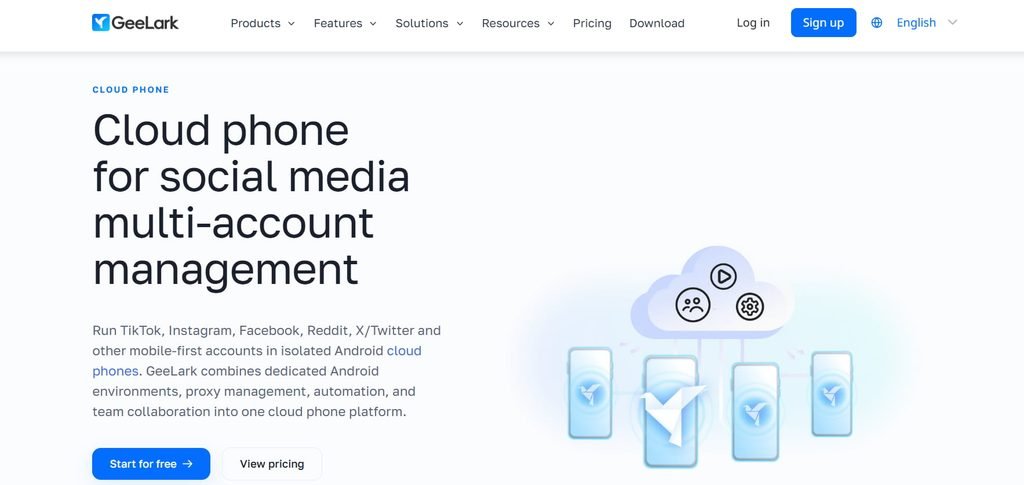
- Cloud phones that GeeLark says carry their own device information
- Automation templates, a synchronizer and ADB access, per an independent review
- Team seats, and reusable “Parallels” slots described in GeeLark’s own cost guide
Android App Compatibility
GeeLark describes its cloud phones as Android devices hosted remotely that work like a real phone. One review mentions a built-in app store in the workspace. We found no eBay-specific claim, so verify the eBay app on the free plan.
Advantages for eBay Sellers
- Designed around mobile apps from the start
- Pay-for-what-you-run billing suits sellers who only need the device during listing sessions
- Team seats help if an assistant works alongside you
Limitations
- Two-part pricing (subscription plus usage) is hard to forecast, a point Gologin’s review raises
- Public plan details conflict between sources
- Positioned at social media marketers, so eBay is untested
Pricing and Plans
GeeLark’s own blog states cloud phone rental at $0.007 per minute with a $1 daily cap per device. A newer GeeLark release note lists plans from $19 a month with 20 profiles and $9 per extra seat. Free-plan minutes vary by source (30 or 60). Check the pricing page.
Who Should Use GeeLark?
Sellers who use the app in short bursts, such as batch listing sessions, and prefer paying by usage.
2. MoreLogin – Best for Automation-Focused Workflows
Key Features
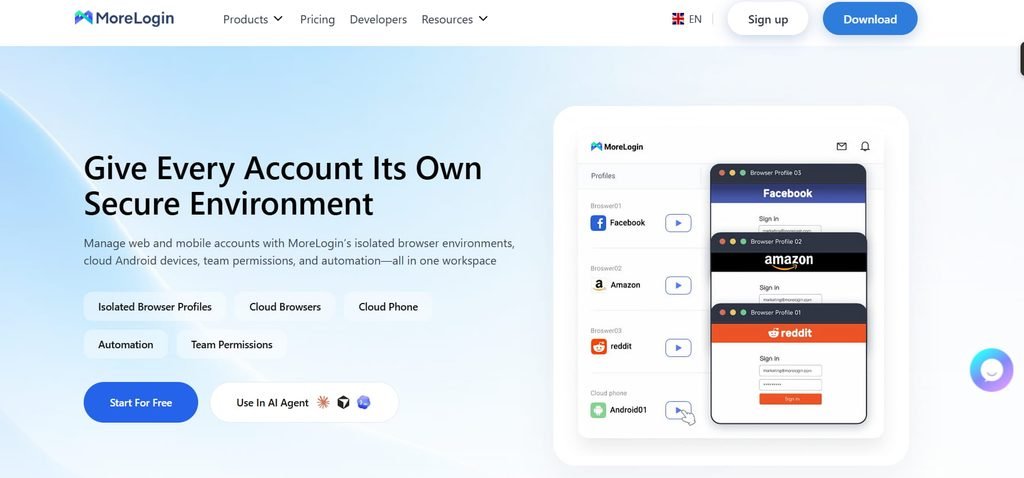
- A “dual engine” setup that keeps browser profiles and cloud phones in one workspace, per AffMaven
- Synchronized actions, API access and ADB-based workflows, per AiFlow Review
Advantages for eBay Sellers
- Automation hooks help if you build repeatable routines around your own tools
- Browser and mobile in one place
- Both usage-based and monthly options
Limitations
- Automation is only useful if someone on your team can set it up
- The review notes that hosted Android does not remove the compliance side of marketplace work
- Platform plan and cloud phone usage are billed separately
Pricing and Plans
Coronium’s comparison lists $0.006 a minute capped at $1.50 a day, or about $23 to $25 per 30 days. SpotSaaS shows platform plans from $9 a month as of May 2026.
Who Should Use MoreLogin?
Technical sellers or agencies that want API and ADB access and are comfortable scripting around their own listing and inventory tools.
3. DuoPlus – Best for Flexible Device Environments
Key Features
- Scales from one device to hundreds in one interface, per Multilogin’s DuoPlus review (a competitor, so read with care)
- A separate phone-farm product for larger fleets
- Two-part billing: a device fee plus a runtime fee
Advantages for eBay Sellers
- Very low entry cost per device
- Temporary and fixed options let you match cost to how often you use it
- Easy to add a device for a new product line or assistant
Limitations
- Usage-based billing means you must estimate runtime, as Gologin notes
- Proxies and similar add-ons cost extra
- Android only, based on a 2025 review
Pricing and Plans
A G2 listing shows Cloud Mobile from $1.40, temporary computing power from $0.15 and fixed computing power from $19.90. GoodFirms lists a 30-day trial. Units and billing periods are not clear on every page, so confirm them before paying.
Who Should Use DuoPlus?
Budget-minded sellers who want to test several devices cheaply and can track usage.
4. VMOS Cloud – Best for Android App Workflows
Key Features
- Several device tiers, from timed devices to higher-end real machines, per Gologin
- A claim of Google-certified compatibility, covered in Multilogin’s review
- Root access and an AI agent for task automation
Advantages for eBay Sellers
- Choice of Android versions and device types may help with app compatibility
- Cloud storage add-ons help if you handle many product photos
Limitations
- A BitBrowser review cites low Trustpilot and Google Play ratings (2.8 and 1.9). The source is a competitor, so check current ratings yourself.
- The pricing page is complex and there is no permanent free plan
- VMOS has other products with similar names, so subscribe to the right one
Pricing and Plans
Coronium describes VMOS Cloud as a 30-day subscription. Total cost depends on device tier, duration and add-ons such as proxies.
Who Should Use VMOS Cloud?
Sellers who care most about picking a specific Android version or device tier and are happy to compare pricing options.
6. Redfinger – Best for Basic Remote Android Access
Key Features
- Always-on cloud Android devices, with servers in the US, Taiwan and Singapore, per its app store listing
- Four tiers: VIP, KVIP, SVIP and XVIP, per Gologin’s review
- Apps for Windows, Android, macOS and iOS
Advantages for eBay Sellers
- A simple way to keep one Android device available around the clock
- Long-running product, so there is more user feedback to read than for newer tools
Limitations
- Built for gaming first. Gologin’s tester also found that changing the location pin did not change the device’s IP, which is a reminder to test any location settings.
- Reseller listings warn that redeeming codes depends on device stock
- The same app listing shows a 3.4-star average from about 22,000 ratings
Pricing and Plans
Pricing varies by region and tier. One aggregator lists plans from $12.95 and a Thailand example of THB 319 per 30 days for a 4 GB plan. Buy from the official site rather than third-party code sellers.
Who Should Use Redfinger?
Sellers who want a basic, always-available Android device and are not planning team workflows.
6. MaxCloudPhone – Best for Growing Teams
Key Features
- Real Android devices or emulators controlled from a web dashboard, per Coronium’s review
- AI integration and an uptime figure of 99.99%, both vendor claims we could not verify
Advantages for eBay Sellers
- Hourly rental suits occasional use
- Positioned for multi-account and team-style operations, though we could not confirm specific permission features
Limitations
- The interface is mainly in Vietnamese and support runs on Vietnamese hours
- A newer platform with a shorter track record
Pricing and Plans
The review lists a cloud emulator at 4,500 VND per hour. Prices are shown in VND, so convert and confirm before buying.
Who Should Use MaxCloudPhone?
Teams in or near Vietnam, or sellers comfortable with limited English support, once team controls are confirmed in a trial.
07. BitCloudPhone – Best for Budget-Conscious Users
Key Features
- A cloud phone product inside the BitBrowser app, offering Android and iOS profiles, per Gologin
- Android 15 option plus ADB and root access, per BitBrowser’s own blog
- A 40-second cold start in Gologin’s test
Advantages for eBay Sellers
- Pay-as-you-go style billing that pauses when the device shuts down
- Fast startup compared with other phones that reviewer tested
Limitations
- Pricing is not transparent. Gologin found a one-time device fee plus about $0.07 per 15 minutes, while BitBrowser’s top-10 page lists $50 a month per device. Treat “budget” as unconfirmed.
- Synchronizer and automation tools need more work, per Gologin
- Gologin reports that Trustpilot flagged BitBrowser for fake reviews
Pricing and Plans
Conflicting figures are listed above. Get a written quote or check in-app pricing, since the website and app can show different currencies.
Who Should Use BitCloudPhone?
Sellers who like usage-based billing and will confirm the real monthly cost first.
08. FlashID – Best for Mobile Account Management
Key Features
- An anti-detect browser and cloud phone in one product, aimed at cross-border teams, per GetApp
- Workspaces, permission management and data synchronization on the feature list
Advantages for eBay Sellers
- Team permissions and workspaces are listed up front
- Combines browser and Android tools
Limitations
- Little independent coverage, so real-world performance is unproven
- No pricing found in the sources we could open
Pricing and Plans
Not confirmed. Request pricing from FlashID directly.
Who Should Use FlashID?
Small and mid-size cross-border teams that want one vendor for browser and mobile, after a trial.
09. UgPhone – Best for Continuous Device Availability
Key Features
- 24-hour online running and low-spec devices using no local storage, per its App Store listing
- Apps for Android and iOS, free with in-app purchases
Advantages for eBay Sellers
- A device that stays online without tying up your own phone
Limitations
- Coverage is almost entirely about gaming, such as in this VCGamers guide
- No business, team or eBay information found
Pricing and Plans
Not confirmed. The app is free to download, with purchases inside it.
Who Should Use UgPhone?
Sellers who only need a cheap, always-on device for light monitoring, and who test it first.
How to Choose the Best Cloud Phone for Your eBay Business
Start with the criterion that can sink the whole idea, then work down to price. Nine factors matter.
1. eBay Mobile App Compatibility
This is the only factor you cannot assume. No provider in this guide publishes eBay-specific support, so the trial is your proof. Install the official app, sign in, open the listing camera, scan a barcode and send a test message. If any step fails, move on.
2. Android Version and Device Performance
eBay tells sellers to keep the app updated through the Google Play Store, and newer app versions can need newer Android. Check which Android versions each provider offers. Examples from this guide range from Android 12 on Redfinger’s VIP tier to Android 15 on BitCloudPhone.
3. RAM, CPU, and Storage Requirements
Listing work means switching between the camera, gallery and app, often with many photos. A basic tier can feel slow in that flow. Try a mid-range tier first, such as a 4 GB plan, and move up only if the app stutters. Delete photos from the device after upload so storage does not fill.
4. Network Speed and Connection Stability
You are streaming a screen, so your own connection matters as much as the provider’s. Pick a data center region near you and test during your normal working hours. Typing lag and dropped sessions are the early warning signs.
5. Remote Access and Device Availability
Ask whether the device stays on when you disconnect or only runs while you pay for minutes. Uptime figures such as 99.99% are vendor claims, so ask for a written commitment or read recent user reviews. Reseller notes about device stock (see Redfinger above) are a reminder to buy direct.
6. Multiple Device Management
Most sellers need one device. You need more only for separate legitimate stores or staff members, as covered in the workflow section below. If you do scale, look for folders, bulk actions and clear naming so you always know which device belongs to whom.
7. Team Collaboration and Permissions
Provider-level seats and roles decide who can open a device. They do not control what someone can do inside eBay. For staff, eBay’s own Team Access is the better control, which the safety section explains.
8. Pricing and Scalability
Providers bill in three broad ways. Match the model to how you work.
| Billing model | Examples in this guide | Works best when | Watch for |
| Subscription plus per-minute usage | GeeLark, MoreLogin (usage option) | You use the device in short sessions | Hard-to-forecast bills; daily caps ($1 at GeeLark, $1.50 at MoreLogin, per the sources above) |
| Per-device rental (hourly, daily, monthly) | DuoPlus, Redfinger, VMOS Cloud, MaxCloudPhone | You want steady or always-on access | Add-ons such as proxies and storage |
| Bundled plan with included minutes | Multilogin | You want one predictable monthly bill | Overage charges once minutes run out |
Here is a worked example using GeeLark’s published rate. Two hours a day on 22 working days is 120 minutes a day at $0.007, or $0.84 a day. That comes to about $18.50 a month in usage, before any subscription. A flat monthly rental near $23 to $25, as Coronium lists for MoreLogin, would cost slightly more at that usage but become cheaper for all-day use. Run your own numbers.
9. Security and Authentication Support
Your eBay login will live on hardware you do not own. Check whether the provider protects its own login with two-step verification, and ask where data is stored and who at the provider can access sessions. Then secure eBay itself, as explained in the safety section.
A 30-minute trial test
- Install the official eBay app and sign in.
- Create a draft listing with photos and a scanned barcode.
- Send a message and check that notifications arrive.
- Leave the session idle, then reconnect and confirm you are still signed in.
- Try it at your busiest time of day and note any lag.
How eBay Sellers Can Use Android Cloud Phones
eBay’s app help page confirms what the mobile app covers: creating and editing listings, barcode scanning, photos, notifications and order-related tasks. A cloud phone can host that app. Below is where it helps, and where it does not.
Managing eBay Listings
The app lets you create, edit and monitor listings and relist items. Listings sync across devices, so you can start one in the app and finish it on a laptop.
The weak point is the camera. A cloud phone has no lens in your hand. Providers handle photos differently: some let you push image files to the device, others offer a virtual camera. Test this first, because photo-led listing is the app’s biggest strength.
- Best use: finishing, editing and relisting items that already have photos
- Less suited: shooting new photos live
Managing Orders and Shipping Updates
The app can show order details and let you add tracking information. For bulk work such as printing many labels, Seller Hub on a desktop is usually faster. Use the cloud phone for quick updates, such as adding a tracking number while you are away from your desk.
Responding to Buyer Messages
Buyers expect quick answers, and messages arrive in the app. A cloud phone keeps that inbox reachable from any screen. If an assistant handles messages, check what permissions eBay lets you grant before sharing anything (see the remote employees section).
Monitoring eBay Notifications
In the app, open Settings in My eBay, then Notifications, and choose which alerts you want. On Android, also allow notifications for eBay in the device settings, per eBay’s help.
One practical catch. Push alerts land on the cloud device, not on your own phone. Ask your provider whether it forwards notifications, or plan to check the device on a schedule. Treat the email alerts and Seller Hub as your backup.
Managing Multiple Legitimate eBay Stores
eBay’s multiple accounts policy allows separate accounts for buying and selling or for different product lines, such as auto parts and skin care. It also says buying and selling policies apply equally to every account.
A cloud phone can help you keep each store’s app session organized, with one device per store and clear labels. It cannot protect a store from restrictions. eBay also has a duplicate listings policy, so read it before you list similar items across accounts.
Managing Remote Employees
Imagine a seller who gives two assistants one shared login on one device. Verification prompts go to a phone neither assistant holds, and the seller is locked out during a busy weekend. This is a common failure pattern.
A better setup uses eBay’s own Team Access. Each assistant signs in with their own eBay account and password and only receives the permissions you grant. The cloud phone then becomes a workspace for the mobile app, not a way to share credentials.
Product Research and Inventory Management
The app’s barcode scanner can fill in product details when you scan a barcode to start a listing. That needs camera access, which many cloud phones handle awkwardly, so confirm it works before you rely on it.
For research, Seller Hub has a Research area, and Team Access can include Terapeak Research as a permission. For inventory, keep stock counts in a dedicated tool or spreadsheet. A cloud phone is a window into the eBay app. It is not an inventory system.
Cloud Phone vs Physical Android Phone for eBay Sellers
A physical phone wins on camera, notifications and simplicity. A cloud phone wins on remote access and not owning hardware. Which matters more depends on whether your work is photo-led or desk-led.
| Comparison factor | Cloud phone | Physical Android phone |
| Remote access | Available through supported remote access | Requires remote access configuration |
| Hardware maintenance | Provider-managed infrastructure | User-managed |
| Device availability | Depends on provider uptime | Depends on device availability |
| Initial hardware purchase | Usually not required | Required |
| Internet dependency | Required | Required for online operations |
| Long-term cost | Subscription-based | Hardware and maintenance costs |
| Camera and barcode scanning | Depends on the provider; test first | Built in |
| Push notifications | Arrive on the cloud device unless forwarded | Arrive on the phone in your pocket |
If you shoot and list items by hand all day, a physical phone is hard to beat. If you mostly edit, relist and answer messages from a desk, or you work with remote staff, a cloud phone can be worth testing.
Cloud Phone vs Android Emulator for eBay Management
An emulator runs Android on your own computer. A cloud phone runs it on someone else’s servers. For eBay work, the choice mostly comes down to where you work and whether anyone else needs access. The table adds remote desktop, which we defined earlier, for completeness.
| Factor | Cloud phone | Android emulator | Remote desktop to a PC |
| Where Android runs | Provider’s servers | Your own computer | Not Android; it shows a PC screen |
| Cost | Subscription or usage fees | Free options exist, plus a capable PC | PC plus remote access software |
| Reach from another device | Yes, built in | Only through remote desktop | Yes |
| Hardware you need | Any device with a screen | A reasonably powerful PC | A PC left running |
Performance Differences
A cloud phone’s speed depends on the provider’s server tier and your connection. An emulator’s speed depends on your PC. A modest laptop can make an emulator crawl, while a cloud phone leaves the heavy lifting to the provider.
Application Compatibility
Some apps behave differently on emulators, and a few check for them. One review of Redfinger also warns that some games block emulation or cloud detection. We found no statement from eBay on either option. Test the official eBay app on whichever you choose before you build a workflow around it.
Hardware Requirements
An emulator needs a computer with enough RAM and CPU to run Android alongside everything else. A cloud phone needs only a stable connection and a screen to view it on.
Remote Accessibility
An emulator stays on the machine where it was installed. To reach it from elsewhere you need remote desktop, which adds a layer and more lag. A cloud phone is reachable directly, which is its main advantage for teams.
Which Option Should eBay Sellers Choose?
- Choose an emulator if you work from one desk, have a decent PC, and want to spend nothing while you test.
- Choose a cloud phone if you work from several places, share the mobile app with staff, or do not want an always-on PC.
- Choose neither if the browser version of Seller Hub already covers your tasks.
Are Android Cloud Phones Safe for eBay Sellers?
Android cloud phones are not unsafe by themselves, but they are not a safety feature either. Your eBay account follows eBay’s rules whichever device you use. The real risks are shared logins, weak authentication and using extra accounts to get around restrictions. Used openly for legitimate work, a cloud phone carries the same rules as any phone.
Important: a cloud phone does not guarantee account safety, prevent account linking or bypass eBay enforcement. Separating devices is not a way around platform restrictions, and nothing in this guide should be used that way.
Understanding eBay’s Multiple Accounts Policy
eBay’s multiple accounts policy says users can hold more than one account, for example separate accounts for buying and selling or for different product lines. The policy page we found was updated on 9 July 2026 with minor wording changes.
The limits matter more than the permission:
- Registering new accounts, or using other existing accounts, to avoid buying or selling restrictions or other policy consequences is not allowed.
- The same is true of using accounts to avoid paying eBay fees.
- Buyer and seller standards apply to every account you use, not just one.
Can eBay Detect Different Devices and IP Addresses?
Assume it can. eBay does not publish how it connects accounts, so nobody outside eBay can promise that a device or network setup is invisible. A seller-focused guide makes the same point.
The safe approach is not to hide anything. Run only accounts you are allowed to run, in good standing, and keep each store’s business details accurate.
Protecting Your eBay Login Credentials
Your eBay password will sit on hardware you do not own, so treat it with care.
- Use a unique, strong password stored in a password manager.
- Never share your login with staff. Use Team Access instead.
- Choose a provider that protects its own login with two-step verification.
- Remove the eBay session from the cloud phone when you stop using the device.
Using Two-Factor Authentication
Turn on 2-step verification. eBay’s account safety page lists options including the eBay app, SMS, an authenticator app and passkeys, and notes that up to 100 trusted devices can be added.
Here is the catch with cloud phones. If your approval prompt goes to the eBay app on the cloud device, you can lock yourself out whenever that device is off or the provider has an outage. Prefer an authenticator app or SMS on a phone you hold, and keep your recovery options current.
Managing Employee Access Securely
eBay’s Team Access lets you grant other eBay users specific permissions in Seller Hub. They use their own eBay accounts and passwords, and you can review activity logs of what they did. You must be opted in to Seller Hub first.
- Opt in to Seller Hub.
- Open Team access under Account Preferences in My eBay.
- Invite each person and grant only the permissions their job needs.
- Review the activity log regularly.
- Remove access when someone leaves.
Avoiding Account Restrictions and Policy Violations
- Never open a new account to continue selling after a restriction. Resolve the original account’s issue first.
- Meet seller standards on every account, not only your main one.
- Read eBay’s duplicate listings policy before listing similar items across accounts.
- Keep records of which device and person handles each store.
- If eBay flags an account, contact eBay support. Do not work around it.
How to Set Up an Android Cloud Phone for eBay
Setup takes about 20 minutes. Screens differ by provider, so these steps stay general. Editor’s note: the outline calls for original screenshots. We cannot capture provider dashboards from here, so add your own under each step from a real trial.
Step 1: Choose a Suitable Cloud Phone Provider
Shortlist two providers from the comparison above and sign up on their official sites. Start with a free plan or low-cost trial. Do not pay for a long plan until the eBay app has passed the trial test in the selection section.
Screenshot to add: the provider’s plan or trial page.
Step 2: Create Your Cloud Android Device
Create a new device from the dashboard. Pick the newest Android version offered, a data center region near you and a mid-range tier. Give the device a clear name, such as the store or the task it handles.
Screenshot to add: the device creation screen.
Step 3: Configure the Android Environment
Open the device and set it up like a new phone.
- Set the language and time zone to match where you actually work.
- Run any system or store updates.
- Find out how to transfer files, since you will need it for product photos.
- Check the storage available.
Screenshot to add: the device home screen and settings.
Step 4: Install the Official eBay App
Install eBay from Google Play if the device has it, or from the provider’s own app store. Avoid modified or third-party app files, since your login is at stake. If the app will not install, see the problems section below.
Screenshot to add: the eBay app page during install.
Step 5: Sign In Using Your Existing Account
Sign in with your own eBay account. Have your verification method ready before you start, as covered in the safety section. Do not create extra accounts to complete this step.
Screenshot to add: the eBay sign-in screen on the device (blur any personal details).
Step 6: Configure Notifications and Security
- In the eBay app, go to Settings in My eBay, then Notifications, and choose your alerts.
- In the Android settings, allow notifications for eBay.
- Allow camera access if your provider supports it, so the barcode scanner can work.
- Turn on 2-step verification if it is not already on, using a method you can reach without the cloud phone.
Screenshot to add: the notification settings screen.
Step 7: Test Listing and Order Management
Run the 30-minute trial test from the selection section. Create a draft listing with a photo, try a barcode scan, open an order, and send a test message. Note any lag and decide whether the device is good enough to keep.
Screenshot to add: a draft listing created on the device.
Common Android Cloud Phone Problems and How to Fix Them
Most problems trace back to the app version, the device tier or your connection. Use the table to find your starting point, then read the matching fix.
| Symptom | Most likely cause | First thing to try |
| eBay app will not install or launch | Outdated app, low storage or unsupported Android version | Update from the store and free up space |
| Device feels slow | Tier too small or too many apps open | Close apps, then move up one tier |
| Cannot sign in or verify | Verification prompt sent to an unreachable device | Use a verification method you can reach |
| No notification alerts | Notifications off in the app or Android | Check both settings |
| Photos will not upload | Storage full or permission missing | Free space and allow photo access |
| Lag or dropped sessions | Distant data center or weak connection | Test another region and your own network |
eBay App Installation Problems
eBay’s own troubleshooting tip for an app that will not launch is to check for updates and install the latest version. On a cloud phone, also check free storage and the device’s Android version, then restart the device. Install only from an official store, never from a random file site.
Slow Cloud Phone Performance
Close apps you are not using, since cloud tiers have limited RAM. If it stays slow, move up one tier rather than two. Try a data center closer to you, and avoid running several heavy apps on one device.
Login and Verification Problems
Stop retrying after two failed attempts, since repeated tries can trigger more checks. Make sure the verification code or approval can actually reach you. If your approval goes to an app on the cloud phone itself, use an authenticator app or SMS on a phone you hold. If you are still stuck, contact eBay support.
Notifications Not Working
Check both layers: the app’s notification settings in My eBay, and the Android setting that allows notifications for eBay. Release notes for one eBay app version mention a notification diagnostic tool under notification settings, so look for it in yours. Remember that alerts land on the cloud device, so ask your provider about forwarding.
Product Image Upload Failures
First check free storage on the device. Then confirm the eBay app has permission to read photos, and re-send a smaller copy of the file through your provider’s transfer tool. If uploads still fail only on the cloud phone, the transfer method may be the weak link. Ask the provider’s support.
Remote Connection and Latency Issues
Test your own connection first, ideally on a wired network. Then try a different data center region. If lag persists at your busiest hours, the provider’s servers may be overloaded, and that is a good reason to switch.
Who Should Use an Android Cloud Phone for eBay?
Most sellers do not need one. A few profiles get real value from it.
Individual eBay Sellers
If you list a few dozen items a month, your own phone and a browser are enough. A cloud phone makes sense only if your phone is unreliable or you want the mobile app from a desk. Verdict: try a free plan, but do not pay long term.
High-Volume Marketplace Sellers
If you relist and answer messages for most of the day, a stable, always-available device saves real time. Look at bundled-minute or always-on plans, and keep stock counts in a dedicated tool. Verdict: a good candidate, once the camera and notification tests pass.
Multi-Store Business Owners
If you run separate legitimate stores for different product lines, one clearly labelled device per store keeps sessions tidy. Policies still apply to every account, as the safety section explains. Verdict: useful for organization, not for protection.
eCommerce Agencies
An agency should not hold client passwords. Ask clients to invite your team through Team Access, with the permissions you need. The cloud phone then serves as your shared workspace. Verdict: a fit when provider seats and eBay permissions work together.
Remote eCommerce Teams
Teams spread across time zones benefit most. A shared workspace lets one shift hand off to the next, while eBay’s activity logs show who did what. Verdict: the strongest use case, if each person signs in with their own eBay account.
Frequently Asked Questions About Android Cloud Phones for eBay Sellers
What is the best Android cloud phone for eBay sellers?
There is no single best option. Multilogin and GeeLark are the most mobile-first and best documented in our research, while DuoPlus and MoreLogin suit usage-based setups. No provider confirms eBay app support, so run the trial test on your shortlist before paying.
Can I use the eBay app on a cloud phone?
Probably, if the device can install Android apps, since eBay publishes an app for Android. But we found no provider that documents eBay compatibility. Install the official app during a trial and test the camera, barcode scanner and notifications.
Can I manage multiple eBay seller accounts on cloud phones?
eBay allows more than one account for legitimate reasons, such as separate product lines, and each account must meet its standards. It does not allow extra accounts to avoid restrictions or fees. A cloud phone only organizes your sessions. It does not protect accounts or change these rules.
Does eBay allow sellers to use multiple devices?
Yes. eBay says listings sync across your devices, and its account safety page notes that up to 100 trusted devices can be added. Using several devices is normal. What matters is following the account policies.
Can I upload product images using an Android cloud phone?
Often yes, but it depends on how the provider moves files or handles the camera. Test with a real photo first. The problems section covers upload failures.
Can I manage eBay orders remotely?
Yes. The app lets you monitor orders and add tracking information, and Seller Hub works from any browser. A cloud phone adds one more way to reach the mobile app.
Are Android cloud phones better than physical phones?
Not generally. They are better for remote access and teams, and worse for live photography and push alerts. See the comparison table above.
Do cloud phones support Google Play Store?
It varies. VMOS Cloud claims Google-certified compatibility, according to a competitor’s review, and other providers say little. Ask each provider and check during the trial.
How much does an Android cloud phone cost?
From about $1.40 to $25 or more per device per month, depending on the billing model, based on the figures in this guide. Some tiers cost more, and proxies or storage add to the total. Prices conflict across sources, so check each provider’s site.
Can employees access eBay through cloud phones?
They can, but do not share your login. Use eBay’s Team Access so each person signs in with their own account and limited permissions.
Final Verdict: Which Android Cloud Phone Should eBay Sellers Choose?
There is no universal winner. The best Android cloud phones for eBay sellers are the ones that pass your own test: the official app runs, the connection holds, the team setup is safe and the price fits. No provider in this guide has proven eBay support, so your trial is the deciding evidence.
Best options by use cases
- Short, usage-based sessions: GeeLark
- Automation through API and ADB: MoreLogin
- Cheapest per-device testing: DuoPlus
- Choice of Android versions and device tiers: VMOS Cloud
- Basic always-on access: Redfinger or UgPhone
- Team-oriented tools to verify in a trial: MaxCloudPhone and FlashID
- Low cost, once pricing is confirmed: BitCloudPhone
