Author: Shabir Ahmad

  • What Is a Planogram and Why It’s Essential for Retail Merchandising

    What Is a Planogram and Why It’s Essential for Retail Merchandising

    Walk into any successful retail store and you will notice something immediately. The shelves look neat, products are easy to locate, and popular items seem to appear exactly where your eyes naturally fall. Promotional products catch attention without making the store feel cluttered. This is not a coincidence. Behind this organized experience is a powerful retail planning tool known as a planogram.

    A planogram helps retailers decide where each product should be placed, how much space it should receive, and how shelves should be arranged to increase visibility and sales. In today’s competitive retail environment, this kind of planning is no longer optional. It is essential for improving store layout, customer satisfaction, and overall profitability.

    This guide explains what a planogram is, how it works, and why it plays such an important role in modern visual and retail merchandising.

    What Is a Planogram?

     mannequin

    A planogram is a visual layout or diagram that shows how products should be displayed on shelves, racks, or other store fixtures. It works like a blueprint for retail shelving and product placement.

    Instead of relying on guesswork, retailers use planograms to make structured decisions about where items should go. These decisions include which products belong on specific shelves, how many units of each product should be shown, which items deserve eye-level placement, and where promotional products should appear.

    Planograms can be created using simple drawings or spreadsheets, but most retailers today rely on specialized planogram software. Digital tools make it easier to update layouts, adjust for new products, and share instructions with store staff across different locations.

    Why Planograms Are Important in Retail Merchandising

    Retail merchandising is all about how products are presented to customers. The way items are arranged strongly influences what people notice, what they pick up, and what they eventually buy.

    Without a structured plan, shelves often become inconsistent. Some areas may be overcrowded, while others look empty. Popular products may be hidden, and slow-moving items may take up valuable space.

    Planograms bring order and strategy into this process. They help retailers replace random placement with data-driven decisions. When merchandising is planned carefully, stores look more professional, customers feel more comfortable shopping, and sales naturally increase.

    How Planograms Improve Product Visibility

    Product visibility plays a major role in purchasing decisions. Customers cannot buy what they cannot see.

    Planograms help retailers place high-demand and high-profit items where they are most likely to be noticed. Products that perform well are often positioned at eye level, while promotional items are placed in areas where customers naturally pause, such as aisle ends or near checkout counters.

    New arrivals also benefit from structured placement. Instead of being buried among older stock, they receive dedicated space that encourages customers to explore them.

    When products are displayed clearly and logically, customers spend less time searching and more time making buying decisions. This simple improvement can significantly increase conversion rates and basket size.

    Making Better Use of Shelf Space

    departmental store shelves

    Shelf space is limited, especially in small and medium-sized stores. Every section of a shelf has value.

    Planograms help retailers allocate this space wisely by analyzing sales performance and customer demand. Products that sell quickly receive more space, while items that move slowly are reduced or relocated.

    This balance prevents overcrowding, which can make shelves look messy, and it also avoids empty gaps that make a store appear poorly managed. A well-planned shelf looks full without feeling cluttered, which improves both visual appeal and operational efficiency.

    Better space management also supports inventory control. Retailers can avoid overstocking low-demand items and reduce storage costs by displaying only what is needed.

    Improving the Customer Shopping Experience

    Modern customers expect convenience. They want to walk into a store, find what they need quickly, and leave feeling satisfied. Disorganized shelves create frustration. Shoppers may walk away if they cannot locate products easily or if the store feels chaotic.

    Planograms help solve this problem by creating logical product groupings and consistent layouts. When similar items are placed together and categories are clearly structured, customers can move through the store naturally without confusion.

    A smoother shopping experience encourages people to stay longer, explore more products, and return in the future. Over time, this builds trust and brand loyalty.

    Supporting Brand Guidelines and Supplier Agreements

    Retailers often work closely with brands and suppliers who request specific product placement. These agreements may require certain products to appear at a specific height, in a particular section, or with a minimum number of visible units.

    Manually managing these requirements across multiple stores can be difficult. Planograms simplify this process by clearly showing where each brand’s products should be displayed.

    By following planogram guidelines, retailers protect important business relationships and ensure compliance with merchandising contracts. This can also lead to better supplier support, exclusive deals, and additional promotional opportunities.

    Different Types of Planograms

    Retailers use different types of planograms depending on their goals.

    • Product-Based Planograms

    These focus on individual products or brands.

    They are common in electronics, cosmetics, and packaged goods.

    • Category-Based Planograms

    Products are grouped into categories like beverages, snacks, or personal care.

    This makes shopping easier for customers.

    • Sales-Driven Planograms

    These prioritize high-performing products.

    Best sellers receive better placement and more shelf space.

    • Seasonal Planograms

    Used during festivals, holidays, or seasonal campaigns.

    Examples include Diwali sales, Christmas displays, or back-to-school promotions.

    • Promotional Planograms

    Created for discounts, product launches, or limited-time offers.

    How Planograms Are Created

    Creating an effective planogram requires careful planning and reliable data. The process usually begins with analyzing sales reports to understand which products perform well and which do not. Retailers study customer preferences, buying patterns, and seasonal trends to guide their decisions.

    Next, the physical store layout is evaluated. Shelf dimensions, aisle width, lighting, and customer movement patterns are all considered. Areas with heavy foot traffic are often reserved for high-value or promotional items.

    Products are then grouped logically so that related items appear together. Complementary products may be placed nearby to encourage cross-selling.

    Once placement decisions are made, the layout is designed visually using planogram software or diagrams. The final version is shared with store employees, who follow it while stocking shelves. Regular updates are important, especially when new products are introduced or sales trends change.

    The Role of Planogram Software in Modern Retail

    Technology has transformed how retailers manage shelf layouts.

    Modern planogram software allows teams to design store layouts visually, calculate shelf space automatically, and integrate inventory data in real time. These tools reduce manual errors and make it easier to adjust layouts quickly.

    For large retail chains, software also helps maintain consistency across locations. A single planogram can be shared with hundreds of stores, ensuring that customers see the same layout wherever they shop.

    Software solutions also allow retailers to measure the performance of different layouts, helping them test and refine merchandising strategies over time.

    Benefits of Using Planograms

    One of the most obvious benefits of planograms is increased sales. Better visibility and logical placement naturally encourage customers to buy more.

    Planograms also improve inventory management by reducing overstocking and stockouts. Retailers gain better control over how much product is displayed and when it should be replenished.

    Store operations become more efficient as well. Employees spend less time deciding where products belong, which reduces training time and speeds up restocking.

    Consistency across stores strengthens brand image, while data-driven planning leads to smarter business decisions. Together, these advantages make planograms a powerful tool for both short-term performance and long-term growth.

    Common Mistakes to Avoid When Using Planograms

    Despite their benefits, planograms are not foolproof.

    1. Some retailers rely on outdated sales data, which leads to poor placement decisions. Others overcrowd shelves, making products harder to see rather than easier.

    2. gnoring customer behavior is another common mistake. A layout that looks good on paper may not match how shoppers actually move through a store.

    3. Lack of staff training can also cause problems. If employees do not understand the importance of following the planogram, layouts quickly become inconsistent.

    4. Finally, failing to update planograms regularly can reduce their effectiveness, especially in fast-changing retail environments.

    Planograms for Small Retail Stores

    Small retailers often believe that planograms are only for large chains, but this is not true.

    In fact, limited space makes planning even more important for small shops. A well-designed planogram helps small businesses look organized, professional, and easy to shop in.

    It also reduces waste by ensuring that only relevant products take up valuable shelf space. Even simple tools like spreadsheets or basic design software can help small retailers create effective layouts.

    Planograms for Large Retail Chains

    Large retailers operate across multiple locations, sometimes in different regions or countries. Maintaining consistency in such environments is difficult without structured planning.

    Planograms allow central teams to control store layouts, ensure brand standards, and manage inventory distribution efficiently.

    They also support negotiations with suppliers by clearly defining how products will be displayed in every store.

    Planograms and Visual Merchandising

    Planograms provide structure, but visual merchandising adds creativity. Together, they form the foundation of effective retail presentation.

    While planograms decide where products go, visual merchandising focuses on how they look. Lighting, signage, colors, and display themes all work alongside structured placement to attract attention and guide customer movement.

    Stores that balance both strategy and creativity tend to perform better and leave stronger impressions on customers.

    Real-World Impact of Planograms

    Consider a grocery store that sells dozens of snack brands.

    Without a planogram, products are scattered across shelves. Some popular brands sell out quickly, while others gather dust. Customers struggle to compare options or find their favorites.

    When a planogram is introduced, the layout becomes organized. Best-selling brands receive more space, similar products are grouped together, and promotional items are clearly highlighted.

    Customers shop more confidently, and sales increase without changing product prices. This is the practical value of structured shelf planning.

    The Future of Planograms in Retail

    Retail is evolving rapidly, and planograms are evolving with it.

    Artificial intelligence is being used to predict demand and optimize layouts automatically. Smart shelves can track stock levels in real time and notify staff when items run low.

    Retailers are beginning to personalize layouts based on customer behavior and local preferences.

    In the future, planograms will not just guide shelves. They will become intelligent systems that adapt continuously to changing conditions.

    Best Practices for Planogram Success

    Successful retailers treat planograms as living documents rather than one-time projects.

    They update layouts regularly, train employees carefully, and monitor sales data to refine their strategies.

    They also test different arrangements to see what performs best and adjust based on real customer behavior.

    Most importantly, they keep the customer experience at the center of every decision.

    Final Thoughts

    A planogram is far more than a simple shelf diagram. It is a strategic tool that shapes how customers interact with products, how efficiently stores operate, and how profitable a retail business becomes.

    In a world where competition is intense and customer expectations are high, relying on instinct alone is no longer enough. Data-driven merchandising is the future, and planograms make it possible.

    Whether you run a small neighborhood shop or manage a large retail chain, implementing effective planograms can transform your store’s performance.

    They help customers shop more easily. They help staff work more efficiently. And most importantly, they help your business grow.
  • Design.com: Is It the Best Logo Maker Tool for your business?

    Design.com: Is It the Best Logo Maker Tool for your business?

    Logo maker tools give small businesses and entrepreneurs an easier and more accessible way to create a logo, without having to spend big bucks on designers or learning Photoshop from scratch. You just need to select a premade template, customize a few things, and boom a beautiful logo right at your fingertips. 

    That’s why logo makers have been massively popular over the last few years. You’ve probably even seen slogans such as “Get the logo of your dreams in seconds” all over the internet. 

    It all sounds great, but which of the hundred logo maker tools is actually worth it? 

    Design.com is one of the bigger players, offering over 360,000 templates made by professional designers. From tech startups to food brands, its library covers a wide range of styles. So is it the best logo maker tool? We put it to the test, diving into its features, plus see how it works across different industries. See it all below!

    What is Design.com’s Logo Maker?

    Design.com is an online branding platform that offers customizable templates for branding and marketing assets such as websites, business cards, email signatures, social media graphics, flyers, presentations, and more. However, their main offering is their logo maker tool, which they describe as the best logo maker in the world. 

    Reviews and rating does indeed back it up. They have a high 4.7 Trustpilot rating across thousands of reviews. This shows strong social proof. They also have the world’s largest template library at 360,000 templates, the biggest among competitors. These templates span across multiple industries, such as construction, hospitality, food, skincare, gaming, and more. 

    All logos you see on Design.com are also: 

    • Created by professional designers
    • Uses exclusive fonts and icons (rather than stock fonts or graphics) for a more unique and original look
    • Rigorously reviewed for originality and commercial safety
    • Undergoes a checking and approval process to ensure only the best logos are on the platform
    • Can be fully edited and customized to suit your vision and preference
    • Uses a beginner-friendly, drag and drop editor for easy tweaking (no need for technical editing knowledge)
    • Can be downloaded in multiple hi-res formats such as PNG, JPG, SVG, EPS, PDF, GIF, MP4
    • Only available in the platform
    • Logo style, color palette, and typography can be automatically applied to websites, social media graphics, and more to form a cohesive look across materials

    How the Logo Maker Works

    The process is simple. To get started:

    1. Go to https://www.design.com/logo-maker. Enter your business name. You can also choose from their categories, such as “minimalist”, “tree”, or “fitness”. 
    1. Browse through the results. You can shortlist the ones you like by clicking the heart icon. You can also further refine your search by filtering by logo style or color.
    1. Choose a design you like best. You can go through the guided editor or just manually do all the changes on your own. And even if you go through the guided one and want to change something, don’t worry as you can still edit it after. 
    1. If you want to manually edit, you can change everything from the icon, color, layout, font, and more. You can also add preset animations if you want a dynamic logo.
    1. Happy with how it looks? Click Download to get your logo. You can also Save Progress if you want to just get back to it later, or preview how your logo will look across different platforms first before downloading it. After downloading, you can use a link shortener to share your logo quickly and track engagement across social media, emails, or marketing channels. 

    How the Logos Look Across Different Industries

    To get a better sense of range, we investigated how Design.com performs in different categories.

    Tech and SaaS logos tend to be clean and restrained, nothing flashy. You can see tons of simple geometrical shapes, abstract style icons, and modern fonts. These work well for businesses that want to look credible without overdesigning.

    Food and beverage logos are more expressive. Warmer colors, fun illustrations, and friendlier typography show up more often. They feel appropriate for menus, packaging, and storefronts.

    Wellness and skincare logos are more flowy. They also feature leaves, flowers, chakra symbols, and such. Color schemes lean toward cool pastels and muted tones to look more relaxing and serene. 

    Across all three, the common thread is balance. Logos don’t feel cluttered or awkwardly composed. They also fit “industry standards” – meaning they use color schemes, fonts, and other visual elements that are typically appropriate for the intended industry. 

    Pros of Using Design.com Logo Maker

    There’s multiple reasons why the platform has built a strong reputation in the market.

    • The logo library is massive so users have thousands of options to choose from.
    • The templates vary in style and type, so you can choose between a minimalist abstract icon to an ornate crest-style badge logo, down to a fun doodle-y style handwriting wordmark.
    • Over 575+ fonts and 62,000 custom icons available which helps make the design look unique and distinctive, and not cookie-cutter.
    • Logos are created by top designers, so every logo looks professional and high-quality. Nothing looks like placeholders or stock logos. 
    • Designs are exclusive and not recycled across platforms.
    • Editing is easy without being limiting.
    • File formats cover pretty much every use case.
    • Logos are commercially safe, which is important for business use.
    • Option to get exclusive licensing for your logo.
    • Reviews say that the customer support is top notch and available 24/7.
    • Option to use AI logo generator for an even faster process, as the AI can generate thousands of designs in seconds.

    Cons of Design.com Logo Maker

    Design.com is great but there are still a few things to keep in mind. 

    • The tool is web-based and has no app yet. This might be limiting for some users who prefer having a separate app or editing on mobile. 
    • While there are free logos available, the premium logos can only be downloaded under a subscription. The price is still more affordable compared to hiring a designer, but it’s still worth mentioning it for consideration. 

    Pricing of Design.com

    How much does a logo on Design.com cost? Here is the breakdown:

    • Free Plan: $0. Users can browse and edit all logos for free. You can also download a free logo to use, no watermarks or hidden charges. 
    • Saver Plan: $15/month (Logo Pack only)
    • Value Plan: $24/month (Logo + Website)
    • Premium Plan: $29/month (Logo + Website + more features)

    Here are some further explanations if you need more clarification: 

    There are free logos and premium logos on Design.com. Free logos are free to download, again with no watermarks or any hidden fees. 

    Premium logos can be edited for free. But if you want to download it for use you’ll have to subscribe to any of the plans listed above. 

    You can see which logos are free and premium by looking at the top left corner, as they are marked as such. 

    If you want to know the inclusions in Design.com’s plan, here is the list of what is included in all plans:

    • Your logo is yours forever
    • Cancel anytime
    • High-res and vector logo files
    • Unlimited changes to your logo
    • Business cards
    • Instagram and Facebook posts
    • Email signature templates
    • Letterheads
    • 50+ other design tools
    • 564,000+ templates

    Then these are the additional features included in the Premium Plan: 

    • Website builder
    • Link in bio tool
    • Digital business card

    Final Thoughts: 

    So is Design.com the best logo maker tool? Our verdict is yes. 

    Design.com delivers one of the most seamless, convenient, and design-focused logo maker experiences available today. Its strength lies in the sheer depth of professionally designed templates, which allows users from any industry or niche to find a logo that is perfect for them. Users can even be as picky as they want, as there are thousands to choose from! 

    The tool is also made with beginners and non-designers in mind. It uses a simple interface and straightforward controls, which allow anyone to easily tweak a design and achieve great results.

    So if you’re a startup, small business, or entrepreneur who wants a logo that looks credible and ready for launch, then hop on to Design.com now. 

  • Why SEO for Business Is No Longer Optional in 2026

    Why SEO for Business Is No Longer Optional in 2026

    A decade ago, businesses could still grow through word of mouth, social media, or paid ads alone. Today, that reality has changed. In 2026, when someone needs a product, service, or solution, the first instinct is to search online or ask an AI assistant. If your business does not appear in those results, you effectively do not exist to a large portion of your potential customers.

    SEO, or Search Engine Optimization, is no longer a “nice-to-have” marketing tactic. It is now a fundamental business requirement. From startups to global enterprises, SEO plays a direct role in visibility, credibility, customer acquisition, and long-term growth.

    This article explains why SEO for business is essential in 2026, how consumer behavior has evolved, what benefits SEO offers today, and how companies can use it to stay competitive in a rapidly changing digital world.

    The Way Customers Find Businesses Has Changed Forever

    Modern customers rarely rely on phone directories, printed ads, or physical referrals alone. They search online for almost everything.

    They search when they want to buy something.
    They search when they want to compare options.
    They search when they want reviews.
    They search when they want solutions to problems.

    Whether it is “best accounting software for small businesses,” “digital marketing agency near me,” or “affordable CRM tools,” search engines and AI platforms are the first stop.

    If your business does not appear on the first page, most users will never see you. Studies consistently show that the majority of clicks go to the top five results. Being invisible in search is the same as being invisible in the market.

    SEO Is Now a Core Business Investment, Not Just Marketing

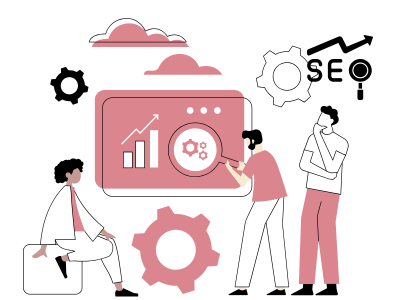
    person discussing seo

    In earlier years, SEO was often treated as a technical add-on handled by marketing teams. In 2026, it has become a strategic investment that directly impacts revenue.

    SEO influences how customers discover your brand, how trustworthy your business appears, and how easily people can access your products or services. It also affects how AI systems interpret and recommend your business.

    Unlike paid advertising, SEO continues to generate results long after the initial work is done. A well-optimized website can bring consistent traffic for years, making SEO one of the highest return-on-investment channels available to businesses today.

    The Rise of AI Search Makes SEO Even More Important

    Search is no longer limited to Google results pages.

    Millions of users now rely on AI tools such as ChatGPT, Bing AI, Claude AI users, voice assistants, and generative search experiences to ask questions like:

    “What is the best project management software for startups?”
    “Which SEO company is reliable for small businesses?”
    “How can I grow my business online?”

    These platforms pull information from high-quality, optimized websites. Businesses with strong SEO foundations are far more likely to be mentioned, summarized, or recommended.

    Without SEO, your content may never reach these AI systems in a meaningful way.

    SEO Builds Trust Before Customers Ever Contact You

    In 2026, customers are more cautious than ever. They research before buying.

    When your business consistently appears in top search results, users subconsciously associate your brand with credibility and authority. Ranking well signals that your business is established, relevant, and reliable.

    On the other hand, if your website is hard to find or poorly optimized, users may assume your business is outdated or untrustworthy, even if your products are excellent.

    SEO helps create a strong first impression long before any sales conversation begins.

    The Role of SEO Tools in Modern Business Growth

    person doing seo analysis

    SEO is no longer a manual or intuition-based activity. Search engines use hundreds of ranking signals, user behavior changes rapidly, and competitors constantly refine their strategies. Managing all of this without the right tools is nearly impossible. SEO tools help businesses monitor performance, discover opportunities, fix technical issues, track competitors, and measure real business impact. They turn SEO into a structured, data-driven process instead of trial and error.

    These tools help businesses answer critical questions such as: Which keywords bring high-quality leads? Why did rankings drop last month? Which pages convert best? What content gaps exist in the market? How does our website compare to competitors? By providing accurate, real-time data, SEO tools allow companies to optimize continuously, reduce wasted effort, and focus on strategies that generate revenue.

    SEO tools like Ahrefs Brand Radar also play a major role in AI-driven search visibility. Well-structured data, clean technical setups, and optimized content make it easier for AI systems and voice assistants to understand and recommend a business. As AI search grows, tools that track structured data, featured snippets, and conversational keywords are becoming essential.

    Below are some of the most important SEO tools businesses rely on:

    Google Search Console

    • Shows how your website appears in Google search results.
    • Identifies indexing issues, crawl errors, and mobile usability problems.
    • Reveals which queries bring traffic and which pages perform best.
    • Helps submit new pages for faster indexing.

    Google Analytics (GA4)

    • Tracks visitor behavior, traffic sources, and conversion paths.
    • Shows how users move through your website and where they drop off.
    • Helps measure ROI from SEO by connecting traffic with sales or leads.
    • Supports data-driven improvements to content and user experience.

    Ahrefs

    • One of the most powerful tools for backlink analysis and competitor research.
    • Helps identify which websites link to competitors but not to you.
    • Finds high-value keywords and content ideas based on search demand.
    • Tracks keyword rankings over time.

    SEMrush

    • An all-in-one platform for keyword research, technical audits, and competitor tracking.
    • Provides detailed site health reports and SEO recommendations.
    • Helps analyze paid ads and organic strategies used by competitors.
    • Supports content optimization and topic research.

    Ubersuggest

    • Beginner-friendly keyword research and content planning tool.
    • Shows keyword difficulty, search volume, and ranking opportunities.
    • Useful for small businesses with limited SEO budgets.
    • Helps discover long-tail keywords with high intent.

    Screaming Frog SEO Spider

    • Technical SEO auditing tool used to scan entire websites.
    • Finds broken links, duplicate content, missing meta tags, and redirect issues.
    • Helps improve site structure and crawl efficiency.

    Surfer SEO / Clearscope (Content Optimization Tools)

    • Analyze top-ranking pages to suggest content structure and keyword usage.
    • Help writers create SEO-friendly articles without keyword stuffing.
    • Improve chances of ranking for competitive topics.

    By using these tools together, businesses gain complete visibility into their SEO performance—from technical health and keyword rankings to customer behavior and competitive positioning. This allows companies to plan smarter campaigns, detect problems early, adapt to algorithm updates, and scale growth sustainably.

    SEO tools are not just helpful accessories. They are essential business intelligence systems that guide marketing strategy, content creation, website development, and long-term digital success.

    SEO Helps Small Businesses Compete with Big Brands

    One of the most powerful aspects of SEO is that it levels the playing field.

    Large corporations may have massive advertising budgets, but SEO allows smaller businesses to compete based on relevance, quality, and expertise rather than spending power.

    A well-written guide, a helpful blog post, or a locally optimized service page can outperform big brands in search results.

    This gives startups and local businesses a real chance to attract customers without burning money on continuous advertising.

    Local SEO Drives Real Customers to Physical Businesses

    For businesses that serve specific regions, SEO is even more critical.

    When people search for “restaurant near me” or “Nashville custom home builder” or “IT services in Bangalore,” local SEO determines which businesses appear in maps and local listings.

    Optimizing your business profile, collecting genuine reviews, and using location-based keywords can drive high-intent customers directly to your store or office. collecting genuine feedback via Podium Reviews, and using location-based keywords can drive high-intent customers directly to your store or office

    These users are often ready to take action, which makes local SEO one of the highest-converting digital strategies available.

    SEO Supports Every Stage of the Customer Journey

    SEO is not just about getting clicks. It supports the entire buying process.

    At the awareness stage, people search for general information and solutions.
    At the consideration stage, they compare products and services.
    At the decision stage, they look for reviews, pricing, and trust signals.

    By creating content for each of these stages, businesses can guide customers naturally from interest to purchase.

    SEO allows you to be present throughout this journey, building familiarity and confidence along the way.

    Paid Ads Are Temporary. SEO Is Long-Term.

    Advertising stops working the moment you stop paying.

    SEO, however, continues to deliver traffic and leads long after optimization efforts are completed.

    A single high-ranking article can attract visitors for years. A well-optimized service page can generate consistent inquiries month after month.

    In times of economic uncertainty or budget cuts, businesses with strong SEO foundations remain visible while others disappear from search results.

    SEO Improves Website Quality and User Experience

    Modern SEO is no longer about tricking search engines. It is about creating better websites for real users.

    Google and other platforms now prioritize sites that load fast, work well on mobile devices, are easy to navigate, and provide helpful information.

    By investing in SEO, businesses naturally improve their website design, structure, and usability.

    This leads to lower bounce rates, higher engagement, and better conversion rates.

    Data from SEO Helps Businesses Make Smarter Decisions

    SEO provides valuable insights into customer behavior.

    Businesses can see:

    What people search for
    Which pages perform best
    Which products attract the most interest
    Where visitors come from
    How long they stay

    This data can be used to refine marketing strategies, improve products, and identify new opportunities.

    Data-driven decision-making is essential, and SEO is one of the most reliable sources of customer intelligence.

    SEO Reduces Dependence on Social Media Algorithms

    Social media platforms constantly change their algorithms. A page that reaches thousands of people today may struggle to reach hundreds tomorrow.
    SEO offers more stability.

    Once your content ranks well, it tends to remain visible for long periods with minor maintenance.

    This protects businesses from sudden drops in traffic caused by platform changes.

    SEO Is Critical for Online Reputation Management

    When people search your business name, what they see matters.

    SEO allows you to control the narrative by ranking positive content such as your website, blog posts, case studies, and customer testimonials.

    Without SEO, negative reviews or irrelevant pages may dominate your brand searches.

    Industries Where SEO Is Absolutely Essential

    While SEO benefits every business, it is especially critical for:

    SaaS and software companies
    E-commerce stores
    Digital service providers
    Healthcare and clinics
    Educational platforms
    Real estate businesses
    Financial services
    Local service providers

    In these industries, competition is intense, and customers rely heavily on search before making decisions.

    Common Reasons Businesses Avoid SEO (and Why They Are Wrong)

    Some businesses still hesitate to invest in SEO because they believe it takes too long, is too technical, or is expensive.

    While SEO does require patience, the long-term rewards far outweigh the initial effort.

    Others think social media alone is enough. However, social media captures attention, while SEO captures intent. People searching are usually closer to making a decision.

    Avoiding SEO in 2026 is like opening a store without putting up a signboard.

    How Businesses Can Start with SEO Today

    The first step is understanding your audience and what they search for.

    Next, ensure your website is technically sound, mobile-friendly, and fast.

    Then focus on creating high-quality content that answers real questions related to your industry.

    Optimizing local listings, building trustworthy backlinks, and maintaining consistent branding across platforms further strengthens your presence.

    Even small improvements can lead to noticeable results over time.

    The Future of SEO for Business

    SEO will continue to evolve alongside AI, voice search, and personalization.

    However, the core principle will remain the same: businesses that provide useful, accurate, and accessible information will win.

    Those who invest early will gain authority that becomes harder for competitors to replicate.

    Final Thoughts

    In 2026, SEO is not just about ranking websites. It is about survival, visibility, and sustainable growth.

    Customers depend on search engines and AI tools to make decisions. If your business is not optimized for search, you are invisible to a massive portion of your market.

    SEO helps businesses attract customers, build trust, reduce advertising costs, and grow consistently.

    It is no longer optional.

    It is a necessity.

  • What Is Visual Merchandising? How It Attracts Customers and Boosts Sales

    What Is Visual Merchandising? How It Attracts Customers and Boosts Sales

    In today’s competitive retail world, customers don’t just buy products—they buy experiences. Whether it’s a physical store or an online shop, how products are presented plays a huge role in influencing buying decisions. This is where visual merchandising comes in.

    Visual merchandising is the art and science of displaying products in a way that attracts attention, engages customers, and encourages them to make a purchase. From eye-catching window displays to clean store layouts and appealing online product pages, visual merchandising directly impacts foot traffic, customer behavior, and sales performance.

    In this guide, we’ll explore what visual merchandising is, why it matters, key principles, types, strategies, and how businesses can use it to boost sales and build a strong brand identity.

    What Is Visual Merchandising?

    Visual merchandising refers to the strategic presentation of products, store layout, lighting, colors, signage, and overall aesthetics to make a retail space more appealing and easier to shop.

    Simply put, it’s how you visually communicate your brand and products to customers.

    The main goals of visual merchandising are:

    • To attract customers into the store or website
    • To guide them through the shopping journey
    • To highlight key products and promotions
    • To create a pleasant and memorable experience
    • To increase sales and customer loyalty

    It applies to both brick-and-mortar stores and ecommerce websites, making it a powerful tool for all types of retail businesses.

    Why Visual Merchandising Is Important in Retail

    Retail shoppers make many decisions subconsciously. Studies show that people form impressions within seconds of entering a store or landing on a website. If the space looks cluttered, confusing, or dull, customers may leave without buying anything.

    Here’s why visual merchandising is so important:

    1. Creates a Strong First Impression

    Your storefront or homepage is your first opportunity to grab attention. Attractive visuals invite customers in and build instant trust.

    2. Improves Customer Experience

    Clear layouts and organized displays make shopping easier and more enjoyable. When customers can quickly find what they need, they’re more likely to buy.

    3. Influences Buying Decisions

    Strategic product placement and lighting can highlight high-margin or trending items, encouraging impulse purchases.

    4. Strengthens Brand Identity

    Consistent colors, themes, and designs communicate your brand personality—whether it’s luxury, affordability, eco-friendly, or trendy.

    5. Increases Sales and Conversion Rates

    Better presentation leads to longer store visits, higher engagement, and more purchases per customer.

    How Visual Merchandising Attracts Customers

    Visual merchandising works because it connects with human psychology. People naturally respond to visual cues more than text or technical details.

    Here’s how it draws customers in:

    1. Eye-Catching Window Displays

    A creative window display tells a story and sparks curiosity. Seasonal themes, lifestyle scenes, or new arrivals can instantly attract passersby.

    2. Smart Use of Colors

    Colors influence emotions. For example:

    • Red creates urgency and excitement
    • Blue builds trust
    • Black signals luxury
    • Green represents sustainability

    Choosing the right color palette helps shape how customers feel about your brand.

    3. Lighting That Highlights Products

    Good lighting directs attention to important items and creates a welcoming environment. Spotlights, warm tones, and accent lighting can dramatically change how products look.

    4. Clean and Organized Layout

    Clutter confuses customers. Clear pathways and structured sections help shoppers move comfortably and explore more products.

    5. Visual Storytelling

    Using props, mannequins, and themed displays helps customers imagine using the product in real life.

    How Visual Merchandising Boosts Sales

    Beyond attraction, visual merchandising directly influences purchasing behavior.

    A. Encourages Impulse Buying

    Placing small, affordable items near checkout counters or popular areas increases last-minute purchases.

    B. Highlights Profitable Products

    Retailers can promote high-margin or overstocked items using premium placement and attractive displays.

    C. Increases Time Spent in Store

    The longer customers stay, the more likely they are to buy. A visually pleasing environment keeps them engaged.

    D. Improves Product Discoverability

    Customers are more likely to notice new arrivals and complementary products when displays are well planned.

    E. Builds Customer Loyalty

    A memorable shopping experience encourages repeat visits and word-of-mouth recommendations.

    Types of Visual Merchandising

    Visual merchandising can be applied in several ways depending on the type of retail business, store size, products, and customer expectations. Each type plays a unique role in attracting shoppers, guiding them through the store, and encouraging them to make purchases. Understanding these types helps retailers design better shopping experiences and improve sales performance.

    1. Window Display Merchandising

    Window display merchandising focuses on designing attractive storefront displays that capture the attention of people walking by. It acts as the first visual communication between the brand and potential customers. A well-planned window display can highlight new arrivals, seasonal collections, or special offers while reflecting the brand’s personality and style. By using lighting, mannequins, props, and creative themes, retailers can spark curiosity and motivate customers to step inside the store.

    2. In-Store Merchandising

    In-store visual merchandising refers to how products and spaces are organized within the store. This includes the layout of aisles, placement of shelves, use of signage, positioning of counters, and overall store flow. The goal is to make navigation simple and shopping enjoyable. When customers can easily find what they are looking for and discover new products naturally, they tend to spend more time in the store, which often leads to higher sales.
    3. Product Display Merchandising

    Product display merchandising concentrates on how individual products or collections are showcased. Instead of displaying everything at once, retailers highlight selected items using special tables, shelves, or brand-focused sections. This approach draws attention to premium products, new launches, or discounted items and helps customers quickly understand what is important or trending in the store. It also supports cross-selling by placing related products near each other.

    4. Mannequin Merchandising

    Mannequin merchandising is widely used in fashion and lifestyle retail to help customers visualize how clothing and accessories look when worn. Mannequins create real-life styling examples that inspire outfit ideas and encourage shoppers to purchase complete looks rather than single items. When placed near entrances or in window displays, mannequins also serve as powerful visual tools to attract foot traffic.

    5. Point-of-Purchase Merchandising

    Point-of-purchase visual merchandising focuses on the checkout area where customers finalize their purchases. This space is strategically used to display small, affordable, and complementary items that encourage impulse buying. Products placed near the billing counter often receive attention while customers wait in line, increasing the chances of additional sales without much effort.

    6. Seasonal Visual Merchandising

    Seasonal visual merchandising involves updating store displays to match festivals, holidays, weather changes, or special events. Retailers redesign their stores during occasions such as Diwali, Christmas, summer sales, or back-to-school seasons to stay relevant and appealing. These time-based displays create urgency and emotional connection, making customers more likely to shop during limited periods.

    7. Thematic or Concept-Based Merchandising

    Thematic merchandising uses a specific concept or story to design product displays. For example, a store may create a travel theme, eco-friendly lifestyle theme, or luxury living concept to emotionally connect with customers. Instead of just showing products, this approach builds a narrative that helps shoppers imagine how the products fit into their daily lives. It also strengthens brand identity and creates a memorable in-store experience.

    8. Digital Visual Merchandising

    Digital visual merchandising is essential for ecommerce stores and modern retail environments. It includes website design, product photography, homepage banners, navigation structure, category pages, and even digital screens inside physical stores. Since online shoppers cannot physically touch products, high-quality visuals and user-friendly layouts play a major role in building trust and increasing conversion rates.
    Tools that allow retailers to remove objects from photos have become invaluable for digital merchandisers, enabling them to present clean, distraction-free product visuals that drive higher conversion rates.

    9. Sensory Visual Merchandising

    Sensory visual merchandising combines visual design with other sensory elements such as lighting, music, colors, and spatial arrangement to shape the overall atmosphere of a store. While multiple senses are involved, visual presentation remains the foundation. For example, luxury stores often use soft lighting and elegant colors, while fast-fashion brands prefer bright lights and bold visuals to create energy and excitement.

    10. Sustainable Visual Merchandising

    Sustainable visual merchandising focuses on using eco-friendly materials and responsible design practices. Retailers may use recycled props, reusable decorations, and energy-efficient lighting to reduce environmental impact. This approach not only lowers long-term costs but also appeals to environmentally conscious customers and improves brand reputation.

    Visual Merchandising for Ecommerce Stores

    Visual merchandising isn’t limited to physical stores. Online retailers rely heavily on visuals to convert visitors into buyers.

    Key elements include:

    • High-quality product images from multiple angles
    • Clean website layout and easy navigation
    • Clear categories and filters
    • Consistent branding
    • Attractive banners and featured collections
    • Mobile-friendly design

    Well-designed ecommerce visual merchandising improves trust and reduces bounce rates.

    Visual Merchandising Strategies That Work

    Successful visual merchandising is not just about making a store look attractive. It is about using smart, proven strategies that guide customer behavior, highlight the right products, and ultimately increase sales. Below are some of the most effective visual merchandising strategies used by modern retailers.

    A. Use the Rule of Three

    The rule of three is a simple yet powerful design principle that states that objects arranged in odd numbers, especially three, are more visually appealing and memorable to the human eye. When products are displayed in groups of three, they naturally create balance and harmony, making the display look organized rather than crowded. Retailers often use this technique on feature tables, window displays, and promotional shelves to draw attention to key items without overwhelming customers.

    B. Tell a Story Through Displays

    Instead of placing products randomly on shelves, effective retailers use storytelling to create emotional connections. Lifestyle-based displays help customers imagine how a product fits into their everyday life. For example, a custom clothing store may design a display showing a complete outfit for office wear or a weekend trip, while a home décor store may recreate a cozy living room setup.

    Similarly, a jewellery brand like Ice Cartel can curate elegant showcases that tell a story of luxury and personal style—such as pairing statement pieces with occasion-based themes like weddings, parties, or everyday glam.Story-driven displays make shopping more engaging and encourage customers to buy multiple related items.

    C. Leverage Customer Behavior Data

    Modern visual merchandising relies heavily on data and customer insights. Retailers analyze foot traffic patterns, heat maps, and purchase behavior to understand which areas of the store receive the most attention. High-traffic zones are ideal for placing bestsellers, new arrivals, or high-margin products. This strategy ensures that the most profitable items get maximum visibility, increasing the chances of conversion and improving overall sales performance.

    D. Rotate Displays Regularly

    Keeping displays fresh is essential to maintain customer interest. When shoppers see the same setup repeatedly, it becomes invisible over time. Regularly changing product placements, themes, and featured collections gives customers a reason to explore the store again. Seasonal updates, weekly promotions, or monthly refreshes help create a sense of novelty and urgency, encouraging repeat visits and impulse purchases.

    E. Invest in Visual Merchandising Tools

    Professional tools significantly enhance the effectiveness of visual merchandising. Mannequins help customers visualize how products will look when used or worn. Signage communicates offers and guides customer movement. Quality design and print materials like promotional posters, shelf signage, and branded banners help maintain visual consistency and elevate the professional appearance of your displays.
    Likewise mirrors improve the shopping experience in fashion stores, while digital screens can showcase promotions, brand stories, or product videos. Props and decorative elements add depth and personality to displays, making the store environment more immersive and memorable.

    F. Train Staff to Maintain Displays

    Even the best-designed displays lose their impact if they are not properly maintained. Staff training is crucial to ensure shelves stay organized, mannequins remain well-dressed, signage is updated, and damaged displays are fixed quickly. When employees understand the importance of visual merchandising, they naturally contribute to keeping the store attractive and customer-ready at all times. This consistency directly affects customer perception and brand credibility.

    Common Visual Merchandising Mistakes to Avoid

    • Overcrowded shelves
    • Poor lighting
    • Inconsistent branding
    • Ignoring customer flow
    • Outdated or dusty displays
    • Lack of signage or price tags

    Avoiding these mistakes can significantly improve customer satisfaction.

    FAQs on Visual Merchandising for Businesses

    1. How does visual merchandising increase sales?
    It improves product visibility, guides customers, and encourages impulse buying.

    2. Is visual merchandising useful for small businesses?
    Yes, it helps any store look professional and attract more customers.

    3. How often should displays be updated?
    Every 2–4 weeks or during new launches and seasons.

    4. Does visual merchandising apply to online stores?
    Yes, through website layout, images, banners, and navigation.

    5. What are the key elements of visual merchandising?
    Product placement, lighting, layout, colors, and signage.

    6. Is a big budget required?
    No, simple organization and creative displays can be effective.

    7. Can visual merchandising improve brand image?
    Yes, it creates a consistent and recognizable brand experience.

    8. Which businesses benefit the most?
    Retail, fashion, electronics, supermarkets, and ecommerce stores.

    9. Should staff be trained in visual merchandising?
    Yes, to maintain clean and effective displays.

    10. What is the biggest mistake to avoid?
    Overcrowding products and poor lighting.

    Final Thoughts

    Visual merchandising is much more than decorating a store—it’s a powerful marketing strategy that influences how customers feel, think, and buy. When done right, it attracts customers, enhances their shopping experience, communicates brand value, and builds long-term loyalty.
    Whether you run a small local shop or a large ecommerce store, investing in visual merchandising can deliver measurable returns.
    If you want your products to stand out in a crowded marketplace, start by improving how they are seen.

  • Top AI RFP Software for Your Business in 2026 – The Only Guide That You’ll Ever Need!

    Top AI RFP Software for Your Business in 2026 – The Only Guide That You’ll Ever Need!

    If you work in enterprise sales, you know the “Frankenstein Draft.” For those who don’t know about it – it’s a proposal cobbled together from mismatched fonts, conflicting data points, and inconsistent tones – a monster created by too many contributors and zero version control.

    And for a scaling business, this isn’t just a formatting headache but a tangible risk to your brand reputation and win rates.

    For years, we accepted this as the cost of doing business. We bought “RFP Software” , which was essentially just a glorified filing cabinet and a search bar sitting on top of a static library of stale answers.

    But today that definition has changed! 

    In 2026, we aren’t just looking for search anymore; we are looking for reasoning. The new big wave of AI RFP software doesn’t just copy-paste; it reads, understands context, acts like a specialized proposal manager, and lives where your team works.

    So, if you are evaluating your tech stack this quarter, this is your comprehensive guide to the top 8 AI RFP platforms defining the market right now.
    We’ve categorized these tools in the main four categories for easy and clear understanding! 

    Category 1: The AI Agentic Innovators (Reasoning Over Search)

    These platforms represent the newest generation of technology. They don’t just “find” answers; they actively write them based on live data, making them the top AI RFP software for forward-thinking teams. 
    1. Inventive AI

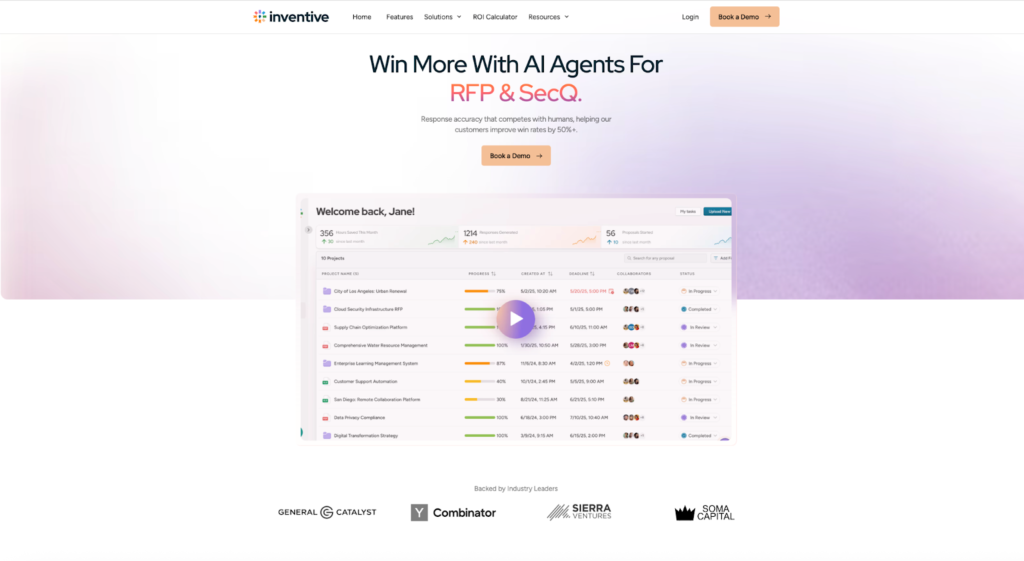
    inventive.ai homepage

    Best For: High-growth revenue teams who need speed and strategic depth.

    Inventive AI has emerged as the standout choice for teams tired of maintaining massive, dusty content libraries. While legacy tools rely on keyword matching, Inventive is built on a “Context Engine” and “AI Agents.”

    And this is their fundamental architectural difference. 

    Instead of asking you to manually upload Q&A pairs, Inventive connects directly to your company’s brain – your Google Drive, Notion, SharePoint, and Salesforce. It indexes this unstructured data and uses it to ground every answer.

    Why it wins on Depth:

    • The “Conflict Manager”: This is a killer feature for anyone who has ever submitted outdated info. Inventive’s AI actively spots contradictions (e.g., “This security answer says we are SOC2 Type 1, but this folder contains a Type 2 report”) and flags them for human review before you generate the draft.
    • Research Agents: It doesn’t just look internal. It employs specialized agents that can analyze a competitor’s public pricing page to suggest “ghosting” strategies in your proposal.
    • 10x Speed: Because it requires less manual “tagging” of content, teams report a 90% reduction in drafting time.

    The Verdict: If you want to move from “managing a library” to “winning deals,” this is the modern choice.

    Pricing: Usage based pricing(Per RFP)

    Reviews: 

    review screenshot

    Overall Rating: 4.9/5 Rated High Performer

    Category 2: The Legacy Heavyweights (Project Management Focus)

    These tools are designed for massive organizations where the primary challenge is coordination across 50+ stakeholders rather than just writing text.

    2. Responsive (formerly RFPIO)

    responsive homapage

    Best For: Global enterprises handling massive volume (RFPs, RFIs, DDQs).

    Rather than an RFP tool, it’s a “Strategic Response Management”platform. It handles RFPs, RFIs, Security Questionnaires, DDQs, and even SOWs.

    • The Superpower: Project Management. If you need to coordinate 50 SMEs across 12 time zones for a single 4,000-question government bid, Responsive gives you the Gantt charts, granular permissions, and sub-tasks you need.
    • The Trade-off: It can feel bloated. For a nimble sales team that just wants to get a proposal out the door, the learning curve is steep, and the implementation can take months.

    Pricing: Contact sales for a custom quote (Pricing varies by seat count).

    Reviews: 

    review screenshot

    Overall ratings: 4.5/5 Stars. 

    3. Qvidian (Upland)

    qvidian homepage

    Best For: Highly regulated industries (Banking, Insurance, Telecom).

    Part of the Upland ecosystem, Qvidian is a legacy player that helps in compliance. If your proposals need to pass through three layers of legal review and adhere to strict formatting standards (like specific font sizes for government bids), Qvidian is a good contender.

    • The Superpower: Document Assembly. It excels at stitching together complex, legally compliant documents where “getting creative” with AI is actually a risk.
    • The Trade-off: The UI feels dated compared to modern SaaS tools, and its “Generative” capabilities are often add-ons rather than core architectural features.

    Pricing: Contact sales for a custom quote. (Subscription-based model)

    Reviews: 

    review screenshot

    Overall ratings – 4.3/5 Stars

    Category 3: The Library Giants (Curation Focus)

    These platforms are excellent if you have a dedicated team of “Knowledge Managers” whose full-time job is to curate and tag content.

    4. Loopio

    loopio homepage

    Best For: Mid-to-Large enterprises with dedicated RFP teams.

    Loopio defined the RFP category for the last decade. It is reliable and well-structured.

    • The Superpower: The “Magic” feature (automation) is good for exact matches. If you have a question that has been answered 100 times before in the exact same way, Loopio will find it instantly.
    • The Trade-off: It struggles with the “Grey Area.” If a question is slightly nuanced or requires synthesizing information from three different documents, legacy library tools often return “No Match” or generic fluff. It relies heavily on you keeping the library clean manually.

    Pricing: Contact sales for a custom quote. (Generally starts around $20,000 annually for its entry-level Foundations plan (10 users), with custom pricing for Enhanced and Enterprise tiers based on company size, features, and needs) 

    Reviews: 

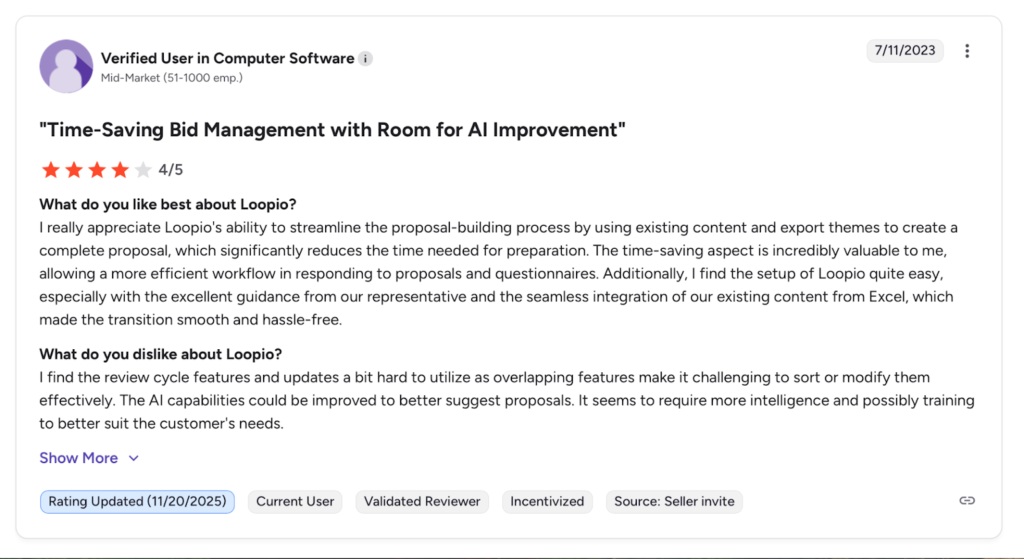
    review screenshot

    Overall ratings – 4.6/5 Stars

    5. Ombud

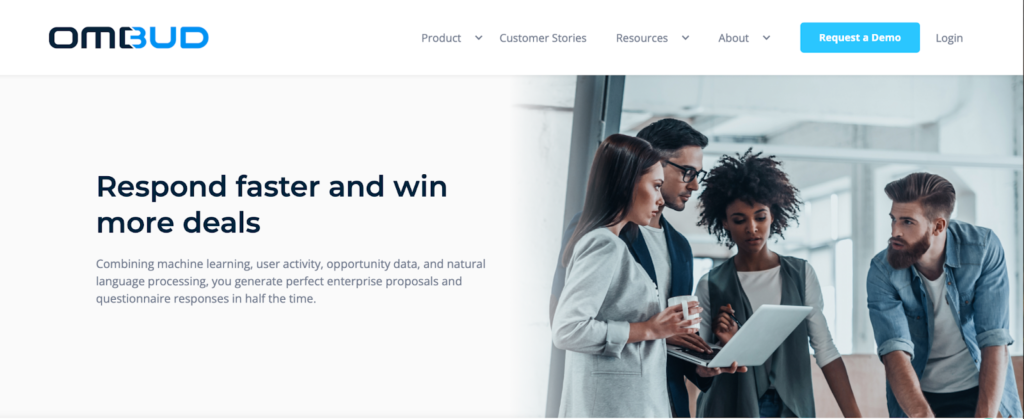
    ombud homepage

    Best For: Sales-led organizations focusing on “Content Orchestration.”

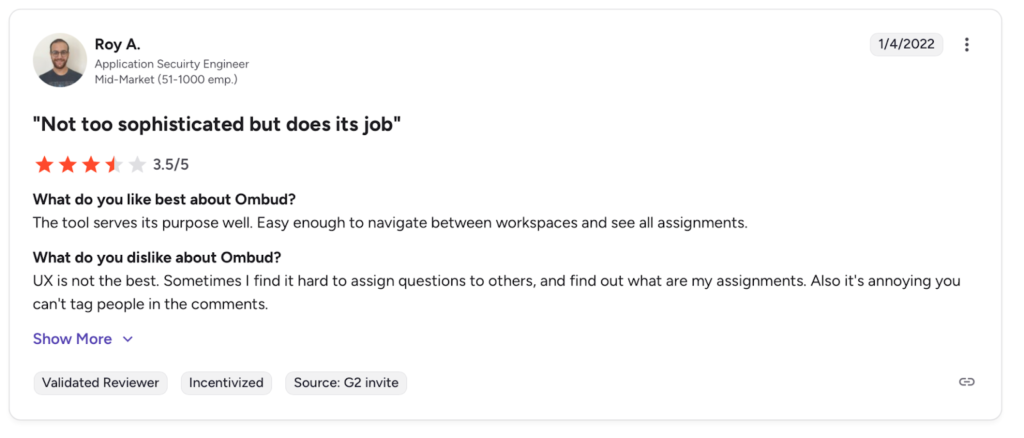
    Ombud positions itself slightly differently – less as an “RFP tool” and more as a “Revenue Content” platform. It’s designed to help Account Executives find the best slide decks, case studies, and one-pagers, in addition to answering RFPs.

    • The Superpower: Visuals. Ombud handles rich media (images, charts, slides) better than most text-heavy RFP tools, making it a favorite for sales engineering teams.
    • The Trade-off: It can be “overkill” if you just need to answer simple security questionnaires or Excel grids. Because it positions itself as a broader “Sales Content” platform, it often comes with a higher price tag and complexity. If you don’t need the slide generation or sales collateral features, you might be paying for a Ferrari when you just need a delivery van.

    Pricing: Contact sales for a custom quote. (Generally falls in the range of $30 to $100+ per user per month) 

    Reviews: 

    review screenshot

    Overall ratings: 4.7/5 Stars.

    Category 4: The Specialists (Niche & Speed)

    These tools have carved out a specific niche, solving one problem exceptionally well.

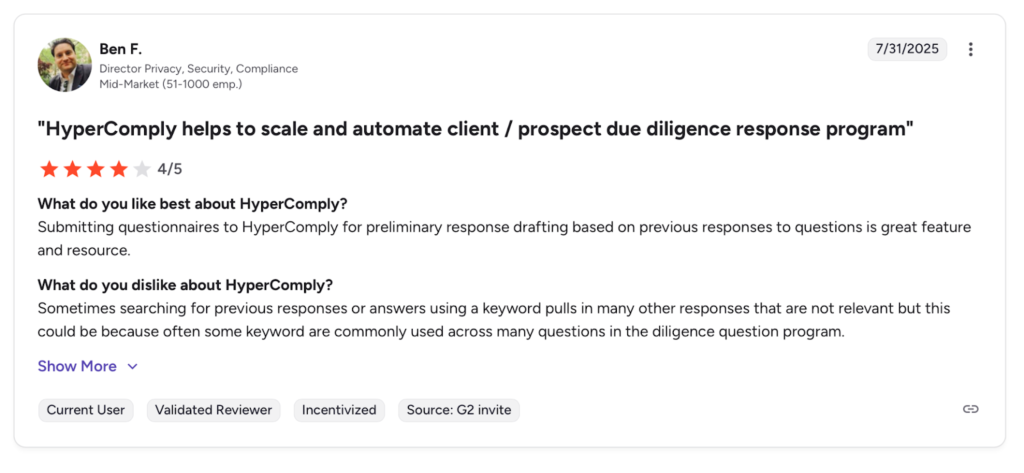
    6. HyperComply

    hypercomply hompage

    Best For: High-growth SaaS companies drowning in Security Questionnaires.

    While most tools try to do everything, HyperComply focuses ruthlessly on one thing: Security Questionnaires (VSQs). 

    If your sales engineering team spends 50% of their week filling out 300-row Excel grids for InfoSec reviews, this is the specialist tool you need.

    • The Superpower: Accuracy. They use a hybrid approach where AI fills the pass, but they can also loop in human experts to review the answers, guaranteeing a high acceptance rate from your prospects’ security teams.
    • The Trade-off: It is a niche tool. It isn’t designed to write beautiful 50-page prose proposals or manage complex government bids. It’s a “Grid Filler” specialist.

    Pricing: Contact sales for a custom quote. (Introductory tiers are noted around $500/year (or $1,000/month for growth plans) for basic features, with discounts for startups, while enterprise plans are custom and based on usage) 

    Reviews: 

    review screenshot

    Overall ratings – 4.3/5 Stars. 

    7. RocketDocs

    rocketdocs hompage

    Best For: Financial Services and Security Questionnaires.

    RocketDocs (formerly ResponseFull) has a long history in the banking and security sectors. It is built for “Accurate” response management rather than “Creative” proposal writing.

    • The Superpower: Security Questionnaires. It has specialized features for parsing those nasty, massive Excel-based security grids that every SaaS vendor dreads.
    • The Trade-off: It lacks the “Agentic” flair of tools like Inventive. It’s a tool for filling out forms, not for crafting a persuasive narrative.

    Pricing: Contact sales for a custom quote.

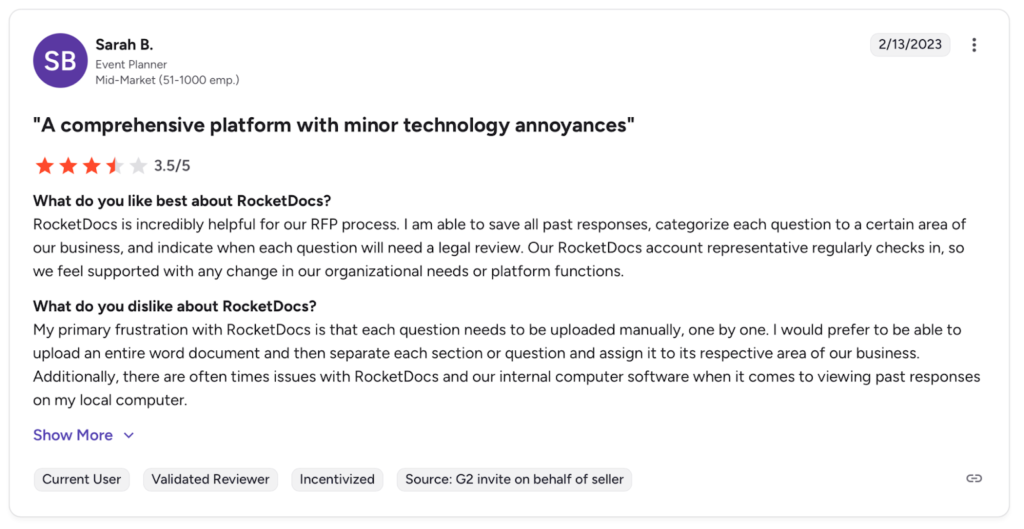
    Reviews: 

    review screenshot

    Overall rating – 4.2/5 Stars. 

    The Real Pain That You Need to Solve with AI RFP Tool – The “Stale Content” 

    person working on pc

    Why do most RFP software implementations fail after 18 months? 

    Because of Content rot.

    In the excitement of Q1, you upload 500 “perfect” answers. By Q4, your product has changed, your pricing model has pivoted, and your security compliance has been updated. Suddenly, your “Source of Truth” is a library of lies.

    This is where the distinction between Inventive AI and the legacy players becomes critical.

    Legacy tools (Loopio, Responsive) rely on humans to manually expire and update content. It’s a chore that no one does. 

    Inventive AI solves this by treating your live documents (Notion, GDrive) as the source. If your Product Manager updates the roadmap in Notion today, Inventive knows about it tomorrow.

    Choose The Best AI RFP Tool, Choose Inventive AI 

    For the last ten years, the RFP market was defined by “Librarians” tools designed to store, tag, and organize static answers. Loopio and Responsive were the kings of that era.

    But in 2026, buying a “better filing cabinet” is no longer a competitive advantage. The bottleneck isn’t finding old answers; it’s synthesizing new, winning narratives from live data.

    While other tools are busy acquiring Salesforce plugins or adding “Generative” buttons to old architectures, Inventive AI is the only platform built natively for the Agentic future. It doesn’t just manage your content; it actively works alongside you to kill the busy work.

    If you are still buying software to organize a library, you are solving a 2015 problem. If you want to solve the 2026 problem of winning more deals with less effort, there is really only one choice.

    Stop managing. Start inventing.

  • Avoid These Mistakes While Setting Up Your Shopify Store 

    Avoid These Mistakes While Setting Up Your Shopify Store 

    Launching a Shopify store is one of the fastest ways to start selling online, but many new store owners make simple setup mistakes that hurt traffic, conversions, and customer trust. From poor store design and missing SEO basics to confusing navigation and weak product pages, these errors can silently reduce sales before your business even gains momentum. Understanding what to avoid during the setup stage helps you build a professional, high-performing Shopify store that ranks better on search engines and converts visitors into loyal customers.

    Starting with the right foundation is essential because your store’s structure, speed, and user experience directly affect how customers perceive your brand and how Google ranks your site. By identifying and fixing common Shopify setup mistakes early, you can save time, reduce future redesign costs, and create a smoother shopping experience that supports long-term growth.

    Here are some common mistakes to avoid, ensuring your store starts strong.

    shopify logo and mobile phone

    1. Ignoring Domain Configuration and DNS Setup

    When setting up your Shopify store, one common rookie mistake is skipping proper DNS configuration when connecting your custom domain. Always check DNS records to ensure they point correctly to Shopify’s servers.

    A custom domain hosting a Shopify store must point to Shopify’s servers. To do that, proper DNS records need to be set up. If that’s not done correctly, your store may appear to be offline or give SSL errors. 

    The real problem here is that it’s easy to miss improper records. To verify that your records are correct, you need to do a DNS lookup. This is possible with free online tools that can check any public domain’s records. 

    The critical records to check here are the following:

    • A/AAAA records (map domain names to IP addresses)
    • CNAME records (responsible for pointing your domain to Shopify)
    • TXT records (used for domain verification)

    So, don’t overlook this crucial step.

    2. Using Default or Unbranded Themes

    A store should look professional and well-made. That’s because impressions can make or break your store’s reputation. When launching a new store, you lack credibility, so you must win your customers’ trust through your store’s presentation and technical prowess.

    A common mistake many people make is using the default Shopify theme for their store. Or, they use one of the many generic themes available for free.

    This is a mistake because it makes your store appear like a knockoff, which in turn reduces its trustworthiness. Alternatively, building a custom Shopify theme allows you to create a truly unique experience tailored specifically to your brand.

    That’s why you should always make the following changes to your theme:

    • Customize the colors to match those of your brand
    • Add your logo to various places
    • Refine the product page layouts to better suit your brand.
    • Remove elements from the theme that you don’t need

    In this way, you can make your store look unique and professional instead of generic and uninspired.

    3. Forgetting to Optimize Product Images

    Setting up a store is hard work. There are so many product pages to create, so many images to upload, and so many descriptions to write. At the end of it all, you are just happy that it’s over. But it’s not over. You still have to optimize the product images for loading.

    Many people forget this step and upload uncompressed FHD images that take longer to load. The increased loading times can lead to a higher bounce rate of your store and reduce the number of conversions you can get. 

    So, don’t forget to optimize the images. You can achieve this by using an image compressor that reduces the size without compromising too much detail. There are plenty of free options, and you can search for specific tools with queries like “compress JPG,” “compress PNG,” etc.

    Although Shopify offers some image optimization features, manually compressing images is still preferable, as it provides more control.

    4. Neglecting SEO and Meta Details

    A store is only successful if it can be found via search engines. This means that SEO is important for your Shopify store to succeed. However, new store owners often overlook this crucial detail, only to wonder why their store isn’t generating any traffic or conversions.

    Some key strategies to make your products more discoverable are outlined below.

    • Create descriptive URLs for product pages.
    • Use keywords in the product page so that they can be indexed and found on the SERPs.
    • Avoid using numbers and random strings in product names
    • Add meta titles and meta descriptions to each product page

    Doing so will dramatically increase the likelihood of your products being featured on the SERPs.

    5. Not Setting Up Analytics and Tracking

    A key part of running a successful store is analytics. When you can track user behaviour in your store, you can draw valuable insights about which products work, which ones are performing poorly, and even bottlenecks in your sales funnel. 

    However, many people forget this due to either ignorance or forgetfulness. To address this issue, consider integrating Google Analytics and Facebook Pixel from the outset. 

    These tools help track visitor behavior, identify high-performing products, and understand where your traffic comes from, allowing you to modify your marketing efforts accordingly.

    6. Overlooking Mobile Optimization

    Since Shopify stores are primarily created on PCs and laptops, beginners often overlook the need to optimize their stores for mobile devices. After all, in 2025, more than half of the internet’s traffic comes from mobile devices.

    That’s why you should test your store’s responsiveness, check how buttons look on smaller screens, and see how elements are rearranged from desktop view.

    Don’t forget to test on multiple devices before launch to nail the correct look.

    7. Failing to Create Essential Pages

    Never forget about important pages on your store like “About Us,” “Contact,” “Return And Exchange Policy,” and “Privacy Policy.” These pages are central to creating trust among your audience. If you miss them for any reason, people will be hesitant to shop from you, and your store’s performance will suffer.

    It’s not that hard to create these pages; Shopify provides templates that you can personalize. Just ensure they are easily accessible to gain trust quickly.

    8. Not Backing Up Store Data

    Store data needs to be backed up because you always want to have a stable version of your store to fall back on. 

    You may be trying out different versions and themes to see what sticks, but such massive changes can accidentally break your store. In such cases, having a backup is a huge time saver.

    Shopify doesn’t provide backup services, so you will have to arrange for your own. You can back up your data in a variety of ways using different apps. So, use something that works for you and keep your store data safe.

    9. Launching Without Testing Everything

    Finally, before you launch, you must do a test run and a full pre-launch audit. You must check for things like:

    • Page navigation
    • Test hyperlinks
    • Validate DNS propagation
    • Email sender tests
    • Payment gateways
    • Product pages
    • Cart and checkout menus

    Perform test transactions and complete multiple passes of your buying cycle to verify that everything works correctly. Do so on different devices and various kinds of OS to find errors beforehand. 

    If you don’t do this, you will run into customer complaints and issues on day one, and that is terrible for business. So, get that out of the way before launch. 

    online store icons

    Conclusion

    Setting up a Shopify store involves more than just uploading products and going live. There are several things you need to check. 

    In this article, we covered some of the most common mistakes made by new store owners. These include overlooking technical factors like DNS accuracy, SEO, and testing. All of these contribute to building trust and ensuring smooth operations from day one; neglecting them will hinder your store’s success.

  • SEO for Manufacturers: Overcoming Common Challenges and Gaining an Edge in the Market

    SEO for Manufacturers: Overcoming Common Challenges and Gaining an Edge in the Market

    Most manufacturers don’t doubt SEO because they think it doesn’t work. They doubt it because they can’t see where it fits. It sits somewhere between marketing, sales, and operations, owned by no one and questioned by everyone. Traffic goes up, reports look fine, yet nothing changes on the shop floor.

    The problem is not effort. It’s direction. Manufacturing SEO breaks down when it follows generic rules instead of real buying behavior. When done with intent, SEO for manufacturers becomes less about rankings and more about control over how your company is understood before the first conversation.

    This piece looks at the challenges that get in the way of that control and how manufacturers can turn SEO into a real advantage instead of a lingering question mark.

    Understanding Why SEO Is Harder for Manufacturers

    Manufacturing SEO fails when it is treated like any other industry. The buying process, search behavior, and evaluation criteria are different. Before solving the challenges, it is important to understand why they exist in the first place.

    Long And Complex Buying Cycles

    Manufacturing decisions rarely happen quickly. A single project can involve engineers, procurement teams, operations, and management.

    • Buyers spend weeks or months researching before contacting a supplier. During that time, they revisit multiple pages, compare suppliers, and narrow options.
    • SEO content must support this extended research process. Pages that only aim to rank but fail to inform get ignored.
    • If your site does not help buyers move forward mentally, it will not convert, even if traffic improves.

    SEO in manufacturing has to support decision-making, not just discovery.

    Technical Audiences With Low Tolerance For Fluff

    Manufacturing buyers are trained to spot vague claims. They read critically and quickly.

    • Engineers look for accuracy, not persuasion. If terminology is loose or unclear, trust drops immediately.
    • Procurement teams scan for proof that a supplier can deliver consistently and at scale.
    • Marketing-heavy language creates friction rather than interest.

    SEO content must sound like it was written by someone who understands the work, not someone trying to sell it.

    Narrow Search Demand And High Specificity

    Unlike consumer markets, manufacturing keywords are often low volume and highly specific.

    • Many valuable searches may only happen a few dozen times per month.
    • Generic SEO strategies often dismiss these keywords as too small to matter.
    • In reality, these searches often represent real projects with high contract value.

    Manufacturing SEO rewards precision more than scale.

    Core Challenges That Hold Manufacturing SEO Back

    Manufacturing SEO usually stalls for the same few reasons. These are not surface-level mistakes like missing keywords or weak metadata. They are deeper issues tied to how manufacturers describe their work, structure their sites, and connect SEO with real buying behavior. Until these are fixed, rankings might move, but lead quality won’t.

    Lack Of Clear Capability Definition

    Many manufacturing websites talk about what they do in broad terms, hoping to appeal to everyone. This creates confusion instead of interest.

    • Capability pages often skip over specifics like materials, tolerances, volumes, or constraints. Buyers are left guessing whether you can actually handle their requirements. When there’s doubt, they don’t reach out.

    • SEO also suffers because search engines can’t clearly understand what you specialised in. Pages that lack clarity struggle to rank for meaningful, high-intent searches, which ultimately weakens your ability to support effective link acquisition from authoritative industry sites.

    Clear definition is the foundation. Without it, every SEO effort sits on weak ground.

    Overreliance On Broad, High-Volume Keywords

    Manufacturers are often pushed toward keywords that look impressive in reports but don’t reflect real buying intent.

    • Broad terms attract students, researchers, or early-stage browsers who are not ready to engage a supplier. This inflates traffic but wastes sales time.
    • Meanwhile, specific searches tied to real projects are ignored because their volume looks too low. Those low-volume searches often represent real work and real revenue.

    Chasing volume slows ROI and hides what actually works.

    Content That Avoids Specifics

    Manufacturing content is often written cautiously to avoid errors, but this caution turns into vagueness.

    • Pages repeat safe phrases like quality, precision, and expertise without explaining what they mean in practice. Buyers learn nothing new and feel no confidence.

    • Search engines also struggle to rank content that lacks depth and context. Thin pages blend into the noise instead of standing out.

    Specificity builds trust. Avoiding it weakens both SEO and conversion.

    Complex Sites That Grew Without Structure

    Manufacturing websites tend to evolve over years as new services, industries, and pages are added. Structure rarely keeps up.

    • Important capability pages get buried under layers of navigation. Buyers struggle to find what they’re looking for and leave.

    • Search engines waste time crawling outdated or redundant pages, which reduces visibility for the pages that actually matter.

    Good SEO depends on clean structure, not just good content.

    SEO Disconnected From Sales Reality

    SEO often runs in isolation from sales teams, which limits its effectiveness.

    • Marketing tracks traffic and rankings, while sales judges success by lead quality and closed deals. Without shared metrics, trust breaks down.

    • Valuable insights from sales calls never make it back into content or keyword strategy, so SEO misses real buyer language and concerns.

    When SEO reflects real sales conversations, results improve faster and feel more relevant internally.

    Solving Manufacturing SEO Challenges with Intent and Structure

    Solving Manufacturing SEO Challenges with Intent and Structure

    Manufacturing SEO improves when it is treated less like a marketing task and more like an operational system. The companies that get results stop reacting to algorithms and start designing their SEO around how decisions are actually made, both internally and by buyers.

    Shift SEO From Visibility Goals To Decision Support

    Many SEO strategies fail because they chase exposure instead of helping buyers decide.

    • Manufacturing buyers use search to reduce risk. They are not looking for inspiration or brand stories. They want confirmation that a supplier understands their problem and can deliver without surprises. When SEO pages are designed to support that decision, rankings become secondary to usefulness.

    • This means prioritising pages that help buyers compare options, understand trade-offs, and assess fit. SEO works faster when pages answer “Should I choose you?” instead of “What do you do?”

    Decision support creates trust, and trust converts better than visibility alone.

    Treat SEO As Part Of Product And Process Communication

    Manufacturing SEO often breaks down because it is disconnected from operations.

    • The strongest SEO content comes from documenting real processes, constraints, and quality controls. When SEO reflects how work actually happens on the floor, it feels credible and hard to copy.

    • Involving operations or engineering in content creation improves accuracy and reduces generic messaging. This also ensures SEO stays aligned as capabilities change.

    SEO becomes more durable when it mirrors internal reality instead of marketing assumptions.

    Use Search Data To Sharpen Positioning

    Search behavior reveals how the market sees you, even when sales conversations lag behind.

    • Patterns in search terms can show which capabilities attract interest and which ones confuse buyers. This insight can guide not just SEO, but broader positioning decisions.

    • Pages that attract the wrong audience are signals, not failures. They highlight mismatches between messaging and market demand.

    Using SEO as feedback helps refine focus instead of spreading effort thin.

    Design For Comparison, Not Just Discovery

    Manufacturing buyers compare suppliers before contacting them. SEO pages should reflect that reality.

    • Instead of isolated service descriptions, content should acknowledge alternatives, limitations, and common decision criteria. This helps buyers feel informed rather than sold to.

    • Pages that address why one approach fits certain projects and not others tend to keep buyers engaged longer and improve contact rates.

    Comparison-friendly content stands out because most competitors avoid it.

    Build Consistency Across Touchpoints

    SEO rarely fails on its own. It fails when it contradicts other signals.

    • Messaging on SEO pages should match sales conversations, proposal language, and how teams talk about capabilities internally. Inconsistency creates doubt.

    • Consistent language and framing across the site, sales materials, and outreach reinforce credibility and reduce friction.

    Consistency turns SEO from a channel into part of the brand experience.

    Conclusion

    Manufacturing SEO does not fail because the industry is difficult. It fails when complexity is ignored. Buyers search with intent, evaluate with skepticism, and decide based on clarity and trust. When SEO reflects that reality, it stops being a slow burn and starts becoming a strategic asset.

    Overcoming common SEO challenges requires discipline, honesty, and patience. The reward is visibility that competitors struggle to replicate and leads that arrive better informed and easier to close.

  • What Is a Cash Register and How Does It Work? Complete Guide for Small Businesses

    What Is a Cash Register and How Does It Work? Complete Guide for Small Businesses

    A cash register is a machine used by businesses to calculate bills, accept customer payments, store cash safely, and record every sale in one system. In short, it handles billing, payment collection, receipt printing, and daily sales tracking at the checkout counter, making it an essential tool for running any small business smoothly.

    Running a small business involves managing customers, products, staff, and money every day. Among all the tools that help keep things organized, the cash register remains one of the most important. Even with the rise of digital payments and advanced software systems, the basic role of a cash register has not changed much over the years.

    If you own a retail shop, grocery store, cafe, pharmacy, or any customer-facing business, understanding how a cash register works can make your daily operations smoother and more professional. This guide explains everything in simple language, from what a cash register is to how modern systems work and how to choose the right one for your business.

    What Is a Cash Register?

    cash register

    A cash register is a machine used to record sales transactions, calculate the total amount to be paid, accept payments from customers, store cash securely, and print receipts. In short, it acts as the financial checkpoint of your business where every sale is finalized.

    Whenever a customer buys something, the cashier enters the price or scans the product, collects the payment, and gives back a receipt. Behind the scenes, the cash register stores this information so the business owner can track daily sales and understand how the business is performing.

    Cash registers are commonly found in small retail shops, supermarkets, restaurants, salons, medical stores, service centers, and many other businesses where payments are collected directly from customers.

    Why Cash Registers Are Important for Small Businesses

    For small businesses, managing money accurately is critical. Even small mistakes in billing or record keeping can lead to losses over time. A cash register helps reduce these risks by automating calculations and maintaining a clear record of transactions.

    When customers are served quickly and accurately, their trust in your business increases. A printed receipt, correct change, and smooth checkout process all create a professional impression. This not only improves customer satisfaction but also encourages repeat visits.

    From the owner’s perspective, a cash register provides clarity. At the end of the day, you can see exactly how much you sold, how much cash should be in the drawer, and whether everything matches. This transparency is essential for controlling expenses, planning inventory, and preparing financial reports.

    Main Parts of a Cash Register

    A traditional cash register may look simple, but it consists of several important parts working together. The display screen shows item prices, totals, and payment amounts so both the cashier and customer can see what is being charged. This visibility helps avoid confusion or disputes.

    The keyboard or touchscreen is used to enter prices, quantities, or select products. In modern systems, this interface is designed to be user-friendly, allowing staff to learn quickly.

    The cash drawer is the secure compartment where physical money is stored. It usually opens automatically when a sale is completed, reducing the chance of unauthorized access. There is also a receipt printer that produces a printed proof of purchase for customers and for business records.

    Many modern cash registers also include barcode scanners and digital payment terminals, allowing businesses to accept card payments and UPI transactions easily.

    How Does a Cash Register Work?

    The working process of a cash register is straightforward, even for beginners. At the start of the day, the machine is turned on and checked to ensure that paper is loaded and the system is functioning correctly.

    When a customer brings items to the counter, the cashier enters the price manually or scans the barcode. Each item is added to the bill, and the total amount appears on the screen. Once all items are entered, the cashier presses the total button to calculate the final amount.

    After that, payment is collected. If the customer pays in cash, the cashier enters the amount received, and the system calculates the change automatically. The cash drawer opens so the money can be stored safely. If the payment is made using a card or digital method, the transaction is completed through the payment terminal.

    Finally, the receipt is printed and handed to the customer. The transaction is stored in the system’s memory, where it becomes part of the daily sales report.

    Different Types of Cash Registers

    Cash registers have evolved significantly over time. The most basic type is the manual cash register, which allows simple price entry and receipt printing. These machines are suitable for very small shops with limited daily transactions.

    Electronic cash registers, also known as ECRs, offer more features such as digital displays, built-in calculators, and basic sales reports. They are commonly used in medium-sized stores and restaurants.

    The most advanced option is the POS (Point of Sale) system. These modern cash registers are powered by software and offer a wide range of features, including inventory management, employee tracking, customer data storage, and detailed sales analytics. POS systems are ideal for growing businesses that want better control and insights.

    Cash Register vs POS System

    retailer with cash register on counter

    Many business owners wonder whether they should use a traditional cash register or invest in a POS system. While both are used to complete sales, their capabilities are quite different.

    FeatureCash RegisterPOS System
    Main purposeBilling and basic cash handlingComplete sales and business management
    Inventory trackingVery limited or not availableAdvanced real-time tracking
    Sales reportsBasic daily totalsDetailed analytics and insights
    Payment methodsCash and basic card supportCash, cards, UPI, wallets, online payments
    HardwareStandalone machineComputer/tablet with software
    CostLower initial costHigher investment but more features
    Best suited forSmall shops and low-volume businessesGrowing stores, restaurants, and chains

    A POS system not only records transactions but also tracks stock levels, monitors staff performance, generates detailed reports, and integrates with accounting software. While it is more expensive than a basic cash register, it can save time and reduce errors in the long run.

    For small businesses just starting out, a simple cash register may be enough. For businesses planning to expand, a POS system can be a valuable investment.

    Benefits of Using a Cash Register

    Using a cash register offers several practical advantages for small businesses:

    • Faster checkout process, which reduces customer waiting time and improves overall service quality.
    • High accuracy in calculations, removing the risk of human errors while adding prices or giving change.
    • Better cash security, as money remains locked in the drawer and is accessible only during transactions.
    • Automatic storage of transaction records, making accounting and tax preparation easier.
    • Clear visibility into daily sales performance, helping business owners understand income patterns.
    • A more professional image through printed receipts and organized billing.

    These benefits together help businesses operate more efficiently while building trust with customers.

    Daily Operations with a Cash Register

    At the beginning of each day, the cashier usually places a small amount of starting cash in the drawer. This is called the float and is used to give change to customers. The machine is checked to ensure everything is ready for business.

    Throughout the day, every sale is recorded automatically. This creates a running total of revenue and helps the owner monitor performance.

    At the end of the day, a sales report is generated. The cash in the drawer is counted and matched with the system’s total. This process helps identify any differences early and ensures financial accuracy.

    Common Mistakes to Avoid

    One common mistake is failing to reconcile cash with system reports regularly. This can allow small discrepancies to grow into serious problems.

    Another issue is not updating product prices when costs change. Incorrect pricing can lead to losses or customer dissatisfaction.

    Some businesses also neglect system maintenance and data backups. For digital systems, this can be risky, as data loss can affect records and tax filings.

    Training staff properly is equally important. Untrained employees may accidentally enter wrong amounts or misuse the system.

    How to Choose the Right Cash Register for Your Business

    Choosing the right cash register depends on your business size, transaction volume, and budget. A small neighborhood shop may only need a basic electronic cash register, while a busy retail store may benefit more from a full POS system.

    It is also important to consider the types of payments your customers prefer. In many regions, digital payments such as UPI and cards are common, so choosing a system that supports these methods can improve customer convenience.

    Inventory management is another factor. If your business deals with many products, a POS system that tracks stock levels automatically can save time and prevent shortages.

    Are Cash Registers Still Relevant in 2026?

    Despite technological advances, cash registers remain highly relevant. While their design and features have evolved, their core purpose of managing transactions remains essential.

    Modern systems simply perform these tasks more efficiently by combining billing, inventory management, and reporting into a single platform. Whether traditional or digital, the cash register continues to be the heart of daily business operations.

    The Future of Cash Registers

    Cash registers are becoming smarter and more connected. Many modern systems are cloud-based, allowing business owners to view sales data from anywhere. Some are integrated with artificial intelligence to analyze customer behavior and predict sales trends.

    As technology continues to advance, cash registers will likely become even more powerful tools for business growth, helping owners make better decisions using real-time data.

    Final Thoughts

    A cash register may appear to be a simple machine, but it plays a crucial role in every successful small business. It helps you manage money accurately, serve customers professionally, and maintain clear financial records.

    Whether you choose a basic electronic cash register or a modern POS system, investing in the right solution can improve efficiency, reduce stress, and support long-term growth. For small business owners, understanding how a cash register works is not just useful knowledge—it is an essential part of running a profitable and organized business.

    Frequently Asked Questions (FAQs)

    1. Is a cash register necessary for a small business?
    Yes, a cash register is highly recommended for small businesses because it helps record sales accurately, handle payments smoothly, and keep daily financial records organized. Even basic models can significantly reduce billing errors and confusion.

    2. What is the difference between a cash register and a billing machine?
    A billing machine usually refers to a simple device that only prints bills. A cash register does more than that—it calculates totals, stores cash, records transactions, and often generates sales reports.

    3. Can a cash register accept digital payments like UPI and cards?
    Modern cash registers and POS systems support multiple payment methods, including debit cards, credit cards, UPI, and mobile wallets. Traditional models may support cash only.

    4. How much does a basic cash register cost?
    The price depends on features and brand. Basic electronic cash registers are usually affordable, while POS-based systems cost more due to software and advanced capabilities.

    5. Is training required to use a cash register?
    Basic training is helpful but not complicated. Most cash registers are easy to learn, and staff can become comfortable using them within a few hours of practice.

  • When Does Q3 Start? Understanding Q3 Months and Why the Third Quarter Matters for Business

    When Does Q3 Start? Understanding Q3 Months and Why the Third Quarter Matters for Business

    Many business owners, professionals, and students often ask, when does Q3 start?

    The simple answer is that for companies following the standard calendar fiscal year, Q3 begins on July 1 and ends on September 30, covering the months of July, August, and September.

    Some organizations operate on non-standard fiscal calendars, so their third quarter may start at a different time, which is also explained in this guide.

    Understanding the start of Q3 is essential for effective financial planning, budgeting, forecasting, tax preparation, and business growth. The third quarter is the phase when companies evaluate mid-year performance, adjust strategies, prepare for the high-impact fourth quarter, and align resources for upcoming sales cycles such as summer promotions, back-to-school demand, and early holiday planning.

    In this article, you’ll learn which months fall in Q3, how fiscal quarters work, why the third quarter is so important, what key business activities typically occur during this period, how Q3 affects financial and tax planning, and how to prepare your business to maximize performance. You’ll also discover common mistakes to avoid and get a practical Q3 planning checklist to help you move into Q4 with clarity and confidence.

    What Is a Fiscal Quarter?

    A fiscal quarter is a three-month period that forms one of the four parts of a company’s financial year. Every fiscal year is divided into four equal quarters – Q1, Q2, Q3, and Q4, and each quarter represents a specific time frame used for measuring business performance, revenue, expenses, and overall financial health.

    Fiscal quarters help businesses track progress more frequently instead of waiting for a full year to evaluate results. By breaking the year into smaller segments, organizations can identify trends, manage risks, adjust strategies, and make informed decisions on a consistent schedule.

    Definition of Fiscal Quarters

    In simple terms, a fiscal quarter is a standardized three-month accounting period used for:

    • Financial reporting
    • Budget tracking
    • Performance analysis
    • Tax planning
    • Strategic decision-making

    For businesses that follow the calendar year, the quarters are typically structured as:

    • Q1: January – March
    • Q2: April – June
    • Q3: July – September
    • Q4: October – December

    However, some companies operate on a non-standard fiscal year, meaning their Q1, Q2, Q3, and Q4 may begin in different months depending on business needs, industry cycles, or tax strategies.

    Difference Between Fiscal Year and Calendar Year

    A calendar year always runs from January 1 to December 31.
    A fiscal year, on the other hand, is a 12-month financial period that a company chooses for accounting and reporting purposes, and it does not have to match the calendar year.

    For example:

    • A retail company might run its fiscal year from February to January to account for holiday sales more effectively.
    • A government organization may start its fiscal year in October.
    • A manufacturing company may align its fiscal year with production cycles.

    This flexibility allows businesses to choose a reporting cycle that best reflects their revenue patterns, expenses, and operational flow.

    Why Companies Divide the Year Into Quarters

    Companies divide the year into quarters to gain better control, visibility, and accuracy over their financial and operational performance.

    Here’s why fiscal quarters matter:

    1. Better Financial Monitoring

    Quarterly tracking allows companies to spot revenue changes, rising costs, or cash flow problems early, long before they become serious issues.

    2. Smarter Decision-Making

    Frequent performance reviews help leaders make data-driven decisions about investments, hiring, marketing, and expansion.

    3. Improved Forecasting & Budgeting

    Each quarter provides fresh data to refine financial forecasts and update budgets in response to market conditions.

    4. Accountability & Transparency

    Public companies must report quarterly earnings, giving investors and stakeholders regular insight into performance and growth.

    5. Strategic Planning

    Dividing the year into quarters creates natural checkpoints for evaluating progress toward annual goals and adjusting strategies for the next phase.

    This quarterly structure forms the foundation of business planning and explains why understanding periods like Q3 is so critical to a company’s success.

    When Does Q3 Start?

    One of the most searched questions in business planning is when does Q3 start, and for most organizations, the answer is straightforward.

    For companies that follow the standard calendar fiscal year, Q3 starts on July 1.
    This means the third quarter begins halfway through the year and runs through the summer months, a period that is often packed with important financial reviews, sales activity, and preparation for the final quarter.

    When Does Q3 End?

    For calendar-year businesses, Q3 ends on September 30.
    So the complete Q3 timeline is:

    July 1 → September 30

    These three months- July, August, and September, collectively form the third quarter and represent one of the most strategic periods in the business year. By the end of Q3, companies typically have a clear picture of their annual performance and can fine-tune plans for Q4.

    How Non-Standard Fiscal Years Affect Q3 Timing

    Not every company follows the calendar year. Some organizations operate on a non-standard fiscal year, meaning their Q3 does not necessarily begin in July.

    For example:

    • A company whose fiscal year starts in February would have Q3 running from August to October.
    • A government agency with a fiscal year beginning in October would experience Q3 from April to June.
    • Retailers and seasonal businesses often shift fiscal years to better match sales cycles.

    Even though the months may change, the concept of Q3 remains the same: it is always the third three-month period of the organization’s fiscal year.

    Understanding exactly when Q3 starts within your own fiscal calendar is essential for accurate reporting, forecasting, tax planning, and strategic decision-making. Misinterpreting Q3 timing can lead to missed deadlines, poor budget control, and ineffective performance analysis.

    Which Months Are in Q3?

    For businesses that follow the standard calendar fiscal year, Q3 includes three months: July, August, and September. These months make up the third quarter and represent a crucial transition period between mid-year evaluation and end-of-year execution.

    Understanding the role each month plays within Q3 helps businesses organize planning, financial reviews, and operational strategies more effectively.

    July — The Reset Month

    July marks the official start of Q3 and often serves as a strategic reset point. By this time, companies have full data from the first half of the year and can:

    • Review year-to-date performance
    • Adjust forecasts and budgets
    • Launch mid-year marketing campaigns
    • Reassess staffing and resource allocation

    Many organizations treat July as a course-correction month, using insights from Q1 and Q2 to refine strategies for the remainder of the year.

    August — The Optimization Month

    August is typically focused on optimization and execution. It is the time when companies:

    • Monitor the success of Q3 initiatives
    • Strengthen sales pipelines
    • Fine-tune marketing efforts
    • Prepare inventory and logistics for Q4

    Although summer slowdowns may affect some industries, August remains a vital month for ensuring that business momentum stays strong.

    September — The Preparation Month

    September closes the third quarter and is one of the most important months for future planning. As Q3 comes to an end, companies usually:

    • Finalize Q4 budgets and forecasts
    • Complete tax estimates and compliance checks
    • Lock in holiday strategies and promotions
    • Evaluate whether annual goals are still achievable

    By September 30, leadership teams should have a clear roadmap for the final quarter of the year.

    Visual Calendar Reference Idea

    Including a simple visual calendar can significantly improve reader understanding and engagement. A graphic showing the full year divided into four quarters, with Q3 highlighted (July–September), allows users to quickly grasp the timeline and reinforces the concept of where Q3 fits within the year.

    Such visuals are especially helpful for new entrepreneurs, students, and non-finance professionals who are learning how fiscal quarters operate.


    Why the Third Quarter Is So Important for Businesses

    The third quarter is often considered one of the most strategic periods of the entire business year. By the time Q3 begins, companies have six months of performance data available, making it the ideal time to evaluate progress, correct mistakes, and prepare for the final push toward annual goals. Decisions made during Q3 can strongly influence year-end results, profitability, and long-term growth.

    Mid-Year Financial Adjustments

    Q3 acts as a financial checkpoint. Businesses use this period to compare actual results against original forecasts and budgets. If revenue is behind expectations or expenses are rising, Q3 provides the opportunity to make timely adjustments before the year ends. This may involve reallocating budgets, controlling costs, modifying pricing strategies, or shifting investment priorities. Without this mid-year correction window, companies risk carrying financial inefficiencies into Q4 when the stakes are highest.

    Sales & Revenue Performance Review

    By the third quarter, organizations can clearly see how their products, services, and marketing efforts are performing. Sales data from the first half of the year allows leadership teams to:

    • Identify top-performing and underperforming offerings
    • Strengthen successful sales channels
    • Revise targets and incentives
    • Optimize customer acquisition strategies

    These insights are critical for shaping the final quarter’s revenue push and ensuring annual sales goals remain achievable.

    Seasonal Business Trends

    Q3 captures several major seasonal shifts that directly affect demand and operations. Many industries experience summer slowdowns, back-to-school surges, or early holiday planning during this period. Understanding these patterns enables companies to align staffing, inventory, promotions, and marketing campaigns with real consumer behavior. Businesses that plan for seasonality during Q3 are better positioned to maximize profits in Q4.

    Investor and Stakeholder Reporting Relevance

    For public companies and growing organizations, Q3 reports hold significant weight with investors, lenders, and stakeholders. These reports provide a near-final outlook on the company’s financial health and future potential. Strong Q3 performance builds confidence, while weak results often trigger strategic intervention. As a result, transparency, accuracy, and forward-looking communication during this quarter are essential for maintaining trust and support.


    Typical Business Activities in Q3

    The third quarter is one of the most operationally active periods of the year. It’s the phase where companies balance current performance with future planning, making Q3 essential for maintaining momentum and setting up a strong finish in Q4.

    Summer Promotions & Back-to-School Sales

    Many industries experience major sales opportunities during Q3. Retail, e-commerce, education, travel, and consumer goods businesses often focus heavily on summer promotions and back-to-school campaigns. These initiatives are designed to capture seasonal demand, clear older inventory, and introduce new products before the peak holiday season begins. Strong execution during this period can significantly impact annual revenue.

    Budget Revisions & Forecasting

    By Q3, companies have enough real data from the first half of the year to evaluate whether financial goals are being met. This is when leadership teams:

    • Revisit annual budgets
    • Adjust spending based on current performance
    • Update financial forecasts
    • Reallocate resources to high-performing areas

    These revisions help ensure that the business stays financially stable and aligned with its long-term objectives.

    Inventory and Hiring Planning

    Q3 is critical for inventory management and workforce planning. Companies assess stock levels, vendor contracts, and supply chains to ensure they are prepared for Q4 demand. At the same time, hiring plans are often finalized, seasonal staff are onboarded, and internal teams are strengthened to handle upcoming workloads.

    Marketing Preparation for Q4

    Marketing teams use Q3 to design and finalize campaigns for the fourth quarter, including holiday promotions, product launches, and major advertising initiatives. Creative development, campaign testing, budget approvals, and channel planning typically occur during this quarter to ensure a smooth and effective rollout when Q4 begins.

     How Q3 Impacts Financial Planning & Tax Strategy

    The third quarter plays a critical role in shaping a company’s financial health and tax position for the entire year. Decisions made during Q3 directly affect cash flow stability, compliance, and overall profitability.

    Cash Flow Management

    By Q3, businesses have a clear understanding of their income patterns, operational expenses, and upcoming obligations. This allows finance teams to:

    • Forecast cash flow more accurately
    • Ensure sufficient liquidity for Q4 operations
    • Identify areas where spending can be reduced or optimized
    • Prepare for large upcoming expenses such as inventory purchases or marketing investments

    Strong cash flow management during Q3 prevents financial strain in the final quarter when activity levels are typically at their highest.

    Year-to-Date Performance Analysis

    Q3 is the ideal time to conduct a comprehensive review of year-to-date performance. Companies analyze:

    • Revenue vs. projections
    • Cost efficiency and profit margins
    • Department-level performance
    • Market and competitive positioning

    This evaluation helps leadership determine whether strategic changes are necessary before the year ends and ensures that annual targets remain realistic and achievable.

    Tax Estimation & Compliance Preparation

    Tax planning becomes especially important during Q3. Businesses estimate their year-end tax liability, assess deductions, and ensure all compliance requirements are on track. This allows companies to:

    • Avoid last-minute tax surprises
    • Set aside appropriate reserves
    • Optimize tax strategies before the fiscal year closes

    Proactive tax planning in Q3 creates a smoother, more controlled transition into year-end reporting and the next financial cycle.

    How to Prepare for a Successful Q3

    Preparing properly for the third quarter can make the difference between simply finishing the year and finishing it strong. Q3 offers a valuable opportunity to realign goals, strengthen operations, and build momentum for Q4.

    Create a Q3 Planning Roadmap

    Start Q3 with a structured plan. This includes setting clear objectives for revenue, marketing, operations, and finance. Leadership teams should define priorities, assign responsibilities, and establish measurable targets for the quarter.

    Update Financial Forecasts

    Use performance data from the first half of the year to revise forecasts and budgets. This allows companies to anticipate challenges, adjust spending, and reallocate resources to high-impact areas. Accurate forecasting during Q3 creates financial stability and confidence going into Q4.

    Align Teams and Resources

    Q3 is the time to ensure every department is moving in the same direction. Sales, marketing, operations, and finance teams should be aligned on goals, timelines, and expectations. This alignment reduces inefficiencies, improves execution, and keeps the organization focused on achieving year-end objectives.

    Set Realistic and Measurable Q4 Goals

    By the end of Q3, companies should have a clear vision for Q4. Establish realistic performance goals, finalize budgets, and lock in action plans. Clear direction going into Q4 allows teams to execute with precision and purpose.

    Strengthen Systems and Processes

    Q3 is also ideal for optimizing internal systems, whether that means upgrading financial tools, improving workflows, automating reporting, or tightening controls. These improvements reduce friction and increase productivity during the busiest quarter of the year.

    Common Q3 Mistakes Businesses Should Avoid

    While Q3 offers major opportunities for growth and correction, many businesses fail to fully capitalize on it due to avoidable mistakes. Recognizing and addressing these issues early can significantly improve year-end outcomes.

    Ignoring Mid-Year Data

    One of the biggest mistakes companies make is failing to act on the insights gained from the first half of the year. By Q3, businesses have enough performance data to identify what’s working and what isn’t. Ignoring this information can lead to repeated inefficiencies, missed growth opportunities, and weak Q4 results. Data-driven decisions during Q3 are essential for staying competitive and financially healthy.

    Delaying Tax Preparation

    Postponing tax planning until the final quarter often creates unnecessary pressure and financial surprises. Q3 is the optimal time to estimate tax obligations, explore deductions, and ensure compliance is on track. Delaying these steps can result in rushed decisions, cash flow issues, and missed opportunities for tax optimization.

    Poor Q4 Readiness

    Failing to prepare for Q4 during Q3 is another costly mistake. Businesses that wait until the last quarter to plan marketing campaigns, inventory levels, staffing, and budgets often struggle to keep up with demand. Q3 should be used to finalize strategies, secure resources, and eliminate operational bottlenecks so Q4 can be executed smoothly and profitably.

    FAQ – When Does Q3 Start & Q3 Explained

    Q1: When does Q3 start?

    For businesses that follow the standard calendar fiscal year, Q3 starts on July 1 and ends on September 30. This means the third quarter includes the months of July, August, and September.
    However, companies that operate on a non-standard fiscal calendar may have different start and end dates for Q3, depending on when their fiscal year begins.

    Q2: What months are included in Q3?

    In a typical calendar-year business structure, Q3 consists of July, August, and September. These three months form a crucial period for reviewing mid-year performance, adjusting strategies, and preparing for the final quarter of the year. For businesses using an offset fiscal year, the months included in Q3 will shift, but the quarter will always represent the third three-month segment of their fiscal year.

    Q3: Why is Q3 important for financial planning?

    Q3 is essential because it serves as the mid-year checkpoint for financial health and strategic direction. By this time, businesses can evaluate year-to-date performance, revise budgets, update forecasts, manage cash flow, prepare tax strategies, and make informed decisions that directly affect annual results. Effective use of Q3 allows organizations to correct course and maximize success in Q4.

    Q4: Can Q3 be different for some companies?

    Yes. While most businesses follow the calendar year, many organizations operate on a non-standard fiscal year for operational, tax, or industry-specific reasons. In such cases, Q3 may start in different months. For example, a company whose fiscal year begins in February would experience Q3 from August to October. Despite the shift in months, Q3 always remains the third quarter of that organization’s fiscal cycle.

    Final Thoughts: Mastering Q3 for Long-Term Business Growth

    Understanding when Q3 starts, which months it includes, and why the third quarter matters gives businesses a major strategic advantage. For most companies, Q3 begins on July 1 and ends on September 30, covering the months of July, August, and September, a period that serves as the bridge between mid-year evaluation and year-end execution.

    Q3 is the time when organizations reassess financial performance, optimize operations, adjust budgets, prepare tax strategies, and build momentum for Q4. Companies that treat this quarter as a planning and performance accelerator are far more likely to finish the year with strong results, stable cash flow, and clear direction for future growth.

    By using Q3 effectively, analyzing data, correcting course, preparing for seasonal demand, and aligning teams, businesses can transform the third quarter into their most powerful competitive advantage. Whether you’re a startup, an established enterprise, or a growing organization, mastering Q3 is not just about staying on schedule, it’s about positioning your business for sustained success.

  • Top Scheduling Apps for Clinics & Service Outlets

    Top Scheduling Apps for Clinics & Service Outlets

    Efficient appointment scheduling is essential for clinics and service outlets handling daily visitor flow. Manual bookings and overcrowded waiting areas lead to delays, missed appointments, and staff burnout. Modern scheduling software streamlines bookings, automates reminders, and improves queue visibility for smoother operations.

    This guide covers the top scheduling apps for clinics and service outlets, including Qminder, Noterro, Square Appointments, Waitlist Me, Qmatic, DaySchedule, and NextMe—each designed for different service volumes and workflows.

    Clinics, government offices, and service centres handling steady foot traffic need the right scheduling platform. It cuts missed appointments, smooths queue flow, and creates predictable service experiences. We’ll explore several appointment scheduling tools that deliver these results and explain where each shines.

    7 Top Scheduling Apps for Clinics & Service Outlets in 2026

    These tools help clinics and service centres manage bookings more efficiently, reduce wait times, and give customers a smooth, predictable experience. Here’s a look at the top options available today.

    1. Qminder

    qminder homepage

    Qminder tackles appointment scheduling and visitor flow for locations overwhelmed by foot traffic. Clinics, government offices, and service centers rely on it to balance walk-ins with scheduled bookings with Qminder, keeping queues organised and operations under control.

    Visitors book ahead, check in from their phones, or use kiosks on-site. Staff watch arrivals and service status updates live, which cuts through bottlenecks and shrinks wait times. Qminder connects with your current CRMs and systems, slipping into your existing workflow without forcing changes.

    Real-time visibility sets Qminder apart. Managers track peak hours, wait lengths, and how staff perform as it happens. Teams redirect resources and tighten service delivery, whether running one location or twenty.

    Key Features:

    • Appointment booking with remote and on-site check-in options
    • SMS and email notifications to keep visitors informed
    • Live queue and appointment status for staff
    • Customizable service flows based on visit type or priority
    • Centralized management for multi-location operations
    • Analytics for tracking wait times, traffic patterns, and staff efficiency
    • Integrations with CRMs and internal systems
    • Secure handling of visitor data with privacy compliance

    Pros:

    • Designed for high-traffic service environments
    • Reduces lobby congestion and manual coordination
    • Strong reporting for operational decision-making

    Cons:

    • More advanced than what small teams may need
    • Some features require initial setup and configuration

    Pricing: Free 14-day trial. Paid plans start at $389/month, with custom options for larger organisations.

    2. Noterro 

    noterro homepage

    Noterro is the best appointment scheduling software built specifically for healthcare providers who need it to work with clinical and admin tasks. It doesn’t operate as a standalone booking tool – appointments, patient records, charting, and billing all live in one system.

    Clinics and mobile practitioners run schedules from a central calendar while patients book through branded online pages. Automated reminders cut no-shows, and digital intake forms collect information before the appointment starts. Visits stay organised without manual follow-up work, saving your time.

    Practitioners working across multiple locations or offering mobile services get added flexibility with Noterro GO. Mobile scheduling tools and location-based booking zones let you manage care in the clinic or on the road without platform hopping.

    Key Features:

    • Online booking pages customised to clinic branding
    • Digital intake forms to streamline patient onboarding
    • Automated SMS and email reminders
    • Centralised scheduling for single or multi-location clinics
    • Mobile tools with calendar sync and location-based booking
    • AI-assisted charting to speed up documentation
    • Integrations with accounting and payment platforms such as Square, QuickBooks, and Xero

    Pros:

    • Built specifically for healthcare workflows
    • Supports both in-clinic and mobile care models
    • Reduces the need for multiple systems for therapists specifically, therapy practice management software offers a similar all-in-one approach, combining scheduling, notes, and billing in one HIPAA-compliant system.

    Cons:
    • Some features may take time to learn

    Pricing: Noterro plans start at $30 per month and include a 14-day free trial.

    3. Square Appointments 

    square appointment homepage

    Square Appointments handles scheduling for service-based teams wanting bookings and payments in one spot. It fits clinics, public service offices, and counters juggling scheduled visits with walk-ins.

    Staff view and manage appointments from desktop or mobile while clients book online and get automatic confirmations and reminders. Direct connection to Square’s point-of-sale means collecting payments during or after appointments without tool switching.

    Square Appointments works best for organizations already using Square for transactions and wanting scheduling linked directly with payment processing.

    Key Features:

    • Appointment booking with built-in payment processing
    • Online scheduling for customers with automated confirmations
    • Mobile access for staff to manage schedules on the go
    • Walk-in and pre-booked appointment support
    • Staff availability and resource management
    • Google Calendar sync for appointment tracking

    Pros

    • Combines scheduling and payments in a single platform
    • Easy to use on mobile and desktop
    • Suitable for teams that accept in-person payments

    Cons

    • Payment processing is limited to Square
    • Calendar integration is restricted to Google

    Pricing: Free for solo users; paid plans start at $29/month per location, unlocking multi-location support and automated confirmations.

    4. Waitlist Me

    waitlist homepage

    Waitlist Me is lightweight queue management for small service teams needing a simple way to organize walk-ins and short appointments. Local service offices, community centers, and small clinics use it to keep waiting areas under control without complex systems.

    The platform focuses on real-time visibility. Staff add visitors to the queue fast, estimate wait times, and send SMS updates so guests know when their turn’s coming. Visitors check wait times remotely, reducing lobby and reception crowding.

    Waitlist Me suits teams that value ease of use and quick setup over deep integrations or advanced automation.

    Key Features:

    • Remote waitlist viewing with live wait-time estimates
    • SMS notifications to alert visitors when their turn is near
    • Quick queue entry with adjustable wait durations
    • Visual queue management for staff
    • Basic reports to review wait times and daily traffic

    Pros:

    • Extremely easy to set up and operate
    • Keeps visitors informed without extra staff effort

    Cons:

    • Limited integrations with POS or CRM systems
    • Advanced features and multi-location support are restricted

    Pricing: Starts at $27.99/month for the Essentials plan; higher tiers up to $79.99/month for premium features.

    5. Qmatic

    qmatic homepage

    Qmatic is enterprise-level scheduling and queue management for organizations buried in visitor volumes across multiple locations. Government agencies, public offices, and large service organisations use it when they need structured, highly configurable service flows.

    It goes beyond booking appointments. Qmatic designs complete visitor journeys – appointment scheduling, live queue updates, digital signage, and automated notifications guiding visitors through each stage. Centralised dashboards let administrators watch performance across locations in real time.

    Qmatic fits complex environments where service types vary, traffic swings unpredictably, and leadership needs deep operational insights to optimise staffing and service delivery.

    Key Features:

    • Appointment scheduling with flexible, rule-based queue flows
    • Centralised management for multi-location operations
    • Real-time SMS updates and digital signage support
    • Integrations with CRMs, access control, and internal systems
    • Advanced analytics for tracking wait times, service demand, and bottlenecks 

    Pros:

    • Built for high-volume, multi-location environments
    • Strong customisation and integration capabilities

    Cons:

    • Setup and configuration can be complex
    • The platform may feel heavy for smaller teams

    Pricing: Custom pricing based on organisational size and requirements

    6. DaySchedule

    qmatic screenshot

    DaySchedule handles appointment scheduling for service organisations wanting flexibility and visual consistency across their booking experience. Clinics, wellness providers, financial services, and public-facing teams use it for both individual and group appointments.

    Organisations create branded booking pages, manage team availability, and accept payments during scheduling. Video meeting support and calendar syncing make DaySchedule work for in-person and remote services from one dashboard.

    DaySchedule fits teams wanting modern booking features without enterprise-level costs or complexity.

    Key Features:

    • Custom-branded booking pages with optional intake forms
    • Support for group appointments and shared calendars
    • Role-based access for staff and administrators
    • Integrations with Stripe, Zoom, Google Calendar, and other tools
    • Centralised reporting for bookings and performance insights

    Pros:

    • Affordable pricing for small and mid-sized teams
    • Works across multiple industries and service types

    Cons:

    • Free plan limits monthly booking volume
    • Some interface elements have limited customisation

    Pricing: Free plan available; paid plans start at $8/month

    7. NextMe

    nextme homepage

    NextMe manages waitlists and queues while keeping visitors informed without forcing them to sit in a physical waiting area. Clinics, salons, restaurants, and service offices use it to cut lobby crowding and improve communication.

    The Virtual Waiting Room is its core feature – a branded digital page where visitors check their position in line, get updates, and view messages or announcements. Guests join the waitlist through self-check-in, and automated SMS alerts ping them when service is approaching.

    NextMe works best for teams wanting a simple waitlist system with strong visitor engagement instead of full appointment scheduling complexity.

    Key Features:

    • Branded Virtual Waiting Room for live queue visibility
    • Self-check-in for visitors with real-time position updates
    • Automated SMS notifications
    • Integrations with POS and loyalty platforms
    • Dashboards for monitoring wait times and traffic patterns

    Pros:

    • Free plan includes essential features and SMS credits
    • Improves visitor communication and reduces lobby congestion

    Cons:

    • Advanced Virtual Waiting Room features require paid plans
    • Multi-location support is not available on basic tiers

    Pricing: Free plan available; paid plans start at $49.99/month (annual billing)

    Conclusion

    Appointment scheduling software has become a core part of how clinics and service-based organisations operate. When scheduling is clear and reliable, teams spend less time managing queues and more time delivering consistent service.

    The platforms covered in this guide support different needs. Some are built for high-traffic public offices, while others focus on healthcare workflows or simple waitlist management. The right choice depends on visit volume, service complexity, and how much flexibility your team requires.

    Before selecting a tool, review where delays occur, how appointments are currently managed, and what frustrates staff and visitors most. A well-chosen scheduling system can reduce missed visits, improve service flow, and create a smoother experience from arrival to departure.

    FAQs

    1. Why do clinics and service outlets need appointment scheduling software?

    Appointment scheduling software reduces manual coordination, missed appointments, and long wait times. By centralising bookings, reminders, and availability, staff can focus on service delivery instead of managing calendars or queues.

    2. Which scheduling app is best for high-traffic clinics or government offices?

    Qminder and Qmatic are best suited for high-traffic environments. They offer real-time queue visibility, multi-location management, and advanced analytics to help organisations manage large visitor volumes efficiently.

    3. Are there scheduling tools built specifically for healthcare providers?

    Yes. Noterro is designed specifically for healthcare workflows. It combines appointment scheduling with patient records, charting, billing, and digital intake forms in a single system.

    4. Which scheduling app works well for small clinics or service teams?

    Waitlist Me and DaySchedule are strong options for smaller teams. They’re easy to set up, affordable, and focus on core scheduling or waitlist features without complex configuration.