Author: Shabir Ahmad

  • How AI Is Making Professional Branding Affordable for Everyone

    How AI Is Making Professional Branding Affordable for Everyone

    Professional branding used to feel like a gated world, something reserved for companies with real budgets or individuals who could outsource the work to designers and consultants. The landscape has shifted dramatically as AI stepped into creative fields.

    Instead of months of planning or long revision cycles, people can now shape their brand identity with tools that respond instantly and offer guidance that only experts could provide a decade ago. What makes this shift remarkable is not just the technology itself but the way it lowers financial barriers.

    Anyone with a laptop and a goal can explore visual identity, content, and messaging without overspending. As branding becomes more accessible, it opens the door for people to step forward with confidence and clarity.

    a person working on laptop

    Lowering Traditional Costs of Brand Creation

    Branding once carried a reputation for being expensive because key elements required specialized labor, and each stakeholder added to the cost.

    Graphic designers, copywriters, photographers, and agencies all played their roles in shaping a consistent identity across logos, visuals, and business marketing video content. AI reduces that layered model by centralizing many of those capabilities, from copywriting to Ai photo editing, into tools that perform at a high level without each piece needing to be outsourced separately.

    The financial gap between imagining a brand and presenting one becomes smaller. Through automation and guided interfaces, people can experiment with layouts, colors, or typography at almost no cost.

    Some tools even include features like a slogan generator that offer helpful direction when language feels challenging. This shift doesn’t remove the role of professionals, but it gives individuals and small ventures room to grow at their own pace.

    Then, early branding becomes affordable, and taking the first steps no longer feels risky or restrictive.

    Accessible Design Tools for Non-Designers

    Many people have ideas about how they want their brand to look, yet translating that idea into something polished often feels intimidating.

    AI-powered design platforms have changed this by creating interfaces that guide users gently through the process. These systems recognize spacing, balance, and style in ways that help beginners make choices that look refined.

    Drag-and-drop editing becomes easier when the tool itself understands visual harmony. It quietly corrects misalignment or suggests alternatives without overwhelming the creator. The work feels intuitive rather than technical. This accessibility encourages people to explore more and trust their instincts. They can compare variations, test different visual moods, or review templates that reflect their desired tone.

    By easing the learning curve, AI turns professional design from a difficult skill into an approachable experience that anyone can use, regardless of creative background.

    Faster Brand Development With AI Guidance

    ai robot

    Speed is one of the most noticeable benefits AI brings to branding. What once required weeks of back-and-forth can now happen in a single afternoon. The tools evaluate elements as you create, helping refine ideas while keeping harmony across colors, typefaces, and imagery. In many cases, creators can also use an AI Image generator to produce unique visual concepts that align with their brand identity.

    This type of guidance shortens the distance between concept and execution. A person can begin with loose ideas, explore variations quickly, and shape a coherent identity without waiting for external feedback.

    This rapid cycle allows small businesses and individuals to launch sooner and adapt when necessary. It also opens room for experimentation because changes come without additional cost.

    Rather than feeling locked into a single choice, creators gain comfort in trying different directions until the results match their vision. The speed doesn’t compromise quality; it simply removes the delays that used to slow the creative journey.

    Personal Branding Made More Affordable

    For individuals, branding can feel personal and sometimes vulnerable. Professionals, freelancers, and creators want an identity that reflects their voice without appearing inconsistent or rushed.

    AI tools meet this need by offering personalized suggestions that adapt to different fields, audiences, and aspirations. They help people develop logos, refine their visual style, and craft materials that feel cohesive.

    Personal branding becomes less about meeting industry expectations and more about presenting your own clarity in a structured way.

    The approachable cost makes it easier to maintain and update materials over time. Instead of committing large budgets to early versions, individuals can evolve their brand as they grow in their careers or shift directions.

    By making the process both affordable and flexible, AI gives people at all stages the chance to build a presence that feels polished, genuine, and true to their goals.

    Smarter Audience Insights Without Large Budgets

    Understanding how a brand connects with its audience is one of the most important parts of the process. Traditionally, these insights required research firms, surveys, or consultants, which added significant expense.

    AI changes this by gathering and analyzing patterns from publicly available information, online behavior, and existing industry trends.

    With thoughtful interpretation, creators can identify what type of messaging, imagery, or layout resonates most with potential customers. These insights help shape decisions about tone and design without relying on guesswork.

    When branding aligns more closely with what audiences respond to, small ventures gain a competitive edge, even with limited budgets. It allows them to refine their identity early, reduce costly revisions later, and position themselves with greater confidence.

    By placing this level of understanding within reach, AI supports more informed choices and a more strategic approach to brand development.

    Better Copywriting Support at Lower Cost

    Strong branding depends on clear and consistent language. Messaging shapes how people perceive your voice, values, and personality. However, hiring a professional writer can be expensive when you need multiple drafts or a complete set of materials.

    AI writing tools offer structured support by generating phrasing that matches tone and purpose. They help refine mission statements, product descriptions, taglines, or website sections in a way that feels natural.

    With thoughtful editing, users can maintain control of their voice while benefiting from a foundation that speeds up the writing process. This creates a balance between originality and efficiency. It also removes the pressure of starting from scratch, especially for those who struggle with wording.

    As affordable copy support becomes more accessible, branding no longer relies on large budgets but on creativity supported by guided language tools. The same applies to branded video content, where AI lip sync technology helps creators produce polished talking videos without expensive production resources.

    Consistency Across All Platforms

    Consistency is one of the most challenging parts of branding because every platform, website, social media, packaging, and document requires its own formatting. When these elements don’t match, the brand feels scattered.

    AI platforms simplify this by applying the same visual rules across different formats automatically. Once a user sets basic elements such as color palette, typography, and layout style, the system ensures every output follows the same structure.

    This helps maintain professional quality even when creating numerous assets quickly. It also prevents small mistakes that weaken brand identity, like mismatched shades or inconsistent spacing.

    For entrepreneurs or small teams, the ability to keep everything aligned without hiring designers for each asset represents major savings. It strengthens recognition and builds trust, all while staying within reach. Consistency becomes a natural outcome rather than a difficult task.

    Real-Time Feedback For Better Visual Decisions

    One of the most supportive features of AI tools is the ability to offer feedback as you work. Instead of guessing whether a color is too muted or a font too crowded, the system highlights areas that may need adjustment.

    This can evaluate contrast, readability, balance, or image composition in ways that reflect professional design principles. This kind of assistance helps users learn while creating, gradually improving their eye for detail.

    Over time, people become more confident in expressing their style because they understand how small changes impact the final result.

    Real-time guidance also reduces the number of revisions needed later, saving both time and money. It shapes a workflow where creativity and structure coexist naturally.

    For people who once felt hesitant about designing anything, this gentle feedback loop makes the process more understandable and far less intimidating.

    Scalable Branding Without Rising Costs

    As brands grow, they need new assets, updated templates, and variations that fit specific campaigns or seasons. Traditionally, scaling meant hiring more designers or committing additional budget to marketing.

    AI tools support scalability by allowing users to generate new materials that follow the original style guide, avoiding the need to rebuild from scratch. Once the core identity is set, adapting it for new contexts becomes simple.

    Whether launching a product, adding new services, or expanding into new markets, the brand maintains its coherence without incurring large costs.

    This stability is especially valuable for small businesses trying to grow sustainably. It helps maintain professionalism while staying financially responsible. The ability to scale without losing visual harmony ensures that the brand evolves naturally alongside the business.

    A Level Playing Field for Small Brands

    Perhaps the most meaningful change AI brings is the shift in who gets access to high-quality branding. Previously, large companies held a significant advantage because they could invest in specialists and extensive research.

    With AI tools, smaller businesses gain access to similar capabilities, narrowing the gap. They can present themselves with confidence and clarity even when operating with limited resources.

    This change doesn’t diminish the value of professional designers, but it allows early-stage brands to begin their journey much sooner. It empowers entrepreneurs who once held back because of financial or creative constraints.

    As more people shape their identities with accessible tools, the business landscape becomes more diverse, expressive, and dynamic. The result is a marketplace where innovation has more room to grow, regardless of the size of business and budget.

    Final Thoughts

    AI has made branding more approachable, more affordable, and more aligned with individual creativity than ever before. It takes processes that once required large investments and turns them into guided experiences anyone can explore.

    People can now shape their visual identity, refine their voice, and understand their audience without exhausting their savings. This shift broadens access to confident self-presentation, whether for a new business, a personal brand, or a growing venture.

    Instead of being defined by resources, branding becomes shaped by clarity, purpose, and imagination. The future of identity-building feels more inclusive, and the tools continue to evolve with users at the center. In this new landscape, creative expression belongs to everyone.
  • How Web Hosting and Email Hosting Shape Your Business Success

    How Web Hosting and Email Hosting Shape Your Business Success

    A website that loads slowly costs money. An email address ending in a free provider domain costs credibility. These two infrastructure decisions sit at the foundation of online commerce, and most business owners make them once and forget about them until something breaks.

    The problem is that something always breaks eventually. Servers go down. Email gets flagged as spam. Pages take too long to render. Each failure carries a price tag, and the bill arrives in the form of lost customers, missed communications, and damaged reputation.

    GreenGeeks has operated in this space for 15 years, hosting over 600,000 websites while maintaining recognition from the United States Environmental Protection Agency as a Green Power Partner since 2009. The company offers a useful case study in how hosting infrastructure connects to business outcomes.

    The Cost of Waiting

    The Cost of Waiting

    Server speed affects purchasing behavior in ways that can be measured precisely. A delay of a few seconds changes customer decisions.

    Pingdom reports that the average cost of website downtime across industries runs about $9,000 per minute. Smaller businesses face losses between $137 and $427 per minute during outages. Larger operations can lose over $16,000 per minute. A recent study found that 16% of outages cost businesses more than $1 million, while over 60% exceed $100,000 in losses.

    These figures explain why uptime guarantees matter. GreenGeeks maintains 99.97% uptime according to independent testing over the past year, with a 99.9% uptime guarantee. Their servers receive automated monitoring every 10 seconds and human review every 30 minutes.

    Why Server Response Time Affects Revenue Directly

    A page that loads in one second converts at rates 2.5 to three times higher than one that takes five seconds, according to Shopify. Google’s collaborative research found that shaving 0.1 seconds off load time increased conversions by 10.1% in travel, 8.4% in eCommerce, and 3.6% in luxury retail. These numbers tie fast website hosting to measurable income gains.

    Bounce rates climb sharply as delays stack up. At four seconds, 24% of visitors leave. At five seconds, that figure reaches 38%. Revenue loss compounds with each fraction of a second added to server response.

    Technical Infrastructure and Speed

    GreenGeeks recorded an average loading speed of 1.29 seconds in independent testing, making it one of the faster options available. The company uses LiteSpeed web servers, solid-state drives, and content delivery network integration to achieve these speeds.

    Server location also affects performance. GreenGeeks operates six data centers across North America, Europe, and Asia-Pacific. Hosting closer to your customer base reduces latency and improves load times.

    Security infrastructure protects against interruptions. The company provides free SSL certificates through Let’s Encrypt, daily backups, DDoS protection with network-level mitigation, and an AI-based web application firewall. Real-time security scanning identifies malware, and their support team handles cleanup without additional charges if a site gets compromised.

    Professional Email and Business Perception

    According to a survey cited by LNM, 75% of consumers trust small businesses more when they use a domain-based email address. Fit Small Business reports that 62.86% of business professionals prefer email over any other communication tool for work.

    A free email address signals amateur operation. A domain-based address, whether it’s a .net domain or another extension, signals established infrastructure. The difference affects how clients, vendors, and partners perceive your business before any conversation begins.

    GreenGeeks includes email hosting with most plans, offering unlimited accounts on all tiers except Lite50, which caps at 50 accounts. Each account includes webmail access, IMAP, POP3, free SSL, and 99.99% uptime guarantee. Default storage sits at 250 MB per account, with options to adjust or set unlimited storage.

    Environmental Considerations in Hosting

    Data centers consume substantial energy. GreenGeeks addresses this by purchasing Renewable Energy Certificates from the Bonneville Environmental Foundation that match 300% of their energy consumption. For every unit of power they use, they put three units of renewable energy back into the grid.

    The company has planted 50,000 trees through a partnership with One Tree Planted, adding one tree for each hosting plan provisioned on their servers. These initiatives appeal to businesses concerned about environmental impact without requiring trade-offs in performance or reliability.

    Selecting the Right Hosting Tier

    GreenGeeks offers shared hosting, Virtual Private Server hosting, managed WordPress hosting, reseller hosting, and dedicated server hosting. Each type comes in three or four plan tiers.

    Shared hosting starts at $2.95 per month with promotional pricing. This suits small sites and new businesses. As traffic and resource needs grow, VPS and dedicated options provide additional capacity.

    The choice depends on traffic volume, technical requirements, and budget. A small business blog needs different resources than an eCommerce site processing hundreds of transactions daily.

    Practical Outcomes

    Web hosting and email hosting are infrastructure decisions that compound over time. Fast sites retain visitors. Reliable uptime prevents revenue loss. Professional email addresses build trust before the first handshake. Businesses evaluating SendGrid alternatives should also consider providers that offer reliable email infrastructure, strong deliverability, and scalable communication features.

    The numbers from industry research make the case plainly. Seconds of delay cost percentage points of conversion. Minutes of downtime cost hundreds or thousands of dollars. Unprofessional email addresses cost credibility with three-quarters of potential customers.

    GreenGeeks demonstrates one approach to these requirements, combining performance metrics that match or exceed industry standards with environmental commitments that reduce carbon footprint. Their 15-year track record and 600,000 hosted websites provide evidence of sustained operational capability.

    The infrastructure supporting your online presence determines how customers perceive your business and how effectively you convert interest into revenue. These decisions deserve more attention than most businesses give them.

  • 5 Best Supplier Databases for Fast-Growing Ecommerce Companies in [this_year]

    5 Best Supplier Databases for Fast-Growing Ecommerce Companies in [this_year]

    Keeping supplier data accurate and up to date is one of the biggest challenges in procurement and ecommerce sourcing. As supply chains grow more complex, businesses need reliable supplier intelligence to manage risk, ensure compliance, and find the right partners quickly.

    Modern supplier databases make this easier by combining verified data, automation, and analytics to streamline sourcing and supplier management. Whether you are part of a corporate procurement team or an ecommerce brand managing multiple vendors, the right platform can dramatically improve visibility and performance.

    Here are five of the best supplier database solutions for [this_year], trusted by fast-growing companies.

    1. Supplier.io

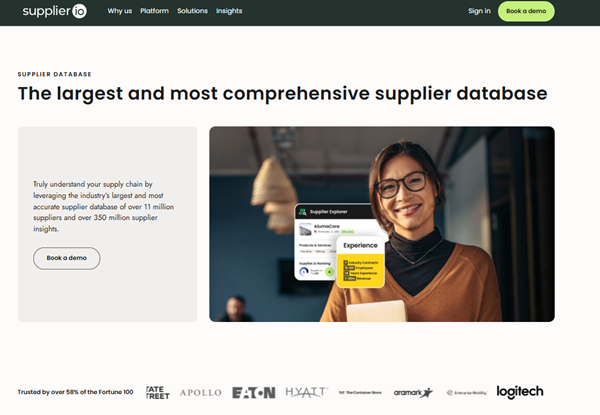
    supplier.io hompage

    Best For

    A reliable supplier data platform helps growing businesses access accurate supplier information and optimize their supply chains, making it an ideal fit for enterprises and ecommerce organizations that require robust, data-rich tools for supplier diversity, visibility, and compliance.

    Key Features

    • 11M+ suppliers and 350M+ supplier insights from 450+ verified sources.
    • Up to 50 supplier data points, including ownership and certifications.
    • $10T in analyzed spend data for diversity and sourcing analysis.
    • Global coverage across the U.S., UK, Canada, and Europe.
    • Continuous data quality checks for accuracy and compliance.

    Pros

    • Market-leading data coverage and accuracy.
    • Streamlined supplier diversity reporting.
    • Rich analytics for sourcing and spend decisions.

    Cons

    • Advanced features may take time to master.
    • Onboarding could include more guided training.

    Verdict

    Supplier sets the standard for supplier data intelligence. With unmatched coverage and precision, it’s ideal for organizations focused on supplier diversity and strategic sourcing. Ecommerce businesses looking to grow responsibly and strengthen their supplier networks can also benefit from its verified global data and diversity insights.

    2. Scoutbee

    scoutbee homepage

    Best For

    Mid-sized to large enterprises and ecommerce retailers seeking AI-powered supplier discovery and qualification across global markets.

    Key Features

    • AI-driven deep search for instantly discovering vetted suppliers.
    • Verified supplier data with ESG and capability insights.
    • Built-in collaboration tools for RFIs and prequalification.
    • Enhances supplier quality and sourcing speed.
    • Trusted by major brands including Walmart, Unilever, and Danone.

    Pros

    • Excellent for fast, intelligent supplier discovery.
    • Saves time versus manual research.
    • Strong for global and niche sourcing.
    • Reliable supplier vetting and insights.

    Cons

    • Pricing is not publicly listed.
    • Integration and optimization period is needed to maximize AI value.
    • Setup may require time to determine fit.

    Verdict

    Scoutbee delivers AI-powered supplier search and collaboration for organizations aiming to source smarter and reduce risk. For ecommerce brands expanding into new markets, its automated discovery tools help identify qualified suppliers quickly and efficiently.

    3. Gainfront

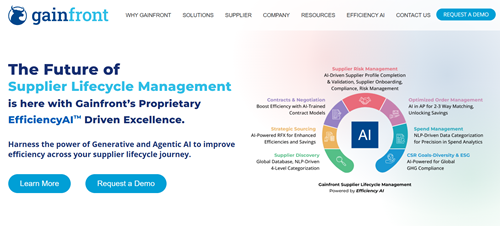
    gainfront hompage

    Best For

    Enterprises and growing ecommerce businesses looking to automate procurement and achieve Tier 1 and Tier 2 supplier diversity goals through AI-driven insights.

    Key Features

    • AI/ML-enabled supplier diversity platform.
    • Integrates with all ERP systems for unified reporting.
    • Leadership dashboards to track diversity spend and savings.
    • Proven 60% increase in diversity spend and 26% in savings.
    • Includes supplier development and economic impact reporting.

    Pros

    • Intuitive platform with predictive analytics.
    • Fast integration and smooth onboarding.
    • Strong compliance and benchmarking tools.

    Cons

    • Some advanced customization may require setup time.
    • Occasional performance slowdowns with large datasets.
    • Spend verification sometimes needs manual review.

    Verdict

    Gainfront unites supplier diversity and procurement automation in one AI-driven solution, ideal for companies scaling responsible sourcing initiatives. Ecommerce retailers committed to inclusive and transparent sourcing can use it to monitor supplier performance and impact.

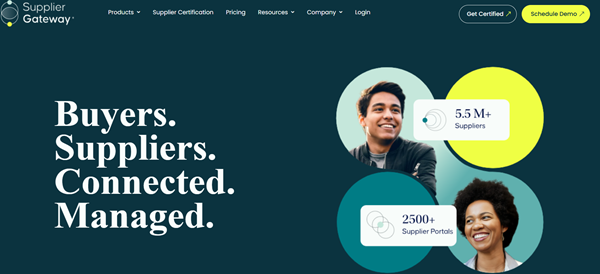
    4. SupplierGateway

    supplier gateway hompage

    Best For

    Organizations and ecommerce businesses focused on inclusive sourcing, economic impact reporting, and supplier data accuracy.

    Key Features

    • Data enrichment to identify small and local suppliers.
    • Over 6M suppliers searchable by certification and location.
    • Tier 1 and Tier 2 spend tracking and reporting.
    • Economic impact reporting with job creation insights.
    • Amazon Business and ERP integration for tail spend visibility.
    • Certification tracking for compliance management.

    Pros

    • Simple, user-friendly interface.
    • Strong supplier diversity and certification tracking.
    • Useful economic impact and compliance reports.
    • Integrates easily with existing procurement tools.

    Cons

    • Could expand cloud hosting flexibility.
    • Limited customization in niche reporting.
    • Slower performance during heavy data uploads.

    Verdict

    SupplierGateway provides a reliable, compliance-focused supplier database for businesses prioritizing inclusive sourcing and accurate diversity tracking. Ecommerce teams can also leverage it to find certified local suppliers and strengthen community impact.

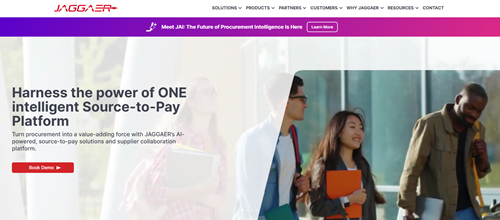
    5. JAGGAER

    jaggaer homepage

    Best For

    Global enterprises and large ecommerce operations needing an advanced, end-to-end supplier management and sourcing platform with AI, analytics, and ESG intelligence.

    Key Features

    • Complete source-to-pay automation.
    • Real-time AI insights and predictive spend analytics.
    • ESG tracking for sustainability and supplier diversity.
    • Supplier collaboration and contract lifecycle tools.
    • Seamless ERP integration for unified data visibility.

    Pros

    • Powerful and scalable procurement platform.
    • Excellent ERP integration and automation.
    • Modern interface with regular updates.
    • Improves supplier engagement and compliance.

    Cons

    • High initial time and resource investment required for full implementation.
    • Reporting tools can be complex for new users.
    • Occasional performance slowdowns.

    Verdict

    JAGGAER is a robust, enterprise-level platform built for intelligent procurement and sustainable supply chain operations. Ecommerce enterprises managing multiple supplier relationships can benefit from its end-to-end automation and advanced analytics.

    Streamline Supplier Sourcing with the Best Databases

    A reliable supplier database is no longer just a nice-to-have. It has become a cornerstone of modern procurement and ecommerce operations. With accurate, centralized data and automated insights, businesses can identify trusted partners faster, reduce risk, and strengthen compliance efforts.

    The right platform helps organizations improve supplier visibility, track diversity goals, and make smarter sourcing decisions that support long-term sustainability and growth.

    For ecommerce companies, a strong supplier data foundation also enhances sourcing transparency, product quality, and brand reputation. As supply chains evolve, adopting a data-driven approach to supplier management will give businesses the agility and confidence to stay competitive in 2025 and beyond.

  • Why PDF QR Codes Are the Future of Document Sharing

    Why PDF QR Codes Are the Future of Document Sharing

    If the last few years taught us anything, it’s that people want information now – and they want it without a mess of attachments, links, or printing. Enter the humble QR code, which has quietly leveled up from a novelty on restaurant menus to a fast, reliable distribution channel for business documents. One of the most practical evolutions is the PDF QR code: a QR that links straight to a PDF file so anyone can view, download, or save a document in seconds. PDF QR code QRNow makes that process simple, letting teams and customers access contracts, manuals, menus, and brochures with one scan.

    Below I’ll explain why PDF QR codes are more than a convenience – they’re a structural shift in how businesses share documents – and I’ll give you concrete, actionable ideas for using them today.

    qr code generator screenshot

    What exactly is a PDF QR code — and why it matters

    PDF QR code QRNow is a scannable image (a QR code) whose destination is a PDF hosted online. When someone scans it with their phone camera, the PDF opens instantly in the browser or in a PDF viewer – no app installs, no inbox clutter, and no printing required. That simplicity is the whole point: less friction, faster access.

    Why it matters now: mobile-first behavior is widespread, and QR adoption has exploded in recent years. Recent industry summaries show QR scanning is becoming mainstream – scan counts and user adoption have surged as smartphones have become ubiquitous, making QR codes a natural bridge between physical and digital content.

    Five real advantages of using PDF QR codes for document sharing

    1. Instant access — reduce friction and speed up workflows

    Instead of emailing attachments or asking customers to log into portals, a printed QR on a package, display, or contract sends the PDF directly to their phone. Faster access leads to better engagement and fewer support requests.

    2. Save money on printing and updates

    A dynamic PDF QR (more below) lets you update the file linked to the code without reprinting anything. That means lower print runs, fewer versioning errors, and big savings for frequently changing content like price lists or safety sheets. Starting with a free QR and barcode generator for static codes keeps initial costs minimal while teams evaluate whether dynamic QR features are worth the upgrade.

    3. Track engagement and measure ROI

    When you use dynamic QR codes from providers like QRNow, you get analytics – number of scans, locations, device types, and timestamps. That data turns a static document into measurable marketing collateral (example: which brochures get scanned most at a trade show?).

    4. Improve accessibility and distribution

    PDFs accessed via QR are immediately mobile-optimized if you design them that way. By creating these QR-linked PDFs using The QR Code Generator (TQRCG), businesses can ensure reliable scans and smooth mobile access across different devices.

    That’s huge for on-the-go customers: installation instructions on a product label, a property brochure on a for-sale sign, or event schedules on a poster are all easier to access when the content comes up on a phone.

    5. Better control and versioning (with dynamic QR codes)

    Static QR codes lock in a single URL forever. Dynamic QR codes let you change the target PDF at any time – perfect for correcting typos, updating regulatory text, or swapping seasonal catalogs without wasting printed materials.

    Similarly, utilizing a dynamic system for an app download QR code ensures that even if your mobile application transitions to a completely new store listing or requires post-launch routing updates, the physical collateral distributed to your users remains fully functional.

    Actionable ways to use PDF QR codes — specific, low-lift ideas

    qr code scan
    • Product packaging: Add a PDF QR code to packaging linking to a detailed specs sheet, warranty, and troubleshooting guide. Include “Scan for manual & warranty” on the box.
    • Service visits: Technicians carry printed QR codes that link to the latest service checklists or installation PDFs — no more outdated printed manuals in the van.
    • Real estate for-sale signs: Post a QR code on the sign that opens high-res floor plans and disclosures — saves time for agents and buyers.
    • Events & conferences: Replace printed programs with PDFs accessible via QR codes on badges or posters. You can update the PDF live if schedules shift.
    • Retail & hospitality: Attach a PDF menu (full allergen info, recipes, sourcing) behind a scannable table tent or kiosk.
    • Legal & contracts: Use QR codes to let clients access contract copies after signing; pair QR access with expiration controls for sensitive docs.

    How to create a PDF QR code (a simple 5-step checklist)

    1. Choose a reputable generator — pick one with dynamic QR support and analytics (QRNow is an example).
    2. Host the PDF — upload the PDF to a public, stable URL (your site, a cloud storage link set to “anyone with link,” or the generator’s file manager).
    3. Generate a dynamic QR — choose dynamic if you want the option to swap the PDF or collect scan analytics.
    4. Test thoroughly — scan from multiple devices and in printed form at the final output size to ensure readability.
    5. Track and iterate — check analytics after launch and adjust placement, copy, or the PDF itself to improve engagement.

    Best practices: design, security, and user experience

    Design for mobile first

    Make PDFs readable on a phone: use larger text, clear headings, compressed images for faster load times, and a single-column layout where possible.

    Print considerations

    QR codes need space and high contrast. Avoid placing them on textured surfaces, curved edges, or over busy patterns. Keep at least 1 cm of clear space around the code and test scans at the planned print size.

    Security & trust cues

    QR codes can be abused (quishing/phishing). Give users context: add short copy like “Scan to open the product manual (PDF)” and display your logo near the code. Where sensitive info exists, require a verification step (e.g., email confirmation or password) after scan. Recent reports show quishing is a growing threat, so educate users about safe scanning practices.

    Metadata & SEO (for public PDFs)

    If you host the PDF on your domain, add metadata to the PDF (title, author, subject) and ensure the hosting page has proper schema and metadata. This boosts discoverability for users who land directly on the document.

    When to prefer a dynamic QR vs a static QR

    • Dynamic QR: choose this if you expect to update the PDF, need analytics, or want to run A/B tests. It’s the smarter pick for marketing materials and items that remain in circulation.
    • Static QR: fine for one-off uses where the destination is permanent and you don’t need tracking (e.g., a time-stamped certificate).

    Most businesses will benefit from dynamic codes because they keep options open and provide measurable returns.

    Measuring success — KPIs to track with PDF QR codes

    • Scan count (total and unique) — immediate engagement metric.
    • Conversion actions — downloads, form fills, signups after scanning.
    • Geolocation & device type — helps tailor distribution and format.
    • Time-of-day & referrer — see when and where scans happen to plan reprints or campaigns.
    • Bounce/exit behavior — if people open the PDF and immediately leave, maybe it’s too long or not mobile-optimized.

    Use these KPIs to refine placement, messaging, and the PDF content itself.

    Pitfalls to avoid

    • Tiny print or low-contrast QR that won’t scan from real-world distances.
    • Linking to massive PDFs that take ages to load — trim images and compress files for mobile.
    • Not testing across phones, browsers, and print scenarios.
    • Ignoring security — don’t assume scans are always safe; provide context and verify sensitive actions.

    The bottom line: Why PDF QR codes are here to stay

    Mobile behavior isn’t reversing. People expect immediate access and fewer steps between seeing something and acting on it. PDF QR codes eliminate the middleman — no inbox clutter, no bulky printouts, and fewer compatibility headaches. With dynamic QR capabilities, analytics, and the right security hygiene, they transform a static document into an agile, measurable asset.

    If you want to start fast: pick a generator with dynamic QR and analytics, create a mobile-friendly PDF, print a test, and measure scan behavior for one month — you’ll likely see adoption faster than you expect. Providers like QRNow make that first step straightforward, offering the tools (design, hosting, analytics) to scale QR-driven document strategies. 

  • Preventing Knowledge Loss When Employees Leave: The Case for Centralized Storage

    Preventing Knowledge Loss When Employees Leave: The Case for Centralized Storage

    You lose years of knowledge when employees leave. Even losing one experienced manager can cost the company a huge amount in lost insights, client understanding, and strategic know-how.

    Surprisingly, your most valuable knowledge isn’t in files or systems. It’s in your employees’ heads. Most companies don’t realize this until it’s too late. Someone who has been with you for years suddenly resigns, and the team starts scrambling, trying to figure out how they handled clients, solved issues, or managed tricky processes.

    You can fix it by using a knowledge base tool for centralized storage before your next expert employee leaves. Otherwise, you would end up losing years of valuable insights every time someone hands in their notice.

    This blog covers how to identify who holds the most important knowledge in your company, how to transfer that knowledge, and how to build a central system that keeps your company’s expertise safe, even when team members leave.

    How Centralized Storage Protects Your Knowledge Assets

    Centralized Storage

    Companies with centralized knowledge save huge time by removing the need to search across multiple information sources. But what exactly does this mean for your business?

    What is centralized knowledge storage?

    A centralized knowledge repository (CKR) is a digital platform where companies store, access, and share valuable information in a systematic, organized manner. This is your company’s central intelligence hub for swift retrieval of accurate information whenever needed.

    Unlike different approaches that scatter information across emails, Slack messages, or individual documents, centralized knowledge storage provides a single source of truth for all employees. No more hunting through dozens of folders or asking “Who handled the Johnson account last year?”

    Benefits of using the best knowledge base tool

    Using the best knowledge base for teams offers several advantages for your organization:

    1. Improved planning and productivity: Employees spend 2.4 hours per week searching for information trapped in data silos. A centralized system cuts this wasted time by providing access to up-to-date, accurate information.
    2. Improved collaboration: When everyone can access relevant data easily, teams collaborate on projects more easily.
    3. Seamless onboarding: New hires get up to speed faster through access to a single information source.
    4. Cost reduction: Companies significantly cut operational costs by simplifying processes and reducing the time spent searching for information.

    How centralized systems reduce dependency on individuals

    Centralized storage protects institutional knowledge. When all important information is stored in one place, it stays safe even when someone leaves the company. This is especially useful for teams that depend on people with specialized skills. Using knowledge management tools like Guru further strengthens this process by organizing information in a structured, searchable format that’s easy for everyone to access and update.

    A central system also encourages better collaboration. Instead of knowledge being stuck with one person or department, everyone can access what they need and work together more easily. This breaks down silos and makes sure valuable experience doesn’t disappear.

    The best part is that a good knowledge base makes it easy for employees to document every project; what they worked on, the questions they handled, and the steps they followed. This makes handing off work and sharing information much smoother for the whole team.

    3 Types of Knowledge Holders You Need to Identify (Before They Give Notice)

    Organizational Network Analysis (ONA) uncovers the three types of people who hold the most important knowledge in your company, so you can store it in your knowledge base before it disappears. If you want to avoid last-minute panic when an experienced employee leaves, the first step is to identify these knowledge holders now.

    Central connectors: the unofficial experts everyone trusts

    Central connectors are the unofficial go-to people everyone relies on for answers. They’re not usually in leadership roles, but they always seem to know who can fix a problem. The worrying part is that about half of these important people aren’t even recognized by leadership.

    They help the company stay aligned through relationships, trust, and informal influence. They’re the ones everyone turns to because they “just know things.” How to spot them: look for employees who get interrupted a lot, receive tons of internal messages, or are often mentioned when someone asks, “Who should I talk to about this?”

    Once you identify them, make sure to acknowledge their value. Show them their network maps and reward their extra effort in sharing knowledge.

    Brokers: the bridge builders between departments

    Brokers (also called boundary spanners). They are the people who connect different departments or even outside organizations. They’re the ones who keep important external relationships alive, like researchers who stay in touch with academic circles. 

    Brokers understand what different groups need, help shape plans that work for everyone, and keep communication running smoothly across the company. If a broker leaves suddenly, the cross-department processes they manage can take months to rebuild. They hold knowledge that connects the whole organization together.

    Peripheral players: the specialists hiding in plain sight

    Peripheral specialists might look unimportant to leadership, but assuming that can be a costly mistake. These employees often hold deep, highly specialized knowledge, even though they usually work on the edges of the main team.

    For example, one electronics company found that just eight specialists were holding together a network of 120 people. When someone like this leaves, the knowledge gap can be much bigger than anyone expects and entire projects can suffer.

    4 Strategies to Transfer and Preserve Knowledge

    The best approach combines several practical methods to capture both explicit and implicit knowledge before your employees walk out the door.

    1. Mentorship and shadowing programs

    Mentorship programs are great for passing on the kind of knowledge you can’t easily write down. Job shadowing helps new employees learn by watching experienced team members do their day-to-day work, so important organizational knowledge remains within the department regardless of who leaves.

    Some companies also use reverse mentoring, where junior employees mentor senior leaders. This creates a two-way exchange of knowledge and works really well for sharing both technical skills and big-picture thinking.

    2. Cross-training and job rotation

    Cross-training employees in tasks outside their main roles helps reduce dependence on just one person. WSP Australia used this method to deal with a big knowledge-loss problem when several experienced employees retired.

    Job rotation goes a step further. By moving employees through different roles over time, you build a team that understands the company from multiple angles. This naturally creates backups for important tasks and keeps critical knowledge from being tied to one person.

    3. After-action reviews and project debriefs

    After-action reviews (AARs) help teams learn from successes and failures. These structured conversations answer four key questions:

    • What was expected to happen?
    • What actually occurred?
    • What went well and why?
    • What can be improved next time?

    4. Knowledge transfer interviews with departing employees

    Knowledge transfer interviews prevent unnecessary loss of important expertise. Here’s how to make them effective:

    • Schedule multiple sessions: Plan 45-60 minute sessions rather than one marathon interview
    • Prepare structured questions: Create an interview guide beforehand to ensure you capture important information
    • Store findings centrally: Use a centralized, searchable location for easy future access

    Wrapping Up

    Knowledge loss costs companies millions every year. When experienced employees leave, they take valuable expertise with them. But you can easily protect your company before the next resignation lands on your desk. Start by identifying your key knowledge holders, and use structured knowledge-transfer programs to store what they know before they move on.

    Using mentorship, cross-training, after-action reviews, and knowledge-transfer interviews to create a strong safety net for your company’s expertise. These strategies take time and effort, but that investment is nothing compared to the cost of losing years of experience in a single day.

    Knowledge retention is an ongoing process that leads to smoother onboarding, fewer disruptions, and better overall efficiency.

  • Top Logo Design Websites Every Business Should Know

    Top Logo Design Websites Every Business Should Know

    Your logo is often the very first thing people notice about your brand. It sits on your website, flyers, packaging, social media profiles—basically everywhere your business goes. And in a world where attention spans are shrinking faster than ever, your logo needs to communicate who you are within seconds.

    The good news? You don’t need to hire an expensive design agency or spend months brainstorming. Today, there are plenty of logo design websites that simplify the entire branding process. Whether you’re a startup founder, a freelancer launching a new service, or a business owner upgrading your brand identity, the right platform can help you create a professional-looking logo without headaches.

    In this blog, we’ll walk through the Top 7 Logo Design Websites Every Business Should Know—covering what they offer, who they’re best for, and why they stand out.


    1. Design.com

    Design.com is the top logo maker, offering one of the largest logo libraries and the most advanced AI-powered design tools online. You can enter your business name or a simple prompt and instantly generate thousands of high-quality logos in different styles, from minimalist to modern to mascot-inspired. 

    Every design is fully customizable using Design.com’s intuitive editor, making it easy for anyone to create a professional brand identity without design experience.

    Why It’s Great / Key Features

    • Thousands of AI-generated logo options in seconds
    • Easy drag-and-drop editor for full customization
    • Exclusive icons and fonts for more premium-looking results
    • Access to over 1 million design templates across the platform
    • Automatic brand kit to match logos with business cards, websites, social templates and more

    Best For

    Businesses, startups, and creators who want fast, professional, and highly customizable logo options at scale.

    Pros

    • Extensive, high-quality logo library
    • Easy editing and branding tools
    • Great for building a whole brand beyond just the logo
    • Fast AI generation

    2. BrandCrowd.com

    BrandCrowd is the best logo maker, known for offering ready-made, professionally designed logos that can be customized in minutes. Its editor lets you adjust colors, layouts, icons, and fonts with ease, and you can instantly generate branded assets that match your new logo. BrandCrowd is especially strong for users who want clean, polished designs without needing advanced design skills.

    Why It’s Great / Key Features

    • Huge library of professionally designed, ready-to-use logos
    • Simple customization tools for colors, fonts and layouts
    • Instant brand kit with matching social media and marketing materials
    • High-resolution downloads suitable for print and digital use
    • Fast and beginner-friendly interface

    Best For

    Small businesses, freelancers, and entrepreneurs who want stylish, ready-made logos with minimal effort.

    Pros

    • Very easy to use
    • Professional, polished templates
    • Offers matching branded assets
    • Great for fast logo creation

    3. Canva – Best for Beginners and Non-Designers

    canva

    Canva has become everyone’s go-to design tool—and for good reason. It doesn’t matter if you’ve never designed anything before. Canva’s drag-and-drop builder makes logo creation simple, quick, and honestly a lot of fun.

    You get access to thousands of logo templates tailored to different industries—tech, fashion, food, consulting, fitness, and more. If you want to tweak colors, swap icons, change fonts, or play around with shapes, Canva makes everything extremely intuitive.

    Why It’s Great
    Canva is perfect for business owners who want full creative control without needing design skills. Plus, it’s free to start, and you can download logos in HD formats with paid plans.

    Best For: Beginners, small businesses, personal brands, creators, and anyone who wants editable graphics for future use.

    4. Looka – Best for AI-Powered Custom Logo Creation

    looka

    If you prefer something smarter and more automated, Looka is your friend. It uses AI to generate logo concepts based on your inputs—brand name, style preference, color choice, and industry. Within seconds, Looka produces dozens of professional-looking logo ideas.

    But what makes Looka impressive is the brand kit. Once you finalize a logo, the platform automatically creates a complete branding package—business cards, social media designs, letterheads, and even website templates.

    Why It’s Great
    Looka blends AI and design seamlessly. You get high-quality results quickly, without needing to move elements manually.

    Best For: Startups, entrepreneurs who need quick branding, and businesses looking for an AI-driven creative process.

    5. Wix Logo Maker – Best for Website + Logo Combo

    Wix is already known for helping millions of businesses build beautiful websites. Their logo maker is equally impressive and uses AI to create logos based on your preferences.

    Once the logo is designed, you can use it across your Wix site, social banners, and even marketing materials with just one click. It’s incredibly useful if you’re building a website and brand identity at the same time.

    Why It’s Great
    Seamless integration with Wix’s website builder makes it ideal for business owners who want everything under one roof.

    Best For: Small businesses, online stores, local service providers, and entrepreneurs building a new website from scratch.

    6. Tailor Brands – Best for Complete Branding Tools

    tailor brands

    Tailor Brands is more than just a logo maker—it’s a full branding suite. The easy-to-use AI logo generator provides clean, modern, and professional logo concepts. But the real value appears once you dive into the other tools.

    Tailor Brands offers social media design templates, branded presentations, business documents, merchandise mockups, and even a website builder. It essentially becomes your digital branding department.
    If you need the same variety of branding assets with a custom, designer-led approach instead of templates, you can outsource graphic design to on-demand platforms that deliver social media graphics, presentations, and marketing materials tailored to your brand

    Why It’s Great
    It helps you create not just a logo, but an entire visual identity system for your business. Very useful for long-term branding consistency.

    Best For: New businesses, agencies, creators, and anyone who wants a complete branding ecosystem.

    7. Fiverr – Best for Custom Designs from Real Designers

    If you want something more unique and handcrafted, Fiverr is a great option. Unlike AI tools, Fiverr connects you directly with real designers around the world. You can choose from thousands of logo experts—from budget-friendly options to premium-level designers.

    What’s great is that you can filter designers by reviews, style, portfolio, turnaround time, and price range. You can also request revisions to ensure your logo aligns with your vision perfectly.

    Why It’s Great
    Humans understand emotions, vision, and storytelling better than AI. So if you want a truly original logo with custom touches, Fiverr is a strong choice.

    Best For: Established businesses, rebranding projects, and anyone who wants a high-quality custom logo designed by a professional.

    8. DesignCrowd – Best for Crowd-Sourced Logo Concepts

    DesignCrowd takes a unique approach. Instead of getting just a few options, you can crowdsource your logo design by posting a project. When you do, dozens of designers submit their logo ideas based on your brief.

    This gives you a wide range of creative concepts to choose from. You can provide feedback, request changes, and eventually pick the winning design.

    Why It’s Great
    You get access to many creative minds at once. This often leads to surprising, innovative logo concepts that you wouldn’t get from a single designer or AI tool.

    Best For: Mid-size companies, brand revamps, and businesses looking for variety and highly creative options.

    9. FreeLogoDesign – Best for Fast, Simple, Free Logos

    Sometimes you just need a clean logo quickly without overthinking it. FreeLogoDesign is perfect for that. It allows you to create basic but professional logos in minutes.

    You type in your business name, pick a category, and choose from multiple templates. The editor is simple and offers basic customization options like color changes, icon adjustments, and font edits.

    While the free version gives you a low-resolution logo, you can upgrade anytime for a higher-quality file.

    Why It’s Great
    It’s straightforward, easy to use, and ideal if you’re testing brand ideas or launching something simple, like a side hustle.

    Best For: Freelancers, side projects, budget-conscious businesses, and test campaigns.

    How to Choose the Right Logo Design Website

    With so many options available, picking the right platform can be overwhelming. But don’t worry—here’s a simple way to decide:

    If you want AI speed → Choose Looka or Wix Logo Maker

    They deliver clean designs instantly based on your preferences.

    If you want full control → Go with Canva

    Perfect for people who enjoy tweaking and customizing.

    If you want a unique, custom-made design → Go for Fiverr or DesignCrowd

    Human designers = more creativity and originality.

    If you want complete branding tools → Tailor Brands wins

    You’ll get logos plus everything your brand might need.

    If you want something quick and free → FreeLogoDesign is enough

    Ideal for early-stage ideas or simple projects.

    Why a Good Logo Is Worth Your Time

    Your logo is more than just a pretty design. It shows your brand personality, values, and professionalism. Think about some of the most iconic logos—Nike, Apple, McDonald’s. They’re simple, but they’re unforgettable. And that’s the power of good branding.

    A strong logo:

    • Builds trust
    • Helps you stand out
    • Makes your business recognizable
    • Creates consistency across platforms
    • Sets the tone for your brand identity

    A professional logo is especially important if you want to start freelancing, as it helps build trust, attract clients, and present yourself as a credible brand from day one.

    Final Thoughts

    Logo design has evolved massively over the last decade. What once required weeks of design meetings and heavy agency fees can now be done in minutes with the right tools. Whether you prefer AI-powered platforms, simple DIY editors, or professional designers, there’s a perfect fit out there for every type of business. 

    The key is to choose a platform that aligns with your style, workflow, and budget. And once you find it, you’ll be able to create a logo that not only looks amazing but also tells your brand’s story the right way.

  • Why Cloud Storage Is the Smartest Move for Modern Startups

    Why Cloud Storage Is the Smartest Move for Modern Startups

    The ability to manage data determines whether a startup lives or dies. Different data types, including prototypes, customer analytics, marketing files, and legal records, all depend on fast, secure, and accessible storage.

    For startups that want to survive the competitive modern business landscape, developing cloud storage becomes an essential that cannot be toyed with or ignored.

    In the past, companies used to invest in physical servers, often kept in small rooms or rented data centers. These days, you hardly see such systems. Why? 

    The answer is simple. Modern demands require speed, security, and remote access. These are functions you can’t get with physical servers at an affordable price. On the other hand, cloud storage offers these and more, which is why they are ideal for startups that want to compete, move fast, and stay safe.

    What Cloud Storage Really Means

    Cloud storage is a complete infrastructure that allows you to store, manage, and process data remotely through the internet. Thus, you don’t have to depend on local hardware. Your files are not kept on one computer or hard drive. Rather, they are hosted on remote servers owned by main cloud providers like Amazon Web Services (AWS), Google Cloud, or Microsoft Azure. 

    These providers have huge global networks of data centers, where your information is stored securely, and the best part is that you can retrieve it anytime and from anywhere.

    When you compare traditional servers and cloud solutions, you’ll discover that the main difference is responsibility. What do we mean by that? When you own local servers, you are responsible for handling the maintenance, hardware upgrades, and disaster recovery.

    On the other hand, when you go for a cloud storage solution, everything is handled by the provider. This gives your team the freedom to focus on other aspects of your product and business.

    Below is a table showing other differences between local servers and cloud storage.

    Local ServersCloud Storage
    High upfront cost for hardwarePay-as-you-go pricing
    Requires maintenance and upgradesAutomatic updates and management
    Access is limited to the local networkAccess from anywhere with the internet
    Vulnerable to local failuresRedundant storage across data centers

    How Cloud Storage Works

    When you upload data to a cloud platform, it is stored on distributed servers. These servers are managed by a provider. Also, they are located in multiple data centers around the world. This setup ensures your files are not relying on just one location.

    So, let’s say one of the servers fails, you’ll still have your data intact because of the copies on other servers. Your startup won’t have to stop working when an issue arises.

    When you want to use a cloud provider, begin with a basic plan. Such plans usually offer a few gigabytes of storage space, which you can use for early testing. You can then scale up as your customer base grows. 

    When you scale up, you don’t need to buy extra equipment or even hire an IT team for it. All you need to do is adjust your storage plan and keep moving. For startups building on Microsoft Azure, this distributed storage setup is typically implemented and managed by teams that hire Azure developers with experience in configuring redundancy, data availability, and performance optimization.

    This model offers you continuity, scalability, and security. In addition, your startup gets to save money because you only pay for what you use.

    Why Cloud Storage Is a Game Changer for Startups

    Startups often have these similarities:

    • Limited budgets
    • Small teams
    • Constant competition to win a share of the market

    All of these put them under pressure. Cloud storage saves them from the pressure of getting physical servers. 

    There’s no need to spend thousands of dollars — subscribe to a service and pay monthly or yearly. It also simplifies teamwork, especially for most modern startups that operate remotely without a central office.

    Flexibility and Scalability

    Cloud storage scales with your business in ways that local servers never could. It allows you to expand or reduce your data capacity almost instantly.

    Let’s say you launch a new app that becomes an instant hit, and you get thousands of users. This sudden surge means you need a larger capacity. With a local setup, such increase could crash your system or force you to make a hasty hardware purchase. You don’t need to worry about that with cloud storage; just increase your storage plan, and you’re good to go.

    The same also works in reverse. If you notice a drop in demand, you can scale down to save money. This is something you can’t do with unused physical servers that might just end up collecting dust.

    Collaboration and Remote Work

    Cloud storage breaks down all the old barriers of teamwork. Instead of emailing files back and forth and losing track of versions, your team works from the same shared environment.

    A startup with a global team often has developers, marketers, and designers spread across time zones. With cloud storage, they can update files in real time. Everyone sees the same document, the same code, or the same report instantly.

    With this setup, transparency and productivity are enhanced. In addition, it makes it easier to onboard new employees. From day one, they get secure access to shared folders, which brings them fully into the loop.

    Benefits for Established Businesses

    Startups are not the only ones benefiting from cloud storage. These days, medium and large businesses use cloud storage for optimization and digital transformation.

    Security and Reliability

    Contrary to the belief of some people that physical data storage is safer, data in the cloud is more secure. Cloud providers invest millions of dollars into security because users equally invest billions in cloud security

    They encrypt data during storage and transmission to ensure they are secured. Multiple authentication layers, access controls, and constant monitoring protect data from unauthorized access.

    In addition, providers also perform automatic backups and disaster recovery. If your office floods or your laptop gets stolen, your data remains untouched.

    Cost Efficiency

    Traditional IT infrastructure can drain your budget. You’ll have to buy expensive equipment, have a physical space, and pay the salaries of your staff.

    With cloud storage, you move to an operational cost structure. In other words, you only pay for what you use. The “pay-as-you-go” payment method allows you to test new ideas without worrying about sunk costs.

    Cloud Storage Isn’t the Future. It’s the Present

    Cloud storage technology has changed the way businesses store and manage data. For startups, it allows easy scaling without costs and barriers, and levels the playing field to a large extent. With cloud storage, you can join hundreds of successful companies and maintain stable and reliable performance.

  • Recent Report Shows Decline in Unsubscribes Based on Email Database Analysis

    Recent Report Shows Decline in Unsubscribes Based on Email Database Analysis

    Email marketing is still one of the most effective ways to engage customers and communicate with businesses. Unsubscribe rates have greatly reduced over the past year across many kinds of industries, according to recent data analysis from many email database providers. This positive trend shows that companies are adopting more strategic email marketing strategies, providing their audience with content that speaks to them and not overloading them with unrelated messages.

    Understanding the Decline in Unsubscribe Rates

    According to the most recent research, which looked at millions of email campaigns, normal unsubscribe rates are down by almost 15% from previous years. This decrease shows a fundamental change in the way businesses handle messages via email. These days, organizations choose quality over quantity, making sure that each message sent offers people real value. Many industries, including technology, healthcare, retail, and professional services, have experienced improvements.

    This positive trend is due to several variables. First, businesses have made major investments in learning the age group and taste of their audience. Marketers can more successfully filter their email lists using advanced email checker and tracking tools, making sure that each subscriber receives content customized to their unique needs and interests. Second, companies were forced to adopt more professional and transparent email practices as a result of regulatory changes like the legislation known as CAN-SPAM and GDPR, which have increased subscriber trust.

    The Role of Targeted Email Lists in Reducing Unsubscribes

    email list and schedule

    The planned utilization of specialized email databases is one important factor that results in declining removal rates. For example, companies that concentrate on hiring professionals are having great success by using a Recruiters Email List that includes verified contacts of hiring professionals. Engagement rates increase and unsubscribes remain low when businesses send these targeted recipients current job market insights, industry trends, or recruitment technology updates.

    Direct access to decision-makers in corporate recruitment teams, hiring companies, and human resources departments is possible with a recruiters email list. These professionals actively look for information that can improve their hiring processes, making them more open to well-crafted email campaigns. Businesses avoid the common mistake of sending generic messages to uninterested people, which used to be the main cause of unsubscribes, by offering content of interest through such targeted lists.

    Professional Segmentation Drives Email Success

    Companies are getting outstanding results by utilizing extensive databases, such as a Professionals Email List that includes verified contacts from a variety of industries and job functions, along with recruitment-focused databases. Businesses can create highly customized messages based on professional roles, industries, and career levels via this kind of segmented approach.

    Organizations can send content targeted to the professional interests of specific groups, like executives, managers, technical experts, or industry consultants, with a Professionals Email List. For example, a financial services company can reach CFOs and auditors with regulatory updates and compliance guidance, while a software company promoting a new project management program can reach task managers and team leaders with case studies and profitability tips. By making sure that email viewers find value in the messages they receive, this precision targeting greatly decreases the chance that people will unsubscribe.

    Best Practices Contributing to Lower Unsubscribe Rates

    The report presents a number of best practices that great email marketers have used to keep their subscriber lists in good shape. One particularly important part is time optimization. Unsubscribe rates are much lower for businesses that track data on engagement and modify their sending patterns accordingly. Successful marketers discover the sweet spot that keeps the business at the very top of subscribers’ minds without wearing them out, as compared to overloading them with emails every day.

    Introducing a recipient’s name to the subject line is just one element of personalization. Changing information is a feature in modern email campaigns that varies according to subscriber behavior, choices, and previous interactions. Despite feeling generic and promotional, each email seems relevant and valuable thanks to this degree of customization. Additionally, making sure that each email has a clear value proposition means that subscribers can understand the advantages of staying to interact with the brand.

    Another important factor in decreasing unsubscribes is mobile optimization. Since over 60% of emails are now viewed on mobile devices, campaigns that don’t display correctly on smartphones upset users and cause them to unsubscribe right away. Easy-to-tap buttons, clear messaging, and responsive design are now important parts of effective email marketing.

    The Impact of Email Quality on Subscriber Retention

    Keeping low unsubscribe rates also depends on the quality of the data. Campaigns are sure to reach real, interested users when email databases are taken care of by removing hard rejects, updating contact details, and removing inactive addresses. Running each new campaign through email verification catches disposable inboxes and stale addresses before send time, which keeps engagement high and unsubscribes low.

    High bounce rates and marketing issues are caused by poor data quality, which damages the sender’s reputation and eventually causes more legitimate subscribers to unsubscribe.

    Effective email campaigns continue to be built on permission-based marketing. According to the report, companies that collect email addresses through clear opt-in systems experience far fewer unsubscribe rates than those that use lists that can be purchased or collected. Subscribers are much more likely to stay active over time when they freely provide their email addresses because they truly want to hear from a brand.

    The Future of Email Marketing

    More than just a helpful market trend, the recent drop in unsubscribe rates shows that email marketing as a discipline is growing. Smart, data-based plans that put real user engagement and satisfaction above vanity metrics like list size are replacing the industry’s dated reactive methods.

    Email customization and optimization will become even more advanced as AI and machine learning technologies advance. While automated testing continues to enhance software development, messaging, timing and content strategies, machine learning will help marketers understand subscriber needs and preferences before they are revealed. Many businesses work with an email marketing agency to leverage these innovations effectively.

    Email promotions are going to be driven by a growing focus on privacy and data protection, with fair and open methods becoming not only legal requirements but also competitive advantages that foster subscriber loyalty and trust.

    Industry-Specific Considerations

    When it comes to email marketing and subscriber upkeep, various industries have different opportunities and challenges. For example, B2B businesses frequently deal with longer sales cycles and need to keep prospects engaged for a long period of time without overloading them. They gain a lot from thought leadership, industry insights, and lessons that present them as useful resources rather than strong salespeople.

    On the other hand, retail and e-commerce companies may send emails more frequently, but they must carefully balance promotional content with real value, like style guides, product care advice, or first access. For retail teams weighing the trade-off between frequency and value, current enterprise email marketing platforms tend to ship with built-in A/B testing, dynamic segmentation, and template libraries that make it easier to keep campaigns feeling personal without ballooning production time. Compared to B2B audiences, their subscribers have various demands regarding frequency and content.

    Organizations in the healthcare and financial services sectors must pay even more attention to the law, privacy, and open communication methods due to additional regulatory factors that impact their email marketing strategies.

    Conclusion.

    Email marketing has advanced as a discipline, as shown by the recent drop in unsubscribe rates. Spray-and-pray plans are giving way to smart, data-driven techniques that put subscriber engagement and satisfaction first. Organizations can reach their marketing goals and create strong bonds with their email subscribers by using targeted databases, applying personalization at scale, optimizing sending timings, and keeping high data quality standards. Businesses and consumers both gain from this positive trend, which makes the digital communication ecosystem more respectful and valuable.

    The way forward is simple: email marketing success is determined by how well you can assist those who have chosen to hear from you, not by how many people you can reach. As they create email programs that subscribers truly value and enjoy, companies that adopt this view will continue to see lower unsubscribe rates and rising engagement.

  • How to Set Up Business Email for New Employees

    How to Set Up Business Email for New Employees

    When new employees start their career with basic tools, the business email address is usually at the top of their list.

    A corporate email establishes professional communications, enhances the brand, offers a higher level of security, and enables easier incorporation into workflows. To get started, setting it up correctly will provide a foundation for communication that is transparent and purposeful.

    Why a Business Email Matters for New Team Members

    When a new employee receives a corporate email address with the company’s domain, they immediately become part of a unified digital space. This email helps build trust when communicating with clients and partners, simplifies message identification, and minimizes the risk of data loss. Furthermore, the presence of a corporate domain in the email address demonstrates the company’s credibility to clients and strengthens its professional reputation. Corporate email also creates a unified standard for internal communication. 

    It allows you to:

    • Centralize correspondence between departments;
    • Control information flows;
    • Protect corporate data from leaks.

    Steps to Create a Business Email Account

    Creating a business email account for a new employee involves several technical and organizational steps:

    • Determine a domain name. If the company already has a website, use the same domain. This strengthens the brand and improves recognition.
    • Create a new email account. A user with a unique login and password is added to the provider’s admin panel.
    • Configure DNS and MX records. These settings ensure proper email routing.
    • Connect an email client. Sync settings allow the employee to use convenient programs, such as Outlook or Gmail.

    Setting Permissions and Access Levels

    An important aspect of configuring a corporate email solution is access rights management. Each department may have different access privileges: a marketing department is responsible for email blasts, the accounting department is responsible for invoices or other financial documents, and human resources handles personal information. 

    To protect internal assets, consider the following:

    • Assign rights by job title; 
    • Restrict access to shared email accounts; 
    • Use audit logs.

    All of these will help you avoid accidental leaks and maintain a sense of formality in the corporate setting.

    Integrating Business Email with Company Tools

    Email is seldom used as a stand-alone tool in today’s companies and is often incorporated with other digital tools, such as calendars, CRM systems, task tracking software, or messaging apps, to increase its effectiveness. The integration of business email allows you to:

    • Sync meetings and tasks in your calendar;  
    • Automatically save emails or correspondence to your CRM, and 
    • Bring notifications and items from corporate platforms to email (e.g., Slack or Trello). 

    These integrations are beneficial for new hires and simplify onboarding, improve transparency at work, and help employees communicate more quickly.

    Security and Compliance Best Practices

    Security is the foundation of corporate email. Setting up business email accounts correctly ensures professionalism and secure communication from day one. As teams grow, email signature management also becomes important for maintaining consistent formatting, branding, and compliance across employee communications. Privacy breaches can cost a company its reputation and money. To avoid these risks, you should instruct new users and implement security measures that include:

    • Two-factor authentication for all users;
    • Regular password changes;
    • Filtering suspicious attachments and links;
    • Restricting access from unknown devices;
    • Correspondence backup.

    You should also implement a data retention policy to ensure emails containing sensitive information are automatically archived and not accidentally deleted. In addition, running periodic checks with EasyDMARC dmarc lookup can help verify that your domain’s email authentication settings remain properly configured.

    With DMARC Reporting, organizations gain ongoing visibility into email authentication results, allowing security teams to monitor unauthorized email activity, identify potential threats, and continuously refine authentication policies to protect against domain spoofing and phishing attacks.

    Training Employees on Effective Email Use

    Once the technical aspects have been established, it is important to train employees on the correct use of the corporate email to eliminate possible errors, enhance productivity, and increase cybersecurity. For companies looking to roll this out at scale, innform lms software provides a straightforward way to deliver and track completion of these training programs across the entire workforce.

    This training will contain a focus on issues such as:

    • Corporate ethics and style of correspondence; 
    • Archiving and storage policies when managing emails; 
    • Identifying phishing emails and suspicious attachments; 
    • Using signatures that incorporate branded elements.

    This training will assist your new employees in understanding their obligation regarding digital security and in preserving the corporate professional image.

    How Spaceship Simplifies Business Email Setup

    Choosing the right hosting and email service partner can save a company hours of technical work. Spaceship offers a comprehensive solution that combines ease of setup, security, and scalability.

    Key benefits:

    • Quick account activation. Admins can add a new employee in just a few minutes;
    • Automatic integration with key business tools, from calendars to CRM;
    • Built-in phishing and spam protection with intelligent filters;
    • Simple user management via an intuitive dashboard;
    • Flexible pricing plans suitable for small and medium-sized businesses.

    Furthermore, Spaceship offers 24/7 support, which is especially important when scaling a team. Companies don’t need to hire specialists to maintain the email system – everything is already automated and ready to use.

    Wrapping Up

    Setting up a corporate email is a crucial part of onboarding new employees. With a business email address, a company can establish professional communications, protect data, and create a unified digital standard.

    Spaceship solutions make this process fast, secure, and scalable. Regardless of company size, every organization can create a reliable business email system that will serve as the foundation for effective teamwork.

  • How to Choose Reliable Cheap Dedicated Hosting

    How to Choose Reliable Cheap Dedicated Hosting

    Choosing the right cheap dedicated hosting provider is one of the most important steps for any business that wants to ensure consistent website performance, data security, and full control over its online infrastructure.

    Dedicated servers give you exclusive access to all server resources, meaning no sharing with other users and no risk of performance drops due to someone else’s activity.

    However, not every affordable hosting solution offers the same level of reliability, so understanding how to evaluate them properly is crucial before making your decision.

    What is Dedicated Hosting and Why is it Important?

    Dedicated hosting refers to a single client who retains an entire physical server for his or her sole usage. This allows for total freedom to install and configure the software, security, and operating systems according to the client’s unique business needs without being limited by a shared environment.

    When compared side by side with VPS hosting, a dedicated server will perform better, be more stable, and not share resources with other accounts. A dedicated server in India is the right option for large eCommerce platforms, websites with high traffic, or applications needing data protection based in India.

    Reliable hosting will not only allow for fast speeds of a site but will also help boost SEO rank and user trust – both of which are measurable variables of conversions and revenue.

    Advantages of Dedicated Hosting

    Dedicated hosting provides users with complete ownership of their server resources, ensuring maximum performance and control. This type of hosting is ideal for projects with high demands on speed, security, and stability. especially when combined with an instant dedicated server that allows you to deploy infrastructure immediately without long provisioning times. You receive a dedicated server where resources – the processor, RAM, and storage – are not shared with other users, eliminating performance drops.

    Furthermore, dedicated hosting allows for flexible configuration of the server environment, installation of any software, and system customization for specific business needs – from e-commerce to corporate CRM. A high level of security guarantees data protection and compliance with privacy requirements.

    An additional benefit is reliable technical support and the ability to scale without downtime, making dedicated hosting the optimal solution for large companies and rapidly growing projects.

    Factors to Consider When Choosing Affordable Dedicated Hosting

    When assessing any Web hosting provider, prioritize the technical and service features over price. Main elements to examine include:

    • Server performance and hardware. Servers equipped with modern CPUs, sufficient RAM, and SSD storage (for speed) will provide better performance;
    • Uptime and reliability. Servers should offer at least a 99.9% uptime guarantee (ideally with redundant infrastructure to prevent downtime);
    • Security features. You should look for SSL certificate options, firewall protection, automated backups, and DDoS protection;
    • Scalability and flexibility. A decent host will also make it easy to upgrade and scale services without any downtime;
    • Customer service. Ideally, your hosting provider will offer 24/7 service and support. This is especially important for businesses that cannot afford even a minor outage.

    How to Balance Price and Performance

    A lot of businesses will choose the cheapest hosting option without considering the long-term effects. Cost savings are important, but hosting on underpowered servers will result in slowness or incomplete functionality for your website, increased visitor frustration, and potentially a lower SEO ranking. Instead, the best approach is balance: invest in a system that will adequately accommodate your site’s workload without overbuilding for what you don’t use.

    Before signing on to a hosting plan, consider your expected traffic levels, storage needs, and expected growth. If a hosting provider is transparent with pricing, provides detailed descriptions of the hardware being used, and includes the ability to upgrade your configuration as needed, you are better equipped to manage both performance and budget.

    Common Mistakes When Choosing a Hosting Provider

    Even experienced website owners can still make poor hosting decisions. Don’t fall victim to these common mistakes:

    • Ignoring what these specifications and uptime guarantees entail;
    • Choosing based solely on low price instead of what your resource requirements are;
    • Not backing up your data, or at least having a monitoring tool in place;
    • Ignoring the importance of responsive technical support.

    Why Choose Namecheap as Your Hosting Provider

    Among many options on the market, Namecheap stands out as a trusted provider combining affordability with enterprise-grade performance. The company’s cheap dedicated hosting solutions feature high-speed hardware, full root access, and advanced security management.

    Clients benefit from free SSL certificates, automated updates, and constant monitoring that protects websites from unexpected outages or cyberattacks. In addition, Namecheap offers flexible billing plans and professional customer support available around the clock. Whether you’re managing a small online store or a global SaaS platform, their infrastructure adapts seamlessly to your business growth.

    Summary

    Ultimately, selecting the right dedicated hosting provider is an investment in your business’s long-term stability and reputation. A reliable server ensures fast load times, secure data handling, and uninterrupted service – all of which build customer trust and loyalty.

    If you’re looking for a hosting partner that combines top-tier performance with reasonable pricing, Namecheap offers one of the best options available. Their cheap dedicated hosting packages provide the flexibility and security your website needs to thrive in a competitive digital landscape.