

A contractor can look profitable on paper and still run out of cash. It happens when costs sit in the wrong place, invoices arrive late, or a subcontractor commitment never shows up in the books until the job is nearly over.
The best construction accounting software fixes that by tying every dollar to a specific job. This guide compares ten options, explains where each one fits, and gives you a way to test them before you buy.
Top 10 Best Construction Accounting Software
The following reviews compare ten software options based on their primary capabilities, potential limitations, pricing considerations, and suitability for different construction businesses. Pricing and features can vary by plan, region, and implementation requirements, so verify the latest details with each vendor before making a decision.
1. QuickBooks Online: Best for Smaller Contractors
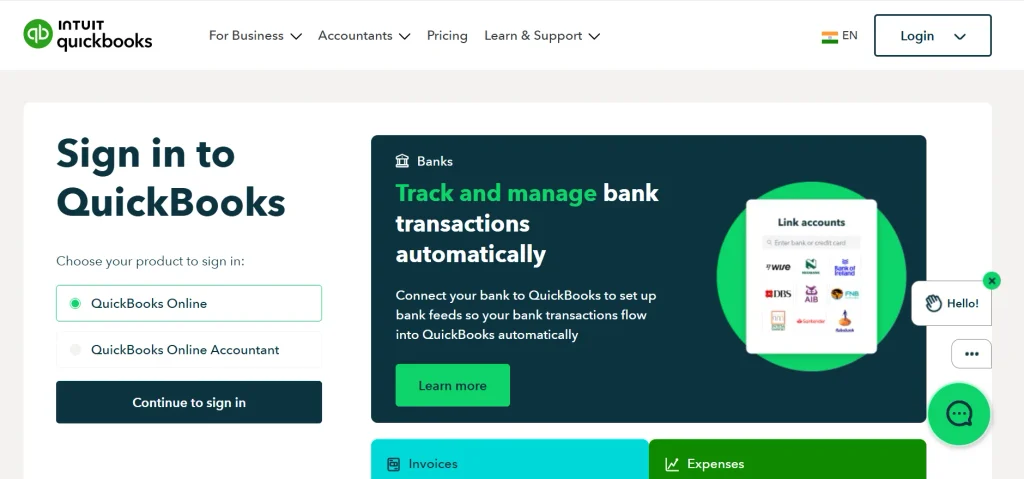
What it does well. QuickBooks Online is a popular accounting platform for small businesses, including contractors who need to manage invoices, expenses, bank transactions, accounts payable, and financial reports.
Its bank feeds and transaction categorization features help simplify routine bookkeeping, while its reporting tools provide visibility into income, expenses, and overall business performance. Depending on the subscription plan and configuration, businesses can also access project profitability tracking.
Another advantage is its extensive app ecosystem. Contractors can connect QuickBooks Online with compatible payroll, estimating, time-tracking, and project management applications.
This flexibility makes it useful for smaller construction businesses that want to maintain a familiar accounting system while adding specialized tools as their needs grow.
Where it falls short. QuickBooks Online is primarily general accounting software rather than a comprehensive construction accounting platform.
Contractors managing complex retainage arrangements, detailed cost-code structures, committed costs, or formal WIP schedules may need third-party applications, manual processes, or a more specialized accounting system. Integration availability and functionality can also vary, so check whether the tools you need work with your selected plan.
Pricing. QuickBooks Online offers publicly listed subscription plans, with pricing and features varying by region and subscription tier. Review the current plan comparison on Intuit’s official website before estimating your total cost.
Choose it if you operate a small construction business, manage a relatively straightforward set of projects, and want accessible accounting software that your bookkeeper may already know.
Look elsewhere if you manage numerous concurrent projects, require advanced construction-specific reporting, operate multiple legal entities, or need sophisticated job costing and WIP management without relying heavily on add-ons.
So, is QuickBooks good for construction companies? For smaller contractors with straightforward accounting requirements, it can be a practical starting point. However, as project complexity increases, you may need additional software to manage construction-specific financial workflows.
For candid discussions about everyday accounting challenges, contractors can also explore communities such as QuickBooks and Construction. Treat community feedback as anecdotal and verify product capabilities through official documentation.
2. Sage Intacct Construction: Best for Growing and Multi-Entity Businesses
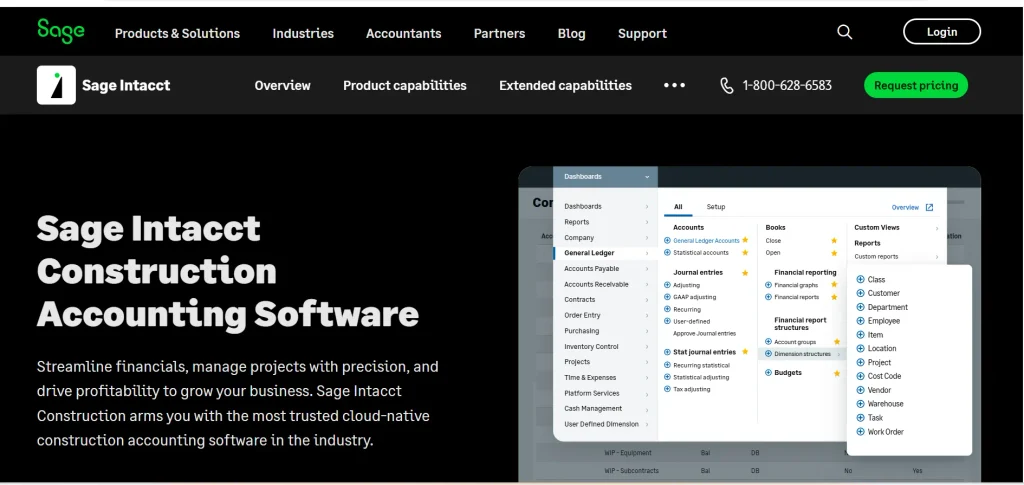
What it does well. Sage Intacct Construction is a cloud-based financial management solution designed for businesses that need greater visibility into construction finances.
Its capabilities make it worth evaluating when standard bookkeeping tools no longer provide the reporting depth or financial controls a growing contractor requires.
Businesses managing multiple entities, locations, or complex financial structures may benefit from consolidated reporting and more advanced financial management workflows.
Depending on the configuration and connected applications, the platform can help finance teams organize project-related financial information, analyze performance, and improve visibility across the business.
For construction companies expanding into new markets or managing several operating companies, these capabilities can support more consistent financial reporting and management oversight.
Where it falls short. Implementing a more advanced financial system requires planning. Companies may need to review their chart of accounts, standardize cost codes, clean historical financial data, configure reporting structures, and train employees before the system delivers its full value. Integration requirements should also be evaluated carefully, particularly when estimating, payroll, and project management operate in separate systems.
Pricing. Pricing is generally quote-based and depends on the required functionality, company structure, users, implementation scope, and partner arrangements. Request a proposal that separates software fees from implementation and ongoing support costs.
Choose it if your construction business is growing, you need consolidated financial reporting, or your existing accounting system struggles to support more complex financial operations.
Look elsewhere if you run a small business with one legal entity, straightforward bookkeeping, and limited reporting requirements. A simpler accounting platform may provide better value with less implementation effort.
3. Sage 300 Construction and Real Estate: Best for Established Contractors
What it does well. Sage 300 Construction and Real Estate is an established construction-focused financial management platform designed for contractors and real estate businesses with specialized accounting requirements.
Its capabilities include construction accounting workflows such as job costing, financial reporting, and related operational processes, depending on the modules implemented.
For companies that need to connect project costs with financial records, specialized construction accounting functionality can provide more relevant reporting than a basic bookkeeping application.
Businesses already using the platform may also benefit from established procedures, historical data, and staff familiarity.
When evaluating Sage 300, consider how well its reporting and job-costing capabilities align with your existing project structures, contract requirements, and financial controls.
Where it falls short. Companies seeking a fully browser-first, cloud-native experience should compare the platform’s current deployment options and architecture with newer alternatives. Implementation and ongoing maintenance requirements can vary depending on the configuration.
You should also investigate how it connects with your existing estimating, payroll, document management, and project management systems.
Pricing. Pricing is generally quote-based. Costs depend on the required modules, licensing arrangements, implementation work, and support requirements.
Choose it if you are an established contractor that needs construction-focused accounting and detailed job-cost reporting, particularly if your team already understands the platform.
Look elsewhere if your main priority is a modern cloud-first experience, minimal IT involvement, or a lightweight accounting system with a simple setup.
Sage also offers Sage 100 Contractor, which serves a different segment of the construction market. If you are considering Sage products, ask the vendor or implementation partner to explain the differences in functionality, deployment, and suitability for your business size.
4. Foundation Software: Best for Construction-First Accounting
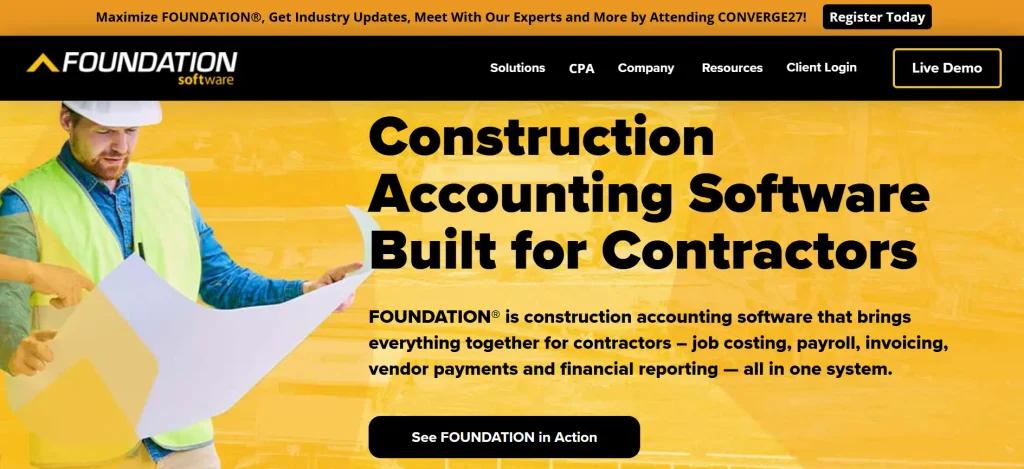
What it does well. Foundation Software develops accounting and payroll solutions specifically for construction businesses. Rather than treating construction as a general business category, its product offering focuses on contractor-oriented financial workflows.
Job costing is particularly important when a contractor needs to compare project budgets with actual expenses.
Construction-focused accounting can help businesses organize costs by job and category, review project financial performance, and connect accounting information with payroll and other relevant processes.
Depending on the products and modules selected, contractors can evaluate capabilities related to payroll, accounts payable, accounts receivable, and construction reporting.
This specialization makes Foundation worth considering for contractors whose financial processes are more complicated than standard invoicing and expense tracking.
Where it falls short. Available features, integrations, and workflows depend on the specific products and modules selected. Do not assume that every capability is included in the base offering.
Before purchasing, test how the software handles your cost codes, payroll rules, project reports, and existing field or estimating applications.
You should also evaluate the usability of the system for employees who need to enter data or review reports regularly.
Pricing. Pricing is generally provided through a vendor quotation. Ask for a breakdown of software licensing, payroll-related functionality, implementation, integrations, training, and support.
Choose it if you want accounting and payroll designed around construction operations, particularly if job costing and contractor-specific payroll requirements are major challenges.
Look elsewhere if you prefer a general-purpose accounting platform with a broad consumer-style application ecosystem or need an all-in-one business platform extending well beyond accounting.
5. Viewpoint Vista (Trimble): Best for Larger Contractors
What it does well. Viewpoint Vista is a construction-focused ERP and financial management platform associated with Trimble.
It is designed to connect accounting with relevant operational functions, allowing businesses to evaluate how financial and project information can work together within a broader system.
For larger contractors, the value of an integrated platform comes from reducing fragmentation between departments. Finance teams need accurate cost information, while project teams need visibility into budgets, commitments, and project performance.
A connected system can help standardize these workflows and support more consistent reporting when configured appropriately.
Depending on the implemented modules, businesses can evaluate capabilities related to job costing, payroll, accounts payable, project management, and other construction operations.
Where it falls short. Implementing an integrated construction ERP is a substantial project. Businesses must consider data migration, system configuration, user permissions, employee training, integrations, and the redesign of existing workflows.
The platform may be more complex than necessary for smaller contractors with straightforward accounting requirements. Companies should also assess the resources needed to maintain the system and manage future configuration changes.
Pricing. Pricing is generally quote-based. Request a proposal that includes licensing, implementation, integration, training, and ongoing support.
Choose it if you operate a larger construction business and want to connect financial management with project and operational workflows through an integrated platform.
Look elsewhere if you have a small team, limited IT resources, or relatively simple projects that do not justify a comprehensive construction ERP.
6. CMiC: Best for Large Construction Enterprises
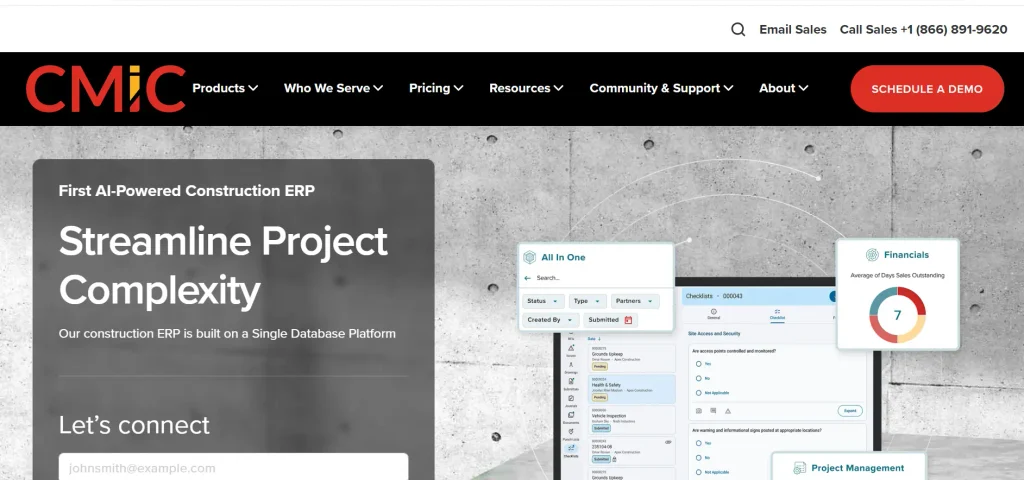
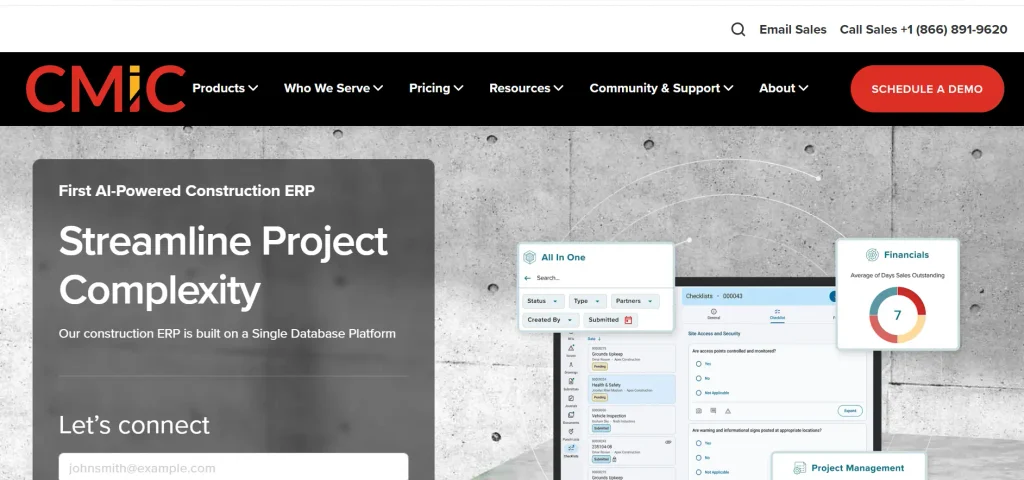
What it does well. CMiC provides an integrated construction ERP platform designed for larger construction organizations. Its approach connects financial management with project controls and other business functions, making it relevant to enterprises that need consistent information across multiple departments.
Large contractors may manage numerous projects, complex contractual arrangements, extensive subcontractor networks, and multiple business units. In these environments, disconnected accounting and project systems can make reporting more difficult. An integrated platform can help organizations coordinate financial and operational information, provided the system is implemented and governed effectively.
When evaluating CMiC, focus on whether its functionality matches your organization’s reporting structure, project controls, approval processes, and financial management requirements.
Where it falls short. The platform’s breadth can introduce significant implementation and change-management requirements. Companies must be prepared to document their workflows, configure the system, migrate data, train employees, and establish clear ownership of financial and operational processes.
The investment may be difficult to justify for small and mid-sized contractors whose requirements can be met by a simpler accounting system.
Pricing. Pricing is generally quote-based and depends on organizational complexity, required modules, implementation scope, and support arrangements.
Choose it if you operate a large, multi-division construction business that needs integrated financial and project management capabilities.
Look elsewhere if your company needs straightforward accounting, has a small number of active projects, or lacks the resources to manage a major ERP implementation.
7. Acumatica Construction Edition: Best for Businesses Evaluating Cloud ERP
What it does well. Acumatica Construction Edition combines cloud ERP capabilities with construction-oriented financial and operational workflows. It is worth evaluating if your business wants to bring accounting, project information, and other operational processes together in a configurable cloud platform.
Construction businesses may benefit from connecting project budgets, purchasing activity, financial transactions, and reporting within a broader business system. The extent of these capabilities depends on the edition, configuration, connected applications, and modules selected.
For companies planning to expand, an ERP approach can provide a framework for standardizing processes across teams rather than adding separate applications for every new requirement.
Where it falls short. Configurability is an advantage only when the business has a clear understanding of its requirements. Companies may need an experienced implementation partner to configure workflows, establish reporting structures, migrate data, and integrate existing systems.
Implementation planning should include employee training, testing, data validation, and a realistic timeline. A cloud-based platform does not eliminate the need for these activities.
Pricing. Pricing is generally provided through a quotation or implementation partner. Confirm the licensing model, included functionality, implementation fees, and ongoing support costs.
Choose it if you want a cloud ERP platform that can support construction accounting alongside broader business operations.
Look elsewhere if you only need basic bookkeeping, invoicing, and expense tracking without the complexity of an integrated ERP.
8. Xero: Best for Small Firms That Want Simple Cloud Accounting

What it does well. Xero is a cloud-based accounting platform known for its invoicing, bank feeds, expense management, and financial reporting capabilities. It can suit smaller construction businesses that want to manage routine accounting online without adopting a specialized construction ERP.
Its integration ecosystem allows businesses to evaluate compatible applications for functions such as project tracking, time management, payroll, and construction-related workflows.
For contractors with relatively straightforward projects, combining general accounting software with a carefully selected set of supporting tools may be sufficient.
Xero can also be useful for businesses that prioritize online access and want their bookkeeper or accountant to collaborate through a cloud accounting environment.
Where it falls short. Xero is general accounting software rather than a complete construction accounting solution. Contractors with complex job costing, retainage requirements, committed-cost reporting, or formal WIP schedules may need compatible third-party applications or alternative software.
Before choosing it, confirm that the necessary integrations are available in your country and support your intended workflows. Consider whether financial information must be entered into multiple systems and whether reports can be reconciled reliably.
Pricing. Xero offers publicly listed subscription plans, with pricing and functionality varying by country. Review the official pricing page for your region and check the limits of the plan you intend to purchase.
Choose it if you run a smaller construction business with straightforward bookkeeping requirements and want cloud accounting with compatible integrations.
Look elsewhere if you need extensive construction-specific functionality directly within your accounting platform or require advanced project financial reporting without third-party tools.
9. Knowify: Best for Specialty Trade Contractors
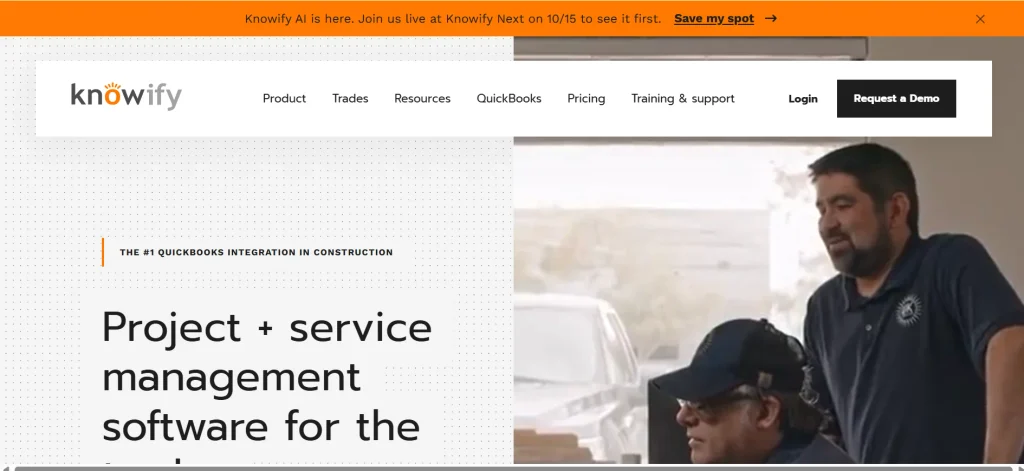
What it does well. Knowify focuses on contractor workflows and is particularly relevant to specialty trades such as electrical, HVAC, and plumbing businesses.
These companies often need to connect estimates, contracts, labor, purchasing, and project costs to understand whether individual jobs remain profitable.
Its construction-oriented capabilities make it worth evaluating for job costing, contract billing, purchase orders, and time tracking.
Depending on the current product configuration, these functions can help contractors organize project information and monitor financial performance without immediately adopting a full enterprise ERP.
For trade contractors managing multiple service jobs or installation projects, the key question is whether the platform supports their actual processes from estimating through billing and accounting synchronization.
Where it falls short. Knowify should not automatically be treated as a complete replacement for a general ledger or broader financial management system.
Confirm how it integrates with your accounting platform, which records synchronize, and whether the integration supports the level of detail required by your accountant.
Businesses with complex multi-entity reporting, advanced financial consolidation, or extensive enterprise requirements may need additional systems.
Pricing. Check Knowify’s current pricing information or request a quotation. Confirm which features are included in each plan and whether user limits, integrations, or additional services affect the total cost.
Choose it if you are a specialty trade contractor looking for better visibility into job costs, contracts, time tracking, and purchasing workflows.
Look elsewhere if you need advanced multi-entity accounting, enterprise-level financial consolidation, or a single platform that replaces all your existing financial and operational systems.
10. LiveCosts: Best for Project Cost Control and Invoice Verification
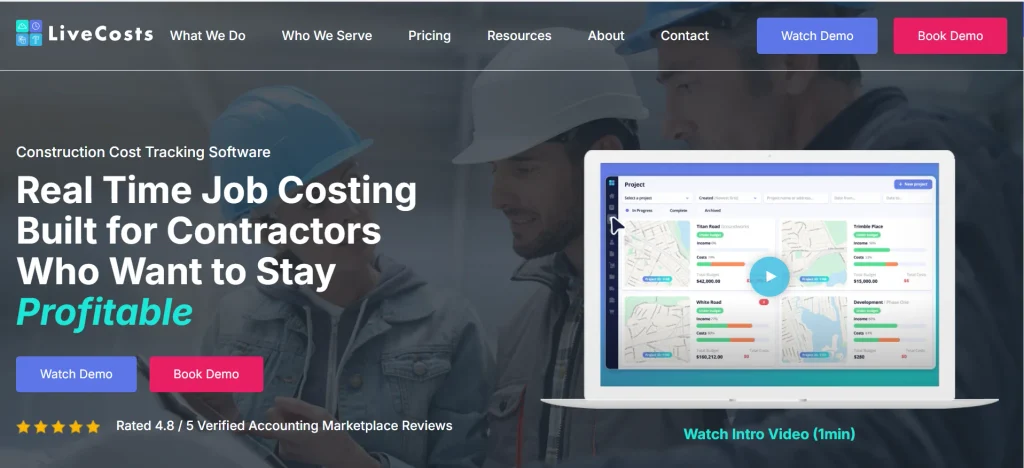
What it does well. LiveCosts focuses on construction cost management, with an emphasis on procurement, invoice verification, and budget-versus-actual tracking. It is relevant to contractors who already have an accounting process but need stronger control over the purchasing and project cost information feeding into it.
For example, a project team may issue purchase orders for materials, receive supplier invoices, and discover discrepancies between the amount ordered and the amount billed.
A suitable cost management system can help teams compare relevant purchasing and invoice information, identify exceptions, and improve visibility into project expenditure.
These workflows can be particularly valuable when multiple people approve purchases and invoices across several active construction projects.
Where it falls short. Cost management and accounting are related but different functions. Before selecting LiveCosts, establish whether it provides the financial capabilities your business needs directly or whether it must connect to a separate accounting platform.
If you require a general ledger, comprehensive payroll, tax reporting, and complete financial statements, verify which system will perform those functions and how information will move between platforms.
Pricing. Consult the vendor for current pricing and confirm which features, integrations, and service levels are included.
Choose it if your existing accounting software works reasonably well but your business needs better control over purchase orders, invoice checking, procurement, and project cost visibility.
Look elsewhere if you need a standalone accounting platform that handles the general ledger, payroll, financial reporting, and tax-related workflows in one system.
Final Buying Tip: Match the Software to Your Financial Workflows
Before choosing any construction accounting platform, list your essential requirements and test them against the shortlisted products. Use the same sample project for each vendor demonstration, including a project budget, cost codes, purchase orders, supplier invoices, subcontractor costs, and a change order.
Ask each vendor to show how the system records these transactions, updates project costs, identifies outstanding commitments, and produces the reports your finance and project teams need.
This approach helps reveal differences that feature lists alone may hide. It also makes it easier to compare implementation effort, integration requirements, and total cost before committing to a platform.
Best Construction Accounting Software at a Glance
I compared each product on construction-specific accounting, job costing and reporting, ease of use, integrations, total cost, and support. These weights are my own editorial framework, not an industry standard. The right pick for you depends on your size, your contracts, and how much financial detail your team needs.
Quick comparison table
| Software | Best for | Strengths to check | Pricing | Main limitation |
| QuickBooks Online | Small contractors | Easy bookkeeping, invoicing, wide app ecosystem | Public plans, check vendor page | Retainage and deep job costing may need add-ons |
| Sage Intacct Construction | Growing, multi-entity firms | Cloud financials, consolidation, project accounting | Quote required | Setup takes planning |
| Sage 300 Construction and Real Estate | Established contractors | Job cost, payroll, construction reporting | Quote required | Fit with your tech setup varies |
| Foundation Software | Contractors wanting construction-first accounting | Job costing, payroll, contractor reporting | Quote required | Confirm modules and integrations |
| Viewpoint Vista (Trimble) | Larger contractors | Accounting plus operations in one system | Quote required | Heavy implementation |
| CMiC | Large enterprises | Financials with project controls | Quote required | Complexity and cost |
| Acumatica Construction Edition | Firms comparing cloud ERP | Cloud ERP with construction features | Quote required | Configuration effort |
| Xero | Small firms wanting simple cloud books | Clean invoicing, bank feeds, integrations | Public plans, check vendor page | Little construction depth on its own |
| Knowify | Specialty trades | Job costing, contract billing, field workflows | Check vendor page | Usually paired with an accounting system |
| LiveCosts | Teams that need cost control | Procurement, invoice checks, budget tracking | Check vendor page | May sit alongside, not replace, your ledger |
Which one should you pick?
A few quick matches, based on how each product is positioned:
- Small contractor with simple jobs: QuickBooks Online or Xero, plus a construction add-on if needed.
- Residential or specialty trade shop that wants job costing without a big system: Knowify, connected to an accounting package.
- Growing general contractor or multi-entity group: Sage Intacct Construction, Foundation Software, or Sage 300.
- Large contractor that wants one system for finance and operations: Viewpoint Vista, CMiC, or Acumatica.
- A firm happy with its books but weak on cost control: LiveCosts.
No single product wins for everyone. Be skeptical of any list that crowns one.
What Is Construction Accounting Software?
Construction accounting software helps contractors record transactions, track costs by project, monitor budgets, process invoices, and produce financial reports. Depending on the product, it also handles job costing, progress billing, retainage, subcontractor payments, and work-in-progress reporting.
The core idea is simple. Regular accounting asks, “How is the company doing?” Construction accounting also asks, “How is each job doing?”
How it works
You start with a job budget broken into cost codes, such as concrete, framing, or electrical. Every purchase order, supplier bill, timesheet, and subcontractor invoice gets coded to a job and a cost code. The software then compares what you planned with what you have spent and committed.
Here is the chain in plain terms: budget, then purchase orders (committed costs), then invoices (actual costs), then a forecast of what’s left to spend. Billing runs on a second track: contract value, progress billing, receivables, and retainage.
Construction vs. general accounting software
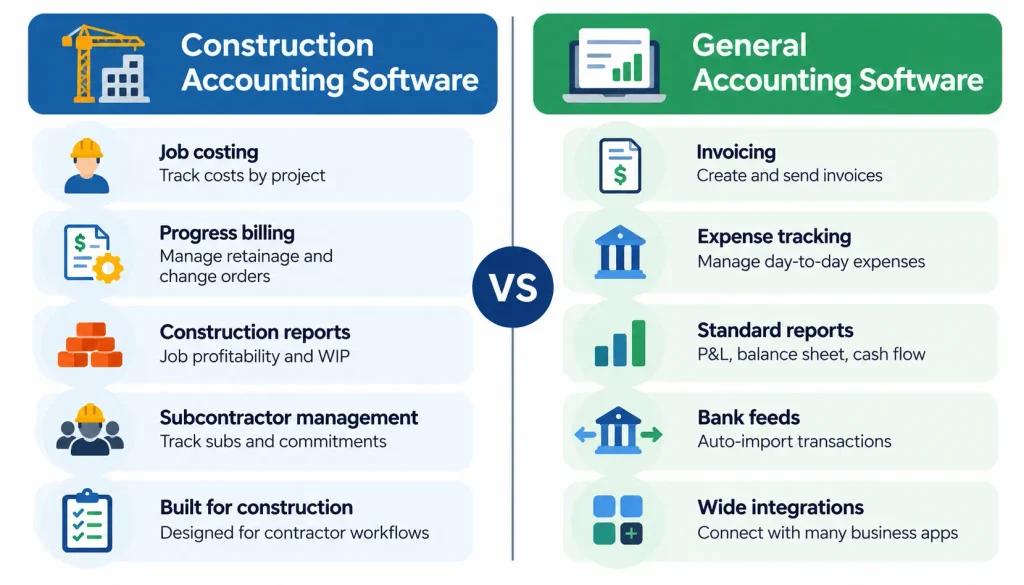
| Capability | General accounting | Construction accounting |
| General ledger | Yes | Yes |
| Job costing by cost code | Limited or add-on | Built in or core feature |
| Progress billing | Basic | Usually built in |
| Retainage | Often needs add-ons | Usually built in |
| WIP reporting | Rare | Common |
| Subcontractor tracking | Basic | Detailed |
| Cost-to-complete forecasts | Rare | Common |
For smaller contractors with straightforward bookkeeping requirements, cloud accounting software can simplify invoicing, expense tracking, and financial reporting while providing access to financial information from different locations. The exact split varies by product and plan, so verify each line during a demo.
Construction accounting software vs. construction ERP
Three categories get mixed up, and the mix-up leads to bad purchases.
Accounting software manages the ledger, payables, receivables, and financial reports. Cost management tools control budgets, commitments, and invoice approvals, and often connect to a separate ledger. Construction ERP joins finance with procurement, payroll, subcontract management, and project controls.
Some products cover more than one category. A tool that plugs into your accounting system usually adds to it. It rarely replaces it.
Essential Features in Construction Accounting Software
Not every contractor needs every feature. Use this list to decide which ones are non-negotiable for you.
1. Job costing and cost codes
Job costing means tracking income and expenses for each project. Cost codes break each job into categories so you can see where money goes. Without them, you only learn that a job lost money after the fact.
2. Budget vs. actual reporting
This compares what you planned to spend with what you have spent so far. It is the first report most project managers open each week.
3. Committed costs and cost-to-complete
A committed cost is money you have promised but not yet paid, like a signed subcontract or an open purchase order. Cost-to-complete estimates what is left to spend. Together they show where the job will actually land.
4. Progress billing and retainage
Progress billing invoices the client as work is completed. Retainage is a portion of each payment held back until contract conditions are met. If your software cannot track both, you will end up with spreadsheets.
5. Work-in-progress reporting
A WIP schedule shows each open job’s contract value, costs to date, billings, and estimated profit. Lenders and sureties often ask for it. Revenue recognition rules for qualifying contracts follow standards such as ASC 606, issued by the FASB, so talk with your CPA about how that applies to you.
6. Payables and subcontractor management
Look for approval workflows, lien waiver tracking where relevant, and visibility into what each subcontractor is owed.
7. Payroll and labor costing
Labor should land on the right job and cost code. If you run certified payroll or work in several states, test this early.
8. Cash-flow forecasting and reporting
You need to see what is coming in and going out across all active jobs, not only your bank balance.
9. Integrations, permissions, and audit trails
Ask which integrations are native, which come from partners, and which need custom work. Check role-based access and audit trails too.
For contractors who purchase and store large quantities of construction materials, inventory management can complement accounting workflows by improving stock visibility and helping teams monitor purchasing activity and material costs.
Best Construction Accounting Software by Business Type
Small construction businesses. Start with QuickBooks Online or Xero. Add a job costing tool if you outgrow the basics.
General contractors. You need job costing, subcontractor tracking, and progress billing. Compare Foundation Software, Sage 300, and Sage Intacct Construction.
Specialty trade contractors. Knowify is built for this crowd. Pair it with your accounting system and confirm the sync.
Residential builders and remodelers. Many use a residential project platform such as Buildertrend alongside accounting software. Check how the two share data.
Growing and multi-entity companies. Look at Sage Intacct Construction for consolidation, and test permissions across entities.
Enterprise contractors. Evaluate Viewpoint Vista, CMiC, and Acumatica. Expect a long selection and rollout process.
I avoided naming one product for every group on purpose. Each recommendation above comes with a trade-off you should weigh.
How Much Does Construction Accounting Software Cost?
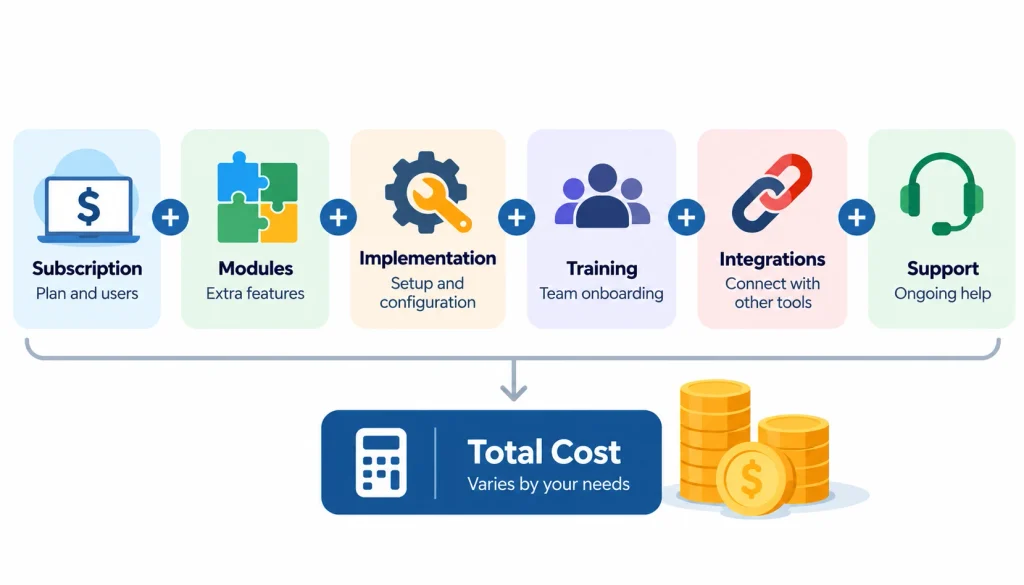
The subscription is only part of the bill. Costs depend on the product, the number of users, the modules you add, and how much help you need to set it up.
QuickBooks Online and Xero publish their plans. Most construction-focused and ERP products sell by quote. Don’t trust a price you find in an old blog post. Go to the vendor’s page and note the date you checked.
A simple way to budget:
Total cost of ownership = licensing + implementation + data migration + training + integrations + ongoing support
That formula is a planning tool, not a quote. Ask each vendor to price every line.
Is free software enough? For a one-person shop with a handful of small jobs, a basic plan can work. Once you juggle retainage, multiple jobs at once, or subcontractor commitments, you will likely need construction-specific features.
How to Choose the Best Construction Accounting Software
Here is a process that works for most firms.
- Write down your current problems. Late reports, surprise overruns, double data entry. Be specific.
- Define the workflows you must support. Job costing, billing, WIP, payroll, and subcontractor accounting.
- List your existing tools. Payroll, estimating, project management, and banking. Check how each connects.
- Compare total costs. Include setup and training, not only the subscription.
- Test the same project in every shortlisted system. Use one real job with a budget, cost codes, purchase orders, subcontractor invoices, and a change order. Ask each vendor to walk through it.
- Check reporting, security, and support. Look at access controls, audit trails, and what happens when you call for help.
- Score and decide. Use a weighted scorecard and write down why you chose the winner.
Step five is where most buyers learn the most. A polished demo with the vendor’s own data tells you very little. Before making a final decision, compare accounting software options based on your business size, reporting requirements, integration needs, and the complexity of your financial workflows.
Practical Example: Seeing Costs Before It’s Too Late
The numbers below are made up for illustration. They are not industry benchmarks.
A contractor wins a job with a $420,000 cost budget. Partway through, the books show the following.
| Cost category | Original budget | Actual cost to date |
| Labor | $100,000 | $35,000 |
| Materials | $150,000 | $80,000 |
| Subcontractors | $120,000 | $45,000 |
| Equipment | $30,000 | $12,000 |
| Other | $20,000 | $8,000 |
| Total | $420,000 | $180,000 |
So $180,000 is spent and $240,000 is left in the budget. It is tempting to call that a healthy job. It might not be.
Suppose the contractor has also signed a $90,000 subcontract and placed $60,000 in material orders that have not been invoiced. Those commitments don’t appear in actual costs yet. If the remaining labor is also running over, the forecast final cost could land above the budget.
Good software shows actual costs, committed costs, and the forecast side by side. It will not stop an overrun by itself. It gives the project manager time to act, whether that means renegotiating a price, adjusting a schedule, or issuing a change order.
Common Mistakes to Avoid
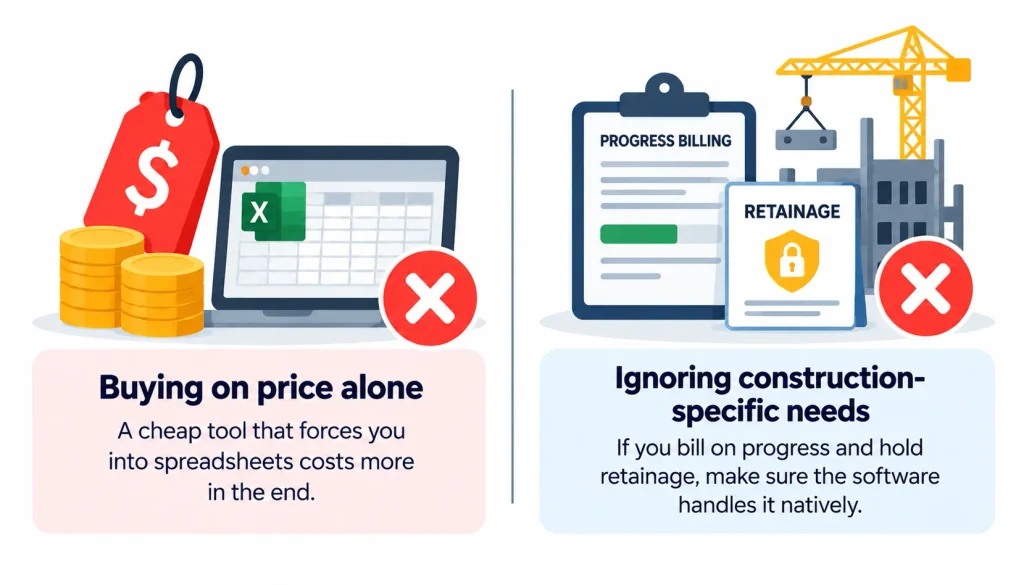
Buying on price alone. A cheap tool that forces you into spreadsheets costs more in the end.
Ignoring construction-specific needs. If you bill on progress and hold retainage, make sure the software handles it natively.
Skipping integration checks. Disconnected systems mean re-keying data, and re-keying means errors.
Underestimating setup. Messy cost codes and dirty historical data slow every implementation. Clean them first.
Buying more systems than you need. A small crew on an enterprise ERP often ends up with unused features and frustrated staff.
Trusting the demo. Run your own scenario.
Frequently Asked Questions
What is the best construction accounting software?
It depends on your size and workflow. Small contractors often start with QuickBooks Online or Xero. Mid-size and growing firms commonly evaluate Sage Intacct Construction, Sage 300, or Foundation Software. Large enterprises look at Viewpoint Vista, CMiC, or Acumatica.
Is QuickBooks good for construction companies?
For small firms with simple billing, yes, often. As projects grow, many contractors add tools for retainage, job costing, and WIP reporting, or move to a construction-specific system.
How much does construction accounting software cost?
It varies widely. Some vendors publish plan prices. Others quote by user count, modules, and implementation scope. Always ask for a full quote that includes setup and training.
What features should construction accounting software have?
Job costing, cost codes, budget-versus-actual reports, progress billing, retainage, WIP reporting, payables and subcontractor tracking, payroll integration, and audit trails. Which ones you need depends on your contracts and location.
What is the difference between construction accounting software and construction ERP?
Accounting software focuses on the ledger, payables, receivables, and reporting. ERP connects finance with procurement, payroll, project controls, and other operations in one system.
Final Verdict
The best construction accounting software is the one that matches your jobs, your billing, and your team’s capacity to adopt it. Smaller contractors can start with QuickBooks Online or Xero and add construction tools as needed. Growing firms should compare Sage Intacct Construction, Sage 300, and Foundation Software. Large operations can evaluate Viewpoint Vista, CMiC, and Acumatica.
Your next step is simple. Pick three products, build one sample project with a change order and a subcontractor invoice, and ask each vendor to run it live. You can also read what other contractors say in Accounting and Construction before you decide. Then choose the one that shows you the real cost of the job.
