


If you have ever had to chase a client for a signature, search through a long email conversation to find an important file, or answer the same project status question over and over again, then you already know the problem client portal software solves. Client portal software gives your clients a secure place to log in, check project updates, upload or download files, communicate with your team, and complete approvals without relying on endless email threads.
This guide explains what client portal software is, how it works, and what features you should look for when choosing the right solution. It also covers topics that many articles overlook, including implementation, security best practices, cost savings, and the growing role of artificial intelligence in modern client portals. If your business also manages rental properties, combining a client portal with Short Term Rental Accounting Software can simplify owner communication, securely share financial reports, invoices, tax documents, and booking statements, while keeping accounting records organized in one place.
Client portal software is a secure online platform where businesses and clients can share files, exchange messages, track projects, complete approvals, sign documents electronically, and manage tasks. Think of it as a private digital workspace that only authorized users can access. Every interaction, document, and update is stored in one centralized location, making collaboration simple and transparent.
Instead of sending repeated emails for updates or searching through cloud storage folders for documents, clients can log in to their personalized portal and find everything they need in one place. This improves communication, reduces administrative work, and creates a better client experience. For businesses of all sizes, client portal software is an effective way to streamline collaboration, improve efficiency, and build stronger client relationships.
How Client Portal Software Works
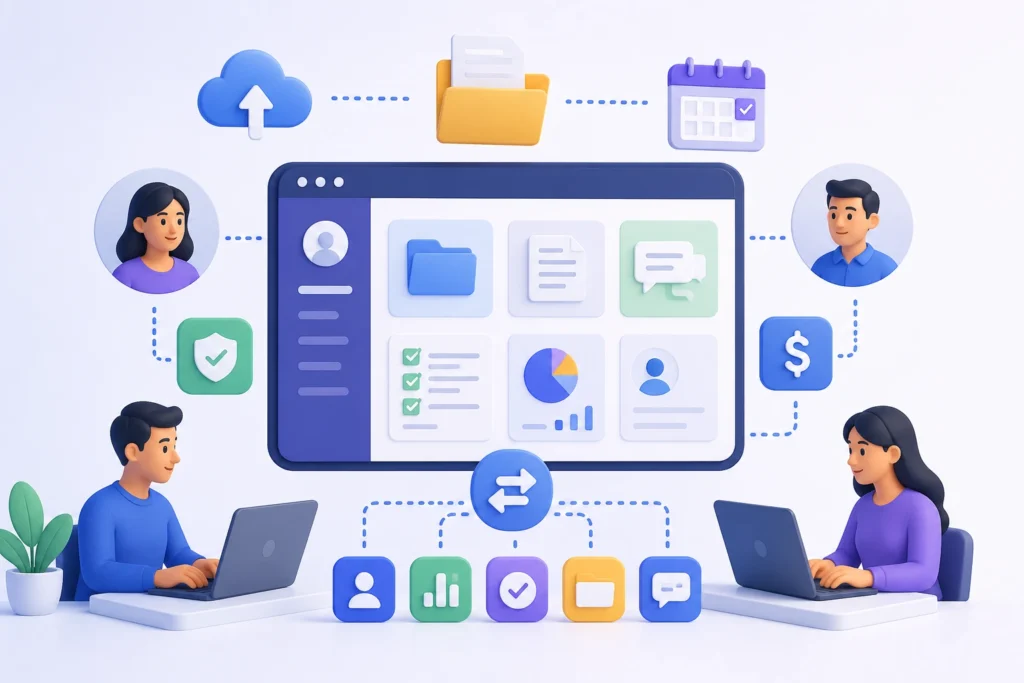
The client portal software that most businesses use is designed to make sharing information and collaborating with clients simple. A business first sets up the portal, customizes it with its branding, and invites clients to join. Each client receives secure login credentials and role-based permissions that determine exactly what they can view and access. This ensures every client only sees the files, projects, and information intended for them.
Once clients log in, they can complete many tasks without relying on lengthy email conversations. They can view and download documents, track project progress, send messages, approve contracts, pay invoices, fill out forms, schedule meetings, and access helpful resources whenever they need them. Businesses that use cloud-based financial systems can also connect their portal with modern accounting platforms. For example, How Cloud Accounting Helps Businesses explains how cloud accounting enables real-time financial data sharing, making it easier to provide clients with invoices, payment updates, and financial reports directly through a secure client portal.
Client portal software also integrates with the tools businesses already use, including customer relationship management (CRM) systems, accounting software, project management platforms, cloud storage, and communication applications. Information is synchronized automatically, ensuring both employees and clients always have access to the latest updates without manual data entry.
Many client portals also include workflow automation. For example, when a new client signs a contract, the portal can automatically create a project, generate task lists, request required documents, send a welcome message, and notify the appropriate team members. These automated workflows save time, reduce manual errors, and provide a smoother onboarding experience for clients.
Some client portals are built into larger software platforms such as CRM or project management systems, while others are standalone solutions that integrate with a wide range of business applications. This flexibility allows businesses to choose a client portal that fits seamlessly into their existing technology stack without disrupting established workflows. As a result, client portal software makes it easier to collaborate with clients, centralize information, and deliver a more efficient and professional client experience.
Client Portal vs Customer Portal
| Feature | Client Portal | Customer Portal |
|---|---|---|
| Purpose | Designed for businesses that provide ongoing, personalized services to clients and need a secure space for collaboration. | Designed to help large numbers of customers access information and complete tasks independently. |
| Primary Focus | Long-term collaboration, secure communication, and relationship management. | Self-service, convenience, automation, and scalability. |
| Relationship Type | One-to-one or one-to-few client relationships with continuous interaction. | One-to-many customer relationships with minimal direct interaction. |
| Typical Users | Law firms, accounting firms, marketing agencies, consulting companies, financial advisors, healthcare providers, and IT service providers. | E-commerce businesses, SaaS companies, telecommunications providers, utilities, and other organizations serving large customer bases. |
| Main Functions | Share confidential documents, collaborate on projects, exchange secure messages, sign contracts, manage invoices, and track project progress. | Check order status, download invoices, renew subscriptions, submit support tickets, track shipments, and access product information. |
| Personalization | Highly personalized based on each client’s projects, documents, and communication. | Standardized experience designed for all customers. |
| Collaboration | Extensive collaboration between the business and each client. | Limited collaboration, with an emphasis on customer self-service. |
| Security Needs | High level of security for confidential documents, contracts, and sensitive communications. | Secure account access, but primarily focused on protecting customer account information. |
| Common Features | Project management, document approvals, secure messaging, file sharing, task management, contract signing, billing, and reporting. | Account management, FAQs, order history, subscription management, billing, support resources, and ticket tracking. |
| Best For | Businesses that provide customized services and maintain ongoing relationships with clients. | Businesses that need to efficiently support a large number of customers through self-service. |
| Key Benefit | Strengthens collaboration and improves client relationship management. | Reduces support workload while providing customers with fast, convenient access to services. |
| Can They Be Combined? | Yes. Some modern platforms include both client portal and customer portal capabilities, allowing businesses to collaborate with service clients while also offering self-service options for customers. |
Client Portal vs CRM
| Feature | Client Portal | Customer Relationship Management (CRM) System |
|---|---|---|
| Purpose | Provides clients with secure access to information, documents, and collaboration tools. | Helps businesses manage customer relationships, sales, marketing, and support activities internally. |
| Primary Users | Clients and customers. | Employees, including sales, marketing, customer success, and support teams. |
| Main Focus | Client collaboration, communication, and self-service. | Managing customer data, interactions, and business processes. |
| Access | External access for clients through a secure login. | Internal access for company employees. |
| Information Stored | Project updates, shared files, invoices, contracts, forms, messages, and client-specific documents. | Customer contact details, sales history, communication records, follow-up reminders, tasks, and analytics. |
| Key Functions | View project progress, download files, approve documents, submit requests, sign contracts, pay invoices, and communicate with the business. | Track leads, manage sales pipelines, automate workflows, assign tasks, monitor customer interactions, and generate reports. |
| Communication | Enables secure communication between clients and the business. | Helps employees track and manage customer communications internally. |
| Automation | Automates client-facing tasks such as document sharing, approvals, notifications, and status updates. | Automates sales, marketing, customer support, task assignments, and follow-up reminders. |
| Primary Benefit | Improves client experience by offering transparency, collaboration, and easy access to information. | Improves operational efficiency by centralizing customer data and streamlining internal processes. |
| Visibility | Clients can only access information relevant to their own accounts or projects. | Employees can view and manage customer records across the organization, based on permissions. |
| Examples of Activities | Viewing project status, uploading documents, signing contracts, downloading invoices, submitting forms, and sending secure messages. | Managing leads, tracking sales opportunities, recording customer interactions, scheduling follow-ups, and analyzing customer behavior. |
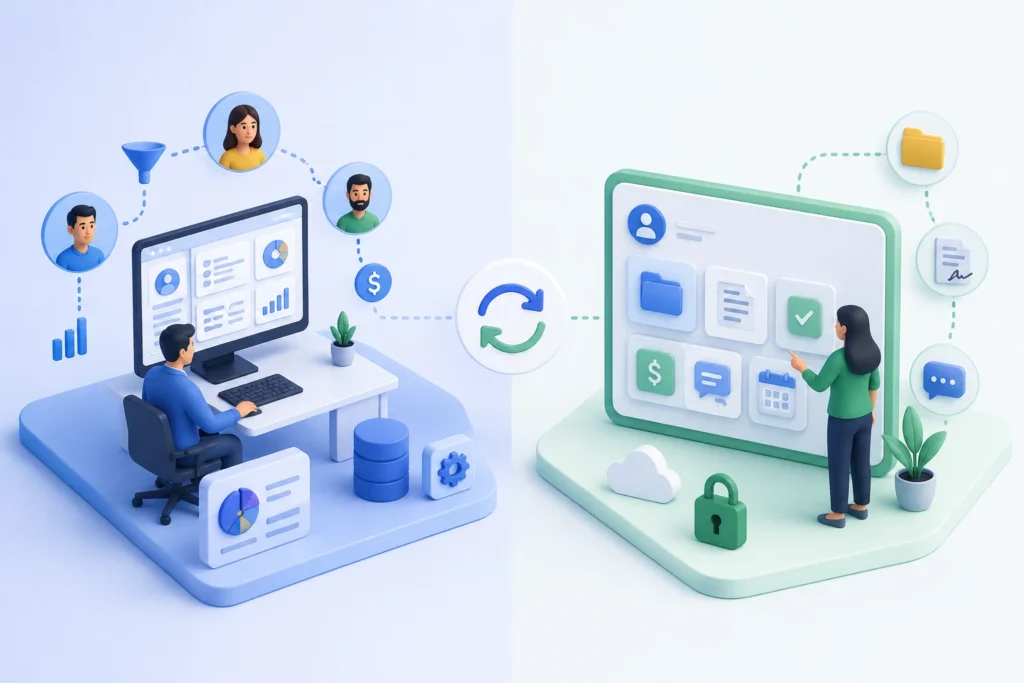
| Integration | Often integrates with CRM systems to display relevant client information automatically. | Can sync with client portals to share updates, documents, contracts, and client activity with employees. |
| How They Work Together | Clients upload files, sign contracts, submit requests, or send messages through the portal, which can automatically sync with the CRM. | Employees update customer records, project status, or contracts in the CRM, and relevant information is automatically shared with the client portal. |
| Business Value | Enhances client satisfaction through secure collaboration and self-service. | Improves customer relationship management, team productivity, and business decision-making. |
| Best For | Service-based businesses that collaborate closely with clients. | Businesses of all sizes that need to manage customer relationships, sales, and support operations. |
| Can They Be Used Together? | Yes. Modern client portal software often integrates with CRM systems to synchronize data, reduce manual work, minimize errors, and ensure both employees and clients always have access to the latest information. |
Why Businesses Use Client Portal Software
1. Secure Collaboration
Email was never designed to be a secure file-sharing system, yet a huge amount of sensitive client data still travels through it. A client portal replaces that with encrypted, permission-controlled access, so financial documents, contracts, or health records stay where they belong.
2. File Sharing
Instead of version confusion across email attachments and shared drives, clients and staff work from a single source of truth. Everyone sees the same, current version of every file.
3. Client Communication
Portals centralize messaging so conversations about a specific project or matter stay attached to that project, not buried in a personal inbox. This also creates a clean audit trail if a dispute or question comes up later.
4. Workflow Automation
Good portals automate repetitive steps: sending a reminder when a document is due, triggering a notification when a task is completed, or moving a project to the next stage automatically once an approval comes in.
5. Self-Service Support
Clients can check status, download invoices, or find answers without opening a support ticket. That reduces the load on your team and gives clients faster answers, which tends to improve satisfaction on both sides.
Key Features to Look For in Client Portal Software
Not every business needs every feature, but understanding the core capabilities of client portal software makes it much easier to compare solutions and choose one that meets your current and future needs. The best client portals go beyond simple file sharing by improving collaboration, automating routine tasks, and delivering a secure, professional experience for both your team and your clients.
1. Secure Document Management
When we talk about client portals, document management is really important. We need a place where we can keep all our documents safe and organized. This way, businesses and clients can easily. Share files without having to send them as email attachments.
We should look for key things in a document management system. These include a place to store our documents, the ability to see what changes have been made and control over who can access certain files. It is also nice to be able to look at files without having to download them and to see what people are doing with the documents.
The document management system should keep our documents safe by using encryption. This means that our documents are protected when they are stored and when they are being sent to someone. This is important because it helps keep our information from being seen by people who should not see it. Document management is a part of any client portal and we should make sure it is done well.
2. Messaging
Built-in messaging helps businesses and clients talk directly within the portal. This way they do not have to look through emails to find what they need. Conversations stay with the project, document or task so it is easy for everyone to keep track.Many platforms also allow for chat, and sharing files.
They also have discussion threads. This helps teams answer quickly and keep a record of all communication. The messaging keeps conversations with the project, document or task. This makes it easier for businesses and clients to communicate.
3. Task Management
Task management features are really useful for businesses because they can give work to employees and clients. For instance an accounting firm can ask someone to send in their tax documents. A marketing agency can also ask a client to look over some campaign assets.. A legal firm can give clients forms that they need to fill out. When you make a task you usually set a date, decide how important it is and get reminders.
You can also track what is happening with the task and get notifications. This makes it a lot easier to see how things are going. Stop things from getting delayed. Task management features like these really help with tasks and make sure everything runs smoothly with tasks.
4. Project Tracking
When you use project tracking clients can see what is going on with their work at any time. They do not have to call your team to ask how things are going. Clients can just log in. Look at the important points like when things are due, what has been done and what still needs to be done. A lot of client portal platforms have things, like dashboards, Gantt charts, Kanban boards and progress bars that help clients see what is happening with project tracking. This makes clients trust you more because they can see what is going on with project tracking.
5. Calendars
Calendars that are all in one place make it a lot easier to keep track of schedules and deadlines. This means businesses can use the calendar to set up meetings and keep track of project milestones and when payments are due. They can also use the calendar to remember when documents are due and when they have appointments.
A lot of these calendars work with popular calendars like Google Calendar and Microsoft Outlook and Apple Calendar. This way all of their schedules are always up to date on all of their devices. Integrated calendars like these are really helpful, for keeping track of dates and schedules.
6. E-signatures
Electronic signature functionality speeds up approval processes by allowing clients to sign contracts, proposals, agreements, onboarding documents, and other forms digitally. Some client portal solutions include built-in e-signature tools, while others integrate with platforms such as DocuSign or Adobe Acrobat Sign. Digital signatures eliminate paperwork, reduce turnaround time, and simplify document management.
7. White-Label Branding
A white-label client portal is really helpful, for businesses. It lets them make the platform their own by adding their company logo and brand colors. They can also use their domain and make email notifications sound like they are coming from the company.
The login pages can be branded too. This makes the client experience feel more professional and consistent. The white-label client portal helps businesses show off their brand identity. It makes clients think that the portal is a part of the business, which’s a good thing.
8. User Permissions
Role-based access control lets companies decide what each user can see and do on their website. The people in charge can give levels of access to employees, managers, clients, contractors or people they work with outside the company. This helps keep information safe. By setting what each person can and cannot do, companies can lower the chance of security problems and follow the rules about keeping personal information private. Role-based access control is important for companies to protect their information
9. Mobile Access
Modern businesses and clients expect access from anywhere. A responsive web portal or dedicated mobile app allows users to upload documents, review projects, respond to messages, approve requests, and access important information from smartphones and tablets. Mobile accessibility improves convenience, increases engagement, and supports remote work environments.
10. API Integrations
The client portal software is really useful when it works with the systems you already have in your business. This means it can connect with things like CRM platforms, accounting software and project management tools. It can also work with cloud storage services, communication apps and automation platforms.
When the client portal software connects with these systems it helps to keep all the information up to date. This means you do not have to do the work twice which saves time. The client portal software also helps to make your business run smoothly by making sure everything works well together. The client portal software is very good at doing this.
11. Workflow Automation
Workflow automation reduces repetitive manual work by automatically triggering actions based on predefined rules. For example, the portal can send reminders before deadlines, notify team members when documents are uploaded, generate invoices after project completion, assign onboarding tasks to new clients, or update project statuses automatically. Automation improves operational efficiency while reducing the risk of human error.
12. AI Features
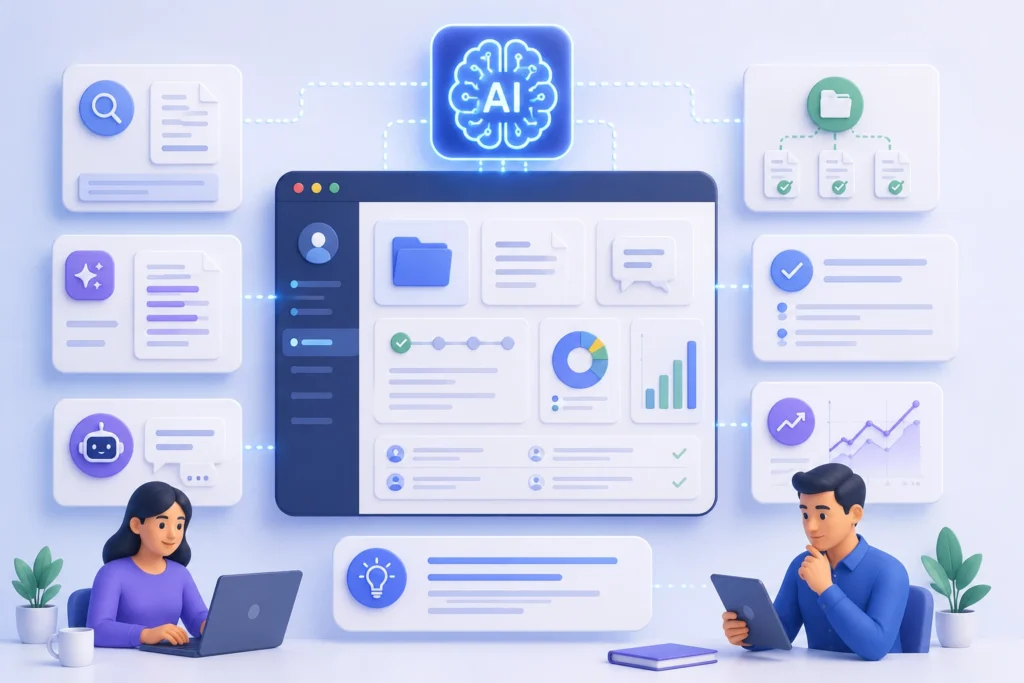
Client portal software is getting better with the help of intelligence. Artificial intelligence can do a lot of things to make life easier for clients. For example artificial intelligence can help clients find documents they need using a search. Artificial intelligence can also make a version of long documents so clients do not have to read the whole thing.
Artificial intelligence can even answer questions that clients have using a chat assistant. When clients upload documents artificial intelligence can sort them out automatically. Artificial intelligence can also tell clients what to do based on what they are doing. Some software uses intelligence to make workflows automatically find mistakes and give ideas about what might happen in the future. This helps businesses give clients an experience that is just, for them and it is faster.
As artificial intelligence keeps getting better we can expect to see these features in all the best client software. Artificial intelligence is really changing the way client portal software works. It is making artificial intelligence a very important part of it.
Benefits of Client Portal Software
1. Better Client Experience
Clients get a modern, self-service experience instead of waiting on email replies. That difference is often what separates a business that feels “on top of it” from one that feels chaotic.
2. Faster Communication
Questions get answered inside the context of the relevant document or project, cutting down the back-and-forth that email requires.
3. Increased Productivity
Your team spends less time forwarding files, answering repeat questions, and chasing signatures, freeing up hours for actual client work.
4. Improved Collaboration
Shared visibility means fewer surprises. Clients see progress in real time instead of finding out about delays after the fact.
5. Reduced Administrative Work
Automated reminders, status updates, and document requests cut down on manual admin tasks considerably.
6. Stronger Security
Centralizing sensitive data in one access-controlled system is safer than scattering it across email attachments and personal cloud drives.
Best Client Portal Software
There’s no single “best” client portal, the right choice depends on your industry, team size, and existing tech stack. That said, a few categories consistently come up in evaluations:
- All-in-one practice management platforms (common in accounting and legal) that bundle a portal with billing and workflow tools.
- Project-management-native portals, where the client-facing view is layered on top of tools like Asana, Monday.com, or ClickUp.
- Standalone, dedicated client portal products built specifically for agencies, consultants, and professional services firms.
- Enterprise document and collaboration suites, like Microsoft 365 or Google Workspace, extended with permission controls for external sharing.
When comparing options, evaluate each on the same criteria: best for (which business size/industry), core features, integrations, pricing model, and the honest pros and cons for your specific use case. A useful practice, borrowed from how procurement teams evaluate SaaS generally, is to build a simple scoring matrix, weight security, ease of use, integrations, and cost based on what matters most to your business, then score each shortlisted tool against it.
Best Client Portal Software by Industry
1. Accounting
Accounting firms need secure document exchange for tax documents, e-signature support for engagement letters, and integrations with tools like QuickBooks or Xero. Client portals here often double as a secure alternative to emailing sensitive financial statements.
2. Law Firms
Law firms prioritize confidentiality, audit trails, and matter-based organization. A portal that logs every access event is valuable if client confidentiality is ever questioned.
3. Marketing Agencies
Agencies lean on portals for approvals, creative sign-off, campaign reports, and deliverable tracking, plus white-label branding so the portal reflects the agency, not the software vendor.
4. Healthcare
Healthcare portals must meet HIPAA requirements, with strict access controls and encrypted messaging for anything touching protected health information.
5. Financial Services
Financial advisors need strong compliance features, document retention policies, and secure statement or plan-sharing capabilities.
6. Consulting
Consultants use portals to share deliverables, collect client input, and manage multi-phase engagements with clear milestone tracking.
7. SaaS
SaaS companies often use portals for customer onboarding, contract management, and support ticket visibility layered on top of their product.
8. Construction
Construction firms use portals to share blueprints, permits, change orders, and progress photos with clients and subcontractors alike.
7. Real Estate
Real estate professionals use portals for document collection (offers, disclosures), e-signatures, and transaction status tracking.
8. IT Services
IT service providers rely on portals for ticket visibility, SLA tracking, and secure sharing of credentials or configuration documents.
Client Portal Software Pricing
1. Pricing Models
Most client portal software follows one of a few models: per-user/per-month subscriptions, flat monthly fees with unlimited clients, or tiered plans based on storage and feature access. Enterprise deployments sometimes move to custom, negotiated pricing.
2. Hidden Costs
Watch for costs that don’t show up on the pricing page: storage overage fees, charges for white-label branding, per-integration fees, or extra costs for e-signature volume beyond a set limit. Implementation and training time also counts as a real cost, even if it’s not a line item.
3. ROI
Measuring return on investment doesn’t have to be complicated. Track a few concrete metrics before and after rollout:
- Client satisfaction scores or feedback trends
- Response time to client questions
- File retrieval time for staff and clients
- Support ticket volume related to status or document requests
- Revenue impact, such as faster payment cycles from easier invoice access
If support tickets about “where’s my document” drop by half after launch, that’s a tangible, defensible ROI data point you can bring to leadership.
How to Choose Client Portal Software
1. Business Size
A five-person consultancy has very different needs than a 200-person accounting firm. Smaller teams usually do better with simpler, faster-to-deploy tools; larger organizations need more robust permissioning and admin controls.
2. Security
Confirm encryption standards, access logging, and whether the vendor supports the compliance certifications relevant to your industry (more on this below).
3. Integrations
List the tools you already depend on — CRM, accounting, project management — and confirm native or API-based integration before you commit.
4. Scalability
Ask what happens as your client count grows. Some pricing models scale painfully; others are built for growth.
5. Ease of Use
A portal only helps if clients actually use it. If it’s confusing, clients will default back to email, and you’ll be maintaining two systems instead of one.
6. Vendor Support
Check response times, available support channels, and whether onboarding assistance is included or a paid add-on.
Build vs Buy Client Portal Software
1, Advantages of Building
A custom-built portal can match your exact workflow and branding, with no recurring per-user licensing costs long-term. It also avoids depending on a third-party vendor’s roadmap.
2. Disadvantages of Building
Custom development means upfront cost, ongoing maintenance, and security responsibility all fall on you. Most businesses underestimate how much post-launch maintenance a custom system demands — bug fixes, security patches, and feature requests don’t stop after launch.
3. Cost Comparison
Buying software typically means predictable monthly or annual costs and faster time to launch, often weeks instead of months. Building custom software usually means a larger upfront investment, plus ongoing developer time, but no per-seat licensing fees down the road.
4. Best Choice by Business Type
For most small and mid-sized businesses, buying an established client portal platform is the more practical choice. It is faster to deploy, involves less risk, and eliminates the need to build and maintain complex infrastructure. The software vendor handles security updates, bug fixes, feature improvements, and ongoing maintenance, allowing businesses to focus on serving their clients instead of managing technology.
Organizations in specialized industries can also benefit from integrating their portal with industry-specific solutions. For example, Accounting Software for Educational Institutions can be connected to a client portal so schools, colleges, and universities can securely share invoices, fee statements, financial reports, and important documents with students, parents, or other stakeholders.
Building a custom client portal generally makes sense only for larger organizations with highly specialized workflow requirements, dedicated engineering teams, and the budget to support long-term development and maintenance. Custom platforms often require significant time and resources before they begin delivering a return on investment.
For most businesses, an established client portal platform provides the right balance of functionality, security, scalability, and cost-effectiveness. It can be launched quickly, integrates with existing business applications, and continues to improve through regular vendor updates, making it a practical solution for growing businesses.
Implementation Guide
1. Planning
Start by mapping your current client communication process, every email, file share, and phone call, so you know exactly what the portal needs to replace. Skipping this step is the most common reason rollouts stall.
2. Data Migration
Decide what historical files and records need to move into the new system, and set a cutoff date after which all new activity happens in the portal, not the old system.
3. User Roles
Define roles before you invite a single client , who sees what, who can upload versus only view, and who has admin rights internally.
4. Staff Training
Your team needs to be comfortable in the portal before clients arrive. A confused staff member creates a confused client experience.
5. Client Onboarding
Build a simple onboarding flow: a welcome message explaining the portal, a request for any initial documents, e-signature for onboarding paperwork, and a first milestone so clients see immediate value.
6. Measuring Adoption
Track login frequency, message response times, and how many clients still email instead of using the portal. Low adoption in the first 60 days is a signal to simplify the onboarding, not to add more features.
Security & Compliance
Security is where a lot of comparison articles stay shallow, but it’s often the deciding factor for regulated industries.
1. Encryption
Look for encryption both at rest (data stored on servers) and in transit (data moving between the client’s browser and the server). This is table stakes, not a premium feature.
2. MFA
Multi-Factor Authentication requires a second verification step beyond a password, a code sent to a phone, for example. It’s one of the single most effective protections against account takeover.
3. SSO
Single Sign-On lets users log in with credentials they already use (like a Microsoft or Google account), reducing password fatigue and centralizing access control for your IT team.
4. Audit Logs
An audit log records who accessed what, and when. This matters enormously for law firms, healthcare providers, and financial advisors who may need to prove exactly who viewed a document.
5.GDPR
The General Data Protection Regulation governs how businesses handle personal data for individuals in the EU. If you serve any EU-based clients, your portal vendor needs to support GDPR-compliant data handling, including the right to access and delete personal data.
6. HIPAA
The Health Insurance Portability and Accountability Act sets requirements for handling protected health information in the US. Healthcare-adjacent businesses should confirm the vendor offers a signed Business Associate Agreement (BAA), not just a general claim of “HIPAA compliance.”
7. SOC 2
SOC 2 is an auditing standard that evaluates how a company manages customer data based on security, availability, and confidentiality principles. A vendor’s SOC 2 report (Type II especially) is a meaningful trust signal, since it reflects an actual independent audit rather than a marketing claim.
8. ISO 27001
ISO 27001 is an international standard for information security management systems. It’s a strong indicator of mature internal security practices, especially relevant if you work with enterprise or international clients.
AI in Client Portal Software
Artificial intelligence is starting to reshape what client portals can do, moving them from passive file repositories into more active assistants.
1. AI Chatbots
AI-powered chat assistants inside a portal can answer routine client questions instantly , “where’s my invoice,” “has my document been received”, without waiting on a human response.
2. Intelligent Search
Instead of manually browsing folders, clients can search in plain language (“show me last quarter’s contract”) and get the right document surfaced immediately, powered by AI document retrieval.
3. Workflow Automation
AI can go beyond simple rule-based triggers, flagging unusual activity, prioritizing tasks, or predicting where a project might stall based on patterns in past engagements.
4. AI Summaries
Long documents, message threads, or project histories can be condensed into short summaries, saving clients (and your team) time when catching up.
5. Predictive Insights
Some newer platforms use AI to flag at-risk client relationships, for example, a client who hasn’t logged in for weeks, so account managers can step in proactively.
Community discussions on platforms like Reddit’s r/smallbusiness and r/msp regularly touch on how firms are experimenting with AI-assisted client communication tools, which is worth a look if you want unfiltered, practitioner-level opinions rather than vendor marketing.
Common Mistakes to Avoid
- Choosing features over adoption. A portal packed with features nobody uses is worse than a simple one everyone actually opens.
- Skipping client training. Even an intuitive portal needs a short walkthrough for less tech-savvy clients.
- Ignoring integrations. A portal that doesn’t talk to your CRM or accounting software creates duplicate data entry, which defeats the purpose.
- Underestimating security requirements. Don’t wait until a compliance audit to discover your portal doesn’t meet the standard you need.
- No clear migration cutoff. Running the old process and the new portal in parallel indefinitely just doubles the work.
Future Trends
1. AI Agents
Expect portals to move beyond chatbots toward AI agents that can actually complete tasks, drafting a document, scheduling a follow-up, or compiling a status report, rather than just answering questions.
2. Hyper Automation
Combining AI with workflow automation will let portals handle more complex, multi-step processes end-to-end, not just single triggers.
3. Personalized Client Experiences
Portals will likely become more adaptive, surfacing the specific documents, tasks, or updates most relevant to each individual client automatically.
4. No-Code Portal Builders
More vendors are offering drag-and-drop customization, letting non-technical teams build tailored client experiences without developer involvement.
Frequently Asked Questions
What is client portal software?
It’s a secure, web-based platform that lets businesses and clients share files, communicate, and manage tasks in one branded, login-protected space.
How does a client portal work?
Clients log in through a secure, branded URL to view files, messages, and project status, while the software syncs relevant data with tools like a CRM behind the scenes.
Why do businesses use client portals?
To replace insecure, fragmented communication (email, generic file-sharing links) with a single, secure, organized system that improves both security and client experience.
What are the benefits of client portal software?
Faster communication, stronger security, reduced admin work, better collaboration, and an improved overall client experience.
Is a client portal different from a customer portal?
Yes. Client portals typically support ongoing, personalized relationships (like a law firm’s clients), while customer portals serve large-scale, self-service use cases.
Conclusion
Client portal software is not something you add to the things you already use. When you do it right it becomes the way you interact with your clients. It gets rid of all the emails and files that’re all over the place and gives you one safe and organized place where clients can find what they need on their own. This means your team does not have to spend much time doing the same things over and over.
The client portal software you choose depends on what kind of business you’re in, how many people are on your team and how much it needs to work with the other tools you use. No matter what you pick you should think about how safe it’s if people will actually use it. This is more important than having a lot of features. Client portal software only works if your clients actually use it. So you should start by looking at how you work with clients. Then you can compare that to the features and pricing of the client portal software. This will help you choose client portal software that’s right for your business.
For further reading on data security standards referenced in this guide, see the Wikipedia overview of ISO/IEC 27001 and the SOC 2 overview on Wikipedia.
