Category: Blog

  • Inventory Control Strategies: Objectives and Methods

    Inventory Control Strategies: Objectives and Methods

    Inventory control refers to the process of managing stock levels efficiently to ensure that businesses have the right products available at the right time. It involves tracking inventory, maintaining stock balance, and minimizing costs while meeting customer demand.

    Importance of Effective Inventory Management in Business Operations
    Managing inventory effectively helps businesses reduce storage costs, prevent overstocking or stockouts, and improve cash flow. A well-organized inventory system ensures smooth operations, enhances customer satisfaction, and optimizes profitability.

    1. Key Objectives of Inventory Control

    Ensuring Adequate Stock Levels to Meet Customer Demand
    Having the right amount of stock is essential to prevent lost sales due to stockouts. Maintaining adequate inventory ensures smooth production and order fulfillment, ultimately enhancing customer satisfaction.

    Minimizing Holding and Storage Costs
    Reducing warehousing and storage expenses is a crucial goal of inventory control. Businesses can avoid unnecessary stock accumulation, leading to more efficient use of storage space and financial resources.

    Reducing Instances of Overstocking and Stockouts
    Balancing stock levels prevents excess inventory and shortages. By maintaining optimal stock, companies can reduce the risk of perishable goods going to waste and avoid urgent restocking challenges.

    Improving Cash Flow and Profitability
    Effective inventory control prevents excess capital from being tied up in unused stock. This helps businesses allocate their financial resources efficiently, improving overall cash flow and profitability.

    Enhancing Customer Satisfaction Through Timely Order Fulfillment
    A well-managed inventory system ensures quick deliveries and meets customer expectations. Businesses that fulfill orders on time build a reliable reputation and improve customer loyalty.

    Common Methods of Inventory Control

    Just-In-Time (JIT) Inventory
    The Just-In-Time (JIT) method involves restocking inventory only when needed, reducing storage costs and waste. While it minimizes excess inventory, it also requires an efficient supply chain to ensure timely deliveries.

    Economic Order Quantity (EOQ)
    The Economic Order Quantity (EOQ) model helps businesses determine the optimal order quantity to minimize costs. By using the EOQ formula, companies can balance ordering costs and storage expenses while ensuring sufficient stock availability.

    ABC Analysis
    ABC analysis categorizes inventory based on value and turnover rates. High-value, low-quantity items fall under category A, moderate-value items under category B, and low-value, high-quantity items under category C. Prioritizing management efforts on A items, closely monitoring B items, and automating C items help optimize inventory control.

    First-In, First-Out (FIFO) and Last-In, First-Out (LIFO)
    The FIFO method ensures that older inventory is used first, reducing spoilage and waste. On the other hand, the LIFO method allows newer inventory to be used first, which can be beneficial for cost-saving during inflation. FIFO is recommended for perishable goods, while LIFO is suitable for cost management in fluctuating markets.

    Two-Bin System
    The two-bin system helps businesses prevent stock shortages by maintaining a backup supply. One bin is used for daily operations, while the second bin serves as a reserve to ensure uninterrupted supply.

    Steps to Implement Effective Inventory Control

    Conducting Regular Inventory Audits
    Performing routine inventory audits ensures accuracy and helps identify discrepancies such as theft, damage, or mismanagement. This step is crucial in maintaining stock integrity and optimizing inventory processes.

    Utilizing Inventory Management Software
    Automating inventory tracking and ordering processes using inventory management software reduces human errors and enhances operational efficiency. These tools provide real-time insights into stock levels and demand trends.

    Setting Reorder Points and Safety Stock Levels
    Determining reorder points helps maintain optimal stock levels, preventing sudden shortages. Safety stock acts as a buffer against unexpected demand spikes or supply chain disruptions.

    Training Staff on Inventory Handling Best Practices
    Proper training in inventory management ensures staff members handle stock efficiently, reducing losses and improving coordination within the supply chain. Educated employees help streamline inventory processes. Implementing mentoring software can further support ongoing learning and provide real-time guidance, helping staff apply best practices consistently.

    Establishing Strong Relationships with Suppliers
    Building strong supplier relationships guarantees timely deliveries and better pricing. Reliable suppliers provide flexibility in urgent restocking situations and help businesses maintain steady inventory flow.

    Challenges in Inventory Control and How to Overcome Them

    Dealing with Demand Variability
    Unpredictable customer demand can lead to stock imbalances. Using demand forecasting tools and historical sales data helps businesses plan inventory more accurately and mitigate stock issues.

    Managing Lead Times and Supplier Reliability
    Delayed shipments can disrupt inventory levels. Working with multiple suppliers and maintaining buffer stock minimizes risks associated with supply chain disruptions.

    Handling Obsolete or Slow-Moving Stock
    Excess inventory of unsellable products can lead to financial losses. Businesses can address this issue by implementing discounting strategies or negotiating return agreements with suppliers.

    Strategies to Address These Challenges Effectively
    Real-time inventory tracking reduces last-minute stock issues, and diversifying suppliers helps prevent dependency on a single source. Implementing these strategies ensures smoother inventory control processes.

    Benefits of Effective Inventory Control

    Cost Savings Through Reduced Waste and Optimized Stock Levels
    Efficient inventory control minimizes waste and excess stock, lowering overall costs. Businesses save money by avoiding unnecessary storage and disposal expenses.

    Improved Operational Efficiency
    Streamlined inventory management enhances business operations by ensuring the right products are available when needed. This leads to better workflow and productivity.

    Enhanced Ability to Meet Market Demand
    With an optimized inventory system, businesses can quickly respond to customer demands, reducing delays and improving satisfaction.

    Strengthened Competitive Advantage
    A well-managed inventory system helps businesses stay ahead of competitors by ensuring product availability, cost efficiency, and superior customer service.

    Frequently Asked Questions (FAQs)

    What are the main objectives of inventory control?
    The primary objectives are maintaining adequate stock levels, reducing costs, improving cash flow, and ensuring customer satisfaction through timely order fulfillment.

    How does Just-In-Time inventory differ from traditional inventory methods?
    JIT minimizes storage costs by ordering stock only when needed, whereas traditional methods involve maintaining higher stock levels.

    What is the Economic Order Quantity and how is it calculated?
    EOQ determines the optimal order quantity to minimize total inventory costs, calculated using a specific formula that balances ordering and holding costs.

    Why is ABC analysis important in inventory management?
    ABC analysis helps prioritize stock management by categorizing inventory based on value and turnover rates, ensuring efficient resource allocation.

    How can businesses overcome common inventory control challenges?
    Using demand forecasting, diversifying suppliers, and implementing inventory management software are effective ways to address inventory challenges.

  • ERP vs. Accounting Software – Key Differences & Benefits

    ERP vs. Accounting Software – Key Differences & Benefits

    Accounting software or ERP systems to handle financial records, track transactions, and streamline operations. While both serve essential functions, they are not the same.

    Understanding Accounting Software

    Accounting software is designed to manage a company’s financial activities. It automates tasks like tracking income and expenses, generating financial reports, and ensuring compliance with tax laws.

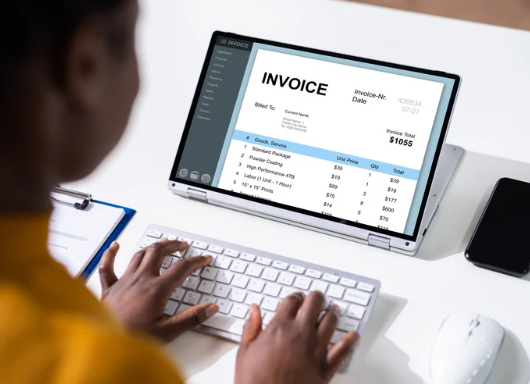
    Accounting software helps businesses maintain financial records and streamline operations. It records daily transactions, manages invoices, calculates wages and tax deductions, and generates financial reports like profit and loss statements and balance sheets.

    Accounting software is best suited for small to medium-sized businesses that need a straightforward way to manage their finances without additional complexity.

    Understanding ERP (Enterprise Resource Planning) Systems

    An ERP system is a more comprehensive business management tool that goes beyond accounting. It integrates multiple functions, such as finance, supply chain management, customer relations, and human resources, through efficient ERP software development into one system.


    ERP systems offer financial management capabilities similar to accounting software but with added features for budgeting and forecasting. They also include supply chain management, allowing businesses to track inventory, procurement, and logistics efficiently. Human resources management is another essential component, helping companies manage employee records, payroll, and recruitment processes. Additionally, ERP systems include customer relationship management (CRM) tools that assist in sales tracking and customer interactions.


    ERP systems are more suitable for medium to large businesses that require a unified platform to manage various operations across multiple departments.

    Key Differences Between ERP and Accounting Software

    • 1. Scope and Functionality

    Accounting software primarily focuses on managing financial processes such as accounts payable, accounts receivable, general ledger, and financial reporting. It’s designed specifically to handle bookkeeping tasks and generate financial statements to help businesses track their financial health.

    In contrast, ERP (Enterprise Resource Planning) systems offer comprehensive business management solutions that extend far beyond finance. They integrate multiple functions including accounting, human resources, inventory management, supply chain, customer relationship management, and manufacturing processes into a single cohesive system. This holistic approach enables businesses to manage all aspects of operations through one platform. Increasingly, AI for enterprise is being incorporated into these systems to provide smarter analytics, automate routine tasks, and improve decision-making across departments.

    • 2. Integration Capabilities

    Accounting software typically operates as a standalone solution with limited integration options. While modern accounting programs may offer some API connections to third-party applications, these integrations often require additional configuration and may not provide seamless data flow.

    ERP systems are built with integration at their core. They create a unified ecosystem where information flows automatically between different departments and modules. This eliminates data silos, reduces double-entry, and ensures all stakeholders have access to the most current information for decision-making purposes.

    • 3. Scalability

    Accounting software works well for businesses with straightforward financial requirements and predictable growth patterns. However, as companies expand, these solutions may struggle to handle increased transaction volumes or more complex financial structures.

    ERP systems are designed to scale alongside growing businesses. They can accommodate increasing data volumes, additional users, more complex processes, and even expansion into new markets or business lines. The modular structure of most ERP solutions allows companies to add functionality as needed, making them suitable for long-term business evolution.

    • 4. Cost and Implementation

    Accounting software is generally more budget-friendly, with many solutions offering tiered pricing models that accommodate small businesses. Implementation is typically straightforward, often requiring minimal IT expertise and limited customization.

    ERP systems represent a significant investment, both financially and in terms of organizational resources. Implementation can take months or even years for complex deployments, requiring dedicated project teams, extensive training, and sometimes business process reengineering to align with the software’s capabilities.

    • 5. Reporting and Analytics

    Accounting software provides standard financial reports such as income statements, balance sheets, and cash flow statements. While many modern solutions offer some customizable reporting, their analytical capabilities are primarily focused on financial metrics.

    ERP systems deliver comprehensive business intelligence through advanced reporting and analytics features. They can provide cross-functional insights by combining data from various departments, enabling predictive analytics, and supporting strategic decision-making through customizable dashboards and KPIs that span the entire organization.

    • 6. Compliance and Regulations

    Accounting software typically handles basic compliance requirements related to financial reporting and tax regulations. They’re designed to help businesses meet standard accounting principles and tax obligations.

    ERP systems often include more sophisticated compliance capabilities, addressing industry-specific regulations, international accounting standards, and complex reporting requirements. They can manage compliance across multiple jurisdictions, currencies, and regulatory frameworks, making them valuable for businesses operating in highly regulated industries or across international borders.

    Advantages of Accounting Software

    1. Cost-Effective

    Most accounting tools have affordable plans that cater to small businesses.

    2. User-Friendly

    They come with simple interfaces that are easy to learn and use.

    3. Quick Setup

    Many cloud-based accounting solutions can be set up within minutes.

    Advantages of ERP Systems

    1. Centralized Data

    With ERP, all business data is stored in one place, making decision-making easier.

    2. Better Collaboration

    Different departments can work together smoothly by accessing shared data.

    3. Process Automation

    ERP systems help automate routine tasks, reducing manual work and errors.

    4. Improved Compliance

    They help businesses follow tax laws and industry regulations by keeping records accurate and up to date.

    Factors to Consider When Choosing Between ERP and Accounting Software

    1. Business Size and Complexity

    If you run a small business with simple financial needs, accounting software is enough. Larger companies with multiple departments will benefit from an ERP system.

    2. Business Needs

    Consider whether you only need financial tracking or require additional features like inventory management, HR, and CRM.

    3. Budget

    ERP systems cost more upfront but offer long-term benefits. If budget is a concern, starting with accounting software may be a better option.

    4. Future Growth

    If your business is growing fast, an ERP system will prevent future headaches by integrating all operations into one system.

    Frequently Asked Questions (FAQs)

    1. What are the main functions of accounting software?

    Accounting software helps businesses track income and expenses, generate invoices, manage payroll, and create financial reports.

    2. How does an ERP system integrate different business processes?

    ERP systems connect finance, HR, sales, supply chain, and other departments, allowing businesses to manage operations from a single platform.

    3. Can small businesses benefit from ERP systems?

    Yes, but it depends on the business’s complexity. Small businesses with multiple departments may find ERP useful, while simpler operations may do well with accounting software.

    4. What are the costs associated with ERP implementation?

    ERP systems have higher costs due to setup, licensing, and maintenance. Prices vary based on features and company size.

    5. How do I determine which system is right for my business?

    Assess your business needs, budget, and future plans. If you need basic financial management, go for accounting software. If you require a complete business management tool, choose ERP.

    Conclusion

    Choosing between ERP and accounting software depends on your business needs. Accounting software is best for financial tracking, while ERP systems provide a broader range of features for growing businesses. Carefully assess your requirements and budget before making a decision.

  • How to Get a Tax Year Overview

    How to Get a Tax Year Overview

    A Tax Year Overview is a document that provides a summary of the tax payments you’ve made during a specific tax year. It is issued by HMRC and includes details such as the amount of tax you’ve paid, any outstanding balance, and confirmation that your tax return has been processed.

    This document is important in various situations, such as applying for a mortgage, securing a loan, or proving your income to lenders or other authorities. Having a Tax Year Overview ensures your financial records are accurate and gives you peace of mind when handling tax-related matters. It’s also a helpful way to stay organized and keep track of your payments.

    Purpose of a Tax Year Overview

    • Acts as proof of tax payments for lenders, landlords, or government agencies.
    • Helps verify that your tax returns have been processed correctly by HMRC.
    • Keeps your tax records organized for personal or professional use.

    Difference Between a Tax Year Overview and SA302

    While both documents are issued by HMRC, they serve different purposes:

    • Tax Year Overview: Confirms the total tax you’ve paid or owe during a tax year. It is often used as supplementary proof when applying for mortgages or loans.
    • SA302: Shows a detailed calculation of your income and tax liability based on your submitted tax return. It focuses more on income verification for self-employed individuals.

    Why Might You Need a Tax Year Overview?

    A Tax Year Overview is essential in various financial and legal situations. It serves as proof that you’ve paid the correct amount of tax for a specific year. Below are some common scenarios where you might need it:

    1. Mortgage Applications

    Lenders often require a Tax Year Overview to verify your tax records. This is particularly important for self-employed individuals who need to show proof of income and tax payments.

    2. Loan Approvals

    When applying for a personal or business loan, financial institutions may request a Tax Year Overview to confirm your financial stability and tax compliance.

    3. Income Verification

    If you’re self-employed or work as a contractor, this document helps prove your income to potential landlords, government agencies, or other organizations.

    4. Tax Disputes or Reviews

    In case of a tax audit or review, the Tax Year Overview provides clear evidence of your payments, helping resolve discrepancies.

    5. Business Recordkeeping

    For business owners, this document is a simple way to track and confirm annual tax payments, ensuring compliance with HMRC regulations. Having a Tax Year Overview on hand ensures you are prepared for financial checks and avoids delays in important transactions.

    How to Access Your Tax Year Overview Online

    Getting your Tax Year Overview online is a straightforward process. Follow these steps to download or print it from your HMRC account:

    Step-by-Step Guide

    1. Log in to Your HMRC Online Account
      • Visit the HMRC website.
      • Use your Government Gateway ID and password to log in. If you don’t have an account, you’ll need to create one.
    2. Navigate to the Self Assessment Section
      • Once logged in, go to the “Self Assessment” section on your account dashboard.
      • Select the option to view details of your tax returns.
    3. Select the Relevant Tax Year
      • Look for the list of available tax years.
      • Choose the tax year you want the overview for.
    4. View and Print the Tax Year Overview
      • After selecting the tax year, you’ll see an option to view the Tax Year Overview.
      • Review the details carefully to ensure accuracy.
      • If needed, download or print the overview for your records.

    Important Notes

    • Ensure your tax return has been submitted and processed by HMRC before accessing the overview.
    • If you encounter issues, double-check your login details or contact HMRC for assistance.

    Alternative Methods to Obtain a Tax Year Overview

    If you’re unable to access your Tax Year Overview online through your HMRC account, there are other ways to obtain it:

    1. Using Commercial Software

    • Some accounting or tax software, like QuickBooks or Xero, is linked to HMRC systems.
    • These tools can allow you to retrieve your Tax Year Overview directly if they are compatible with your HMRC account.
    • Check if your software supports this feature and follow its instructions to generate the document.

    2. Contacting HMRC Directly

    • You can request your Tax Year Overview by contacting HMRC.
    • Call the Self Assessment helpline and provide your details, such as your Unique Taxpayer Reference (UTR) and National Insurance number.
    • HMRC can send the document to you by post or email.

    When to Use These Methods

    • If you don’t have access to an online account or face technical difficulties.
    • If your accountant manages your taxes, they may use commercial software to request the overview on your behalf.

    Common Issues and Troubleshooting

    Sometimes, you might face challenges when trying to access your Tax Year Overview. Here are some common issues and how to resolve them:

    1. Can’t Access Your Overview Online

    • Issue: Trouble logging into your HMRC online account.
      Solution: Double-check your Government Gateway ID and password. If you’ve forgotten them, use the “forgotten login details” option to recover or reset them.
    • Issue: Tax Year Overview not available in your account.
      Solution: Ensure your tax return has been submitted and processed. It can take a few days after submission for the overview to appear.

    2. Ensuring Your Tax Return Has Been Processed

    • Log in to your HMRC account and check the status of your tax return.
    • If your tax return shows as “pending” or hasn’t been processed yet, wait for HMRC to complete the process.
    • Make sure you’ve completed all required steps, including payment of any outstanding tax.

    3. Contacting HMRC for Assistance

    • If you’re still unable to access your overview, reach out to HMRC for help.
    • Call the Self Assessment helpline and provide your Unique Taxpayer Reference (UTR) and National Insurance number.
    • HMRC can guide you through the process or send the document by post or email.

    Tips to Avoid Issues in the Future

    • Submit your tax return well before the deadline to allow time for processing.
    • Keep your HMRC login details secure and up to date.
    • Regularly check your HMRC account to ensure all records are in order.

    Frequently Asked Questions

    1. How long after submitting my tax return can I access the Tax Year Overview?

    You can usually access your Tax Year Overview within a few days after your tax return has been processed by HMRC. Processing times can vary, so it’s a good idea to check your HMRC account regularly.

    2. Can I use a Tax Year Overview as proof of income for loan applications?

    Yes, lenders often accept a Tax Year Overview as proof of income, especially for self-employed individuals. However, you may also need to provide an SA302 alongside it for a more detailed income breakdown.

    3. What should I do if the information on my Tax Year Overview is incorrect?

    If you notice any errors on your Tax Year Overview, contact HMRC immediately. Provide them with accurate details and supporting documents to correct the mistake. This ensures your records remain up to date and avoids potential issues with lenders or financial institutions.

    Conclusion

    The Tax Year Overview is a vital document for managing your financial records. It serves as proof of tax payments, simplifies income verification, and is often required in financial transactions like mortgages or loans.

    Regularly checking and maintaining your tax records ensures accuracy and avoids unnecessary delays when you need these documents. Stay organized and proactive with your tax responsibilities to make financial processes smoother and stress-free.

  • What Is a Finance Lease? | Comprehensive Guide

    What Is a Finance Lease? | Comprehensive Guide

    A finance lease is a type of lease agreement where the lessee gains substantial ownership rights over an asset for a specified term while making regular payments to the lessor. Unlike an operating lease, a finance lease often allows the lessee to purchase the asset at the end of the lease term.

    This arrangement is particularly important in business asset management as it provides companies with access to expensive equipment or resources without the need for a significant upfront investment. By utilizing finance leases, businesses can maintain cash flow, plan budgets effectively, and allocate resources toward growth initiatives.

    Definition of a Finance Lease

    A finance lease is a long-term leasing arrangement in which the lessor purchases an asset and provides it to the lessee for use over a specified period. During this time, the lessee assumes most of the risks and rewards associated with ownership, even though legal ownership remains with the lessor.

    Key Characteristics of a Finance Lease:

    • Transfer of Risks and Rewards: The lessee bears responsibility for maintenance, insurance, and other ownership-related risks.
    • Non-Cancellable Agreement: Once agreed upon, the lease terms typically cannot be canceled by either party.
    • Ownership Transfer Option: In many cases, the lessee may have the option to purchase the asset at the end of the lease term for a predetermined price.
    • Asset-Backed Liability: The leased asset appears on the lessee’s balance sheet as a liability, aligning it with ownership-like accounting treatment.
    • Fixed Lease Term: The lease typically covers most or all of the asset’s economic life.

    How Does a Finance Lease Work?

    A finance lease operates through a structured process that ensures both the lessor and the lessee fulfill their roles and responsibilities. Here’s a step-by-step breakdown:

    1. Selection of Asset by the Lessee

    • The lessee identifies the specific asset they need for business operations. This could be equipment, machinery, or vehicles.

    2. Purchase of Asset by the Lessor

    • The lessor (often a financial institution or leasing company) purchases the selected asset on behalf of the lessee. The lessor retains legal ownership during the lease term.

    3. Lease Agreement and Terms

    • A lease agreement is drafted, specifying the lease period, payment schedule, interest rates, and other terms. This agreement also outlines the lessee’s responsibilities, such as maintenance and insurance.

    4. Lessee’s Use of the Asset

    • The lessee gains the right to use the asset for the duration of the lease, treating it as though they own it. The lessee makes regular payments to the lessor as agreed in the contract.

    5. End-of-Lease Options

    • At the end of the lease term, the lessee typically has one of the following options:
      • Purchase the Asset: Acquire ownership by paying a residual value, if applicable.
      • Return the Asset: Return the asset to the lessor if the purchase option is not exercised.
      • Extend the Lease: Continue using the asset by negotiating an extended lease term.

    Key Features of Finance Leases

    Finance leases come with distinct characteristics that make them a unique option for businesses. Here are the key features:

    1. Non-Cancelable Nature

    • Once the lease agreement is signed, it cannot be terminated by either party before the lease term ends. This ensures the lessor recovers their investment, and the lessee secures uninterrupted use of the asset.

    2. Transfer of Risks and Rewards to the Lessee

    • While the lessor retains legal ownership, the lessee assumes most risks and rewards associated with ownership. This includes the risk of asset depreciation and the benefits of using it for business operations.

    3. Lessee’s Responsibility for Maintenance and Insurance

    • The lessee is responsible for maintaining the asset in good condition and securing adequate insurance. These obligations mirror those of outright ownership, giving the lessee control over the asset’s functionality.

    4. Potential Ownership Transfer at Lease End

    • At the end of the lease term, the lessee often has the option to purchase the asset for a nominal or predetermined residual value. This allows businesses to eventually own the asset they have been using.

    Finance Lease vs. Operating Lease: A Side-by-Side Comparison

    AspectFinance LeaseOperating Lease
    Ownership and ControlLessee assumes control and risks/rewards of ownership.Ownership and control remain with the lessor.
    Accounting TreatmentRecorded on the lessee’s balance sheet as an asset and liability (capitalized).Treated as an expense; not recorded on the balance sheet.
    Lease Term DurationCovers most or all of the asset’s economic life.Shorter duration, typically less than the asset’s life.
    Maintenance ResponsibilitiesLessee is responsible for maintenance and insurance.Lessor handles maintenance and related costs.
    Cancellation TermsGenerally non-cancelable before the term ends.Can often be canceled with notice, subject to terms.

    Benefits of Finance Leases

    1. Access to Assets Without Upfront Purchase
      • Businesses can use high-cost equipment or machinery without the need for significant upfront capital, preserving cash flow for other operational needs.
    2. Potential Tax Advantages
      • Depending on local tax regulations, lease payments may be deductible as business expenses, reducing taxable income.
    3. Fixed Payments Aiding in Budgeting
      • Predetermined lease payments provide financial predictability, making it easier to plan budgets and manage cash flow effectively.
    4. Flexibility at the End of the Lease Term
      • At the end of the lease, businesses can opt to purchase the asset, return it, or renew the lease, providing flexibility based on operational requirements.

    Considerations and Risks

    1. Lessee’s Obligations for Maintenance and Repairs
      • The lessee is responsible for maintaining the asset, which can lead to additional costs, especially if the equipment requires frequent servicing.
    2. Impact on Financial Ratios Due to Capitalizing the Lease
      • Finance leases appear on the balance sheet as both an asset and a liability, which may affect financial ratios like debt-to-equity, potentially influencing investor perception or loan approvals.
    3. Potential Obsolescence of the Leased Asset
      • Long-term leases may result in the lessee using outdated equipment as newer, more efficient models become available, impacting productivity or competitiveness.

    Common Examples of Finance Leases

    1. Manufacturing Equipment

    Manufacturing companies often rely on finance leases to acquire expensive machinery required for production. For example, assembly lines, industrial robots, and CNC machines are critical for efficient operations but involve substantial costs. By using a finance lease, businesses can access these assets without depleting their capital.

    The predictable lease payments allow manufacturers to plan their budgets more effectively, focusing resources on other growth areas. Additionally, as the lessee assumes maintenance and insurance responsibilities, they gain significant control over the asset’s functionality. At the lease term’s end, manufacturers can opt to purchase the equipment, ensuring continuity in their production process.

    2. Vehicles for Business Use

    Businesses in logistics, transportation, or service industries often lease vehicles through finance agreements. For instance, delivery companies may lease trucks, vans, or specialized vehicles to meet operational demands without the upfront cost of buying them outright. Finance leases enable them to use the vehicles as if they own them, while spreading payments over time.

    This helps maintain cash flow and predict expenses. Lessees also handle maintenance and insurance, ensuring the vehicles are in optimal condition. At the lease’s conclusion, companies often have the option to purchase the vehicles, adding a cost-effective way to expand their fleets permanently.

    3. Specialized Machinery

    Industries requiring niche equipment, such as construction or healthcare, frequently utilize finance leases. Construction firms lease equipment like cranes, bulldozers, or excavators, which are vital for projects but expensive to purchase outright. To stay on top of leased asset usage, location, and upkeep, many rely on construction vehicles management software, which centralizes tracking and ensures equipment is deployed efficiently and returned in optimal condition. Similarly, healthcare providers may lease medical devices, such as MRI scanners or surgical robots, to deliver advanced patient care without overextending budgets.

    These arrangements allow businesses to use state-of-the-art equipment and remain competitive in their fields. The lessee assumes operational control, including maintenance, ensuring maximum productivity. By the lease term’s end, the option to purchase the machinery enables businesses to retain critical assets for ongoing projects or services.

    Frequently Asked Questions (FAQs)

    1. What Criteria Classify a Lease as a Finance Lease?

    A lease is classified as a finance lease when it transfers most of the risks and rewards of ownership to the lessee. Key criteria include:

    • The lease term covers the majority of the asset’s useful life.
    • The lessee has an option to purchase the asset at a nominal price at the end of the term.
    • The present value of lease payments equals or exceeds the asset’s fair value.
    • The asset is customized for the lessee and unlikely to be usable by others after the lease.
      These conditions ensure the lessee gains substantial control and benefits from the leased asset.

    2. Can a Finance Lease Be Canceled Early?

    Typically, finance leases are non-cancelable during their agreed-upon term. This means that the lessee must continue making payments as specified in the contract, even if the asset is no longer needed or becomes obsolete.

    Early termination is usually only possible if both parties agree to revised terms, which might involve penalties or additional costs. Businesses should carefully evaluate their long-term needs before committing to a finance lease to avoid complications or financial losses associated with early cancellation.

    3. How Does a Finance Lease Affect a Company’s Balance Sheet?

    A finance lease appears on a company’s balance sheet as both an asset and a liability. The leased asset is recorded under property, plant, and equipment, reflecting its usage rights. Simultaneously, the present value of future lease payments is recorded as a liability under long-term debt.

    This treatment impacts financial ratios, such as debt-to-equity, and shows a company’s commitment to fixed financial obligations. The periodic lease payments are split into interest expenses and principal repayment, ensuring compliance with accounting standards like IFRS 16 or ASC 842.

    4. What Happens at the End of a Finance Lease Term?

    At the end of a finance lease, the lessee typically has three options:

    • Purchase the Asset: The lessee can buy the asset by paying a nominal residual value, gaining full ownership.
    • Return the Asset: The lessee may choose to return the asset to the lessor if it’s no longer needed or useful.
    • Extend the Lease: The lessee can negotiate an extension of the lease for continued usage.
      The decision depends on the asset’s condition, relevance to the business, and the terms outlined in the original lease agreement.

    Conclusion

    Finance leases play a crucial role in helping businesses acquire essential assets without the need for significant upfront investments. By providing access to equipment, vehicles, and machinery, these leases enable companies to maintain cash flow, budget effectively, and operate efficiently. The transfer of risks and rewards, along with the option to purchase the asset at the end of the term, makes finance leases a practical and flexible solution for long-term asset management.

    When considering a finance lease, it’s important to assess its suitability based on your specific business needs, financial goals, and operational priorities. A well-planned finance lease can support growth while aligning with your company’s financial strategy.

  • What Are Sundries? Everyday Essentials Explained

    What Are Sundries? Everyday Essentials Explained

    When you hear the term “sundries,” you might wonder, “What exactly does that mean?” Despite being a term not commonly used in everyday conversation, sundries play a significant role in both personal and business contexts.

    This blog will break down the meaning of sundries, explain their importance, and explore their applications in simple, factual, and easy-to-understand language.


    What Are Sundries?

    The word “sundries” refers to miscellaneous small items or articles that do not belong to a specific category. They’re often grouped together due to their varied nature, making them hard to classify. The term comes from the Old English word syndrig, which means “separate” or “distinct.”

    In modern use, sundries might include everyday items like toiletries, office supplies, or other small essentials. For instance, the toothpaste in your bathroom or the pens on your desk could fall under the category of sundries.


    Common Examples of Sundries

    Sundries vary widely depending on the context. Here’s a breakdown of common examples:

    1. Personal Use:
      • Toiletries such as toothbrushes, soap, and deodorant.
      • Small grooming tools like nail clippers or hairbrushes.
      • Miscellaneous items like sewing kits or travel-sized products.
    2. Business Use:
      • Office supplies like staplers, notepads, and paper clips.
      • Breakroom essentials, such as coffee filters or napkins.
      • Miscellaneous items purchased for daily business operations but not categorized elsewhere.
    3. Retail and Hospitality:
      • Sundries offered in hotel rooms, including shampoo, conditioner, and coffee packets.
      • Small merchandise items like souvenirs or snacks.

    Sundries in Accounting and Business

    In business, sundries have a special place in financial documentation. They are categorized as “sundry expenses,” a term used in accounting to record minor, irregular expenses that do not fit into standard expense categories.

    1. Definition of Sundry Expenses: Sundry expenses refer to small, infrequent costs that are not significant enough to warrant a dedicated account. Examples include postage, one-time purchases, or minor repairs.
    2. Why Are Sundry Expenses Important? Although they may seem insignificant, sundry expenses can add up over time. Properly tracking these costs ensures accurate financial reporting and helps businesses identify areas for cost-saving measures.
    3. Examples of Sundry Expenses in Businesses:
      • A company buying an extra set of printer ink for occasional use.
      • Travel-related expenses for one-off trips.
      • Small donations or community contributions made by the business.

    How Sundries Impact Everyday Life

    Sundries are an essential part of daily life, even if we don’t always recognize their importance. These small items often bridge the gap between comfort and inconvenience. Here’s how sundries influence our routines:

    1. Convenience: Having access to sundries can make life smoother. For example, carrying a spare pen or a small pack of tissues ensures you’re prepared for unexpected situations.
    2. Affordability: Sundries are usually low-cost items, making them accessible for most people. Their affordability means they can be replaced or restocked without significant financial strain.
    3. Preparedness: Sundries often include items that people purchase “just in case,” such as adhesive bandages, safety pins, or travel-sized hygiene products.

    How Businesses Use Sundries to Enhance Customer Experience

    Businesses, especially in the hospitality and retail sectors, leverage sundries to improve customer satisfaction:

    1. Hotels and Resorts: Many hotels provide complimentary sundries like shampoo, conditioner, and coffee pods. These small items can significantly enhance a guest’s experience, making them feel cared for.
    2. Retail Stores: Convenience stores often stock sundries such as snacks, batteries, and personal care items. Their availability allows customers to quickly pick up what they need without visiting a larger store.
    3. Offices: Companies often stock sundries in breakrooms or supply closets. Offering employees access to tea bags, notepads, or basic office tools boosts morale and productivity.

    What Is a Sundry Invoice?

    A sundry invoice is a type of invoice used to bill for miscellaneous or irregular items or services that don’t fit into standard categories. Businesses often issue these invoices to record minor or one-off transactions that are not part of their usual operations.

    Examples of Sundry Invoices

    • A repair shop billing for an unexpected part replacement.
    • A business charging for a small batch of products sold as an exception.
    • A retailer invoicing for items like packaging or delivery materials not typically sold.

    Why Are Sundry Invoices Important?

    Sundry invoices help businesses:

    1. Simplify billing for miscellaneous expenses.
    2. Keep accurate financial records for minor, irregular transactions.
    3. Ensure no revenue is lost, even for small or ad-hoc sales.

    Typically, sundry invoices include basic details like the item or service description, cost, date of transaction, and payment terms, making them straightforward to create and track.

    This simple approach ensures that businesses handle even the smallest details with precision and clarity.


    Frequently Asked Questions About Sundries

    1. What’s the Difference Between Sundries and Miscellaneous Items? While both terms refer to small, varied items, sundries are often physical, tangible objects, whereas miscellaneous items could include intangible things, such as odd services or unrelated tasks.
    2. Are Sundries Tax-Deductible? In many cases, businesses can claim sundry expenses as tax deductions, provided they are necessary for operations. Always consult a tax professional to ensure compliance with local laws.
    3. How Should Businesses Track Sundries? Keeping receipts and maintaining a detailed ledger for sundry expenses can help businesses stay organized. Some companies even create a dedicated budget line for such costs.

    Historical Context of Sundries

    The concept of sundries has been around for centuries. In earlier times, general stores carried “sundries” as an essential category of goods, including needles, thread, spices, and other small items needed by households. These shops catered to the needs of rural communities where access to specialty stores was limited.

    Over time, as retail evolved, the term became associated with convenience and versatility, reflecting the wide array of small items that people might need in their daily lives.


    Fun Facts About Sundries

    1. Sundries in Literature: Sundries often appear in historical novels and accounts, giving readers a glimpse into the daily lives of people from different eras.
    2. Evolution of Sundry Items: While sundries once included basics like candles and inkpots, today’s sundries range from power banks to travel-size hand sanitizers.
    3. Global Perspective: Different cultures have unique interpretations of sundries. In some countries, sundries may include spices or specific kitchen tools that are staples in local households.

    Conclusion

    Sundries might seem like a small and inconspicuous category, but their significance cannot be overstated. These everyday essentials make our lives more manageable, whether we’re at home, on the go, or running a business. By understanding sundries and their applications, we gain insight into how the little things can have a big impact.

    Next time you grab a pack of tissues or a spare battery, take a moment to appreciate the humble sundry. It might be a small part of your day, but it’s an essential one.

  • why do companies use online collaborative productivity software

    why do companies use online collaborative productivity software

    Online collaborative productivity software refers to digital tools that allow teams to work together seamlessly, even when they are not in the same physical space. These tools are designed to help people share files, track tasks, communicate in real-time, and manage projects effectively. Popular examples include tools like Google Workspace, Slack, and Trello.

    In today’s work environment, where remote and hybrid setups are becoming the norm, businesses are turning to these digital solutions to stay organized and efficient. With more teams working across different locations and time zones, such tools have become essential for maintaining productivity and ensuring smooth collaboration. The shift to these platforms reflects a growing dependence on technology to streamline workflows and foster teamwork.

    What Is Online Collaborative Productivity Software?

    Online collaborative productivity software is a type of digital tool designed to help teams work together efficiently, no matter where they are. It allows team members to share information, collaborate on projects, and communicate in real time. These tools are especially useful for managing tasks, organizing workflows, and keeping everyone on the same page.

    Common examples of such software include Google Workspace, which offers shared documents and cloud storage, Slack, which focuses on team communication, and Asana, a platform for task and project management. Other popular options include Microsoft Teams and Trello, each offering features tailored to specific collaboration needs.

    Key Features

    • Document Sharing and Editing Tools like Google Docs or Microsoft SharePoint enable teams to create, edit, and comment on documents simultaneously.
    • Real-Time Communication: Messaging apps and video conferencing tools ensure quick and seamless communication between team members.
    • Project Management: Platforms like Trello and Asana provide visual tools for tracking tasks, deadlines, and progress.
    • Cloud Storage: Secure cloud solutions allow easy access to shared files from any device.
    • Integration with Other Tools: Many platforms integrate with email, calendars, and other productivity apps to provide a centralized workspace.

    These features make online collaborative productivity software an indispensable part of modern work environments, helping businesses stay organized and connected.

    Major Reasons Companies Use Collaborative Software

    1. Improved Communication

    Collaborative software has transformed how teams communicate. Tools like Slack and Microsoft Teams enable instant messaging, video calls, and file sharing, all in one place. This makes it easier for teams to stay connected without endless email threads or scheduled meetings.

    Features such as chat channels allow for focused discussions on specific projects, ensuring that everyone involved has access to the relevant information. By centralizing communication, these tools reduce misunderstandings and keep teams aligned.

    Efficient Workflow Management

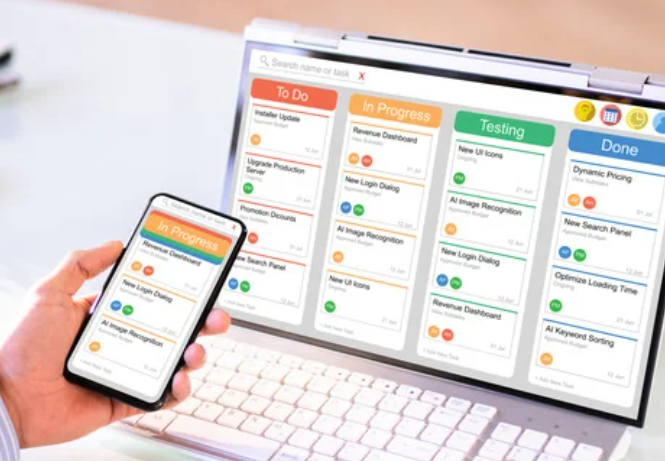
    Managing tasks and workflows is simpler with these platforms. Tools like Trello and Asana provide visual dashboards where tasks can be assigned, prioritized, and tracked. For example, project managers can create task boards, set deadlines, and monitor progress in real-time.

    Workflow visualization helps teams understand who is responsible for what and when it needs to be done. This clarity prevents bottlenecks, keeps projects on schedule, and ensures that no task is overlooked.

    Support for Remote and Hybrid Work

    The rise of remote and hybrid work models has made collaborative software essential. These tools help bridge geographic gaps by enabling seamless collaboration across different locations and time zones. For example, cloud-based platforms like Google Workspace allow employees to work on the same document simultaneously, whether they are in the office, at home, or on the go.

    Video conferencing tools also make it possible to hold virtual meetings, keeping everyone connected regardless of location, while a dedicated ai meeting note taker automatically captures the key takeaways and action items. This flexibility ensures that remote and hybrid teams can work together as effectively as if they were in the same room.

    Benefits for Teams and Organizations

    • Boost in Productivity

    Online collaborative productivity software significantly enhances team output. A study by McKinsey found that businesses using collaboration tools see up to a 20–25% increase in productivity. Tools like Trello and Asana streamline task management, allowing employees to focus on high-priority work instead of wasting time coordinating schedules or tracking progress manually. Real-time collaboration features, such as shared document editing, eliminate delays caused by version control issues, ensuring teams can work faster and smarter.

    • Cost Savings

    By reducing reliance on physical resources and manual processes, these tools help organizations save money. For instance, cloud-based platforms like Google Workspace minimize the need for on-site servers and IT infrastructure.

    They also cut down on travel expenses, as virtual meetings replace the need for in-person gatherings. Furthermore, centralized task management reduces time wastage, maximizing the output per employee, which translates to better resource utilization and cost efficiency.

    • Enhanced Data Sharing and Security

    Modern collaboration tools prioritize secure data management. Platforms like Microsoft Teams and Slack use encryption protocols to ensure that sensitive information is protected during communication. Additionally, role-based access control allows businesses to regulate who can view or edit specific files, reducing the risk of unauthorized access.

    Centralized cloud storage also makes it easier to track and recover data, providing an added layer of security and convenience for teams managing large volumes of information. These features make it possible to share data confidently without compromising on security.

    Real-World Applications

    Examples of Industries Utilizing Collaborative Software

    1. Marketing:
      • Marketing teams use tools like Trello and Asana to plan campaigns, track content creation, and manage deadlines. Slack channels are often used for brainstorming and quick feedback loops, keeping campaigns on track.
    2. Technology:
      • Software development teams rely on tools like Jira for agile project management, GitHub for code collaboration, and Microsoft Teams for team communication. Some teams also use advanced Jira reporting through platforms such as Swarmia to gain insights on cycle time, team metrics, and cross-team work, helping them coordinate complex projects more efficiently across global teams.
    3. Education:
      • Schools and universities leverage platforms like Google Workspace to facilitate virtual classrooms, share resources, and manage assignments. Teachers use collaborative software to grade assignments and provide real-time feedback to students.
    4. Healthcare:
      • Collaborative tools are used for managing patient records, coordinating treatment plans, and scheduling appointments. For instance, platforms like Monday.com help hospital staff keep workflows organized.
    5. Retail:
      • Retailers use tools like Slack for internal communication and Asana for inventory and sales campaign management, streamlining operations across multiple locations.

    Popular Tools in the Market

    1. Microsoft Teams

    Microsoft Teams is a robust platform designed for communication and collaboration. It integrates seamlessly with Microsoft Office 365, making it an excellent choice for organizations already using Word, Excel, and PowerPoint.

    • Key Features:
      • Real-time messaging and video conferencing.
      • File sharing and collaborative document editing via OneDrive.
      • Integration with a wide range of apps, including third-party tools like Trello and Zoom.
      • Customizable channels for team-specific discussions.
    • Benefits:
      • Ideal for large organizations due to its integration with Microsoft products.
      • Built-in security and compliance features ensure data safety.
      • Excellent for real-time communication during hybrid or remote work.

    2. Slack

    Slack is a communication-focused platform that simplifies team interactions. Known for its intuitive design, Slack is popular among startups and tech companies.

    • Key Features:
      • Instant messaging with threaded conversations.
      • File sharing with easy search capabilities.
      • Integration with numerous tools like Google Drive, Asana, and GitHub.
      • Slack Connect for external collaboration with clients and vendors.
    • Benefits:
      • Encourages quick communication with minimal setup.
      • Its user-friendly interface makes onboarding easy.
      • Great for teams requiring frequent and informal communication.

    3. Asana

    Asana is a powerful project management tool designed to help teams organize, track, and manage work. It’s widely used by marketing, operations, and creative teams.

    • Key Features:
      • Task assignment with clear deadlines and priorities.
      • Multiple project views, including list, board, and calendar.
      • Automation for repetitive tasks, like sending reminders.
      • Progress tracking and reporting tools.
    • Benefits:
      • Excellent for project planning and execution.
      • Provides a visual and structured way to manage tasks.
      • Helps teams stay focused on deadlines and priorities.

    4. Trello

    Trello is a highly visual project management tool that uses boards, lists, and cards to organize tasks. It’s favored by small teams and startups for its simplicity.

    • Key Features:
      • Drag-and-drop boards for managing tasks.
      • Easy customization with labels, due dates, and attachments.
      • Integration with tools like Slack, Google Workspace, and Dropbox.
      • Mobile-friendly interface for on-the-go management.
    • Benefits:
      • Great for teams that need a lightweight, visually appealing tool.
      • Easy to understand and use, even for non-technical users.
      • Perfect for brainstorming, task tracking, and smaller projects.

    5. Google Workspace

    Google Workspace (formerly G Suite) is a collection of productivity tools like Gmail, Google Docs, Sheets, and Drive, designed for collaboration and sharing.

    • Key Features:
      • Real-time collaboration on documents, spreadsheets, and presentations.
      • Secure cloud storage with easy sharing options.
      • Built-in video conferencing through Google Meet.
      • Powerful search capabilities to find documents quickly.
    • Benefits:
      • Ideal for teams requiring simultaneous editing of files.
      • Cost-effective for small businesses and startups.
      • Familiar interface, reducing the learning curve for most users.

    Comparative Benefits

    • Microsoft Teams is best for enterprises needing deep integration with Microsoft Office and strong security features.
    • Slack is ideal for teams that prioritize real-time communication and integrations with various third-party apps.
    • Asana is perfect for task and project management, especially for teams juggling complex workflows.
    • Trello is great for small teams and visually oriented projects due to its straightforward design.
    • Google Workspace is excellent for document-heavy collaboration and organizations looking for an affordable, all-in-one suite.

    These tools cater to different needs, allowing businesses to choose based on their size, workflow, and industry requirements.

    Challenges and Considerations

    Potential Barriers to Adoption

    1. Employee Resistance:
      • One of the most common challenges is resistance from employees, especially those who are accustomed to traditional methods of communication and collaboration. They may view new tools as unnecessary or complicated.
    2. Learning Curve and Training:
      • Introducing a new software often requires employees to learn unfamiliar systems. Without proper training, this can lead to confusion and decreased productivity in the short term.
    3. Integration with Existing Systems:
      • Businesses often struggle to integrate new tools with their existing technology stack. Compatibility issues can create inefficiencies and frustration for users.
    4. Cost Concerns:
      • While many collaborative tools are cost-effective, organizations may worry about subscription fees or hidden costs related to training and setup.
    5. Security and Data Privacy:
      • Organizations handling sensitive information may have concerns about the security of cloud-based platforms. Ensuring compliance with data protection regulations can also be challenging.

    Strategies for Effective Implementation

    1. Employee Involvement:
      • Engage employees early in the decision-making process by seeking their input on the choice of software. This involvement can reduce resistance and foster a sense of ownership.
    2. Comprehensive Training Programs:
      • Provide hands-on training sessions to help employees familiarize themselves with the new tool. Offer resources such as video tutorials, user manuals, and live support to address questions.
    3. Start Small with a Pilot Program:
      • Begin by rolling out the software in a single department or with a small group. Gather feedback and make adjustments before a full-scale implementation.
    4. Ensure Compatibility with Existing Tools:
      • Choose software that integrates seamlessly with the organization’s current systems, such as email clients, calendars, or task management platforms.
    5. Highlight Benefits:
      • Communicate how the tool will address specific pain points, such as saving time or improving collaboration, to demonstrate its value.
    6. Prioritize Security:
      • Work with the software provider to ensure robust data encryption and compliance with security standards. Assign access levels based on employee roles to minimize risks.
    7. Monitor and Adjust:
      • Continuously gather feedback from employees after implementation. Address any issues and refine workflows to maximize the tool’s effectiveness.

    By anticipating challenges and implementing these strategies, organizations can successfully adopt collaborative productivity software and reap its full benefits while minimizing disruption.

    FAQs

    1. How does collaborative software improve teamwork?

    Collaborative software enhances teamwork by providing tools for seamless communication, real-time document sharing, and task management. It ensures everyone stays updated, reduces miscommunication, and fosters a more synchronized effort toward achieving team goals.


    2. What are the disadvantages of using online productivity tools?

    While online productivity tools are useful, they can have drawbacks, such as:

    • Dependence on internet connectivity.
    • Potential learning curves for new users.
    • Security risks if not properly managed.
    • Overwhelming notifications that may disrupt focus.

    3. Can small businesses benefit from collaborative software?

    Yes, small businesses can greatly benefit. These tools allow them to streamline operations, improve communication, and manage projects effectively without needing extensive resources. Many platforms offer scalable pricing plans tailored for small teams.


    4. How secure is online collaborative productivity software?

    Most modern tools use advanced encryption protocols and role-based access control to protect data. However, organizations must choose reputable providers and follow best practices, such as two-factor authentication and regular access reviews.


    5. What is the purpose of online collaboration?

    The primary purpose of online collaboration is to enable teams to work together efficiently, regardless of location. It allows for real-time interaction, document sharing, and centralized task management, enhancing productivity and communication.


    6. Why is online collaboration software vital for software projects?

    Software development often involves geographically dispersed teams. Online collaboration tools facilitate clear communication, version control, and task tracking, ensuring projects stay on schedule and meet quality standards.


    7. What is a benefit of online collaborative software (Quizlet)?

    One key benefit is real-time collaboration, allowing users to work together on projects or study materials simultaneously. It also supports better organization of resources and tracking of progress.


    8. How would you describe Sanjay’s use of technology?

    Sanjay’s use of technology likely reflects effective adoption of tools to enhance productivity, collaboration, and communication. Specific examples could include using task management software, virtual meeting platforms, or shared document tools.


    9. What are the three main uses of collaboration software?

    1. Communication: Chat, video calls, and messaging features.
    2. Task Management: Assigning, tracking, and organizing work.
    3. Document Sharing: Real-time editing and sharing of files.

    10. What is online productivity software?

    Online productivity software refers to cloud-based tools designed to help users manage their tasks, communicate, and collaborate. Examples include Google Docs, Trello, and Slack.


    11. Which of the following is the best example of productivity software?

    The best example of productivity software is Google Workspace, which combines tools like Google Docs, Sheets, and Drive to enhance team collaboration and individual efficiency. Other examples include Microsoft Office and Asana.


    These FAQs address common questions to help readers understand the purpose, benefits, and considerations of online collaborative productivity software.

    Conclusion

    Online collaborative productivity software has become an essential part of modern workplaces, helping teams and organizations stay connected, efficient, and productive. From enabling seamless communication and effective task management to supporting remote and hybrid work, these tools address the challenges of today’s dynamic work environments.

    Whether it’s improving teamwork, saving costs, or enhancing data security, the benefits of adopting these platforms are clear. Popular tools like Microsoft Teams, Slack, Asana, Trello, and Google Workspace offer diverse features to meet the unique needs of businesses across industries.

    However, successful adoption requires thoughtful implementation, addressing potential challenges like employee resistance and ensuring compatibility with existing systems. With the right strategy and training, businesses of all sizes can harness the full potential of these tools to streamline operations and foster collaboration.

    As technology continues to evolve, online collaborative productivity software will remain a cornerstone for driving innovation and achieving organizational goals. Now is the time for businesses to embrace these solutions and build stronger, more connected teams.

  • Boost Productivity with Time & Expense Management Tools

    Boost Productivity with Time & Expense Management Tools

    Maximizing employee productivity is a top priority for companies of all sizes. One often-overlooked way to achieve this goal is by utilizing time and expense management tools. At upstore.cloud/, our expertise extends beyond being an inventory management software provider.

    We understand that managing time and expenses efficiently is key to enhancing your employees’ productivity. In this blog, we’ll explore the benefits of these tools and how they can make a significant difference in your business operations.

    Streamline Time Tracking

    One of the primary challenges businesses face is tracking how employees spend their time. With time keeping software, this process becomes a breeze. These tools allow employees to log their work hours accurately, ensuring that every minute worked is accounted for.

    This not only improves accuracy but also helps in understanding how time is allocated across various tasks and projects. However, to make this process even easy and simple, you can utilize an online time card calculator to automatically calculate total work hours, including breaks and overtime. It is a simple and effective way to reduce manual errors and generate clear and professional timesheets in seconds, ideal for both employers and employees. For a quick and easy way to calculate hours worked, visit this site.

    Automate Expense Management

    Manual expense reporting can be a time-consuming and error-prone process. With expense management tools, employees can easily capture receipts, categorize expenses, and create reports within minutes. This automation not only saves time but also reduces the risk of mistakes in expense claims.

    To speed up data entry from receipt photos or screenshot images, consider using a reliable JPG to Excel tool that employs accurate OCR for automatic spreadsheet generation: it seamlessly turns images of tables or invoices into editable Excel sheets—no manual typing required.

    Boost Employee Efficiency

    By simplifying time and expense tracking, you’re giving your employees more time to focus on their core tasks. They won’t need to spend hours on tedious paperwork or timesheet calculations, which can lead to increased efficiency and job satisfaction. Along with this, automating signature approval processes helps streamline workflows even more, cutting down delays and enhancing overall productivity.

    Enhance Project Management

    Time and expense management tools provide a comprehensive view of how resources are allocated across projects. Through Smartsheet Integration, this data becomes even more powerful, allowing project managers to automate tracking, streamline approvals, and enhance real-time visibility. With these insights, managers can better allocate resources, estimate timelines, and ensure projects stay on track. Knowledge gained from a project management course can help interpret this data more effectively for planning and decision-making.
    Content related tasks can quietly consume a significant portion of your team’s day. Employees often juggle research, writing, editing, and updates across multiple channels — work that pulls them away from their core responsibilities and slows down entire departments. Modern content automation platforms help streamline these workflows, allowing teams to maintain quality output while reclaiming time for higher-impact work. Solutions like AirOps are designed to handle repetitive content processes, freeing up employees to focus on what they do best.

    Reduce Administrative Overhead

    Manually managing time and expenses typically requires dedicated administrative resources. By automating these processes, you can reduce administrative overhead, freeing up resources for more critical tasks.

    Improve Compliance

    Ensuring that your business adheres to labor laws and expense policies is vital. Time and expense management tools can help enforce these policies, reducing the risk of compliance issues and the associated costs.

    Enhance Decision-Making

    Accurate data is the foundation of good decision-making. Time and expense management tools provide real-time insights into resource allocation and project costs, which is crucial for making informed decisions about resource allocation and business strategies.

    Empower Remote Work

    The rise of remote work has made time and expense tracking even more challenging. These tools empower remote employees to track their time and expenses from anywhere, ensuring that remote work remains efficient and transparent. Productivity tracking empower remote employees to track their time and expenses from anywhere, ensuring that remote work remains efficient and transparent.

    Conclusion

    Time and expense management tools are not just about making your employees’ lives easier. They’re about optimizing your business processes and achieving better results. By investing in these tools, you can streamline your operations, boost productivity, and make more informed decisions.

    upstore.cloud/'s commitment to excellence extends beyond inventory management software; we offer a suite of tools to help you succeed in today's competitive business environment. Give your employees the tools they need to succeed, and watch your productivity soar.

  • Eliminate redundant tasks with integrated Accounting Software

    Eliminate redundant tasks with integrated Accounting Software

    We all know that time is money, and businesses, whether big or small, can’t afford to waste valuable time on redundant tasks. Enter integrated accounting software – the solution that can revolutionize the way you manage your finances and streamline your operations.

    At upstore.cloud/, our comprehensive accounting and inventory management software is designed to make your life easier, giving you more time to focus on what truly matters: growing your business.

    Simplify Your Financial Management

    One of the primary benefits of integrated accounting software is that it simplifies your financial management. Imagine no longer juggling multiple spreadsheets, dealing with stacks of invoices, or trying to make sense of complex financial data.

    Our accounting software brings all your financial tasks together in one unified platform, providing a 360-degree view of your business’s financial health.

    Streamline Your Operations

    With integrated accounting software, you can bid farewell to redundant, time-consuming tasks. The software automates various processes, such as data entry, invoice generation, and expense tracking, reducing the chance of errors and saving you precious hours.

    It means you can say goodbye to the days of manually reconciling bank statements or cross-referencing inventory levels – the software does it all for you.

    Real-Time Financial Insights

    Up-to-date information is crucial for making informed decisions in business. Integrated accounting software provides real-time insights into your financial data.

    Whether you need to check your cash flow, track expenses, or analyze sales figures, the software ensures you always have the most current information at your fingertips.

    Enhanced Accuracy and Compliance

    Maintaining accuracy and compliance with ever-changing tax regulations is vital for your business’s success. Integrated accounting software automates calculations, reducing the risk of human error.

    It also helps you stay compliant with tax laws by keeping you up to date with the latest requirements and automating tax calculations.

    Seamless Inventory Management

    If your business involves managing inventory, integrated accounting software is a game-changer. It helps you keep track of your stock levels, reorder products when necessary, and maintain optimal inventory turnover rates. No more manual counting or worrying about stockouts and overstocking.

    Effortless Collaboration

    Collaboration is often a critical component of any business. Integrated accounting software enables seamless collaboration by allowing multiple users to access and work on financial data simultaneously. This real-time collaboration feature ensures everyone in your team is on the same page.

    Enhanced Reporting and Forecasting

    Make data-driven decisions with ease. Integrated accounting software empowers you to generate customized reports, analyze trends, and forecast future financial scenarios. These insights can help you develop strategies to achieve your business goals more effectively.

    Conclusion

    Integrated accounting software from upstore.cloud/ is a valuable asset for your business. It's not just about managing your finances more efficiently; it's about giving you back your most precious resource – time.

    By eliminating redundant tasks and automating critical financial processes, you can focus on growing your business, confident in the knowledge that your accounting and inventory management are in capable hands. Don’t waste another minute on manual, error-prone tasks; experience the power of integrated accounting software today.

  • The Future of Accounting Technology: Trends and Opportunities

    The Future of Accounting Technology: Trends and Opportunities

    As businesses continue to evolve in a digitally-driven world, the landscape of accounting is undergoing a remarkable transformation fueled by advancements in accounting software. upstore.cloud/, an innovative accounting and inventory management software, stands at the forefront of this revolution.

    Let’s delve into the upcoming trends and the myriad opportunities shaping the future of accounting technology.

    Cloud-Based Accounting Software: The Backbone of Change

    Cloud-based accounting software, like upstore.cloud/, has revolutionised the accounting industry. Its accessibility, scalability, and collaborative features have significantly impacted how businesses manage their finances. Moving away from traditional desktop software, cloud-based solutions offer real-time data access, seamless integrations, and enhanced security, providing a robust foundation for future accounting technology.

    Artificial Intelligence and Automation

    The integration of Artificial Intelligence (AI) and automation is set to redefine accounting processes. AI-powered tools embedded in accounting software streamline repetitive tasks, such as data entry and reconciliation, reducing manual errors and enabling accountants to focus on high-value activities. Built on an AI engineering platform, predictive analytics and machine learning algorithms within these systems offer insights for better decision-making, transforming how financial data is interpreted and utilised”

    Blockchain for Enhanced Security and Transparency

    Blockchain technology is gradually making its mark in accounting. Its inherent security features, such as cryptographic validation and decentralized ledgers, ensure data integrity and transparency. For businesses exploring digital asset integration with their accounting systems, comprehensive Uphold review assessments can provide valuable insights into platform security and compliance features.

    Utilizing blockchain in accounting software can revolutionize audit trails, reducing the risk of fraud and errors while enhancing trust and accountability in financial transactions

    Advanced Reporting and Analytics

    Future accounting software is poised to offer more sophisticated reporting and analytical capabilities. Tools like upstore.cloud/ are evolving to provide customizable dashboards, real-time financial insights, and predictive analytics, empowering businesses with comprehensive data-driven decision-making tools. These advancements will enable better forecasting, budgeting, and strategic planning for organisations of all sizes.

    Mobile Accessibility and User Experience

    The future of accounting software emphasizes user-friendly interfaces and mobile accessibility. With the increasing prevalence of remote work, software platforms like upstore.cloud/ are prioritizing mobile app development and intuitive designs. This trend caters to the on-the-go needs of users, allowing them to access financial data and perform essential accounting tasks from anywhere, anytime.

    Cybersecurity and Data Privacy Measures

    As technology evolves, so do concerns about cybersecurity and data privacy. Future accounting software must prioritize robust cybersecurity measures to safeguard sensitive financial information. Features like encryption, multi-factor authentication, and regular security updates will become standard offerings to ensure the integrity and confidentiality of financial data.

    Collaboration and Integration with Ecosystems

    The future of accounting technology lies in seamless integrations and collaborative ecosystems. Accounting software like upstore.cloud/ will continue to integrate with other business tools, such as CRM systems, payment gateways, and inventory management platforms. This integration streamlines workflows and facilitates data exchange across various departments, enhancing overall operational efficiency.

    Conclusion

    The future of accounting technology, epitomised by solutions like upstore.cloud/, is ripe with opportunities driven by cloud computing, AI, blockchain, advanced analytics, user experience, cybersecurity, and ecosystem integration. Businesses that embrace these trends will gain a competitive edge by leveraging innovative tools and harnessing the power of data for informed decision-making. As technology continues to evolve, staying updated and adaptable to these trends will be instrumental in navigating the dynamic landscape of accounting and unlocking new possibilities for growth and success.

  • Relief from Financial Stress: Our Accounting Solution

    Relief from Financial Stress: Our Accounting Solution

    Effective financial management serves as the foundation upon which businesses build their pathways to success. However, the intricate landscape of financial tasks often presents a labyrinth of complexities that can overwhelm even the most seasoned business owners, stifling growth prospects and inducing a strain of stress.

    At upstore.cloud/, we empathize with the myriad challenges that businesses encounter while striving to efficiently manage their finances. That's why our pioneering approach to accounting software isn't just about numbers; it's a comprehensive solution meticulously crafted to relieve the burden of financial stress.

    Our innovative platform is specifically engineered to not only mitigate these challenges but to empower businesses, enabling them to navigate their financial landscapes with newfound ease and unwavering confidence.

    The Burden of Financial Stress

    Financial stress is a prevalent challenge faced by businesses of all sizes. The weight of managing cash flows, tracking expenses, handling payroll, and ensuring compliance with tax regulations often becomes a burden that stifles productivity and growth. The strain of these tasks can impede a company’s ability to focus on strategic initiatives and long-term goals.

    Empowering Financial Control

    upstore.cloud/'s accounting software is a game-changer in the realm of financial management. It's crafted to empower businesses by simplifying complex financial processes. From automating routine tasks to providing comprehensive financial insights, our software offers a holistic solution that streamlines operations, allowing businesses to regain control and focus on growth.

    Streamlined Financial Operations

    Efficiency is key in financial management. Our software facilitates streamlined financial operations by centralizing data and automating repetitive tasks. From invoicing to expense tracking and reconciliations, upstore.cloud/ ensures accuracy while minimizing the time and effort required for these essential financial tasks.

    Real-time Financial Insights

    Access to real-time financial insights is crucial for making informed decisions. upstore.cloud/'s software provides a dashboard that offers a comprehensive overview of financial data. With up-to-date reports and analytics at your fingertips, businesses can analyze performance, identify trends, and make timely decisions to drive growth.

    Enhanced Security and Compliance

    Security and compliance are paramount in financial management. upstore.cloud/ prioritizes data security, employing robust measures to safeguard sensitive financial information. Additionally, our software assists in ensuring compliance with tax laws and regulations, mitigating the risks associated with non-compliance.

    Simplified Collaboration and Accessibility

    Collaboration among teams is vital for financial success. upstore.cloud/'s software enables seamless collaboration by allowing multiple users to access and work on financial data simultaneously. Moreover, our software is accessible from anywhere with an internet connection, promoting flexibility and facilitating teamwork regardless of geographical boundaries.

    Scalability and Adaptability

    Business needs evolve, and our software grows with you. upstore.cloud/'s accounting software is scalable, catering to the changing needs of businesses as they expand. Whether you're a small startup or an established enterprise, our software adapts to your requirements, ensuring continued support as your business flourishes.

    Conclusion: Embrace Financial Freedom

    In conclusion, financial stress shouldn't hinder your business growth. upstore.cloud/'s accounting software is more than a tool; it's a solution crafted to alleviate the burden of financial management. From streamlining operations to providing real-time insights and ensuring security and compliance, our software offers the freedom for businesses to thrive without the weight of financial stress.

    Don't let financial challenges hold you back. Embrace upstore.cloud/'s accounting software and experience the relief it brings to your financial management. Contact us today to embark on a journey towards financial freedom and unlock the full potential of your business.