Author: Sehreen Mushtaq

  • Private Equity Software: Platforms, Features, Categories & How to Choose

    Private Equity Software: Platforms, Features, Categories & How to Choose

    If you’ve started researching private equity software, you’ve probably noticed something frustrating: there’s no single product that does everything. One vendor handles deal sourcing. 

    Another handles fund accounting. A third handles LP reporting. Nobody tells you this up front, so a lot of firms end up buying the wrong thing and rebuilding their stack eighteen months later.

    Private equity software isn’t one category of product. It’s a collection of tools that cover different parts of the investment lifecycle, sourcing, diligence, portfolio monitoring, fund accounting, fundraising, and investor reporting. 

    Some platforms cover two or three of these. None cover all of them well. Understanding that upfront will save you a lot of wasted demos.

    This guide walks through the full landscape: what private equity software actually does, the main categories, the platforms worth knowing in each one, and a practical framework for figuring out what your firm actually needs.

    What Is Private Equity Software?

    1. Private equity software definition
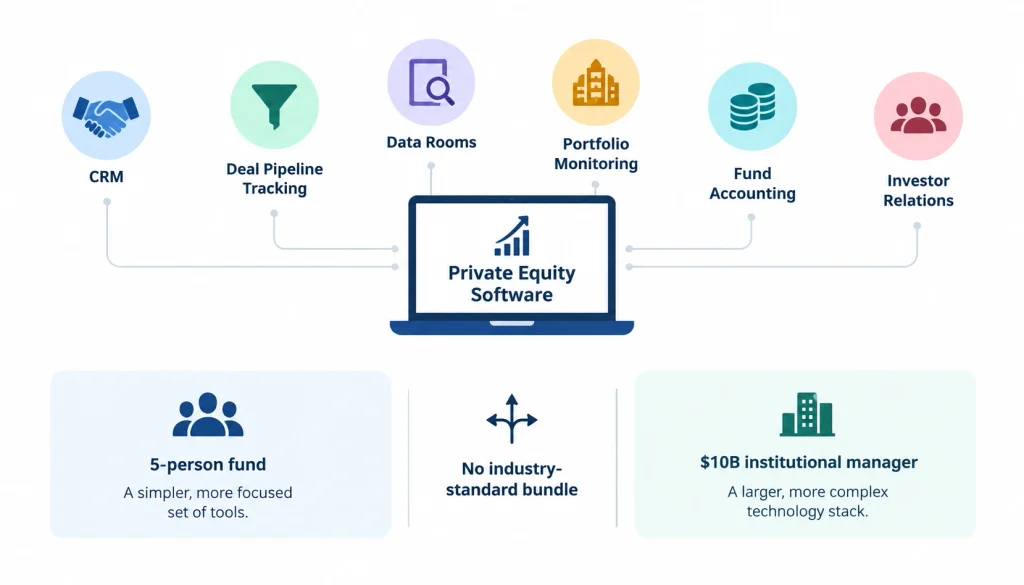
    Private equity software infographic showing CRM, deal pipeline tracking, data rooms, portfolio monitoring, fund accounting, and investor relations tools, with different technology needs for small and institutional PE funds.

    Private equity software is a general term for the technology PE firms use to run their investment operations, everything from finding deals to reporting results to LPs. It typically includes some mix of CRM, deal pipeline tracking, data rooms, portfolio monitoring, fund accounting, and investor relations tools.

    There’s no industry-standard bundle. A five-person fund and a $10 billion institutional manager will describe “our PE software” very differently, because they’ve assembled different pieces for different reasons.

    2. What problems does PE software solve?

    Most firms adopt this kind of software because spreadsheets stop working once the firm grows past a certain size. Common pain points include:

    • Deal information scattered across inboxes and personal notes
    • No visibility into where deals stand in the pipeline
    • Portfolio company KPIs collected manually, quarter after quarter
    • LP reports built by hand in Excel, prone to errors
    • No audit trail on who changed what, and when
    • Compliance and data security gaps as the firm scales

    Software doesn’t fix a broken process on its own, but it does give a firm a shared, searchable record instead of tribal knowledge living in one associate’s inbox.

    3. How private equity software fits into the investment lifecycle

    It helps to think of PE software in terms of the stages a deal and a fund pass through:

    Sourcing → Screening → Due diligence → Investment → Portfolio monitoring → Value creation → Exit → Investor reporting

    Different tools sit at different points on that line. A CRM lives at the sourcing stage. A data room lives at diligence. Fund accounting software lives at the back office, running continuously underneath the whole thing. Keeping this lifecycle in mind is the fastest way to figure out what category you’re actually shopping for.

    15 Private Equity Software Platforms to Know

    Private equity firms rarely rely on one application for every stage of the investment lifecycle. The software landscape spans CRM and deal sourcing, due diligence, portfolio monitoring, fund management, investor relations, and market intelligence.

    The platforms below are best understood by their primary use case, rather than as a single “best-to-worst” ranking.

    1. 4Degrees, CRM & Deal Sourcing

    4Degrees is a private-capital CRM focused on relationship intelligence, deal sourcing, and pipeline management. Its platform can help investment teams identify relationship paths to potential opportunities, organize deal pipelines, and reduce manual CRM data entry.

    Best suited for: PE firms focused on relationship-driven sourcing and deal-flow management.

    Key capabilities:

    • Relationship intelligence
    • Deal pipeline management
    • Contact and company management
    • Workflow automation
    • AI-assisted CRM workflows

    2. Affinity, Private Capital CRM

    Affinity is a CRM built specifically for private capital firms. Its PE offering covers relationship intelligence and deal workflows, while its current platform also emphasizes AI agents for tasks such as meeting preparation, conversation capture, pipeline updates, and investment-memo drafting.

    Best suited for: PE teams that want CRM, relationship intelligence, and automated deal-team workflows.

    Key capabilities:

    • Relationship intelligence
    • Deal sourcing
    • Pipeline management
    • Automatic activity capture
    • AI-assisted workflows
    • Multi-fund deal management

    3. Intapp DealCloud,  Deal Management & CRM

    Intapp DealCloud is an enterprise-oriented platform for investment and deal management. It is particularly relevant to firms with complex workflows that require extensive configuration and integration with broader operational systems.

    Best suited for: Larger or more complex investment organizations.

    Key capabilities:

    • Deal management
    • CRM
    • Pipeline tracking
    • Relationship management
    • Workflow customization
    • Reporting and analytics

    4. Allvue,  Fund Accounting & Portfolio Management

    Allvue provides private equity software combining fund accounting, portfolio monitoring, and investor-portal capabilities. Its private-equity offering is designed to connect front-, middle-, and back-office workflows.

    Best suited for: GPs and fund administrators needing integrated fund and portfolio operations.

    Key capabilities:

    • Fund accounting
    • Portfolio monitoring
    • Investor portal
    • Fund management
    • Reporting
    • Data management

    5. eFront,  Private Markets Investment Management

    eFront, part of BlackRock, provides technology covering areas such as deal sourcing, fundraising, portfolio monitoring, valuations, fund management, fund administration, accounting, investor reporting, and investor relations.

    Best suited for: Investment organizations requiring broad private-markets functionality.

    Key capabilities:

    • Deal sourcing
    • Portfolio monitoring
    • Valuation
    • Fund accounting
    • Fund administration
    • Investor reporting
    • Investor relations
    • Performance analytics

    6. S&P Global iLEVEL,  Portfolio Monitoring & Analytics

    iLEVEL is positioned around portfolio data collection, monitoring, and investment analytics. It can be used to consolidate portfolio-company information and provide investment teams with structured performance data.

    Best suited for: PE firms that need deeper portfolio monitoring and analytics.

    Key capabilities:

    • Portfolio monitoring
    • Data collection
    • KPI tracking
    • Performance analytics
    • Reporting
    • Portfolio-company data management

    7. Chronograph, Portfolio Monitoring

    Chronograph focuses heavily on portfolio monitoring and private-market data workflows.

    Best suited for: Investment teams that need centralized visibility into portfolio-company performance.

    Key capabilities:

    • Portfolio monitoring
    • KPI tracking
    • Investment data
    • Reporting
    • Performance analysis
    • Data management

    8. Juniper Square,  Fundraising & Investor Management

    Juniper Square is focused on private-market fund operations and investor management, including fundraising, investor onboarding, communications, and reporting.

    Best suited for: GPs looking to streamline investor-facing fund operations.

    Key capabilities:

    • Investor onboarding
    • Fundraising
    • Investor communications
    • Reporting
    • Investor management
    • LP experience

    9. Dynamo Software, Fund & Investor Management

    Dynamo provides a broader alternative-investment management platform spanning areas such as CRM, fund administration, investor relations, and reporting.

    Best suited for: Multi-asset investment organizations seeking broader operational coverage.

    Key capabilities:

    • CRM
    • Fund management
    • Investor relations
    • Fund administration
    • Reporting
    • Portfolio management

    10. PitchBook, Private-Market Intelligence

    PitchBook is primarily a private-capital data and research platform rather than a traditional fund-accounting or fund-administration system. Its platform covers company, deal, fund, and market intelligence and includes screening, fund analysis, market research, AI-enabled tools, and integrations.

    Best suited for: PE professionals conducting market research, sourcing, benchmarking, and investment analysis.

    Key capabilities:

    • Company research
    • Deal research
    • Fund research
    • Market intelligence
    • Screening
    • Benchmarking
    • Data/API integrations
    • AI-assisted research

    11. Preqin, Private-Markets Data & Research

    Preqin provides private-markets data, benchmarks, and research used for activities such as manager research, fund analysis, benchmarking, and portfolio evaluation. Preqin is now part of BlackRock and is also integrated into eFront Insight.

    Best suited for: Investment professionals and LPs requiring private-markets research and benchmarking data.

    Key capabilities:

    • Fund data
    • Manager research
    • Performance benchmarks
    • Market intelligence
    • Portfolio analysis
    • Private-markets research

    12. Datasite,  Virtual Data Rooms

    Datasite is primarily relevant to transactions and due diligence rather than fund accounting or portfolio monitoring.

    Best suited for: PE firms requiring secure document exchange during transactions.

    Key capabilities:

    • Virtual data rooms
    • Secure document sharing
    • Due-diligence workflows
    • User permissions
    • Document tracking
    • Transaction collaboration

    13. iDeals, Virtual Data Room & Due Diligence

    iDeals provides virtual data-room technology for secure document management and transaction workflows.

    Best suited for: Deal teams that need controlled document sharing during due diligence.

    Key capabilities:

    • Virtual data rooms
    • Secure document sharing
    • Access controls
    • Due-diligence management
    • Document analytics
    • Collaboration

    14. Ansarada, Deal & Data Room Management

    Ansarada focuses on secure transaction environments and data-room workflows.

    Best suited for: PE and M&A teams managing sensitive transaction information.

    Key capabilities:

    • Virtual data rooms
    • Due diligence
    • Document management
    • Permissions
    • Workflow management
    • Transaction collaboration

    15. S&P Capital IQ Pro,  Financial & Market Research

    S&P Capital IQ Pro provides financial and market intelligence that investment teams can use for company research, financial analysis, screening, and market evaluation.

    Best suited for: PE professionals who need broader financial and market data alongside their investment workflow.

    Key capabilities:

    • Company research
    • Financial data
    • Market intelligence
    • Screening
    • Comparable-company analysis
    • Industry research

    What Software Do Private Equity Firms Use?

    Here’s a quick look at the main categories before we go deeper on each.

    1. Private equity CRM and relationship intelligence
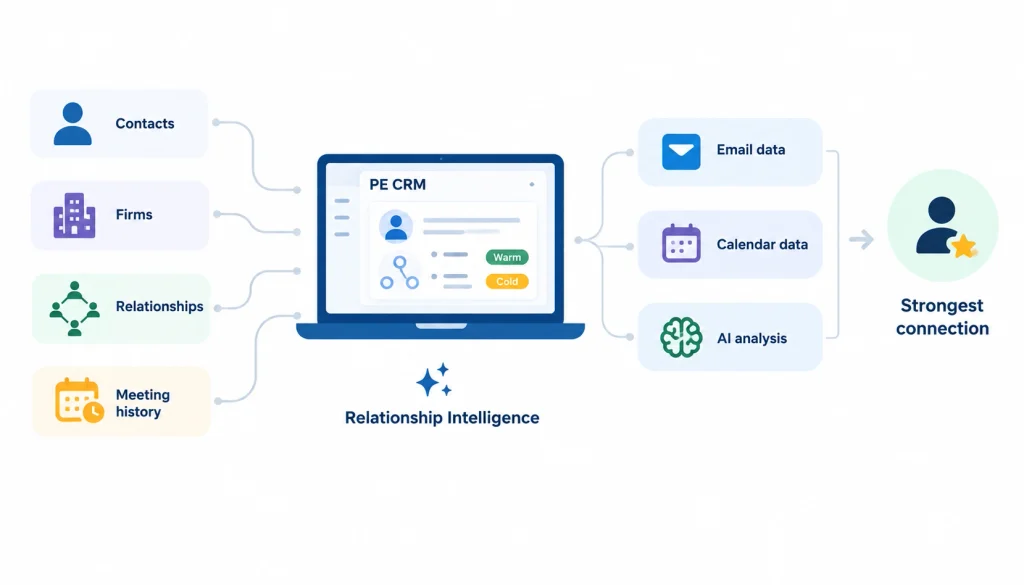
    Private equity CRM infographic showing contacts, firms, relationships, and meeting history connected with email, calendar, and AI analysis to identify the strongest business connection.

    A PE CRM tracks contacts, firms, and the relationships between them, who introduced whom, when a partner last spoke to a target company’s CEO, which deals are warm versus cold. Generic CRMs like Salesforce can technically be configured to do this, but purpose-built PE CRMs (4Degrees, Affinity, DealCloud) add relationship intelligence: they mine email and calendar data to surface who at your firm actually has the strongest connection to a given contact.

    2. Deal sourcing and deal management software

    Deal management software tracks the pipeline itself, stage, deal team, key dates, diligence status. In many products this overlaps heavily with CRM, which is why firms often buy one tool that does both rather than two separate systems.

    3. Virtual data room and due diligence software

    A virtual data room (VDR) is a secure, permissioned document repository used during diligence and deal execution. Datasite, iDeals, and Ansarada are the names that come up most often here. The core job is controlling who sees what, tracking who’s looked at which document, and managing Q&A between buyer and seller teams.

    4. Market intelligence and research platforms

    These tools, PitchBook, Preqin, S&P Capital IQ Pro, provide company, market, and fund data for sourcing and benchmarking. They’re research tools, not workflow tools, but most deal teams treat them as part of the daily stack.

    5. Portfolio monitoring software

    Once a deal closes, portfolio monitoring software collects operating and financial KPIs from portfolio companies on a recurring basis. Instead of chasing spreadsheets from each CFO every quarter, the GP gets a standardized dashboard.

    6. Fund accounting software

    This is the financial backbone: general ledger, capital call and distribution tracking, NAV calculation, allocations across LPs. Because financial workflows vary by industry and organizational structure, industry-specific accounting software can also be useful when evaluating specialized reporting and compliance requirements.

    It’s specialized accounting software, not a general ERP, because fund structures (carried interest, waterfalls, multiple share classes) don’t map cleanly onto standard business accounting.

    7. Fund administration software

    Related to fund accounting but broader, it covers the operational side of running a fund: investor records, compliance filings, capital account statements. Larger firms often run this in-house; smaller and mid-sized firms frequently outsource it to a third-party fund administrator who uses their own software.

    8. Investor relations and LP portal software

    An LP portal gives investors self-service access to their capital account statements, K-1s, fund documents, and performance reports. Juniper Square and Dynamo Software are common names here.

    9. Fundraising and investor onboarding software

    Some of the tools above extend into fundraising: tracking prospective LPs through a pipeline, managing subscription documents, and handling KYC/AML onboarding.

    10. Reporting and analytics software

    Dashboards and reporting layers that pull data from accounting, portfolio monitoring, and CRM systems into LP-facing or internal reports.

    11. Compliance and risk management software

    Tools for tracking regulatory obligations, conflicts of interest, and internal policy compliance, more common at larger, institutional firms with dedicated compliance staff.

    12. AI and workflow automation tools

    Increasingly, PE-specific AI features are showing up inside the categories above rather than as standalone products, think AI-assisted CIM summarization inside a deal management tool, or AI-generated first-draft portfolio company updates.

    Private Equity Software Categories at a Glance

    CategoryMain JobKey FeaturesPrimary Users
    CRMRelationshipsContacts, activity tracking, relationship intelligenceDeal teams
    Deal managementTransactionsPipeline, workflow, diligence checklistsInvestment teams
    Data room (VDR)DocumentsPermissions, Q&A, activity logsDeal teams, advisors
    Portfolio monitoringKPIsFinancial and operating metrics collectionPortfolio ops teams
    Fund accountingFund financesGeneral ledger, NAV, allocationsFinance
    Fund administrationOperationsInvestor records, filings, statementsOperations
    LP portalInvestor accessStatements, K-1s, document accessLPs, IR teams
    Market intelligenceResearchCompany, fund, and market dataDeal teams

    Private Equity Software Comparison

    When you’re actually comparing vendors, put them side by side on the same criteria instead of reading feature pages in isolation. A comparison table should cover: primary category, CRM depth, deal management, portfolio monitoring, fund accounting, investor reporting, LP portal, AI features, integration options, typical best-fit firm size, and rough implementation complexity.

    There’s a reason no credible comparison declares one overall winner: a tool that’s excellent for a 5-person emerging manager (like Juniper Square for investor communication) is the wrong purchase for a multi-fund institutional platform that needs eFront-level accounting depth. Filter by your own requirements rather than someone else’s “best of” list.

    All-in-One vs. Specialized Private Equity Software

    1. What is an all-in-one PE platform?

    An all-in-one platform tries to cover several stages of the lifecycle in a single product, say, CRM, deal management, and portfolio monitoring together. Allvue and eFront lean in this direction.

    2. What is a specialized PE software stack?

    A specialized stack means picking the best tool for each individual job and connecting them, a CRM from one vendor, a data room from another, fund accounting from a third. This is more common at firms with strong opinions about specific workflows, or firms that have outgrown a generic tool in one area but not others.

    3. Hybrid approach

    Most mid-sized firms end up somewhere in between: one core platform for two or three connected functions, plus a couple of best-of-breed tools bolted on for things the core platform doesn’t do well.

    4. All-in-one vs specialized comparison

    FactorAll-in-oneSpecialized stack
    IntegrationSimpler, since it’s one systemRequires connecting multiple tools
    FlexibilityLimited to what the suite offersUsually higher per function
    Vendor managementFewer vendor relationshipsMore vendors to manage
    Best forFirms wanting one throat to chokeFirms with specific, strong workflow needs
    ImplementationCan be a bigger single projectSpread across smaller rollouts

    Neither approach is objectively better. A firm with a lean ops team often prefers fewer vendors, even if each module is only “good enough.” A firm with a dedicated finance and ops function can usually get more value out of best-in-class specialized tools, because they have the staff to manage the integrations.

    Private Equity Software by Firm Size

    1. Software for emerging managers

    A five-person emerging manager raising their first or second fund typically prioritizes CRM for relationship tracking, LP onboarding, basic fund administration (often outsourced), and reporting. Trying to buy a full institutional-grade stack this early usually means paying for modules nobody on the team has time to configure.

    2. Software for middle-market PE firms

    As firms grow into middle-market territory, deal sourcing tools, portfolio monitoring, and more advanced analytics start to earn their keep. This is usually the stage where firms move off spreadsheet-based portfolio reporting.

    3. Software for institutional PE firms

    Larger institutional managers running multiple funds need multi-fund accounting architecture, dedicated portfolio analytics, formal security and governance controls, and reporting that can handle complex allocation structures across many LPs. This is where platforms like eFront and iLEVEL tend to show up.

    4. Software for fund administrators

    Third-party fund administrators serving multiple GP clients need software built for multi-client, standardized workflows rather than a single fund’s specific needs, reporting consistency across clients matters more than deep customization for any one of them.

    Key Features to Look for in Private Equity Software

    Rather than chasing a long feature checklist, focus on the ones that actually change day-to-day work:

    • Deal pipeline management: visibility into where every deal stands and who owns the next step
    • Relationship intelligence: surfacing who at the firm has the strongest connection to a target
    • Portfolio KPI tracking: standardized, recurring data collection from portfolio companies
    • Financial and valuation modeling: support for the models your team actually builds. Firms evaluating reporting and analytics capabilities may also benefit from understanding how accounting software with strong analytics supports dashboards, KPI tracking, and financial reporting.
    • Fund accounting: accurate handling of capital calls, distributions, and carried interest waterfalls
    • Investor reporting: automated generation of LP-facing reports rather than manual rebuilding each quarter
    • LP portal and onboarding: self-service document access for investors
    • Document management: version control and permissioning for deal and fund documents
    • Workflow automation: reducing repetitive manual steps in diligence and reporting
    • API and integrations: the ability to connect with your existing accounting, email, and BI tools
    • Permissions and audit trails: control over who can see and edit what, with a record of changes
    • AI capabilities: genuinely useful assistance, not a feature added for the sake of a marketing bullet point

    How Private Equity Software Connects to Your Existing Tech Stack

    A lot of the frustration firms run into isn’t about any single tool. It’s about tools that don’t talk to each other. Picture the ideal flow:

    CRM → Deal management → Data room → Accounting → Portfolio monitoring → Reporting → LP portal

    This type of connected workflow also depends on effective business data analytics, particularly when firms need to turn information from multiple systems into usable reporting and insights.

    If a deal moves from CRM into execution, the data room should be able to reference the same deal record. Once the deal closes, portfolio monitoring should pick up the company without anyone re-entering it by hand. Financial data from accounting should feed reporting and the LP portal automatically.

    In practice, this rarely happens end-to-end. Most firms maintain a “single source of truth” for deal data in one system, and accept that some manual reconciliation between systems is unavoidable. The goal isn’t a perfectly connected stack. It’s minimizing how much gets typed twice.

    AI in Private Equity Software

    AI has moved from a marketing buzzword to a genuinely useful feature in several parts of the PE workflow, though it’s worth being specific about where it actually helps:

    • Deal sourcing: surfacing companies that match a thesis based on data patterns rather than manual screening
    • Company and market research: summarizing public information on a target faster than an analyst reading ten sources
    • Document and CIM analysis: pulling key figures and flags out of long documents
    • Data extraction: converting portfolio company financials from PDFs or emails into structured data
    • Portfolio monitoring: flagging anomalies in reported KPIs
    • Investor reporting: drafting first-pass LP updates for a human to review and edit

    A McKinsey research note on private markets has pointed to growing planned investment in predictive AI tools among PE firms, which lines up with what’s showing up in vendor roadmaps. That said, AI in this space is still best treated as a drafting and flagging tool. Investment judgment and final sign-off on anything LP-facing still needs a human in the loop.

    Security and Compliance Considerations

    PE firms handle sensitive financial data, LP personal information, and confidential deal documents, so security isn’t optional. When evaluating a vendor, check for:

    • Role-based permissions, so access matches job function
    • Encryption in transit and at rest
    • Single sign-on (SSO) and multi-factor authentication (MFA)
    • Audit logs that record who accessed or changed what
    • Regular data backups and a documented recovery process
    • SOC 2 certification or equivalent security documentation
    • Clear answers on data residency and privacy compliance (relevant under regulations like GDPR for firms with European LPs)
    • A documented process for vendor security reviews, not just a sales rep’s verbal assurance

    Ask for the actual SOC 2 report, not just a badge on the website. Any serious vendor will provide one under NDA.

    Private Equity Software Pricing and Total Cost of Ownership

    1. What determines software pricing?

    Pricing usually scales with number of users, AUM, number of funds under management, which modules you license, data volume, and how much integration or customization you need.

    2. Costs beyond the subscription

    The license fee is rarely the full story. Budget for implementation, data migration from your old systems (or spreadsheets), training time for the team, integration work to connect with existing tools, any custom development, and ongoing administration once it’s live.

    A tool that looks cheaper on the subscription line can end up costing more once you add a six-month implementation and a part-time admin to keep it running. Ask vendors for a realistic total first-year cost, not just the license price.

    3. Questions to ask vendors about pricing

    • What’s included in the base license versus paid as an add-on module?
    • What does implementation typically cost and how long does it take for a firm our size?
    • Is data migration included, or billed separately?
    • What happens to pricing as we add users or funds?

    How to Choose Private Equity Software

    1. Map your investment lifecycle. Write down every stage from sourcing to exit and note where the current process breaks down.
    2. Identify manual processes. Where is the team still using spreadsheets or email as the system of record?
    3. Define must-have features. Separate what you actually need from what sounds nice in a demo.
    4. Decide between all-in-one and specialized systems. Base this on your team’s capacity to manage integrations, not just feature lists.
    5. Audit integrations. Confirm the tool actually connects to what you already use, accounting software, email, calendar.
    6. Evaluate security and compliance. Request documentation, not just a verbal assurance.
    7. Test with real workflows. Run an actual deal or reporting cycle through the demo environment instead of watching a canned walkthrough.
    8. Compare implementation requirements. Ask how long rollout typically takes for firms your size.
    9. Calculate total cost of ownership. Add license, implementation, migration, training, and ongoing admin.
    10. Check scalability and exit options. Understand what it costs, in time and money, to leave this vendor if it doesn’t work out in two years.

    Private Equity Software Demo Checklist

    Before or during a vendor demo, come prepared with specific questions rather than letting the sales team run a generic script:

    • Data: Can we bring a sample of our real deal or portfolio data into the demo?
    • Integrations: Which accounting, email, and BI tools does this connect to out of the box?
    • Security: Can you provide a current SOC 2 report and describe your incident response process?
    • Reporting: Can we see an actual LP report built in this system, not a mockup?
    • Implementation: What does a realistic timeline look like for a firm our size, and who owns the project on your side?
    • Support: What’s the support model after go-live, dedicated rep, ticket system, response time SLA?
    • AI: Which AI features are actually shipped today versus on the roadmap?

    Common Private Equity Software Mistakes

    • Choosing based on the longest feature list rather than the features you’ll actually use
    • Buying an all-in-one platform before mapping your own workflows
    • Ignoring integration requirements until after the contract is signed
    • Underestimating how long implementation will really take
    • Never clearly defining who owns the data if you switch vendors later
    • Skipping a real conversation about reporting requirements with the team that builds LP reports
    • Picking a tool that can’t grow with fund complexity, forcing a re-buy in two or three years
    • Treating AI output as a finished answer instead of a first draft

    Private Equity Software vs. Related Systems
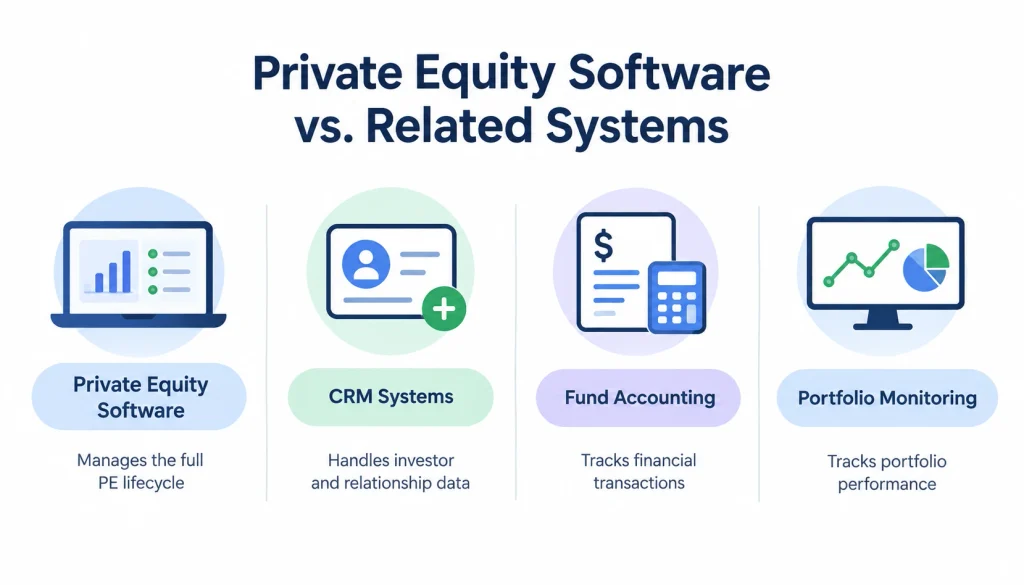
    Private equity software compared with CRM systems, fund accounting, and portfolio monitoring, showing their different roles across the private equity lifecycle.

    It’s easy to conflate PE software with adjacent categories. Here’s the quick distinction:

    • PE software vs CRM: a generic CRM (like base Salesforce) tracks contacts and deals broadly; PE-specific CRMs add relationship intelligence and deal-stage workflows built for the asset class.
    • PE software vs fund accounting software: fund accounting is one component of the broader PE software category, focused specifically on the general ledger, NAV, and capital accounts.
    • PE software vs fund administration: administration is operational (investor records, filings); accounting is financial (the books themselves). Many firms outsource the former, keep the latter closer in-house.
    • PE software vs portfolio management: “portfolio management” in a PE context usually means monitoring KPIs across portfolio companies, which is a narrower slice of the full PE software stack.
    • PE software vs ERP: a general ERP handles a company’s own operations; fund accounting software handles the fund’s investors and investments, which don’t map onto standard ERP structures.
    • PE software vs virtual data room: a VDR is a document-sharing tool for a specific deal or transaction, not an ongoing system of record.
    • PE software vs investor portal: the portal is the investor-facing window into data that lives in fund accounting and administration systems behind it.

    Frequently Asked Questions

    What is private equity software? 

    It’s the set of tools PE firms use to manage the investment lifecycle, deal sourcing, diligence, portfolio monitoring, fund accounting, and investor reporting. It’s not one product; most firms run several.

    What software do private equity firms use? 

    Commonly some combination of a PE CRM (4Degrees, Affinity, DealCloud), a data room (Datasite, iDeals), portfolio monitoring (iLEVEL, Chronograph), fund accounting (eFront, Allvue), and an LP portal (Juniper Square, Dynamo).

    What is the best private equity software? 

    There isn’t a single best option, it depends on firm size, fund complexity, and which stage of the lifecycle you’re solving for. A tool that’s ideal for a 5-person emerging manager is usually the wrong fit for a multi-fund institutional platform.

    What CRM do private equity firms use? 

    4Degrees, Affinity, and Intapp DealCloud are the most common purpose-built options; some firms also configure Salesforce, though it usually needs heavy customization to fit PE workflows.

    What does private equity software do? 

    Depending on the category, it can track deal pipeline, manage due diligence documents, collect portfolio company KPIs, run fund accounting, and generate investor reports.

    Final Takeaway

    Don’t pick private equity software based on which vendor has the longest feature list or the flashiest demo. The better approach is to start with how your firm actually works: how you source deals, manage diligence, track portfolio companies, handle fund accounting, communicate with LPs, and produce reports.

    From there, evaluate whether you need an all-in-one platform, a specialized tool for a specific workflow, or a combination of connected systems. Look closely at integrations, data migration, security controls, reporting capabilities, scalability, implementation requirements, and total cost of ownership, not just the features shown during a sales demo.

    For many firms, the practical answer won’t be one system that does everything. You may end up with two or three connected platforms, each handling a different part of the investment lifecycle. The goal is to build a technology stack that reduces manual work, keeps data consistent, gives your team better visibility, and can scale as your funds and portfolio grow.

  • 12 Unique Business Ideas You Can Start in 2026

    12 Unique Business Ideas You Can Start in 2026

    If you’ve spent any time searching for a new venture, you’ve probably noticed that most “unique business ideas” lists aren’t that unique. They recycle the same 50 suggestions (dropshipping, virtual assistant, candle making) and call it a day.

    This list is different. Each of these 12 unique business ideas takes an existing business model and points it at a specific customer with a specific problem.

    That’s what actually makes something unique: not that nobody’s ever thought of it, but that you’re solving a narrow problem better than the generic version does.

    Below, you’ll find a quick comparison table, then a full breakdown of each idea covering startup costs, required skills, how to land your first customers, and how to know if the demand is real before you spend a dollar.

    12 Unique Business Ideas

    1. AI Workflow Setup Service for Small Businesses

    What the business does

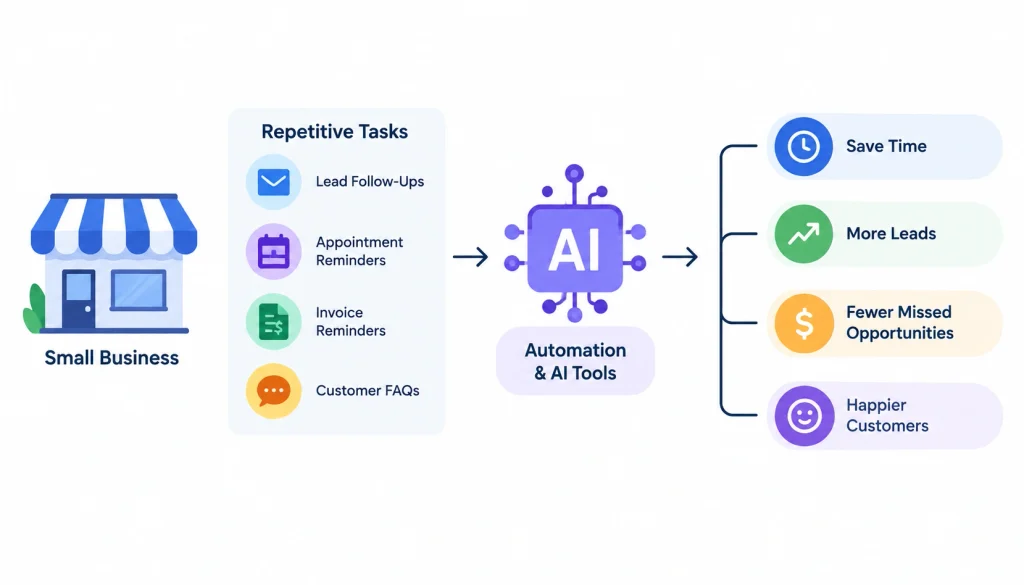
    AI workflow automation for small businesses, showing lead follow-ups, appointment and invoice reminders, and customer FAQs leading to time savings and fewer missed opportunities.

    You help small businesses automate repetitive tasks (lead follow-up, appointment reminders, invoice reminders, customer FAQs) using AI tools and simple automation platforms. You’re not selling “AI.” You’re selling hours saved and leads no longer falling through the cracks.

    Who pays for it

    Local service businesses (contractors, clinics, salons, real estate agents) that get enough inquiries to need a system, but not enough volume to justify hiring a full-time ops person.

    Examples of workflows to automate

    Missed-call text-back, appointment confirmation and reminders, review requests after a job is completed, lead qualification through a chat widget, and basic customer support for common questions.

    Startup costs

    Under $500. Most of the tools you’ll use (Zapier, Make, a CRM’s built-in automation) run on monthly subscriptions, and many have free tiers while you’re learning and building your first client project.

    Skills required

    Comfort with no-code automation tools, basic understanding of how small businesses operate day to day, and enough writing skill to draft the automated messages customers will actually receive.

    How to get the first 3 customers

    Pick one industry (say, dental clinics) and offer a free audit of their booking and follow-up process to two or three local businesses. Build one working automation as a demo, then convert that into a paid engagement.

    How to scale it

    Once you’ve built a workflow for one industry, you can package it as a template and resell it to similar businesses with light customization, instead of starting from scratch each time.

    Expert angle: Sell a defined outcome, like “we recover 15% of missed calls,” not a vague service called “AI consulting.” Buyers pay for results they can picture, not for technology.

    2. Senior Technology Concierge Service

    What problem does it solve?

    Many older adults own smartphones, tablets, and smart TVs they don’t fully know how to use, and they’re often uncomfortable calling a generic tech-support line. A patient, in-person concierge service fills that gap.

    Services you can offer

    Device setup, password and account management, video-call training so they can see grandchildren, scam and phishing awareness, and ongoing monthly check-ins.

    Ideal customers

    Adults 65+ living independently, and their adult children who often pay the bill on their parents’ behalf.

    Startup equipment

    A laptop, a simple toolkit of cables and adapters, and a car. This is one of the lowest-cost businesses on this list to start.

    Pricing model

    Hourly visits, a monthly retainer for ongoing support, or a one-time “new device setup” package.

    Customer acquisition through referrals

    Senior centers, assisted-living communities, churches, and local Facebook groups for caregivers are strong first channels. Word of mouth among adult children tends to be the biggest long-term driver.

    Scaling a personal service

    This business scales less easily than a digital one, because trust and personal rapport are a big part of the offer. A discussion on r/Entrepreneur describes exactly this challenge: one founder running an in-home tech support business for seniors talked through pricing, word-of-mouth growth, and how hard it is to hand the service off to another person without losing that trust (source).

    Treat that as one founder’s real experience, not a guarantee of how it’ll go for you. It’s still a useful preview of the actual day-to-day.

    3. Niche Digital Product Studio

    What you can sell

    Templates, calculators, checklists, planners, and other resources built for one specific profession or hobby: a cash-flow spreadsheet for freelance photographers, or a client-intake template for massage therapists.

    Finding a profitable niche

    Look for a group of people who already pay for tools or software related to their work. If they’re used to spending money to solve problems, a well-made template is an easy add-on purchase.

    Where to sell

    Etsy, Gumroad, or your own simple storefront. Etsy gives you built-in search traffic; your own site gives you better margins once you have an audience.

    Startup costs

    Close to $0 beyond your time, if you’re building templates in tools you already know like Canva, Google Sheets, or Notion.

    How to validate before creating dozens of products

    Build one product first. Post it in a relevant online community or share it with your own network, and watch whether people actually ask to buy it before you build the next nine.

    4. Microlearning Business for Professionals

    What is microlearning?

    Short, focused lessons (five to fifteen minutes) that teach one specific skill instead of a full multi-hour course. It fits into a lunch break or a commute, which is exactly why busy professionals prefer it.

    Profitable niche examples

    A weekly Excel formula for finance analysts, a client-communication script of the week for consultants, or a compliance update tailored to one industry.

    Course formats

    Short video lessons, an email series, or a private community feed. You don’t need studio-quality production. Clarity beats polish here.

    Platforms and technology

    Podia, Teachable, or even a private Substack newsletter with embedded video can work as your delivery platform.

    Pricing

    A modest monthly subscription tends to work better for microlearning than a large one-time course price, because the ongoing content is what keeps people paying.

    How to acquire your first students

    Share free lessons publicly on LinkedIn or in relevant professional groups. The free content proves your teaching is useful before anyone has to pay for it.

    5. Pet Travel Logistics Service

    The problem you’re solving

    Moving a pet internationally, or even on a long domestic move, involves health certificates, airline-specific crate rules, and paperwork most pet owners have never dealt with. It’s confusing enough that people will pay someone to manage it.

    Services to provide

    Booking pet-friendly flights, coordinating vet paperwork and health certificates, sourcing approved travel crates, and managing customs requirements for the destination country.

    Target customers

    Expats, military families relocating, and international adoptive pet owners.

    Partnerships to build

    Veterinary clinics, pet relocation specialists overseas, and airlines’ cargo or pet-travel desks are natural referral partners.

    Local vs. national opportunities

    You can start locally, serving pet owners moving out of your city, and expand into a fully remote consulting model once you understand the process well enough to handle any destination.

    Regulatory and insurance considerations

    Requirements vary significantly by country and even by airline, so this is a business where you’ll want to stay current on regulations rather than memorize a fixed set of rules. Build a habit of checking official government and airline sources before every booking.

    6. Life-Transition Home Reset Service

    What is a home reset service?

    A service that helps people reorganize, declutter, or set up their home during a major life change. It’s not routine cleaning, but a focused project tied to a specific transition.

    Target niches

    New parents preparing a nursery and reorganizing storage, seniors downsizing into smaller homes, families moving into a new house, and remote workers converting a spare room into an office.

    Service packages

    A single-day “reset” for one room, a full-home project spanning several days, or an ongoing maintenance visit once a month.

    Startup costs

    Low. You mainly need organizing supplies, a reliable vehicle for donation drop-offs, and basic liability insurance.

    Local marketing strategy

    Partner with real estate agents (for movers), pediatricians’ offices (for new parents), and senior-living placement services (for downsizers), since each group already interacts with your ideal customer at the exact right moment.

    Referral partnerships

    Movers and real estate agents are especially strong partners, because a home reset naturally happens right before or after they’ve already worked with the same client.

    7. Hyperlocal Specialty Food Brand

    Finding a local product niche

    Look at what your region already does well (a local ingredient, a regional recipe, a food tradition) and build a packaged product around it that isn’t already sold locally.

    Product examples

    A hot sauce made with a local pepper variety, a spice blend tied to a regional cuisine, or small-batch preserves using fruit from local farms.

    Farmers markets and online sales

    Start at farmers markets to test flavors and pricing with real customers face to face, then move to online sales through Shopify or Etsy once you know which products actually sell.

    Packaging and branding

    Simple, clear labeling that tells the story of the ingredient or region tends to outperform generic packaging, especially at markets where customers are buying the story as much as the product.

    Food licensing and compliance

    Most regions require a food handler’s permit and, depending on the product, a licensed commercial kitchen. Check with your local health department before you sell your first jar. Requirements vary a lot by state and product type.

    How to test demand before scaling

    Sell in small batches at markets for a few months before investing in larger production runs or wholesale accounts. Let actual repeat purchases, not compliments, tell you what’s working.

    8. Creator Back-Office Service

    What creators need help with

    Full-time content creators are often good at making content and bad at (or too busy for) the administrative side: scheduling, tracking analytics, repurposing content across platforms, and managing sponsorship deals.

    Services you can bundle

    Content scheduling and publishing, performance reporting, repurposing long videos into clips, and handling sponsorship outreach or contract logistics.

    Finding creator clients

    Mid-size creators (big enough to need help, not yet big enough to have a full team) are your best fit. Look on YouTube, TikTok, and newsletter platforms like Substack for creators in that range.

    Pricing models

    A monthly retainer covering a defined set of tasks tends to work better than hourly billing, since creators want predictable costs.

    Turning a service into an agency

    Once you have a repeatable process, you can hire contractors to handle individual tasks (editing, scheduling) while you manage client relationships and quality control.

    9. Niche Research Subscription

    What is a research subscription?

    A paid newsletter or report service that tracks one narrow industry closely and delivers regular, digestible updates, the kind of research a company would otherwise need a full analyst to produce in-house.

    Industries that could benefit

    Any industry that moves fast and has fragmented information sources: niche B2B software categories, specific regulatory areas, or emerging consumer trends within one category.

    What subscribers receive

    A weekly or monthly digest of what changed, why it matters, and what to watch next: curated and explained, not just a pile of links.

    Subscription pricing

    B2B research subscriptions can command higher prices than consumer newsletters, often in the range of $20–$200 per month, because they save a business real research hours.

    Research workflow

    Set a consistent schedule for monitoring sources, industry publications, regulatory filings, and relevant discussions, then summarize the same way every issue so subscribers know what to expect.

    How to prove value before launching

    Publish a few free issues first. If people forward them to colleagues or ask when the next one is coming, that’s a signal the paid version will have takers.

    10. Sustainable Event-Rental Business

    What can you rent?

    Reusable dinnerware, decor, and furniture for weddings and corporate events, positioned as the alternative to single-use, disposable event supplies.

    Sustainable positioning

    Many event planners and couples are actively looking to cut waste at their events, and a rental model is inherently more sustainable than buying disposable goods, which gives you a real, honest story to tell rather than a marketing gimmick.

    Inventory strategy

    Start with a small, versatile inventory (neutral colors and classic styles) that can work across many event themes instead of niche pieces that only fit one aesthetic.

    Storage and logistics

    You’ll need dry, secure storage space and a reliable way to transport, clean, and inspect items between events. This is one of the higher-overhead ideas on this list.

    Partnerships with event planners

    Wedding planners and corporate event coordinators are repeat referral sources once they trust your inventory quality and reliability.

    How to calculate rental ROI

    Track how many times each item rents before it needs replacing, and compare that lifetime rental income against the original purchase and cleaning costs to know which pieces are actually profitable.

    11. Specialized Compliance Support Service

    Choose one regulation or industry

    Pick a specific, well-defined regulatory area, such as data privacy for small healthcare practices or food safety documentation for small food producers, rather than offering general “compliance consulting.”

    What businesses need help with

    Understanding which rules actually apply to them, building the required documentation, and staying current as regulations change.

    Where expertise is required

    This is one of the higher-skill ideas on the list. You need real, verifiable knowledge of the regulation you’re working in, ideally backed by prior professional experience or certification.

    Tools and workflows

    Templates for required documentation, a tracking system for renewal and audit dates, and a habit of monitoring the regulating body’s official updates.

    Pricing

    Project-based fees for initial compliance setup, plus an ongoing retainer for monitoring and updates as rules change.

    Legal limitations and when to involve professionals

    Be clear with clients about where your support ends and where they need an actual attorney or licensed professional. Compliance consulting that strays into legal advice without a license creates real risk for both you and your client.

    12. Cultural Consulting for Global Businesses

    What cultural consulting involves

    Helping companies communicate, negotiate, and market effectively in a specific country or cultural context they’re trying to enter or already operate in.

    Potential clients

    Companies expanding into a new international market, remote teams working across countries, and marketing agencies localizing campaigns for a new region.

    Services you can provide

    Communication style training for cross-border teams, marketing message review for cultural fit, and negotiation coaching for a specific market.

    Required expertise

    Deep, lived familiarity with the culture and language you’re consulting on. This is a business built on genuine background, not a script you can memorize.

    Finding international clients

    LinkedIn is particularly strong here, since it’s where global business development and HR teams actually search for this kind of expertise.

    Building recurring revenue

    Move clients from one-off training sessions into ongoing retainers that review campaigns, communications, or hiring practices on a regular basis as their international presence grows.

    Quick Comparison: 12 Unique Business Ideas

    Costs and timelines below are estimates. Your actual numbers will depend on where you live, how you price your offer, and how fast you move.

    #Business ideaStartup costSkill levelFirst revenueModel
    1AI Workflow Setup ServiceLowMediumFastService
    2Senior Technology ConciergeLowMediumFastLocal service
    3Niche Digital Product StudioLowMediumMediumDigital products
    4Microlearning BusinessLowMediumMediumEducation
    5Pet Travel Logistics ServiceLow–MediumMediumMediumService
    6Life-Transition Home Reset ServiceLowLow–MediumFastLocal service
    7Hyperlocal Specialty Food BrandMediumMediumMediumProduct
    8Creator Back-Office ServiceLowMediumFastB2B service
    9Niche Research SubscriptionLowHighMediumSubscription
    10Sustainable Event-Rental BusinessMediumMediumMediumRental
    11Specialized Compliance SupportLow–MediumHighMediumB2B service
    12Cultural Consulting for Global BusinessesLowHighFastConsulting

    What Makes a Business Idea Truly Unique?

    1. Unique doesn’t mean nobody else is doing it

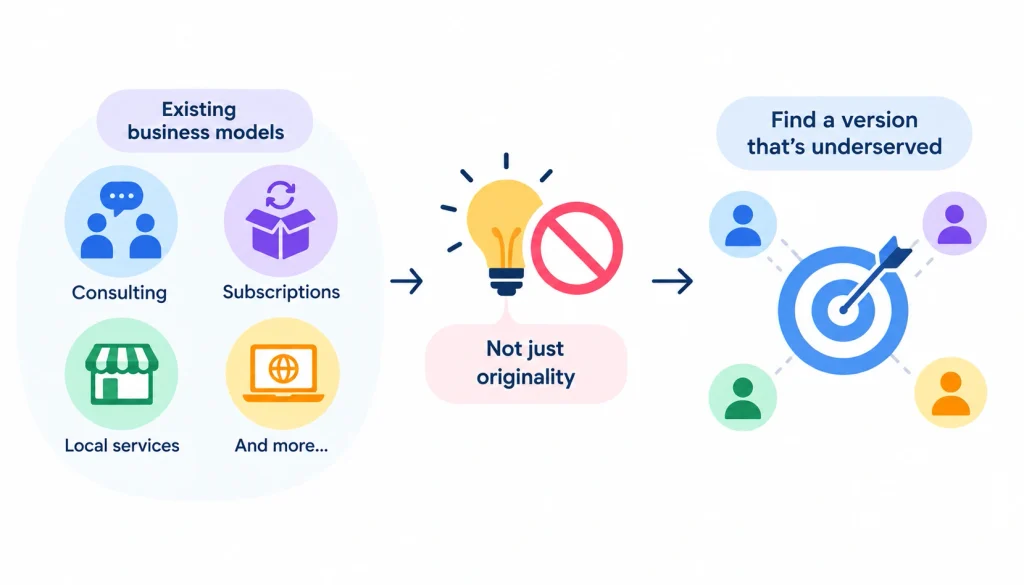
    Infographic showing that a unique business idea comes from finding an underserved niche within existing business models rather than relying on originality alone.

    Almost every business model already exists in some form. Consulting exists. Subscriptions exist. Local services exist. What makes an idea worth pursuing isn’t originality for its own sake, it’s finding a version of that model that the market is currently underserving.

    2. Solve a narrow problem for a specific customer

    “I help small businesses with marketing” is a crowded, forgettable pitch. “I set up automated lead-qualification workflows for local HVAC companies” is a specific offer with a specific buyer. The narrower you go, the easier it is to find, sell to, and become known among your first customers.

    3. Differentiate through delivery, positioning or niche

    You can build a unique business without inventing a new product category. Change who it’s for (a niche), how it’s delivered (in person vs. done-for-you vs. subscription), or how it’s positioned (outcome-based instead of hourly). Any one of those three levers can turn a common business into a differentiated one.

    4. How to tell whether an idea is already saturated

    Search the business type plus your city or niche and see what comes up. If you find ten nearly identical competitors with active reviews and no gaps in their offer, that’s a sign the space is crowded. If you find competitors but they’re all generalists, there’s usually still room for a specialist.

    How to Choose the Right Unique Business Idea

    1. Start with your existing skills

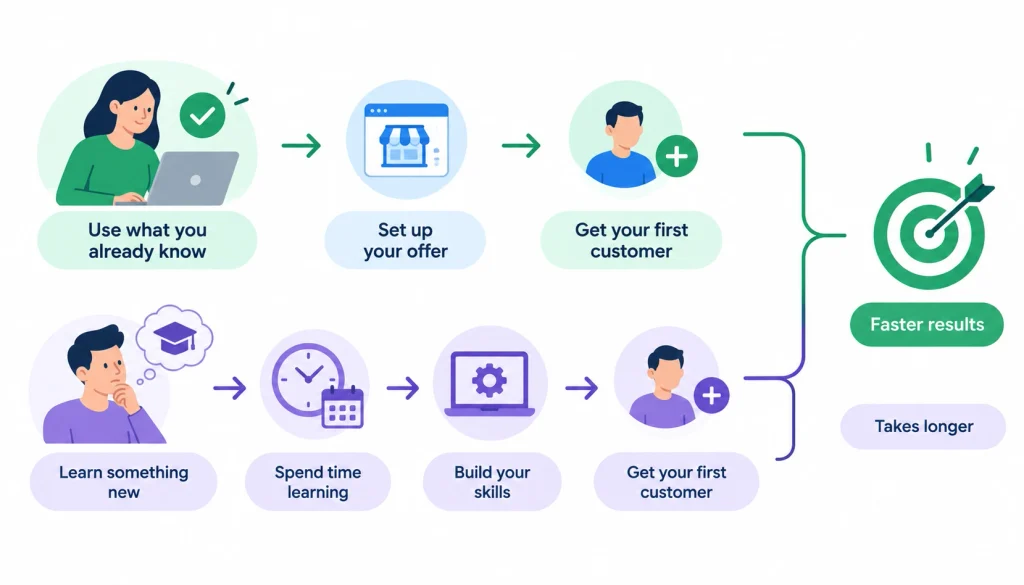
    Infographic showing two paths to getting a first customer: using existing skills for faster results versus learning new skills, which takes longer.

    The fastest path to your first paying customer is usually a business built on something you already know how to do, not something you’d need a year to learn first.

    2. Match the idea to your available capital

    Some of these ideas need under $500; others, like the event-rental business, need real inventory investment. Be honest about what you can afford to lose if the first version doesn’t work.

    3. Decide how much time you can commit

    A side-hustle pace and a full-time pace call for different ideas. Subscription and digital-product businesses can grow slowly in the background; service businesses usually need more consistent hands-on time from day one.

    4. Choose B2B or B2C

    Selling to businesses generally means fewer customers, higher prices, and longer sales cycles. Selling to consumers usually means more customers, lower prices, and faster (but noisier) feedback.

    5. Consider local vs. online delivery

    Local services build trust quickly through in-person interaction but cap your customer pool to one area. Online businesses can reach anyone but take longer to build the same level of trust. If you’re specifically looking for businesses you can operate from home, explore these work-from-home business ideas for additional options.

    6. Assess your customer-access advantage

    Do you already know people in your target market: a professional network, a community, a former employer’s client base? That existing access is often worth more than the idea itself.

    7. Simple decision framework

    Work through it in order: Skills → Problem → Customer → Cost → Distribution → Revenue model → Scalability. If you get stuck at any step, that’s usually the part of the idea that needs more thought before you start.

    How to Validate a Unique Business Idea Before Spending Money

    Step 1: Define the customer problem

    Write down, in one sentence, exactly whose problem you’re solving and why it’s painful enough that they’d pay to fix it.

    Step 2: Interview 10–20 potential customers

    Ask about how they currently handle the problem, not whether they like your idea. People are polite in interviews and will tell you your idea sounds great even when they’d never actually buy it, their current behavior is the more honest signal.

    Step 3: Analyze competitors and substitutes

    Even a “unique” idea usually has indirect competition. Figure out what people use instead today, and why your version needs to be better, cheaper, or more convenient than that.

    Step 4: Build a minimum viable offer

    Create the smallest version of your product or service that still solves the core problem: a single template, one client engagement, one small batch of product.

    Step 5: Create a landing page

    A simple page describing the offer, with a way to sign up or join a waitlist, tells you how many strangers are interested before you’ve built anything elaborate. If you’re building an online presence for your new venture, understanding what a business website does can help you create a page that builds trust and makes it easier for potential customers to take action.

    Step 6: Try presales or paid pilots

    Ask a handful of prospects to pay upfront, even at a discount, for the first version. Money on the table is a far stronger signal than “I’d probably buy that.”

    Step 7: Measure willingness to pay

    Track conversion from interest to actual payment, not just likes or positive comments. That gap is usually bigger than people expect.

    Step 8: Set a go/no-go decision date

    Pick a date in advance to review your results and decide honestly whether to continue, adjust the offer, or move on. Without a deadline, it’s easy to keep tweaking an idea indefinitely instead of deciding.

    How Much Does It Cost to Start a Unique Business?

    1. Businesses under $500

    Digital products, microlearning, senior tech concierge, and the AI workflow service can all realistically start on a few hundred dollars, mostly software subscriptions and basic tools.

    2. Businesses under $2,000

    Home reset services, pet travel logistics, and creator back-office services usually need a modest budget for marketing, insurance, and professional tools.

    3. Businesses requiring $2,000–$10,000+

    Hyperlocal food brands (licensing, ingredients, packaging) and sustainable event rentals (inventory, storage) carry the highest upfront costs on this list.

    4. One-time vs. recurring costs

    Separate your true one-time setup costs (equipment, initial inventory) from recurring costs (software, storage rent, insurance) when you’re budgeting, since recurring costs are what determine your break-even point.

    5. Hidden costs beginners overlook

    Business insurance, licensing fees, payment processing fees, and the cost of your own unpaid time during the slow early months are the ones people forget to budget for.

    How to Get Your First 10 Customers

    Start with your existing network

    Tell people you already know what you’re doing before you tell strangers. Referrals from people who already trust you convert faster than cold outreach.

    Direct outreach

    For B2B ideas especially, personally messaging a short list of well-matched prospects usually beats broad advertising in the first few months.

    Local partnerships

    For location-based businesses, partnering with a complementary local business that already serves your target customer can bring in referrals faster than any ad campaign.

    Referral marketing

    Ask happy early customers directly for introductions. Most won’t think to refer you unless you ask.

    Communities and social media

    Relevant subreddits, LinkedIn groups, and Facebook communities are often where your first customers already gather. Answer questions genuinely there before pitching anything.

    Search and content marketing

    Answering the exact questions your customers are searching for through a blog, videos, or social posts can build a steady stream of inbound interest. Learn more about why SEO for business matters when building long-term visibility.

    Paid advertising only after validating the offer

    Wait until you know your offer converts organically before you pay to send strangers to it. Ads amplify what’s already working, they rarely fix an offer that isn’t.

    Common Mistakes When Starting a Unique Business

    1. Confusing novelty with demand

    An idea being interesting doesn’t mean people will pay for it. Test actual demand before assuming novelty equals opportunity.

    2. Building before selling

    It’s tempting to perfect the product before showing it to anyone. Sell the unfinished version first, and let real customer feedback shape what you build next.

    3. Targeting everyone

    “Anyone who needs X” isn’t a customer. The narrower your first target customer, the easier it is to find them and speak directly to their problem.

    4. Underpricing

    New business owners often underprice out of fear of rejection, then struggle to raise prices later once customers are anchored to the low number.

    5. Ignoring customer acquisition

    A great product with no plan for reaching customers doesn’t become a business. Budget as much thought for acquisition as you do for the product itself.

    6. Spending too much before validation

    Save the bigger investments (inventory, equipment, a polished website) for after you’ve confirmed people will actually pay.

    7. Assuming AI automatically creates differentiation

    Adding “AI-powered” to an otherwise generic business description doesn’t make it unique. The differentiation still has to come from the specific problem you solve and for whom, with AI as a tool rather than the pitch itself.

    Frequently Asked Questions About Unique Business Ideas

    What are 12 unique business ideas?

    An AI workflow setup service, a senior technology concierge, a niche digital product studio, a microlearning business, a pet travel logistics service, a life-transition home reset service, a hyperlocal specialty food brand, a creator back-office service, a niche research subscription, a sustainable event-rental business, specialized compliance support, and cultural consulting for global businesses.

    What is the easiest unique business to start?

    The senior technology concierge and the niche digital product studio are typically the easiest to start, since both need minimal equipment and can begin within days of deciding to launch.

    What unique business can I start with no money?

    A niche digital product studio built with free or already-owned tools (Canva, Google Sheets) comes closest to a no-cost start, though you’ll still eventually want a small budget for a selling platform.

    What business can I start from home?

    The digital product studio, microlearning business, niche research subscription, and creator back-office service can all run entirely from home.

    How do I find a unique business idea?

    Look at problems you’ve personally run into, skills you already have, and groups of people whose needs are currently served by generic, one-size-fits-all options.

    Final Takeaway

    Don’t pick a business idea simply because it sounds unusual or different. A truly promising opportunity starts with a problem you understand, a specific customer you can realistically reach, and a business model you can test without putting a large amount of money at risk. Before investing heavily in equipment, software, inventory, or advertising, use the validation steps above to see whether people actually want what you’re offering and are willing to pay for it.

    That process helps you separate an interesting idea from a viable business opportunity. An idea might look exciting on paper, but if customers don’t have a strong enough problem, you can’t reach them efficiently, or the economics don’t work, it will be difficult to turn it into a sustainable business.

    The goal, then, isn’t simply to find the most unusual idea on a list. It’s to find one of these 12 unique business ideas that matches your skills, resources, and target market, and then prove that people will buy it before you commit significant time and money.

  • 50 Work-From-Home Business Ideas You Can Start (And How to Pick the Right One)

    50 Work-From-Home Business Ideas You Can Start (And How to Pick the Right One)

    If you’ve searched “work from home business ideas,” you’ve probably already found a dozen lists. What most of them skip is the harder question: which one is actually right for you, what it costs to start, and how long before you land your first paying customer.

    This guide covers 50 work-from-home business ideas, organized by cost, skill level, and business model. More importantly, it gives you a framework for choosing one instead of leaving you with a bookmark you’ll never open again.

    Quick answers, if you’re short on time:

    • Best for beginners: virtual assistant work
    • Lowest startup cost: freelance writing
    • Best long-term scalability: digital products
    • Best for hands-on creatives: graphic design or content creation
    • Best if you want to sell physical products: e-commerce or print-on-demand
    • Best if you already have deep experience: consulting

    What Counts as a Work-From-Home Business?

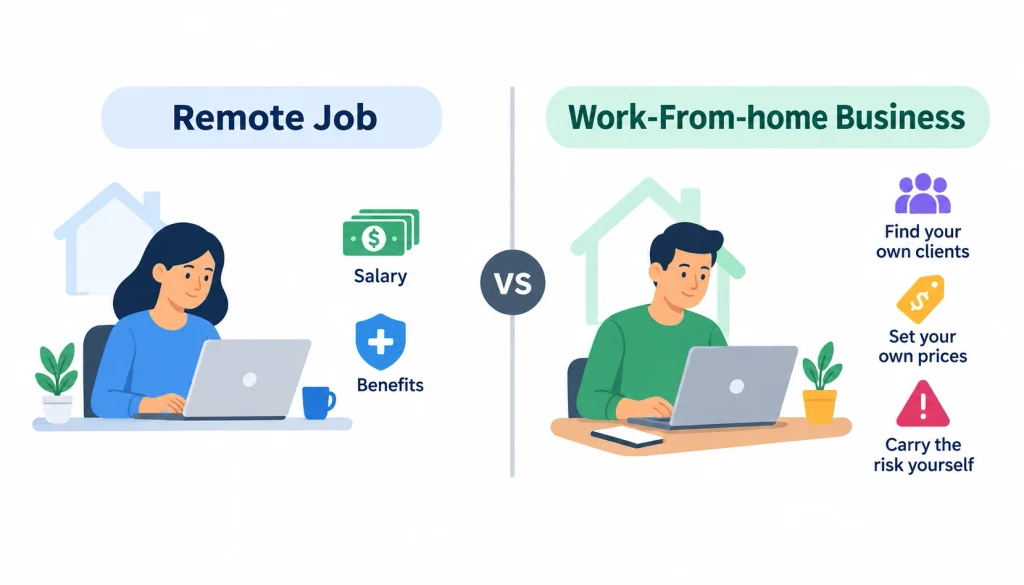
    Work-from-home business vs. remote job infographic showing salary and benefits for remote employees and clients, pricing, and business risk for home-based business owners.

    A work-from-home business is one you own and run yourself from your house, rather than a remote job where an employer pays you a salary. The distinction matters. A remote job gives you a paycheck and (usually) benefits. A home business means you find your own clients, set your own prices, and carry the risk yourself.

    A side hustle is really just a home business run part-time, alongside another job. Plenty of the ideas below started that way before becoming someone’s main income. And “online” doesn’t mean the same thing as “work from home”,  a home bakery or a pet-sitting service is run from your house but depends on local customers, not the internet.

    Best Work-From-Home Business Ideas at a Glance

    Before you scroll through 50 options, here’s a shortcut. This table compares the broad categories on the factors that actually determine whether you’ll stick with one.

    Business typeStartup costSkill levelTime to first customerScalability
    Freelance writingUnder $100Beginner to intermediateDays to weeksMedium
    Virtual assistantUnder $100BeginnerDays to weeksMedium
    Graphic/web design$100–$500IntermediateWeeksMedium
    Online tutoringUnder $100IntermediateDays to weeksMedium
    Bookkeeping$100–$500IntermediateWeeks to monthsMedium
    ConsultingVariesAdvancedWeeksMedium to high
    Digital products/courses$100–$500Intermediate1–3 monthsVery high
    Print-on-demandUnder $100BeginnerWeeksHigh
    Handmade products$100–$1,000Beginner to intermediateWeeksMedium
    Local services (cleaning, pet care)Under $500BeginnerDays to weeksLow to medium

    Costs and timelines are typical ranges, not guarantees — your actual numbers depend on your market, your pricing, and how much time you can put in each week.

    Low-Cost Service Businesses You Can Start From Home

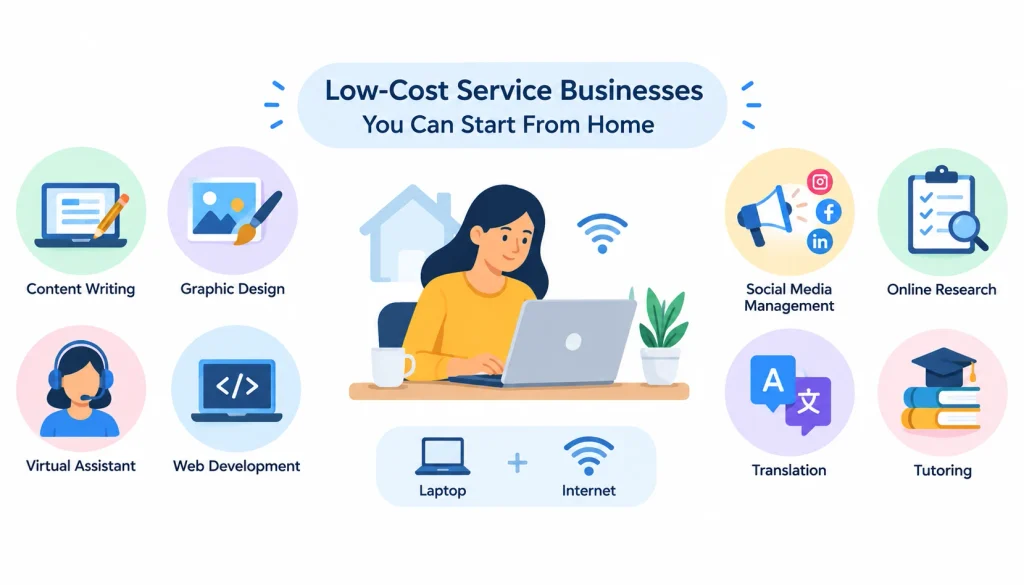
    Low-cost home-based service businesses infographic featuring content writing, graphic design, virtual assistance, web development, social media management, online research, translation, and tutoring, requiring only a laptop and internet.

    These lean on skills you already have, or can learn fairly quickly. Most require nothing beyond a laptop and internet connection.

    1. Freelance writing. You sell articles, blog posts, or copy to businesses that need content but don’t want to hire in-house. A portfolio of three to five sample pieces matters more than a degree. New writers typically find their first paying gig through freelance platforms like Upwork, then move to direct outreach once they have testimonials.

    2. Virtual assistant services. You handle email, scheduling, data entry, or customer support for busy business owners. This is one of the easiest entry points because clients care more about reliability than credentials. Many VAs start on retainer with a single client and add more as they build capacity.

    3. Social media management. You plan, create, and post content for small businesses that don’t have time to run their own accounts. Expect to show a client results, not just activity — engagement and follower growth are what get contracts renewed.

    4. Online tutoring. You teach a subject you know well, from math to a foreign language, over video call. Platforms like iTalki connect language tutors with students directly, and demand tends to spike around exam seasons.

    5. Bookkeeping. You manage a small business’s day-to-day finances using software like QuickBooks or Wave. This one rewards accuracy and discretion since you’re handling someone’s money. A basic bookkeeping certificate can help you land your first few clients faster.

    6. Graphic design. You create logos, social media graphics, or marketing materials for businesses and creators. A tight portfolio in one style beats a scattered one — clients hire designers whose past work already looks like what they want.

    7. Web design. You build and maintain websites, often on WordPress or Shopify, for small businesses that don’t have technical staff. Offering ongoing maintenance as a monthly retainer, not just one-off builds, is where the real recurring income sits.

    8. SEO consulting. You help businesses rank higher in search results through content, technical fixes, and link building. Understanding SEO for business can help you develop a stronger service offering and explain the value of SEO to potential clients.

    9. Translation services. You convert written or spoken content between languages for businesses, publishers, or individuals. Fluency alone isn’t enough — clients also want subject-matter familiarity, whether that’s legal, medical, or marketing content.

    10. Video editing. You cut and polish footage for YouTubers, businesses, or podcasters. Turnaround speed is often the deciding factor for repeat clients, since creators are usually working against a publishing schedule.

    11. Voice-over work. You record narration, ads, or character voices for clients who find you through casting platforms or direct outreach. A decent home setup (a quiet room and a good microphone) matters more than expensive studio gear when you’re starting out.

    12. Career coaching. You help clients with resumes, interview prep, or career transitions, usually over video calls. Credibility here often comes from your own career background, so lead with that experience when marketing yourself.

    13. Business consulting. You advise companies on strategy, operations, or a specific area where you have real expertise. This is the one idea on this list where “no experience” genuinely doesn’t work — clients are paying for judgment built on a track record.

    Online Business Ideas You Can Run Entirely From Home

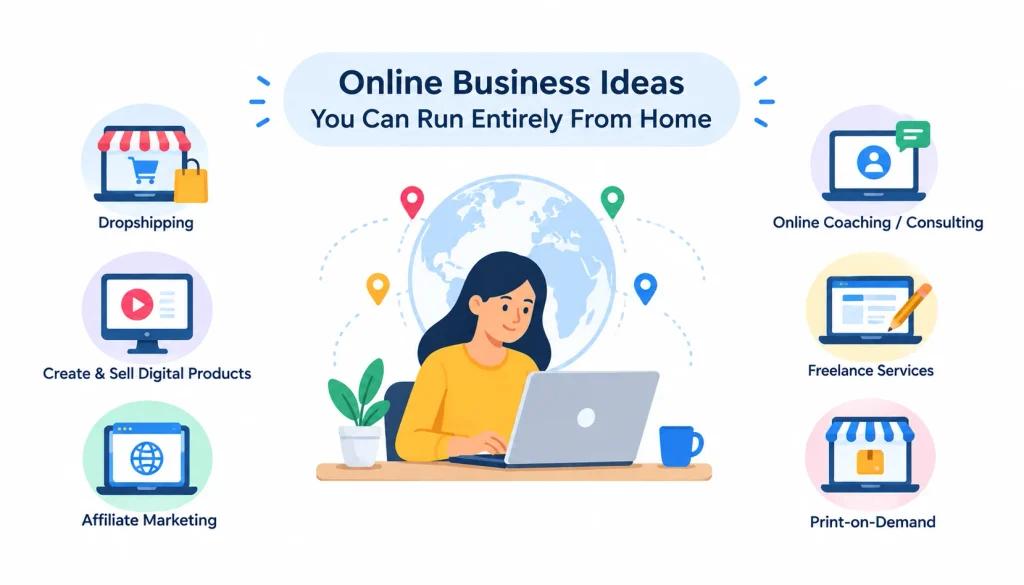
    Online business ideas infographic showing a woman working from home on a laptop, with examples including dropshipping, digital products, affiliate marketing, online coaching, freelance services, and print-on-demand.

    These businesses live mostly or entirely online, which means your customer base isn’t limited by geography.

    1. Affiliate marketing. You recommend products through content and earn a commission on resulting sales. It rarely pays off quickly, building the traffic and trust needed to convert readers usually takes months of consistent content in particular affiliate marketing niches.

    2. Blogging. You publish articles around a specific topic and monetize through ads, affiliate links, or your own products. Think of it less as a business on its own and more as a foundation other income streams get built on top of.

    3. YouTube channel. You create video content and earn through ads, sponsorships, or product sales. Consistency beats production quality in the early stages — channels that post on a schedule tend to outgrow ones that wait for the “perfect” video.

    4. Podcasting. You produce audio content and monetize through sponsorships, listener support, or by using the show to promote another business. Most podcasts take a year or more to build a monetizable audience, so treat it as a long game.

    5. Online courses. You package your expertise into a paid course, hosted on a platform like Teachable or Thinkific. This has one of the higher ceilings on this list, but it also demands real upfront work to validate that people will actually pay before you build it.

    6. Digital products. Templates, printables, spreadsheets, or simple tools you build once and sell repeatedly. Margins are strong because there’s no per-unit cost, but you still need an audience or marketing channel to find buyers.

    7. Membership or subscription community. You charge a recurring fee for ongoing access to content, coaching, or a community you run. This works best once you already have an audience — it’s hard to launch cold. Before launching, review the ⁠best membership platforms to find one that supports recurring payments, member access, and the type of content or community you plan to build.

    8. Newsletter business. You build a paid or ad-supported newsletter around a niche topic. This has grown quickly as a category over the past few years, largely because it’s cheaper to start than a full media outlet and easier to monetize directly through subscriptions.

    Product-Based Businesses You Can Run From Home

    These involve making or sourcing physical goods, so factor in supplies, storage, and shipping.

    1. Print-on-demand. You design graphics that get printed on shirts, mugs, or other products only after someone orders, so you never hold inventory. Margins per item are thin, which means volume and design quality both matter.

    2. Handmade products. You make and sell items like candles, jewelry, or home decor, often through Etsy or your own online store. Pricing is the most common early mistake — new sellers routinely underprice their time.

    3. Vintage or thrift reselling. You source secondhand items and resell them at a markup through platforms like eBay or Poshmark. This rewards people who genuinely enjoy hunting for finds, since sourcing takes real time.

    4. Subscription boxes. You curate a themed box of products that customers receive on a recurring basis. Customer retention is the whole game here — acquiring a subscriber is expensive, so keeping them matters more than the first sale.

    5. Dropshipping. You sell products online without holding inventory; a supplier ships directly to your customer. Margins tend to be thinner than people expect once you factor in ad costs, and supplier reliability makes or breaks the customer experience.

    6. Online boutique. You curate and sell a focused product line, usually clothing or accessories, through your own store rather than a marketplace. Once your store is live, an ecommerce SEO checklist can help you improve its search visibility and organic traffic.

    Creative Work-From-Home Business Ideas

    1. Photography. You shoot portraits, products, events, or real estate, depending on your niche. A focused niche usually books faster than a generalist portfolio, because clients searching for “newborn photographer” skip past a photographer who lists ten specialties.

    2. Illustration. You create custom artwork for books, brands, or products. Licensing your existing work for reuse, rather than only doing custom commissions, can add a second income stream on top of client work.

    3. Interior design consulting. You advise clients on room layouts, color schemes, and furnishings, often through virtual consultations. Before-and-after photos of past projects do most of the selling for you.

    4. Home organization services. You help clients declutter and organize their living spaces, sometimes in person, sometimes through virtual coaching. This one has grown alongside home-organization content on social media, which has made it easier to market with simple before-and-after posts.

    5. Craft business. You make and sell items like knitwear, pottery, or woodworking pieces. Selling at local markets alongside an online shop is a common way to build initial traction before relying purely on online traffic.

    6. Music lessons. You teach an instrument or vocal technique, in person or over video call. Referrals from current students are usually the strongest source of new ones.

    Local Businesses You Can Operate From Home

    Work from home doesn’t have to mean fully online. These depend on a local customer base but are still run and managed from your house.

    1. Personal chef or catering. You cook meals for clients or small events. Local health department rules on home kitchens vary widely, so check your local licensing authority before you take your first booking.

    2. Home baking business. You sell baked goods directly to local customers or through farmers markets. Many regions have “cottage food” laws that allow limited home food sales without a commercial kitchen — worth checking before you start.

    3. Cleaning business. You clean homes or offices, either solo or by building a small team over time. Liability insurance is worth the cost here, since you’re working inside other people’s property.

    4. Pet care. You offer dog walking, pet sitting, or boarding, often coordinated through apps like Rover. Reliability and trust drive repeat bookings more than anything else in this category.

    5. Childcare. You provide in-home childcare, subject to local licensing and safety requirements that vary significantly by state or country. Confirm the legal requirements in your area before you accept your first client, this is one of the more heavily regulated ideas on this list.

    6. Delivery services. You run local deliveries, whether independently or through an existing platform. Margins are thin per delivery, so this usually works better as a volume business or a bridge income while you build something else.

    7. Fitness coaching. You train clients one-on-one or in small groups, in person or over video call. A certification (from a body like NASM or ACE) builds trust with clients even where it isn’t legally required.

    Best Work-From-Home Businesses by Budget

    Under $100: freelance writing, virtual assistant work, tutoring, social media management, affiliate marketing.

    $100–$500: graphic design, bookkeeping, print-on-demand, a simple online course, a small handmade product line.

    $500–$1,000: web design (with paid tools and templates), a starter e-commerce store, professional photography equipment.

    $1,000+: larger inventory-based product businesses, catering with commercial-grade equipment, a fully built course platform with paid marketing.

    Best Work-From-Home Businesses With No Experience

    If you’re starting from zero, these tend to have the shortest learning curve:

    • Virtual assistant work, clients value organization and reliability over credentials.
    • Freelance writing, a few practice samples can substitute for a portfolio.
    • Reselling, sourcing and listing skills develop as you go.
    • Social media management , most of what you need can be learned from free content and trial and error.
    • Print-on-demand, no inventory risk while you learn what sells.
    • Online tutoring, subject knowledge you already have is the main requirement.

    Each of these still has a learning curve. Expect your first month or two to involve more learning than earning.

    Which Work-From-Home Business Is Most Profitable?

    This is the question everyone wants a straight number for, and no honest answer gives you one. Profitability depends on your pricing, your margins, how much demand exists for what you’re offering, and how efficiently you can serve customers, not on which category you picked.

    That said, some patterns hold up. Digital products and online courses tend to have the strongest margins because there’s no cost to produce another copy once the first one exists. Consulting and coaching can charge high hourly rates but are capped by your available hours unless you build a team. Product businesses can scale revenue quickly but usually carry thinner margins once you account for materials, shipping, and returns.

    ModelMargin potentialWhat limits it
    Digital products/coursesHighBuilding an audience to sell to
    Service/freelance workMediumYour available hours
    ConsultingHigh per hourYour capacity, unless you hire
    Product/e-commerceMedium to lowMaterials, fulfillment, ad costs
    Local servicesMediumGeographic reach

    Be skeptical of any article, including this one, that gives you a specific monthly income figure for a business idea. No legitimate home business guarantees a specific income, earnings depend on your skills, pricing, demand, and how consistently you show up.

    How to Choose the Right Work-From-Home Business

    Work through these questions in order rather than picking whatever sounds most exciting.

    Start with your skills. What do people already ask you for help with, or pay you to do in a job? That’s usually your fastest path to a first customer.

    Define your budget. Decide what you can afford to lose, not just spend, since early experiments don’t always work out.

    Decide how much time you actually have. Ten hours a week supports a different kind of business than forty. Be honest about this before you commit.

    Identify a real customer problem. Businesses that solve a specific problem for a specific person are easier to sell than vague “I offer everything” services.

    Check the legal requirements. Licensing, zoning, and insurance rules vary by location and by business type. A quick check with your local government website before launch saves headaches later.

    Consider scalability. Some businesses trade your time directly for money and have a ceiling. Others can grow without you personally doing more hours. Neither is wrong, just know which one you’re picking.

    How to Validate a Work-From-Home Business Idea Before Spending Money

    Most failed home businesses fail because the founder skipped this step and built first, then went looking for customers.

    1. Research who else is already doing something similar and how they’re pricing it.
    2. Talk to five to ten potential customers about the problem you think you’re solving — before you build anything.
    3. Search for existing demand: are people already asking for this in forums, Facebook groups, or on Reddit?
    4. Put together a minimum viable offer,  the smallest version of your service or product you could deliver this week.
    5. Try to land one paying customer with that minimum offer.
    6. Use what you learn from that first sale to refine the offer before you invest further.

    A quick, honest gut check on Reddit’s r/smallbusiness is a genuinely useful step here, searching whether others have tried something similar, and what went wrong for them, can save you months.

    How to Start a Work-From-Home Business, Step by Step

    1. Choose your niche. Narrower is usually better than broader when you’re starting out.
    2. Define your target customer. Know exactly who you’re selling to before you write a word of marketing copy.
    3. Validate the idea using the process above.
    4. Create your offer. Be specific about what’s included and what isn’t.
    5. Set your pricing. Base it on the value delivered, not just your hours.
    6. Handle registration, licenses, and taxes. Requirements vary by country and state, so check your local Small Business Administration or equivalent authority.
    7. Set up a simple website. It doesn’t need to be elaborate, it needs to explain what you do and how to contact you. Learn more about creating a business website and why it matters for your online presence.
    8. Set up payments and basic bookkeeping so money coming in is tracked from day one.
    9. Find your first customers through the channels that match where they already spend time.
    10. Build repeatable systems so the business doesn’t depend entirely on you reinventing the process every time.

    Tools You Need to Run a Home Business

    You don’t need every tool on this list before you start. Add them as the business actually requires them.

    • Website and domain: a basic site (WordPress or a simple site builder) so customers can find and vet you.
    • Payments: Stripe or PayPal to accept money without building your own payment system.
    • Accounting: QuickBooks or Wave to track income, expenses, and taxes from the start.
    • Communication: email and a scheduling tool like Calendly so clients can book time without back-and-forth.
    • Project management: something simple to track deliverables once you have more than one client at a time.
    • Marketing: a presence on whichever platform your customers already use, not every platform at once.
    • Cybersecurity and backups: basic password management and cloud backup, since losing client data is a real business risk, not just an inconvenience.

    How AI Is Changing Work-From-Home Businesses in 2026

    AI tools have shifted what’s efficient to do from home, and it’s worth understanding both sides before you pick a business.

    Business AI can be more efficient: content drafting, customer support responses, scheduling, basic research, and data entry. If your business involves a lot of repetitive writing or admin work, AI tools can meaningfully cut the time each task takes.

    Businesses more exposed to AI commoditization: generic content writing at scale, basic logo design, and simple translation are all areas where AI tools have gotten good enough that clients increasingly try the free option first. This doesn’t mean these businesses are dead — it means differentiation matters more than it used to.

    Human skills that remain valuable: original judgment, relationship-based trust (bookkeeping, consulting, coaching), physical services (cleaning, pet care, childcare), and anything requiring taste or a personal point of view. These are harder for AI to replace because the value isn’t purely in output speed.

    Practical ways to use AI in your business: drafting first versions of content you’ll edit, researching competitors, answering routine customer questions, summarizing meeting notes, and automating repetitive admin tasks. Treat it as a way to free up your time for the parts of the business only you can do, not as a replacement for your judgment.

    Common Work-From-Home Business Mistakes

    Choosing an idea because it looks profitable online, rather than because it fits your skills or actual market. Popularity in a YouTube video doesn’t mean there’s room for another seller in your specific niche.

    Spending money before validating demand. Buying inventory or building a course before confirming anyone wants to pay for it is the single most common way people lose their startup budget.

    Underpricing services, especially in the first few months. Low prices attract price-sensitive clients who are hardest to keep and rarely refer you to better ones.

    Trying to serve everyone. A narrow, specific offer converts better than a vague one, even though it feels like it limits you.

    Depending entirely on one platform for customers, whether that’s a single freelance marketplace or a single social app. Platforms change their algorithms and policies without warning.

    Ignoring taxes and legal requirements until it becomes a problem. Set aside money for taxes from your very first sale.

    Confusing revenue with profit. Money coming in isn’t the same as money you keep after materials, fees, software, and taxes.

    Expecting passive income immediately. Almost everything on this list takes active, consistent work for months before it starts to feel less demanding.

    Frequently Asked Questions

    What is the best work-from-home business to start? 

    There’s no single best option, it depends on your existing skills, budget, and available time. Virtual assistant work and freelance writing are strong starting points because they need little money and few specialized tools.

    What business can I start from home with no money? 

    Services that trade your existing skills for income, like virtual assistant work, tutoring, or freelance writing, can start with just a laptop and internet connection you likely already have.

    What is the easiest home business to start? 

    Virtual assistant work is often considered the easiest entry point because clients prioritize reliability and communication over formal credentials.

    What home businesses make the most money? 

    Digital products, online courses, and consulting tend to have the highest profit margins, largely because they don’t require materials or inventory. Actual income still depends on demand and how well you market yourself.

    Can I start a home business with no experience? 

    Yes. Virtual assistant work, reselling, tutoring, and print-on-demand all have a shorter learning curve than fields like consulting or bookkeeping, which usually require established expertise.

    Conclusion

    Fifty business ideas won’t get you anywhere on their own. What actually moves you forward is choosing one real problem, one specific audience, and one clear offer, then testing whether people are willing to pay for it before you invest serious time or money. Start small, get your first customer, listen closely to their feedback, and use what you learn to improve the offer.

    Once you know what works, focus on creating simple, repeatable systems for marketing, sales, customer service, and delivery. Only then does it make sense to think about hiring, expanding your services, or scaling the business.

    That’s the real answer to “work from home business ideas.” You don’t need an endless list of possibilities. You need one practical idea, a clear customer, a problem worth solving, and the willingness to test, learn, and improve. Start with what you can manage today, prove that it works, and build from there.