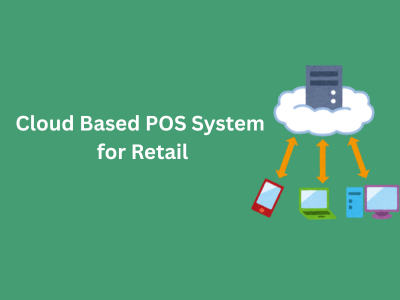

A cloud based POS system for retail is point-of-sale software that runs over the internet and keeps your sales, stock, and customer data on secure remote servers instead of one computer in the back room. Any approved device can ring up a sale, and every store sees the same up-to-date numbers.
That one change fixes problems many retailers know well. Stock counts that never match. Reports that arrive a week late. A second branch that runs on its own spreadsheet.
This guide explains what a cloud POS is, how it works step by step, what it costs, where it can fail, and how to decide if it fits your store. It also covers the parts most guides skip: offline mode, security, hybrid systems, and the real cost of ownership.
What Is a Cloud-Based POS System for Retail?
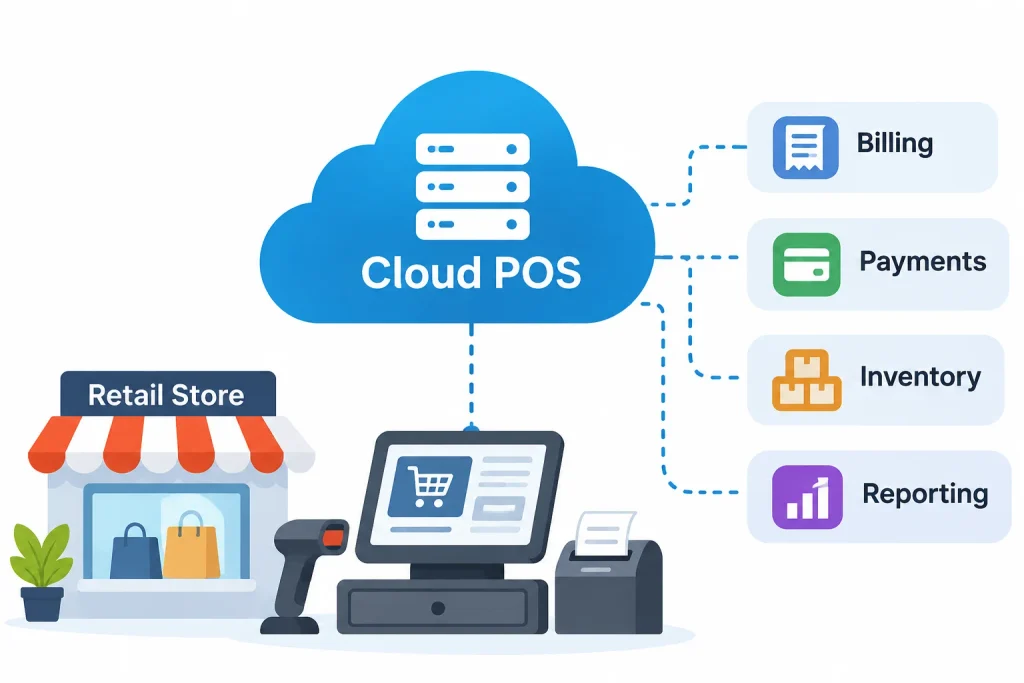
A cloud-based POS system for retail is a point-of-sale platform hosted on remote servers and reached through the internet. It handles billing, payments, inventory, and reporting from a browser or app, so your data is stored centrally rather than on a single in-store computer.
The point of sale is simply where a customer pays for goods. For decades that meant a cash register, and later a PC with software installed in the shop. A cloud POS moves the “brain” of that system online. The counter device becomes a window into it.
1. Understanding the Meaning of Cloud POS
“Cloud” is a plain word for software and data that live on someone else’s servers. Most cloud POS products are delivered as software as a service (SaaS): you pay a recurring fee, and the vendor hosts, updates, and backs up the system.
You may also see the terms web-based POS, online POS system, or cloud point of sale system. In retail, they all describe the same idea.
2. How Cloud POS Differs From Traditional POS
A traditional (on-premise) POS runs on software installed in your store, with data kept on a local server. You own the setup, and you also own the upkeep. Updates, backups, and repairs fall on you or your IT contractor.
With a cloud POS, the vendor manages the servers and rolls out updates centrally. You manage your products, staff, and settings. The full side-by-side comparison appears later in this guide.
3. Who Uses Cloud-Based POS Systems?
Cloud POS suits many kinds of retailers:
- Independent shops that want modern tools without buying a server.
- Grocery stores and supermarkets that need fast billing and stock tracking.
- Clothing, shoe, and beauty stores with many product variants.
- Electronics retailers that track serial numbers and warranties.
- Multi-location chains that need one view of every branch.
How Does a Cloud-Based POS System Work?
A cloud POS works in a loop: the counter device captures a sale, the vendor’s servers record it, and every connected screen sees the result. Here is the usual sequence:
- The cashier scans a product barcode.
- The POS looks up the item, its price, and any active discount.
- The system calculates the total, including tax.
- The customer pays by cash, card, or digital wallet.
- The payment gateway authorizes the card and returns a result.
- The sale is recorded and a receipt is produced.
- Stock levels for that item are reduced.
- The data syncs to the cloud database, and reports update.
The whole loop usually takes seconds. The customer only sees steps 1 to 6.
1. Product Scanning and Information Retrieval
The scanner reads the barcode and sends it to the POS app. The app matches it to your product catalog and shows the name, price, and variant. A good catalog is the foundation of everything else, so data quality matters more than most owners expect.
2. Payment Processing and Transaction Recording
When the customer pays by card, the POS passes the payment to a payment gateway and processor, which asks the card network and bank for approval. Once approved, the sale is stored with the time, cashier, store, and payment type.
3. Automatic Inventory Updates
Each sale lowers the stock count for the item sold. A return raises it again. Because the count lives in one central database, every store and your online shop work from the same number.
4. Cloud Data Synchronization
Synchronization is the process of copying changes between the register and the cloud. Most systems send each sale as soon as it happens. If the connection drops, the register can queue sales and send them later (more on that below).
5. Centralized Reporting and Analytics
Because every sale lands in one place, you can open a dashboard and see sales by store, product, hour, or employee. You do not wait for end-of-day files from each branch.
6. Under the Hood: The Main Components
| Component | What it does |
| POS terminal or app | The checkout screen, scanner, printer, and cash drawer your staff use |
| Application layer | The vendor’s software that applies prices, taxes, and rules |
| Cloud database | Central storage for products, sales, stock, and customers |
| Payment gateway | Securely passes card details to the processor for approval |
| APIs and integrations | Connections to your online store, accounting tool, or ERP |
| Reporting layer | Dashboards and exports built from the central data |
7. Real-World Example: A Clothing Store Sale
Priya runs three clothing stores. A customer buys a medium blue shirt at the first store. The cashier scans the tag, takes a card payment, and prints the receipt.
Within seconds, the central stock count for that shirt drops from 6 to 5 across all locations. The online shop shows 5 as well. Later, Priya checks her phone and sees the day’s sales for all three stores, without calling any manager. (This is an illustrative scenario, not a real client case.)
Key Features of a Cloud-Based POS System
Feature lists look similar from vendor to vendor. What matters is how well each feature handles your daily work. Use this table as a checklist.
| Feature | Purpose | Business benefit |
| Real-time inventory | Updates stock after every sale, return, or transfer | Fewer stockouts and fewer count mismatches |
| Multi-store management | One catalog and dashboard for all locations | Consistent pricing and easier oversight |
| Sales reporting | Shows revenue by store, product, hour, and staff | Faster, better-informed decisions |
| Integrated payments | Accepts cards, contactless, and wallets | Smoother checkout and simpler reconciliation |
| Customer profiles and loyalty | Stores purchase history and rewards | Repeat sales and targeted offers |
| Staff permissions | Controls who can refund, discount, or edit prices | Less error and lower internal theft risk |
| Integrations | Connects to ecommerce, accounting, and ERP tools | Less double entry |
| Updates and backups | Vendor handles software upgrades and data copies | Less IT work for you |
1. Real-Time Inventory Management
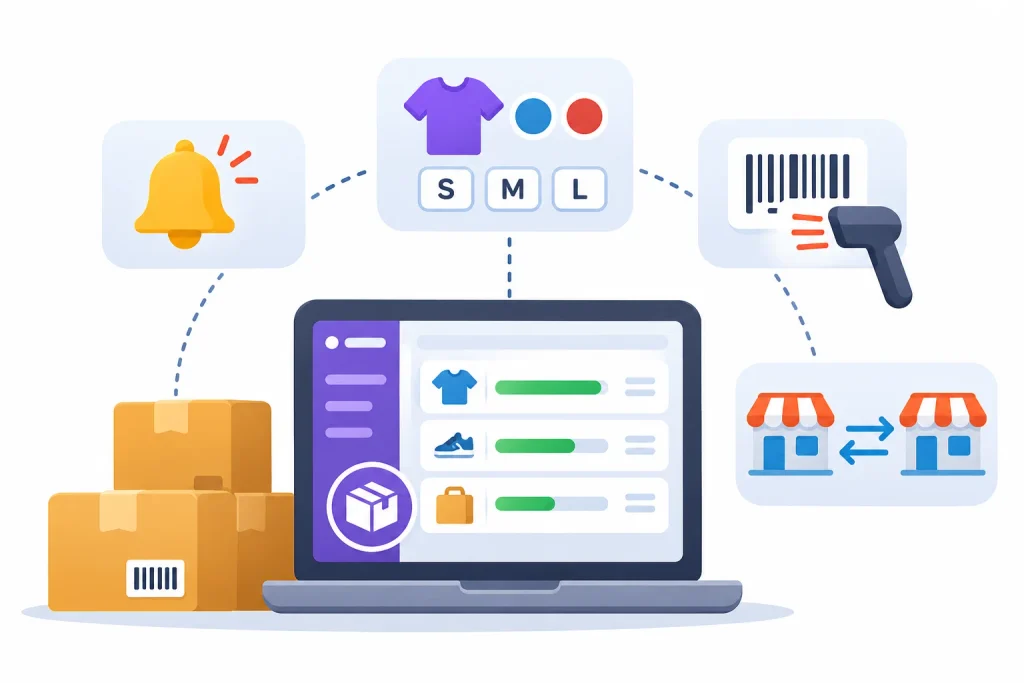
This is usually the first reason retailers switch. Look for low-stock alerts, support for variants like size and color, barcode printing, and easy stock transfers between stores. Implementing automated inventory operations can also help retailers reduce manual stock tracking, improve inventory visibility, and streamline stock replenishment.
2. Centralized Multi-Store Management
You set prices, tax rules, and products once and push them to every location. You can still report on each store separately.
3. Customer Relationship Management and Staff Controls
A basic customer record lets cashiers see past purchases and apply loyalty rewards. Role-based permissions then keep sensitive actions, such as large refunds, limited to managers.
4. Ecommerce and Third-Party Integrations
Many retailers also sell online. When your POS and web store share one stock count, you avoid selling the same last item twice. Ask which integrations are built in and which need paid add-ons or custom work.
Connecting POS transactions with cloud-based accounting software can simplify financial reporting, sales reconciliation, and business expense tracking.
Benefits of Using Cloud-Based POS Software for Retail Businesses
The benefits below come from one design choice: all your data lives in one shared place.
- Access from anywhere. Check sales from home or while traveling, using any approved device.
- Better inventory accuracy. Automatic updates cut the manual counting errors that creep into spreadsheets. Businesses can further improve stock accuracy by choosing the right inventory management software to track stock movements, monitor product availability, and manage replenishment.
- Simpler multi-store operations. Compare branches and move stock without phone calls.
- Less admin work. Sales, stock, and reports update on their own.
- Faster checkout and service. Staff can see stock and customer history at the counter.
- Clearer decisions. Trend reports show which products sell, and when.
- Easier growth. Adding a register or a new store usually means adding a license and a device, not building a server room.
- Online and offline connection. One stock count across stores and web supports omnichannel selling, including buy online, pick up in store.
These gains are real, but they are not automatic. A cloud POS will not fix a messy product catalog or untrained staff. It simply makes good habits easier to keep.
Cloud POS vs Traditional POS vs Hybrid POS: What’s the Difference?
Cloud POS is better than traditional POS for most growing retailers, mainly because of easier multi-store management and lower IT upkeep. Traditional and hybrid systems can still win where the internet is unreliable or where heavy local processing is needed.
1. What Is a Traditional POS System?
Software is installed on in-store computers, and data sits on a local server. It can keep working when the internet is down. But upgrades, backups, and security patches are your job, and combining data across stores takes extra effort.
2. What Is a Cloud-Based POS System?
The software and data are hosted by the vendor. Updates arrive automatically, and every location shares one data set. The trade-off is a stronger dependence on connectivity and on the vendor.
3. What Is a Hybrid POS System?
A hybrid POS keeps a local copy of key data at the store and syncs it with the cloud. The register works through an outage, and you still get central reporting. It is more complex to build, so quality varies by vendor.
4. Comparison Table
| Feature | Cloud POS | Traditional POS | Hybrid POS |
| Infrastructure | Vendor-hosted servers | Your own server and PCs | Local store device plus cloud |
| Data storage | Central cloud database | Local server | Local copy and cloud copy |
| Internet dependency | High, unless offline mode is strong | Low | Low to medium |
| Accessibility | Any approved internet-connected device | Often store network only | Both, depending on setup |
| Maintenance | Mostly vendor | Mostly you | Shared |
| Software updates | Usually automatic | Often manual | Usually automatic |
| Security management | Shared with vendor | Mostly you | Shared |
| Scalability | Generally easy | Needs more hardware | Moderate |
| Cost structure | Subscription | Upfront license plus upkeep | Mixed |
| Offline function | Varies by vendor | Strong | Strong |
5. Which POS Architecture Is Best for Retail Businesses?
No single option wins for everyone. A rough guide:
- Choose cloud if you have several stores, sell online, or have no in-house IT.
- Choose hybrid if outages would badly hurt sales, such as a busy high-street store with patchy internet.
- Choose traditional only if you have a single store, stable needs, and IT support, or strict local data rules.
Can a Cloud-Based POS System Work Without an Internet Connection?
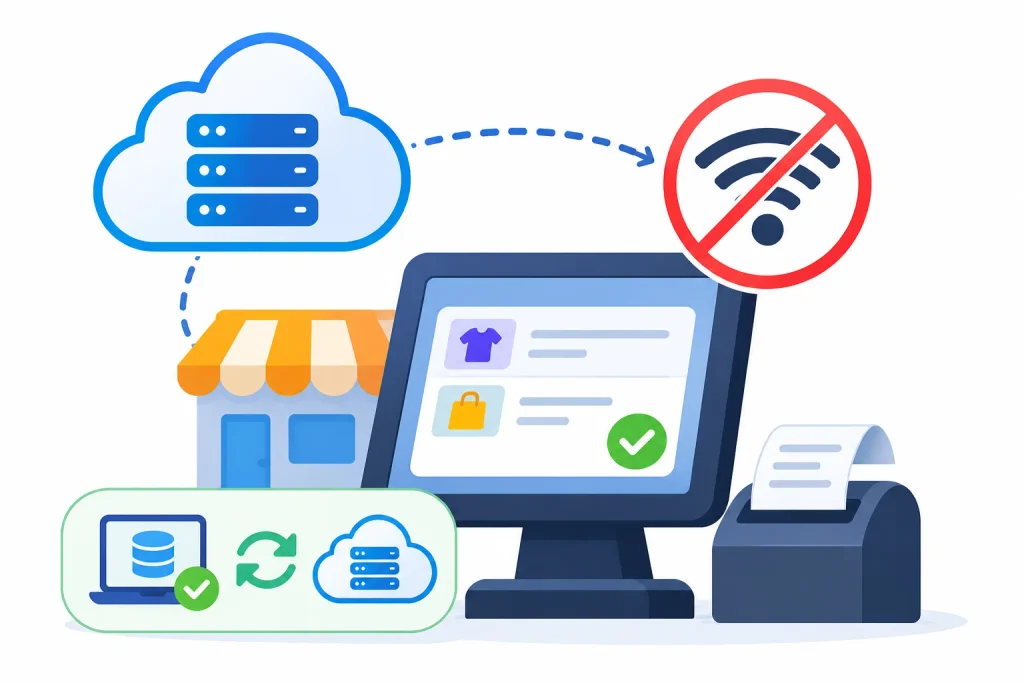
Some can, but only partly. Many cloud POS products offer an offline mode that lets you keep selling and then sync later. The scope of that mode differs by vendor, payment type, and plan, so you must check it before you buy.
1. How Offline POS Mode Works
When the connection drops, the register switches to its stored local data. It records sales on the device and keeps your checkout line moving. Think of it as a backup, not a full second system.
2. What Happens When Internet Connectivity Returns?
The device uploads the queued sales to the cloud, and stock counts and reports catch up. A good system also handles conflicts, for example when two stores sold the last unit while both were offline. Weaker systems may need staff to review the queue by hand.
3. Which POS Functions May Be Limited Offline?
Expect gaps in some of these areas:
- Card payments. Authorization needs the processor. Some setups allow limited offline card acceptance, but only if the processor and terminal support it, and the merchant carries the risk of declined cards.
- Live stock lookups. You may not see other stores’ stock.
- Customer records, loyalty, and gift cards. Balances often cannot be checked.
- Online order sync. Web stock may be out of date until you reconnect.
- Cloud reports. Dashboards will not update until sync completes.
Retailer discussions on community forums, such as the smallbusiness subreddit, are a useful place to hear how other owners cope with outages. Treat what you read there as anecdotes, not proof, and use it to shape your questions to vendors.
4. What Should Retailers Check Before Choosing?
- Can I take card payments offline, and what are the limits?
- What is cached locally: full catalog or only a part?
- How does the system resolve stock conflicts after reconnecting?
- Can I test an outage during the free trial?
Also check your own setup. A backup connection, such as a mobile data hotspot, solves many outages cheaply.
Is Cloud-Based POS Software Secure for Retail Businesses?
It can be, but hosting in the cloud does not make a POS secure on its own. Security depends on the vendor’s controls and on how you run your store. Think of it as a shared job.
1. Data Encryption and Secure Transmission
Reputable vendors encrypt data in transit and at rest. Ask for written details instead of accepting a general promise.
2. User Authentication and Access Permissions
Give every employee a personal login. Use role-based permissions so only managers can void sales or change prices. Turn on multi-factor authentication for owner and manager accounts.
3. Automated Cloud Backups and Disaster Recovery
Vendors usually back up your data on a schedule. Ask how often, how long it takes to restore, and whether you can export your own copy.
4. Payment Security and PCI DSS Compliance
The PCI Data Security Standard (PCI DSS) is the rulebook for businesses that store, process, or transmit card data. The PCI Security Standards Council writes the standard, but it does not enforce it. Your payment brands and processors do. Ask your vendor whether its payment flow is PCI-compliant, and what remains your responsibility. See also the Wikipedia overview of PCI DSS.
Common Cloud POS Security Risks
- Weak or shared passwords.
- Phishing emails that steal manager logins.
- Lost or unlocked tablets.
- Staff with more permissions than they need.
- Third-party apps with loose access.
Best Practices for Protecting Retail POS Data
- Use unique logins and multi-factor authentication.
- Review staff permissions every quarter.
- Remove access the day an employee leaves.
- Keep devices updated and locked.
- Vet every integration before connecting it.
- Export key data regularly.
How Much Does a Cloud-Based POS System Cost?
The cost of a cloud POS is a monthly software fee plus hardware, card processing fees, and one-time setup work. Published starting prices range from free to a few hundred dollars per location per month, and vendors change plans often, so always confirm on the vendor’s own pricing page.
1. Monthly Subscription Fees
Most vendors charge per location or per register. Entry plans are cheap or free but limit features. Plans built for inventory-heavy or multi-store retail cost more.
2. POS Hardware Expenses
You need a screen (a tablet or terminal), a barcode scanner, a receipt printer, a cash drawer, and a card reader. Some vendors bundle hardware. Others only lock you into their own devices or payment processor, which can make leaving harder later.
3. Payment Processing Charges
Card fees are often the largest ongoing cost for retailers. They are charged as a percentage plus a small fixed amount per sale. Rates depend on the vendor, plan, and card type.
4. Integration and Customization Costs
Basic integrations may be included. Custom ERP links or special reports can cost extra, either as paid apps or developer time.
5. Training and Implementation Expenses
Budget for staff training hours, data migration, and a short period when checkout is slower. These costs are easy to forget and they are real.
6. Cloud POS Total Cost of Ownership Example
The numbers below are assumptions for illustration only, not quotes from any vendor. Replace them with real quotes.
Assume a two-store retailer with three registers, a monthly software fee of $90 per register, and $100,000 in monthly card sales at an average processing rate of 2.6% plus fixed fees:
| Cost item | Assumption | Estimated cost |
| Software subscription | 3 registers × $90 per month | $270 per month |
| Hardware (one-time) | 3 × $800 per register setup | $2,400 |
| Card processing | 2.6% of $100,000 per month, fixed fees excluded | $2,600 per month |
| Integration and setup (one-time) | Data migration and ecommerce connection | $1,500 |
| Training (one-time) | Staff time and lost sales | $600 |
First-year software cost in this example is $3,240. The one-time items total $4,500. Card processing at $31,200 for the year dwarfs both, which is why you should compare processing rates as carefully as subscription prices. Note that you would pay card fees on any POS, so the fair comparison is software, hardware, and IT costs between systems.
A traditional POS would shift cost toward an upfront license, a server, and IT support. Which is cheaper depends on your size, your IT skills, and how long you keep the system.
How Cloud POS Systems Support Different Retail Industries
The core features stay the same, but each type of store leans on different ones.
1. Cloud POS for Grocery Stores and Supermarkets
Speed and accuracy matter most. Look for fast barcode scanning, weighed-item support, quick stock updates, and reorder alerts for fast-moving items.
2. Cloud POS for Clothing and Fashion Retailers
Size and color variants create hundreds of stock lines. You need a system that handles variants cleanly, tracks returns and exchanges across stores, and reports on seasonal stock.
3. Cloud POS for Electronics Stores
Serial number tracking, warranty records, and clear return rules are the priorities. Check that the POS can store a serial number against each sale.
4. Cloud POS for Pharmacies
Batch numbers and expiry dates matter, and rules differ by country. Do not assume a general retail POS meets pharmacy regulations. Confirm with the vendor and your regulator.
5. Cloud POS for Furniture and Home Retailers
Large catalogs, special orders, deposits, and delivery tracking are the main needs. Check that the system supports partial payments and order status.
How to Choose the Right Cloud POS System for Your Retail Business
Start with your daily problems, then test vendors against them. Use this checklist:
- Business needs. List your top five problems, such as stock errors or slow reporting.
- Inventory. Check variants, barcodes, purchase orders, and stock transfers.
- Multi-location. Confirm central pricing and per-store reports.
- Payments. Compare processing rates, contract terms, and whether you can switch processors.
- Hardware. Confirm your scanners and printers will work, or price the new ones.
- Security. Ask about encryption, permissions, backups, and PCI DSS responsibility.
- Integrations. Check your accounting and ecommerce tools are supported.
- Offline mode. Ask for a live outage demo.
- Exit plan. Confirm you can export products, customers, and sales history.
- Trial. Run real transactions before you commit.
How to Implement a Cloud-Based POS System in Your Retail Store
A careful rollout takes a few weeks for a small store. Larger chains take longer. Treat these timelines as rough, since every business differs.
- Review your current setup. Note what works, what breaks, and which data you must keep.
- Choose a provider. Use the checklist above and shortlist two or three.
- Prepare your data. Clean product names, SKUs, prices, and opening stock counts. This step often takes the longest.
- Set up hardware and integrations. Connect scanners, printers, card readers, and your online store.
- Create staff accounts and permissions. Give each person only the access they need.
- Train staff and test. Run practice sales, returns, and an offline drill before launch.
- Launch and monitor. Start on a quiet day, keep your old process on hand for a short time, and watch the first week closely.
- Review reports and improve. After a month, compare stock accuracy and checkout times against your old numbers.
Common Challenges of Cloud-Based POS Systems
Cloud POS is not right for every store. Know the trade-offs before you sign.
- Internet dependence. An outage can slow or stop parts of your checkout, depending on offline support.
- Ongoing fees. Subscriptions never end. Over many years, they can add up to more than a one-time license.
- Data privacy and security. You trust the vendor with sales and customer data, and you still own staff access and device safety.
- Vendor lock-in. Some vendors tie hardware to their payment processor. Ask about data export before you commit.
- Integration gaps. Not every accounting or ERP tool connects smoothly, and some connections cost extra.
- Training needs. Staff must learn new habits, especially for returns and stock transfers.
What Retailers Should Know Before Moving to Cloud POS
- Test your internet reliability and plan a backup connection.
- Compare the total cost, not only the monthly fee.
- Plan data migration early, since messy catalogs slow every rollout.
- Confirm what works offline and what does not.
- Check hardware compatibility.
- Confirm you own your data and can export it.
Popular Cloud-Based POS Software Examples
The platforms below are examples, not a ranking. Features, plans, and prices change often, so check each vendor’s current pages.
| Platform | Often chosen by | Worth checking |
| Shopify POS | Retailers who sell online and in store and want one stock count | Fit is strongest if you already run a Shopify web store |
| Square POS | Small, in-person-first shops that want a low-cost start | Compare processing rates and advanced inventory needs as you grow |
| Lightspeed Retail | Stores with complex inventory and purchasing | Higher starting price than entry-level options; confirm offline limits in its documentation |
| Clover | Shops that want flexible hardware options | Often sold through resellers, so pricing, contracts, and processor lock-in vary; read terms closely |
| Oracle Retail | Larger retailers needing enterprise-scale systems | Usually a bigger project, with more planning and cost |
Frequently Asked Questions
What Is a Cloud-Based POS System in Simple Terms?
It is checkout and store-management software that runs online. Your sales, stock, and customer data are stored on the vendor’s servers, so you can use them from any approved device.
How Does a Cloud POS System Work?
The cashier scans items, takes payment, and the sale is recorded. Stock updates, the data syncs to the cloud, and reports refresh within seconds.
What Are the Main Benefits of Cloud POS?
Real-time inventory, remote access, central multi-store control, automated reports, ecommerce integration, easier scaling, and vendor-managed updates and backups.
Is Cloud POS Better Than Traditional POS?
Often, for growing and multi-store retailers. A single store with unreliable internet and in-house IT may do better with a traditional or hybrid system.
Can Cloud POS Work Without the Internet?
Partly. Many systems let you keep selling offline and sync later, but card payments, live stock lookups, and loyalty features may be limited. Always test the vendor’s offline mode.
Is Cloud-Based POS Software Secure?
It can be, with encryption, strong permissions, backups, and PCI-compliant payments. Security also depends on your passwords, devices, and staff habits.
How Much Does Cloud POS Software Cost?
Plans range from free entry tiers to a few hundred dollars per location per month. Add hardware, card processing fees, and setup costs for the full picture.
Is Cloud POS Suitable for Small Retail Stores?
Yes. Many small stores use it because there is no server to buy or maintain, and you can start with a tablet and card reader.
Conclusion
A cloud based POS system for retail gives you one live view of sales, stock, and customers, without servers to maintain. It works best for multi-store retailers, shops that sell online, and owners who want less IT work.
It is not risk-free. Internet outages, subscription costs, vendor lock-in, and uneven offline support are real concerns. Test these before you buy, using your own products and a simulated outage.
Your next step is simple. Write down your top five store problems, shortlist two or three vendors, and run a trial with real transactions. Then pick the system that solves your problems, not the one with the longest feature list.
