Day: October 15, 2026

  • Paycor Payroll Review for Construction Businesses: Pros, Cons & Alternatives

    Paycor Payroll Review for Construction Businesses: Pros, Cons & Alternatives

    Is Paycor a good fit for a contractor? It can be, if your payroll is mostly standard and you want payroll and HR in one place. It gets riskier when you run certified payroll, pay union fringes, or need labor costs split cleanly by job. Those workflows are where general payroll software tends to need extra setup, add-ons, or a second tool.

    This Paycor payroll review for construction businesses covers what Paycor does, where it helps, where it may fall short, what it costs to evaluate, and which alternatives are worth a look. You’ll also get a checklist to take into a demo.

    Disclosure: [Publisher name] is a [payroll provider / publisher]. Replace this line with your real relationship to any product mentioned. We did not run a hands-on test of Paycor for this article. It is based on public product information, regulator guidance, and published reviews. Anything we could not confirm is marked as something to verify.

    Paycor Payroll Review: Quick Verdict for Construction Businesses

    Paycor is a payroll and human capital management (HCM) platform. In plain terms, it runs paychecks and payroll taxes, and it also handles HR tasks like employee records, benefits, and time tracking.

    That is a good match for plenty of contractors. Construction payroll adds a layer on top, though: the same worker may earn different rates on different jobs, and the cost of that labor has to land on the right project.

    1. Who should consider Paycor?

    Paycor payroll for construction businesses featuring payroll management, HR benefits, workforce planning, and union reporting limitations.

    Paycor is worth a look if you:

    • Run mostly standard payroll with hourly and salaried staff
    • Want payroll, HR, and benefits under one login
    • Have a modest number of active jobs
    • Don’t have prevailing wage or union reporting duties

    2. Who should evaluate alternatives?

    Look harder at other options if you:

    • File certified payroll reports on public projects
    • Pay union wages and fringe benefits
    • Need labor costs broken out by job and cost code inside your payroll system
    • Run crews in several states at once

    This does not mean Paycor can’t do these things. It means you should see each one demonstrated with your own data before you sign.

    3. Paycor at a glance

    What to look atWhat to confirm
    Product typePayroll and HCM platform
    PricingQuote-based, so ask for itemized fees
    Time trackingWhether it is included or an add-on
    Job costingHow hours map to jobs and cost codes
    Certified payrollWhich reports it produces, in what format
    Union payrollFringe and deduction handling
    Best fitStandard payroll plus HR needs

    What Is Paycor Payroll Software?

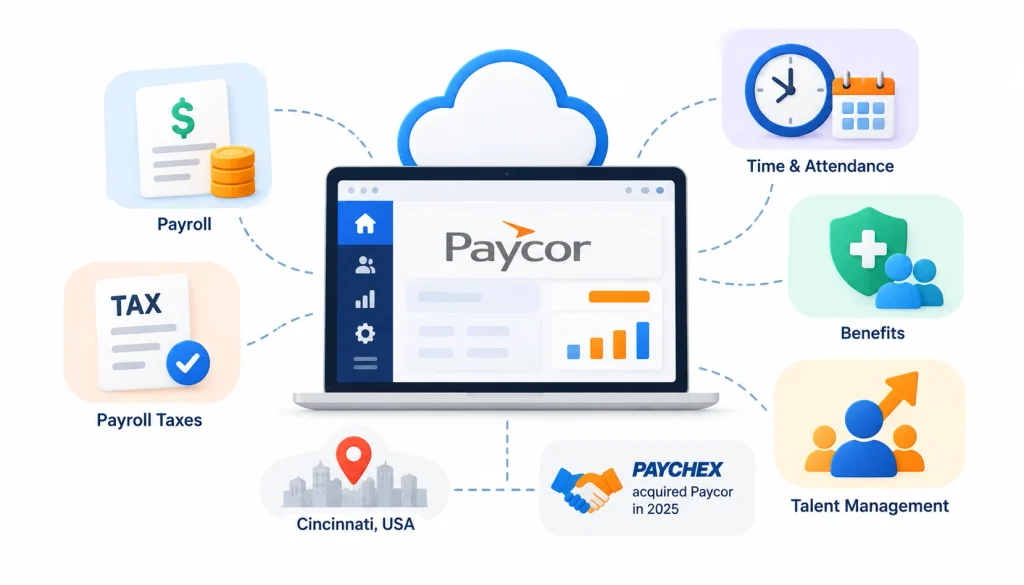
    Paycor payroll software overview showing cloud-based payroll processing, tax filing, time tracking, employee benefits, and talent management.

    Paycor is a cloud-based payroll and HR platform that serves small and mid-sized employers. It processes payroll, files payroll taxes, and offers modules for time and attendance, benefits, and talent management. The company is based in Cincinnati, and Paychex completed its acquisition of Paycor in 2025 (the Paycor Wikipedia page and the company’s own announcements are the best places to confirm current details).

    The Paychex deal matters to buyers for one practical reason. Product names, plans, and support setups can change after an acquisition, so ask your sales rep what is current today.

    Paycor’s main capabilities

    Most buyers will look at these areas:

    • Payroll processing and tax filing. Pay runs, direct deposit, and payroll tax filings.
    • Time and attendance. Clock-in, timesheets, and approvals.
    • HR tools. Employee records, onboarding, and document storage.
    • Self-service. Workers can see pay stubs and update their own details.
    • Reporting. Payroll and workforce reports.

    Not every module comes with every plan. That is common in this category, and it is why the quote matters.

    How Paycor fits into a construction business

    Picture a 25-person electrical contractor. Eighteen people work in the field, seven are in the office. The owner wants one system for pay, benefits, and personnel files. For that company, a general platform like Paycor can cover a lot of ground.

    Contractors managing materials and equipment alongside labor expenses may also benefit from inventory management software that helps track stock and maintain organized inventory records.

    Now add a twist. Half the crew works on a private commercial job, and half works on a school project that requires certified payroll. The question changes from “can it run payroll?” to “can it run payroll for each of these jobs the way the contract demands?”

    Paycor Payroll Features for Construction Companies

    The features below are the ones contractors lean on most. For each, we describe what to look for. Where we can’t confirm a detail from public sources, we say so.

    1. Payroll processing and tax filing

    This is the core job, and mainstream payroll platforms handle it well. Check that the system supports multiple pay rates for one employee, different overtime rules, and the states where you have workers.

    Ask about corrections too. If a pay run has an error, find out who fixes it, how fast, and whether you get charged.

    2. Time tracking and attendance

    In construction, hours start in the field. Good time tracking lets a foreman or the worker log hours from a phone, tied to a job.

    Published reviews, including TechRepublic’s Paycor review, note that time tracking can carry an extra cost. Treat it as a line item to price, not a given.

    Here is a test scenario to use in a demo (this is a buyer scenario, not a result from testing Paycor). A laborer works four hours on Project A and six on Project B in one day, at two different pay rates. Can the system record that split, apply the right rates, and send the hours to the right place in payroll?

    3. Job costing and labor cost allocation
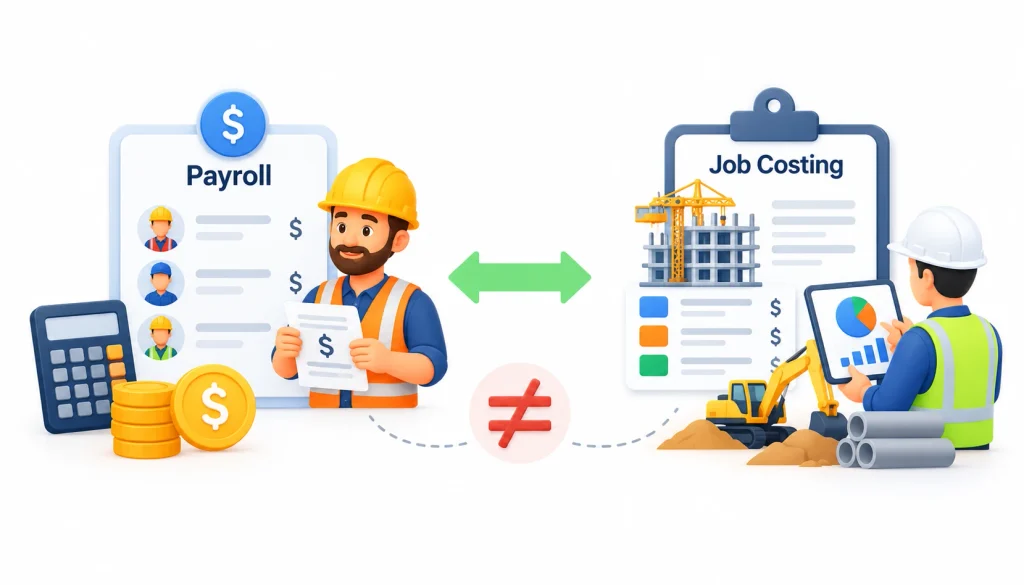
    Payroll vs. job costing in construction, illustrating employee wages, labor expenses, and project-specific cost tracking with construction workers and equipment.

    Payroll tells you what you owe each person. Job costing tells you what each project cost you in labor. They are related, but they are not the same thing.

    The labor cost on a job is more than wages. It includes payroll taxes, workers’ comp, and benefits, often called labor burden. If your payroll tool can’t send that detail to your accounting software, someone will end up rebuilding it in a spreadsheet.

    Understanding labor expenses alongside other business costs is easier when you use cloud accounting software to organize financial records and monitor expenses.

    Ask Paycor which job-cost fields exist, whether cost codes are supported, and how the data reaches your accounting system.

    4. HR and employee self-service

    This is where an HCM platform usually earns its keep. Field crews can pull up pay stubs on a phone, and the office keeps onboarding documents, certifications, and benefit elections in one place.

    If your workforce is spread across sites and rarely at a desk, test the mobile experience yourself rather than relying on a screenshot.

    5. Integrations and reporting

    Many contractors run accounting in QuickBooks or a construction-specific system. Ask for the list of current integrations and what each one actually syncs. Businesses looking to connect payroll, accounting, and operational data can also learn how an ERP system in accounting helps integrate financial information across departments. “Integrates with” can mean a full two-way sync or a basic file export. Those are very different when you’re closing the books each month.

    Paycor Payroll Pros and Cons for Construction Businesses

    Potential advantageWhat to check
    Payroll and HR in one systemWhether construction workflows are built in
    Employee self-serviceHow well it works for field crews
    Payroll automationHow it handles complex wage rules
    Workforce reportingWhether reports are available by project
    Several product tiersTotal price once add-ons are included

    Paycor pros

    • One platform for payroll and HR. You avoid stitching together separate tools for pay, benefits, and records.
    • Self-service for employees. Fewer calls to the office about pay stubs and tax forms.
    • Room to grow. If your HR needs expand, there are modules to add.
    • Time tracking built into the same system. Hours flow straight into payroll when it’s set up well.

    Paycor cons

    • Quote-based pricing. You can’t see a clear price online, which makes comparing vendors slower.
    • Add-on costs. Time tracking and other modules may be priced separately.
    • Construction depth is unproven from public information. Certified payroll, union fringe handling, and job costing all need to be demonstrated.
    • General-purpose design. Platforms built for every industry sometimes need workarounds for contractor-specific rules.

    To be fair, none of these are confirmed shortcomings. Each is a question to answer before you buy.

    When Paycor’s limits matter most

    A residential remodeler with ten employees and one pay rate each will probably never notice the gaps. A subcontractor with union crews on three public-works jobs will notice them in the first pay period.

    The more your payroll depends on contract rules, the more weight you should give to the construction-specific questions.

    Can Paycor Handle Construction Payroll Compliance?

    No software can promise compliance for you. You remain responsible for paying workers correctly and filing what your contracts require. What software can do is make that work faster and reduce mistakes. So the real question is how much of the work it handles, and how much lands back on your team.

    1. Certified payroll and Form WH-347

    Certified payroll is a weekly payroll report that shows who worked on a project, what they were paid, and that wages met the required rate. It is signed by the contractor to certify it is accurate.

    The federal version comes from the Davis-Bacon Act and related laws. They apply to certain federally funded or assisted construction contracts. The U.S. Department of Labor’s construction contracts page explains the rules and the sample payroll form, WH-347. Using that exact form is optional as long as your report has the same information.

    Not every contractor needs this. Many state and local public projects have their own certified payroll rules too. Your contract tells you which apply.

    When you talk to any payroll vendor, ask them to show you a completed certified payroll report from a sample project. Don’t accept a yes on a sales call.

    2. Prevailing wage requirements

    Prevailing wage rules set minimum pay for workers on covered public projects. The rate depends on the job type, the worker’s classification, and the location. Federal wage determinations are published at SAM.gov.

    In practice, one worker might be a carpenter on Monday and a laborer on Tuesday, each with a different required rate. Your system needs to track that by day, and ideally by job.

    3. Union payroll and fringe benefits

    Union agreements usually set wage rates, fringe contributions, and deductions. The reports that go to benefit funds often follow specific formats.

    Bring a real example from your own agreement to the demo. Ask the vendor to run it from time entry to the final report.

    4. Multi-state payroll

    If your crews cross state lines, you may owe payroll taxes in more than one state, and each state has its own wage and overtime rules. Most payroll platforms handle multi-state tax filing. That is different from handling each state’s prevailing wage or certified payroll rules, so ask about both.

    For a candid look at how contractors talk about these problems, the Payroll and Construction communities on Reddit are worth browsing. Treat what you read as anecdotes, not verified facts.

    5. What to verify before buying

    Ask every vendor these questions and compare the answers in writing:

    1. Can one employee have several pay rates and classifications?
    2. Which certified payroll reports can you produce, and can you show me one?
    3. How are fringe benefits entered and calculated?
    4. Can labor cost be tracked by job and cost code?
    5. Which of these features need an integration or add-on?
    6. Who reviews errors and fixes them?
    7. What documentation backs up your compliance claims?

    How Much Does Paycor Payroll Cost?

    Paycor does not publish a fixed price list. According to TechRepublic’s review, pricing is quote-based. That means you need a current quote for your headcount and needs. Any number you see in a blog post, including this one, could be out of date.

    1. Paycor pricing plans and add-ons

    When you request a quote, ask for an itemized breakdown. Cost usually includes:

    • A base subscription or per-pay-run fee
    • A per-employee fee
    • Time and attendance
    • Benefits administration
    • Setup and training
    • Integrations
    • Extra services

    2. How to calculate the total cost

    The sticker price rarely tells the full story. Use this formula:

    Total cost = base fees + per-employee charges + add-ons + setup + integrations + internal admin time + migration costs

    Here is a made-up example to show the idea. Say two software options have the same monthly fee. One needs a payroll clerk to spend six extra hours each week rebuilding job-cost data in a spreadsheet. At a loaded labor cost of $35 an hour, that is $210 a week, or roughly $10,900 a year. Those figures are for illustration only, not Paycor pricing. The cheaper subscription may not be the cheaper option.

    3. Questions to ask before signing

    1. Which construction features are included in the quoted plan?
    2. Which items cost extra?
    3. Do you support certified payroll and union reporting?
    4. Which accounting integrations do you offer?
    5. What setup and training fees apply?
    6. How do payroll corrections and support escalations work?

    Best Paycor Alternatives for Construction Businesses

    The right alternative depends on how complicated your payroll is. The list below is a shortlist to evaluate, not a ranking. Features change, so confirm everything on each vendor’s site and in a demo.

    1. Payroll4Construction: for construction-focused payroll

    This is a payroll provider that focuses on contractors. Look at how it handles certified payroll, prevailing wages, and union payroll, and ask what is included in the service versus what you do yourself. Check pricing, setup, and integrations like you would with any vendor.

    2. ADP: for larger payroll and workforce needs

    ADP offers several products for different company sizes, so be specific about which one you are evaluating. It tends to suit larger or multi-location employers. Ask for a construction-specific demo.

    3. Paychex: for payroll and HR services

    Paychex is a long-established provider and now Paycor’s parent company. Its product lineup may overlap with Paycor’s. Ask how the two products differ for contractors, and don’t assume strong general payroll means certified payroll support.

    4. FOUNDATION Software: for construction accounting

    FOUNDATION is built around construction accounting. If job costing and financial reporting are your priority, a system that keeps payroll and accounting together may cut down on double entry. Confirm the payroll features you need, and check whether it fits your current setup.

    5. Miter: for construction workforce and payroll

    Miter is a newer platform aimed at construction workforce management and payroll. Ask about time capture in the field, certified payroll, union workflows, and which accounting systems it connects to.

    6. Gusto: for simpler payroll

    Gusto is popular with small businesses that want easy payroll and basic HR. A small contractor with straightforward payroll may find it enough. If you have union, prevailing wage, or certified payroll duties, check carefully before choosing it.

    Comparison table

    SoftwareConsider it whenVerify
    PaycorYou want payroll and HR togetherConstruction workflows, add-on costs
    Payroll4ConstructionConstruction payroll is the main needReports, integrations, service scope
    ADPYou need broader workforce toolsConstruction-specific features
    PaychexPayroll and HR services matterCertified payroll, union handling
    FOUNDATION SoftwareAccounting integration comes firstPayroll depth, system compatibility
    MiterField workforce workflows matterPayroll scope, integrations
    GustoPayroll is simpleFit for compliance-heavy work

    Paycor vs. Construction-Specific Payroll Software

    General payroll software is built to work for every industry. Construction-specific software starts with contractor problems like job costing, multiple rates, and certified reports. Neither category is better in every case. Some general platforms cover construction needs through add-ons or integrations, so judge each product on what it does.

    Decision factorGeneral-purpose payrollConstruction-specific payroll
    Standard wage processingCore featureCore feature
    HR administrationOften broadVaries
    Project-level labor trackingCheck workflow and integrationsCheck native tools
    Job costingOften needs accounting integrationOften built in
    Certified payrollConfirm exact reportsConfirm supported formats
    Union payrollConfirm calculationsConfirm agreement support
    Prevailing wageVerifyVerify

    1. Which is better for small contractors?

    If you have a handful of employees and simple pay, ease of use and a predictable price matter most. A general platform may be all you need.

    2. Which is better for government contractors?

    If you work on public projects, certified payroll and prevailing wage handling should be at the top of your list. A tool that does these natively can save hours every week.

    3. Which is better for growing construction businesses?

    As you add crews, jobs, and states, manual workarounds get expensive. Look at how well the system connects to your accounting software and how it will handle twice your current headcount.

    How to Choose the Right Payroll Software for Your Construction Business

    A clear process will save you from a bad buy. Follow these steps.

    1. Write down your requirements. List employee types, pay rates, job sites, overtime situations, and the reports you must file.
    2. Map your current workflow. Trace how hours travel from the field to the foreman, to payroll, to accounting.
    3. Check construction features. Focus on the workflows you use, not the general demo.
    4. Compare total cost. Include add-ons, setup, integrations, and admin time.
    5. Run a real scenario. Use one actual week of payroll from a messy job and ask each vendor to process it.
    6. Check setup and support. Find out who configures the system, who trains your team, and who answers on payroll deadline day.

    If you’re replacing Paycor or another system, plan the move too. Gather employee data, year-to-date payroll history, tax account details, and open corrections. Try to switch at the start of a quarter, or at least avoid the middle of a tax filing period.

    Frequently Asked Questions

    Is Paycor a good payroll system for construction companies?

    It can work well for contractors with standard payroll and a need for HR tools. If you have certified payroll, union, or prevailing wage requirements, confirm those workflows in a demo first.

    Does Paycor support certified payroll reporting?

    Ask Paycor to show you the exact report you need for your contract and state. Don’t rely on a general statement.

    How much does Paycor payroll cost?

    Pricing is quote-based. Ask for an itemized quote that covers subscription fees, add-ons like time tracking, and setup costs.

    What are the best Paycor alternatives for contractors?

    It depends on your needs. Construction-focused options include Payroll4Construction, FOUNDATION Software, and Miter. ADP, Paychex, and Gusto may fit businesses with simpler or broader needs.

    Can Paycor handle union and prevailing wage payroll?

    That needs direct confirmation. Give the vendor a sample from your own union agreement or wage determination, and watch it run start to finish.

    What is the difference between Paycor and construction-specific payroll software?

    Paycor is a general payroll and HR platform. Construction-specific software is designed around job costing, certified payroll, and union rules. Some general platforms can do part of this with add-ons.

    How do I switch from Paycor to another payroll provider?

    Collect employee records, payroll history, tax details, and any open corrections. Test integrations before go-live, and time the switch to avoid a quarter-end crunch.

    Final Verdict

    This Paycor payroll review for construction businesses comes down to one point. Paycor is worth evaluating if you want payroll and HR in one system and your payroll rules are fairly standard. If you rely on job costing, union payroll, prevailing wages, or certified payroll, verify each of those workflows before you commit.

    Compare at least two vendors using the same sample payroll and the same cost assumptions. Next step: write down your requirements, request itemized quotes, and test a real pay period before you sign anything.
  • Best Backlink Management Software Tools in 2026

    Best Backlink Management Software Tools in 2026

    Managing backlinks becomes increasingly difficult as a website grows. Tracking a few dozen links is relatively simple, but monitoring hundreds of backlinks across several websites or client campaigns requires a more organized approach.

    Backlink management software helps SEO professionals understand which websites link to their content, identify newly acquired or lost backlinks, research competitors, and organize link-building activities. Depending on the platform, it can also support outreach, reporting, and backlink quality analysis.

    However, not every tool serves the same purpose. Some specialize in backlink research, others focus on monitoring existing links, and several are designed to manage outreach relationships. Choosing the right software means understanding which activities consume the most time in your current workflow.

    This guide compares 12 backlink management tools, including their main capabilities, advantages, limitations, pricing considerations, and ideal users.

    Best Backlink Management Software Tools

    The following platforms cover different aspects of backlink management, from researching competitors to tracking acquired links and managing publisher relationships. Compare their capabilities against your requirements before choosing a subscription.

    1. Ahrefs: Best for Backlink Research and Competitor Insights

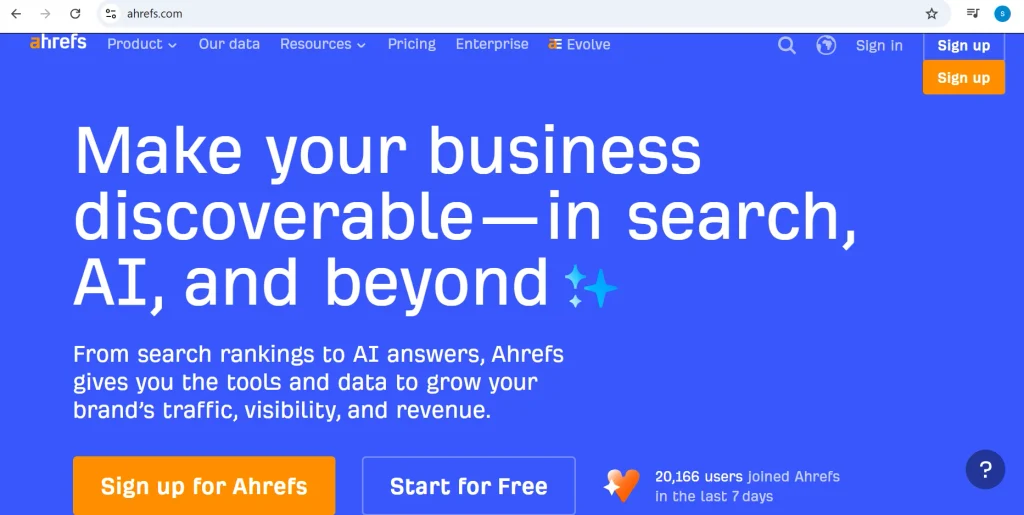
    Home page of Ahrefs

    Ahrefs is an SEO platform widely used for researching backlink profiles and discovering link-building opportunities. Its Site Explorer feature helps users examine referring domains, anchor text, linked pages, and other information about a website’s backlink profile.

    One particularly useful application is competitor analysis. By examining the websites linking to competing domains, SEO professionals can discover potential publishers, industry resources, and content opportunities worth investigating.

    Ahrefs also helps users identify changes in backlink profiles, making it useful for teams that regularly evaluate new and lost links.

    Key advantages

    • Detailed backlink analysis and competitor research.
    • Tools for identifying new and lost backlinks.
    • Domain Rating (DR) for comparing backlink profiles.
    • Insights into anchor text and frequently linked pages.
    • Additional SEO features for broader optimization activities.

    Limitations

    • It does not replace a dedicated outreach CRM for managing publisher relationships.
    • Subscription costs may be difficult to justify for users with limited research requirements.
    • Domain Rating is an Ahrefs metric, not a Google ranking score.

    Pricing: Ahrefs offers paid subscriptions with different usage allowances and features. Certain free webmaster tools are available for eligible, verified websites. Check the official pricing page for current plans and restrictions.

    Best for: SEO agencies, experienced link builders, in-house SEO teams, and website owners who frequently research competitors and identify backlink opportunities.

    2. LinkColab: Best for Link-Building Outreach and Publisher Opportunities

    Home page of Linkcolab

    LinkColab is a free backlink management tool built for SEO teams and link builders who want to manage their link-building work in one place. It helps users organize backlinks, monitor link status, verify placements, and collaborate with team members without relying on scattered spreadsheets and emails.

    With its focus on backlink tracking and white-hat link building, LinkColab is a useful option for agencies, in-house SEO teams, and independent link builders looking to keep their backlink work organized.

    LinkColab can be included in a link-building workflow to help users centralize their prospecting and outreach process, maintain a more organized pool of websites, and coordinate link-building opportunities.

    It is particularly relevant to teams that work with publisher websites and link exchanges. Rather than treating link acquisition as a one-off task, teams can use a structured workflow to evaluate potential partners, keep track of opportunities, and manage communication more consistently. 

    As with any link-building platform, users should independently review each website for topical relevance, real audience value, content quality, organic visibility, and outbound-link patterns before agreeing to a placement.

    Strengths:

    • Focuses on link-building and outreach workflows rather than only reporting backlink metrics.
    • Can support link builders and agencies managing publisher opportunities across multiple campaigns.
    • Helps make website prospecting and relationship management more organized than relying entirely on scattered spreadsheets.
    • Relevant to link exchange and publisher-partnership workflows where teams need to identify and coordinate potential opportunities.
    • Can complement backlink research tools such as Ahrefs or Semrush, which provide additional data for assessing a website’s backlink profile and SEO performance.

    Limitations:

    • It should not be treated as a replacement for comprehensive backlink-index tools when you need deep competitor analysis or historical backlink data.
    • A listing or available link opportunity does not automatically mean a website is high quality; review relevance, traffic quality, content standards, and outbound links independently.
    • Link-building results still depend on the quality of the websites selected, the value of the partnership, and the natural fit of each link.
    • Confirm the current features, available website data, integrations, and plan limits directly on the official website before choosing a subscription.

    Pricing: Check the official LinkColab website for current plans, features, and pricing.

    Best for: Link builders, SEO agencies, link resellers, and website owners who need a more organized way to manage publisher opportunities, outreach, and link-building relationships.

    3. Semrush: Best for Comprehensive SEO and Backlink Management

    Home page of Semrush

    Semrush combines backlink analysis with a broader collection of SEO and digital marketing tools. Its backlink features help users investigate referring domains, review link profiles, identify potential issues, and discover opportunities for outreach.

    The main advantage is having several SEO workflows available in one platform. Teams can research backlinks alongside keyword opportunities, monitor rankings, audit websites, and prepare reports for clients.

    This combination can simplify campaign management for agencies that want to connect their link-building efforts with their wider SEO strategy.

    Key advantages

    • Combines backlink research with keyword analysis and rank tracking.
    • Provides backlink auditing capabilities.
    • Supports competitor backlink investigation.
    • Includes reporting features for SEO campaigns.
    • Consolidates several marketing activities in one platform.

    Limitations

    • The extensive feature set may take time to learn.
    • Some features have plan-specific restrictions or additional costs.
    • Dedicated outreach management may still require another platform.
    • Users interested only in basic backlink monitoring may not need the entire suite.

    Pricing: Semrush provides tiered subscriptions and limited free access. Available features and usage limits depend on the selected plan. Review the current pricing details before subscribing.

    Best for: SEO agencies, digital marketing teams, and businesses looking for backlink management alongside broader SEO capabilities.

    4. Moz Pro: Best for Backlink Analysis and Authority Metrics

    Homepage of Moz

    Moz Pro offers backlink research through its Link Explorer tool. It helps users examine linking domains, anchor text, and other information that can support website evaluation and competitor research.

    The platform is known for Domain Authority (DA), Page Authority (PA), and Spam Score. These proprietary metrics provide additional context when comparing websites or investigating potentially questionable backlink profiles.

    They should be treated as diagnostic indicators rather than direct measures of Google’s ranking decisions.

    Moz is particularly useful for SEO professionals who want an accessible interface for backlink analysis and reporting.

    Key advantages

    • Straightforward interface for backlink research.
    • Domain Authority and Page Authority metrics.
    • Spam Score for further investigation of potentially problematic sites.
    • Insights into referring domains and competitor backlinks.
    • Useful reporting capabilities for SEO consultants.

    Limitations

    • Its authority metrics are estimates developed by Moz, not official Google scores.
    • It is not primarily designed for outreach communication and follow-up management.
    • Backlink monitoring capabilities should be checked against your specific requirements.
    • Data coverage may differ from other backlink research platforms.

    Pricing: Moz Pro offers paid subscriptions, and some tools provide limited free access. Check the current plans and Link Explorer allowances on the official website.

    Best for: SEO consultants, small agencies, and businesses that need accessible backlink analysis and domain evaluation metrics.

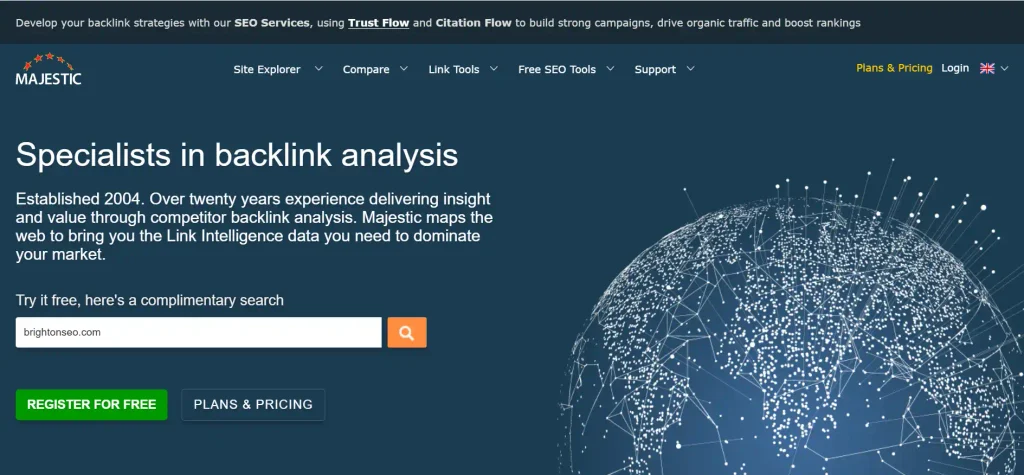
    5. Majestic: Best for Specialized Backlink Intelligence

    Homer page of Majestic

    Majestic focuses on backlink data and link-profile analysis. It is particularly useful for SEO professionals who want to investigate relationships between websites and evaluate potential publishing opportunities.

    Two of its established metrics are Trust Flow and Citation Flow. Trust Flow estimates link quality according to Majestic’s methodology, while Citation Flow estimates link influence based on the quantity and strength of links.

    Using these metrics together can provide additional context when evaluating potential outreach targets. However, neither metric should be interpreted as a direct Google ranking signal.

    Key advantages

    • Dedicated tools for backlink intelligence.
    • Trust Flow and Citation Flow metrics.
    • Information about referring domains and link relationships.
    • Useful for evaluating potential publishing partners.
    • Provides an additional backlink data source for comparison.

    Limitations

    • Some metrics may require experience to interpret properly.
    • It does not offer the same breadth of functionality as an all-in-one SEO platform.
    • It is not a complete outreach CRM.
    • Its proprietary scores should not be confused with Google’s ranking systems.

    Pricing: Majestic offers paid plans with different data access and usage allowances. Verify current subscriptions and index access before purchasing.

    Best for: Experienced SEO professionals, agencies, and link builders who need specialized backlink data.

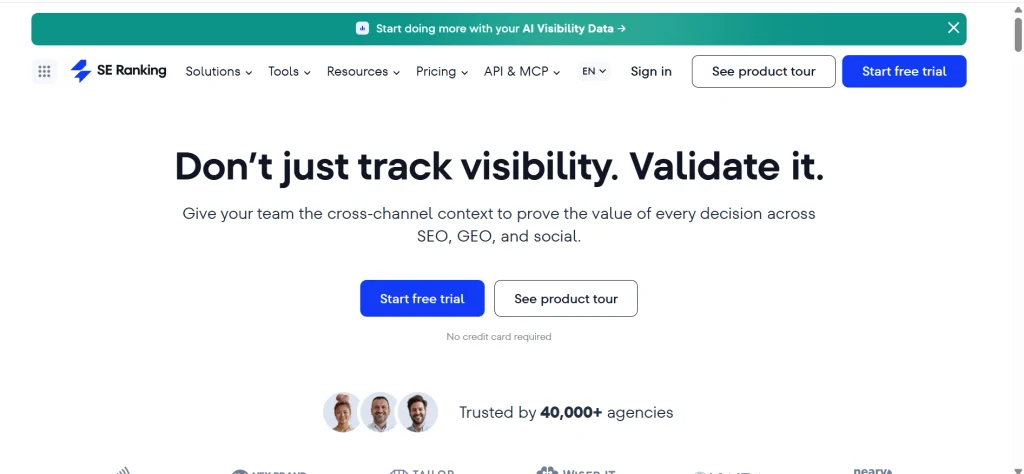
    6. SE Ranking: Best for Backlink Management Within an SEO Workflow

    Home page of SE Ranking

    SE Ranking brings backlink analysis and monitoring together with features such as keyword tracking, website audits, and competitor research.

    Its backlink tools help users investigate referring domains, review existing links, and monitor changes over time. For smaller agencies and freelancers, combining these activities in one platform may reduce the need for multiple subscriptions.

    Before choosing a plan, evaluate whether its backlink data, reporting options, monitoring capabilities, and usage limits meet your campaign requirements.

    Key advantages

    • Combines backlink analysis with other SEO tools.
    • Helps track changes in backlink profiles.
    • Supports competitor research and website auditing.
    • Offers reporting capabilities for agency workflows.
    • May reduce the need for several separate SEO subscriptions.

    Limitations

    • Some capabilities may overlap with existing subscriptions.
    • Backlink coverage and data freshness should be evaluated.
    • Advanced features may depend on the selected plan.
    • Specialized outreach workflows may require additional software.

    Pricing: SE Ranking offers tiered subscriptions, with functionality and limits varying by plan. Check current pricing and trial availability before making a decision.

    Best for: Freelancers, small businesses, and growing agencies that want backlink research and monitoring within a broader SEO toolkit.

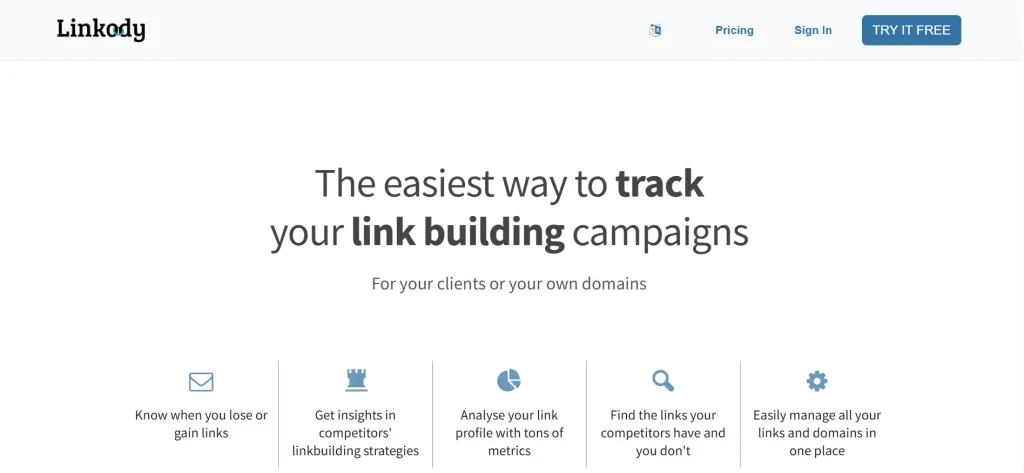
    7. Linkody: Best for Ongoing Backlink Monitoring

    Home page of Linkody

    Linkody concentrates on tracking backlinks and identifying changes in a website’s link profile.

    For example, a publisher may remove a link from an existing article, a page may become inaccessible, or a previously discovered backlink may no longer appear in the same location. A monitoring platform helps bring such changes to your attention.

    This is particularly valuable for SEO teams that have invested time in acquiring backlinks and need a consistent process for checking whether those links remain available.

    Key advantages

    • Focuses on backlink monitoring.
    • Helps identify newly discovered and lost backlinks.
    • Makes changes in link profiles easier to investigate.
    • Provides a more focused alternative to larger SEO suites.
    • Complements backlink research platforms.

    Limitations

    • Its competitor research capabilities may be more limited than those of comprehensive SEO tools.
    • It does not replace an outreach CRM.
    • Alerts may require manual investigation to determine the cause of a change.
    • Prospect discovery may require another platform.

    Pricing: Linkody offers paid subscriptions with different monitoring allowances and features. Consult its official website for current prices and plan limits.

    Best for: Website owners, SEO consultants, and agencies that need a dedicated way to monitor existing backlinks.

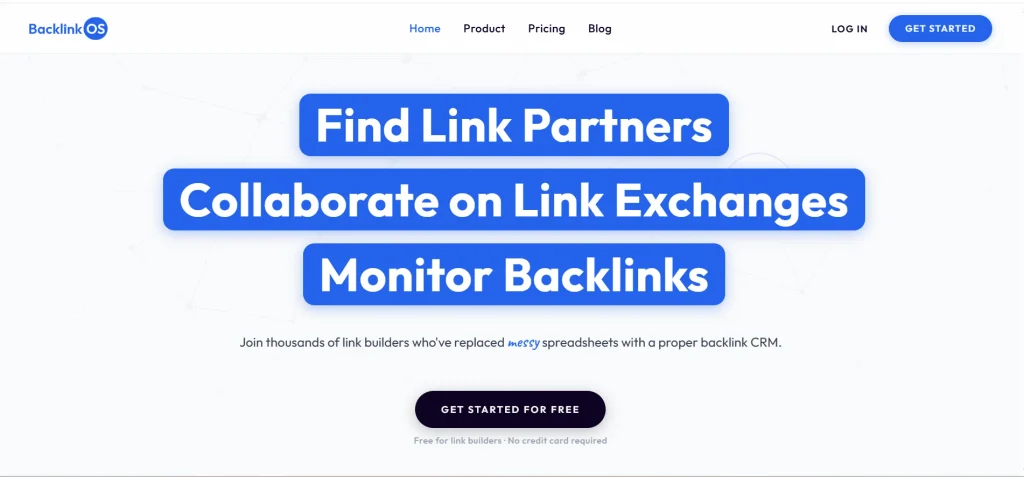
    8. BacklinkOS: Best for Collaborative Link Exchanges and Backlink Tracking

    Home page of BacklinkOS

    BacklinkOS is a backlink CRM and link-exchange platform designed to help link builders find partners, coordinate link exchanges, and track backlink status in a shared workspace. It lets collaborators view the same links and statuses, communicate within the platform, and organize domains, target pages, anchor text, and placement guidelines.

    BacklinkOS also includes instant link checks for details such as whether a link is live, removed, nofollow, or sponsored. Paid plans add scheduled backlink monitoring, domain monitoring, metric refreshes, and Slack alerts, depending on the plan.

    Key advantages

    • Helps link builders discover potential link partners and coordinate link exchanges.
    • Shared link tracking keeps collaborators aligned on link status and progress.
    • Organizes domains, target pages, anchor text, and placement guidelines.
    • Includes instant link checks and domain-monitoring features.
    • Offers a free plan, with paid upgrades for expanded discovery and monitoring allowances.

    Limitations

    • It is focused on collaborative link-building workflows rather than serving as a comprehensive SEO suite.
    • Automated monitoring frequency and usage allowances vary by plan.
    • Partner listings and domain metrics should be independently evaluated for relevance, quality, and audience value.
    • Teams needing broad competitor backlink research may still require a dedicated SEO research platform.

    Pricing: BacklinkOS offers a free plan. Its published paid plans include Pro at $19 per month, or $15 per month when billed annually, and Pro Max at $79 per month, or $63 per month when billed annually. Confirm current features and allowances on the official website.

    Best for: Independent link builders, link-building agencies, and SEO teams that coordinate link exchanges and need shared backlink tracking.

    9. BacklinkManager.io: Best for Backlink Monitoring, Partnerships, and Client Reporting

    Home page of BacklinkManager.io

    BacklinkManager.io is a backlink management CRM built for SEO agencies, marketing teams, and freelance link builders. It helps users monitor backlinks, manage link-building partners and vendors, track link-exchange activity, and prepare reports and dashboards for clients.

    Its monitoring features can notify users when a link changes status, such as becoming nofollow, returning a page-not-found error, or being removed. The platform also supports shared target sheets, link requests, partnership tracking, and reporting by client, domain, or target URL.

    Key advantages

    • Combines backlink monitoring with CRM-style partner and vendor management.
    • Sends notifications when backlink status changes.
    • Supports link-exchange coordination and tracking of partner relationships.
    • Helps teams create client-facing reports and share dashboards.
    • Provides a free option for monitoring up to 50 links.

    Limitations

    • It is primarily a backlink management and workflow tool, not a full replacement for large backlink research databases.
    • Advanced usage limits depend on the selected subscription.
    • The link-exchange marketplace has been described on the site as a planned feature, so check the current product before relying on it.
    • Link status and third-party SEO metrics should be reviewed in context rather than treated as a complete measure of backlink quality.

    Pricing: BacklinkManager.io offers a free option for monitoring up to 50 links. Its published paid plans start at $39 per month when billed annually, with higher tiers for larger backlink portfolios, teams, targets, and partnerships. Check the official pricing page for current monthly and annual rates.

    Best for: SEO agencies, freelance link builders, and marketing teams that need to monitor backlinks, organize partnerships, and report link-building progress to clients.

    Quick Comparison of the Best Backlink Management Tools

    Use the following table to narrow your choices based on the work you need to perform.

    SoftwareBest use caseMain categoryBacklink monitoringCompetitor researchOutreach
    AhrefsBacklink researchBacklink intelligenceYesYesLimited
    SemrushBroader SEO managementSEO suiteYesYesYes
    Moz ProLink analysis and authority metricsSEO suiteVerify planYesLimited
    MajesticSpecialized backlink dataBacklink intelligenceVerifyYesNo
    SE RankingCombined SEO workflowsSEO suiteYesYesLimited
    LinkodyMonitoring existing backlinksMonitoring softwareYesLimitedNo
    BuzzStreamPublisher relationshipsOutreach CRMLimitedNoYes
    PitchboxLarge-scale outreachOutreach platformVerifyNoYes
    ResponaProspecting and outreachOutreach platformVerifyLimitedYes
    HunterEmail discoveryContact discoveryNoNoBasic
    Snov.ioContact discovery and email sequencesOutreach softwareNoNoYes
    Google Search ConsoleReviewing your site’s link dataFirst-party reportingBasic reportingNoNo

    Feature availability, monitoring depth, and integrations can depend on the product and subscription plan. Verify current details with each provider.

    What Is Backlink Management Software?

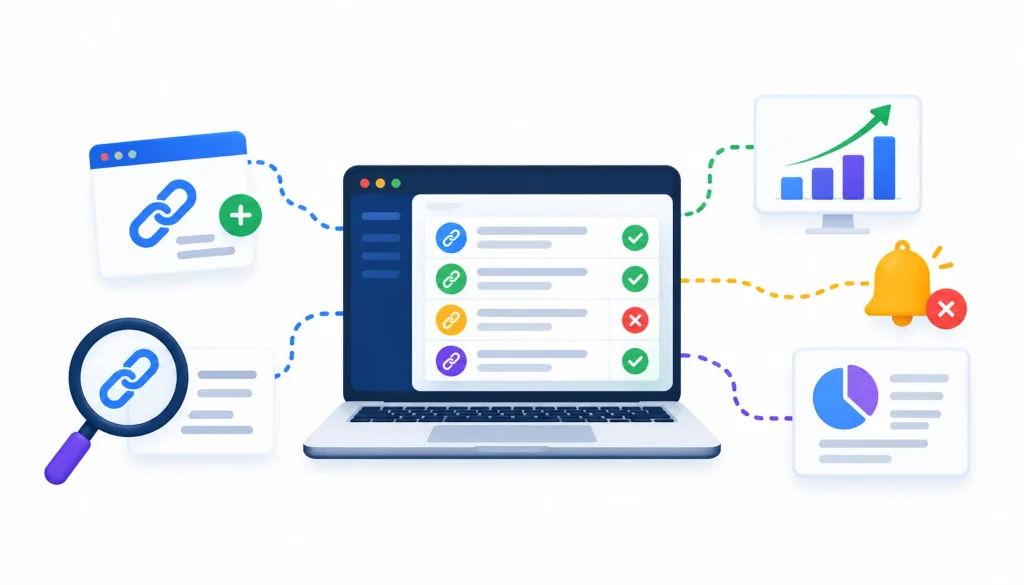
    Backlink management software dashboard showing link monitoring, backlink discovery, link analysis, performance tracking, alerts, and SEO reporting.

    Backlink management software helps website owners and SEO professionals organize, analyze, monitor, and report on links pointing to their websites.

    Just as SEO professionals use specialized tools to monitor backlinks, businesses can use inventory management software to track stock levels, organize inventory records, and improve operational efficiency.

    Depending on the platform, it may also support competitor research, prospect discovery, outreach campaigns, and backlink verification.

    A backlink is a hyperlink on one website that points to a page on another website. Backlinks can help search engines discover pages and understand relationships between websites, although the value of an individual link depends on its context and other factors.

    How Does Backlink Management Software Work?

    Many backlink research tools maintain their own databases of links discovered through crawling and other data-collection methods. When you enter a domain, the platform presents the backlink information available in its index.

    Monitoring tools check links over time and identify changes that may require investigation.

    One important limitation is that no third-party tool provides a perfect inventory of every backlink on the internet. Different platforms can report different totals because their indexes, crawling schedules, and data-processing methods vary.

    Treat backlink metrics as useful research inputs rather than absolute measurements.

    What Can You Do With Backlink Management Software?

    Depending on the platform, you may be able to:

    • Identify newly discovered and lost backlinks.
    • Review referring domains and anchor text.
    • Find websites linking to competitors.
    • Organize publisher contacts and outreach histories.
    • Check whether acquired backlinks remain live.
    • Prepare backlink reports for clients or internal teams.

    Since individual tools specialize in different activities, understanding their categories helps you select a suitable combination.

    Backlink Management vs. Backlink Analysis vs. Link-Building Software

    Software categoryPrimary purpose
    Backlink managementOrganizing and reporting on existing backlinks
    Backlink analysisInvestigating link profiles and competitor opportunities
    Backlink monitoringIdentifying new, lost, or changed backlinks
    Link-building softwareDiscovering and pursuing link acquisition opportunities
    Outreach softwareManaging contacts, messages, follow-ups, and campaign progress

    These categories overlap. Some comprehensive SEO platforms cover several activities, while specialized tools concentrate on one part of the process.

    Best Backlink Management Software by Use Case

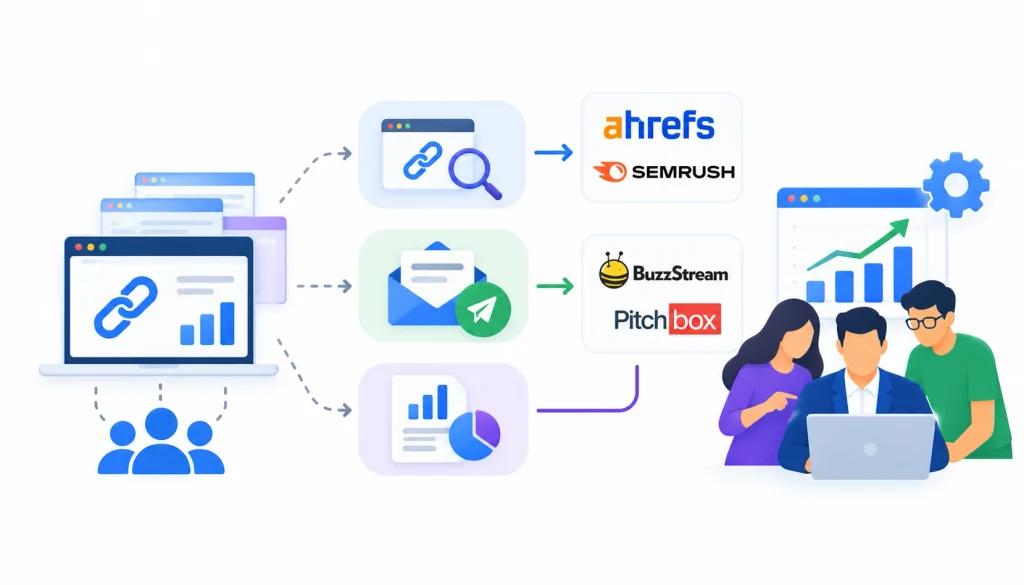
    Backlink management software comparison showing SEO research tools, outreach platforms, analytics dashboards, and team collaboration for SEO agencies.

    The most suitable tool depends on the size of your website, the number of campaigns you manage, and the activities you perform most frequently.

    For SEO agencies: Consider combining a backlink research platform such as Ahrefs or Semrush with an outreach solution such as BuzzStream or Pitchbox.

    For freelancers: A broader SEO platform may be more practical than purchasing several specialized subscriptions. Compare SE Ranking, Semrush, and Google Search Console against your actual requirements.

    For small businesses: Start with Google Search Console to understand your site’s reported backlinks. Add a monitoring tool if you need more frequent tracking.

    For enterprise teams: Evaluate user permissions, project limits, data exports, API availability, and reporting capabilities.

    For backlink monitoring: Compare Linkody with the monitoring features available in Ahrefs, Semrush, and SE Ranking.

    For competitor backlink research: Ahrefs, Semrush, and Majestic are worth evaluating. Test them against the same competitor domains to understand their data coverage.

    For link-building outreach: Consider BuzzStream, Pitchbox, or Respona, supported by contact discovery tools such as Hunter or Snov.io when necessary.

    For free backlink research: Google Search Console provides a useful starting point for your own website, while certain SEO platforms offer limited free access.

    Important Features to Consider When Choosing Backlink Software

    1. Backlink Discovery and Monitoring

    Choose a tool that helps you identify new and lost backlinks without requiring constant manual checks.

    Review its monitoring frequency, alert options, and ability to distinguish meaningful changes from temporary technical problems.

    2. Competitor Backlink Analysis

    Competitor analysis can reveal websites that link to competing pages but not to your own content.

    Use these discoveries to identify relevant publishers, resource pages, and content opportunities. Prioritize relevance rather than automatically targeting websites with the highest authority metrics.

    3. Link Relevance and Quality

    A relevant backlink can be more useful than a link from a powerful but unrelated website.

    Evaluate the linking page’s topic, the surrounding content, the destination URL, and the context in which the link appears.

    Do not rely on a single third-party score to decide whether a backlink is valuable.

    4. Backlink Audit Capabilities

    Audit features can help identify links that deserve closer inspection.

    Automated tools may flag suspicious patterns, but a flagged link is not automatically harmful. Review the surrounding context and available evidence before deciding whether any action is necessary.

    5. Outreach and Contact Management

    Effective outreach software keeps prospect details, communication history, follow-up dates, and campaign statuses organized.

    These records help prevent duplicate pitches and make it easier for multiple team members to coordinate their work.

    6. Reporting, Exports, and Integrations

    Check whether the platform supports the reports and export formats your team requires.

    If you already use an SEO dashboard, CRM, or reporting system, confirm that the necessary integrations are available under your selected plan.

    Similarly, businesses can connect financial and operational workflows through an ERP system in accounting, helping teams coordinate accounting, inventory, and sales data.

    7. Multi-Website and Client Management

    Agencies should investigate project limits, user permissions, and client reporting options.

    Ensure that client data can be separated appropriately and that access permissions match your team’s responsibilities.

    How to Choose the Right Backlink Management Tool

    Follow these steps to compare software more effectively.

    Step 1: Identify Your Main Requirement

    Determine whether you primarily need backlink research, monitoring, outreach, contact discovery, or reporting.

    Start with the activity that currently takes the most time or creates the greatest operational difficulty.

    Step 2: Establish a Budget

    Review your existing subscriptions before purchasing another tool.

    Several platforms may overlap in functionality, so calculate whether a new subscription provides capabilities that your current software does not already cover.

    Step 3: Evaluate Data Coverage

    Enter your own website and selected competitor domains into the tools you are considering.

    Compare the available results with your existing data. Differences are normal, but you should understand how each platform covers the websites relevant to your campaigns.

    Step 4: Review Monitoring and Reporting

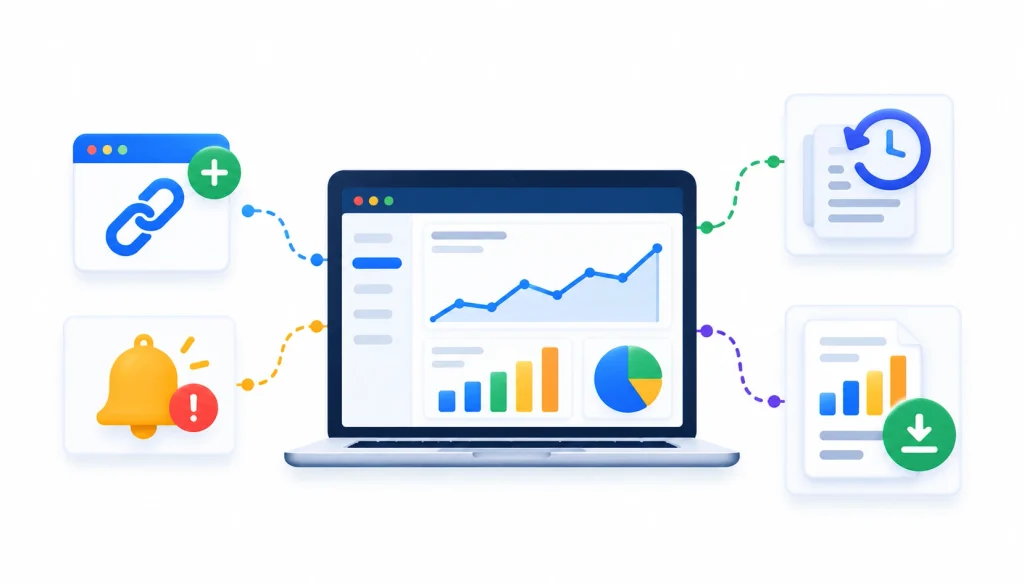
    Backlink monitoring and reporting dashboard showing link tracking, performance analytics, historical data, alerts, and downloadable SEO reports.

    Confirm that the tool tracks the changes you care about and produces reports your team can actually use.

    Check whether alerts, historical information, and exports are included in the relevant plan. Reliable reporting also matters in financial management. For example, cloud accounting helps businesses track financial information, monitor cash flow, and identify potential risks.

    Step 5: Check Team Access and Project Limits

    Review the number of supported websites, user seats, and available permissions.

    This is especially important for agencies managing several clients.

    Step 6: Test a Real Workflow

    Use a free plan, trial, or demonstration to complete an actual task.

    For example, identify five relevant competitor backlinks, record the prospects, and determine how easily the information can be transferred into your outreach process.

    Step 7: Calculate the Total Cost

    Include subscription fees, additional users, contact discovery credits, and any separate outreach or monitoring tools.

    A platform with a higher starting price may be more economical if it replaces several existing subscriptions.

    How to Manage Backlinks Effectively With Software

    Backlink management becomes easier when research, outreach, verification, and reporting follow a consistent process.

    Step 1: Record Your Starting Backlink Profile

    Export the backlink information available from Google Search Console and your primary research platform.

    Record the date and data source so that future comparisons are meaningful.

    Step 2: Monitor New and Lost Links

    Enable available alerts and establish a review schedule that matches your campaign activity.

    Active link-building campaigns may need more frequent reviews than smaller websites with limited outreach.

    Step 3: Evaluate Backlink Relevance

    Review the linking page, anchor text, destination URL, and surrounding content.

    Avoid judging the value of a backlink solely by a domain authority metric.

    Step 4: Discover Competitor Opportunities

    Use a backlink gap report to identify websites that link to relevant competitors.

    Prioritize prospects based on topical relevance, editorial fit, and the likelihood that your content offers genuine value.

    Step 5: Organize Your Outreach

    Record each prospect, contact person, message date, follow-up status, and outcome in an outreach CRM or structured tracking system.

    Consistent records make it easier to coordinate campaigns and maintain publisher relationships.

    Step 6: Verify Newly Acquired Links

    Once a backlink is published, open the linking page and confirm that the link points to the intended destination.

    Check the anchor text and relevant link attributes. Also confirm that the page is accessible.

    Step 7: Investigate Lost Backlinks

    When a tool reports a missing link, inspect the page before contacting the publisher.

    The page may be temporarily unavailable, the URL may have changed, or the link may have been removed. Understanding the cause helps you decide what to do next.

    Step 8: Prepare Reports

    Summarize newly acquired links, lost links, outreach activity, and notable changes in the backlink profile.

    Where appropriate, connect these findings to broader SEO outcomes without assuming that every ranking or traffic change resulted from a specific backlink.

    Example: A Backlink Workflow for an SEO Agency

    Imagine an agency managing four client websites.

    The team uses a backlink research platform to identify relevant prospects for each client. It records promising websites in an outreach CRM, verifies contact information, and tracks conversations.

    When a publisher adds a backlink, the team checks the live page and records the placement. A monitoring tool then helps identify subsequent changes.

    At the end of the month, the agency prepares a report summarizing outreach activity, acquired links, and notable backlink changes.

    This approach creates a repeatable workflow and reduces dependence on scattered spreadsheets and individual inboxes.

    Common Backlink Management Mistakes to Avoid

    Choosing software based only on authority scores. Domain Rating, Domain Authority, and Trust Flow are proprietary metrics. They can help with comparisons, but they are not official Google ranking scores.

    Assuming every backlink is valuable. Evaluate relevance, context, and the circumstances in which the link was acquired.

    Confusing outreach with monitoring. Outreach tools help you contact potential publishers, but they may not monitor acquired links afterward.

    Paying for overlapping subscriptions. Review your current tools before adding another platform.

    Ignoring lost backlinks. Previously acquired links can disappear or change. Regular monitoring helps you identify these changes.

    Automating without human review. Automation can simplify repetitive tasks, but prospect selection, message quality, and relationship management still require judgment.

    Free vs. Paid Backlink Management Software

    Free tools can be sufficient for website owners who need a basic understanding of their backlink profiles.

    Google Search Console provides information about links Google has identified for a verified website. Some commercial SEO platforms also offer limited free tools or restricted access to their backlink databases.

    Paid software becomes more useful when you need extensive competitor research, recurring monitoring, historical data, advanced reporting, team access, or client management.

    Before upgrading, identify the tasks you perform manually and estimate how much time they consume. Compare that cost with the subscription and any additional tools required.

    If a platform meaningfully reduces repetitive work or fills an important data gap, the investment may be worthwhile. If it merely duplicates your existing capabilities, a new subscription may not be necessary.

    Frequently Asked Questions

    What is backlink management software?

    Backlink management software helps users organize, analyze, monitor, and report on links pointing to their websites. Depending on the platform, it may also support competitor research, prospect discovery, outreach, and link verification.

    What is the best free backlink management tool?

    Google Search Console is a useful free starting point for reviewing the links Google reports for your own website. Commercial platforms such as Ahrefs, Moz, and Majestic may also offer limited free tools or access. Available features and usage limits vary.

    How often should backlinks be monitored?

    The ideal frequency depends on your website and campaign activity. Smaller websites may benefit from monthly reviews, while active link-building campaigns may require weekly checks or automated alerts.

    Can backlink management software build links automatically?

    Backlink software can help identify opportunities, find contacts, organize outreach, and automate parts of a campaign. However, acquiring a backlink depends on the publisher’s decision and the value of the content or relationship being offered.

    What is the difference between backlink analysis and backlink management?

    Backlink analysis focuses on examining a link profile, including its referring domains, anchor text, and competitor relationships. Backlink management involves the ongoing work of tracking changes, organizing link acquisition activities, verifying placements, and reporting results.

    Can one tool manage backlinks for multiple websites?

    Many platforms support multiple websites or projects, but the available limits depend on the subscription plan. Agencies should check project allowances, user permissions, and reporting options before choosing a tool.

    How can you check whether a backlink is still active?

    Open the page containing the backlink and confirm that the link is present and points to the intended destination. Review its anchor text and link attributes, and check whether the page loads successfully. Monitoring software can simplify these checks across larger backlink profiles.

    Final Thoughts

    The right backlink management software depends on the tasks you need to complete and the resources available to your team.

    Ahrefs is worth considering for backlink research and competitor analysis, while Semrush and SE Ranking combine backlink features with broader SEO workflows. Moz Pro and Majestic offer additional approaches to link analysis, and Linkody focuses on monitoring existing backlinks.

    For outreach and publisher relationship management, BuzzStream and Pitchbox support different campaign requirements, while Respona, Hunter, and Snov.io help with prospect discovery and communication. Google Search Console provides a useful free starting point for reviewing your website’s reported backlink data.

    You may not need a single platform for everything. Many teams benefit from combining a research tool with an outreach or monitoring solution.

    Start by identifying your biggest backlink management challenge, compare tools against the same requirements, and test the most promising options before committing to a subscription.